The traditional approach to network security - building a strong perimeter and trusting everything inside it - is fundamentally broken. It was designed for a world where employees sat in offices, applications lived on local servers, and the network edge was clearly defined. That world no longer exists.
Today, your staff work from home, from coffee shops, from client sites. Your applications run across multiple cloud platforms. Your data flows through SaaS tools you didn’t even know the marketing team had signed up for. And attackers? They’ve long since figured out that once they breach the perimeter, they can move laterally through a flat network with terrifying ease.
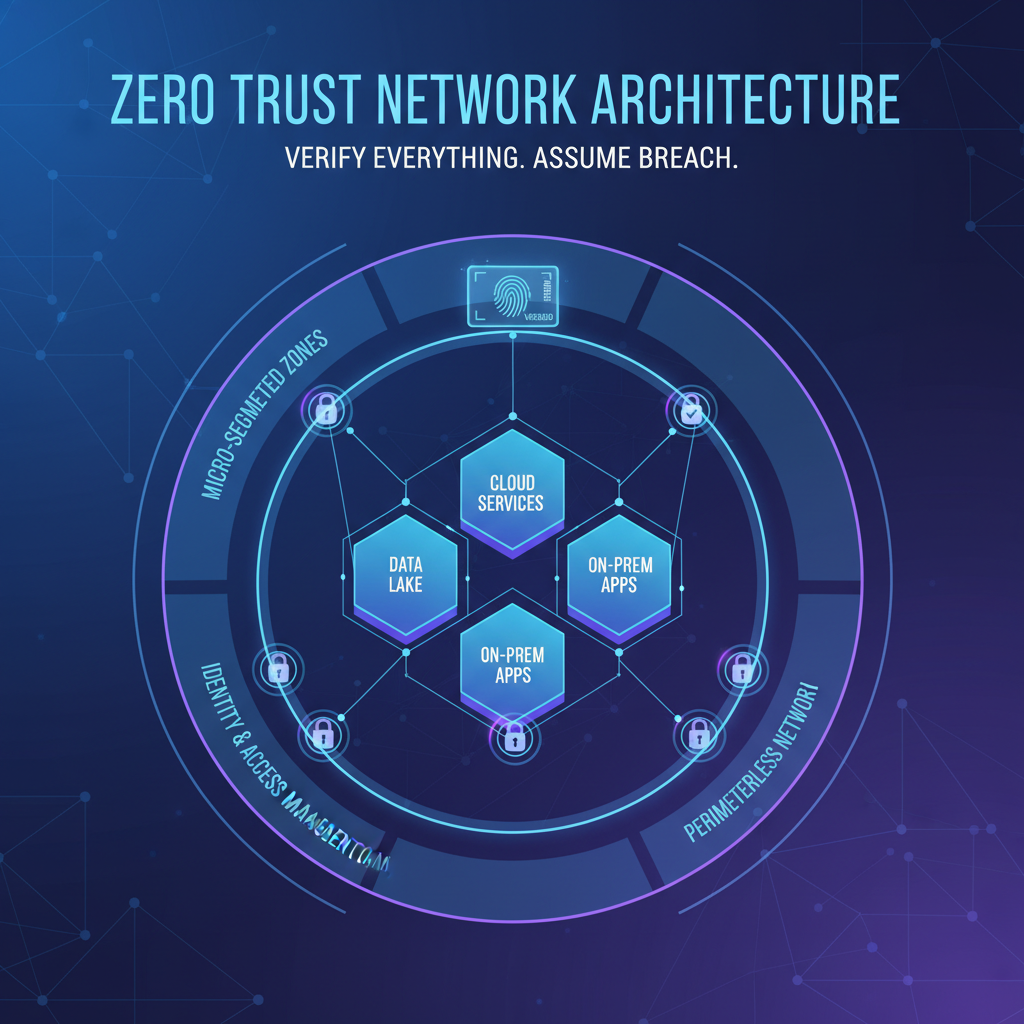
Zero Trust Network Architecture (ZTNA) is the answer to this reality. It’s not a single product you can buy. It’s a strategic framework - a fundamentally different way of thinking about network security that assumes breach, verifies explicitly, and enforces least-privilege access at every layer.
In this comprehensive guide, we’ll walk you through exactly how to set up Zero Trust for your organisation, from the foundational principles through to practical implementation, monitoring, and ongoing optimisation.
Understanding the Core Principles of Zero Trust
Zero Trust isn’t a technology - it’s a philosophy. Before you buy a single tool or write a single policy, you need to internalise three foundational principles that underpin every decision you’ll make.
1. Never Trust, Always Verify
In a traditional network, once a user or device passed the perimeter firewall, they were implicitly trusted. Zero Trust eliminates this implicit trust entirely. Every access request - whether it comes from the CEO’s laptop in the boardroom or a contractor’s tablet in another country - must be authenticated, authorised, and encrypted before access is granted.
This applies equally to internal and external traffic. A request from one server to another within your own data centre is treated with the same scrutiny as a request from an unknown IP address on the public internet.
2. Assume Breach
Zero Trust operates on the assumption that your network has already been compromised. This isn’t pessimism - it’s realism. The average dwell time for an attacker inside a UK network is still measured in weeks, not minutes. By assuming breach, you design your security controls to limit blast radius and prevent lateral movement, even when an attacker is already inside.
3. Enforce Least-Privilege Access
Every user, device, and application should have access to only the minimum resources required to perform their function - nothing more. A marketing coordinator doesn’t need access to the finance server. A print server doesn’t need to communicate with your CRM database. By limiting access to the absolute minimum, you drastically reduce the attack surface available to both external threats and insider risks.
Start your Zero Trust journey by mapping every data flow in your organisation. You cannot protect what you cannot see. Document which users access which applications, which devices connect to which resources, and which services communicate with each other. This data flow map becomes the blueprint for your entire Zero Trust architecture.
Micro-Segmentation: Breaking the Flat Network
If Zero Trust is the philosophy, micro-segmentation is the structural engineering that makes it real. Traditional networks are “flat” - once inside, a user or device can reach virtually any resource on the network. Micro-segmentation divides your network into small, isolated zones, each with its own access controls.
Why Flat Networks Are Dangerous
Imagine your office network as a building with no internal walls. Every room connects to every other room. If an intruder gets through the front door, they can walk into the server room, the accounts department, the executive offices - anywhere they please. That’s what a flat network looks like to an attacker.
Micro-segmentation adds those internal walls - and locks on every door. Even if an attacker compromises a single workstation, they find themselves trapped in a tiny segment with no route to your critical systems.
How to Implement Micro-Segmentation
There are several approaches, depending on your infrastructure:
| Approach | Best For | Complexity | Typical Cost |
|---|---|---|---|
| VLAN-Based Segmentation | On-premises networks with managed switches | Moderate | £2,000 – £8,000 setup |
| Software-Defined Networking (SDN) | Hybrid environments needing dynamic policies | High | £5,000 – £25,000/year |
| Host-Based Micro-Segmentation | Cloud-first organisations | Moderate–High | £3 – £8/endpoint/month |
| Cloud-Native Security Groups | Azure, AWS, or GCP workloads | Low–Moderate | Included in cloud subscription |
| Next-Gen Firewall Zones | Organisations with existing NGFW investment | Moderate | £1,500 – £5,000/year licensing |
For most UK SMEs, the practical starting point is a combination of VLAN segmentation for on-premises resources and cloud-native security groups for Azure or Microsoft 365 workloads. You don’t need to boil the ocean - start with your most critical assets and expand outwards.
Micro-segmentation without proper planning can break legitimate business workflows. Before enforcing any segmentation rules, run them in “audit mode” for at least two weeks to identify traffic patterns you didn’t anticipate. Cutting off a critical application because you didn’t know it communicated with another service is a real and common risk.
Identity-Based Access Control
In a Zero Trust architecture, identity becomes the new perimeter. Instead of granting access based on network location (“you’re on the office Wi-Fi, so you must be trusted”), access decisions are made based on who you are, what device you’re using, where you’re connecting from, and what you’re trying to access.
The Identity Pillar
Identity-based access requires a robust identity provider (IdP) at the centre of your architecture. For the vast majority of UK businesses already using Microsoft 365, this means Microsoft Entra ID (formerly Azure Active Directory). Entra ID serves as the single source of truth for user identities and becomes the policy engine that governs access to every resource.
Key capabilities you need from your identity provider:
- Single Sign-On (SSO) - One authenticated identity across all applications, reducing password fatigue and attack surface
- Conditional Access Policies - Dynamic, context-aware access decisions based on risk signals
- Role-Based Access Control (RBAC) - Granular permissions tied to job functions, not individual user accounts
- Privileged Identity Management (PIM) - Just-in-time elevation of admin privileges with approval workflows
- Identity Protection - Real-time risk detection for compromised credentials and anomalous sign-in behaviour
Moving Beyond Passwords
Passwords alone are no longer sufficient. Even complex, regularly rotated passwords are vulnerable to phishing, credential stuffing, and brute-force attacks. Zero Trust demands stronger authentication - which brings us to the next critical pillar.
Multi-Factor Authentication: The Non-Negotiable Foundation
If there is one single action that delivers the greatest security improvement per pound spent, it’s implementing multi-factor authentication (MFA) across your entire organisation. Microsoft’s own research shows that MFA blocks over 99.9% of account compromise attacks.
MFA Methods Ranked by Security
Not all MFA methods are created equal. Here’s how they stack up:
For a Zero Trust implementation, you should mandate phishing-resistant MFA (FIDO2 keys or Windows Hello for Business) for all privileged accounts and administrative access. Standard MFA via the Microsoft Authenticator app with number matching is acceptable for general users, but SMS-based codes should be eliminated entirely from your environment.
When rolling out MFA, don’t just flip the switch overnight. Use Entra ID’s “Registration Campaign” feature to nudge users to register their MFA methods over a two-week window before enforcing it. Pair this with short training videos and drop-in support sessions. A well-communicated rollout reduces helpdesk tickets by up to 80% compared to a surprise enforcement.
Device Compliance and Endpoint Verification
Zero Trust doesn’t just verify the user - it verifies the device. A legitimate user logging in from a compromised, unmanaged, or outdated device is still a threat vector. Device compliance ensures that only healthy, managed, and policy-compliant endpoints can access your resources.
What Device Compliance Looks Like
Using Microsoft Intune (included in Microsoft 365 Business Premium and Enterprise plans), you can define compliance policies that check for:
- Operating system version - Is the device running a supported, up-to-date OS?
- Encryption status - Is BitLocker (Windows) or FileVault (macOS) enabled?
- Antivirus status - Is Microsoft Defender or another approved AV active and current?
- Firewall enabled - Is the local firewall active?
- Jailbreak/root detection - Has the device been tampered with? (mobile devices)
- Risk level - What is the device’s risk score from Defender for Endpoint?
- Password/PIN complexity - Does the device enforce a minimum lock screen security?
When a device falls out of compliance - perhaps a user has disabled their antivirus or missed a critical Windows update - Conditional Access policies automatically block or limit their access until the issue is resolved. The user sees a clear remediation message explaining what they need to fix.
Handling BYOD in a Zero Trust World
Bring-your-own-device policies present a genuine challenge for Zero Trust. You can’t fully manage a personal device, but you can still enforce security controls. Microsoft Entra ID and Intune offer two approaches:
| Approach | Device Ownership | User Experience | Security Level |
|---|---|---|---|
| Full Device Enrolment | Corporate-owned | Seamless - full access to all resources | Highest - complete management control |
| App Protection Policies (MAM) | Personal (BYOD) | Good - access through managed apps only | High - corporate data containerised |
| Web-Only Access | Unmanaged/guest | Limited - browser access with restrictions | Moderate - no data download, session controls |
For most UK SMEs, a blended approach works best: corporate-owned devices for staff who handle sensitive data, app protection policies for employees using personal phones, and web-only access for contractors and temporary workers.
ZTNA vs. VPN: Why Traditional VPNs Fall Short
One of the most visible changes in a Zero Trust architecture is replacing traditional VPNs with Zero Trust Network Access (ZTNA) solutions. To understand why, let’s compare the two approaches directly.
Zero Trust Network Access (ZTNA)
Traditional VPN
The key difference is conceptual. A VPN puts the user on your network. ZTNA gives the user access to specific applications without ever placing them on the network. This is a fundamental shift - and it’s why ZTNA is a cornerstone of Zero Trust architecture.
Popular ZTNA solutions for UK SMEs include Microsoft Entra Private Access (part of the Global Secure Access suite), Cloudflare Access, Zscaler Private Access, and Palo Alto Prisma Access. For organisations already invested in the Microsoft ecosystem, Entra Private Access offers the most seamless integration.
Microsoft Entra Conditional Access: The Policy Engine
If Zero Trust had a brain, it would be Conditional Access. This is the policy engine within Microsoft Entra ID that evaluates every sign-in attempt against a set of conditions and decides whether to grant access, require additional verification, or block the request entirely.
How Conditional Access Works
Every time a user attempts to access a resource - signing into Outlook, opening a SharePoint site, connecting to a line-of-business application - Conditional Access evaluates a matrix of signals:
- User identity - Who is requesting access? What group or role do they belong to?
- Device state - Is the device managed, compliant, and healthy?
- Location - Is the request coming from a trusted network, a known location, or an unusual geography?
- Application sensitivity - Is this a low-risk app (company intranet) or high-risk (financial systems)?
- Sign-in risk - Has Entra ID Protection detected anomalies (impossible travel, leaked credentials, malware-linked IP)?
- Session risk - Is this session exhibiting suspicious behaviour post-authentication?
Essential Conditional Access Policies for Zero Trust
Here are the policies every organisation should implement as a baseline:
| Policy | Applies To | Condition | Action |
|---|---|---|---|
| Require MFA for all users | All users | All cloud apps | Require MFA |
| Block legacy authentication | All users | Legacy auth protocols | Block access |
| Require compliant device | All employees | Corporate applications | Require device compliance |
| Block high-risk sign-ins | All users | Sign-in risk: High | Block access |
| Require password change for risky users | All users | User risk: High | Require password change + MFA |
| Restrict unmanaged devices | BYOD/guest users | Unmanaged device | Web-only, no download |
| Phishing-resistant MFA for admins | Admin roles | All cloud apps | Require FIDO2 or WHfB |
| Block access from untrusted countries | All users | Countries where you have no operations | Block access |
Always create Conditional Access policies in “Report-only” mode first and run them for at least one week before switching to enforcement. A misconfigured policy can lock out your entire organisation - including administrators. Ensure you have at least two “break glass” emergency accounts excluded from all Conditional Access policies, secured with FIDO2 keys and stored in a physical safe.
The Zero Trust Implementation Roadmap
Implementing Zero Trust is not a weekend project. It’s a phased journey that typically takes 6 – 18 months for a UK SME, depending on the complexity of your environment and the maturity of your existing security posture. Here’s a practical, phased roadmap.
Phase 1: Foundation (Weeks 1 – 4)
This phase establishes the essential building blocks without disrupting daily operations.
- Asset and data inventory - Catalogue all users, devices, applications, and data repositories
- Identity consolidation - Ensure all users authenticate through a single identity provider (Entra ID)
- MFA deployment - Roll out MFA to all users, starting with administrators and high-value targets
- Legacy authentication blocking - Disable IMAP, POP3, SMTP basic auth, and other legacy protocols
- Baseline Conditional Access policies - Deploy in report-only mode
Phase 2: Device Trust (Weeks 5 – 10)
- Device enrolment - Enrol all corporate devices in Microsoft Intune
- Compliance policies - Define and deploy device compliance baselines
- App protection - Configure MAM policies for BYOD scenarios
- Conditional Access enforcement - Switch device compliance policies from report-only to active enforcement
- Endpoint Detection and Response - Deploy Microsoft Defender for Endpoint across all managed devices
Phase 3: Network Segmentation (Weeks 11 – 16)
- Network mapping - Document all traffic flows and dependencies between systems
- VLAN implementation - Segment on-premises network by function (staff, guests, servers, IoT, CCTV)
- Cloud security groups - Configure NSGs and Azure Firewall rules for cloud resources
- ZTNA deployment - Replace or supplement VPN with Zero Trust Network Access
- DNS security - Implement DNS filtering to block malicious domains
Phase 4: Data Protection and Monitoring (Weeks 17 – 24)
- Data classification - Label and classify sensitive data using Microsoft Purview
- Data Loss Prevention (DLP) - Deploy policies to prevent sensitive data leaving controlled channels
- SIEM deployment - Implement Microsoft Sentinel or a third-party SIEM for centralised logging
- Automated response - Configure automated playbooks for common threat scenarios
- Security baseline review - Assess progress against Zero Trust maturity model
Monitoring, Logging, and Continuous Verification
A Zero Trust architecture is only as strong as your ability to monitor it. Without continuous visibility into what’s happening across your environment, you’re flying blind - and policies you’ve carefully crafted may be bypassed, misconfigured, or simply failing without your knowledge.
What You Need to Monitor
Zero Trust monitoring goes far beyond traditional network monitoring. You need visibility across six domains:
- Identity signals - Failed sign-ins, MFA fatigue attacks, impossible travel detections, token replay attempts
- Device health - Compliance drift, devices falling out of policy, new unmanaged device connections
- Network traffic - East-west traffic anomalies, unexpected cross-segment communication, DNS query patterns
- Application access - Unusual access patterns, privilege escalation attempts, access to sensitive resources outside normal hours
- Data movement - Large file downloads, data exfiltration patterns, DLP policy violations
- Threat intelligence - Known malicious IPs, compromised credential databases, emerging attack techniques
Building Your Security Operations Stack
For UK SMEs, the Microsoft security stack offers the most cost-effective approach to Zero Trust monitoring, especially if you’re already licensing Microsoft 365 Business Premium or E5:
| Tool | Function | Included In | Key Zero Trust Role |
|---|---|---|---|
| Microsoft Sentinel | Cloud-native SIEM | Pay-as-you-go | Centralised log aggregation and threat detection |
| Defender for Endpoint | EDR | M365 Business Premium | Endpoint threat detection, device risk scoring |
| Defender for Identity | Identity threat detection | M365 E5 / Security add-on | Lateral movement detection, credential theft alerts |
| Defender for Cloud Apps | CASB | M365 E5 / Security add-on | Shadow IT discovery, session controls, DLP |
| Entra ID Protection | Identity risk engine | Entra ID P2 | Real-time sign-in and user risk scoring |
| Microsoft Purview | Data governance | M365 E5 / Compliance add-on | Data classification, DLP, insider risk |
If you’re not ready for a full SIEM deployment, start with the free Entra ID sign-in logs and audit logs. Configure alerts for high-risk sign-ins, failed MFA attempts, and Conditional Access policy failures. Even basic alerting on these three signals will catch the majority of identity-based attacks before they escalate.
Common Mistakes and How to Avoid Them
Having helped numerous UK businesses implement Zero Trust, we’ve seen the same mistakes repeated. Here are the most common pitfalls and how to sidestep them.
1. Trying to Do Everything at Once
Zero Trust is a marathon, not a sprint. Organisations that attempt to implement every control simultaneously inevitably hit user resistance, operational disruption, and project fatigue. Follow the phased roadmap and celebrate incremental wins.
2. Neglecting the User Experience
Security controls that make users’ lives miserable will be circumvented. If your MFA is clunky, your VPN replacement is slow, or your device compliance policies are overly aggressive, users will find workarounds - and those workarounds will be less secure than having no controls at all.
3. Forgetting About Service Accounts
Many organisations focus exclusively on human identities and forget about service accounts, application identities, and API keys. These non-human identities often have elevated privileges and are rarely subject to MFA or Conditional Access. They’re prime targets for attackers. Use managed identities in Azure and rotate service account credentials on a strict schedule.
4. Underinvesting in Monitoring
Building Zero Trust controls without monitoring them is like installing CCTV cameras that nobody watches. The controls will generate alerts, anomalies, and policy violations - someone needs to be reviewing them and responding. This is where a managed security service provider can add significant value for organisations without a dedicated security operations centre.
5. Ignoring the Supply Chain
Your Zero Trust posture is only as strong as your weakest third-party connection. Every vendor, contractor, and SaaS application with access to your environment is a potential entry point. Apply the same Zero Trust principles to third-party access: least privilege, time-limited, continuously monitored.
Budget Planning for Zero Trust
One of the most common questions we hear from UK SMEs is: “How much will Zero Trust cost?” The answer depends on your starting point and desired maturity level, but here are realistic ranges for a 50-user organisation.
The good news is that if you’re already paying for Microsoft 365 Business Premium, you have the majority of the tooling you need. The incremental cost of moving from a traditional security posture to Zero Trust is often lower than organisations expect - especially when weighed against the £3.4 million average cost of a data breach.
Measuring Your Zero Trust Maturity
Microsoft provides a Zero Trust maturity model with three tiers. Use this to benchmark where you are today and track progress over time:
| Maturity Level | Identity | Devices | Network | Data |
|---|---|---|---|---|
| Traditional | Passwords only, no MFA | No device management | Flat network, VPN only | No classification or DLP |
| Advanced | MFA enforced, Conditional Access active | Managed devices, compliance policies | Basic segmentation, ZTNA piloting | Sensitivity labels applied |
| Optimal | Phishing-resistant MFA, PIM, continuous risk assessment | Full compliance, EDR integrated with CA | Micro-segmented, ZTNA for all access | Automated classification, DLP enforced |
Most UK SMEs starting their Zero Trust journey will sit at the “Traditional” level. The goal of the roadmap outlined above is to reach “Advanced” within six months and “Optimal” within 12 – 18 months. Don’t be discouraged if you’re starting from scratch - every policy you implement, every legacy protocol you disable, and every access control you tighten moves you closer to a fundamentally more secure posture.
Why Partner with Cloudswitched for Zero Trust
Implementing Zero Trust is a significant undertaking, and getting it wrong can be worse than not doing it at all - misconfigured policies lock out legitimate users, poorly planned segmentation breaks critical workflows, and half-implemented controls create a false sense of security.
Cloudswitched has extensive experience designing, implementing, and managing Zero Trust architectures for UK SMEs. We understand that every organisation is different, and we tailor our approach to your specific environment, risk profile, and budget. Our team handles the technical complexity so you can focus on running your business - confident that your network, data, and users are properly protected.
Whether you’re starting from a completely traditional setup or you’re partway through a Zero Trust journey and need expert guidance, we’re here to help.
Ready to Implement Zero Trust?
Our team can assess your current security posture, design a tailored Zero Trust roadmap, and guide your organisation through every phase of implementation. Get in touch for a free, no-obligation consultation.

CloudSwitched
London-based managed IT services provider offering support, cloud solutions and cybersecurity for SMEs.


