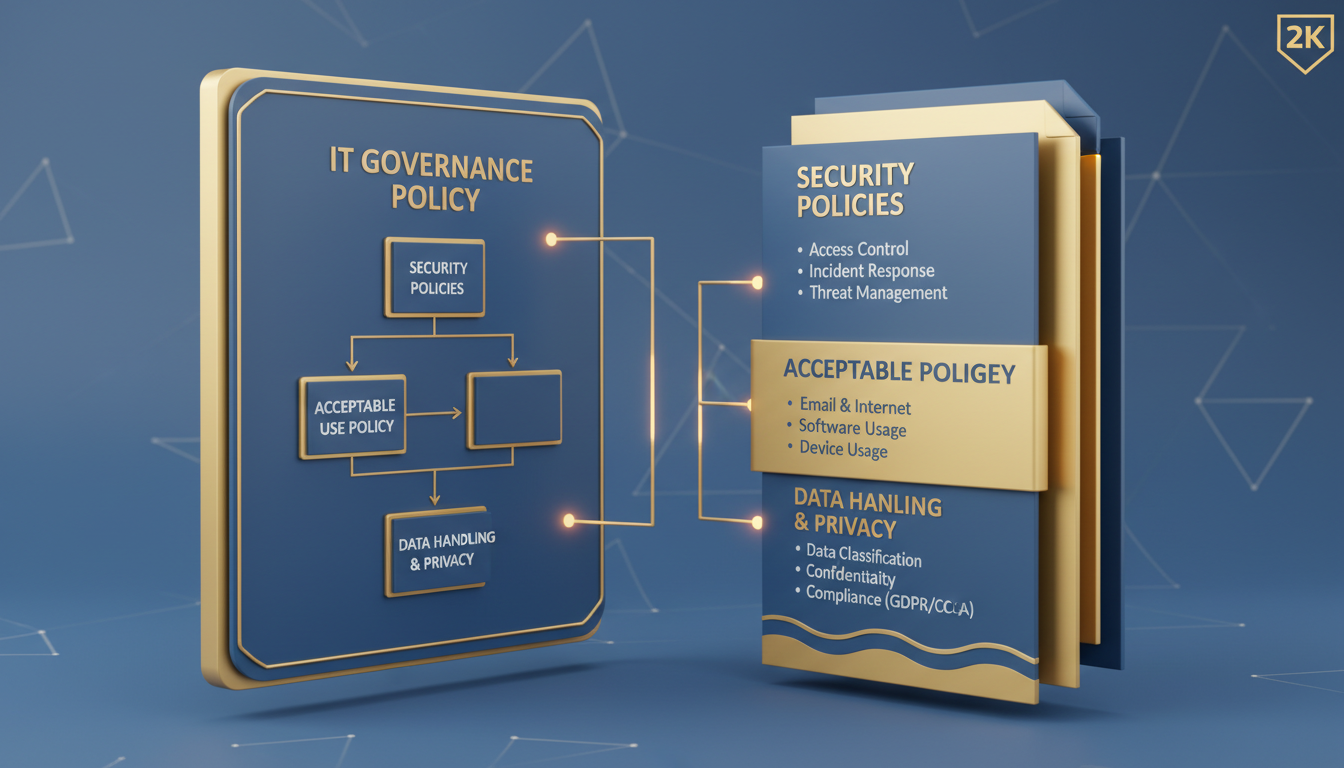
Every UK business that uses technology - which is to say, every UK business - needs a set of policies governing how that technology is used, managed, and secured. Yet a surprising number of SMEs operate without any formal IT policies at all, relying instead on informal rules, verbal agreements, and the assumption that staff will simply "do the right thing."
An IT policy framework is not about bureaucracy or creating paperwork for its own sake. It is a practical set of guidelines that protect your business from security breaches, ensure compliance with UK regulations like GDPR, reduce the risk of costly mistakes, and provide clarity for your team about what is expected of them when using company technology.
This guide walks you through the process of creating a comprehensive IT policy framework from scratch, covering which policies you need, what each should contain, how to implement them effectively, and how to keep them current as your business and the technology landscape evolve.
Why Your Business Needs an IT Policy Framework
The case for formal IT policies extends well beyond security, though security is certainly a primary driver. From a regulatory perspective, GDPR requires organisations to implement "appropriate technical and organisational measures" to protect personal data. The ICO interprets "organisational measures" to include documented policies covering data handling, access control, and incident response. Without these policies, you are technically non-compliant regardless of how good your technical security may be.
From a liability perspective, IT policies protect your business in disputes with employees, contractors, and third parties. If a staff member misuses company technology, having a clear Acceptable Use Policy that they have signed and acknowledged gives you a solid legal foundation to address the situation. Without that policy, taking disciplinary action becomes significantly more complicated under UK employment law.
From an operational perspective, policies ensure consistency. When everyone follows the same rules about password complexity, data storage, device management, and software installation, your IT environment becomes more predictable, easier to manage, and less prone to the random configuration drift that causes so many technical problems.
There is also a growing commercial imperative for documented IT policies. Many larger organisations and public sector bodies now require their suppliers and partners to demonstrate that they have formal IT governance in place before awarding contracts. If your business tenders for work with local authorities, NHS trusts, or large corporates, you will increasingly find that an IT policy framework is a prerequisite for being considered. The absence of documented policies can disqualify you from lucrative opportunities before your bid is even evaluated on its merits.
Insurance is another area where IT policies are becoming essential. Cyber insurance providers in the UK are tightening their underwriting criteria, and many now require policyholders to demonstrate that they have documented IT security policies, staff training programmes, and incident response procedures. Without these, you may find it difficult to obtain cyber insurance at all, or you may face significantly higher premiums. In the event of a claim, the absence of documented policies could give your insurer grounds to dispute or reduce your payout.
The UK Government's Cyber Essentials certification scheme, managed by the NCSC, requires businesses to demonstrate that they have appropriate policies and procedures in place for five key areas: firewalls, secure configuration, user access control, malware protection, and security update management. If you are pursuing Cyber Essentials certification - which is increasingly required for UK government contracts and recommended for all businesses - your IT policy framework should align with these five pillars.
The Essential IT Policies Every UK Business Needs
While the exact policies you need depend on your industry, size, and regulatory environment, there is a core set that virtually every UK SME should have. Think of these as the foundation of your framework - you can build additional policies on top as needed, but these cover the most critical areas.
1. Acceptable Use Policy (AUP)
The Acceptable Use Policy is the cornerstone of your IT policy framework. It defines how staff are permitted to use company technology - computers, phones, email, internet, printers, and any other IT resources. It should cover personal use of company equipment, prohibited activities (such as downloading unauthorised software or accessing inappropriate content), social media guidelines, and the consequences of policy violations.
A good AUP is clear, practical, and proportionate. It should not be so restrictive that it is impossible to follow, nor so vague that it provides no real guidance. For example, rather than saying "personal use of email is prohibited," a more practical approach is "limited personal use of email is permitted provided it does not interfere with work duties or involve the transmission of sensitive company data."
2. Password and Authentication Policy
This policy defines requirements for creating, managing, and protecting passwords and other authentication credentials. It should specify minimum password lengths (the NCSC now recommends at least 12 characters using three random words), prohibit password sharing, mandate multi-factor authentication for critical systems, and outline procedures for reporting compromised credentials.
3. Data Classification and Handling Policy
Not all data is equal, and your policy framework should recognise this. A data classification policy defines categories of data sensitivity - typically public, internal, confidential, and restricted - and specifies how each category should be handled, stored, transmitted, and disposed of. This policy is particularly important for GDPR compliance, as personal data requires specific protections.
4. Incident Response Policy
When a security incident occurs - and statistically, it will - your team needs to know exactly what to do. The incident response policy defines what constitutes an incident, who to notify, how to contain the situation, and how to recover. Under GDPR, you have 72 hours to report certain types of data breaches to the ICO, so your incident response policy must include procedures for rapid assessment and notification.
5. Remote and Hybrid Working Policy
With hybrid working now the norm for many UK businesses, a remote working policy is no longer optional. This policy should define who is eligible to work remotely, what equipment and connectivity requirements must be met, how company data should be handled outside the office, and what security measures - such as VPN usage and screen lock requirements - must be followed. It should also address practical matters such as home network security, the physical security of devices, and the process for reporting incidents that occur whilst working remotely.
The policy must be clear about the boundary between personal and professional use when employees are working from home. For instance, should family members be permitted to use a company laptop? Can company documents be printed on a home printer? These seem like minor questions, but without clear guidance, they create security gaps that are easily exploited.
6. Bring Your Own Device (BYOD) Policy
If your business permits employees to use personal smartphones, tablets, or laptops for work purposes, you need a BYOD policy. This should define which personal devices are permitted to access company systems, the minimum security requirements those devices must meet (such as operating system versions, encryption, and passcodes), what company data can and cannot be stored on personal devices, and what happens to company data on personal devices when an employee leaves the organisation.
7. Backup and Disaster Recovery Policy
Your backup policy should define what data is backed up, how frequently backups occur, where backup copies are stored (including off-site or cloud locations), how long backups are retained, and how regularly restore tests are performed. The disaster recovery component should outline the steps to recover critical systems following a major incident, define recovery time objectives (RTOs) and recovery point objectives (RPOs) for each critical system, and assign responsibilities for executing the recovery plan.
8. Software Licensing and Installation Policy
Unlicensed software is both a legal risk and a security risk. Your software policy should define who is authorised to install software on company devices (typically only the IT team), how software requests are submitted and approved, how licences are tracked and managed, and the prohibition of pirated or unlicensed software. This policy protects your business from software audit penalties - which can be substantial - and from the security risks associated with software downloaded from unverified sources.
| Policy | Primary Purpose | Key Stakeholders | Review Frequency |
|---|---|---|---|
| Acceptable Use | Define permitted technology use | All staff | Annually |
| Password & Authentication | Secure access to systems | All staff, IT team | Annually |
| Data Classification | Protect sensitive information | All staff, data handlers | Annually |
| Incident Response | Manage security events | IT team, management | Bi-annually |
| Remote Working | Secure off-site access | Remote/hybrid staff | Annually |
| BYOD | Manage personal devices | Staff using own devices | Annually |
| Backup & Recovery | Ensure data resilience | IT team, management | Bi-annually |
| Software Licensing | Maintain licence compliance | IT team, procurement | Annually |
Building Your Policy Framework Step by Step
Creating an IT policy framework from scratch can seem daunting, but the process is manageable when broken into clear steps. The key is to start with the most critical policies and build outward, rather than trying to create everything simultaneously.
Step 1: Assess Your Current State
Before writing any policies, audit your current IT environment and practices. What technology do your staff use? How is data currently handled? What informal rules already exist? Where are the biggest risks? This assessment gives you a factual foundation for your policies and helps you prioritise which policies to create first.
Step 2: Identify Regulatory Requirements
Depending on your industry, you may have specific regulatory requirements that your policies must address. GDPR applies to all UK businesses handling personal data. Businesses in financial services must comply with FCA regulations. Healthcare organisations must adhere to NHS Data Security and Protection Toolkit requirements. Educational institutions have DfE guidelines. Identify all applicable regulations before you start writing.
Step 3: Draft Your Policies
Write each policy in clear, plain English. Avoid technical jargon where possible - your policies need to be understood by every member of staff, not just the IT team. Each policy should include a purpose statement explaining why it exists, a scope statement defining who and what it covers, the actual policy requirements, responsibilities for implementation and enforcement, and consequences for non-compliance.
Step 4: Review and Obtain Approval
Policies carry weight only when they have senior management endorsement. Before finalising any policy, circulate it to relevant stakeholders for review - this typically includes the managing director or CEO, the head of IT (or your outsourced IT provider), HR, and any departmental heads whose teams will be significantly affected. Incorporate their feedback, resolve any disagreements, and obtain formal sign-off from the appropriate authority within your organisation.
It is also worth having your employment solicitor review policies that have significant HR implications, particularly the Acceptable Use Policy and any policies that define monitoring of employee activity. UK employment law has specific requirements around employee monitoring, and your policies must comply with these to be enforceable. A brief legal review at this stage can prevent significant problems down the line.
Step 5: Create a Policy Register
A policy register is a master document or spreadsheet that tracks every policy in your framework - its title, version number, date of last review, date of next scheduled review, the policy owner (the person responsible for maintaining it), and where the current version is stored. This register becomes invaluable as your framework grows, ensuring that no policy is forgotten or allowed to become outdated. It also provides a useful audit trail for compliance purposes, demonstrating to regulators, auditors, or certification bodies that your policies are actively managed and regularly reviewed.
Good Policy Writing Practices
- Clear, plain English language
- Specific, actionable requirements
- Realistic expectations staff can follow
- Regular review dates built in
- Aligned with business objectives
- Approved by senior management
- Version controlled and dated
Common Policy Writing Mistakes
- Overly technical language
- Vague or unenforceable requirements
- Unrealistic restrictions nobody follows
- No review or update schedule
- Copied from templates without customisation
- No management buy-in or sign-off
- No version control or change tracking
Implementing and Communicating Your Policies
A policy that exists only in a document nobody has read is worse than no policy at all - it creates a false sense of security. Implementation is where many UK businesses fall short. You need a structured approach to rolling out your policies and ensuring genuine understanding and compliance.
Start with a formal launch. Present the policy framework to all staff, explaining why it exists and how it protects both the business and them personally. Make the policies accessible - store them in a central location that everyone can access, such as your company intranet, SharePoint, or shared drive. Avoid burying them in obscure folders where nobody will find them.
Require acknowledgement. Every member of staff should read and formally acknowledge each policy that applies to them. This can be as simple as signing a form or clicking "I acknowledge" in an electronic system. This acknowledgement is crucial for legal and disciplinary purposes - you cannot enforce a policy that an employee can credibly claim they never saw.
Provide training. Policies are most effective when supplemented with practical training that helps staff understand not just the rules, but the reasoning behind them. Regular awareness sessions, phishing simulations, and scenario-based training all reinforce policy compliance and build a security-conscious culture.
Maintaining and Evolving Your Framework
Technology changes rapidly, and your IT policies must evolve with it. A policy written in 2022 that does not address AI tools like ChatGPT, for example, has a significant gap. Similarly, the shift to hybrid working has made remote access policies far more critical than they were before the pandemic.
Schedule formal policy reviews at least annually. During each review, assess whether the policy is still relevant, whether the technology landscape has changed in ways that require updates, whether there have been any incidents that exposed gaps, and whether staff feedback suggests improvements. Document every change with version numbers and dates, and re-communicate updated policies to all affected staff.
Handling Policy Exceptions and Waivers
No policy framework can anticipate every situation, and there will inevitably be occasions when a legitimate business need conflicts with a policy requirement. Your framework should include a formal process for requesting, evaluating, and granting policy exceptions. This process should require the requestor to explain why the exception is needed, what risks the exception creates, what compensating controls will be put in place, and for how long the exception is required.
All exceptions should be documented, time-limited, approved by an appropriate authority, and reviewed at expiry. A well-managed exception process actually strengthens your policy framework by demonstrating that policies are taken seriously and that deviations are controlled rather than ignored. If you find that the same exception is being requested repeatedly, that is a signal that the underlying policy may need to be revised to accommodate a legitimate business requirement.
Monitor compliance continuously, not just during annual reviews. Your IT team or provider should be able to verify that technical policies are being followed - for example, checking that password complexity requirements are enforced, that MFA is active on all required accounts, and that data is being backed up according to your policy. Where non-compliance is detected, address it promptly and constructively.
Addressing AI and Emerging Technologies
The rapid adoption of artificial intelligence tools in the workplace has created an urgent need for policies that most existing frameworks do not address. Generative AI tools such as ChatGPT, Microsoft Copilot, and Google Gemini are already being used by employees in many UK businesses, often without management awareness or approval. Without a clear policy, staff may inadvertently feed confidential business data, client information, or proprietary intellectual property into AI platforms where it could be used to train models or become accessible to third parties.
Your AI usage policy should define which AI tools are approved for business use, what categories of data may and may not be entered into AI systems, how AI-generated outputs should be reviewed and attributed, and the responsibilities of staff when using AI to support their work. This is a rapidly evolving area, and your policy will need frequent updates as the technology and regulatory landscape develop. The UK Government has signalled its intention to introduce AI-specific regulations, and businesses that already have governance frameworks in place will be better positioned to comply when these arrive.
Beyond AI, your policy framework should be flexible enough to accommodate other emerging technologies as they enter the workplace. The Internet of Things, augmented reality, blockchain-based systems, and quantum-resistant cryptography are all areas that may require policy attention within the next few years. Building a culture of proactive policy development - where new technologies are assessed for policy implications before they are widely adopted - is far more effective than retroactively trying to govern technologies that are already embedded in your operations.
Need Help Building Your IT Policy Framework?
Cloudswitched provides Virtual CIO services to UK businesses, including the creation, implementation, and ongoing management of comprehensive IT policy frameworks. Our experienced consultants work with your team to develop policies that are practical, compliant, and aligned with your business objectives. Get in touch to discuss your requirements.
GET IN TOUCH
CloudSwitched
London-based managed IT services provider offering support, cloud solutions and cybersecurity for SMEs.


