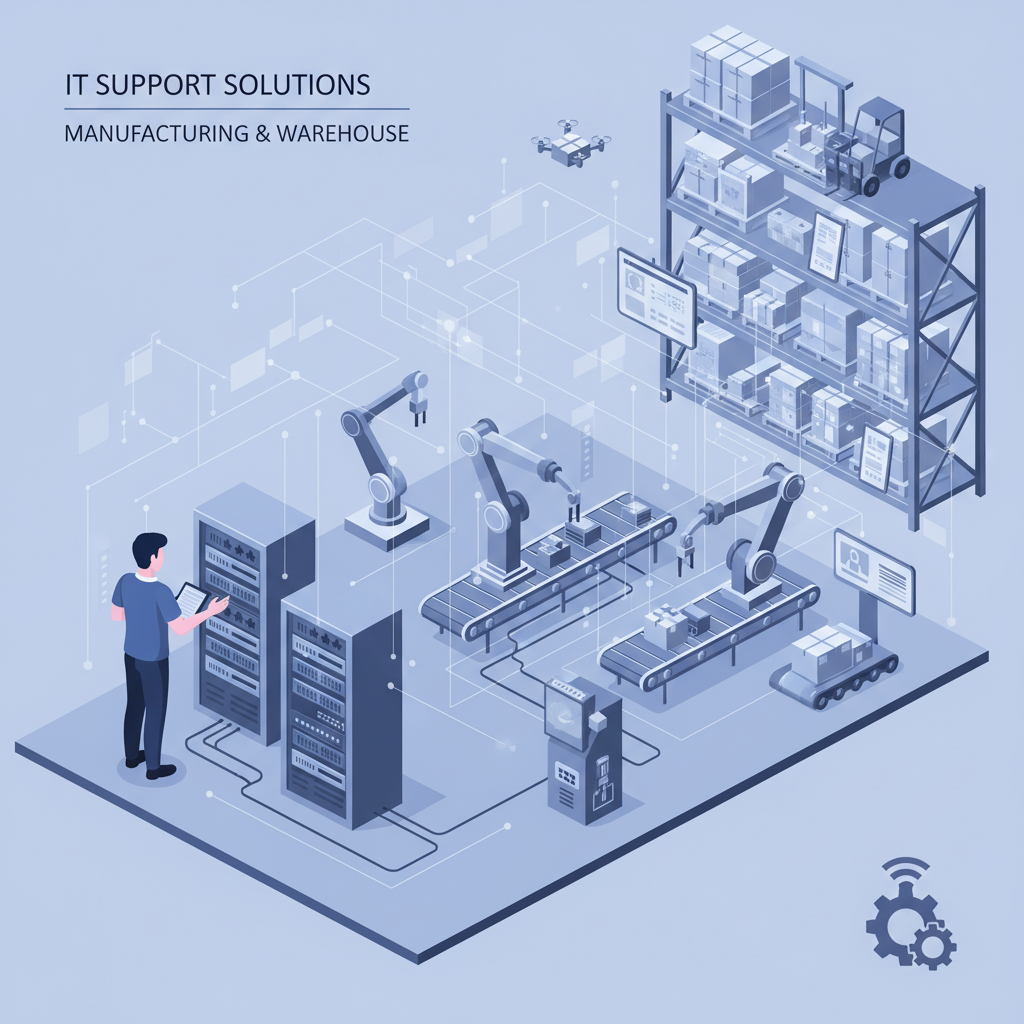
Manufacturing and warehouse businesses are the backbone of the UK economy, yet many operate with IT infrastructure that would look more at home in a 1990s office block than a modern production facility. When your IT goes down in an office, people send emails from their phones. When your IT goes down on a factory floor or in a distribution centre, entire production lines stop, orders don’t ship, and the financial damage compounds by the hour.
The IT challenges facing manufacturing and warehouse operations are fundamentally different from those in a typical office environment. Dust, extreme temperatures, vibration, and 24/7 shift patterns create an operating environment that destroys consumer-grade equipment in months. Meanwhile, the convergence of operational technology (OT) and information technology (IT) has introduced cybersecurity risks that many manufacturers are woefully unprepared for. A 2025 report by Make UK found that 58% of UK manufacturers experienced at least one cyber incident in the previous 12 months, with the average cost per incident exceeding £50,000.
Whether you run a precision engineering workshop in Birmingham, a food processing plant in Lincolnshire, or a third-party logistics warehouse in the Midlands, getting your IT right isn’t optional - it’s a competitive advantage. This guide covers everything you need to know about IT support for manufacturing and warehouse businesses, from ruggedised hardware and industrial Wi-Fi to SCADA security and ERP integration.
Why Manufacturing and Warehouse IT Is Different
If you’ve ever called a generic IT support company and had them suggest plugging in a consumer-grade router next to your CNC machines, you already know the problem. Most IT providers are built to support office workers - desks, laptops, Microsoft 365, and perhaps a meeting room display. They have little understanding of the harsh physical environments, specialised equipment, and operational demands that define manufacturing and warehouse operations.
Manufacturing IT must contend with a unique set of challenges that simply don’t exist in conventional office environments:
- Harsh physical environments - dust, metal shavings, moisture, temperature extremes, and vibration that destroy standard equipment
- 24/7 operations - many facilities run two or three shifts, meaning IT issues at 2am on a Saturday need the same response as those at 10am on a Tuesday
- Operational technology integration - PLCs, SCADA systems, HMIs, and industrial control systems that must communicate with business IT systems
- Legacy systems - machinery and software that may be 15–20 years old but remain critical to production
- Compliance requirements - industry-specific regulations around traceability, food safety, quality management, and environmental reporting
- Mobile workforce - forklift operators, pickers, quality inspectors, and maintenance engineers who need technology that moves with them
Ruggedised Hardware for the Factory Floor and Warehouse
Standard office laptops, tablets, and printers simply cannot survive in a manufacturing or warehouse environment. A laptop left near a grinding station will have its vents clogged with metal dust within weeks. A consumer tablet dropped from a forklift cage won’t survive the first shift. The cost of repeatedly replacing failed equipment quickly exceeds the premium for purpose-built industrial hardware.
Ruggedised Tablets and Handhelds
Warehouse pickers, goods-in teams, and quality inspectors need devices that can withstand drops from 1.5 metres onto concrete, operate in temperatures from −20°C to +50°C, and remain readable in direct sunlight or dim warehouse lighting. Devices from manufacturers like Zebra, Panasonic (Toughbook), and Honeywell are rated to IP65 or IP67 standards, meaning they’re fully protected against dust ingress and water jets.
Industrial PCs and Workstations
Workstations on the factory floor - running CAD/CAM software, controlling CNC machines, or displaying real-time production dashboards - need fanless cooling systems, solid-state storage, and sealed enclosures. Standard desktop PCs with spinning hard drives and air-intake fans are a recipe for premature failure in dusty or vibration-heavy environments.
Industrial Printers and Label Systems
From shipping labels and compliance documentation to product barcodes and safety signage, printing in a manufacturing environment demands thermal transfer printers that can operate in cold storage, produce water-resistant labels, and handle high-volume continuous printing without jamming. Zebra, SATO, and Brother offer industrial-grade label printers designed for exactly these conditions.
Industrial Wi-Fi and Network Infrastructure
Reliable wireless connectivity across a 50,000 sq ft warehouse with 12-metre-high steel racking is a completely different proposition to covering a three-storey office building. Metal structures, moving machinery, and the sheer scale of industrial spaces create reflection, absorption, and dead zones that defeat standard office-grade access points.
Challenges Unique to Industrial Wireless
Steel racking, metal-clad walls, and large moving objects like overhead cranes and forklifts create a constantly shifting radio environment. Consumer and small-business access points lack the transmit power, antenna design, and roaming intelligence needed to maintain stable connections for barcode scanners, tablets, and IoT sensors across a busy warehouse.
Enterprise-Grade Solutions
Industrial Wi-Fi deployments typically use enterprise access points from vendors like Cisco Meraki, Aruba, or Ruckus, mounted at height and configured with directional antennas to push signal down aisles rather than scattering it across the ceiling. A proper site survey - using spectrum analysis tools to map interference from motors, welders, and other RF-noisy equipment - is essential before installation.
Key considerations include:
- Seamless roaming - devices moving between access points (e.g., handheld scanners on forklifts) must transition without dropping connections or requiring re-authentication
- Power over Ethernet (PoE) - running mains power to access points mounted at 10+ metres is expensive and creates safety hazards; PoE switches eliminate this
- Outdoor coverage - loading bays, yard areas, and external storage often need weatherproof access points
- Network segmentation - keeping operational technology traffic completely separate from business and guest traffic
SCADA, OT Security, and the IT/OT Convergence
Perhaps the most critical - and most overlooked - area of manufacturing IT is the security of operational technology. SCADA (Supervisory Control and Data Acquisition) systems, PLCs (Programmable Logic Controllers), and HMIs (Human-Machine Interfaces) were originally designed to operate on isolated, air-gapped networks. They were never built with cybersecurity in mind.
Today, the demand for real-time production data, remote monitoring, and integration with ERP and business intelligence systems has driven these OT systems onto converged networks. This creates enormous attack surfaces. A compromised PLC can shut down a production line, damage equipment, or even endanger human safety. The 2017 Triton malware attack on a petrochemical facility demonstrated just how devastating OT-targeted cyberattacks can be.
Essential OT Security Measures
- Network segmentation - OT and IT networks must be logically and, where possible, physically separated using industrial firewalls and demilitarised zones (DMZs)
- Asset discovery and monitoring - you cannot protect what you don’t know exists; specialist OT security tools from vendors like Claroty, Nozomi Networks, or Dragos can map every device on your industrial network
- Patch management - many OT systems run legacy operating systems (Windows XP, Windows 7) that no longer receive security updates; compensating controls like network isolation and application whitelisting are essential
- Access control - strict role-based access, multi-factor authentication for remote access, and audit trails for all configuration changes
- Incident response planning - a dedicated OT incident response plan that accounts for the safety implications of shutting down or isolating production systems
Inventory Management and Warehouse Management Systems
Accurate, real-time inventory data is the lifeblood of any manufacturing or warehouse operation. Whether you’re tracking raw materials through a production process, managing finished goods in a distribution centre, or coordinating just-in-time deliveries to customers, your inventory management system (IMS) or warehouse management system (WMS) needs rock-solid IT infrastructure behind it.
Key IT Requirements for WMS/IMS
- High-availability servers or cloud hosting - if your WMS goes down, picking stops, dispatch stops, and customer orders stack up
- Reliable Wi-Fi throughout the warehouse - every aisle, every rack, every loading bay needs consistent, low-latency connectivity
- Integration with barcode and RFID systems - scanners must communicate in real time with the WMS; even brief network interruptions cause scanning errors and inventory discrepancies
- Automated backups and disaster recovery - a corrupted inventory database can take days to reconcile manually, costing thousands in labour and lost orders
- User training and support - warehouse staff are not IT specialists; systems must be intuitive, and help must be available on every shift
Barcode, RFID, and Automated Data Capture
Manual data entry in a warehouse or manufacturing environment is slow, error-prone, and expensive. Modern operations rely on automated data capture technologies - primarily barcode scanning and RFID (Radio-Frequency Identification) - to track materials, products, and assets in real time.
Barcode Systems
1D barcodes (the familiar striped labels) and 2D barcodes (QR codes, Data Matrix) are the workhorses of warehouse operations. IT support for barcode systems includes provisioning and managing ruggedised scanners, maintaining print servers and label printers, ensuring Wi-Fi coverage for real-time scanning, and troubleshooting integration issues between scanners and the WMS or ERP system.
RFID Systems
RFID takes automated data capture to the next level, enabling the reading of hundreds of tags per second without line-of-sight. RFID is increasingly used in manufacturing for work-in-progress tracking, in warehousing for pallet-level inventory counts, and in logistics for shipment verification. The IT requirements are more complex - RFID readers, antennas, middleware, and integration with back-end systems all need careful planning, deployment, and ongoing management.
| Feature | Barcode | RFID |
|---|---|---|
| Read range | Line-of-sight, up to 1 metre | Up to 12 metres (passive UHF) |
| Read speed | One item at a time | Hundreds of items per second |
| Label cost | Less than 1p per label | 5p–50p per tag (passive) |
| Durability | Moderate (affected by damage, dirt) | High (can be encased, washable) |
| Infrastructure cost | Low (£200–£800 per scanner) | High (£2,000–£10,000 per reader/antenna) |
| Best for | Item-level scanning, goods-in, dispatch | Bulk reads, asset tracking, WIP |
ERP Integration and Business System Connectivity
Enterprise Resource Planning (ERP) systems like SAP, Sage, Microsoft Dynamics, and Epicor are the central nervous system of most manufacturing businesses. They connect sales, purchasing, production planning, inventory, quality, and finance into a single platform. But an ERP system is only as good as the data flowing into and out of it - and that depends entirely on your IT infrastructure.
Common Integration Points
- Shop floor data collection - production counts, downtime events, scrap rates, and quality measurements feeding from machines and operator terminals into the ERP
- Warehouse management - goods receipts, pick confirmations, dispatch notifications, and stock adjustments synchronised between the WMS and ERP
- Supply chain - EDI (Electronic Data Interchange) connections with suppliers and customers for purchase orders, advance shipping notices, and invoices
- Quality management - inspection results, non-conformance reports, and corrective action tracking linked to production batches
- Financial systems - costing, invoicing, and management reporting drawing data from across the business
Each of these integration points requires reliable network connectivity, properly configured APIs or middleware, and ongoing monitoring to ensure data flows correctly. A single broken integration can create a cascade of problems - from incorrect stock levels and missed deliveries to inaccurate financial reporting.
Environmental Considerations for IT Equipment
The physical environment in manufacturing and warehouse facilities presents challenges that most IT support providers have never encountered. Understanding and mitigating these environmental factors is essential for maintaining reliable IT infrastructure.
Dust and Particulates
Metal shavings, wood dust, flour, plastic granules, and general warehouse dust are devastating to standard IT equipment. Server rooms and network cabinets in manufacturing facilities need sealed enclosures with filtered ventilation. Switches, access points, and industrial PCs should be rated to at least IP54 for dusty environments, with regular cleaning schedules for any equipment that cannot be fully sealed.
Temperature Extremes
Cold storage warehouses operating at −25°C, foundries where ambient temperatures near equipment can exceed 50°C, and facilities where temperatures swing 30 degrees between a summer afternoon and a winter night all present challenges. IT equipment has defined operating temperature ranges, and exceeding them causes premature component failure, data corruption, and unexpected shutdowns.
Vibration and Impact
Heavy presses, forklifts, and overhead cranes generate vibration that loosens connections, fatigues solder joints, and destroys mechanical hard drives. Equipment near vibration sources needs solid-state storage, vibration-dampening mounts, and more frequent inspection cycles.
Moisture and Washdown Areas
Food processing and pharmaceutical manufacturing often require daily washdowns with high-pressure hoses and caustic cleaning agents. Any IT equipment in or near these areas must meet IP66 or IP67 ratings and use stainless steel enclosures that resist chemical corrosion.
Remote Monitoring and Proactive IT Management
In a manufacturing environment, waiting for something to break before fixing it is an unacceptable strategy. Unplanned downtime on a production line can cost £10,000–£50,000 per hour depending on the operation. Proactive monitoring - identifying and resolving issues before they cause outages - is essential.
What Should Be Monitored
- Network infrastructure - switch port status, access point health, bandwidth utilisation, and latency across the factory and warehouse network
- Server and application health - CPU, memory, disk usage, and application response times for ERP, WMS, and other critical systems
- Environmental sensors - temperature, humidity, and power status in server rooms and network cabinets
- Backup and replication status - verification that backups are completing successfully and recovery point objectives (RPOs) are being met
- Security events - firewall logs, intrusion detection alerts, and anomalous network traffic patterns
- OT network health - communication status between PLCs, SCADA systems, and the monitoring infrastructure
A good managed IT provider uses Remote Monitoring and Management (RMM) tools alongside network monitoring platforms to maintain real-time visibility across your entire IT and OT estate. Alerts are triaged automatically, with critical production-impacting issues escalated immediately regardless of the time of day.
Compliance and Regulatory Requirements
Manufacturing and warehouse businesses in the UK are subject to a range of compliance requirements that have direct IT implications. Your IT systems must support - not hinder - your ability to meet these obligations.
| Regulation / Standard | Applies To | IT Implications |
|---|---|---|
| ISO 9001 | All manufacturing | Document control, audit trails, corrective action tracking |
| ISO 14001 | Environmentally regulated sites | Environmental data collection, emissions reporting, waste tracking |
| BRC / SALSA | Food manufacturing | Full batch traceability, temperature monitoring, recall management systems |
| MHRA GxP | Pharmaceutical manufacturing | Validated computer systems, electronic records (21 CFR Part 11 equivalent), data integrity |
| UK GDPR | All businesses | Employee data protection, CCTV data handling, access controls |
| NIS2 Directive | Essential and important entities | Cybersecurity risk management, incident reporting, supply chain security |
| Cyber Essentials | Government supply chain | Firewalls, secure configuration, access control, malware protection, patch management |
Your IT support provider should understand the specific compliance requirements of your industry and ensure that your IT infrastructure, policies, and procedures support them. This includes maintaining audit-ready documentation, implementing appropriate access controls, and ensuring data retention policies meet regulatory timeframes.
Managed IT Support vs In-House IT for Manufacturing
One of the biggest decisions for manufacturing and warehouse businesses is whether to build an internal IT team or outsource to a managed IT support provider. Both approaches have merits, and many businesses ultimately choose a hybrid model.
- Access to a full team of specialists (networking, security, cloud, OT) without hiring each individually
- 24/7 monitoring and support coverage that matches shift patterns
- Predictable monthly costs with no recruitment, training, or retention overheads
- Vendor management and procurement handled on your behalf
- Scalable - support scales with your operations without adding headcount
- Exposure to best practices from supporting multiple manufacturing clients
- Business continuity - no single point of failure if one person is ill or leaves
- Deeper understanding of your specific machinery, processes, and culture
- Physically present on site for immediate hands-on response
- Can be dedicated 100% to your business priorities
- Easier to integrate with production and engineering teams
- Higher cost - a single competent IT manager costs £45,000–£65,000 plus benefits and training
- Limited breadth of skills - one or two people cannot be experts in everything
- Vulnerability to staff absence and turnover - when your IT person is on holiday, who covers?
For many UK manufacturing SMEs, the most effective approach is a hybrid model: a managed IT provider handling day-to-day support, monitoring, security, and strategic planning, complemented by an internal IT coordinator or champion who understands the business, liaises with the external provider, and handles immediate on-site tasks. This gives you the breadth and depth of a full IT team at a fraction of the cost of building one internally.
How Much Does IT Support for Manufacturing Cost?
The cost of managed IT support for manufacturing and warehouse businesses varies depending on the number of users, complexity of your environment, whether OT security is included, and the level of on-site support required. However, as a guide for UK businesses:
| Service Level | What’s Included | Typical Cost (per user/month) |
|---|---|---|
| Essential | Helpdesk, remote support, monitoring, patch management, basic security | £35–£55 |
| Professional | Everything in Essential plus on-site visits, network management, backup management, vendor liaison | £55–£85 |
| Enterprise | Everything in Professional plus OT security monitoring, compliance support, dedicated account manager, strategic planning | £85–£130 |
For a manufacturing business with 50 users, you’re typically looking at £2,750–£6,500 per month for comprehensive managed IT support. Compare this to the £65,000–£120,000 annual cost (including employer NICs, pension, training, and tools) of employing even two full-time IT staff, and the value proposition of managed support becomes clear.
What to Look for in a Manufacturing IT Support Provider
Not all IT support companies are equipped to handle manufacturing and warehouse environments. When evaluating providers, look for the following:
- Manufacturing sector experience - ask for case studies and references from similar businesses; generic office IT experience is not sufficient
- OT security knowledge - understanding of SCADA systems, industrial protocols (Modbus, OPC UA, EtherNet/IP), and the IEC 62443 standard for industrial cybersecurity
- 24/7 support availability - if you run shifts, your IT provider must match your operating hours, not just offer 9–5 Monday to Friday
- On-site capability - some issues cannot be resolved remotely; your provider should have engineers who can attend your site within agreed SLA timeframes
- Vendor relationships - partnerships with industrial hardware vendors (Zebra, Honeywell, Cisco, Rockwell) for faster procurement and support escalation
- Compliance understanding - familiarity with ISO 9001, BRC, MHRA, Cyber Essentials, and other standards relevant to your industry
- Strategic capability - not just fixing problems but helping you plan technology investments, optimise operations, and adopt new technologies like IoT and predictive maintenance
Getting Started: An IT Health Check for Your Facility
If your manufacturing or warehouse business has been operating without specialist IT support - or with a provider who doesn’t understand your environment - the first step is a comprehensive IT health check. This should cover:
- Network assessment - mapping your entire wired and wireless network, identifying single points of failure, bottlenecks, and security vulnerabilities
- Hardware audit - cataloguing all IT and OT equipment, assessing age and condition, identifying consumer-grade equipment that needs replacing
- Security review - evaluating firewall configuration, endpoint protection, backup strategy, access controls, and OT/IT network segregation
- Compliance gap analysis - comparing your current IT setup against the requirements of your industry-specific standards and regulations
- Wi-Fi site survey - using professional tools to map signal strength, interference sources, and coverage gaps across your entire facility
- Business continuity assessment - evaluating your ability to recover from hardware failure, cyberattack, or physical disaster
This health check provides a clear picture of where you stand today and a prioritised roadmap for improvement. It’s the foundation for building IT infrastructure that genuinely supports - rather than hinders - your manufacturing operations.

CloudSwitched
London-based managed IT services provider offering support, cloud solutions and cybersecurity for SMEs.


