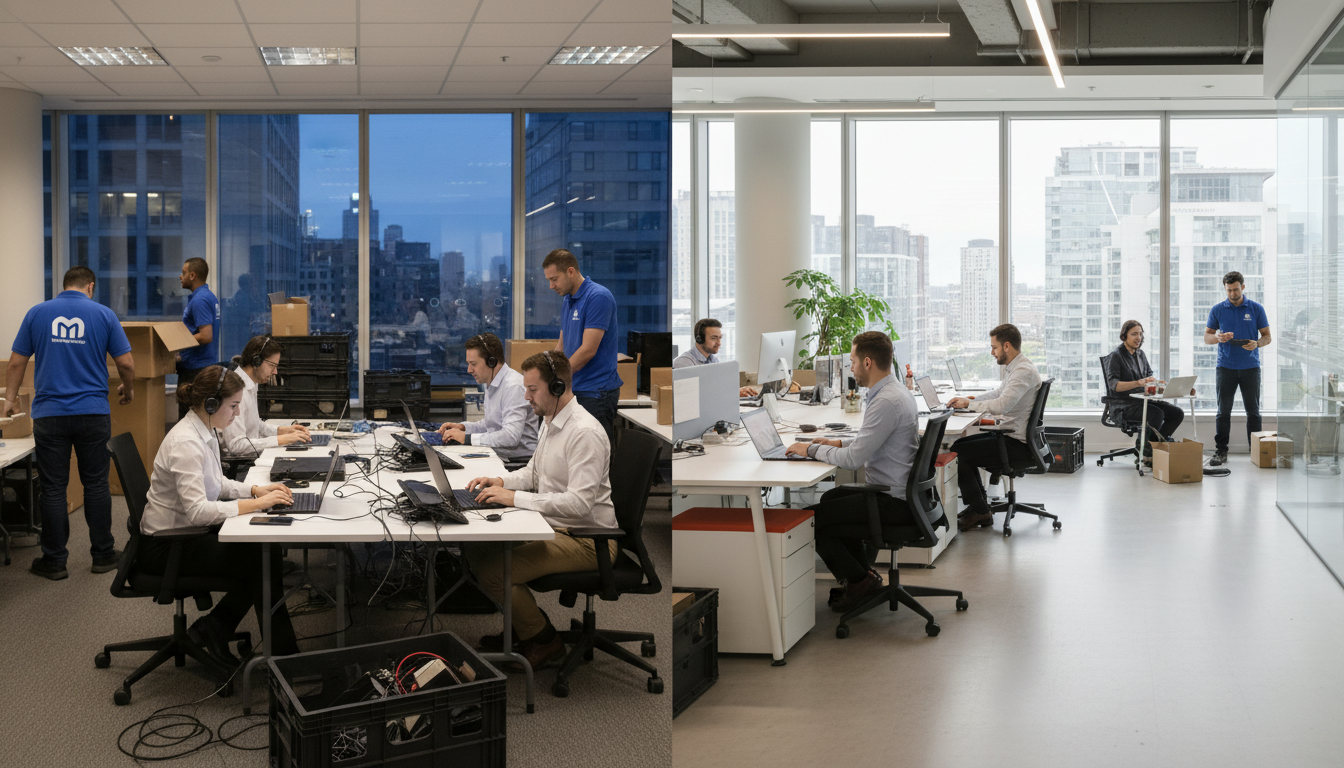
An office move is one of the most disruptive events a business can experience. Beyond the physical logistics of transporting furniture and equipment, there is the critical challenge of maintaining technology services throughout the transition. Email must keep flowing, phones must keep ringing, customer orders must keep processing, and your team must remain productive - even as servers are being disconnected, internet circuits are being transferred, and workstations are being packed into crates.
For UK businesses, the stakes are high. Research suggests that the average office relocation causes between two and five days of significant productivity loss, costing mid-sized firms upwards of £25,000 in lost revenue and recovery time. Yet with proper planning, the right technology strategy, and an experienced IT partner, it is entirely possible to relocate your office with near-zero downtime.
This comprehensive guide covers everything you need to know about keeping your business running before, during, and after an office move.
Phase One: Planning (12 to 8 Weeks Before the Move)
The single greatest determinant of a successful office move is the quality of planning that precedes it. Ideally, IT planning should begin at least twelve weeks before moving day. This allows sufficient time to order new internet circuits, plan network infrastructure at the new site, and resolve any unforeseen complications without rushing.
Internet Connectivity at the New Site
This is the most time-critical element and should be addressed first. Ordering a new business-grade internet connection - whether leased line, FTTP, or SoGEA - can take anywhere from four to twelve weeks depending on the provider and whether Openreach needs to install new infrastructure. Do not assume that because your new office had internet previously, it will be ready for your needs. Previous tenants may have had their circuits ceased, and installation lead times in cities like London, Birmingham, and Manchester can vary enormously.
We strongly recommend ordering connectivity as early as possible and having it installed and tested before moving day. If your new premises require a leased line for reliable performance, the lead time can extend to sixteen weeks in some areas. Having a 4G or 5G backup solution ready ensures you can operate even if the primary connection is not yet active.
It is worth noting that the UK broadband landscape has evolved considerably in recent years. Full fibre coverage now reaches over 60% of UK premises thanks to the continued rollout by Openreach, CityFibre, and alternative network providers. In many business parks and commercial districts, symmetric gigabit connectivity is available with lead times as short as two weeks. However, in older commercial buildings - particularly Grade II listed properties common in cities like Bath, York, and Chester - wayleave agreements and building restrictions can add months to the installation timeline. Always conduct a site survey and connectivity check at the earliest opportunity to identify potential complications.
Openreach typically quotes 60 to 90 working days for new leased line installations, though this can extend significantly if wayleave agreements or civil engineering works are required. Virgin Media Business and alternative providers such as CityFibre may offer shorter lead times in some areas. Always order your new circuit before giving notice on your current premises, and have a temporary solution planned as a fallback.
Network Design for the New Office
Your new office presents an opportunity to design your network properly from the outset. This means planning structured cabling with Cat6a or higher for future-proofing, positioning wireless access points based on a proper site survey rather than guesswork, designing server room or comms cabinet placement with adequate ventilation and power, and ensuring sufficient power outlets and network points throughout the workspace.
If your new office requires cabling installation, engage a qualified cabling contractor early. Professional structured cabling takes time to install, test, and certify, and you do not want this work happening while your team is trying to settle in.
A proper wireless site survey is particularly important in modern open-plan offices where meeting rooms with glass partitions, high-density seating areas, and collaborative zones all place different demands on the wireless network. According to a 2025 survey by the British Computer Society, 67% of UK office workers cite unreliable Wi-Fi as their top frustration in a new workspace. Investing in a professional survey before the move ensures that access points are placed for optimal coverage from day one, rather than being repositioned reactively over the following weeks.
Phase Two: Preparation (8 to 4 Weeks Before the Move)
Cloud Migration: The Ultimate Move Simplifier
If your business still relies on on-premises servers for email, file storage, or applications, an office move is the ideal catalyst for migrating to the cloud. Moving to Microsoft 365 for email and collaboration, Azure or AWS for server workloads, and cloud-based line-of-business applications eliminates the most complex and risky element of any office relocation - the physical movement and reconnection of servers.
With your critical services running in the cloud, an office move becomes primarily about moving people and their devices rather than moving infrastructure. Staff can work from home on moving day with full access to email, files, and applications, while the physical relocation of monitors, docking stations, and peripherals happens without causing system downtime.
Cloud-First Office Move
- Email and files accessible throughout the move
- Staff can work remotely on moving day
- No server shutdown or reconnection required
- Reduced risk of hardware damage during transit
- New office operational within hours of arrival
- Internet is the only critical dependency
- Opportunity to upgrade and modernise
- Typical downtime: under 2 hours
On-Premises Server Move
- Email and files unavailable during transit
- Staff cannot work until servers are reconnected
- Servers must be safely transported and recabled
- High risk of hardware damage from vibration
- May take days to fully restore services
- Multiple dependencies: power, cooling, cabling
- Carries forward existing technical debt
- Typical downtime: 1 to 3 days
Hardware Audit and Refresh
An office move is the perfect time to audit your hardware estate and replace ageing equipment. Why spend money transporting five-year-old desktops to a new office when you could deploy fresh hardware that arrives directly at the new site? Laptops that are approaching end of warranty, monitors with dead pixels, and printers that jam constantly should all be flagged for replacement rather than relocation.
The financial logic is compelling. According to Gartner research, the total cost of ownership for a business desktop or laptop increases by approximately 40% once it passes the four-year mark, owing to higher failure rates, increased support calls, and reduced performance. For a business with 50 workstations, replacing even half of the oldest devices during a move can yield measurable productivity gains and reduce support costs for the following two years. Coordinate with your IT provider to ensure new hardware is pre-configured, labelled, and delivered directly to the new office - ready to be placed on desks and powered on when staff arrive.
Telephony Planning
If your business uses a traditional PBX phone system with physical handsets, an office move adds considerable complexity. Porting phone numbers to a new site, reconnecting handsets, and reconfiguring call routing all take time and coordination with your telecoms provider. This is another area where moving to the cloud - specifically, a VoIP or UCaaS platform like Microsoft Teams Phone or a hosted PBX - dramatically simplifies the relocation. With cloud telephony, your phone numbers move with you seamlessly, and handsets simply need plugging into the network at the new site.
Ofcom data shows that over 58% of UK businesses have now adopted some form of cloud-based telephony, a figure that has accelerated since the PSTN switch-off timeline was confirmed. If your business is still running on ISDN or analogue lines, your office move is the natural trigger point for migration - these services are being withdrawn across the UK by 2027, and many exchanges have already stopped accepting new orders. Moving to a cloud phone system during your relocation means you address both challenges simultaneously and avoid a second disruptive migration later.
Phase Three: Execution (Moving Week)
The Parallel Running Strategy
The most effective approach to minimising downtime is parallel running - having both the old and new offices operational simultaneously, even if only briefly. If your lease allows it, maintain the old office for a few days after the new office becomes operational. This provides a safety net and allows a phased migration of staff rather than an all-or-nothing big bang approach.
| Moving Day Timeline | Activity | Responsible Party | Duration |
|---|---|---|---|
| 06:00 - 08:00 | IT team arrives at new site, verifies connectivity and network | IT Provider | 2 hours |
| 08:00 - 10:00 | Server room equipment powered on and tested | IT Provider | 2 hours |
| 09:00 - 12:00 | Furniture and non-IT equipment delivered and positioned | Removal Company | 3 hours |
| 10:00 - 14:00 | Workstations, monitors, and peripherals deployed to desks | IT Provider | 4 hours |
| 14:00 - 16:00 | Staff arrive and log in, IT support on hand for issues | All | 2 hours |
| 16:00 - 18:00 | Final testing, printer setup, and issue resolution | IT Provider | 2 hours |
Staff Communication
Clear communication with your team is essential. Every employee should know where to sit on day one, how to connect their devices, who to contact if they have technical problems, and what to do if they cannot access a critical system. A simple one-page guide distributed before the move - covering Wi-Fi passwords, printer locations, help desk contact details, and any temporary workarounds - prevents dozens of avoidable support calls.
Phase Four: Settling In (First Two Weeks at the New Office)
The move itself is only half the battle. The first two weeks at your new office invariably surface issues that could not have been predicted or prevented. Wi-Fi coverage may be inconsistent in certain areas, meeting room technology may need adjustment, printers may misbehave, and staff will discover workflows that do not quite work as expected in the new environment.
Your IT provider should maintain an enhanced support presence during this settling-in period. This might mean having an engineer on site for the first few days, providing priority response times for move-related issues, and conducting a formal review at the end of week two to capture and address any outstanding problems.
Multi-Site Relocations and Phased Moves
For organisations with multiple offices across the UK, a relocation rarely involves a single site. Whether you are consolidating two regional offices into one larger headquarters, opening a new branch whilst closing an existing one, or relocating your head office while maintaining satellite locations, multi-site moves introduce an additional layer of complexity that demands careful orchestration.
The key challenge in a multi-site relocation is maintaining inter-site connectivity throughout the transition. If your offices are connected by site-to-site VPN tunnels, MPLS circuits, or SD-WAN overlays, each site move disrupts these connections and requires reconfiguration at both ends. A phased approach - moving one site at a time while keeping the others operational - is almost always preferable to attempting simultaneous relocations, even though it extends the overall timeline.
Research by Deloitte indicates that phased relocations reduce the risk of critical IT failures by up to 60% compared with single-event moves, primarily because the IT team can focus their attention on one site at a time and apply lessons learned from each phase to the next. For UK businesses operating across time zones or with customer-facing services that must remain available around the clock, a phased approach also allows moves to be scheduled during low-traffic periods, further minimising disruption.
Consider too the impact on shared services. If your finance team in one office relies on database servers hosted at another, moving the server site first creates a dependency that must be resolved before the client site can function at the new location. Mapping these dependencies in advance - ideally in a formal dependency matrix - ensures that the move sequence is logically ordered and that no site is left stranded without access to a critical resource.
Budgeting for IT During an Office Move
IT costs during an office move are frequently underestimated. Beyond the obvious expenses of new cabling and internet installation, businesses often overlook the cost of temporary connectivity solutions, overtime for IT support during the transition weekend, new hardware to replace equipment not worth moving, and potential licence changes for cloud services configured for a new location.
A thorough IT relocation budget should account for structured cabling installation at the new site (typically £80 to £150 per data point), new internet circuit installation and first-year costs, wireless access points and network switches, any server room fit-out requirements including cooling and UPS, temporary 4G or 5G connectivity as a fallback, IT labour for planning, execution, and post-move support, and a contingency of at least fifteen per cent for unexpected issues.
Insurance and Risk Management for IT Equipment in Transit
One of the most overlooked aspects of an IT office move is the insurance and risk management surrounding your technology assets while they are in transit. Standard commercial removal insurance typically covers furniture and general office contents, but it often excludes or severely limits cover for high-value IT equipment, particularly servers, networking hardware, and specialist peripherals. Given that even a modest office may contain £50,000 to £200,000 worth of IT equipment, this gap in coverage represents a significant financial risk.
Before moving day, review your existing insurance policies carefully. Your business contents insurance may include transit cover, but check the per-item limits, the aggregate limit, and any exclusions for electronic equipment or data loss. Many UK business insurance policies exclude damage caused by inherent defect or gradual deterioration - which insurers may argue applies to older servers that fail during the stress of relocation. If your standard policy does not provide adequate cover, consider taking out a specific goods-in-transit policy for the move. Specialist IT equipment insurers can provide tailored cover that includes not just the replacement cost of hardware but also the cost of data recovery, emergency equipment hire, and business interruption resulting from equipment failure.
Beyond insurance, practical risk mitigation measures are essential. Servers and storage arrays should be shut down gracefully, with full backups verified before any equipment is disconnected. Hard drives should ideally be removed from servers and transported separately in anti-static, shock-resistant cases. Network switches, firewalls, and UPS units should be packed in their original boxes where possible, or in cases with adequate foam padding. Label every cable, photograph every rack from multiple angles, and create a detailed reconnection guide so that equipment can be reassembled accurately at the new site without relying on memory.
The Association of British Insurers recommends that businesses document their IT assets thoroughly before a move, including serial numbers, purchase dates, and current market values, as this significantly speeds up any claim process. Engaging a specialist IT relocation firm - rather than relying on a general removals company - also strengthens your position, as these firms carry their own professional indemnity insurance and use equipment-specific packing and transport methods.
Security Considerations During a Move
An office move creates temporary security vulnerabilities that must be managed. Physical security of equipment in transit, secure disposal of any hardware being decommissioned, maintaining access controls during the transition period, and ensuring data remains encrypted and backed up throughout the process all require deliberate attention.
Under GDPR, you remain responsible for the security of personal data at all times, including during an office relocation. Ensure that any equipment being disposed of has its storage media securely wiped or physically destroyed, and obtain certificates of destruction from your disposal provider. The ICO takes a dim view of data breaches caused by careless equipment disposal during office moves.
Environmental and Sustainability Considerations
An office move generates a significant volume of electronic waste, and UK businesses have clear legal obligations regarding the disposal of IT equipment. The Waste Electrical and Electronic Equipment (WEEE) Regulations require that IT hardware is disposed of through approved channels rather than sent to general landfill. Failure to comply can result in fines and reputational damage, particularly for businesses that publish sustainability reports or hold ISO 14001 certification.
However, responsible IT disposal during an office move is not just about compliance - it is also an opportunity to reduce costs and demonstrate corporate responsibility. Equipment that is too old for your needs may still have useful life for other organisations. IT asset disposition (ITAD) companies can refurbish and resell viable equipment, often providing a rebate that offsets disposal costs. According to the UK government statistics from DEFRA, over 1.5 million tonnes of electrical waste is generated in the United Kingdom each year, and commercial relocations are a significant contributor. By partnering with a certified ITAD provider, your business can ensure that usable equipment is refurbished and redistributed, reducing your environmental footprint while recovering residual value from assets you no longer need.
Additionally, an office move is the ideal moment to adopt more energy-efficient technology. Modern laptops consume up to 80% less power than the desktop workstations they replace. LED monitors, energy-efficient network switches with port-level power management, and cloud-based infrastructure that eliminates the need for on-site servers all contribute to reduced energy consumption at your new premises. For businesses targeting net-zero commitments, the relocation provides a natural reset point at which to measure and reduce your technology carbon footprint.
An office move does not have to be a technology nightmare. With twelve weeks of planning, the right cloud strategy, a detailed execution plan, and an experienced IT partner managing the technical elements, your business can relocate with minimal disruption and emerge with a better, more modern technology environment than the one you left behind.
Planning an Office Move?
Cloudswitched has managed dozens of office relocations for businesses across the United Kingdom, from small firms moving within the same building to multi-site organisations relocating entire headquarters. We handle everything from cabling and connectivity to cloud migration and moving-day support. Contact us to start planning your move.

CloudSwitched
London-based managed IT services provider offering support, cloud solutions and cybersecurity for SMEs.


