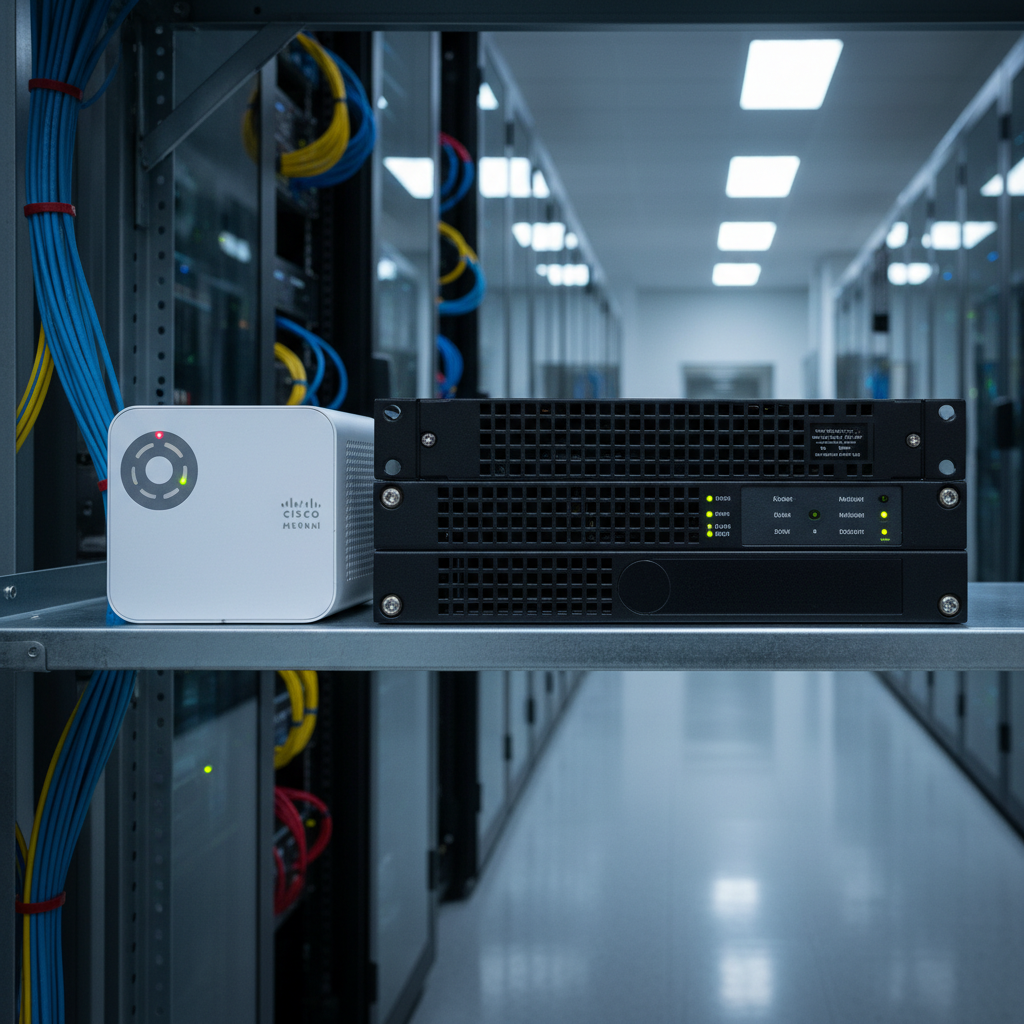
The firewall is the gatekeeper of your business network. It decides what traffic is allowed in and out, blocks malicious connections, and forms the first line of defence against cyber attacks. For decades, traditional firewalls from vendors like Fortinet, SonicWall, and WatchGuard have served this role reliably. But a newer approach - cloud-managed networking, led by Cisco Meraki - is changing how businesses think about network security.
The Cisco Meraki MX is not just a firewall. It is a cloud-managed security appliance that combines firewall, VPN, content filtering, intrusion prevention, and SD-WAN capabilities in a single device, all managed through a centralised cloud dashboard. For UK SMEs, particularly those with multiple sites or remote workers, this approach offers compelling advantages over traditional firewalls.
But is Meraki right for every business? This guide provides a thorough comparison between Cisco Meraki MX and traditional firewalls, helping you make an informed decision for your network.
Understanding Traditional Firewalls
Traditional firewalls are hardware appliances that sit at the edge of your network, typically between your internet connection and your internal network. They are configured and managed locally - either through a web interface accessed from within your network or via a command-line interface.
Established vendors like Fortinet (FortiGate), SonicWall, WatchGuard, and Palo Alto Networks have been producing business firewalls for decades. Their products are mature, well-understood, and supported by large ecosystems of trained engineers and resellers.
Traditional firewalls are configured by an engineer - either in-house or from your IT support provider - who sets up rules defining what traffic is permitted, configures VPN tunnels for remote access or site-to-site connectivity, enables content filtering and intrusion prevention, and manages firmware updates and security patches. All of this configuration is stored on the device itself.
Configuration Management and Expertise Requirements
One of the defining characteristics of traditional firewalls is the depth of expertise required to configure and maintain them properly. Products like FortiGate use their own proprietary operating systems - FortiOS in Fortinet's case - with command-line interfaces that demand specialist knowledge. Whilst web-based graphical interfaces have improved considerably over the years, the most powerful configuration options often remain accessible only through the CLI.
For UK businesses, this means that managing a traditional firewall typically requires either a skilled in-house network engineer or a relationship with a managed IT services provider whose engineers hold vendor-specific certifications such as Fortinet's NSE programme or SonicWall's SNSA qualification. The cost of this expertise must be factored into the total cost of ownership, as misconfigured firewall rules are one of the most common causes of security breaches in small and medium-sized organisations.
Firmware Lifecycle and End-of-Support Considerations
Traditional firewalls follow a hardware lifecycle that UK businesses must plan for carefully. Most vendors provide firmware updates for a defined period - typically five to seven years from the product's release date - after which the device reaches end-of-life status. Once a firewall reaches end of life, it no longer receives security patches, leaving your network increasingly vulnerable to newly discovered threats. Planning for hardware replacement cycles is an essential part of managing a traditional firewall estate, and businesses should budget for appliance replacements every five to six years at minimum.
The end-of-life challenge is compounded by the pace at which cyber threats evolve. A firewall that was considered best-in-class when it was purchased five years ago may lack the processing power to run modern deep packet inspection at acceptable speeds, or it may not support newer security protocols required by current compliance frameworks. UK organisations subject to Cyber Essentials certification or ISO 27001 should pay particular attention to vendor support timelines when selecting a traditional firewall, as operating unsupported hardware can jeopardise certification status.
Understanding the Cisco Meraki MX
The Cisco Meraki MX takes a fundamentally different approach. While it is still a physical appliance that sits at your network edge, its configuration is stored in and managed from the Meraki cloud dashboard. This means you can configure, monitor, and troubleshoot your firewall from anywhere with an internet connection - no VPN required, no need to be on the local network.
The Meraki dashboard provides a single pane of glass for managing not just the MX firewall but also Meraki switches, wireless access points, cameras, and mobile devices. For businesses with multiple sites, every location's network equipment is visible and manageable from one screen.
The MX includes enterprise-grade features as standard: stateful firewall, site-to-site VPN (auto-configured between Meraki devices), client VPN for remote access, content filtering, intrusion detection and prevention (IDS/IPS), advanced malware protection (AMP), and SD-WAN capabilities for intelligent traffic routing across multiple internet connections.
The Dashboard Experience
The Meraki dashboard deserves particular attention because it fundamentally changes the relationship between a business and its network infrastructure. Rather than requiring an engineer to log into a device locally or through a VPN tunnel, the dashboard provides real-time visibility into network health, traffic patterns, client devices, and security events from any web browser. For business owners and IT managers, this transparency is transformative - you can see exactly what is happening on your network without needing deep technical expertise to interpret the data.
The dashboard also provides powerful reporting capabilities that traditional firewalls typically lack without additional third-party tools. Network usage reports, application visibility, client device inventories, and security event summaries are all available as standard. For UK businesses that need to demonstrate compliance with regulatory requirements or simply want to understand how their network is being used, these reports provide valuable insight with minimal effort.
The Meraki Ecosystem Advantage
One of Meraki's most significant advantages is the breadth of its product ecosystem. Beyond the MX security appliance, Meraki offers MS switches, MR wireless access points, MV smart cameras, and SM mobile device management - all managed through the same cloud dashboard. When you deploy multiple Meraki products together, they share information and work in concert. For example, the MX can apply security policies based on device information provided by SM, and the dashboard provides unified visibility across all device types.
This level of integration simply does not exist with traditional firewall vendors unless you commit entirely to a single vendor's ecosystem - and even then, the management experience is rarely as seamless as Meraki's unified dashboard. For UK organisations looking to simplify their IT operations whilst maintaining enterprise-grade security, the ecosystem approach is a compelling proposition that reduces vendor management overhead and provides a cohesive view of the entire network from a single pane of glass.
Cisco Meraki MX Strengths
- Cloud-managed from anywhere via dashboard
- Zero-touch deployment at remote sites
- Automatic site-to-site VPN configuration
- Built-in SD-WAN with dual-WAN failover
- Unified dashboard for all network devices
- Automatic firmware updates and security patches
- Excellent visibility and reporting
- Simple multi-site management
Traditional Firewall Strengths
- No ongoing licence fees for basic operation
- Greater configuration flexibility and granularity
- Higher throughput at lower hardware cost
- Works independently of cloud connectivity
- Larger pool of trained engineers
- More vendor options and price competition
- On-premises logging with no cloud dependency
- Full control over update timing
Feature-by-Feature Comparison
Let us compare the two approaches across the features that matter most to UK businesses.
When evaluating these features, it is important to consider not just whether a capability exists but how easily it can be deployed, configured, and maintained over time. A feature that exists on paper but requires hours of expert configuration to implement has a different practical value than one that works out of the box. The following comparison reflects real-world implementation experience across dozens of UK business deployments, and the practical differences are often more significant than the specification sheets suggest.
| Feature | Meraki MX | Traditional Firewall |
|---|---|---|
| Management interface | Cloud dashboard (anywhere access) | Local web UI or CLI |
| Site-to-site VPN | Auto-configured between Meraki devices | Manual configuration required |
| Remote access VPN | Built-in client VPN | Built-in (varies by vendor) |
| Content filtering | Included in licence | Usually requires add-on licence |
| IDS/IPS | Included (Snort-based) | Included or add-on (varies) |
| SD-WAN | Built-in with intelligent path selection | Limited or requires separate product |
| Firmware updates | Automatic, cloud-managed | Manual download and install |
| Multi-site management | Single dashboard for all sites | Separate management per device (or central manager at extra cost) |
| Ongoing costs | Annual licence required | Hardware purchase + optional support renewal |
The Licensing Model: A Key Difference
The most significant difference between Meraki and traditional firewalls is the licensing model. Every Meraki device requires an active licence to function. If your licence expires and is not renewed, the device continues to pass traffic but loses all cloud management, reporting, and advanced security features. The licence effectively becomes the ongoing cost of ownership.
Meraki licences are typically purchased in one-year, three-year, five-year, or seven-year terms, with longer terms offering better per-year pricing. A typical Meraki MX licence for an SME-grade appliance costs between £400 and £1,200 per year, depending on the model and features.
Traditional firewalls, by contrast, can operate indefinitely without an ongoing licence for basic firewall functionality. However, advanced features like intrusion prevention, content filtering, and antivirus scanning usually require an annual subscription. When you add these subscriptions, the total cost of ownership gap between Meraki and traditional firewalls narrows considerably.
OpEx vs CapEx: Budgeting Implications for UK Businesses
The licensing model difference between Meraki and traditional firewalls has important implications for how UK businesses budget for their network security. Meraki's subscription model converts what would traditionally be a capital expenditure - a one-off hardware purchase - into a predictable operational expenditure spread across the licence term. For many businesses, particularly those working with managed service providers, this OpEx model aligns better with modern budgeting practices and cash flow management.
Traditional firewalls, by contrast, involve a larger upfront capital expenditure for the hardware, followed by smaller annual subscription renewals for security features. Some businesses prefer this model because the hardware becomes an asset on the balance sheet, and the ongoing costs are lower if you choose not to renew certain subscriptions. However, operating a firewall without active security subscriptions - relying solely on basic stateful packet inspection - leaves your network significantly less protected than a fully licenced deployment.
Hidden Costs to Consider
Beyond the headline hardware and licence costs, several hidden costs can affect the total cost of ownership for both approaches. Traditional firewalls often require paid central management platforms if you need to manage multiple devices - Fortinet's FortiManager and FortiAnalyzer, for instance, add thousands of pounds to a multi-site deployment. Engineer time for configuration changes, firmware updates, and troubleshooting is typically higher for traditional firewalls due to the complexity of their interfaces. Meraki's hidden costs tend to be less obvious but no less real: the mandatory licence renewal creates a long-term dependency, and migrating away from Meraki to another platform means replacing all hardware, as the devices are purpose-built for the Meraki ecosystem.
UK businesses should also account for the cost of downtime associated with firmware updates. Traditional firewalls typically require a maintenance window for firmware upgrades, during which the device may restart and briefly interrupt network connectivity. Meraki devices can be scheduled to update during off-hours automatically, but the updates are mandatory on Meraki's schedule rather than your own. For businesses with 24/7 operations, both approaches require careful planning to minimise the impact of necessary updates on business continuity.
Approximate 3-year total cost of ownership for comparable SME firewalls including all licences and support (hardware + subscriptions)
When Meraki MX Is the Better Choice
The Meraki MX excels in specific scenarios that are increasingly common among UK businesses.
Multi-site businesses. If you have two or more offices, Meraki's auto-VPN feature alone justifies the investment. Adding a new site to your VPN mesh takes minutes instead of hours. The ability to manage all sites from a single dashboard reduces operational overhead dramatically.
Businesses without in-house IT. If you rely on a managed IT provider, Meraki makes their job significantly easier - and by extension, your support faster and more effective. Your provider can troubleshoot your firewall remotely without needing VPN access to your network, see real-time traffic data, and push configuration changes instantly.
Businesses needing SD-WAN. If you have multiple internet connections (for example, a leased line and a broadband backup), Meraki's built-in SD-WAN can intelligently route traffic across both connections, provide automatic failover, and prioritise critical applications - all without additional hardware or licensing.
Rapidly growing businesses. If your organisation is expanding quickly - opening new offices, onboarding remote workers, or acquiring other companies - Meraki's scalability and ease of deployment are invaluable. Adding a new site to your Meraki network is a matter of ordering hardware, pre-configuring it in the dashboard, and shipping it to the new location. There is no need to send an engineer to every new site, and the time from decision to operational network is measured in days rather than weeks.
Businesses prioritising visibility and reporting. If your management team, compliance officers, or board of directors require regular reports on network security posture, Meraki delivers this information effortlessly. The dashboard provides executive-level summaries alongside detailed technical data, making it straightforward to produce the kind of reporting that UK regulatory frameworks and industry standards increasingly demand. Traditional firewalls can provide similar information, but typically require additional logging and reporting tools or significant time investment from your IT team to compile the data into a presentable format.
One of Meraki's most compelling features for multi-site businesses is zero-touch deployment. You configure the device in the Meraki dashboard before it even arrives at the site. When someone at the remote office plugs it in and connects it to the internet, it automatically downloads its configuration from the cloud and starts working. No engineer visit required. For UK businesses with branch offices in remote locations, this can save thousands of pounds in engineer travel costs.
When a Traditional Firewall Is the Better Choice
Single-site businesses with tight budgets. If you operate from a single office and your primary concern is cost, a traditional firewall will typically offer lower total cost of ownership over a five-year period. The hardware is often cheaper, and you can choose which subscription features to purchase.
Businesses needing maximum configuration flexibility. Traditional firewalls like FortiGate and Palo Alto offer deeper configuration options than Meraki. If your network has complex routing requirements, unusual NAT configurations, or needs advanced firewall rule structures, a traditional firewall provides greater flexibility.
Environments with unreliable internet. While Meraki devices continue to forward traffic if they lose cloud connectivity, you cannot make configuration changes without an internet connection to the dashboard. If your internet is unreliable, this dependency could be problematic.
Businesses with specialised compliance requirements. Certain industries - financial services, legal practices, healthcare providers - may have specific regulatory requirements around where network logs are stored and how firewall configurations are documented. Whilst Meraki stores configuration data in its cloud infrastructure hosted in secure data centres, some compliance frameworks require that all security configuration and logging data remain on-premises. Traditional firewalls, with their locally stored configurations and logs, may be better suited to these requirements, although it is worth noting that most modern compliance frameworks have evolved to accept cloud-managed solutions provided appropriate controls are in place.
Businesses with very high throughput requirements. For organisations that need to inspect very large volumes of traffic at wire speed - data centres, media production companies, large manufacturing operations with extensive IoT deployments - traditional firewalls from vendors like Palo Alto Networks and Fortinet offer higher raw throughput at a given price point than Meraki's MX range. The MX line is designed for branch office and SME deployments, and whilst the MX450 can handle significant stateful firewall throughput, organisations requiring ten gigabits per second or more will typically find better value in traditional next-generation firewall platforms.
The Hybrid Approach
It is worth noting that some UK businesses adopt a hybrid approach, deploying Meraki at branch offices and remote sites for ease of management whilst maintaining a traditional high-performance firewall at the main data centre or headquarters. This approach can offer the best of both worlds: centralised, simple management for distributed sites combined with maximum performance and flexibility at the core. The trade-off is the added complexity of managing two different firewall platforms and the need for engineering expertise across both ecosystems.
Security Considerations for UK Businesses
Both Meraki and traditional firewalls provide robust security when properly configured. However, the NCSC and Cyber Essentials scheme have specific requirements that both approaches can meet.
Cyber Essentials requires that your firewall blocks all incoming connections by default and only allows specific, documented exceptions. Both Meraki and traditional firewalls support this. The scheme also requires that default administrative passwords are changed, remote management interfaces are disabled or protected, and firewall rules are reviewed regularly. Meraki's cloud management makes the regular review process simpler, as all rules and their hit counts are visible in the dashboard.
For businesses handling personal data under UK GDPR, both approaches can provide the "appropriate technical measures" required for network security. The key is proper configuration and ongoing management - which is true regardless of whether you choose Meraki or a traditional solution.
NCSC Guidance and Best Practice
The National Cyber Security Centre provides specific guidance on firewall configuration and management that applies equally to Meraki and traditional solutions. Their recommendations include maintaining an inventory of all firewall rules and reviewing them at least quarterly, removing any rules that are no longer needed, documenting the business justification for each rule, and ensuring that administrative access to firewalls is protected with multi-factor authentication. Meraki's dashboard makes rule documentation and review somewhat simpler because all rules are visible in a centralised interface with usage statistics, but the discipline of regular review is required regardless of the platform.
Cyber Insurance Implications
An increasingly important consideration for UK businesses is how their firewall choice affects cyber insurance premiums and coverage. Many cyber insurance providers now require businesses to demonstrate specific security controls, including properly configured firewalls with active threat prevention services, as a condition of coverage. Both Meraki and traditional firewalls can satisfy these requirements when properly configured and maintained, but the ease of demonstrating compliance differs. Meraki's dashboard can generate reports showing that security features are active and up to date, which can simplify the evidence-gathering process during insurance renewals. Traditional firewalls may require your IT provider to produce equivalent documentation manually, which takes more time and effort.
As the UK cyber insurance market matures, insurers are becoming increasingly specific about the security controls they expect to see in place. Businesses that can demonstrate proactive firewall management - regular rule reviews, prompt firmware updates, active threat prevention - are likely to secure better terms than those whose firewall configuration has not been reviewed since installation. Whichever platform you choose, maintaining documentation of your firewall management practices will serve you well when cyber insurance renewal comes around.
Making Your Decision
The choice between Cisco Meraki MX and a traditional firewall is not about which is objectively better - it is about which is better for your specific business context. Consider your number of sites, your IT support model, your budget, your need for SD-WAN, and your tolerance for ongoing subscription costs.
For multi-site UK businesses with managed IT support, Meraki is typically the superior choice. The management efficiency, auto-VPN, and unified dashboard deliver value that far exceeds the licence premium. For single-site businesses on tight budgets with relatively simple requirements, a traditional firewall from Fortinet, SonicWall, or WatchGuard will serve you well at a lower cost.
Whichever approach you choose, the most important factor is proper configuration and ongoing management. A poorly configured Meraki MX provides no more security than a poorly configured FortiGate. Professional installation and management are essential regardless of the vendor you select.
A Practical Decision Framework
To help structure your decision, consider the following questions. If you answer yes to three or more of the first group, Meraki is likely the better choice for your organisation. If you answer yes to three or more of the second group, a traditional firewall may serve you better.
Meraki indicators: Do you have two or more business locations? Do you rely on an external IT support provider? Would you benefit from SD-WAN capabilities? Is ease of management more important than maximum configurability? Are you comfortable with a subscription-based cost model? Do you want unified management across firewalls, switches, and wireless access points?
Traditional firewall indicators: Do you operate from a single site? Do you have skilled network engineers in-house? Do you need granular configuration control for complex routing or NAT? Is minimising ongoing subscription costs a priority? Do you have compliance requirements mandating on-premises log storage? Do you need firewall throughput exceeding five gigabits per second?
Ultimately, both approaches deliver enterprise-grade security when properly deployed and managed. The right choice depends not on which technology is inherently superior, but on which aligns best with your business structure, your IT support model, your budget preferences, and your growth trajectory. Many UK businesses find that engaging an experienced IT partner for an objective assessment - one who works with both Meraki and traditional platforms and has no vendor bias - yields the most balanced and trustworthy recommendation for their specific circumstances.
Need Help Choosing the Right Firewall?
Cloudswitched deploys and manages both Cisco Meraki and traditional firewall solutions for UK businesses. We will assess your network requirements, recommend the most appropriate solution, and handle installation, configuration, and ongoing management. Get in touch for a network security review.
GET IN TOUCH
CloudSwitched
London-based managed IT services provider offering support, cloud solutions and cybersecurity for SMEs.


