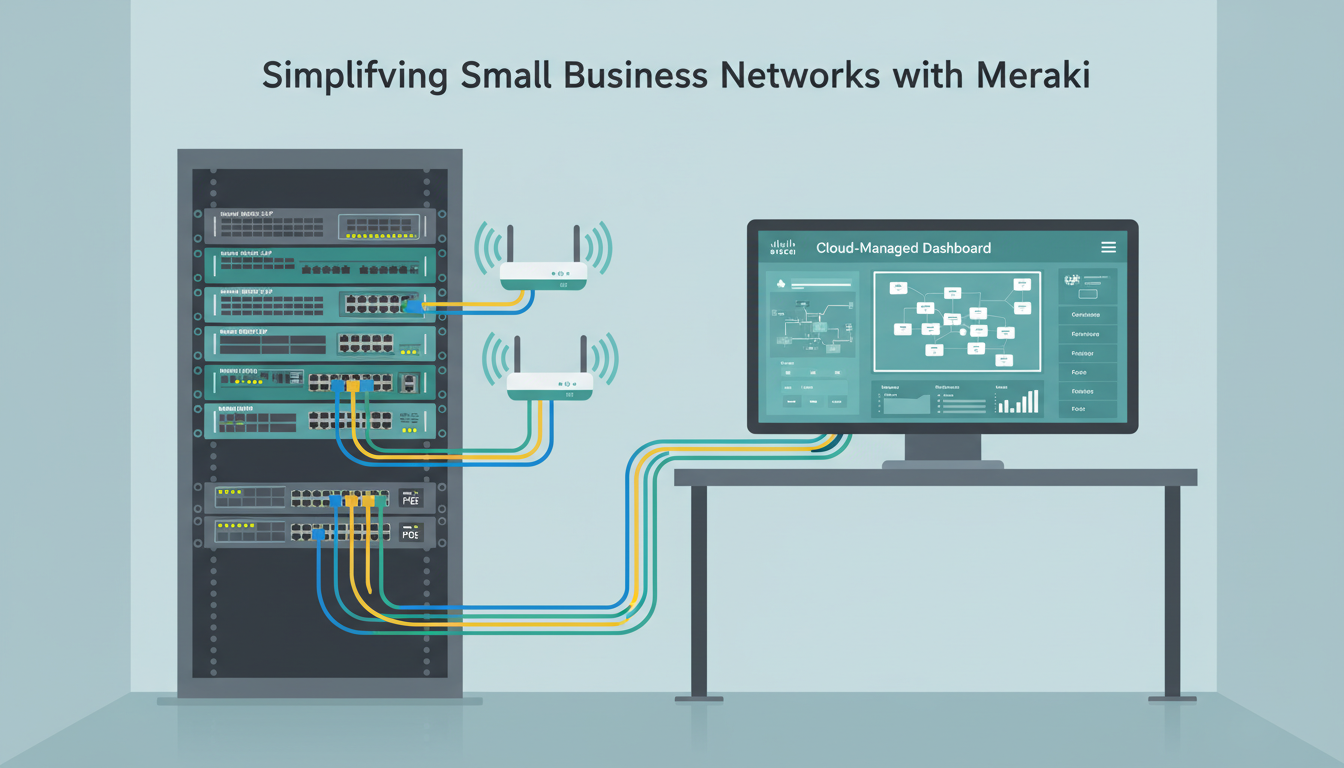
Network switches are the unsung workhorses of every business network. While firewalls get the security headlines and Wi-Fi access points get the complaints when they misbehave, it is the switches that quietly connect everything together - every workstation, every phone, every printer, every server, every access point, and every security camera. When switches work well, nobody thinks about them. When they fail, everything stops.
For UK small businesses - typically those with 10 to 200 employees across one or several offices - choosing the right network switches is a decision that will affect daily operations for the next five to ten years. Cisco Meraki has become one of the most popular choices in this segment, offering enterprise-grade switching capabilities managed through an elegantly simple cloud dashboard. But is Meraki the right choice for your business? What models should you consider? And what does the total cost of ownership actually look like?
This guide answers those questions comprehensively, providing the practical information that UK small business owners and IT decision-makers need to make an informed choice about their network switching infrastructure.
Why Network Switches Deserve More Attention
It is telling that many UK small business owners can name their firewall vendor or their Wi-Fi access point model, but few can identify the switches in their network cabinet. This lack of visibility often extends to IT budgets, where switches are treated as commodity items - the cheapest option that provides enough ports. This approach is understandable but misguided. A network switch that drops packets, introduces latency, or lacks the features needed for proper network segmentation will undermine every other investment you make in your IT infrastructure. The fastest broadband connection and the most capable firewall in the world cannot compensate for a poorly performing switch at the core of your network.
The UK small business networking landscape has changed dramatically over the past decade. The proliferation of cloud applications means that virtually all business-critical software now runs over the network - from Microsoft 365 and accounting packages to CRM systems and VoIP telephony. The rise of Power over Ethernet devices, including Wi-Fi access points, IP phones, and security cameras, means that switches now serve as both data carriers and power infrastructure. And the increasing sophistication of cyber threats means that network segmentation - which relies entirely on switch capabilities - has moved from a nice-to-have to a fundamental security requirement.
In this context, choosing the right network switches is not a trivial procurement decision. It is a strategic technology choice that will affect your network performance, security posture, operational efficiency, and total cost of ownership for years to come. Meraki switches represent one approach to this challenge - a cloud-managed, enterprise-grade approach that trades some of the flexibility of traditional switches for dramatic simplicity of management. Whether that trade-off is right for your business depends on your specific requirements, budget, and IT support model.
What Makes Meraki Different?
To understand Meraki switches, you first need to understand what makes the Meraki approach fundamentally different from traditional network equipment. Cisco Meraki's entire product line is managed through a centralised cloud dashboard - a web-based interface that provides complete visibility and control over your entire network from anywhere with an internet connection.
Traditional network switches from manufacturers like Cisco (non-Meraki), HP Aruba, or Juniper typically require command-line configuration, on-premises management software, and specialist networking knowledge to deploy and maintain. Changes are made switch by switch, monitoring requires separate tools, and troubleshooting often means physically connecting to the device or remotely accessing it via SSH.
Meraki inverts this model. Every switch, access point, firewall, and camera in a Meraki network reports back to the Meraki cloud dashboard, where it can be configured, monitored, troubleshot, and updated from a single pane of glass. For small businesses without dedicated network engineers, this cloud-first approach dramatically reduces the complexity and cost of network management.
The Cloud Management Advantage in Practice
To appreciate the practical impact of cloud management, consider a common scenario: a UK business with offices in London and Manchester experiences network connectivity issues at the Manchester site on a Friday afternoon. With traditional switches, diagnosing the problem would likely require either a site visit from an engineer or remote SSH access to the switch - assuming remote access has been configured, the engineer has the credentials, and the VPN is functioning. The troubleshooting process might involve checking individual port configurations, reviewing spanning tree topology, examining VLAN assignments, and analysing traffic logs - all through a command-line interface that requires specialist knowledge to interpret.
With Meraki, the same scenario plays out very differently. The IT provider logs into the Meraki dashboard from any web browser, navigates to the Manchester site, and immediately sees a visual representation of every switch, every port, every connected device, and every alert. Traffic graphs show exactly when the issue began and which ports or devices are affected. The cable test feature can determine whether the problem is a physical cable fault or a configuration issue. Packet capture allows real-time analysis of traffic on specific ports. And if a configuration change is needed, it can be applied instantly from the dashboard without requiring any local access to the switch. The entire diagnosis and resolution process that might take hours with traditional equipment can often be completed in minutes with Meraki.
This advantage compounds over time. Every configuration change is logged automatically, creating a complete audit trail. Firmware updates are applied automatically during scheduled maintenance windows, eliminating the risk of running outdated switch software with known vulnerabilities. And the dashboard's alerting capabilities mean that potential issues - such as a switch running at high CPU utilisation or a port showing unusual traffic patterns - are flagged before they cause an outage. For UK small businesses that rely on a managed IT provider for network support, this proactive monitoring and remote management capability is arguably the single most valuable feature of the Meraki platform.
Every Meraki device requires an active licence to function. This is the aspect of Meraki that generates the most debate. Meraki licences are sold in 1, 3, 5, 7, and 10-year terms, with significant per-year discounts for longer commitments. When a licence expires, the switch continues to forward traffic but loses its cloud management capabilities - you can no longer configure, monitor, or update the device remotely. For most businesses, this makes licence renewal essential. Factor the ongoing licence cost into your total cost of ownership calculation from the outset to avoid surprises.
Meraki Switch Models for Small Business
Meraki offers several switch families, but for UK small businesses, two ranges are most relevant: the MS130 series for access layer switching and the MS250 series for aggregation and more demanding environments.
| Model | Ports | PoE Budget | Uplink | Best For | Approx. Cost (ex. VAT) |
|---|---|---|---|---|---|
| MS130-8 | 8x 1G | 67W PoE+ | 2x 1G SFP | Small offices, remote sites | £350 - £500 |
| MS130-24 | 24x 1G | 370W PoE+ | 4x 1G SFP | Standard office floors | £800 - £1,100 |
| MS130-48 | 48x 1G | 740W PoE+ | 4x 10G SFP+ | High-density office floors | £1,400 - £1,800 |
| MS250-24 | 24x 1G | 370W PoE+ | 4x 10G SFP+ | Aggregation, stacking needs | £1,600 - £2,100 |
| MS250-48 | 48x 1G | 740W PoE+ | 4x 10G SFP+ | Core switching, high demand | £2,200 - £2,800 |
Choosing the Right Model for Your Environment
Selecting the appropriate Meraki switch model requires balancing port count, PoE budget, uplink speed, and budget against your current and anticipated future requirements. The MS130 series is the natural starting point for most UK small businesses. These switches provide the core functionality - Gigabit Ethernet ports, PoE+ power delivery, and cloud management - at the most accessible price point. For a typical office with twenty to fifty employees, a combination of MS130-24 and MS130-48 switches will cover most requirements comfortably.
The MS250 series becomes relevant when your network demands exceed what the MS130 can deliver. The key differentiators are stacking support, which allows multiple MS250 switches to be managed as a single logical unit with a single IP address, and 10G SFP+ uplinks that provide high-bandwidth connections to your core network or server infrastructure. Stacking is particularly valuable in environments where resilience is critical - if one switch in a stack fails, the remaining switches continue to operate without interruption, and the stack's configuration is automatically adjusted to maintain connectivity.
For businesses with multiple offices, consider standardising on a single switch family across all sites. This simplifies spares management - a single spare MS130-24 can serve as a replacement for any site - and ensures consistency of configuration and capability across your network estate. Your managed IT provider can create configuration templates in the Meraki dashboard that are applied automatically to new switches, ensuring that every site meets the same security and performance standards from the moment it is deployed.
Key Features That Matter for Small Businesses
Meraki switches include many features, but certain capabilities are particularly valuable for UK small businesses. Understanding these helps you assess whether the Meraki premium is justified for your environment.
Power over Ethernet (PoE)
Most Meraki switches include PoE+ capability, which means they can provide both data connectivity and electrical power through a single Ethernet cable. This is essential for powering Wi-Fi access points, IP phones, security cameras, and door access control readers without needing separate power supplies and electrical outlets at each device location. For a typical small office, PoE eliminates dozens of power adapters and simplifies installation significantly.
Cloud Management Dashboard
The Meraki dashboard provides real-time visibility into every port on every switch - showing connected devices, traffic levels, PoE consumption, and alerts. For small businesses that rely on a managed IT provider for support, this means your provider can diagnose and resolve network issues remotely without needing to visit your premises. This translates directly into faster resolution times and lower support costs.
VLAN Configuration
VLANs (Virtual Local Area Networks) allow you to segment your network into separate zones for different purposes - corporate devices, guest access, VoIP phones, IoT devices, and CCTV. Meraki makes VLAN configuration straightforward through the dashboard, whereas traditional switches often require command-line expertise. Proper network segmentation is a fundamental security requirement and a key component of Cyber Essentials certification.
Firmware and Security Updates
Keeping network equipment firmware up to date is one of the most important - and most frequently neglected - aspects of network security. Firmware updates patch known vulnerabilities, improve stability, and occasionally add new features. With traditional switches, firmware updates are a manual process that requires downloading the update, connecting to each switch individually, uploading the firmware, and rebooting the device. The process is time-consuming, carries a risk of misconfiguration, and is often deferred indefinitely because of the operational disruption involved.
Meraki eliminates this burden entirely. Firmware updates are managed centrally through the dashboard, with updates scheduled during designated maintenance windows to minimise disruption. The dashboard shows the current firmware version on every switch, highlights any devices running outdated versions, and provides release notes for pending updates. For UK businesses seeking Cyber Essentials certification, this automated patching capability directly addresses the requirement to keep network infrastructure software up to date - a requirement that many organisations struggle to meet with traditional equipment.
Network Access Control
Controlling which devices are permitted to connect to your network is a fundamental security requirement, yet many UK small businesses operate open networks where any device plugged into a wall socket gains full network access. Meraki switches support 802.1X port-based network access control, which requires devices to authenticate before being granted network access. When combined with a RADIUS server - which can be hosted in the cloud as part of a Microsoft Entra ID or similar identity platform - 802.1X ensures that only authorised devices can connect to your wired network.
For environments where full 802.1X authentication is not practical, Meraki provides MAC-based authentication as a simpler alternative. The switch maintains a list of approved device MAC addresses, and any device not on the list is either blocked entirely or placed on a restricted guest VLAN with limited access. Whilst MAC authentication is less secure than 802.1X - MAC addresses can be spoofed - it provides a meaningful improvement over a completely open network and is straightforward to implement through the Meraki dashboard.
Meraki vs Alternatives: An Honest Comparison
Meraki is an excellent choice for many small businesses, but it is not the only option. Understanding how it compares to alternatives helps you make a decision based on your specific requirements rather than marketing.
Meraki Strengths
- Intuitive cloud dashboard - no CLI expertise needed
- Unified management across switches, Wi-Fi, and firewalls
- Automatic firmware updates and security patches
- Excellent remote troubleshooting capabilities
- Strong PoE support across the range
- Ideal for managed service provider support models
- Comprehensive API for automation
Meraki Considerations
- Mandatory ongoing licence cost (no licence = no management)
- Higher upfront cost than unmanaged switches
- Cloud dependency - requires internet for configuration
- Less granular control than traditional Cisco IOS
- Limited stacking options in lower-tier models
- Lock-in to Meraki ecosystem
- Overkill for very simple, small networks
Total Cost of Ownership: A Realistic Assessment
The most common objection to Meraki switches is cost. When compared to unmanaged or basic managed switches from manufacturers such as Netgear, TP-Link, or even HP Aruba Instant On, Meraki switches are significantly more expensive - both in upfront hardware cost and in ongoing licence fees. This price differential is real and should not be dismissed. For a very small business with simple networking needs - a single office with ten employees, no PoE requirements, and an in-house IT person comfortable with basic switch configuration - an unmanaged Gigabit switch costing under a hundred pounds may be entirely adequate.
However, cost comparisons that focus solely on the hardware price miss the broader picture. The true cost of network switches includes not just the purchase price but also the cost of deployment, configuration, ongoing management, troubleshooting, firmware updates, and eventual replacement. A traditional managed switch that costs half as much to purchase but requires twice as many hours of engineering time to configure, monitor, and troubleshoot may well cost more over its operational lifetime. For UK businesses that pay for IT support on a per-hour or managed service basis, the operational efficiency of the Meraki dashboard translates directly into lower support costs.
The licence cost, whilst an ongoing expense, provides tangible value: cloud management, automatic firmware updates, warranty coverage for the duration of the licence, and access to Meraki's support team. When a Meraki switch develops a hardware fault, Cisco ships a replacement - often next business day - at no additional cost, provided the licence is active. Compare this to a traditional switch where a hardware failure means purchasing a replacement unit and paying an engineer to configure it from scratch. For businesses that value predictable operational costs and minimal downtime, the Meraki licence model offers genuine advantages despite the recurring expense.
Sizing Your Meraki Deployment
Getting the right number and type of switches requires careful planning. Over-specifying wastes money; under-specifying creates bottlenecks and upgrade headaches. Here are the key factors to consider.
Count your current devices and add 20-30% headroom for growth. Include every device that needs a wired connection: workstations, phones, printers, access points, cameras, and any other networked equipment. Remember that each Wi-Fi access point and IP phone needs its own switch port. For an office with 30 staff, you might need 30 workstation ports, 30 phone ports, 8-12 access point ports, and 10-15 ports for printers, cameras, and other devices - totalling 80-90 ports with growth headroom.
Calculate your PoE power budget by adding up the power draw of every PoE device. A typical Wi-Fi 6 access point draws 15-25W, an IP phone draws 6-13W, and a security camera draws 12-25W. Ensure each switch has sufficient PoE budget for all connected PoE devices with at least 20% headroom. Running out of PoE power causes devices to fail silently and unpredictably.
Planning for Growth and Future-Proofing
Network infrastructure typically has a lifespan of seven to ten years, so it pays to consider not just your current requirements but your anticipated needs over the next several years. If you expect to add staff, open additional offices, deploy VoIP telephony, or expand your security camera coverage, factor these requirements into your initial switch specification. Adding a second switch later is always possible, but it is less disruptive and often less expensive to specify slightly more capacity from the outset.
Consider also the trajectory of your applications and bandwidth requirements. Cloud-based applications, video conferencing, and large file transfers are placing increasing demands on network bandwidth. Whilst Gigabit Ethernet is more than adequate for most current desktop applications, the uplink connections between switches and your core network may benefit from 10G capacity to avoid becoming bottlenecks as traffic volumes increase. The MS250 series, with its 10G SFP+ uplinks, provides this headroom, making it a worthwhile investment for businesses that anticipate significant growth in network traffic.
Working with a Meraki Partner
Meraki switches, like all Cisco products, are sold through authorised partners rather than direct to end customers. In the UK, there are hundreds of Meraki partners ranging from large national resellers to specialist regional IT providers. Choosing the right partner is as important as choosing the right switch - a knowledgeable partner will conduct a thorough site survey, design a network that meets your specific requirements, handle deployment and configuration, and provide ongoing management and support through the Meraki dashboard.
When evaluating potential partners, look for Meraki-specific certifications (CMNA - Cisco Meraki Networking Associate - at a minimum), a demonstrable track record with businesses of your size and sector, and a clear support model that includes proactive monitoring and regular network health reviews. The best partners will conduct a detailed discovery process before recommending specific switch models, rather than simply quoting the most popular options. They should also be able to advise on licence term strategies, PoE budgeting, and network segmentation design - all of which are critical to getting the most value from your Meraki investment.
Ready to Upgrade Your Network Switches?
Cloudswitched is a Cisco Meraki partner providing design, deployment, and ongoing management of Meraki networks for small businesses across the United Kingdom. From initial network assessment to switch configuration and cloud dashboard management, we ensure your network infrastructure is reliable, secure, and ready for growth. Contact us for a network assessment.
GET IN TOUCH
CloudSwitched
London-based managed IT services provider offering support, cloud solutions and cybersecurity for SMEs.


