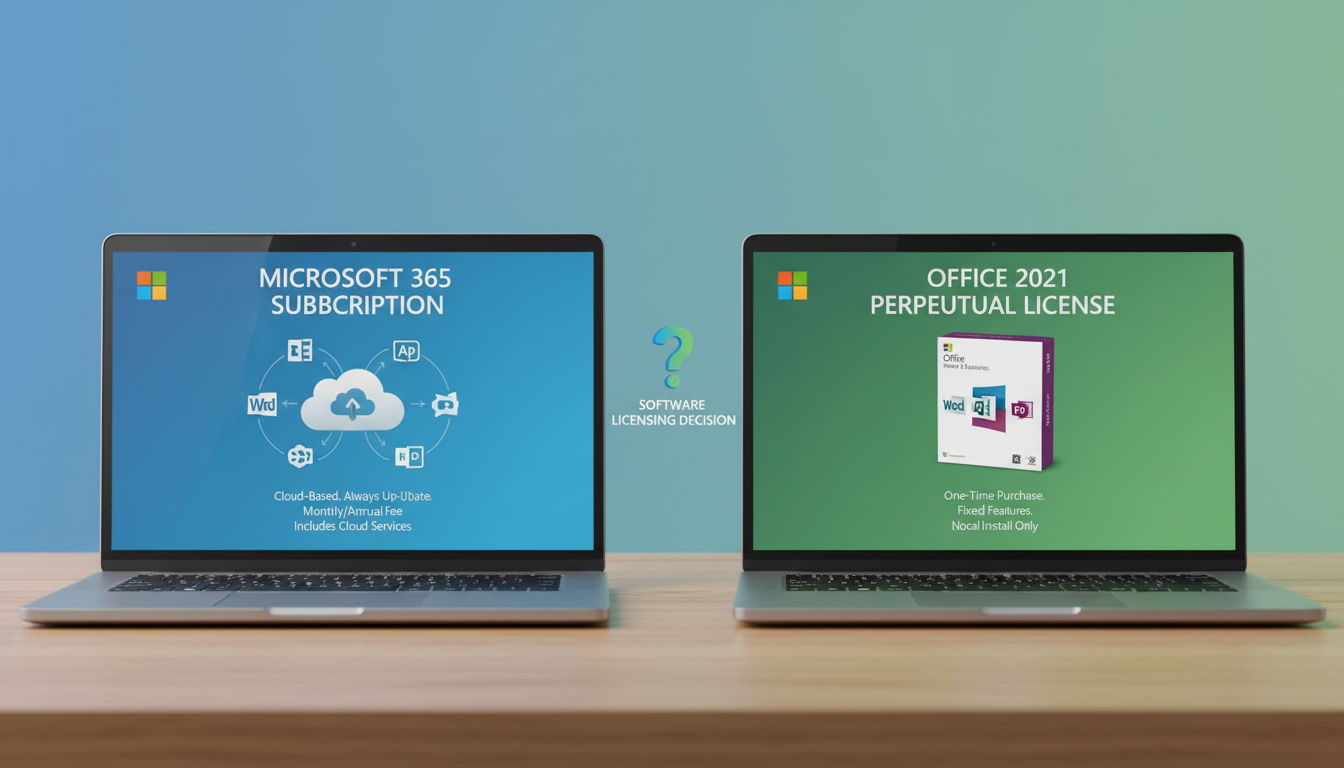
One of the most common questions UK businesses ask when evaluating their productivity software is whether to subscribe to Microsoft 365 or purchase a one-off perpetual licence for Microsoft Office. It is a decision that affects every employee, every department, and ultimately your bottom line - and the right answer depends on how your business works, how it plans to grow, and how much value you place on always having the latest features and security protections.
Microsoft has made no secret of its preference for the subscription model. Microsoft 365 (formerly Office 365) is where all development effort is focused, and the perpetual licence versions - Office 2021 and its successor Office 2024 - receive only security patches rather than new features. But that does not automatically make the subscription the right choice for every organisation. Some businesses genuinely benefit from the simplicity and predictability of a one-time purchase.
This guide provides an honest, detailed comparison of both options from a UK business perspective, covering features, costs, security, collaboration capabilities, and the long-term implications of each choice.
Understanding the Two Models
Before diving into the comparison, it is worth clarifying exactly what each option provides.
Microsoft 365 is a subscription service billed monthly or annually per user. It includes the full desktop Office applications (Word, Excel, PowerPoint, Outlook, and depending on the plan, Access and Publisher), plus cloud services including Exchange Online email, SharePoint Online, OneDrive for Business (1TB per user), and Microsoft Teams. Subscribers always have access to the latest version of every application, with new features rolled out continuously.
Office 2021 / Office 2024 (perpetual) is a one-time purchase that provides a permanent licence for the desktop Office applications as they existed at the point of release. There are no cloud services included - no Exchange, no SharePoint, no OneDrive, no Teams. The applications receive security updates for the duration of their support lifecycle (typically five years of mainstream support plus five years of extended support), but no new features are ever added.
Microsoft Office 2021 (Perpetual)
Microsoft 365 Business Standard
Cost Analysis Over Three and Five Years
The cost comparison is the first thing most businesses look at, and it is where the perpetual licence appears to have an advantage - at least at first glance. However, the full picture is more nuanced.
For a single user, Office 2021 Professional Plus costs approximately £250 as a one-time purchase. Microsoft 365 Business Standard costs £9.40 per user per month, or £112.80 per year. Over three years, Microsoft 365 costs £338.40 per user - higher than the perpetual licence. Over five years, it costs £564 per user - significantly more than the one-off purchase.
But this comparison is misleading because it ignores what Microsoft 365 includes beyond the desktop applications. If you need business email (Exchange Online costs £3.30/user/month separately), cloud storage (OneDrive for Business costs £3.80/user/month), video conferencing and collaboration (Teams is free in its basic form but lacks enterprise features), and advanced security features, the perpetual licence suddenly looks much less competitive because you need to purchase all of these services separately.
| Cost Component | Microsoft 365 Business Standard | Office 2021 + Separate Services |
|---|---|---|
| Desktop Office apps (per user, 3 years) | Included in subscription | £250 (one-time) |
| Business email (Exchange Online, 3 years) | Included | £118.80 (£3.30/month) |
| Cloud storage 1TB (OneDrive, 3 years) | Included | £136.80 (£3.80/month) |
| Teams (enterprise features, 3 years) | Included | £108 (£3.00/month approx) |
| SharePoint Online (3 years) | Included | £178.20 (£4.95/month) |
| Total per user (3 years) | £338.40 | £791.80 |
There is another cost that perpetual licence buyers often overlook: the cost of the next upgrade. Office 2021 will reach end of mainstream support in 2026. After that, you will stop receiving security updates, which means you will need to purchase the next version to remain secure and compliant. If you assume a five-year replacement cycle, the perpetual licence effectively costs £250 every five years, or £50 per year - but this only covers the desktop applications. Add the cost of separately purchased cloud services, and the perpetual model almost always works out more expensive than Microsoft 365 for businesses that need email, storage, and collaboration tools.
Feature Comparison: What You Get and What You Miss
The feature gap between Microsoft 365 and perpetual Office grows wider every month, because Microsoft continuously adds new capabilities to the subscription version whilst the perpetual version remains frozen at its release state.
Since Office 2021 was released, Microsoft has added hundreds of features exclusively to Microsoft 365 subscribers. These include Copilot integration (AI-powered assistance across all Office apps), Loop components (collaborative, live-updating content blocks that work across Teams, Outlook, and Word), Cameo in PowerPoint (embedding live camera feed into presentations), advanced data types in Excel (pulling live data from the web into spreadsheets), and Microsoft Editor improvements with AI-powered writing suggestions across all applications.
For businesses that rely on Excel, the gap is particularly significant. Microsoft 365 Excel includes dynamic arrays, XLOOKUP, LET, LAMBDA, and other modern functions that are not available in Office 2021. For finance teams, data analysts, and anyone who builds complex spreadsheets, these features represent genuine productivity improvements that perpetual licence users simply cannot access.
Security: A Critical Differentiator
Security is where the Microsoft 365 subscription model holds its most compelling advantage, and for UK businesses subject to GDPR, Cyber Essentials, and industry-specific regulations, this should be a primary consideration.
Microsoft 365 Business Premium (at £18.20 per user per month) includes a comprehensive security stack that would cost thousands of pounds to replicate with standalone products. This includes Microsoft Defender for Office 365 (advanced email threat protection with safe attachments and safe links), Microsoft Defender for Business (enterprise-grade endpoint protection), Microsoft Intune (device management and compliance), Azure Information Protection (data classification and encryption), Data Loss Prevention (preventing sensitive data from leaving the organisation), and Conditional Access (intelligent access control based on user, device, location, and risk level).
Office 2021 includes none of these security features. You get the desktop applications with their built-in security capabilities (macro blocking, Protected View, etc.), and you receive security patches for the duration of the support lifecycle. But the advanced threat protection, device management, and data governance capabilities that are increasingly essential for GDPR compliance and Cyber Essentials certification are entirely absent.
Achieving Cyber Essentials certification - increasingly a requirement for UK businesses, particularly those working with the public sector - requires demonstrating that you have effective malware protection, secure configuration, user access control, patch management, and firewalls. Microsoft 365 Business Premium provides tools that directly address every one of these requirements out of the box. Businesses using perpetual Office licences must source, configure, and manage separate tools for each requirement, significantly increasing both the cost and the complexity of achieving and maintaining certification.
Cloud vs Offline Access
One advantage that perpetual licence advocates frequently cite is offline access. Office 2021 is installed locally and works without any internet connection whatsoever. You can create, edit, and save documents entirely offline, which matters for businesses in remote locations with unreliable broadband or for industries that require air-gapped systems.
However, this advantage is often overstated. Microsoft 365 desktop applications also install locally and function offline. You can work on Word documents, Excel spreadsheets, and PowerPoint presentations without an internet connection. The applications periodically need to verify the subscription (approximately once every 30 days), but day-to-day offline work is fully supported.
The genuine difference is in the cloud services. SharePoint, Teams, and Exchange Online obviously require an internet connection. But for most UK businesses with reliable broadband, this is not a practical limitation. The benefits of cloud-based collaboration - real-time co-authoring, anywhere access, automatic backup, and seamless sharing - far outweigh the minor inconvenience of needing a connection.
Collaboration: Where Microsoft 365 Transforms the Way You Work
If your business involves any degree of teamwork - and nearly all do - the collaboration capabilities of Microsoft 365 represent its single most compelling advantage over perpetual Office.
Real-time co-authoring allows multiple people to work on the same document simultaneously, seeing each other's changes as they happen. This eliminates the nightmare of version control - no more emailing documents back and forth, no more “Document_v3_FINAL_REVISED_v2.docx” files cluttering shared drives. In Word, Excel, and PowerPoint, co-authoring is seamless and automatic when files are stored in OneDrive or SharePoint.
Microsoft Teams integration means documents, conversations, meetings, and tasks all live together in a single workspace. A project team can have a Teams channel where they discuss the project, share files, hold video meetings, assign tasks, and collaborate on documents without switching between applications. For businesses in Leeds, Bristol, or any UK city where teams are split across offices or working remotely, this integration is transformative.
SharePoint and OneDrive provide enterprise-grade file storage with powerful search, version history, permissions management, and compliance features. Every file change is tracked, every version is recoverable, and sharing is controlled through granular permissions. For GDPR compliance, the audit trail and data governance capabilities built into SharePoint are invaluable.
Update Cadence and the IT Management Burden
For IT teams and managed service providers, the update model is a significant practical consideration. Microsoft 365 follows a continuous update model with monthly feature updates and regular security patches. This means the applications are always current, but it also means IT teams need to manage a rolling stream of changes.
Microsoft provides two update channels for managing this: Current Channel delivers updates as soon as they are ready (typically monthly), while Monthly Enterprise Channel delivers updates once a month on a predictable schedule with a one-month delay, giving IT teams time to test changes before they reach users. Most UK businesses with managed IT support use the Monthly Enterprise Channel for the balance of currency and predictability.
Office 2021, by contrast, only receives security updates - typically on the second Tuesday of each month (Patch Tuesday). There are no feature changes, no interface updates, and no new capabilities. For businesses that value absolute stability and minimal change, this is appealing. For businesses that want the latest tools and features, it is a limitation.
Which Is Right for Your Business?
After weighing all the factors, the decision comes down to how your business operates and what it values.
Microsoft 365 is the right choice for the vast majority of UK businesses. If your team collaborates on documents, uses email, needs video conferencing, works remotely or in a hybrid model, requires mobile access, or must meet GDPR and Cyber Essentials compliance requirements, Microsoft 365 provides all of this in a single, integrated subscription. The cost is higher than a bare perpetual licence, but when you factor in the cloud services, security features, and collaboration tools, it represents better value for money.
Office 2021 or 2024 (perpetual) may be suitable for very specific use cases: organisations with no internet access, businesses that only need the desktop applications without email or collaboration services, single-purpose workstations that run specific applications, or environments where change management is so tightly controlled that continuous updates are unacceptable. These scenarios exist, but they are increasingly rare in the modern UK business landscape.
| Business Requirement | Microsoft 365 | Office 2021 (Perpetual) |
|---|---|---|
| Teams collaborate on documents | Excellent - real-time co-authoring | Not supported natively |
| Remote and hybrid working | Built for it - Teams, OneDrive, Intune | Requires separate tools for every capability |
| GDPR compliance tools | DLP, AIP, audit logs, retention policies | None - must be sourced separately |
| Cyber Essentials readiness | Comprehensive built-in tools | Requires third-party security stack |
| Predictable costs | Monthly per-user subscription | Large upfront cost, then renewal at EOL |
| Offline-only environments | Possible with limitations | Fully supported - no connectivity needed |
Need Help Choosing the Right Microsoft Licensing?
Cloudswitched helps UK businesses navigate the complexity of Microsoft licensing to find the right plan for their needs and budget. Whether you are migrating from perpetual licences to Microsoft 365, optimising an existing subscription, or evaluating the new Copilot add-ons, our team provides clear, impartial guidance backed by deep Microsoft expertise. Contact us for a free licensing review.
GET IN TOUCH
CloudSwitched
London-based managed IT services provider offering support, cloud solutions and cybersecurity for SMEs.


