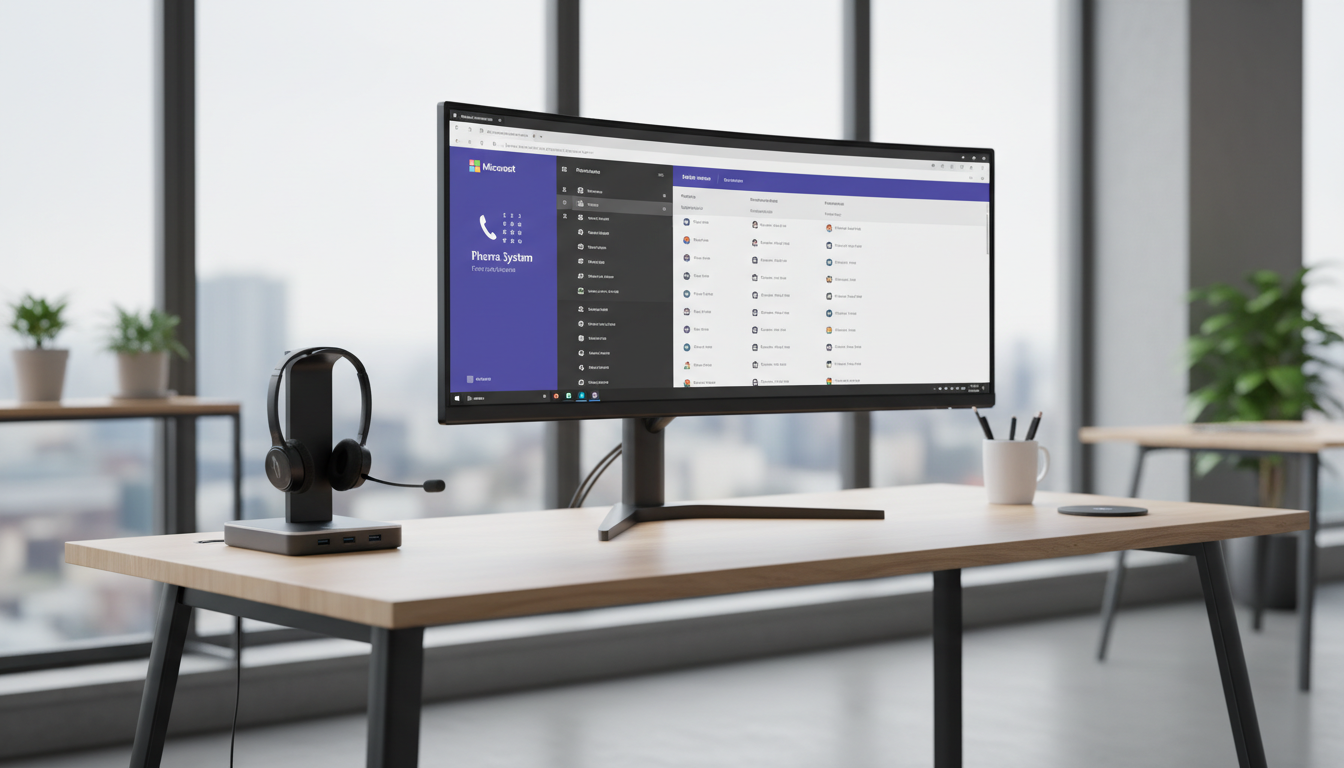
The traditional office telephone is disappearing. Across the United Kingdom, businesses of every size are replacing their aging PBX systems and dedicated phone lines with cloud-based voice solutions that integrate seamlessly with their existing collaboration tools. At the forefront of this transformation is Microsoft Teams Phone System - a cloud-based telephony solution built directly into Microsoft Teams that replaces traditional phone systems with a modern, flexible, and feature-rich alternative.
If your organisation already uses Microsoft 365 and Teams for chat, video meetings, and file collaboration, adding Teams Phone System is a natural evolution that eliminates the need for separate phone hardware, separate phone contracts, and separate management consoles. Your employees make and receive calls using the same Teams application they already use every day - from their laptop, their mobile phone, or a dedicated Teams-compatible desk phone.
This guide covers everything UK businesses need to know about Microsoft Teams Phone System: what it is, how it works, what it costs, how to deploy it, and whether it is the right choice for your organisation.
What Is Microsoft Teams Phone System?
Microsoft Teams Phone System (formerly known as Phone System in Office 365, and before that Cloud PBX) is a cloud-hosted telephony service that provides Private Branch Exchange (PBX) functionality through Microsoft 365. In practical terms, it turns Microsoft Teams into a full-featured business phone system capable of making and receiving calls to and from landlines, mobiles, and international numbers - not just Teams-to-Teams calls.
The system supports all the features businesses expect from a modern phone system: call transfer, call hold, call forwarding, voicemail with transcription, auto-attendants (the automated menus that greet callers and route them to the right department), call queues, music on hold, call recording, and detailed call analytics. All of these features are managed through the Teams admin centre - a web-based console that replaces the complex, specialist hardware that traditional PBX systems require.
To make and receive external calls (calls to and from regular phone numbers), Teams Phone System needs a connection to the Public Switched Telephone Network (PSTN). Microsoft offers several options for this connection, each with different trade-offs in terms of cost, flexibility, and complexity.
How Teams Phone Differs from Traditional PBX
Traditional PBX systems rely on dedicated hardware installed on your premises - a physical unit typically housed in a server room or comms cabinet, connected to incoming phone lines and internal extensions. This hardware requires specialist maintenance, periodic firmware upgrades, and eventual replacement, usually every seven to ten years at considerable capital expense. When a fault occurs, you need a telephony engineer with PBX-specific expertise - a different skill set from your general IT support team, and one that is becoming increasingly scarce as the telecoms industry moves decisively towards cloud-based platforms. For many UK SMEs, the annual maintenance contract alone for a traditional PBX can cost between two and five thousand pounds, with no guarantee that spare parts will remain available as manufacturers discontinue older models.
Teams Phone System eliminates this on-premises telephony hardware entirely. The PBX functionality runs in Microsoft's cloud infrastructure, hosted in UK data centres and continuously updated by Microsoft's engineering teams. Your organisation does not need to maintain any telephony-specific equipment beyond the headsets or handsets that employees use to make calls. There is no hardware to fail, no firmware to patch, and no capacity constraints to manage - scaling from ten users to a thousand is simply a matter of adding licences through the Microsoft 365 admin portal, with changes typically taking effect within minutes rather than the days or weeks required to expand a traditional system.
The Teams-Native Calling Experience
One of the most compelling advantages of Teams Phone System is how naturally it integrates with the broader Microsoft Teams collaboration experience. When a colleague or external caller rings you, the call notification appears in Teams alongside your chats and meeting notifications. You can escalate a voice call to a video call with a single click, share your screen mid-conversation, or add participants to create an ad-hoc conference. Your call history, voicemail, speed-dial contacts, and delegate settings are all accessible within the same interface your staff already use every working day for messaging and meetings.
For customer-facing teams, this integration extends to real-time presence awareness. When a receptionist looks up a colleague before transferring a call, they can immediately see whether that person is available, in a meeting, presenting, or marked as away. This eliminates the frustrating experience of transferring a customer to someone who cannot take the call, reducing hold times and improving both employee efficiency and customer satisfaction. For businesses that value their telephone manner and professional image, this seemingly small feature makes a meaningful difference to the quality of everyday interactions across the entire organisation.
| PSTN Connectivity Option | How It Works | Best For |
|---|---|---|
| Microsoft Calling Plans | Microsoft provides the phone numbers and PSTN connectivity | Small businesses wanting simplicity |
| Operator Connect | A certified UK telco provides PSTN via Teams admin centre | Businesses wanting carrier choice with easy management |
| Direct Routing | You connect your own SIP trunk via a Session Border Controller | Larger businesses with existing SIP contracts |
| Teams Phone Mobile | Your mobile number becomes your Teams number | Mobile-first workforces |
Why the UK PSTN Switch-Off Matters
The timing for considering Teams Phone System could not be more relevant for UK businesses. Openreach, the infrastructure division of BT, is in the process of switching off the traditional Public Switched Telephone Network across the United Kingdom. The analogue and ISDN phone lines that have served British businesses for decades are being retired, with a target completion date of 2027. After this date, all voice calls in the UK will be carried over IP-based networks.
This means that every UK business currently using traditional phone lines - whether analogue PSTN lines, ISDN2 lines, or ISDN30 channels - will need to migrate to an IP-based voice solution. For businesses already using Microsoft 365, Teams Phone System is one of the most logical and cost-effective migration paths.
Openreach stopped selling new ISDN lines in September 2023 and is progressively withdrawing service across the UK. Many exchanges have already been migrated, and businesses in affected areas have received notification letters. If you have not yet planned your migration from ISDN or analogue lines, the time to act is now. Waiting until your exchange is migrated could leave your business without phone service during a forced, rushed transition.
Practical Implications for Your Business
The PSTN switch-off affects businesses in ways that extend well beyond simple voice calls. Many organisations use ISDN or analogue lines for purposes that are easy to overlook during migration planning: fax machines, franking machines, door entry systems, intruder alarms, lift emergency phones, EPOS terminals, and building management systems. Each device must be individually assessed and either migrated to an IP-based alternative or connected through an analogue telephone adapter. Overlooking even one critical device - such as a fire alarm panel or building access intercom - can have serious operational and safety consequences that only become apparent after the old lines have been disconnected.
Businesses with multiple UK sites should be aware that the switch-off is proceeding exchange by exchange rather than all at once. Some exchanges have already been migrated whilst others will follow over the coming months and years. Openreach publishes a migration schedule and affected businesses receive written notification, but relying on these notifications as your trigger to act leaves very little time for a considered migration. A proactive approach - planning your move on your own timeline rather than waiting for Openreach - gives you far greater control over the process and significantly reduces the risk of disruption to daily operations and customer communications.
For businesses that depend heavily on telephone communication - estate agents, medical practices, legal firms, recruitment agencies, and customer service operations - the switch-off represents both a significant risk and a genuine opportunity. The risk is disruption during a poorly managed, last-minute forced transition. The opportunity is to use the enforced change as a catalyst for broader communications modernisation, moving from basic voice-only telephony to a unified platform that combines voice, video, messaging, and file collaboration in a single application your staff already know how to use.
Key Features for UK Businesses
Teams Phone System offers a comprehensive set of telephony features that match or exceed what most traditional PBX systems provide. Understanding these features helps you assess whether Teams Phone System meets your specific requirements.
Auto-attendants provide automated call routing, greeting callers with a professional message and offering menu options to direct them to the appropriate department or person. You can configure multiple auto-attendants for different phone numbers, different times of day, and different days of the week - for example, a daytime menu with full routing options and an out-of-hours menu that directs callers to voicemail or an emergency contact.
Call queues manage incoming calls when all agents in a department are busy, placing callers in a queue with music on hold and estimated wait time announcements. Calls are distributed to available agents based on configurable routing methods - round robin, longest idle, or serial - ensuring fair distribution and efficient call handling.
Voicemail with transcription converts voice messages to text, delivered directly to the user's email inbox alongside the audio recording. This allows employees to quickly triage messages without listening to each one, and it makes voicemails searchable - a significant productivity improvement for busy professionals.
Call recording and compliance features support organisations that need to record calls for regulatory, training, or quality assurance purposes. Recording can be configured as automatic (all calls recorded by policy) or on-demand (users initiate recording during a call). Recorded calls are stored in compliance-ready formats with appropriate retention policies.
Emergency Calling and Location Compliance
One area requiring particular attention in any Teams Phone System deployment is emergency calling. When a user dials 999 from a traditional landline, the emergency services automatically receive the registered address associated with that line. With cloud-based telephony, this location information must be configured by the system administrator. Teams Phone System supports dynamic emergency calling, where administrators register the physical addresses of all office locations and the system associates users with those addresses based on network subnet or Wi-Fi access point detection, ensuring that the correct location information is transmitted when an emergency call is placed from any recognised site.
For organisations with home workers or staff who travel between multiple sites, emergency address configuration requires careful planning. Policies can be configured to prompt remote workers to confirm or update their location when they connect from an unrecognised network. UK regulations require that VoIP providers ensure 999 calls can be connected and that location information is provided where available, making this both a legal compliance obligation and a duty-of-care responsibility that must be addressed thoroughly during the deployment planning phase rather than treated as an afterthought.
Integration with Business Applications
Beyond core telephony features, Teams Phone System integrates with the broader Microsoft ecosystem in ways that traditional PBX systems simply cannot. Call data feeds directly into Power BI dashboards for detailed management reporting on call volumes, average wait times, abandoned call rates, and individual agent performance metrics. Power Automate workflows can be triggered by telephony events - for example, automatically creating a follow-up task in Microsoft Planner when a call from a key client is missed, or sending a Teams notification to a manager when a call queue wait time exceeds a defined threshold.
Teams Phone System also integrates with Microsoft Dynamics 365 and a growing number of supported third-party CRM platforms, enabling screen pops that display relevant customer information the moment an incoming call is received. For sales teams, seeing a customer's full purchase history, recent enquiries, and open support tickets before answering a call can dramatically improve the quality and personalisation of every interaction. For support teams, automatic call logging and ticket creation eliminates manual data entry and ensures that no customer interaction falls through the cracks or goes unrecorded in your business systems.
Licensing and Costs for UK Businesses
Understanding Teams Phone System licensing is essential for accurate budgeting. The licensing structure has several layers, and getting it right ensures you pay for what you need without overspending.
Every user who needs Teams Phone System functionality requires a Teams Phone licence, which can be obtained in several ways. Users with Microsoft 365 E5 or Office 365 E5 licences already have Teams Phone included - no additional licence is needed. Users with other Microsoft 365 plans (E3, E1, Business Basic, Business Standard, or Business Premium) need to add the Teams Phone Standard add-on licence, which is priced at approximately £6.60 per user per month.
On top of the Teams Phone licence, you need PSTN connectivity - the ability to make and receive calls to regular phone numbers. If you choose Microsoft Calling Plans, this is an additional monthly cost per user. If you choose Direct Routing or Operator Connect, the PSTN costs are determined by your SIP trunk provider or carrier, which may be more economical for businesses with high call volumes.
Total Cost of Ownership Compared
When evaluating the cost of Teams Phone System, it is important to consider the total cost of ownership rather than simply comparing the monthly per-user fee against your current phone bill. Traditional PBX systems carry hidden costs that are easy to overlook: maintenance contracts, spare parts, engineer call-out charges, line rental for ISDN or analogue circuits, the electricity to power the equipment around the clock, and the eventual capital cost of full system replacement when the hardware reaches end of life. Many businesses also carry the cost of a separate telephony support contract, distinct from their IT support arrangements, adding further complexity and expense to their communications budget.
A typical UK SME with 50 users running a traditional PBX system might spend between eight thousand and fifteen thousand pounds per year on maintenance, line rental, and call charges, plus a capital replacement cost of twenty to forty thousand pounds every seven to ten years. Teams Phone System for the same 50 users, including the Phone Standard add-on licence and a Microsoft Calling Plan, typically costs between eight thousand and twelve thousand pounds per year - with no capital expenditure, no maintenance contracts, no engineer call-outs, and no looming end-of-life replacement bill. The savings become even more pronounced when you factor in the elimination of separate conferencing services and the reduced need for business travel thanks to integrated video meetings.
Businesses choosing Direct Routing or Operator Connect can often achieve even lower costs by selecting competitive SIP trunk providers. The UK market for SIP trunking is highly competitive, with established providers such as Gamma, BT Wholesale, and numerous regional carriers offering aggressive per-channel and per-minute pricing. For organisations with high call volumes or extensive international calling requirements, Direct Routing paired with a cost-effective SIP trunk provider can deliver significant savings compared to Microsoft Calling Plans whilst providing greater flexibility over number management and call routing configuration.
Teams Phone System Advantages
- No on-premises PBX hardware to maintain or replace
- Unified interface - calls, chat, video in one application
- Work from anywhere - same number on any device
- Automatic updates and new features from Microsoft
- Integration with Microsoft 365 apps and Power Platform
- Scales instantly - add or remove users in minutes
- Built-in redundancy and 99.99% SLA uptime
Considerations and Limitations
- Requires reliable, low-latency internet connectivity
- Advanced contact centre features need third-party add-ons
- Analogue devices (fax, door entry) need adapters
- Emergency calling (999) requires correct address configuration
- Call quality depends on your network infrastructure
- Microsoft ecosystem dependency for all communications
- Some legacy integrations may not be supported
Deployment Planning and Network Readiness
A successful Teams Phone System deployment depends heavily on network readiness. Voice traffic is far more sensitive to network issues than email or file transfers - even small amounts of packet loss, jitter, or latency can cause noticeable call quality degradation. Before deploying Teams Phone System, your network must be assessed and, if necessary, upgraded to support real-time voice traffic.
Key network requirements include sufficient bandwidth for concurrent voice calls (approximately 100 Kbps per call), low latency to Microsoft's nearest data centre (ideally below 50 milliseconds round-trip), Quality of Service (QoS) configuration to prioritise voice traffic over less time-sensitive data, and a reliable internet connection with appropriate failover. For UK businesses, Microsoft operates data centres in the UK South (London) and UK West (Cardiff) regions, providing low-latency connectivity for Teams Phone System users across the country.
Many UK businesses find that their existing internet connection is adequate for Teams Phone System, particularly if they already use Teams for video meetings without issues. However, businesses with older broadband connections, limited bandwidth, or high numbers of concurrent users should conduct a thorough network assessment before deployment. Microsoft provides a free Network Assessment Tool that tests your connection's suitability for Teams voice traffic.
The transition to Teams Phone System represents a significant step forward for UK businesses looking to modernise their communications infrastructure. With the PSTN switch-off approaching and the working patterns of UK employees increasingly hybrid, cloud-based telephony through Microsoft Teams offers a compelling combination of flexibility, cost savings, and unified communications that traditional phone systems simply cannot match.
User Training and Change Management
Technology migration is only half the challenge - the other half is ensuring your people are comfortable and confident using the new system. Many employees have used traditional desk phones for their entire careers, and the shift to making business calls through a software application can feel unfamiliar. A structured change management approach significantly improves adoption rates and reduces the volume of support requests during the transition period. Begin communicating the change well in advance, explain the benefits clearly, and address concerns openly - particularly around call quality, reliability, and the learning curve.
Effective training for Teams Phone System does not need to be lengthy or complex. Most users are already familiar with Teams for chat and video meetings, so the addition of telephony features builds on existing knowledge. Short, focused training sessions covering how to make and receive external calls, how to transfer calls properly, how to check voicemail and read transcriptions, and how to set up call forwarding and do-not-disturb schedules are typically sufficient for the majority of users. Receptionists, personal assistants, and other heavy phone users benefit from additional training on advanced features such as call parking, boss-admin delegation, shared line appearances, and managing call queues effectively.
Planning a Phased Migration
Rather than migrating your entire organisation in a single cutover, most UK businesses benefit from a phased approach that reduces risk and builds confidence. Begin with a pilot group - typically an IT-savvy department or a small team of willing early adopters - who use Teams Phone System for a defined period whilst the rest of the organisation continues on the existing phone system. This pilot phase surfaces configuration issues, identifies training gaps, and creates internal champions who can support their colleagues during the broader rollout. It also provides real-world evidence of call quality and reliability that can reassure sceptical staff members.
Number porting - the process of transferring your existing phone numbers from your current provider to Teams Phone System - is a critical step that requires careful coordination and realistic timelines. In the UK, number porting typically takes between seven and ten working days, though complex ports involving large blocks of numbers, golden numbers, or multiple losing carriers can take considerably longer. During the porting window, it is essential to maintain full service continuity, which may involve temporary call forwarding arrangements between the old and new systems. A competent deployment partner will manage this process end to end, coordinating with both the losing and gaining carriers to minimise disruption and keep your business reachable throughout the transition.
Ready to Move to Teams Phone System?
Cloudswitched is a Microsoft Solutions Partner helping UK businesses migrate from traditional phone systems to Microsoft Teams Phone. From network assessment through to number porting, configuration, and user training, we manage the entire transition.
Plan Your Migration
CloudSwitched
London-based managed IT services provider offering support, cloud solutions and cybersecurity for SMEs.


