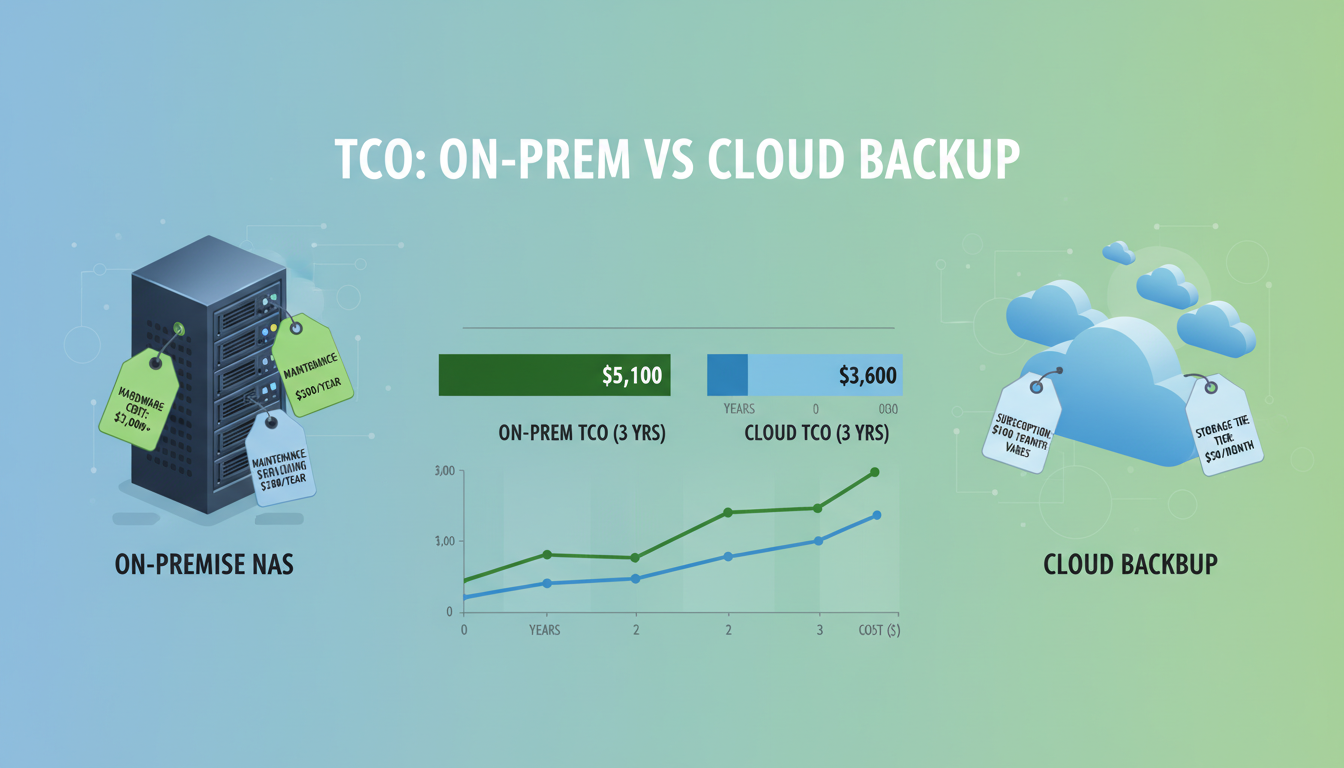
When it comes to protecting your business data, UK organisations face a fundamental choice between two approaches: storing backups on a local Network Attached Storage (NAS) device in the office, or backing up to a cloud service over the internet. Both have legitimate advantages, and the right choice depends on your specific requirements for capacity, recovery speed, budget, and resilience.
However, many businesses make this decision based on incomplete cost analysis. The upfront purchase price of a NAS device appears cheaper than years of cloud subscription fees, leading to the assumption that local backup is the more economical option. In reality, the total cost of ownership for a NAS device - including hardware replacement, maintenance, electricity, and the critical cost of off-site resilience - often exceeds cloud backup over a five-year period.
This guide provides a detailed, like-for-like cost comparison between on-premise NAS and cloud backup for UK SMEs, covering not just the obvious costs but the hidden expenses that many businesses overlook.
The landscape of data protection in the United Kingdom has shifted considerably over the past decade. The proliferation of ransomware attacks targeting SMEs, the regulatory tightening under UK GDPR and the Data Protection Act 2018, and the growing reliance on digital systems for day-to-day operations have all elevated backup from a background IT task to a board-level concern. A business that loses its data today does not merely face an inconvenience - it faces potential regulatory fines, contractual penalties, reputational damage, and in the worst cases, insolvency. The choice between NAS and cloud backup is therefore not simply a question of cost but a question of business risk management.
Furthermore, UK businesses must consider data sovereignty requirements. Under UK GDPR, personal data transferred outside the United Kingdom must be protected by adequate safeguards. This means that any backup solution - whether local or cloud-based - must ensure that data containing personal information is stored and processed in compliance with UK data protection law. For cloud backup, this typically means selecting a provider with UK-based data centres or, at minimum, data centres within jurisdictions recognised as providing adequate data protection.
Understanding the Two Approaches
Before comparing costs, it is important to understand what each approach involves and what it delivers.
On-Premise NAS Backup: A NAS device is a dedicated storage appliance connected to your office network. Backup software on your servers and workstations sends data to the NAS over your local network, typically on a scheduled basis (nightly full backups with hourly or daily incremental backups). The NAS stores multiple backup versions, allowing you to restore data from different points in time. Popular NAS manufacturers for business use include Synology, QNAP, and Buffalo, with devices ranging from compact 2-bay units to large rack-mounted systems.
Cloud Backup: A cloud backup service stores your data in secure, geographically distributed data centres operated by the backup provider. Backup software (an agent) installed on your servers and workstations encrypts your data and transmits it over the internet to the cloud. The data is stored redundantly across multiple data centres, providing protection against any single point of failure. Popular cloud backup providers for UK businesses include Datto, Veeam Cloud Connect, Acronis, and Barracuda.
The Reality of Data Growth in UK Businesses
One factor that significantly affects the long-term cost comparison is data growth. UK businesses are generating and storing more data than ever before, with average data volumes growing at approximately twenty to thirty per cent per year. For a business starting with 2TB of backup data today, this means approximately 5TB within three years and potentially 8-10TB within five years. This growth trajectory affects both approaches differently.
With a NAS device, data growth eventually hits a physical ceiling - you run out of drive bays and must either replace drives with larger ones (requiring a costly RAID rebuild process) or purchase an additional NAS unit. Each expansion incurs hardware costs, configuration time, and increased maintenance overhead. Cloud backup, by contrast, scales seamlessly - your monthly cost increases proportionally with data volume, but there is no hardware to replace, no migration to perform, and no physical limitation to hit. This scalability advantage becomes increasingly significant as your data estate grows over time.
It is also worth considering the types of data UK businesses are now backing up. Beyond traditional files and databases, modern backup requirements often include Microsoft 365 data (email, SharePoint, OneDrive, Teams), SaaS application data, virtual machine images, and endpoint devices. A NAS device in the office cannot easily protect cloud-hosted data - you would need separate backup solutions for each cloud service, adding complexity and cost. Many cloud backup providers offer unified protection across on-premise servers, cloud services, and endpoints within a single subscription, simplifying management and reducing total cost.
Industry best practice - endorsed by the NCSC and required by many compliance frameworks - mandates the 3-2-1 backup rule: maintain at least 3 copies of your data, on at least 2 different types of media, with at least 1 copy stored off-site. A NAS device alone satisfies only part of this requirement - it provides additional copies on a different device, but it does not provide off-site storage. If your office suffers a fire, flood, or ransomware attack that encrypts everything on the network (including the NAS), your backups are lost alongside your primary data. Cloud backup inherently provides the off-site component.
The True Cost of On-Premise NAS
Many businesses calculate the cost of NAS backup as simply the purchase price of the device. This dramatically underestimates the true cost. Let us break down every cost component over a five-year period for a typical UK SME with 2TB of backup data.
Hardware Purchase: A business-grade 4-bay NAS with RAID redundancy - such as a Synology DS923+ - costs approximately £500-£600. Four 4TB NAS-rated hard drives (such as Seagate IronWolf or Western Digital Red) cost approximately £100-£130 each, totalling £400-£520. Initial hardware cost: approximately £900-£1,120.
UPS Protection: A NAS should be connected to an uninterruptible power supply to prevent data corruption from power outages. A basic UPS suitable for a NAS costs £100-£200, with battery replacement needed every 3 years at approximately £60-£80. Five-year UPS cost: approximately £160-£280.
Hard Drive Replacement: NAS drives running 24/7 have an annual failure rate of approximately 2-4%. Over five years with four drives, you can expect to replace one or two drives. Replacement cost: approximately £100-£260.
Electricity: A 4-bay NAS consumes approximately 30-50 watts continuously. At UK electricity rates of approximately 28p per kWh, this equates to roughly £75-£120 per year, or £375-£600 over five years.
Setup and Maintenance: Professional configuration of backup software, RAID setup, monitoring configuration, and network integration typically costs £300-£500 for initial setup. Ongoing maintenance - firmware updates, drive health monitoring, backup verification - adds approximately 2-4 hours per month of IT support time. At typical MSP rates of £80-£120 per hour, this adds £1,920-£5,760 per year, or £9,600-£28,800 over five years.
Hardware Replacement: At the end of five years, the NAS hardware typically needs replacing. Budget another £900-£1,120 for the replacement device, plus data migration costs of £300-£500.
The Hidden Cost: Off-Site Backup Compliance
Perhaps the most frequently overlooked cost of NAS-based backup is achieving off-site storage compliance. As noted earlier, the 3-2-1 backup rule - and indeed most compliance frameworks including Cyber Essentials, ISO 27001, and various industry-specific regulations - requires at least one backup copy to be stored off-site. A NAS device in your office, no matter how well configured, does not provide off-site storage.
To achieve 3-2-1 compliance with a NAS-based approach, businesses typically need one of the following: a second NAS device at a different physical location with automated replication (cost: £900-£1,200 additional hardware plus a second internet connection and electricity), a cloud replication target for the NAS (cost: £60-£100 per month for 2TB, totalling £3,600-£6,000 over five years), or manual tape or removable drive rotation to an off-site location (cost: £500-£1,000 in media plus the labour cost of physical transportation). When this off-site storage cost is factored in, the total cost of a NAS-based backup solution that actually meets best practice standards rises substantially - often exceeding cloud backup on a like-for-like basis.
Many of the businesses that claim NAS backup is cheaper than cloud are comparing a non-compliant NAS deployment (no off-site copy) with a fully compliant cloud solution. This is not a fair comparison. When both solutions are configured to provide equivalent levels of protection, cloud backup is frequently the more cost-effective option, particularly for businesses with 2TB or more of backup data.
| Cost Component | On-Premise NAS (5 years) | Cloud Backup (5 years) | Difference |
|---|---|---|---|
| Hardware / Subscription | £900 - £1,120 | £9,000 (£150/mo) | Cloud higher |
| UPS and Power Protection | £160 - £280 | £0 (included) | NAS higher |
| Drive Replacement | £100 - £260 | £0 (included) | NAS higher |
| Electricity | £375 - £600 | £0 (included) | NAS higher |
| Setup and Ongoing Maintenance | £10,200 - £29,300 | £1,500 - £3,600 | NAS significantly higher |
| Hardware Refresh at Year 5 | £1,200 - £1,620 | £0 | NAS higher |
| Off-Site Copy (required for 3-2-1) | £3,600 - £5,400 | £0 (inherently off-site) | NAS higher |
| Total 5-Year Cost | £16,535 - £38,580 | £10,500 - £12,600 | Cloud typically cheaper |
The True Cost of Cloud Backup
Cloud backup costs are more straightforward and predictable. The primary cost is the monthly subscription, which is based on the volume of data protected and the features included.
For a UK SME with 2TB of backup data, a business-grade cloud backup service typically costs between £100 and £200 per month, depending on the provider and features. This price includes all storage, redundancy, encryption, monitoring, and the backup software agents. There are no hardware costs, no electricity costs, no drive replacements, and no hardware refresh cycles.
Setup costs for cloud backup are lower than NAS, typically £300-£600 for agent installation, policy configuration, and initial seeding. Ongoing management is also simpler, as the cloud provider handles hardware maintenance, storage scaling, and infrastructure monitoring. Your IT provider's involvement is limited to managing backup policies, monitoring success/failure alerts, and performing test restores - approximately 1-2 hours per month.
The most significant cost advantage of cloud backup, however, is what it includes that NAS does not: off-site storage, geographic redundancy, and disaster recovery capability. A NAS device sitting in the same office as your servers provides no protection against physical disasters. To achieve equivalent resilience with a NAS-based approach, you would need a second NAS at a different location with replication configured - essentially doubling your hardware and maintenance costs.
Bandwidth Considerations for UK Businesses
The most common concern UK businesses raise about cloud backup is internet bandwidth. Uploading terabytes of data over a typical business internet connection takes time, and restoring large volumes can be slow compared to local NAS recovery. These concerns are legitimate, but they are often overstated, and the available mitigations are frequently overlooked.
For the initial seed (the first full backup), most cloud backup providers offer a physical seeding option - you back up to a local drive, ship it to the provider, and they import the data directly into your cloud backup vault. This bypasses the bandwidth limitation entirely for the initial upload. Once the initial seed is complete, daily incremental backups typically involve only the data that has changed since the last backup - often just a few gigabytes for a 2TB dataset. A standard 100Mbps business internet connection can comfortably transfer 5-10GB of incremental backup data overnight without affecting daytime business operations.
For recovery, the bandwidth question depends on the scenario. Individual file restores are small and fast regardless of connection speed. Full server restores over the internet are slower than local NAS restores, but as discussed later in this article, cloud features like instant virtualisation can get your business operational in minutes whilst a full restore proceeds in the background. For businesses with very large datasets or very demanding recovery time requirements, the hybrid approach - maintaining a local appliance alongside cloud replication - provides the best of both worlds, with local-speed recovery for routine needs and cloud-based disaster recovery for catastrophic scenarios.
Cloud Backup Advantages
- Inherently off-site - protected against physical disasters
- Geographically redundant across UK data centres
- Predictable monthly cost with no surprise expenses
- No hardware to purchase, maintain, or replace
- Scales automatically as data grows
- Accessible from anywhere for recovery
- Provider handles all infrastructure maintenance
- Meets 3-2-1 rule without additional investment
Cloud Backup Limitations
- Dependent on internet bandwidth for backup and restore
- Large restores can take hours or days over internet
- Ongoing subscription cost (stops when you stop paying)
- Initial seed of large datasets can take days
- Requires adequate upload bandwidth
- Monthly cost increases as data volume grows
- Provider lock-in considerations
- Data sovereignty requires UK-based provider
Recovery Speed: The Critical Difference
Cost is important, but the ultimate measure of a backup solution is how quickly it can get your business back up and running after a data loss event. This is where the comparison becomes nuanced.
For individual file recovery - a single document, a few emails, a specific database - cloud backup recovery times are typically comparable to NAS. The file is downloaded from the cloud and restored within minutes to hours depending on size.
For full system recovery - restoring an entire server after a hardware failure or ransomware attack - NAS has a speed advantage because the restore happens over your local network at gigabit or multi-gigabit speeds. Restoring 500GB from a local NAS over a gigabit connection takes approximately one to two hours. Restoring the same 500GB from the cloud over a 100Mbps internet connection takes approximately twelve hours.
However, modern cloud backup providers offer solutions that bridge this gap. Datto, for example, provides instant virtualisation - the ability to boot a backed-up server image directly in the cloud within minutes, allowing your staff to continue working while a full restore to local hardware happens in the background. This changes the recovery equation from "how fast can we download" to "how fast can we get people working," and cloud solutions with instant virtualisation often get businesses operational faster than NAS-based restores.
Understanding Recovery Scenarios in Practice
Recovery speed statistics can be misleading without context. The scenario that matters most to your business depends on the types of data loss events you are most likely to face. For the vast majority of UK businesses, the most common recovery scenario is not a full server restore - it is the recovery of individual files or mailboxes that have been accidentally deleted, corrupted, or overwritten. For these routine recoveries, cloud backup performance is more than adequate, with files typically available for download within minutes.
Full server restores following hardware failure represent the second most common scenario. Here, local NAS does offer a raw speed advantage - but this advantage must be weighed against the question of whether the NAS itself survived the event that took down the server. If both the server and the NAS are in the same office and the cause of failure is environmental (fire, flood, electrical surge), the NAS may be equally damaged. In a ransomware scenario, the NAS is almost certainly encrypted alongside the server. In both cases, only an off-site backup - cloud or otherwise - provides a viable recovery path.
The third scenario - catastrophic site loss - is the least common but the most consequential. When an entire office is destroyed or rendered inaccessible, local NAS backup provides no recovery capability whatsoever. Cloud backup, by contrast, allows you to restore your systems to any location with an internet connection - a temporary office, a co-working space, or staff members' homes. For this scenario, cloud backup is not merely faster than NAS; it is the only option that works at all.
The Ransomware Factor
The rise of ransomware has fundamentally changed the backup calculus for UK businesses. Ransomware attacks specifically target backup systems - modern ransomware variants actively search for and encrypt NAS devices, network shares, and backup repositories before encrypting the primary data. If your NAS is connected to your network and accessible via standard file shares, it is vulnerable to the same ransomware that encrypts your servers and workstations.
Cloud backup provides significantly better protection against ransomware because the backup data is stored outside your network, protected by the provider's security infrastructure, and typically uses immutable storage that cannot be modified or deleted by ransomware. Even if an attacker compromises your network and encrypts everything on-site - including your NAS - your cloud backups remain intact and accessible for recovery.
Some NAS devices offer ransomware protection features such as immutable snapshots, but these are only effective if properly configured and tested. The NCSC guidance on ransomware specifically recommends maintaining off-site, offline, or immutable backups as a defence against ransomware - a requirement that cloud backup satisfies inherently while NAS-based backup requires additional measures to achieve.
NCSC Guidance and Regulatory Expectations
The National Cyber Security Centre (NCSC) has published detailed guidance on backup strategies as a critical component of ransomware defence. Their recommendations explicitly advocate for off-line or off-site backups that are not accessible from the network being protected - a requirement that cloud backup meets inherently and that NAS-based backup can only meet with significant additional configuration and cost. The NCSC further recommends regular testing of backup restoration and maintaining multiple generations of backup to ensure that a clean recovery point is available even if ransomware remained dormant in your systems for an extended period before activation.
For UK businesses operating in regulated industries - financial services under FCA oversight, healthcare organisations bound by NHS Digital standards, legal firms complying with SRA requirements, or any organisation pursuing Cyber Essentials or ISO 27001 certification - the choice of backup infrastructure directly affects compliance posture. Regulators increasingly expect evidence of resilient, tested backup procedures with off-site or immutable storage. A standalone NAS device in the office, whilst useful for fast local recovery, does not satisfy these regulatory expectations without supplementary off-site provisions. Cloud backup, with its inherent geographic separation, encryption, and audit logging, provides a stronger compliance narrative with less complexity.
The Hybrid Approach
For many UK businesses, the optimal solution is a hybrid approach that combines local NAS backup with cloud backup, providing the speed advantages of local storage with the resilience advantages of off-site cloud storage. This approach fully satisfies the 3-2-1 backup rule: your primary data on your servers (copy 1), a local backup on the NAS (copy 2, different media), and a cloud backup in a UK data centre (copy 3, off-site).
Hybrid backup solutions such as Datto SIRIS and Veeam with Cloud Connect are designed specifically for this approach. The local appliance provides fast backup and recovery for day-to-day needs, while automatically replicating backups to the cloud for disaster recovery. If the local appliance is destroyed by a physical disaster or encrypted by ransomware, the cloud copy provides a complete recovery path.
The cost of a hybrid approach is higher than either option alone, but for businesses where data loss would have severe consequences - financial, regulatory, or reputational - the additional cost is justified by the comprehensive protection it provides.
Designing a Hybrid Architecture for UK SMEs
Implementing a hybrid backup solution does not necessarily mean doubling your costs. Several approaches are available at different price points, and the right choice depends on your data volume, recovery time requirements, and budget. At the entry level, a small NAS device with cloud replication provides local backup for fast day-to-day recovery and automatic off-site cloud replication for disaster recovery - total cost typically £200-£350 per month including the amortised hardware cost. Mid-range solutions use purpose-built hybrid appliances from vendors like Datto or Barracuda that combine local backup, instant virtualisation, and cloud replication in a single managed device - typically £300-£600 per month depending on data volume and features. Enterprise-grade solutions add features like automated failover testing, granular SLA reporting, and multi-site orchestration - typically £500-£1,000 per month.
When evaluating hybrid solutions, pay particular attention to the cloud component. Not all hybrid backup solutions store their off-site copies in UK data centres - some route data to European or North American facilities. For GDPR compliance and data sovereignty, confirm that the cloud tier of your hybrid solution stores data within the United Kingdom, or at minimum within a jurisdiction with an adequate data protection framework. Also verify the provider's data retention and deletion policies - when you stop using the service, your data should be securely deleted within a defined timeframe, and you should receive written confirmation of deletion for your compliance records.
Need Help Choosing the Right Backup Strategy?
Cloudswitched designs and manages backup solutions for businesses across the United Kingdom, from cloud-only configurations to hybrid NAS and cloud deployments. We help you understand the costs, risks, and recovery capabilities of each approach and implement the solution that best protects your business. Contact us for a free backup assessment.
Explore Cloud Backup Solutions
CloudSwitched
London-based managed IT services provider offering support, cloud solutions and cybersecurity for SMEs.


