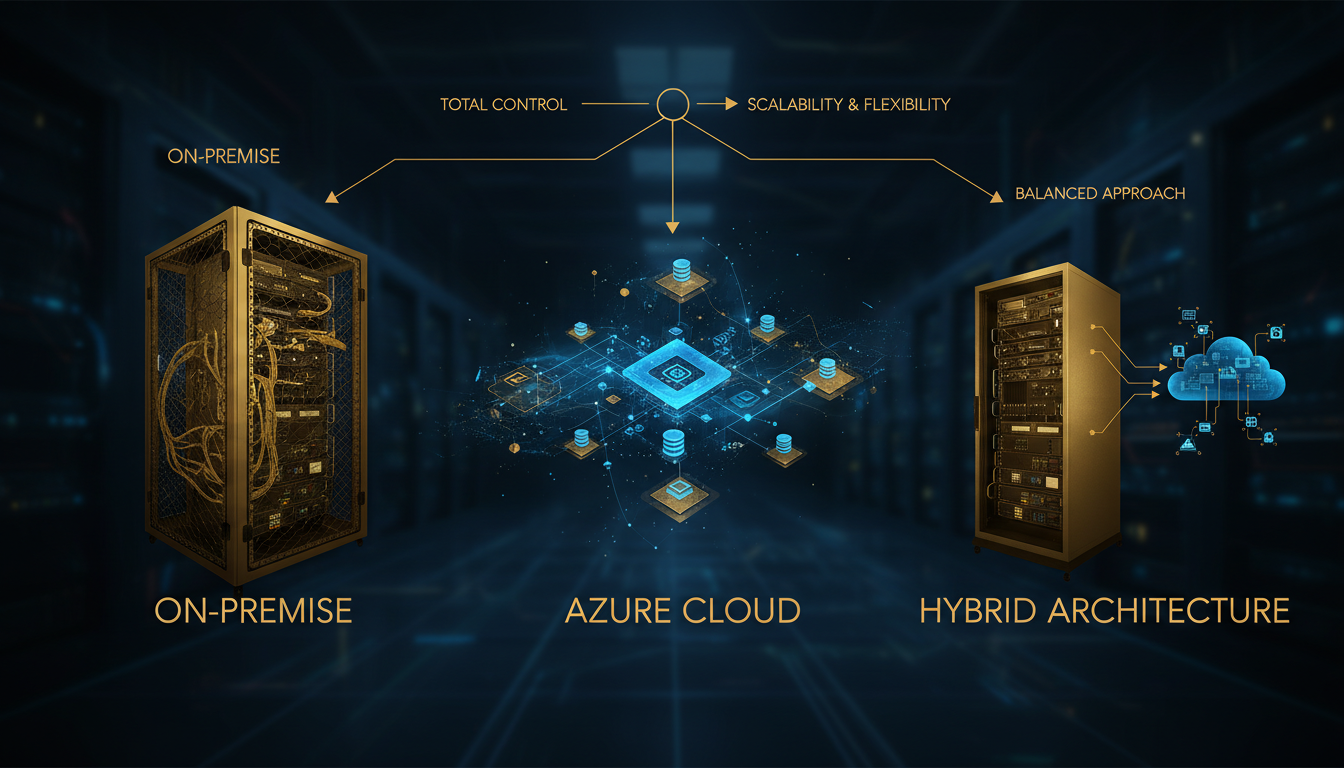
Every UK business reaches a point where the question is no longer whether to move to the cloud, but how much to move — and what to keep where. The decision between maintaining on-premise server migration UK infrastructure, migrating fully to Microsoft Azure, or adopting a hybrid cloud architecture UK model is one of the most consequential technology choices your organisation will make this decade. Get it right and you unlock agility, resilience, and cost efficiency that compounds year after year. Get it wrong and you're locked into an architecture that either haemorrhages money, exposes you to unnecessary risk, or throttles your ability to grow.
This guide provides a comprehensive, side-by-side comparison of on-premise, Azure cloud, and hybrid architectures — examined through the lenses that matter most to UK decision-makers: total cost of ownership, scalability, security, compliance, service-level agreements, disaster recovery, performance, and migration pathways. Whether you're a mid-market firm running aging servers in a comms room or a growing enterprise evaluating your next infrastructure cycle, this analysis gives you the framework to make the right call.
The reality is that most UK organisations will not — and should not — adopt a single architecture dogmatically. The optimal answer depends on your workload profile, regulatory obligations, growth trajectory, and existing investments. A financial services firm handling FCA-regulated data has different requirements from a SaaS company scaling across European markets, which in turn differs from an NHS trust bound by DSPT and HSCN connectivity mandates. The architecture must serve the business, not the other way around.
Understanding the Three Architecture Models
Before diving into the detailed comparison, it is essential to establish clear definitions. These three architecture models are not simply points on a spectrum — they represent fundamentally different approaches to how your organisation provisions, manages, and consumes IT infrastructure. Each carries distinct advantages, limitations, operational requirements, and cost profiles that ripple across every aspect of your technology operations.
On-Premise Infrastructure
On-premise (sometimes written "on-premises") refers to IT infrastructure that your organisation owns, operates, and houses within its own facilities or a colocation data centre. This includes physical servers, storage arrays, networking equipment, firewalls, load balancers, and all the supporting infrastructure — power distribution, cooling, physical security, cabling, and rack space. Your IT team is responsible for every layer: procurement, installation, configuration, patching, monitoring, capacity planning, hardware replacement, and end-of-life decommissioning.
For decades, on-premise was the default. Every UK business of any size maintained a server room or contracted with a colocation provider. The model is well understood, gives you complete physical control over your data and hardware, and — once capital expenditure is sunk — offers predictable operational costs. However, it also means you bear 100% of the risk for availability, security, capacity, and disaster recovery. When a disk fails at 3am on a Saturday, it is your problem. When you need 50% more compute capacity for a seasonal peak, you either have it sitting idle the rest of the year or you don't have it at all.
Azure Cloud (Public Cloud)
Microsoft Azure is a hyperscale public cloud platform offering over 200 services across compute, storage, networking, databases, AI, analytics, and more. When you adopt Azure, you consume infrastructure as a service — provisioning virtual machines, databases, and storage on demand, paying only for what you use, and delegating the physical infrastructure layer entirely to Microsoft. Azure operates two UK data centre regions (UK South in London and UK West in Cardiff), providing data residency within British jurisdiction.
The cloud model inverts the traditional IT equation. Capital expenditure shifts to operational expenditure. Capacity is elastic — you scale up in minutes and scale down when demand recedes. Patching, hardware replacement, and physical security become Microsoft's responsibility. Your team focuses on architecture, application management, and business value rather than keeping the lights on. The Azure 99.99% SLA for availability zones means Microsoft contractually guarantees uptime levels that most on-premise environments could never match, backed by financial credits if they fall short.
Hybrid Cloud Architecture
A hybrid cloud architecture UK model combines on-premise infrastructure with one or more public cloud platforms, connected via secure networking and managed as an integrated environment. This is not simply running some things on-premise and some in the cloud — a true hybrid architecture involves orchestration, consistent identity management, unified security policies, and workload portability between environments.
Microsoft has invested more heavily in hybrid cloud technology than any other hyperscaler. Azure Arc extends Azure management and services to on-premise servers, Kubernetes clusters, and even other clouds. Azure Stack HCI brings Azure services into your own data centre. ExpressRoute provides dedicated, private connectivity between your premises and Azure. The result is an architecture where workloads can live in the optimal location based on their specific requirements — regulated data on-premise, scalable web applications in Azure, AI and analytics in the cloud, legacy systems where they currently sit — all governed through a single pane of glass.
When evaluating architecture options, resist the urge to adopt a model based on industry trends alone. The right architecture is the one that aligns with your specific workload requirements, compliance obligations, and growth plans. A hybrid cloud migration UK approach often provides the flexibility to optimise placement workload by workload — but only if the hybrid layer is properly designed and not just an accidental outcome of incomplete migration.
Total Cost of Ownership: The True Financial Picture
Cost is invariably the first question on the table when evaluating on-premise to cloud migration. But the comparison is more nuanced than simply comparing a monthly Azure bill to the depreciation schedule on your servers. A rigorous total cost of ownership analysis must account for every cost category — visible and hidden — across a meaningful time horizon, typically five years.
On-Premise TCO Components
The true cost of on-premise infrastructure extends far beyond the purchase price of servers. Your TCO calculation must include: hardware procurement (servers, storage, networking, UPS, cooling — typically refreshed every 4-5 years), software licensing (Windows Server, SQL Server, virtualisation platforms, backup software, monitoring tools), facilities costs (rack space, power, cooling, physical security — whether in your own building or a colocation contract), personnel costs (the proportion of your IT team's time spent on infrastructure management, patching, troubleshooting, and capacity planning), and opportunity cost (what your team could accomplish if freed from infrastructure operations).
For a typical UK mid-market organisation running 20 physical servers, the five-year on-premise TCO ranges from £450,000 to £800,000 when all costs are properly accounted for. The wide range reflects differences in salary costs (London versus regional), facility overheads, and the level of redundancy and disaster recovery invested in. Most organisations underestimate their on-premise costs by 30-40% because personnel and opportunity costs are not tracked against specific infrastructure activities.
Azure Cloud TCO Components
Azure costs are primarily operational — you pay monthly based on consumption. The main cost categories are: compute (virtual machines, app services, functions — charged by the hour or second), storage (blob, disk, files — charged per GB per month with tiered pricing), networking (egress bandwidth, VPN gateways, ExpressRoute circuits), managed services (Azure SQL, Cosmos DB, AKS — priced per resource unit), support plans (ranging from free to £750/month for Premier), and management tooling (Azure Monitor, Microsoft Defender for Cloud, Azure Backup).
The critical variable in Azure cost management is optimisation. Pay-as-you-go pricing is the most flexible but most expensive option. Reserved instances (1-year or 3-year commitments) reduce compute costs by 30-72%. Azure Hybrid Benefit allows you to reuse existing Windows Server and SQL Server licences, saving up to 85% on those workloads. Savings plans provide flexible commitment discounts across compute services. A well-optimised Azure environment typically costs 30-50% less than the equivalent pay-as-you-go configuration.
Hybrid TCO Considerations
Hybrid architectures carry costs from both models plus the cost of integration. You maintain on-premise infrastructure for retained workloads whilst paying Azure consumption for cloud workloads, plus the connectivity layer (ExpressRoute or VPN), identity federation (Azure AD Connect, Entra ID), and the management overhead of operating across two environments. The hybrid premium — the additional cost of maintaining integration — typically ranges from 10-20% above the combined individual costs.
However, hybrid often delivers the best overall TCO because it allows you to place each workload in its most cost-effective location. Stable, predictable workloads with existing hardware may be cheaper to run on-premise for their remaining hardware lifecycle. Elastic, growing, or new workloads are almost always cheaper in Azure. The hybrid model lets you optimise per workload rather than making a one-size-fits-all decision.
| Cost Category | On-Premise | Azure Cloud | Hybrid |
|---|---|---|---|
| Capital Expenditure | High (hardware refresh every 4-5 years) | None | Medium (retained on-prem hardware) |
| Monthly Operational Cost | Fixed (facilities, power, licences) | Variable (consumption-based) | Mixed (fixed on-prem + variable cloud) |
| Personnel Overhead | High (infrastructure management) | Lower (managed services) | Medium (dual-environment skills) |
| Scaling Cost | Step function (buy new hardware) | Linear (pay per unit consumed) | Optimised (cloud burst for peaks) |
| Disaster Recovery | Very high (duplicate site required) | Low (built into platform) | Medium (Azure Site Recovery) |
| 5-Year TCO (20 servers) | £450K - £800K | £280K - £520K | £320K - £600K |
Scalability and Elasticity: Meeting Demand
Scalability is where the architectural differences between on-premise, cloud, and hybrid become starkly apparent. The ability to scale — both up and out, both quickly and cost-effectively — directly impacts your organisation's capacity to respond to business opportunities, handle seasonal peaks, and grow without infrastructure bottlenecks.
On-Premise Scalability Constraints
On-premise scalability is fundamentally constrained by physics and procurement cycles. When you need more compute capacity, you must specify, procure, deliver, rack, cable, configure, and deploy new hardware. For UK businesses, this process typically takes 8-16 weeks from decision to production — longer if supply chains are disrupted or if you're procuring specialist hardware. You also face an inherent over-provisioning dilemma: to handle peak demand, you must purchase capacity that sits idle during normal operations, or accept that peaks will degrade performance.
Vertical scaling (adding CPU, memory, or storage to existing servers) is limited by the physical constraints of the hardware. Horizontal scaling (adding more servers) requires additional rack space, power, cooling, and networking — all of which may be at capacity in your existing facility. For many UK businesses operating in serviced offices or shared buildings, the physical infrastructure simply cannot accommodate significant expansion.
Azure Cloud Elasticity
Azure provides effectively unlimited scalability through its hyperscale infrastructure. Virtual machine scale sets can automatically add or remove instances based on CPU utilisation, memory pressure, queue depth, or custom metrics — responding to demand changes in minutes rather than weeks. Azure App Service can scale from one instance to 30 in seconds. Azure Functions scale to zero when idle and burst to handle thousands of concurrent executions.
This elasticity transforms the economics of capacity planning. Instead of provisioning for peak and wasting money during troughs, you provision for baseline and scale automatically for peaks. A UK e-commerce retailer that experiences 5x traffic during Black Friday week no longer needs 5x the hardware running year-round — Azure scales up for the peak and scales back down when it passes, and you only pay for the capacity consumed.
Hybrid Scalability — Cloud Bursting
The hybrid model offers a particularly compelling scalability pattern known as cloud bursting. Your baseline workloads run on-premise where you have sunk hardware investment, but when demand exceeds on-premise capacity, additional instances are automatically provisioned in Azure. When demand subsides, the cloud instances are released. This gives you the cost efficiency of utilising existing hardware combined with the elastic scalability of the cloud for peak periods.
Azure Arc enables this pattern natively, allowing your on-premise Kubernetes clusters to burst into Azure Kubernetes Service. Azure Traffic Manager or Azure Front Door can distribute traffic between on-premise and cloud endpoints based on real-time capacity and latency metrics. The result is an architecture that is both cost-efficient and elastic — the best of both worlds.
Security: Protecting Your Most Valuable Assets
Security is frequently cited as both the primary concern about cloud migration and, paradoxically, one of the strongest arguments for it. The truth is nuanced: each architecture model offers different security strengths and weaknesses, and the "most secure" option depends on your threat model, the maturity of your security team, and the specific workloads being protected.
On-Premise Security
On-premise security gives you complete control — you manage every layer from physical access controls to application-layer firewalls. For organisations with mature, well-resourced security teams, this control is valuable. You can implement bespoke security architectures tailored to your exact requirements, conduct physical security inspections at will, and maintain an air-gapped environment for the most sensitive workloads.
However, complete control also means complete responsibility. You must keep every operating system, application, and firmware version patched. You must operate and tune intrusion detection systems, security information and event management (SIEM) platforms, endpoint protection, and email security gateways. You must staff a security operations function — or at minimum, an on-call rota — to respond to alerts around the clock. For most UK mid-market businesses, the security team comprises one or two people who also handle general IT operations. Against this reality, the "control" argument becomes a liability: control without the resources to exercise it effectively is worse than delegating to a platform with thousands of dedicated security engineers.
Azure Cloud Security
Microsoft employs over 8,500 security professionals and invests more than $4 billion annually in cybersecurity. Azure's security infrastructure includes physical security at data centres (biometric access, 24/7 staffing, perimeter fencing, CCTV), network security (DDoS protection, distributed firewalls, micro-segmentation), identity security (Entra ID with conditional access, MFA, identity protection), threat detection (Microsoft Defender for Cloud, Microsoft Sentinel), data protection (encryption at rest and in transit by default, customer-managed keys), and compliance (50+ UK and international certifications).
The shared responsibility model means Microsoft secures the infrastructure layer — physical hosts, network fabric, hypervisor — while you are responsible for securing what you deploy on that infrastructure: virtual machine configurations, application code, data classification, and access policies. This division typically results in a stronger overall security posture because Microsoft handles the layers that require massive scale and investment (physical, network, hypervisor security) whilst your team focuses on the layers they understand best (applications, data, identity).
Hybrid Security Challenges
Hybrid environments introduce unique security considerations. Your attack surface spans both environments, and adversaries will target the weaker of the two. Identity must be federated consistently — an inconsistent identity posture between on-premise Active Directory and Entra ID creates gaps. Network security must cover the connection between environments — an ExpressRoute or VPN that is misconfigured or inadequately monitored creates a bridge for lateral movement.
The key to hybrid security is treating both environments as a single security domain. Microsoft Sentinel can ingest logs from both on-premise and Azure resources. Microsoft Defender for Cloud provides unified security posture management across hybrid environments. Azure Arc extends Azure security policies to on-premise servers. When properly implemented, a hybrid security posture can be stronger than either environment in isolation because you gain cloud-scale threat intelligence and detection whilst maintaining physical control where regulations require it.
When assessing the security of each architecture model, focus on your organisation's actual security capabilities rather than theoretical ones. An on-premise environment secured by a two-person IT team working office hours is objectively less secure than an Azure environment protected by Microsoft's 24/7 security operations centre — regardless of the "control" argument. Be honest about your security maturity when making this decision.
| Security Dimension | On-Premise | Azure Cloud | Hybrid |
|---|---|---|---|
| Physical Security | Your responsibility (varies widely) | Microsoft-managed (world-class) | Split responsibility |
| Network Security | Full control, full responsibility | Built-in DDoS, WAF, NSGs | Requires unified policy |
| Identity & Access | Active Directory on-prem | Entra ID with conditional access | Federated (AD + Entra ID) |
| Threat Detection | Self-managed SIEM | Microsoft Sentinel + Defender | Unified Sentinel across both |
| Patching | Manual (your team) | Automated for managed services | Mixed (Azure Update Manager helps) |
| Data Sovereignty | Full physical control | UK regions guarantee UK residency | Granular per-workload control |
| Compliance Certifications | Self-assessed | 50+ including Cyber Essentials, G-Cloud | Inherited from Azure + self-managed |
Compliance and Regulatory Considerations for UK Businesses
For UK organisations, compliance is not optional — it is a legal and regulatory obligation that shapes every infrastructure decision. The architecture you choose directly impacts your ability to meet requirements under UK GDPR, the Data Protection Act 2018, FCA regulations, NHS Data Security and Protection Toolkit, PCI DSS, Cyber Essentials, and sector-specific mandates. Understanding how each architecture model supports (or complicates) compliance is essential.
Data Residency and Sovereignty
Post-Brexit, the UK operates its own data protection regime. Whilst UK adequacy decisions mean data can still flow to the EU and certain other jurisdictions, many UK organisations — particularly in financial services, healthcare, and the public sector — maintain strict data residency requirements. Data must remain on British soil.
On-premise infrastructure satisfies data residency requirements by default — your data sits in your building or your UK colocation facility. Azure's UK South and UK West regions also satisfy UK data residency, and you can enforce region restrictions through Azure Policy to prevent accidental deployment to non-UK regions. Hybrid architectures give you the flexibility to keep the most sensitive data on-premise whilst running less regulated workloads in Azure's UK regions.
Industry-Specific Compliance
Financial Services (FCA/PRA): The FCA's operational resilience framework requires firms to identify important business services and set impact tolerances. Cloud outsourcing to Azure is explicitly supported under FCA guidance (FG 16/5), provided you maintain adequate oversight, conduct proper due diligence, and ensure business continuity. Azure's UK regions hold SOC 1/2/3, ISO 27001, and PCI DSS certifications that directly support FCA compliance requirements.
Healthcare (NHS DSPT): NHS organisations and their suppliers must comply with the Data Security and Protection Toolkit. Azure's UK regions are certified to the NHS DSPT standard, and Microsoft publishes specific guidance for NHS workloads on Azure. HSCN (Health and Social Care Network) connectivity to Azure is available through certified service providers, enabling NHS organisations to run clinical systems in Azure whilst maintaining the required network separation.
Public Sector (G-Cloud, Cyber Essentials): Azure services are listed on the G-Cloud framework, the UK government's procurement vehicle for cloud services. Azure holds Cyber Essentials Plus certification and is accredited for OFFICIAL and OFFICIAL-SENSITIVE workloads. For organisations processing SECRET or TOP SECRET data, Azure Government sovereign cloud options are available through specialist arrangements.
Service-Level Agreements: Uptime Guarantees Compared
Service-level agreements define the contractual commitment to availability — and they vary dramatically between architecture models. Understanding SLAs is critical because they directly translate to the amount of downtime your business can expect (and plan for) over a given period.
On-Premise SLAs
On-premise infrastructure has no SLA — there is no contractual guarantee from anyone that your servers will be available. Availability depends entirely on your hardware quality, redundancy design, and operational practices. A well-designed on-premise environment with redundant power, clustered servers, and a skilled operations team might achieve 99.9% availability (8.76 hours of downtime per year). Achieving 99.99% on-premise requires significant investment in redundant hardware, automated failover, multiple power feeds, generator backup, and 24/7 monitoring — pushing costs substantially higher.
The uncomfortable truth is that most UK mid-market on-premise environments achieve 99.5-99.8% availability when all causes of downtime are honestly accounted for: planned maintenance windows, failed patches requiring rollback, hardware failures, power events, cooling failures, and human error. That 99.5% translates to 43.8 hours of downtime per year — nearly two full days.
Azure SLAs
Azure provides contractual SLAs for every service, backed by financial credits if the commitment is missed. The Azure 99.99% SLA applies to virtual machines deployed across availability zones — just 4.3 minutes of permitted downtime per month, or 52.6 minutes per year. Individual VM SLAs range from 99.9% (single instance with Premium SSD) to 99.99% (availability zones), whilst managed services like Azure SQL Database offer up to 99.995% for business-critical tier deployments.
These SLAs are meaningful because they are contractual and measurable. Azure publishes real-time service health data, and you can verify availability independently. When SLAs are breached, you receive service credits automatically. The financial penalty ensures Microsoft has a direct incentive to maintain the promised availability levels — an incentive that does not exist with on-premise infrastructure.
Hybrid SLA Considerations
In a hybrid architecture, your end-to-end availability is determined by the weakest link. If your on-premise component delivers 99.8% and your Azure component delivers 99.99%, the composite availability for workloads spanning both environments is approximately 99.79% (the product of the two). The connectivity layer between environments introduces additional availability considerations — ExpressRoute provides a 99.95% SLA, and your on-premise network equipment has its own (self-determined) availability profile.
This means hybrid environments require careful design to ensure that the availability of the overall service meets your business requirements. Critical workloads should be architected so that they can continue operating even when one environment is unavailable — either by failing over entirely to Azure or by degrading gracefully when cloud connectivity is lost.
Disaster Recovery and Business Continuity
Disaster recovery is where the architectural choice has the most dramatic impact on both cost and capability. The ability to recover from a catastrophic failure — whether a server crash, a ransomware attack, a fire, or a flood — is fundamentally different across the three models, and the differences have real consequences for UK businesses operating in an increasingly volatile threat landscape.
On-Premise Disaster Recovery
True disaster recovery for on-premise infrastructure requires a secondary site — a physically separate location with replicated servers, storage, and networking that can take over if the primary site is lost. This is enormously expensive. A fully equipped DR site for a 20-server environment in the UK typically costs £200,000-£400,000 in hardware alone, plus ongoing costs for the facility, connectivity, and regular DR testing. Many UK mid-market businesses cannot justify this expense, which means their "disaster recovery plan" consists of tape backups stored offsite — a solution that provides data recovery but not service recovery, with restoration times measured in days rather than hours.
Azure Disaster Recovery
Azure fundamentally changes the DR equation. Azure Site Recovery (ASR) provides automated replication and failover for virtual machines between Azure regions. Your workloads in UK South can replicate continuously to UK West, and in the event of a regional failure, ASR orchestrates automated failover — bringing your services back online in the secondary region within minutes. The cost is a fraction of a physical DR site: you pay for the replicated storage and a small amount of compute for DR drill testing, but the failover VMs are only fully provisioned (and charged) when an actual failover occurs.
For data specifically, Azure Backup provides automated, geo-redundant backups with configurable retention policies, point-in-time recovery, and ransomware protection through soft-delete and immutable vaults. Combined with Azure's native availability features (availability zones, zone-redundant storage, SQL Database auto-failover groups), you can architect an environment with recovery point objectives (RPO) measured in seconds and recovery time objectives (RTO) measured in minutes — at a cost that would be inconceivable on-premise.
Hybrid Disaster Recovery
The hybrid cloud migration UK approach to DR is particularly powerful. Azure Site Recovery can replicate on-premise VMs to Azure, providing cloud-based DR for your on-premise workloads. This means you get enterprise-grade disaster recovery without building a physical secondary site. Your on-premise servers replicate continuously to Azure; if a disaster strikes your primary site, you fail over to Azure VMs that mirror your on-premise environment. When the primary site is restored, you fail back — all orchestrated through Azure Site Recovery with automated runbooks.
This pattern has become the most popular DR strategy for UK mid-market businesses. It eliminates the cost of a physical DR site, provides faster recovery times than tape-based solutions, and leverages Azure's geo-redundant infrastructure for data protection. The typical cost for protecting 20 on-premise servers with Azure Site Recovery is £500-£1,500 per month — a fraction of the cost of maintaining a physical DR facility.
Regardless of which architecture model you choose, test your disaster recovery plan regularly. A DR plan that has never been tested is not a plan — it's a hope. Azure Site Recovery includes built-in DR drill capabilities that let you test failover without impacting production. For on-premise environments, schedule quarterly DR tests and document the results. The time to discover that your DR process doesn't work is during a test, not during an actual disaster.
Performance: Latency, Throughput, and User Experience
Performance considerations influence architecture decisions in ways that are not always intuitive. The assumption that on-premise is always faster than cloud is outdated — modern cloud infrastructure often outperforms on-premise hardware, particularly for distributed workloads and global user bases. However, specific performance characteristics vary by architecture, and understanding these differences is essential for making the right choice for your workloads.
On-Premise Performance Characteristics
On-premise infrastructure offers the lowest possible latency for users and applications that are physically co-located. A user in your London office accessing a server in the same building experiences sub-millisecond network latency. For latency-sensitive applications — real-time trading systems, industrial control systems, or applications processing large local datasets — this proximity advantage is real and significant.
However, on-premise performance is constrained by your hardware investment. When your servers are at 80% CPU utilisation during peak hours, there is no elastic capacity to absorb the load — performance degrades. Storage IOPS are limited by the drives you've purchased. Network bandwidth is limited by your switches and uplinks. Improving performance requires a hardware purchase with associated lead times and capital expenditure.
Azure Cloud Performance
Azure's UK regions are served by Microsoft's global network backbone — one of the largest private networks on earth, with over 200,000 miles of fibre. For UK users accessing workloads in Azure UK South (London), latency is typically 2-10ms — imperceptible for most business applications. Azure's hyperscale infrastructure means you're never constrained by hardware limitations: you can scale to VM sizes with 416 vCPUs and 12 TB of RAM, provision millions of IOPS from Ultra Disk storage, and burst network bandwidth to 200 Gbps.
Azure also offers performance capabilities that are impossible to replicate on-premise without massive investment: Azure CDN and Azure Front Door for global content delivery, proximity placement groups for ultra-low-latency clusters, accelerated networking for 25 Gbps VM networking, and Azure Proximity Placement Groups for latency-sensitive workloads that need co-location within a data centre.
Hybrid Performance Optimisation
Hybrid architectures can be optimised for performance by placing workloads based on their access patterns. User-facing applications that serve UK customers deploy to Azure UK South for consistent, low-latency access. Backend processing that operates on large local datasets runs on-premise to avoid data transfer latency. Azure ExpressRoute provides dedicated, low-latency connectivity (2-5ms from London) between environments, ensuring that cross-environment communication is fast and predictable.
Migration Pathways: How to Get from Here to There
Choosing the right architecture is only half the challenge — executing the transition is where many UK organisations struggle. Each target architecture requires a different migration approach, and the pathway you take significantly impacts risk, timeline, cost, and business disruption. Understanding the available migration pathways, and selecting the right one for your situation, is critical to a successful on-premise to cloud migration.
Pathway 1: Full Cloud Migration
A full migration moves all workloads from on-premise to Azure, ultimately decommissioning your on-premise infrastructure entirely. This is the simplest end-state to manage — one environment, one set of tools, one operational model — but the most complex transition to execute. Full migration is best suited for organisations with: no regulatory barriers to cloud hosting, applications that are cloud-compatible (or budget to modernise them), a willingness to invest in the migration project upfront for long-term savings, and no significant remaining hardware lifecycle to amortise.
The typical full migration for a UK mid-market organisation (20-50 servers) takes 4-8 months from assessment to final decommission, executed in waves of increasing complexity. The critical success factor is a thorough assessment phase that identifies all dependencies, compliance requirements, and technical constraints before migration begins.
Pathway 2: Hybrid Transition
A hybrid cloud migration UK pathway moves suitable workloads to Azure whilst retaining specific workloads on-premise. This is the most common approach for UK organisations because it accommodates the reality that not all workloads can — or should — move to the cloud immediately. The hybrid pathway provides a structured migration that delivers early wins whilst managing risk for complex or regulated workloads.
The hybrid transition typically starts with establishing Azure connectivity (VPN or ExpressRoute), deploying an Azure landing zone, and migrating the first wave of low-risk workloads. Subsequent waves move progressively more complex workloads, with the retained on-premise workloads connected to Azure through hybrid networking and managed through Azure Arc. The retained workloads may migrate to Azure later as regulations evolve, hardware reaches end-of-life, or applications are modernised.
Pathway 3: On-Premise Modernisation
For organisations that cannot or choose not to migrate workloads to the public cloud, Azure Stack HCI and Azure Stack Hub bring Azure services to your own data centre. You run Azure-consistent infrastructure on hardware you own and control, in a location you choose, whilst gaining access to Azure management tools, Azure Kubernetes Service, and Azure virtual desktop infrastructure. This pathway is primarily relevant for organisations with strict data sovereignty requirements that cannot be met by Azure's public UK regions — a relatively narrow use case, but one that exists in certain government and defence contexts.
Month 1-2: Assessment and Strategy
Deploy Azure Migrate for automated discovery across your on-premise estate. Map all application dependencies, performance baselines, and compliance requirements. Classify every workload against the 6 Rs framework (Rehost, Replatform, Refactor, Replace, Retain, Retire). Produce a detailed migration plan with wave assignments, timelines, and risk assessments for each workload group.
Month 2-3: Foundation Build
Design and deploy your Azure landing zone: subscription hierarchy, virtual networks, hub-and-spoke topology, identity federation with on-premise AD, Azure Policy for compliance enforcement, monitoring and alerting baselines, and cost management configuration. Establish connectivity via ExpressRoute or Site-to-Site VPN. All infrastructure deployed as code using Bicep or Terraform for repeatability.
Month 3-4: Wave 1 — Pilot Migration
Migrate development environments, test systems, and low-criticality internal tools. Validate the migration methodology end-to-end: server replication, DNS cutover, user acceptance testing, monitoring validation, and backup verification. Document lessons learned and refine processes for production waves. Build confidence across IT and business stakeholders.
Month 4-7: Waves 2-N — Production Migrations
Execute production workload migrations in planned waves, each following the validated methodology. Rehost workloads use Azure Migrate for automated replication and cutover. Replatform workloads move to managed services (Azure SQL, App Service). Each wave includes pre-migration testing, a defined cutover window, post-migration validation, and documented rollback procedures. Parallel-run periods ensure stability before decommissioning source systems.
Month 6-8: Optimisation and Steady State
Right-size Azure resources based on production performance data. Implement reserved instances and savings plans for predictable workloads. Enable auto-scaling for variable workloads. Configure Azure Advisor recommendations. Decommission on-premise hardware as workloads stabilise. Establish ongoing operational processes: cost reviews, security posture management, capacity planning, and continuous improvement.
The Decision Framework: Choosing the Right Architecture
With the detailed comparison across all dimensions complete, the question remains: which architecture is right for your organisation? The answer depends on a structured evaluation of your specific circumstances. Below is a decision framework that Cloudswitched uses with UK clients to guide this critical choice.
Decision Criteria Matrix
Score each criterion from 1 to 5 based on your organisation's situation. The architecture with the highest weighted score is your recommended starting point — though the framework should inform your decision, not dictate it. Business context, organisational readiness, and strategic direction all play a role that no scoring matrix can fully capture.
Azure Cloud
Hybrid Cloud
On-Premise
When to Choose Full Azure Cloud
Full Azure migration is the right choice when: your hardware is approaching end-of-life and a refresh is due, your organisation is growing and needs elastic infrastructure, you want to eliminate data centre operational overhead, your workloads are standard (Windows/Linux servers, SQL databases, web applications) without exotic hardware dependencies, your compliance requirements can be met by Azure's UK regions, and your leadership is committed to cloud as the long-term infrastructure strategy.
When to Choose Hybrid
A hybrid cloud architecture UK model is right when: you have regulatory requirements that mandate certain data or workloads remain on-premise, you have legacy applications with dependencies on specialist hardware or software that cannot run in Azure, you have significant remaining hardware lifecycle that would be wasted by premature decommission, you want to migrate gradually and reduce risk through a phased approach, or you need cloud bursting for seasonal demand whilst maintaining a baseline on-premise.
When to Stay On-Premise
Staying entirely on-premise is increasingly rare and is only justified when: regulatory or security requirements genuinely prohibit any cloud usage (becoming vanishingly rare as cloud compliance matures), your workloads are tightly coupled to specialist on-premise hardware (industrial control systems, laboratory equipment), your data transfer requirements make cloud hosting impractical (multi-petabyte datasets with high-frequency local access), or your organisation has invested in recent hardware and the business case for migration does not justify early decommission.
Real-World UK Migration Scenarios
To illustrate how the decision framework applies in practice, here are three composite scenarios based on common UK business profiles that Cloudswitched encounters regularly.
Scenario 1: Professional Services Firm (50 employees, London)
A mid-market accounting firm running an on-premise server with ageing hardware hosting their practice management system, file shares, and email. Their server is five years old, out of warranty, and the air conditioning in their server cupboard failed twice last summer. They already use Microsoft 365 for email and Teams.
Recommended architecture: Full Azure Cloud. The practice management system replatforms to Azure App Service, file shares move to SharePoint Online and Azure Files, the SQL database migrates to Azure SQL Managed Instance, and the physical server is decommissioned. Total migration time: 6 weeks. Five-year savings versus hardware refresh: approximately £85,000.
Scenario 2: Financial Services Company (200 employees, Manchester)
An FCA-regulated wealth management firm running a mix of modern web applications and a legacy portfolio management system that requires a specific Windows Server version and connects to a proprietary market data feed via a physical dedicated line. The firm needs to demonstrate compliance with FCA operational resilience requirements.
Recommended architecture: Hybrid Cloud. Modern web applications and internal systems migrate to Azure. The legacy portfolio management system remains on-premise, connected to Azure via ExpressRoute. Azure Arc manages the on-premise server alongside Azure resources. Azure Site Recovery provides DR for the on-premise workload. The firm satisfies FCA requirements with Azure's compliance certifications for cloud workloads and maintains physical control for the regulated legacy system.
Scenario 3: Manufacturing Company (500 employees, Birmingham)
A mid-market manufacturer running on-premise ERP, MES (Manufacturing Execution System) connected to factory floor equipment, a customer-facing e-commerce platform, and various internal business applications. The MES system has hard real-time requirements and cannot tolerate network latency to the cloud.
Recommended architecture: Hybrid Cloud with Azure Stack HCI for factory floor. The e-commerce platform migrates to Azure App Service for elastic scalability. ERP replatforms to Azure. Internal business applications move to Azure VMs. The MES system remains on-premise on Azure Stack HCI, providing Azure management and monitoring whilst maintaining local compute for real-time requirements. Azure IoT Hub connects factory floor telemetry to cloud analytics.
Azure SLA Deep Dive: What 99.99% Actually Means
The Azure 99.99% SLA is frequently cited but not always understood. Let's examine exactly what this commitment means, how it works in practice, and what you need to do architecturally to achieve it — because the SLA is not automatic. It requires you to deploy your workloads in a specific way.
SLA Tiers and Architecture Requirements
Azure SLA levels are directly tied to how you architect your deployment. A single virtual machine with Premium SSD managed disks receives a 99.9% SLA (8.76 hours per year). Virtual machines deployed in an availability set across fault domains receive 99.95% (4.38 hours per year). Virtual machines deployed across availability zones within a region receive 99.99% (52.6 minutes per year). The jump from 99.9% to 99.99% — a 10x reduction in permitted downtime — requires architectural decisions at deployment time.
For managed services, the SLAs are typically higher because Microsoft controls both the infrastructure and the application layer. Azure SQL Database Business Critical tier provides 99.995% availability (26.3 minutes per year). Azure Cosmos DB with multi-region writes provides 99.999% availability (5.26 minutes per year). These SLAs reflect the platform's built-in redundancy and automated failover capabilities.
Composite SLAs
Real-world applications consist of multiple Azure services, and the composite SLA is the product of individual service SLAs. A three-tier application using Azure Front Door (99.99%), Azure App Service (99.95%), and Azure SQL Database (99.99%) has a composite SLA of 99.93%. Understanding composite SLAs is essential for designing applications that meet your business's availability requirements.
To improve composite SLAs beyond the individual service levels, you implement redundancy: deploy across multiple regions, use active-active architectures, and implement automated failover. A multi-region deployment with Azure Front Door routing can achieve effective availability that exceeds any individual region's SLA because both regions must fail simultaneously for the application to become unavailable.
Cost Optimisation Strategies for Each Architecture
Regardless of which architecture you choose, cost optimisation is an ongoing discipline. Infrastructure that is not actively managed and optimised will drift towards inefficiency — on-premise through over-provisioning and zombie servers, and in Azure through orphaned resources and unoptimised sizing. Here are the key optimisation strategies for each model.
On-Premise Cost Optimisation
On-premise optimisation focuses on maximising utilisation of existing hardware. Virtualisation consolidation (running more VMs per physical host) extracts more value from your hardware investment. Power management settings can reduce electricity costs by 15-25%. Regular audits to identify and decommission unused servers, expired software licences, and redundant services prevent cost creep. When hardware refresh is due, right-sizing based on actual utilisation data (rather than vendor recommendations) avoids the chronic over-provisioning that plagues on-premise environments.
Azure Cost Optimisation
Azure offers a rich ecosystem of cost management tools and pricing models. The most impactful optimisation strategies are: Reserved Instances — commit to 1-year or 3-year terms for stable workloads and save 30-72% versus pay-as-you-go. Azure Hybrid Benefit — reuse existing Windows Server and SQL Server licences to save up to 85%. Right-sizing — use Azure Advisor recommendations to match VM sizes to actual utilisation (most organisations are over-provisioned by 30-40% after initial migration). Auto-scaling — configure scale rules to reduce capacity during low-demand periods. Storage tiering — move infrequently accessed data to Cool or Archive tiers. Dev/test pricing — use discounted rates for non-production environments. Spot instances — use surplus capacity at up to 90% discount for fault-tolerant workloads.
Hybrid Cost Optimisation
Hybrid optimisation combines the strategies above with workload placement optimisation — continuously evaluating whether each workload is running in its most cost-effective location. A workload that was cheaper on-premise when your hardware was new may become cheaper in Azure as the hardware ages and maintenance costs increase. Azure Migrate's assessment tools can re-evaluate your on-premise workloads periodically to identify migration candidates. Azure Cost Management provides unified cost visibility across both environments when on-premise servers are managed through Azure Arc.
The Role of a Managed Service Provider in Your Architecture Decision
The complexity of evaluating, designing, and implementing the right infrastructure architecture is precisely why most UK mid-market businesses engage a managed service provider (MSP) with deep Azure expertise. The architecture decision has implications that cascade across your organisation for years, and the migration execution requires skills that your internal IT team may not possess — particularly if they have spent their careers managing on-premise infrastructure.
What a Specialist Azure MSP Brings
A specialist MSP like Cloudswitched brings several critical capabilities to the table. First, assessment rigour — having conducted dozens of on-premise to cloud migration projects for UK businesses, an experienced MSP identifies risks and dependencies that first-time migrators miss. Second, architecture expertise — designing Azure landing zones, hybrid networking, and security architectures that follow Microsoft's Cloud Adoption Framework and meet UK compliance requirements. Third, migration execution — the technical skills and tooling to execute migrations with minimal business disruption, including after-hours cutovers, parallel running, and rapid rollback capabilities. Fourth, ongoing management — continuous cost optimisation, security monitoring, patch management, and performance tuning that ensure your Azure environment remains efficient and secure long after the initial migration.
The Cost of Getting It Wrong
The cost of a poorly executed migration or wrong architecture choice far exceeds the cost of professional guidance. Common failure modes include: Azure environments that cost 2-3x more than projected because they were not optimised, security misconfigurations that create compliance violations, migrations that experience extended downtime because dependencies were not properly mapped, hybrid environments where the connectivity layer is a single point of failure, and architectures that constrain business growth because they were designed for today's requirements without considering tomorrow's.
Engaging an MSP with proven UK Azure migration experience — one that has navigated the specific compliance, connectivity, and business requirements of UK organisations — dramatically reduces these risks. The MSP's fee is typically recovered within the first year through better optimisation, avoided mistakes, and reduced internal team burden.
Future-Proofing Your Architecture
Technology infrastructure decisions have a 5-10 year impact horizon. The architecture you choose today must accommodate not just your current requirements but your anticipated evolution over the coming years. Several trends are reshaping the infrastructure landscape for UK businesses, and your architecture should account for them.
AI and Machine Learning
AI workloads require significant compute resources — particularly GPU capacity for training and inference. Azure provides access to the latest GPU hardware (NVIDIA H100, A100) on demand, without the capital expenditure of purchasing and maintaining specialist hardware. For UK businesses beginning to explore AI, the cloud provides an entry point that would be prohibitively expensive on-premise. Hybrid architectures can process data on-premise and run AI workloads in Azure, maintaining data control whilst accessing cloud-scale compute.
Edge Computing
As IoT and edge computing expand, the boundary between on-premise and cloud is blurring. Azure IoT Edge runs cloud workloads on local devices. Azure Arc extends Azure management to edge locations. The hybrid cloud model naturally accommodates edge scenarios, providing a consistent management plane from your data centre to your branch offices to Azure's regions.
Sustainability
Microsoft has committed to being carbon negative by 2030, and Azure's UK data centres are powered by renewable energy. For UK organisations with sustainability targets, migrating to Azure directly reduces the carbon footprint of your IT operations. Azure's Emissions Impact Dashboard provides detailed reporting on the carbon emissions associated with your cloud usage, supporting ESG reporting requirements.
Key Considerations Checklist for UK Decision-Makers
Before finalising your architecture decision, ensure you have addressed each of the following considerations. This checklist distils the comprehensive analysis above into actionable evaluation points that you can work through with your technical team and business stakeholders.
Workload inventory: Do you have a complete, accurate inventory of all servers, applications, and dependencies? An incomplete inventory is the single most common cause of migration problems.
Compliance mapping: Have you mapped every regulatory requirement to specific workloads and determined whether each can be met on-premise, in Azure, or both? Compliance requirements should drive workload placement, not the other way around.
TCO analysis: Have you modelled the true five-year TCO for each architecture option, including all hidden costs (personnel, opportunity cost, facilities, DR)? Most organisations underestimate on-premise costs and overestimate Azure costs.
Skills assessment: Does your team have the skills to operate the chosen architecture? On-premise requires hardware and virtualisation skills; Azure requires cloud architecture and IaC skills; hybrid requires both. Skills gaps must be addressed through training, hiring, or MSP engagement.
Connectivity requirements: Have you assessed your networking needs for each architecture? Hybrid and cloud models require reliable, performant connectivity. ExpressRoute may be necessary for latency-sensitive workloads.
Business continuity: What are your RPO and RTO requirements for each workload? These requirements will influence both the architecture choice and the specific design within that architecture.
Growth trajectory: Where will your business be in 3-5 years? An architecture that meets today's needs but cannot accommodate tomorrow's growth creates technical debt that compounds over time.
Stakeholder alignment: Are business leadership, IT leadership, and operational teams aligned on the architecture direction? Misalignment creates friction that derails migrations and inflates costs.
Conclusion: Making the Right Choice for Your UK Business
The choice between on-premise, Azure cloud, and hybrid architecture is not a binary decision with a single correct answer. It is a strategic decision that depends on your organisation's specific workload profile, regulatory obligations, growth plans, financial position, and risk tolerance. What is clear from the evidence is that pure on-premise infrastructure is becoming increasingly difficult to justify for most UK businesses — the cost, scalability, and resilience advantages of cloud and hybrid architectures are too significant to ignore.
For the majority of UK mid-market organisations, the optimal path is a hybrid cloud migration UK approach that transitions suitable workloads to Azure whilst maintaining specific workloads on-premise where genuine regulatory or technical requirements demand it. Over time, as cloud compliance coverage expands and legacy applications are modernised, the balance shifts increasingly towards Azure — with the eventual end-state for many organisations being full cloud adoption.
The critical factor is not which architecture you choose today, but how well you execute the transition and how effectively you operate the resulting environment. A poorly implemented cloud migration delivers worse outcomes than a well-managed on-premise estate. Conversely, a well-executed on-premise to cloud migration — or hybrid transition — with proper assessment, planning, and ongoing management delivers transformational benefits that compound year after year: lower costs, greater agility, stronger security, improved resilience, and the foundation for innovation.
Partnering with a specialist Azure MSP ensures that your architecture decision is informed by deep experience with UK business requirements, that your migration is executed with minimal risk and disruption, and that your environment is continuously optimised to deliver maximum value. The infrastructure decision you make today will shape your organisation's technology capabilities for the next decade — make it count.
Find the Right Architecture for Your Business
Cloudswitched helps UK businesses evaluate, design, and implement the optimal infrastructure architecture — whether that's full Azure migration, a hybrid cloud model, or a phased transition. Our London-based team brings deep Azure expertise and proven UK migration experience to every engagement. Book a free architecture consultation to discuss your specific requirements.

CloudSwitched
London-based managed IT services provider offering support, cloud solutions and cybersecurity for SMEs.


