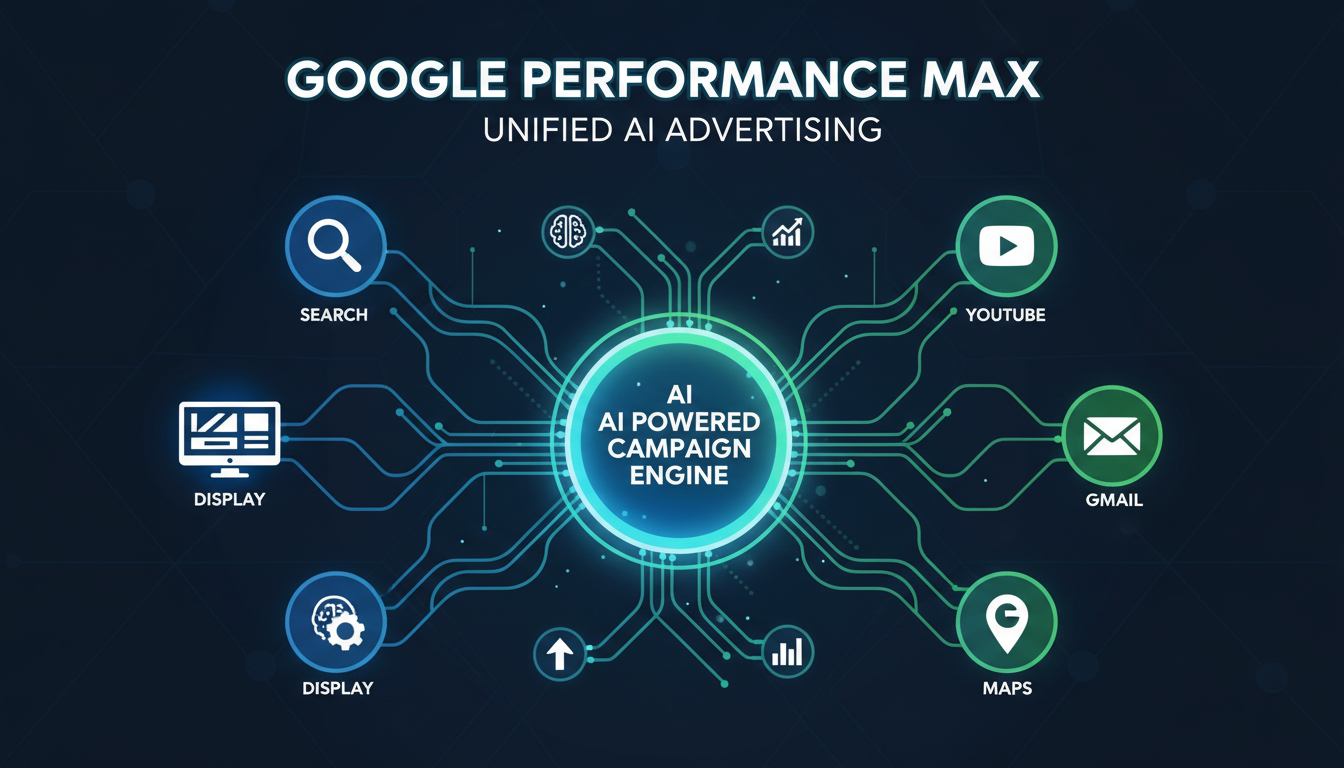
Performance Max (PMax) is Google's most advanced campaign type, and it's reshaping how businesses advertise across Google's entire ecosystem. Launched in late 2021 and now a core part of the Google Ads platform, Performance Max uses artificial intelligence to serve your ads across Search, Display, YouTube, Gmail, Maps, and Discover - all from a single campaign. It's designed to find conversions wherever they exist, automatically.
For advertisers, Performance Max represents a fundamental shift from manual, channel-specific campaign management to AI-driven, goal-based advertising. The promise is compelling: provide Google with your creative assets, conversion goals, and budget, and let machine learning do the rest. But the reality is more nuanced. This guide explains exactly how Performance Max works, when to use it, and how to set it up for success.
How Performance Max Works
Performance Max is a goal-based campaign type. Rather than choosing where your ads appear (Search, Display, YouTube, etc.), you tell Google what you want to achieve (leads, sales, store visits), provide creative assets, and let Google's AI determine the best combination of channels, audiences, placements, and creatives to meet your goal.
Behind the scenes, Performance Max uses several of Google's most advanced AI systems: automated bidding adjusts bids in real-time for every auction, audience signals help the algorithm find the right people, and creative optimisation tests different asset combinations to identify top performers. It's the most automated campaign type Google has ever offered.
For UK businesses specifically, PMax has demonstrated particular strength in reaching audiences across devices and touchpoints that reflect how British consumers actually shop. Research from the IAB UK shows that the average UK consumer interacts with a brand across 3.7 channels before making a purchase decision - precisely the kind of multi-channel journey that Performance Max is engineered to influence. The algorithm learns which combination of Search, YouTube, Display, and Discover placements drives conversions for your specific audience, then reallocates budget accordingly in real time.
Before launching a PMax campaign, ensure your account is generating at least 30 conversions per month from existing campaigns. Google's AI needs sufficient conversion data to learn effectively. Accounts with fewer conversions should focus on building a strong Search foundation first, then layer PMax on top once the data volume supports it.
Where Performance Max Ads Appear
A single Performance Max campaign can serve ads across all of Google's advertising channels:
| Channel | Ad Format | What Users See |
|---|---|---|
| Google Search | Text ads | Headlines and descriptions in search results |
| Google Display Network | Image/responsive ads | Banners across 2M+ websites |
| YouTube | Video ads | In-stream and discovery video ads |
| Gmail | Native ads | Ads in Gmail Promotions tab |
| Google Discover | Native feed ads | Ads in Google's news/content feed |
| Google Maps | Local ads | Business listings in Maps results |
In the UK market, Google's Display Network alone reaches over 92% of internet users, whilst YouTube has more than 57 million monthly active users. When you combine all six channels through a single PMax campaign, the potential reach is extraordinary. Google's internal data suggests that UK advertisers using PMax alongside standard Search campaigns see, on average, an 18% uplift in total conversions compared to running Search alone - without a proportional increase in cost per acquisition.
It is worth noting that not every channel will receive equal spend. Performance Max dynamically allocates your budget based on where conversions are most likely. For a B2B professional services firm, the majority of spend may flow to Search and Gmail. For a direct-to-consumer e-commerce brand, YouTube and Display may command a larger share. The algorithm continuously rebalances based on real-time performance signals.
Setting Up Performance Max: Asset Groups
Performance Max organises creative assets into Asset Groups - similar to ad groups in traditional campaigns. Each asset group should focus on a specific product, service, or audience theme. You provide the raw ingredients (text, images, video, logos) and Google assembles them into ads optimised for each channel.
For each asset group, you can provide:
Text Assets
Up to 5 headlines (30 chars), 5 long headlines (90 chars), 5 descriptions (90 chars), business name, and final URL. More variety = more testing = better results.
Image Assets
Up to 20 images in landscape (1.91:1), square (1:1), and portrait (4:5) formats. Include product shots, lifestyle images, and branded graphics. High-quality images are essential.
Video Assets
Up to 5 YouTube videos. If you don't provide videos, Google auto-generates them from your images - which rarely looks professional. Always provide your own video if possible.
A common pitfall for UK advertisers is creating asset groups that are too broad. If you run a plumbing business in Manchester offering both emergency repairs and bathroom installations, those services attract very different audiences with distinct intent signals. Grouping them into a single asset group forces Google to use the same creative assets for both - meaning a homeowner searching for “emergency plumber Manchester” might see a headline about luxury bathroom design. Separate asset groups allow you to tailor messaging, images, and landing pages to each audience segment, significantly improving relevance scores and conversion rates.
Audience Signals: Guiding the AI
One of the most important yet misunderstood aspects of Performance Max is Audience Signals. These are hints you provide to Google's AI about who your ideal customers are. They're not hard targeting - Google will use them as starting points and then expand to find additional high-converting audiences on its own.
Audience signals can include:
Custom Segments: Keywords your customers search for, websites they visit, apps they use.
Your Data: Remarketing lists, customer email lists, website visitors.
Interests & Demographics: In-market audiences, affinity audiences, life events, demographics.
For UK businesses operating under GDPR, audience signals based on first-party data - such as customer email lists and website visitor audiences - are particularly valuable because they leverage data you have collected with explicit consent. Google's Customer Match feature allows you to upload hashed email addresses, which Google then matches against its user base. Match rates in the UK typically range from 40% to 65%, depending on your customer demographics and the email addresses they use. Even partial matches give PMax's algorithm a meaningful starting point from which to identify lookalike audiences.
Layer multiple audience signal types within each asset group for best results. Combine a Customer Match list with custom segments based on competitor keywords, plus in-market audiences relevant to your offering. This gives Google's algorithm three distinct starting points, accelerating the learning phase and reducing the cost per conversion during those critical first weeks.
Performance Max vs. Traditional Campaign Types
Understanding how Performance Max compares to the campaign types it often supplements - or in some cases replaces - is essential for making the right strategic choice. The comparison below highlights the fundamental differences in control, reach, and management overhead.
Advantages
- Reaches all Google channels from one campaign
- AI finds audiences you'd never target manually
- Less management time required
- Automated creative testing at scale
- Typically 15–20% more conversions
- Ideal for businesses with limited PPC expertise
Limitations
- Limited visibility into where spend goes
- Less control over individual channels
- Requires strong conversion tracking
- Needs 4–6 weeks learning period
- Can cannibalise brand search traffic
- Reporting is less granular than Search
Performance Max
Standard Search & Shopping
When to Use Performance Max
Performance Max is a powerful tool, but it's not the right choice for every situation. Here's when it works best and when you might want to stick with traditional campaign types:
Use PMax when: You have strong conversion tracking, sufficient budget (minimum £1,000/month), good creative assets (especially images and video), existing customer data for audience signals, and you want to maximise reach across all Google channels.
Avoid PMax when: You need granular control over every keyword and bid, your conversion tracking is unreliable, your budget is very small (under £500/month), you only want to advertise on Search, or you need detailed channel-by-channel reporting.
Many UK businesses find the sweet spot is running PMax alongside their existing Search campaigns. The Search campaigns handle high-intent, keyword-targeted traffic where you want maximum control, whilst PMax extends your reach into Display, YouTube, Gmail, and Discover audiences that your Search campaigns cannot touch. This hybrid approach consistently delivers the best overall results for businesses with monthly ad budgets above £2,000.
Performance Max Readiness Scorecard
Before launching a Performance Max campaign, assess your readiness across these critical dimensions. Each factor directly impacts how effectively Google's AI can learn and optimise your campaigns. A score below 60 in any area warrants attention before committing significant budget.
Conversion tracking quality is the single most important factor. Without reliable conversion data, Google's AI cannot make intelligent bidding or placement decisions. This means ensuring Enhanced Conversions are enabled, your conversion actions are correctly configured with appropriate attribution windows, and you are tracking all meaningful conversion events - not just form submissions but also phone calls, live chat interactions, and offline conversions where possible.
Performance Max Best Practices
1. Run alongside Search campaigns. Don't replace your Search campaigns with PMax. Run them in parallel. Search captures high-intent queries through your targeted keywords, while PMax fills gaps and expands into other channels.
2. Provide maximum creative variety. Fill every asset slot with the maximum allowed. More assets = more combinations for Google to test = faster optimisation and better results.
3. Use brand exclusions. Google recently added the ability to exclude brand terms from PMax campaigns. Use this to prevent PMax from spending budget on people who are already searching for your brand name - those should go to your brand Search campaign.
4. Give it time. Performance Max needs a learning period of 4–6 weeks minimum. During this time, performance may be volatile. Resist the urge to make major changes - let the algorithm learn from the conversion data.
5. Monitor the Insights tab. While PMax doesn't provide the same granular reporting as Search, the Insights tab shows which audience segments, search themes, and asset combinations are driving results. Review this weekly to understand what's working.
Be cautious with URL expansion, which is enabled by default. This setting allows Google to send traffic to any page on your website - not just the final URLs you specify. For some e-commerce sites this works well, but for service businesses it can send traffic to blog posts, privacy policies, or outdated pages. Disable URL expansion and specify your preferred landing pages explicitly unless your entire site is optimised for conversions.
Optimising Performance Max
While Performance Max is highly automated, it still benefits from regular optimisation. Here's what to focus on after the initial learning period:
One of the most effective ongoing optimisation strategies is to use the asset performance labels that Google provides. Assets rated “Low” should be replaced with new variations, whilst those rated “Best” should inform the direction of future creative. Over time, this iterative process of replacing underperformers and doubling down on top performers compounds to produce significantly better results.
UK Performance Max Results by Industry
Performance Max delivers varying results across different sectors. Based on aggregated UK campaign data, here is how average return on ad spend (ROAS) compares by industry for well-optimised PMax campaigns:
E-commerce and retail businesses consistently see the strongest PMax returns, largely because they benefit from product feed integration through Google Merchant Centre. When PMax can leverage structured product data - including prices, availability, images, and product descriptions - the algorithm has richer signals to work with and can serve highly relevant Shopping-style ads alongside text, display, and video placements. UK retailers using PMax with a well-optimised product feed typically outperform those using standard Shopping campaigns alone by 20–35%.
Professional services and B2B businesses can still achieve excellent results with PMax, but they require more careful audience signal configuration and longer attribution windows. The sales cycle for a £10,000 consulting engagement is fundamentally different from a £30 online purchase, and your PMax setup should reflect that by using offline conversion imports and appropriate conversion counting methods.
The Future of Google Ads Is Automation
Performance Max represents where Google Ads is heading - towards greater automation, cross-channel integration, and AI-driven decision-making. Google is investing heavily in making PMax smarter and more transparent, with improved reporting, better asset-level insights, and more controls for advertisers being added regularly.
For businesses, the message is clear: the future of paid advertising belongs to those who can combine strong creative assets, accurate conversion data, and strategic oversight with Google's AI capabilities. Human expertise isn't being replaced - it's being redirected towards strategy, creative, and business intelligence rather than manual bid management and keyword tweaking.
Recent updates from Google have already improved PMax transparency significantly. Advertisers can now see search term insights, channel-level asset group reporting, and more detailed audience segment data. Google has also introduced brand exclusion lists, negative keyword support at the account level, and improved asset group-level URL controls - all features that the PPC community had been requesting since PMax launched. These improvements signal that Google is listening and committed to giving advertisers the controls they need whilst maintaining the AI-driven automation that makes PMax effective.
Ready to Leverage Performance Max?
Cloudswitched sets up and manages Performance Max campaigns that complement your existing Google Ads strategy. Our team ensures your creative assets, audience signals, and conversion tracking are optimised for maximum AI-driven performance.
View Google Ads ServicesReady to Maximise Your Google Ads Performance?
Cloudswitched specialises in setting up and managing Performance Max campaigns for UK businesses. From audience signal strategy and creative asset development to ongoing optimisation and reporting, our certified Google Ads team ensures your PMax campaigns deliver measurable, profitable results.

CloudSwitched
London-based managed IT services provider offering support, cloud solutions and cybersecurity for SMEs.


