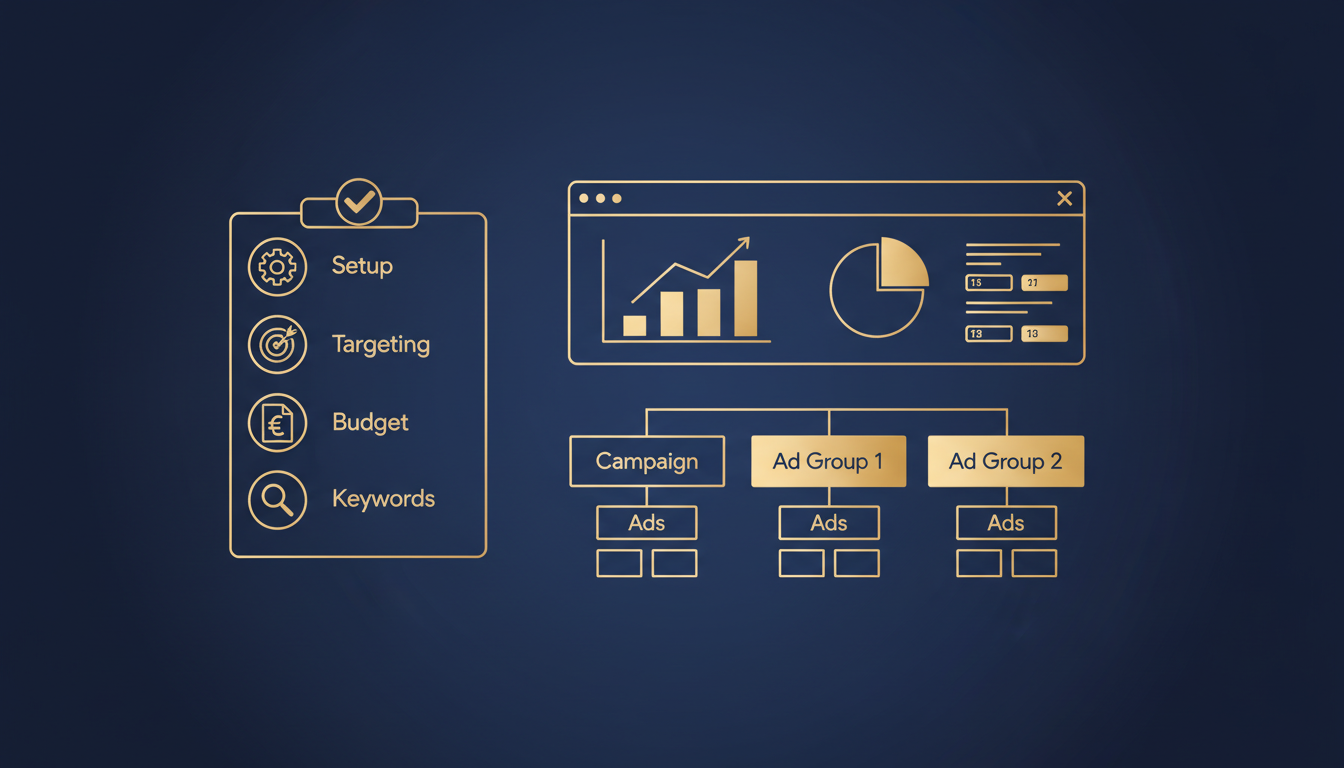
Running a profitable pay-per-click campaign in the United Kingdom requires more than throwing money at Google and hoping for clicks. It demands meticulous planning, disciplined execution, and relentless optimisation. Whether you are a small business in Manchester, a growing e-commerce brand in Birmingham, or a professional services firm in central London, this checklist will walk you through every step of setting up, managing, and scaling PPC services that deliver genuine returns.
The UK digital advertising market surpassed £29.6 billion in 2025, with paid search accounting for more than half of that figure. British businesses of every size now compete for visibility on Google, and the difference between a profitable campaign and a money pit often comes down to the fundamentals covered in this guide. At Cloudswitched, our London-based team has managed hundreds of Google Ads campaign management accounts for UK businesses, and we have distilled everything we know into this comprehensive checklist.
This article is structured as a working checklist. Each section covers a critical component of paid search management, with actionable steps, benchmarks, and UK-specific considerations. Bookmark it, print it, and use it every time you launch or audit a campaign.
Before diving into the checklist, ensure you have a Google Ads account linked to a valid UK billing address with GBP as your currency. Setting the correct currency at account creation is permanent and cannot be changed later. If you need assistance, a professional Google Ads setup service can handle this correctly from day one.
1. Account Structure & Campaign Architecture
A well-organised account structure is the foundation of every successful PPC campaign. Poor structure leads to wasted spend, irrelevant impressions, and an inability to optimise at granular level. The goal is to mirror your business structure so that each campaign, ad group, and keyword serves a clear purpose.
The Three-Tier Hierarchy
Google Ads uses a three-tier hierarchy: Account > Campaign > Ad Group. Each level controls different settings:
| Level | Controls | Best Practice |
|---|---|---|
| Account | Billing, access, linking (Analytics, Search Console) | One account per business entity. Use MCC for agencies managing multiple clients. |
| Campaign | Budget, location targeting, bidding strategy, ad schedule, network | Organise by product/service line, goal type, or geographic region. 5-15 campaigns typical for SMEs. |
| Ad Group | Keywords, ads, bids (manual), audiences | Tightly themed. 5-20 keywords per ad group. Each ad group should represent a single topic or intent. |
Campaign Naming Conventions
Consistent naming saves hours during reporting and optimisation. Use a structured format that encodes key information at a glance:
[Network]_[Goal]_[ProductService]_[GeoTarget]_[MatchType]
Examples for a UK accounting firm:
Search_Leads_TaxReturns_London_ExactSearch_Leads_Bookkeeping_UK_BroadDisplay_Awareness_Brand_UK_ManagedPMax_Sales_CloudAccounting_England_Auto
Account Structure Checklist
- Google Ads account created with GBP billing and UK business address
- Google Analytics 4 linked to Google Ads
- Google Search Console linked
- Google Merchant Centre linked (if e-commerce)
- Naming convention documented and applied
- Campaigns organised by product/service line or business goal
- Ad groups tightly themed with 5-20 related keywords each
- Separate campaigns for Search, Display, Shopping, and Performance Max
- Brand campaign separated from generic/competitor campaigns
- MCC (My Client Centre) configured if managing multiple accounts
Many UK businesses overlook the importance of separating brand and non-brand campaigns. Your brand terms (your company name, product names) typically convert at 3-5x the rate of generic terms and cost far less per click. Mixing them inflates your non-brand metrics and hides poor performance. A professional Google Ads campaign management service will always enforce this separation from the start.
Tightly Themed Ad Groups
Broad, Unfocused Ad Groups
2. Campaign Settings & Configuration
Campaign-level settings determine who sees your ads, when they see them, and on which devices. Getting these wrong means showing ads to the wrong audience, at the wrong time, in the wrong location. For UK businesses, geographic and scheduling settings deserve particular attention.
Location Targeting
The United Kingdom is not a monolithic market. A plumber in Leeds has no business showing ads in Southampton. Location targeting must reflect your actual service area.
| Setting | Recommended Value | Why It Matters for UK Businesses |
|---|---|---|
| Target location | Specific regions, cities, or radius | Target only areas you serve. Use regions (England, Scotland, Wales) or specific cities and postcodes. |
| Location option | "Presence: People in your targeted locations" | Default includes "people interested in" your locations, which shows ads to users abroad. Always switch to presence-only for local services. |
| Excluded locations | Areas you do not serve | Explicitly exclude Northern Ireland if you only serve Great Britain, or exclude Scotland if England-only. |
| Language | English | Set to English. Consider adding Welsh if targeting Wales. |
Ad Scheduling
UK business hours, consumer behaviour, and even daylight saving (BST vs GMT) affect when your ads should run. Analyse your conversion data by hour and day of week, then adjust bid modifiers accordingly.
- B2B services: Focus on Monday-Friday, 08:00-18:00 GMT/BST
- E-commerce: Often 24/7, but increase bids during peak evening hours (19:00-22:00)
- Local services: Match your operating hours. No point running ads for a locksmith at 3am unless you offer 24-hour callouts
- Account for bank holidays: UK has 8 bank holidays per year. B2B traffic drops significantly; consumer spending may spike
Device Targeting
Mobile accounts for approximately 63% of UK Google searches, but desktop often converts at higher rates for B2B and high-value purchases. Set device bid adjustments based on your data, not assumptions.
Campaign Settings Checklist
- Campaign type selected (Search, Display, Shopping, PMax, Video)
- Campaign goal aligned with business objective
- Networks: Search partners disabled initially (test later)
- Location targeting set to specific UK regions/cities
- Location option set to "Presence" only
- Excluded locations configured
- Language set to English (+ Welsh if applicable)
- Ad schedule configured based on business hours and data
- Device bid adjustments reviewed
- Start and end dates set (if seasonal campaign)
- Campaign URL options configured with UTM parameters
- IP exclusions added (your own office IPs, known click fraud sources)
3. Keyword Research & Match Types
Keywords are the bridge between what your potential customers type into Google and the ads you show them. Effective keyword research for UK businesses must account for British English spelling, regional terminology, and local search patterns that differ from American markets.
UK-Specific Keyword Considerations
British searchers use different terminology than their American counterparts. Your keyword lists must reflect this:
| American English | British English | Impact on Keyword Research |
|---|---|---|
| Apartment | Flat | Property-related campaigns must use UK terms |
| Truck | Lorry | Transport and logistics keywords differ significantly |
| Attorney / Lawyer | Solicitor / Barrister | Legal services keywords are entirely different |
| Vacation | Holiday | Travel industry must target UK-specific terms |
| Cell phone | Mobile phone | Telecommunications keywords require localisation |
| Checking account | Current account | Financial services must use UK banking terms |
| ZIP code | Postcode | Any location-related functionality uses different terms |
| Faucet | Tap | Home services and plumbing keywords differ |
Match Types Explained
Google Ads currently offers three match types, each controlling how broadly your keywords trigger ads. Understanding these is essential for effective paid search management.
Exact Match
Phrase Match
Keyword Research Process
- Seed keywords: List your core products, services, and solutions. Include UK-specific terminology.
- Expand with tools: Use Google Keyword Planner (set to United Kingdom), Google Search Console data, competitor analysis tools, and Google Suggest with
site:co.ukmodifiers. - Categorise by intent: Informational (how to, what is), navigational (brand names), commercial (best, compare, review), transactional (buy, hire, get quote).
- Prioritise by value: Focus on commercial and transactional intent keywords first. These drive revenue, not just traffic.
- Map to ad groups: Cluster related keywords into tightly themed ad groups. Each cluster becomes one ad group.
- Check search volumes: Verify UK-specific search volume. A keyword with 10,000 monthly searches globally may have only 800 in the UK.
Keyword Research Checklist
- Core product/service keywords identified using British English
- Google Keyword Planner used with UK location filter
- Competitor keywords analysed
- Search intent categorised for each keyword cluster
- Long-tail keywords included (3-5 word phrases)
- UK search volumes verified (not global)
- Keywords mapped to ad groups by theme
- Match type strategy defined (start exact/phrase, expand to broad with caution)
- Estimated CPCs reviewed against budget
- Seasonal keyword variations noted (e.g., "tax return help" peaks in January)
4. Negative Keywords Strategy
Negative keywords prevent your ads from showing for irrelevant searches, saving budget and improving campaign quality. This is one of the most impactful yet underutilised aspects of PPC services. A robust negative keyword list can reduce wasted spend by 20-40% in the first month alone.
Building Your Negative Keyword Lists
Create negative keyword lists at both the account level (universal negatives) and campaign level (campaign-specific negatives).
Universal Negatives for UK Businesses
These are terms almost no commercial UK business wants to trigger ads for:
- Job-related: jobs, careers, vacancy, hiring, salary, graduate scheme, apprenticeship, indeed, reed, cv
- Free/cheap seekers: free, cheap, discount code, voucher, coupon, freebie, charity
- DIY/educational: how to, tutorial, template, download, pdf, course, training, certification, degree
- Irrelevant intent: wiki, wikipedia, reddit, youtube, review, complaint, scam
- Wrong geography: USA, US, America, Australia, Canada, India (if UK-only business)
The Search Terms Report
The Search Terms Report is your most powerful tool for discovering negative keywords. Review it at least weekly during the first month of a campaign, then fortnightly once the campaign stabilises.
Week 1: Daily Review
Check the search terms report every day. New campaigns generate the most irrelevant traffic in their first week. Add negatives aggressively to stem waste before it accumulates.
Weeks 2-4: Three Times Weekly
Continue reviewing every other day. The volume of new irrelevant terms decreases as your negative list grows, but new patterns still emerge as Google explores match variations.
Month 2-3: Weekly Review
Shift to weekly reviews. Focus on terms that have accumulated clicks but zero conversions. These are budget drains hiding in plain sight.
Month 4+: Fortnightly Maintenance
By now your negative keyword lists should be mature. Fortnightly reviews catch seasonal changes, new competitor terms, and evolving search behaviour.
Negative Keywords Checklist
- Universal negative keyword list created and applied to all campaigns
- Campaign-specific negative lists created
- Job-related terms excluded
- Free/discount seeker terms excluded
- DIY/tutorial terms excluded (unless you sell courses)
- Competitor brand terms added as negatives (unless running competitor campaigns intentionally)
- Geographic negatives added for regions you do not serve
- Search Terms Report review schedule established
- Cross-campaign negative keywords configured to prevent ad group cannibalisation
- Negative keyword lists shared across relevant campaigns
5. Ad Copy Best Practices
Your ad copy is the first impression potential customers have of your business. In a competitive UK market where multiple advertisers target the same keywords, compelling ad copy is the difference between earning the click and losing it to a competitor.
Responsive Search Ads (RSAs)
Google now requires Responsive Search Ads as the standard ad format. You provide up to 15 headlines and 4 descriptions, and Google tests combinations to find the best performers.
Headlines (up to 15, 30 characters each)
- Headlines 1-3: Pin your most important headlines. Include primary keywords, your USP, and a call to action.
- Headlines 4-8: Include benefits, social proof, UK-specific trust signals (e.g., "Trusted by 500+ UK Businesses", "London-Based Team").
- Headlines 9-15: Variations, secondary keywords, seasonal messaging, price points in GBP.
Descriptions (up to 4, 90 characters each)
- Lead with your strongest value proposition
- Include a clear call to action ("Get a Free Quote", "Book Your Consultation")
- Mention UK-specific credentials (FCA regulated, ICO registered, Companies House number)
- Use GBP for pricing ("From £299/month", "Save up to £5,000")
Ad Copy Formulas That Work for UK Audiences
| Formula | Example Headline | Why It Works |
|---|---|---|
| Keyword + Benefit | PPC Services | Grow Revenue 3x | Matches search intent while promising a clear outcome |
| Social Proof + Action | Trusted by 500+ UK Firms | Start Today | Builds credibility and urgency simultaneously |
| Problem + Solution | Wasting Ad Spend? We Fix That | Addresses the pain point directly and offers resolution |
| Localisation + Trust | London PPC Experts | Since 2015 | UK audiences trust local businesses with proven track records |
| Price + Value | Google Ads From £499/mo | No Lock-In | Transparency on cost removes a major barrier to clicking |
| Urgency + Offer | Free PPC Audit This Month Only | Time-limited offers increase click-through rates by 15-25% |
UK-Specific Ad Copy Considerations
- ASA compliance: The Advertising Standards Authority regulates paid search ads in the UK. Claims must be substantiated. Avoid "best", "cheapest", or "#1" unless you have third-party verification.
- VAT clarity: If displaying prices, specify whether they include VAT. B2C prices should include VAT; B2B can show ex-VAT but must be clear.
- British spelling: Use "optimisation" not "optimization", "colour" not "color", "specialised" not "specialized". British audiences notice and trust British English.
- GDPR references: If relevant (e.g., data services), mentioning GDPR compliance is a trust signal for UK audiences.
Ad Copy Checklist
- At least 10 unique headlines per RSA (aim for 15)
- All 4 description slots filled
- Primary keyword included in at least 3 headlines
- Clear call to action in at least 2 headlines and 1 description
- Prices in GBP where applicable
- British English spelling throughout
- USP clearly communicated
- Social proof included (reviews, client count, years in business)
- Ad strength indicator showing "Good" or "Excellent"
- ASA compliance verified for all claims
- At least 2 RSAs per ad group for testing
6. Ad Extensions (Assets)
Ad extensions (now called "assets" in Google Ads) expand your ad with additional information, increasing visibility and click-through rates. Extensions are free to add and can improve CTR by 10-20%. There is no reason not to use them extensively.
Essential Extensions for UK Businesses
| Extension Type | Purpose | UK Business Example | Priority |
|---|---|---|---|
| Sitelinks | Link to specific pages | "Our Services", "Case Studies", "Get a Quote", "About Us" | Critical |
| Callouts | Highlight benefits | "Free Initial Consultation", "No Long-Term Contract", "UK-Based Support" | Critical |
| Structured Snippets | List features/services | Services: PPC Management, SEO, Web Design, Analytics | High |
| Call | Phone number | Your UK phone number (+44). Schedule to show during office hours only. | High |
| Location | Business address | Link to Google Business Profile. Critical for local services. | High (local) |
| Price | Show pricing | "PPC Audit: £0", "Monthly Management: From £499" | Medium |
| Image | Visual assets | Product photos, team photos, office images. 1:1 and 1.91:1 ratios. | Medium |
| Promotion | Special offers | "20% Off First Month" with date range. Great for seasonal campaigns. | Seasonal |
| Lead Form | Capture leads in-ad | Name, email, phone, company. Reduces friction for mobile users. | Medium |
Google selects which extensions to show based on context, so add all relevant types. The more extensions you provide, the more combinations Google can test. A comprehensive extension setup is a hallmark of professional Google Ads campaign management and can make your ad occupy significantly more screen real estate than competitors with bare-bones ads.
Ad Extensions Checklist
- 4+ sitelinks with descriptions added
- 4+ callout extensions highlighting benefits and USPs
- 2+ structured snippet headers with relevant values
- Call extension with UK phone number and schedule
- Location extension linked to Google Business Profile
- Price extensions with GBP values (if applicable)
- Image extensions uploaded in both aspect ratios
- Promotion extensions set up for active offers
- Lead form extension configured (if lead generation)
- Extensions reviewed quarterly for accuracy
7. Landing Page Optimisation
Your Google Ads landing page is where the conversion happens. A brilliant ad that leads to a poor landing page is money wasted. Google also factors landing page quality into your Quality Score, directly affecting your cost-per-click and ad position. For UK businesses, landing page optimisation must account for GDPR compliance, UK trust signals, and British consumer expectations.
Landing Page Fundamentals
Every Google Ads landing page should follow these principles:
- Message match: The headline and content of your landing page must directly reflect the ad that brought the visitor there. If your ad says "PPC Services in London", the landing page headline should reference PPC services in London, not a generic homepage.
- Single focus: One page, one goal. Do not try to sell everything on a single page. Each landing page should have one primary call to action.
- Speed: Google recommends pages load in under 3 seconds. UK mobile users on 4G/5G expect fast experiences. Compress images, minimise JavaScript, use CDN delivery.
- Mobile-first: With 63% of UK searches on mobile, your landing page must work flawlessly on smaller screens. Thumb-friendly buttons, readable text without zooming, no horizontal scrolling.
- Trust signals: UK consumers are sceptical by nature. Include reviews, testimonials, accreditation logos, Companies House registration, ICO registration, and industry body memberships.
UK Compliance Requirements
Landing pages for UK businesses must comply with several regulations:
- GDPR/UK GDPR: Cookie consent banner required before setting non-essential cookies. Privacy policy must be accessible. Data collection forms need clear consent mechanisms.
- PECR: The Privacy and Electronic Communications Regulations govern email marketing opt-ins. Pre-ticked consent boxes are not valid.
- Consumer Rights Act 2015: Pricing must be clear and not misleading. Include VAT in B2C prices.
- Accessibility: While not yet legally mandatory for all businesses, the Equality Act 2010 requires reasonable adjustments. WCAG 2.1 AA compliance is best practice and improves conversion rates.
Landing Page Anatomy
A high-converting Google Ads landing page for UK audiences typically includes these elements, in order of importance:
| Element | Purpose | Best Practice |
|---|---|---|
| Headline | Immediately confirm the visitor is in the right place | Match the ad copy. Include the primary keyword. |
| Subheadline | Expand on the value proposition | Explain the key benefit in one sentence. |
| Hero image/video | Visual engagement | Relevant imagery. Avoid generic stock photos. Show your team, product, or results. |
| Benefits list | Quick-scan value props | 3-5 bullet points with icons. Focus on outcomes, not features. |
| Social proof | Build trust | Google reviews widget, client logos, testimonials with names and companies. |
| CTA form/button | Convert the visitor | Above the fold. Minimal fields (name, email, phone). Clear button text ("Get My Free Quote"). |
| Supporting content | Address objections | FAQ, process explanation, guarantees, case study summaries. |
| Trust badges | Reduce risk perception | Google Partner badge, industry accreditations, SSL indicator, payment logos. |
| Secondary CTA | Capture less-ready visitors | Phone number, live chat, "Download our Guide" for those not ready to enquire. |
| Footer | Compliance and navigation | Company registration number, registered address, privacy policy link, cookie policy link. |
Landing Page Checklist
- Dedicated landing page for each ad group theme (not just the homepage)
- Headline matches ad copy and includes target keyword
- Single, clear call to action above the fold
- Page loads in under 3 seconds on mobile
- Fully responsive and mobile-optimised
- Trust signals visible: reviews, accreditations, client logos
- GDPR-compliant cookie consent banner
- Privacy policy linked and accessible
- Form fields minimised (name, email, phone maximum for initial enquiry)
- Contact phone number visible (UK format)
- Company registration details in footer
- No navigation menu (reduces distractions, keeps users focused on conversion)
- Thank you / confirmation page set up for conversion tracking
- A/B test variant prepared
If building and optimising landing pages feels overwhelming, a professional Google Ads setup service like Cloudswitched can handle the entire process, from page design to conversion tracking integration, ensuring every page meets both Google's quality standards and UK compliance requirements.
8. Conversion Tracking Setup
Without conversion tracking, you are flying blind. You might know how many clicks you received and what they cost, but you have no idea which clicks turned into leads, sales, or revenue. Conversion tracking is non-negotiable for any business spending money on PPC services.
Types of Conversions to Track
UK businesses should track every meaningful action a user takes after clicking an ad:
- Primary conversions: Form submissions, phone calls, purchases, booking confirmations. These directly represent business value.
- Secondary conversions: Email signups, PDF downloads, video views, chat initiations. These indicate engagement but are not immediate revenue.
- Offline conversions: If your sales cycle involves offline steps (phone calls, in-person meetings), import offline conversion data back into Google Ads to close the measurement loop.
Implementation Methods
| Method | Best For | Complexity | Accuracy |
|---|---|---|---|
| Google Ads tag (gtag.js) | Simple form submissions, page-load conversions | Low | High |
| Google Tag Manager | Complex tracking, multiple events, dynamic values | Medium | High |
| GA4 imported conversions | Leveraging existing GA4 events as conversion actions | Low-Medium | Medium-High |
| Enhanced conversions | Improving attribution when cookies are blocked | Medium | Higher than standard |
| Offline conversion import | B2B with long sales cycles, phone-based businesses | High | Highest (full funnel) |
| Call tracking | Businesses that receive phone enquiries | Medium | High (with dynamic number insertion) |
Research suggests that only around 75% of UK SMEs running Google Ads have properly configured conversion tracking. The remaining 25% are spending money on clicks with no clear picture of their return. This is one of the first things a quality Google Ads setup service will address.
Enhanced Conversions for UK Businesses
With increasing privacy regulations and the deprecation of third-party cookies, enhanced conversions have become critical. This feature sends hashed first-party data (email, phone, name, address) to Google to improve conversion attribution. It is fully GDPR-compliant when implemented correctly, as data is hashed before leaving the browser.
Conversion Tracking Checklist
- Google Ads conversion tag installed on all conversion pages
- Google Tag Manager configured (recommended approach)
- Primary conversion actions defined (form submissions, purchases, calls)
- Secondary conversion actions defined (downloads, signups)
- Conversion values assigned (actual revenue or estimated lead value in GBP)
- Phone call tracking configured with UK numbers
- Enhanced conversions enabled
- Cross-device conversion tracking active
- GA4 linked and key events imported
- Conversion tracking verified with test submissions
- Attribution model selected (data-driven recommended)
- Offline conversion import process established (if applicable)
- Cookie consent integration verified (conversions only fire after consent)
9. Bidding Strategies
Your bidding strategy determines how Google spends your budget. The right strategy depends on your campaign maturity, conversion volume, and business goals. Most UK businesses should progress through a deliberate sequence of bidding strategies as their campaigns mature.
Bidding Strategy Progression
Phase 1: Manual CPC (Weeks 1-4)
Start with manual CPC or Enhanced CPC for new campaigns and new accounts. This gives you full control while Google's algorithms learn about your audience. Set bids based on keyword value and competition. Budget £500-£2,000/month minimum for meaningful data collection.
Phase 2: Maximise Clicks (Weeks 4-8)
Once you have baseline conversion data, switch to Maximise Clicks with a maximum CPC cap to accelerate data collection while preventing overspend. This is optional; skip to Phase 3 if you already have 30+ conversions per month.
Phase 3: Target CPA or Maximise Conversions (Month 2-3)
With 30+ conversions in the past 30 days, automated bidding becomes viable. Set a target CPA based on your actual cost-per-acquisition data. For UK service businesses, target CPAs typically range from £15-£80 depending on industry and lifetime customer value.
Phase 4: Target ROAS (Month 3+)
For e-commerce and businesses tracking revenue values, Target ROAS maximises return on ad spend. Requires 50+ conversions with value data in the past 30 days. UK e-commerce averages a 400-600% target ROAS, meaning £4-£6 returned for every £1 spent.
Bidding Strategy Selection Guide
Bidding Strategy Checklist
- Bidding strategy selected based on campaign maturity and conversion volume
- Maximum CPC cap set (for manual/enhanced CPC)
- Target CPA calculated from historical data and business margins
- Target ROAS defined based on revenue data (e-commerce)
- Bid adjustments set for devices, locations, time of day, audiences
- Portfolio bid strategies considered for campaigns with shared goals
- Bidding strategy progression plan documented
- Conversion data threshold met before switching to automated bidding
- Two-week learning period respected after strategy changes
10. Budget Allocation
Budget allocation is where strategy meets financial discipline. Too many UK businesses set a daily budget and forget about it, missing opportunities in high-performing campaigns while overfunding underperformers. Strategic budget allocation can improve overall ROAS by 20-40% without spending an additional penny.
Setting Your Initial Budget
For UK businesses new to PPC, we recommend the following minimum budgets by business type:
| Business Type | Minimum Monthly Budget | Recommended Starting Budget | Expected CPCs |
|---|---|---|---|
| Local services (plumber, electrician) | £500/month | £1,000-£2,000/month | £2-£8 per click |
| Professional services (accountant, solicitor) | £1,000/month | £2,000-£5,000/month | £5-£25 per click |
| E-commerce (general retail) | £1,500/month | £3,000-£10,000/month | £0.50-£3 per click |
| SaaS / Technology | £2,000/month | £5,000-£15,000/month | £5-£30 per click |
| Financial services | £3,000/month | £10,000-£30,000/month | £10-£50 per click |
Budget Distribution Strategy
Allocate your total budget across campaigns based on their strategic importance and performance:
The general principle: allocate 60% of budget to your proven, high-ROAS campaigns; 25% to campaigns with growth potential; and 15% to testing new keywords, audiences, and campaign types. Review and rebalance monthly.
Budget Allocation Checklist
- Total monthly PPC budget defined in GBP
- Daily budgets set for each campaign (monthly budget / 30.4)
- Shared budgets considered for related campaigns
- Budget weighted towards highest-performing campaigns
- Testing budget reserved (10-15% of total)
- Seasonal budget adjustments planned (e.g., increase for January tax season, Black Friday)
- Budget pacing monitored (Google can overspend daily budgets by up to 2x)
- Monthly budget cap set at account level as a safety net
- Budget alerts configured in Google Ads
- Competitor spending estimated for context
11. Quality Score Optimisation
Quality Score is Google's rating of the quality and relevance of your keywords, ads, and landing pages. It is scored from 1 to 10 and directly impacts your cost-per-click and ad position. A higher Quality Score means you pay less per click and appear in higher positions. It is, in effect, Google's reward for running relevant, well-structured campaigns.
The Three Components of Quality Score
How Quality Score Affects Your Costs
The financial impact of Quality Score is dramatic. Here is what the numbers look like for a keyword with a benchmark CPC of £5.00:
| Quality Score | CPC Adjustment | Actual CPC | Cost per 100 Clicks | Annual Savings vs QS 5 |
|---|---|---|---|---|
| 10 | -50% | £2.50 | £250 | £3,000 saved |
| 8 | -25% | £3.75 | £375 | £1,500 saved |
| 7 | -12.5% | £4.38 | £438 | £750 saved |
| 6 | Benchmark | £5.00 | £500 | Baseline |
| 5 | Benchmark | £5.00 | £500 | Baseline |
| 4 | +25% | £6.25 | £625 | £1,500 extra |
| 3 | +67% | £8.35 | £835 | £4,020 extra |
| 1-2 | +150-400% | £12.50+ | £1,250+ | £9,000+ extra |
The difference between a Quality Score of 3 and a Quality Score of 8 can mean paying £8.35 per click instead of £3.75. Over thousands of clicks, that translates to thousands of pounds saved or wasted.
Improving Quality Score
- Improve expected CTR: Write more compelling ad copy, use all available extensions, test multiple RSA headline combinations, and ensure ads are highly relevant to keywords.
- Improve ad relevance: Use tightly themed ad groups so every keyword in a group is closely related to the ad copy. Include the keyword (or close variant) in at least one headline.
- Improve landing page experience: Ensure your Google Ads landing page is relevant to the keyword, loads quickly, is mobile-friendly, and provides a good user experience. Original, useful content ranks higher than thin pages.
Quality Score Checklist
- Quality Scores reviewed for all active keywords
- Keywords with QS below 5 identified and action-planned
- Ad groups restructured to improve keyword-to-ad relevance
- Ad copy updated to include target keywords in headlines
- Landing pages aligned with ad group themes
- Page speed tested and optimised (target under 3 seconds)
- Mobile landing page experience verified
- Historical CTR trends monitored monthly
- Low-QS keywords paused or moved to more relevant ad groups
- Quality Score improvement tracked as a KPI
12. A/B Testing Framework
Continuous testing is what separates mediocre paid search management from campaigns that consistently improve. Every element of your PPC campaign can and should be tested: ad copy, landing pages, bidding strategies, audiences, extensions, and more.
What to Test (Priority Order)
- Ad copy: Test headlines, descriptions, CTAs, and value propositions. This has the highest impact per effort invested.
- Landing pages: Test headlines, form length, CTA placement, trust signals, page layout. Use Google Optimize or a dedicated landing page tool.
- Bidding strategies: Test manual vs automated, different target CPAs, different target ROAS values. Use campaign experiments (drafts and experiments) to split traffic.
- Audiences: Test remarketing lists, in-market audiences, custom intent audiences, and demographic targeting.
- Extensions: Test different sitelink combinations, callout text, and structured snippet headers.
Testing Rules
- Test one variable at a time. If you change the headline and the landing page simultaneously, you cannot attribute results to either change.
- Statistical significance matters. Do not make decisions based on 50 clicks. Wait for at least 100 conversions per variant, or use a statistical significance calculator to determine when you have enough data.
- Document everything. Record what you tested, the hypothesis, the result, and the action taken. This builds institutional knowledge.
- Run tests for at least 2 weeks. UK consumer behaviour varies by day of week. Testing over shorter periods can produce misleading results.
- Implement winners quickly. Once a test reaches significance, implement the winning variant and start the next test. Compounding small improvements delivers dramatic long-term gains.
A/B Testing Checklist
- Testing calendar created (what to test, when, and for how long)
- At least 2 RSAs per ad group for headline/description testing
- Campaign experiments set up for bidding strategy tests
- Landing page A/B tests running on top-spend pages
- Statistical significance thresholds defined (95% confidence)
- Minimum test duration set (2 weeks minimum)
- Test results documented with hypotheses and outcomes
- Winning variants implemented promptly
- Losing variants archived (not deleted, for future reference)
- Iterative testing cycle established (always have at least one test running)
13. Reporting & KPIs
What gets measured gets managed. Effective reporting ensures you are making decisions based on data, not gut feeling. For UK businesses investing in PPC services, clear reporting is essential for demonstrating ROI and informing strategy.
Essential KPIs for UK PPC Campaigns
| KPI | What It Measures | UK Benchmark (Varies by Industry) | Frequency |
|---|---|---|---|
| Click-Through Rate (CTR) | Ad relevance and appeal | 3-6% (Search) | Weekly |
| Cost Per Click (CPC) | Keyword competition and Quality Score | £0.50-£15 depending on industry | Weekly |
| Conversion Rate | Landing page effectiveness | 3-8% (Search) | Weekly |
| Cost Per Acquisition (CPA) | Efficiency of spend | £15-£80 (lead gen), £5-£40 (e-comm) | Weekly |
| Return on Ad Spend (ROAS) | Revenue generated per pound spent | 4:1 to 8:1 | Monthly |
| Quality Score | Keyword/ad/landing page quality | 7+ for core terms | Monthly |
| Impression Share | Visibility in the auction | 70%+ for brand, 30-60% for generic | Monthly |
| Search Impression Share Lost (Budget) | Missed impressions due to budget | Below 10% | Monthly |
| Search Impression Share Lost (Rank) | Missed impressions due to ad rank | Below 30% | Monthly |
Reporting Cadence
Proactive Reporting
Reactive Reporting
Reporting Checklist
- Google Ads dashboard customised with key KPIs
- Looker Studio (formerly Data Studio) report built for stakeholder reporting
- Automated email alerts for daily spend anomalies
- Weekly performance review scheduled
- Monthly strategic report template created
- Conversion tracking verified monthly (test submissions)
- Year-on-year comparison data available
- Segment reporting by campaign, device, location, time of day
- Search Terms Report reviewed per schedule
- Competitor benchmark data included where available
14. Ongoing Management Tasks
PPC is not a set-and-forget channel. The UK digital advertising landscape changes constantly: competitors adjust their strategies, Google updates its algorithms, consumer behaviour shifts with seasons and economic conditions, and your own business evolves. Ongoing management is what separates profitable campaigns from those that slowly decay.
Daily Tasks (15-30 minutes)
- Check spend pacing against daily budget
- Review any automated alerts or notifications
- Monitor for unusual CPC or CTR changes
- Check for disapproved ads and resolve policy issues
- Review conversion volume versus historical average
Weekly Tasks (1-2 hours)
- Review Search Terms Report and add negative keywords
- Analyse performance by campaign, ad group, and keyword
- Pause underperforming keywords (high spend, zero conversions after sufficient data)
- Review and adjust bids (manual) or monitor automated bidding performance
- Check Quality Scores and identify declining keywords
- Review A/B test progress and results
- Verify conversion tracking is firing correctly
Monthly Tasks (3-4 hours)
- Full campaign performance review against KPI targets
- Budget reallocation based on performance data
- Ad copy refresh and new RSA variants
- Extension review and updates
- Landing page performance analysis (conversion rates, bounce rates)
- Competitor activity review
- Audience performance analysis and adjustments
- Quality Score trend analysis
- Stakeholder report generation and presentation
Quarterly Tasks (Half day)
- Full account audit against this checklist
- Keyword research refresh to find new opportunities
- Campaign structure review and reorganisation if needed
- Landing page redesign or major updates
- Bidding strategy evaluation and potential changes
- Annual budget planning review and forecast update
- Competitive landscape assessment
- New Google Ads features evaluation and adoption
Seasonal Considerations for UK Businesses
The UK market has distinct seasonal patterns that affect PPC performance and should inform your management schedule:
| Period | Impact | Action Required |
|---|---|---|
| January (Self-Assessment deadline) | Surge in tax, accounting, financial planning searches | Increase budgets for financial services. Prepare seasonal ad copy. |
| April (New tax year) | Business planning, pension, ISA searches spike | Financial and business services should ramp up spend. |
| May-August (Summer) | Travel, outdoor, home improvement surge. B2B may dip. | Adjust budgets by sector. B2B may reduce, B2C increase. |
| September (Back to school/work) | B2B activity resumes. Education and training searches peak. | Restore B2B budgets. Prepare Q4 strategy. |
| November (Black Friday/Cyber Monday) | Massive e-commerce surge. CPCs spike across all sectors. | E-commerce: prepare weeks in advance. Others: consider pausing non-essential spend to avoid inflated CPCs. |
| December (Christmas) | Consumer spending peaks early, drops after the 20th. B2B shuts down. | E-commerce: front-load December spend. B2B: reduce or pause from mid-December. |
The True Cost of Poor Management
Many UK businesses treat PPC as a low-maintenance channel. They set up campaigns, leave them running, and check in occasionally. The result is predictable: wasted spend, declining performance, and the conclusion that "Google Ads doesn't work for our business." In reality, it is the management (or lack thereof) that failed, not the platform.
This is precisely why many UK businesses choose to work with a professional paid search management agency rather than attempting to manage campaigns in-house. The cost of professional management is typically far less than the cost of wasted spend from poor management.
Putting It All Together: Your Complete PPC Launch Checklist
Here is a condensed, actionable version of everything covered in this guide. Use this as your go-to reference when launching or auditing any PPC campaign for a UK business.
Pre-Launch
- Google Ads account set up with GBP billing and UK business details
- Google Analytics 4 and Search Console linked
- Conversion tracking implemented and verified
- Keyword research completed with UK-specific terms
- Negative keyword lists built
- Campaign structure designed and naming conventions applied
- Ad copy written with British English, GBP pricing, and UK trust signals
- All relevant ad extensions configured
- Landing pages built, optimised, and GDPR-compliant
- Bidding strategy selected based on data availability
- Budget allocated across campaigns
Launch Week
- Campaigns activated and checked for disapprovals
- Conversion tracking verified with live test submissions
- Daily spend monitoring in place
- Search Terms Report reviewed daily
- Ad serving status confirmed (ads running, not limited)
First Month
- Negative keywords added aggressively from Search Terms Report
- Bid adjustments made based on early performance data
- Quality Scores reviewed and action-planned
- A/B tests launched for ad copy and landing pages
- Weekly performance reports generated
- Budget pacing reviewed and adjusted
Ongoing
- Daily, weekly, monthly, and quarterly management tasks followed
- Continuous testing and optimisation cycle maintained
- Seasonal budget adjustments planned and executed
- Regular account audits against this full checklist
- Performance against KPIs reviewed and strategy adjusted accordingly
Research from our work with UK businesses indicates that approximately 75% of companies running Google Ads are missing five or more items from this checklist. Each missing item represents either wasted spend or missed opportunity. The cumulative effect of addressing all of these areas is typically a 40-80% improvement in campaign efficiency.
Why UK Businesses Choose Professional PPC Management
This checklist contains everything you need to run a successful PPC campaign. But we will be honest: implementing all of it properly requires significant expertise, time, and ongoing attention. Many UK businesses find that the cost of professional Google Ads campaign management is a fraction of the budget they would otherwise waste through suboptimal management.
At Cloudswitched, our London-based PPC team manages campaigns for UK businesses across every sector. We handle every item on this checklist, from initial Google Ads setup service through ongoing paid search management, so our clients can focus on running their businesses while we focus on driving profitable growth through Google Ads.
Whether you want to manage your campaigns in-house using this checklist, or you would prefer experts to handle everything, the principles remain the same. The businesses that follow this checklist consistently are the ones that succeed with PPC. The ones that cut corners are the ones that waste money.
What Professional PPC Management Includes
When you work with a dedicated PPC services provider like Cloudswitched, you receive:
- Full account setup and campaign architecture design
- Comprehensive keyword research with UK market focus
- Professional ad copy written by specialists who understand UK audiences
- Custom Google Ads landing page design and optimisation
- Complete conversion tracking implementation
- Ongoing bid management and budget optimisation
- Regular Search Terms Report reviews and negative keyword management
- Continuous A/B testing of ads, landing pages, and strategies
- Monthly performance reporting with strategic recommendations
- Proactive account monitoring and anomaly resolution
- Seasonal strategy adjustments for the UK market
- Direct access to a dedicated account manager in London
Frequently Asked Questions
How much should a UK business spend on PPC?
There is no universal answer, but as a guideline, your PPC budget should be proportional to the value of a customer. If your average customer is worth £500 over their lifetime and you convert 5% of leads, you can afford to spend up to £25 per lead and still be profitable. Most UK SMEs start with £1,000-£3,000 per month and scale based on results.
How long before PPC campaigns become profitable?
Most well-managed UK PPC campaigns reach profitability within 2-3 months. The first month is largely about data collection and negative keyword building. The second month involves optimisation based on initial data. By month three, campaigns should be operating efficiently. Some e-commerce campaigns can be profitable from week one if the margins and market allow.
Should I manage PPC in-house or use an agency?
The decision depends on your team's expertise, available time, and budget. In-house management works well if you have a dedicated digital marketing specialist with PPC experience and the time to manage campaigns daily. Agency management is typically better for businesses without in-house PPC expertise, those spending over £5,000/month, or teams that cannot dedicate several hours per week to campaign management.
What is a good ROAS for UK businesses?
A "good" ROAS depends on your margins. E-commerce businesses typically target 400-600% (4:1 to 6:1). Service businesses with high lifetime values might be profitable at 200-300% (2:1 to 3:1). The key is that your ROAS exceeds your breakeven point after all costs, including the cost of goods sold, fulfilment, and PPC management fees.
How often should I review my PPC campaigns?
At minimum: daily spend checks (5 minutes), weekly performance reviews (1 hour), monthly strategic reviews (3-4 hours), quarterly full audits (half day). New campaigns require more frequent attention, especially during the first month when Search Terms Reports need daily review to prevent wasted spend on irrelevant searches.
Ready to Launch a Profitable PPC Campaign?
Whether you are starting from scratch or looking to improve existing campaigns, the Cloudswitched team in London is ready to help. We offer a free, no-obligation PPC audit for UK businesses spending £500 or more per month on Google Ads. We will review your account against this complete checklist and show you exactly where your money is going and how to improve results.

CloudSwitched
London-based managed IT services provider offering support, cloud solutions and cybersecurity for SMEs.


