Office expansion is one of the most tangible signs of business success. Whether you are adding a new floor to your existing building in central London, opening a second office in Manchester to serve northern clients, or moving from a 20-person space to a 60-person headquarters in Bristol, growth brings excitement and opportunity. It also brings a substantial IT challenge that, if handled poorly, can undermine the very expansion it is supposed to support.
Too many UK businesses treat IT as an afterthought during office expansions, assuming that technology will somehow stretch to accommodate twice the users, three times the devices, and an entirely new physical environment without any planning. The result is predictable: network bottlenecks, inadequate Wi-Fi coverage, insufficient licensing, security gaps, and frustrated employees who cannot work effectively in their new surroundings. These problems are entirely preventable with proper planning.
This guide provides a comprehensive IT preparation framework for office expansions, covering everything from network infrastructure and cloud services to security, telephony, and budgeting. Whether you are expanding within your current building or opening an entirely new site, these steps will ensure your technology is ready to support your growing team from day one.
Research consistently shows that organisations which begin IT planning at the same time as lease negotiations and space planning achieve significantly smoother transitions than those that treat technology as a last-minute consideration. The most successful expansions are those where IT is given a seat at the table from the very beginning, informing decisions about floor layout, power distribution, and even which building to choose based on connectivity options and infrastructure suitability.
Start with an IT Audit of Your Current Environment
Before you can plan for expansion, you need to understand exactly what you have today. An IT audit catalogues your existing infrastructure, identifies capacity constraints, highlights technical debt, and establishes a baseline against which expansion requirements can be measured.
Your audit should cover network infrastructure (switches, routers, firewalls, access points, cabling), server and storage systems (physical and virtual), cloud services and subscriptions (Microsoft 365, Azure, AWS, SaaS applications), end-user devices (laptops, desktops, monitors, peripherals), telephony and communications systems, security infrastructure (firewalls, endpoint protection, email filtering), backup and disaster recovery systems, software licensing and compliance, and internet connectivity (bandwidth, provider, contract terms).
For each element, document its current capacity, utilisation level, and headroom for growth. A network switch with 48 ports that currently has 44 in use cannot accommodate 20 new users without replacement. A 100 Mbps internet connection that regularly hits 80% utilisation during peak hours will be overwhelmed when the team doubles in size. A Microsoft 365 subscription with 50 licences will need additional licences - and potentially a plan upgrade - to support 100 users.
A Virtual CIO (vCIO) service provides strategic technology leadership without the cost of a full-time Chief Information Officer. During an office expansion, a vCIO can assess your current environment, design the target architecture, create a detailed project plan and budget, manage vendor selection, and oversee the implementation. For UK SMEs that lack an internal IT strategist, a vCIO service is particularly valuable during expansion, ensuring that technology decisions are aligned with business objectives and that nothing falls through the cracks. Typical vCIO engagement costs for an expansion project range from £5,000 to £15,000 - a fraction of the cost of getting the expansion wrong.
The audit process itself should be documented thoroughly, creating a clear baseline that serves as both a planning tool and a point of comparison once the expansion is complete. Document every device, every licence, every contract renewal date, and every capacity constraint you discover. This documentation becomes invaluable during the planning phase and helps prevent the all-too-common problem of discovering a critical gap mid-expansion when it is too late to address it without delaying the entire project or incurring significant additional costs.
Network Infrastructure Planning
Network infrastructure is typically the area that requires the most attention during an office expansion. Your network must support not only the increased number of users and devices but also the increased traffic volume, the potentially larger physical space, and any new services or applications that the expansion enables.
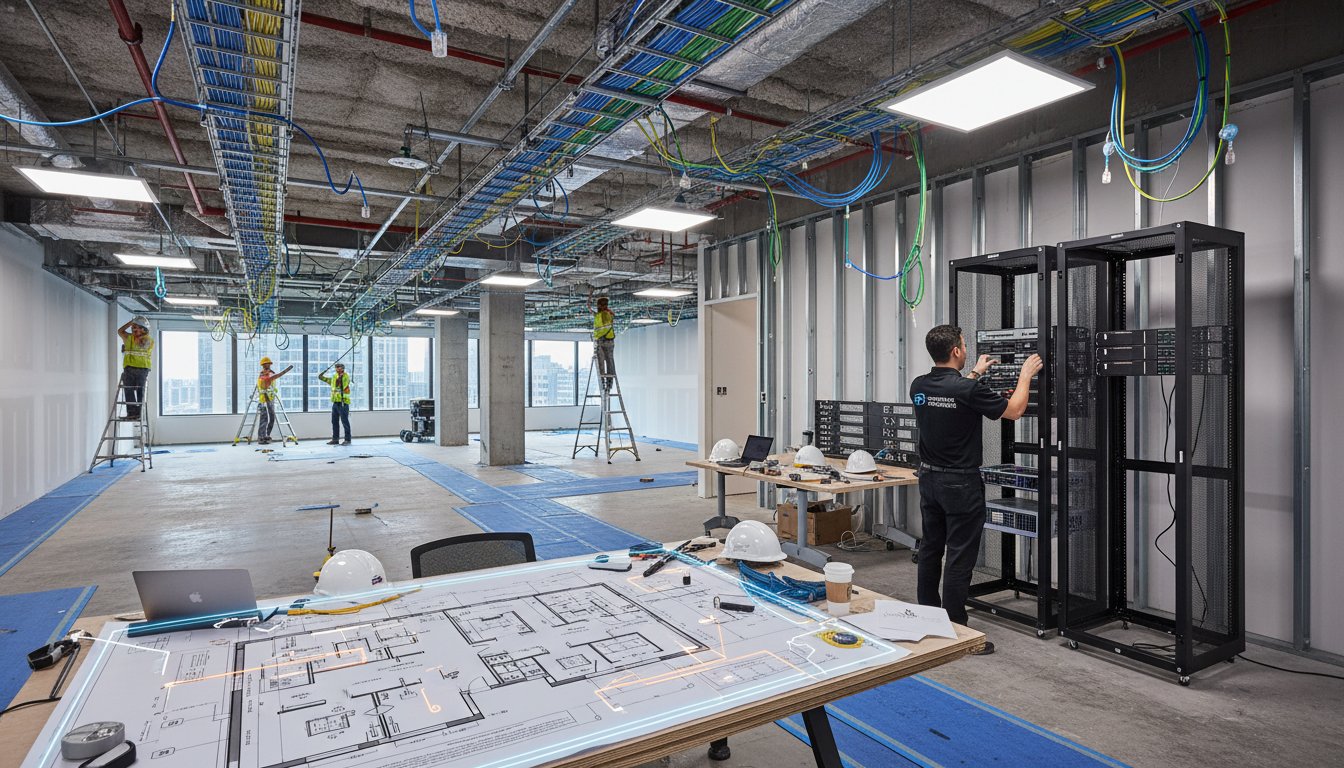
Start with structured cabling. If you are expanding within your current building, assess whether the existing cabling infrastructure can support additional connections. If you are moving to a new floor or building, you will need a fresh cabling installation. Specify Cat6A cabling as a minimum - it supports 10 Gigabit Ethernet over distances up to 100 metres and provides headroom for future bandwidth growth. Plan for more cable runs than you think you need; adding cables after the walls are closed is significantly more expensive than including them in the initial installation.
Next, plan your switching and routing. Calculate the total number of wired connections required - including desks, printers, access points, IP phones, CCTV cameras, and meeting room displays - and select switches with appropriate port counts and PoE (Power over Ethernet) budgets. For a multi-floor or multi-building expansion, consider whether your core switching needs upgrading to handle the increased east-west traffic between segments.
| Infrastructure Component | 20-Person Office | 60-Person Office | Action Required |
|---|---|---|---|
| Internet Bandwidth | 100 Mbps | 500 Mbps - 1 Gbps | Upgrade connection, add redundancy |
| Network Switches | 1x 48-port | 3x 48-port + core switch | Purchase and configure new switches |
| Wi-Fi Access Points | 2-3 APs | 8-12 APs | Wi-Fi survey and deployment |
| Firewall | Entry-level (50 users) | Mid-range (150+ users) | Upgrade or replace firewall |
| Server Room / Comms Cabinet | Small wall-mounted cabinet | Full-height rack with cooling | Provision dedicated server space |
| Cabling | 24 runs | 80+ runs | New Cat6A installation |
Wi-Fi planning deserves special attention during any office expansion. A professional wireless survey conducted before the fit-out is complete will identify optimal access point placement, channel assignments, and power levels to ensure consistent coverage without interference. Modern Wi-Fi 6E access points provide significantly better performance in dense environments than older Wi-Fi 5 equipment, and the investment in current-generation hardware pays dividends in reduced support tickets and improved user satisfaction from day one of occupancy in the new or expanded space.
Cloud Services and Licensing
Office expansion almost always means more users, and more users means more cloud service licences. Conduct a thorough review of your cloud subscriptions to determine what needs to scale and what changes are needed.
For Microsoft 365, calculate the number of additional licences required and consider whether the current plan level is still appropriate. A business that started with Microsoft 365 Business Basic for 20 users might find that the expanded 60-person team needs Business Premium for its advanced security features, or even Enterprise E3 for compliance and analytics capabilities. Remember that licence changes often come with per-user-per-month cost increases that add up quickly at scale.
Review all SaaS applications for per-user pricing tiers. Many SaaS products have pricing breakpoints - for example, a CRM system that costs £20 per user per month for up to 50 users might drop to £15 per user per month for 51-100 users, or it might jump to a higher tier with additional features and costs. Understanding these breakpoints before the expansion allows you to budget accurately and negotiate better terms.
Do not overlook the impact of expansion on your existing support agreements and managed service contracts. Most IT support contracts are priced on a per-user or per-device basis, and a significant expansion may push you into a different pricing tier or require contract renegotiation. Engage with your IT support provider early in the planning process as they can provide valuable input on infrastructure design, help identify potential issues before they become costly problems, and ensure that support coverage extends seamlessly to the expanded environment from the moment your new team members start work.
Security Considerations for Expansion
An office expansion creates new attack surfaces and security risks that must be addressed proactively. More users mean more potential phishing targets. More devices mean more endpoints to protect. A larger network means more potential entry points for attackers. New office space may have different physical security characteristics than your existing premises.
Review and update your cyber security posture as part of the expansion planning. Ensure that your endpoint protection solution can accommodate the additional devices. Verify that your email filtering and anti-phishing tools are licensed for the expanded user count. Assess whether your firewall can handle the increased traffic throughput without becoming a bottleneck. Plan security awareness training for any new employees joining as part of the expansion.
If the expansion involves a new physical location, consider the security implications of site-to-site connectivity. A VPN tunnel between offices must be properly encrypted and authenticated. Network segmentation between sites should prevent a compromise at one location from spreading to the other. Physical security at the new site - access control, CCTV, visitor management - should be designed to protect IT assets from theft and unauthorised access.
For businesses pursuing or maintaining Cyber Essentials certification, the expansion will trigger a reassessment. The scope of your certification must include the new office, its network infrastructure, and all devices and users within it. Plan for this reassessment as part of your expansion timeline to avoid gaps in your certification status.
Security Best Practices for Expansion
- Extend endpoint protection to all new devices
- Implement network segmentation between sites
- Encrypted site-to-site VPN with MFA
- Physical access control for server areas
- Security awareness training for new staff
- Updated Cyber Essentials scope
- GDPR impact assessment for new location
- Penetration test of expanded infrastructure
Common Security Mistakes During Expansion
- Assuming existing security covers new sites
- Flat network connecting all locations without segmentation
- Unencrypted inter-site connections
- Server equipment in unsecured areas
- No training for newly hired employees
- Cyber Essentials scope not updated
- No GDPR review for multi-site data processing
- Security testing deferred indefinitely
Data protection compliance adds another layer of complexity to expansion planning. Under the UK GDPR and Data Protection Act 2018, your organisation must ensure that personal data remains adequately protected throughout the expansion process and in the new environment. If the expansion involves a new physical location, consider whether a Data Protection Impact Assessment is required. Ensure that data stored on devices being relocated is encrypted, that backup systems cover the expanded environment, and that access controls are updated to reflect any new roles or team structures created by the expansion.
Telephony and Communications
Your communications infrastructure must scale alongside your team. If you are using a traditional PBX phone system, expansion may require additional handsets, extension cards, and potentially a larger system. If you are using a cloud-hosted VoIP system such as Microsoft Teams Phone, 3CX, or RingCentral, expansion is simpler - additional licences and handsets can be provisioned quickly - but you must ensure your network can handle the increased voice traffic.
VoIP is particularly sensitive to network quality. Voice traffic requires consistent, low-latency connectivity, and even minor network congestion can cause call quality issues such as dropped words, echoes, and delays. For an expanded office, ensure your network implements Quality of Service (QoS) policies that prioritise voice traffic over less time-sensitive data. If you are connecting multiple sites, ensure the inter-site link has sufficient bandwidth for voice traffic in addition to data.
Meeting room technology is another frequently overlooked aspect of office expansion. Modern meeting spaces require reliable video conferencing equipment, wireless presentation capabilities, and room booking systems. Standardise your meeting room technology across all locations to ensure a consistent experience for employees moving between offices. Budget for quality displays, cameras, microphones, and a unified control system that integrates with your collaboration platform, whether that is Microsoft Teams, Zoom, or another solution your organisation relies on for day-to-day communication.
Budgeting for IT Expansion
IT expansion costs can be surprisingly high, particularly if the current infrastructure was designed without growth in mind. A realistic budget should account for hardware (switches, access points, cabling, devices), software and licensing (additional subscriptions, plan upgrades), connectivity (bandwidth upgrades, redundant connections), professional services (design, installation, configuration, project management), and ongoing costs (increased monthly support fees, additional licence renewals).
When building your IT expansion budget, include a contingency of 15 to 20 per cent for unforeseen costs. Every expansion project encounters surprises such as a building survey that reveals insufficient power capacity for a server room, a cabling route that requires additional fire stopping, or a software vendor that charges migration fees not mentioned in the original contract. Having a contingency fund prevents these surprises from derailing the project or forcing compromises that leave you with a suboptimal technology environment that hampers productivity from the outset.
Creating an Expansion Timeline
IT preparation for an office expansion should begin three to six months before the target move date, depending on the complexity of the project. Long lead times are necessary for several reasons: internet connectivity installation can take four to twelve weeks in the UK, hardware procurement may involve two to six weeks for delivery, and complex network configurations require design, implementation, and testing phases that cannot be rushed.
Build your timeline backwards from the go-live date. If you need to be fully operational in the new or expanded space on 1 April, your internet connection order should be placed no later than January, hardware should be ordered in February, and installation and configuration should take place throughout March, with the final week reserved for testing and snagging.
Include buffer time for the unexpected. ISP installations are notorious for delays. Hardware can arrive with defects. Configuration issues can emerge during testing that require additional work. A timeline with no contingency is a timeline that will slip, and a slipped IT timeline can delay the entire office expansion.
Planning an Office Expansion? Let Us Handle the IT
Cloudswitched has guided dozens of UK businesses through office expansions, from single-floor additions to multi-site deployments. Our Virtual CIO service provides the strategic technology leadership your expansion needs, while our technical team handles the design, procurement, installation, and ongoing support. Get it right first time.

CloudSwitched
London-based managed IT services provider offering support, cloud solutions and cybersecurity for SMEs.


