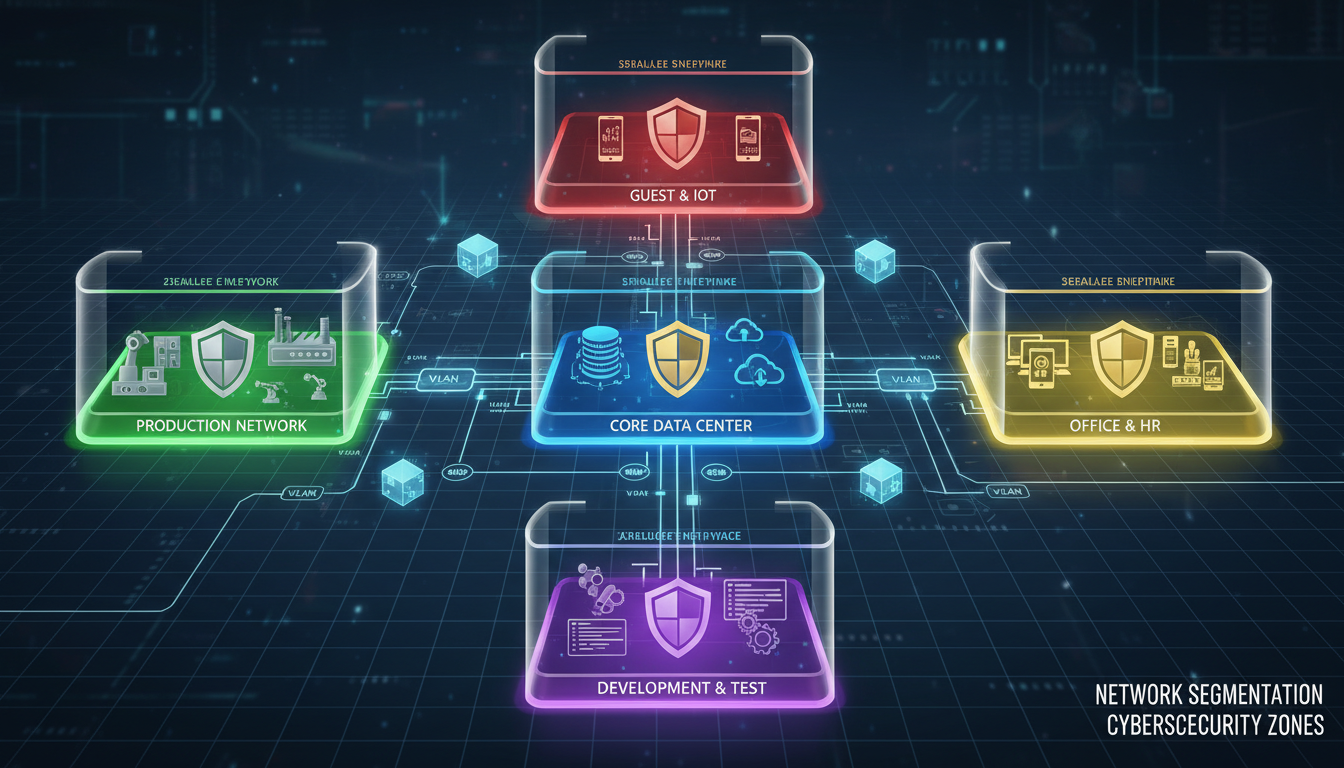
Network segmentation is one of the most effective security measures a business can implement, yet it remains one of the most overlooked. In a flat, unsegmented network - which is how most small and medium-sized businesses in the UK operate - every device can communicate directly with every other device. This means that if a single workstation is compromised by malware, the attacker can potentially move laterally across your entire network, accessing servers, databases, and other critical systems without encountering any barriers.
The principle behind network segmentation is simple: divide your network into smaller, isolated segments, each with its own access controls and security policies. Devices in one segment can only communicate with devices in another segment if explicitly permitted by firewall rules. This dramatically limits the blast radius of a security breach, contains malware outbreaks, protects sensitive data, and makes your network far easier to monitor and manage.
This guide explains what network segmentation is, why it matters for UK businesses of all sizes, and provides a practical, step-by-step approach to implementing segmentation using VLANs and firewall rules.
Why Flat Networks Are Dangerous
To understand why network segmentation matters, consider what happens when a cyber attack hits a flat network. An employee clicks a malicious link in a phishing email. Malware is downloaded to their workstation. On a flat network, that workstation can see and communicate with every other device - including your file server, your accounts system, your CRM database, and your backup server.
The malware scans the network, discovers these systems, and begins moving laterally. It compromises the file server and encrypts all shared files. It reaches the accounts system and exfiltrates financial data. It finds the backup server and encrypts or deletes your backups. Within hours, your entire business is paralysed, and recovery is impossible without paying a ransom - with no guarantee that payment will restore your data.
Now consider the same scenario with a properly segmented network. The compromised workstation sits in the user VLAN, which has no direct access to the server VLAN, the database VLAN, or the backup VLAN. The malware scans the local segment and finds only other user workstations. It cannot reach your servers, cannot access your databases, and cannot touch your backups. The breach is contained to a single segment, giving your IT team time to detect, isolate, and remediate the threat before critical systems are affected.
The National Cyber Security Centre explicitly recommends network segmentation as a key defence against ransomware and lateral movement attacks. Their guidance states that organisations should "segment networks to limit the impact of a compromise" and "use firewalls or access control lists to control traffic between segments." For businesses pursuing Cyber Essentials Plus certification, demonstrating network segmentation can strengthen your assessment significantly.
The Zero Trust Principle and Network Segmentation
Network segmentation aligns closely with the Zero Trust security model that has become the gold standard for modern cyber security architecture. The core principle of Zero Trust is straightforward: never trust, always verify. In a Zero Trust network, no device, user, or connection is inherently trusted, regardless of whether it originates from inside or outside the network perimeter. Every access request must be authenticated, authorised, and continuously validated before it is permitted.
Network segmentation is a foundational component of Zero Trust because it eliminates the concept of a trusted internal network. In a traditional flat network, the implicit assumption is that everything inside the firewall is safe. This assumption is catastrophically wrong - and it is the reason that lateral movement attacks are so devastatingly effective. Once an attacker breaches the perimeter, or more commonly once a user clicks a phishing link, the flat network offers no further resistance whatsoever. Segmentation corrects this by creating multiple trust boundaries within your infrastructure, each one an enforcement point where traffic is inspected and authorised before being permitted to pass.
The Business Case for Segmentation
Beyond the security benefits, network segmentation delivers tangible business advantages that justify the investment in planning and implementation. Segmented networks are significantly easier to troubleshoot because problems are isolated to specific segments rather than affecting the entire network. If the guest Wi-Fi is experiencing performance issues, the corporate network continues to function normally. If a broadcast storm occurs on the IoT VLAN, it does not propagate to the server VLAN and disrupt critical business applications.
Segmentation also improves network performance by reducing broadcast traffic. In a flat network, every broadcast packet - ARP requests, NetBIOS queries, DHCP discoveries - is sent to every device on the network. As the number of devices grows, this broadcast traffic consumes an increasing proportion of available bandwidth. Segmenting the network confines broadcast traffic to each VLAN, ensuring that broadcast storms on one segment do not impact others. For businesses with 100 or more devices, this reduction in broadcast traffic can produce a noticeable improvement in network responsiveness and overall user experience.
Insurance providers are also increasingly factoring network architecture into their cyber insurance underwriting decisions. Businesses that can demonstrate proper network segmentation often qualify for lower premiums, as their risk profile is measurably lower than businesses operating flat networks. Several UK cyber insurance providers now explicitly ask about network segmentation during the application process, and some require it as a condition of cover for higher-value policies. The investment in segmentation can therefore contribute to reduced insurance costs in addition to its direct security and operational benefits.
Understanding VLANs: The Foundation of Segmentation
Virtual Local Area Networks, or VLANs, are the primary technology used to implement network segmentation. A VLAN is a logical grouping of network ports that creates a separate broadcast domain, even when the devices are connected to the same physical switch. Devices in one VLAN cannot communicate with devices in another VLAN without traffic being routed through a firewall or Layer 3 switch, where access control rules can be applied.
Think of VLANs as invisible walls within your network switch. Physically, all your devices may be connected to the same switch hardware, but logically, they are separated into distinct networks. A workstation on VLAN 10 cannot see or communicate with a server on VLAN 20 unless a router or firewall explicitly permits the traffic and defines which ports and protocols are allowed.
Modern managed switches from manufacturers like Cisco, HP/Aruba, and UniFi all support VLANs. If your business is currently using unmanaged switches - the kind you buy from Amazon for £30 - you will need to upgrade to managed switches to implement VLANs. This is a worthwhile investment; managed switches capable of supporting a small business network start from around £200 to £500.
802.1Q VLAN Tagging Explained
The technical mechanism that makes VLANs work is the IEEE 802.1Q standard, which defines how VLAN information is carried within Ethernet frames as they traverse the network infrastructure. When a frame needs to travel across a trunk link - a connection carrying multiple VLANs - the switch inserts a small four-byte tag into the Ethernet frame header. This tag contains the VLAN ID, a number from 1 to 4094, identifying which VLAN the frame belongs to. When the frame reaches the destination switch, the tag is read to determine which VLAN the frame should be delivered to, and the tag is removed before the frame is forwarded to the end device.
Access ports - the ports connected to end devices like workstations and printers - are configured as members of a single VLAN. Frames arriving on an access port are implicitly assigned to that port's VLAN without any tagging. Trunk ports - the ports connecting switches to other switches, firewalls, or routers - carry frames from multiple VLANs simultaneously using 802.1Q tags. Understanding this fundamental distinction between access ports and trunk ports is essential to configuring VLANs correctly and avoiding common pitfalls that can undermine your entire segmentation strategy.
Native VLANs and Security Considerations
Every trunk port has a native VLAN - one VLAN whose frames are sent untagged across the trunk link. By default, this is VLAN 1 on most switch platforms. From a security perspective, it is critically important to change the native VLAN from the default VLAN 1 to an unused VLAN and to ensure that the native VLAN is consistent on both sides of every trunk link. Mismatched native VLANs can cause traffic to leak between VLANs, creating a security vulnerability that undermines your entire segmentation effort. This is the basis of the well-known VLAN hopping attack, where an attacker crafts double-tagged frames to bypass VLAN isolation. Properly configuring native VLANs and enabling features like VLAN access control lists effectively mitigate this risk and ensure your segmentation remains robust against deliberate exploitation.
Designing Your Segmentation Strategy
Before configuring any VLANs, you need to design your segmentation strategy. This involves identifying the different categories of devices and data on your network and determining how they should be grouped and what communication between groups should be permitted.
| VLAN | Purpose | Example Devices | Security Level |
|---|---|---|---|
| VLAN 10 - Corporate | Staff workstations and laptops | Desktops, company laptops | Medium |
| VLAN 20 - Servers | Production servers and databases | File server, SQL server, app servers | High |
| VLAN 30 - Guest | Visitor internet access only | Guest Wi-Fi devices | Restricted |
| VLAN 40 - IoT | Smart devices, printers, cameras | Printers, CCTV, sensors | Isolated |
| VLAN 50 - Management | Network infrastructure management | Switches, firewalls, access points | Very High |
| VLAN 60 - Finance | Financial systems and users | Accounts team PCs, finance server | Very High |
Conducting a Network Asset Inventory
Before you can design an effective segmentation strategy, you need a complete and accurate inventory of every device on your network and the traffic flows between them. This asset inventory should catalogue every workstation, server, printer, phone, access point, camera, and IoT device, noting its function, its data sensitivity classification, and which other devices or services it needs to communicate with. Many businesses are genuinely surprised by the number and variety of devices on their network - shadow IT devices, personal phones, smart coffee machines, building management systems, and forgotten test equipment often go unnoticed until a formal inventory is conducted.
Network scanning tools can automate much of this discovery process. Tools such as Nmap, Advanced IP Scanner, or the discovery features built into platforms like Cisco Meraki and UniFi can identify all active devices, their IP addresses, MAC addresses, hostnames, and open ports. The results of this scan, combined with physical walkthroughs to identify devices that may not appear on the network scan - offline devices, equipment connected to separate networks, or devices with firewalls blocking discovery traffic - form the indispensable foundation of your segmentation design.
Mapping Traffic Flows Between Device Groups
With your asset inventory complete, the next step is to map the required traffic flows between device groups. This means identifying precisely which devices need to communicate with which other devices, over which protocols and ports. User workstations typically need access to file servers (SMB, port 445), web applications (HTTPS, port 443), email servers (Exchange or Microsoft 365, various ports), and the internet. VoIP phones need access to the SIP server and potentially the internet for cloud-hosted telephony platforms. Printers need to be accessible from user workstations on specific print protocol ports such as IPP on port 631 or raw printing on port 9100.
Documenting these traffic flows before implementing segmentation is absolutely essential. Without this documentation, you risk creating firewall rules that inadvertently block legitimate business traffic, causing disruption and potentially prompting frustrated users to find workarounds that undermine the security benefits of segmentation entirely. A carefully prepared traffic flow document serves as the blueprint for your inter-VLAN firewall rules and ensures that segmentation enhances security without impeding day-to-day productivity across the organisation.
Implementing VLANs Step by Step
With your segmentation design in place, implementation follows a structured process. The exact steps will vary depending on your switch and firewall hardware, but the general approach is consistent across all platforms.
Step 1: Configure VLANs on Your Switch
Log into your managed switch administration interface and create each VLAN according to your design. Assign a VLAN ID (the number), a name (for easy identification), and designate which physical switch ports belong to each VLAN. Ports connected to staff workstations are assigned to the corporate VLAN. Ports connected to servers go in the server VLAN. Guest Wi-Fi access points are assigned to the guest VLAN, and so on.
Step 2: Configure Trunk Ports
Trunk ports carry traffic from multiple VLANs between switches and between your switch and firewall. Any port connecting one switch to another, or connecting a switch to a firewall or router, should be configured as a trunk port with the appropriate VLANs tagged. This allows traffic from all VLANs to traverse the link while maintaining VLAN separation.
Step 3: Set Up Inter-VLAN Routing
By default, VLANs are completely isolated - no traffic can pass between them. To allow necessary communication (for example, allowing corporate workstations to access the file server), you need inter-VLAN routing. This is handled by your firewall or a Layer 3 switch, which routes traffic between VLANs while applying access control rules.
Step 4: Create Firewall Rules
This is where the real security benefit materialises. Create specific firewall rules that define exactly what traffic is permitted between VLANs. The default rule should be to deny all inter-VLAN traffic, and then add explicit allow rules only for the specific communications that are required. For example, allow VLAN 10 to access the file share service on VLAN 20, but block all other traffic between these VLANs.
Recommended Firewall Rules
- Corporate VLAN to Server VLAN: Allow specific ports only (e.g., SMB 445, HTTPS 443)
- Guest VLAN to Internet: Allow HTTP/HTTPS only
- Guest VLAN to all internal VLANs: Deny all
- IoT VLAN to Internet: Allow specific services only
- IoT VLAN to Corporate/Server: Deny all
- Management VLAN: Allow from IT admin workstations only
- Finance VLAN to Server: Allow finance application ports only
Common Segmentation Mistakes
- Creating VLANs but allowing all traffic between them
- Forgetting to segment the guest Wi-Fi network
- Leaving IoT devices on the corporate VLAN
- Not restricting management VLAN access
- Using overly broad firewall permit rules
- Failing to segment the backup infrastructure
- Not documenting VLAN assignments and rules
Step 5: Test and Validate Your Configuration
Before rolling out segmentation across the entire network, thorough testing is essential to avoid disruption. Begin with a pilot deployment covering a single floor, department, or office area. Move a representative sample of devices into their designated VLANs and verify that all required communications work correctly. Test that workstations can access file shares, printers, email, and internet resources without issue. Verify that VoIP phones can make and receive calls. Confirm that guest devices can access the internet but cannot reach any internal resources whatsoever.
Equally important is negative testing - systematically verifying that communications which should be blocked are actually blocked by your firewall rules. From a workstation on the corporate VLAN, attempt to access the management interface of a server on the server VLAN. From the guest VLAN, attempt to browse internal file shares. From the IoT VLAN, attempt to reach the finance server. Every one of these tests should fail, confirming that your firewall rules are working precisely as intended. Document the results of both positive and negative tests as evidence for compliance audits and as a baseline for future reference when changes are made to the network configuration.
Rollout Strategy for Minimal Disruption
For businesses that cannot afford significant downtime during the segmentation rollout, a phased approach is strongly recommended. Begin by creating the VLANs and configuring trunk ports during a planned maintenance window, typically outside business hours or at a weekend. Then, migrate devices segment by segment - starting with the lowest-risk groups such as guest Wi-Fi and IoT devices. Monitor the firewall logs carefully after each migration phase, looking for denied traffic that indicates a legitimate communication path was not accounted for in your firewall rules. Adjust the rules as needed before proceeding to the next migration phase.
Corporate workstations and servers should be migrated last, as these are the devices most likely to have complex and varied communication requirements that surface unexpected firewall rule gaps during implementation. By this point in the rollout, you will have refined your process and resolved the issues discovered during the earlier phases, significantly reducing the risk of disruption to core business operations. The entire rollout for a typical 50 to 100 device network can usually be completed within two to three planned maintenance windows, spread over one to two weeks, with minimal impact on day-to-day business activities.
Segmenting Wi-Fi Networks
Wireless networks require special attention in a segmentation strategy. Modern business Wi-Fi access points support multiple SSIDs (network names), each mapped to a different VLAN. This allows you to broadcast separate wireless networks for corporate devices, guest access, and IoT devices, all from the same physical access points.
Your corporate SSID should use WPA3-Enterprise authentication (or WPA2-Enterprise as a minimum), which authenticates each user individually using their Active Directory credentials. This ensures that only authorised staff can connect and provides an audit trail of who connected and when. The corporate SSID is mapped to your corporate VLAN.
Your guest SSID should use a captive portal that requires visitors to accept your acceptable use policy before gaining internet access. It should be mapped to the guest VLAN, which has internet access only and no access to any internal resources. The guest network should also have bandwidth limits to prevent visitors from consuming excessive internet capacity.
Any IoT devices that connect wirelessly - wireless printers, smart displays, environmental sensors - should connect to a dedicated IoT SSID mapped to the IoT VLAN. This prevents compromised IoT devices from accessing corporate or server resources.
Monitoring Segmented Networks
Network segmentation is not a set-and-forget measure. You need ongoing monitoring to ensure your segmentation is working as intended, to detect any unauthorised communication between segments, and to identify when new devices are connected to the wrong VLAN.
Your firewall logs are your primary source of visibility. Every denied inter-VLAN connection attempt is logged, showing you what devices are trying to communicate across segment boundaries. Regular review of these logs reveals misconfigured devices, shadow IT, and potential security incidents. A sudden spike in denied traffic from the IoT VLAN towards the server VLAN, for example, could indicate a compromised IoT device attempting lateral movement.
Network monitoring tools such as PRTG, Nagios, or the monitoring built into platforms like Cisco Meraki or UniFi provide dashboards showing traffic patterns across your VLANs. These tools help you identify performance issues, capacity constraints, and anomalous behaviour that warrants investigation.
SIEM Integration and Automated Alerting
For businesses with a Security Information and Event Management (SIEM) system - or those using a managed security service provider that operates one on their behalf - feeding your inter-VLAN firewall logs into the SIEM provides a powerful additional layer of automated threat detection. The SIEM can correlate VLAN boundary violations with other security events, such as failed login attempts, unusual data transfers, or known malware signatures, to identify coordinated attack patterns that might not be visible from any single data source in isolation.
Automated alerting rules should be configured for critical inter-VLAN traffic patterns that indicate potential security incidents. An immediate alert should trigger if any device on the guest or IoT VLAN attempts to communicate with the server or finance VLAN. A high-priority alert should fire if multiple devices on the same VLAN simultaneously attempt to communicate with devices on other segments, as this pattern is consistent with a worm or automated malware attempting to spread laterally. Lower-priority informational alerts can flag devices that appear on an unexpected VLAN or new devices that connect to the network without a corresponding asset register entry.
Regular Review and Ongoing Maintenance
Network segmentation is not a set-and-forget security measure. It requires periodic review to remain effective as your business and technology environment evolve. As new applications are deployed, new devices are procured, teams restructure, and offices relocate, your segmentation design and firewall rules must be updated to reflect these changes accurately. A quarterly review of your VLAN assignments, firewall rules, and traffic flow documentation ensures that your segmentation continues to align with your actual network usage patterns and current security requirements.
During each review, audit your firewall rules for entries that are no longer needed or no longer relevant. Over time, temporary rules created to support one-off projects, vendor access requirements, or troubleshooting sessions inevitably accumulate, gradually eroding the effectiveness of your segmentation. Each unnecessary permit rule represents a potential path for lateral movement that an attacker could exploit. Removing obsolete rules keeps your firewall policy clean, maintainable, and genuinely secure. Equally, review your VLAN assignments to ensure devices are still on the correct segments - it is common for devices to be physically moved during office reorganisations without anyone remembering to update their VLAN assignment, leaving them on inappropriate segments with incorrect access permissions that create silent security gaps in your defences.
Segmentation and Compliance
For UK businesses subject to regulatory requirements, network segmentation is often not just a best practice but a compliance requirement. PCI DSS, which applies to any business that processes card payments, explicitly requires network segmentation to isolate the cardholder data environment from the rest of the network. Failure to segment your network significantly increases the scope of your PCI DSS assessment and the cost of compliance.
UK GDPR requires organisations to implement "appropriate technical and organisational measures" to protect personal data. The ICO has cited network segmentation as an example of an appropriate technical measure, particularly for protecting databases containing personal data from unauthorised access. If your organisation processes sensitive personal data - health records, financial information, or criminal records - network segmentation is effectively a requirement rather than a recommendation.
Cyber Essentials, the UK government-backed certification scheme, requires organisations to protect internal network services from unauthorised access. While the basic Cyber Essentials certification does not mandate VLANs specifically, Cyber Essentials Plus assessors will look favourably on segmented networks, and the underlying requirement for access control is much easier to demonstrate with proper segmentation in place.
Need Help Segmenting Your Network?
Cloudswitched designs and implements network segmentation for UK businesses of all sizes. From VLAN configuration to firewall rule design, we create segmented networks that improve security, support compliance, and protect your critical data from lateral movement attacks.
GET IN TOUCH
CloudSwitched
London-based managed IT services provider offering support, cloud solutions and cybersecurity for SMEs.


