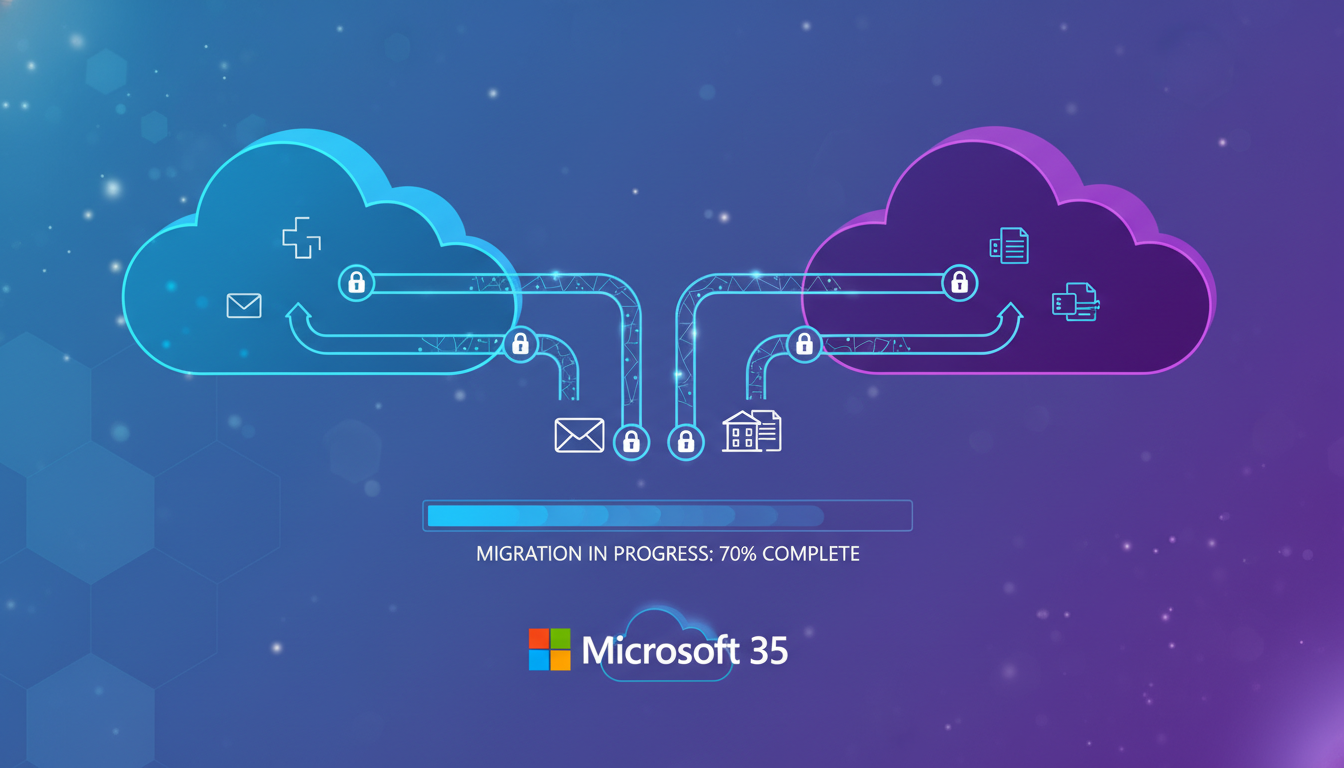
Tenant-to-tenant migrations in Microsoft 365 are among the most complex IT projects a UK business can undertake. Whether driven by a merger, acquisition, divestiture, or corporate restructuring, moving mailboxes, files, Teams data, and identities from one Microsoft 365 tenant to another requires meticulous planning and execution.
Unlike a simple email migration from an on-premises server to the cloud, a tenant-to-tenant migration involves two fully functional Microsoft 365 environments, each with its own Azure AD directory, licensing, policies, and data. Getting it wrong can mean lost emails, broken workflows, inaccessible files, and significant business disruption.
This guide provides a comprehensive framework for planning and executing a successful tenant-to-tenant Microsoft 365 migration, with specific considerations for UK businesses navigating compliance requirements and data sovereignty obligations.
When Does a Tenant-to-Tenant Migration Happen?
Several business scenarios trigger the need for a tenant-to-tenant migration. Understanding the driving scenario helps shape the migration strategy, timeline, and priorities.
Mergers and acquisitions are the most common trigger. When one UK company acquires another, the acquired company's Microsoft 365 tenant typically needs to be consolidated into the acquiring company's environment. This creates a unified directory, simplifies licensing, and enables seamless collaboration.
Divestitures and spin-offs work in reverse - a business unit being separated from a parent company needs its own independent Microsoft 365 tenant. This requires extracting specific users, data, and configurations from the existing tenant.
Rebranding and domain changes sometimes necessitate a new tenant, particularly when a company undergoes a fundamental identity change that extends beyond simply adding a new domain to the existing tenant.
Consolidation of multiple tenants occurs when organisations have historically operated separate tenants - perhaps due to previous acquisitions that were never fully integrated, or regional offices that set up their own Microsoft 365 environments independently.
| Migration Scenario | Typical Timeline | Complexity | Key Challenge |
|---|---|---|---|
| Acquisition (small company, <100 users) | 4-8 weeks | Moderate | Minimal disruption to acquired staff |
| Acquisition (medium company, 100-500 users) | 8-16 weeks | High | Data volume and application dependencies |
| Acquisition (large company, 500+ users) | 16-32 weeks | Very High | Phased migration without business disruption |
| Divestiture / spin-off | 12-24 weeks | Very High | Selective data extraction and separation |
| Multi-tenant consolidation | 16-40 weeks | Extreme | Conflict resolution across multiple sources |
Phase 1: Discovery and Assessment
Every successful migration begins with a thorough assessment of both the source and target tenants. This phase identifies what needs to move, what challenges exist, and what the end state should look like.
User and identity audit: Document every user account in the source tenant, including their licences, group memberships, roles, and any custom attributes. Pay particular attention to shared mailboxes, resource accounts (meeting rooms, equipment), and service accounts used by applications. In our experience, UK businesses typically discover 15-20% more accounts than expected during this phase.
Data inventory: Quantify the data that needs to migrate. This includes Exchange mailboxes (including archive mailboxes), OneDrive for Business files, SharePoint sites, Teams (channels, chats, files, and settings), and any data in other Microsoft 365 services like Planner, Power Automate flows, or Power BI workspaces.
Application dependency mapping: Identify all third-party applications integrated with the source tenant. This includes SSO applications configured in Azure AD, applications using Microsoft Graph API, custom Power Apps, Power Automate flows, and any line-of-business applications that authenticate against Azure AD. These integrations must be recreated or reconfigured in the target tenant.
Compliance and governance review: Document retention policies, DLP rules, sensitivity labels, conditional access policies, and any compliance configurations. These need to be replicated in the target tenant before migration to ensure continuous compliance - particularly important for UK businesses subject to FCA, SRA, or NHS regulatory requirements.
Phase 2: Target Tenant Preparation
Before migrating any data, the target tenant must be properly prepared to receive users and content. This phase typically takes 2-4 weeks and involves considerable configuration work.
Domain verification: The source tenant's custom domains will eventually need to be moved to the target tenant. However, a domain can only be verified in one tenant at a time. Plan the domain cutover carefully - this is often the most disruptive moment in the entire migration, as it affects email routing and user sign-in.
Licensing: Ensure sufficient licences are available in the target tenant for all migrating users. Consider whether licence types need to change (e.g., upgrading users from Business Basic to E3). Purchase licences before migration to avoid delays during cutover.
Security and compliance configuration: Replicate the source tenant's security posture in the target tenant. This includes conditional access policies, MFA requirements, DLP policies, retention labels, and sensitivity labels. Do not assume the target tenant's existing policies will be appropriate for the migrating users.
The domain cutover is the single most critical and time-sensitive step in a tenant-to-tenant migration. When you remove a domain from the source tenant and add it to the target tenant, email routing changes immediately. Plan this for a low-traffic period (Friday evening or Saturday morning for most UK businesses) and have a detailed rollback plan ready.
Phase 3: Pre-Migration and Coexistence
The coexistence phase ensures that users in both tenants can continue to communicate and collaborate during the migration. This is especially important for phased migrations where users move in batches over several weeks.
Mail routing and forwarding: Configure mail forwarding between the source and target tenants so that emails sent to migrated users' old addresses are automatically redirected. This prevents lost emails during the transition period. Configure cross-tenant mail flow connectors to ensure reliable delivery between the two environments.
Free/busy sharing: Set up organisation relationships between the tenants to enable free/busy calendar sharing. Without this, users in one tenant cannot see the availability of users in the other, causing scheduling chaos during the coexistence period.
Cross-tenant collaboration: Consider enabling Azure AD B2B collaboration between the tenants. This allows users who haven't yet been migrated to access resources in the target tenant as guests, maintaining collaboration during the transition.
Phase 4: Data Migration Execution
The actual data migration is typically performed using specialised migration tools. Microsoft offers native cross-tenant migration capabilities for some workloads, but most organisations use third-party tools for a more comprehensive and reliable migration experience.
Exchange Online migration: Mailbox migration is usually the highest priority. Migration tools create a synchronisation between source and target mailboxes, performing an initial sync of historical data followed by incremental syncs as new emails arrive. The final cutover sync happens during the domain cutover window. Calendar items, contacts, rules, and signatures all need to be migrated alongside email.
OneDrive migration: OneDrive files are migrated to the target tenant, preserving folder structures, sharing permissions (where possible), and version history. The migration tool handles the mapping of source user identities to target user identities. Sharing links will break and need to be re-shared in the target tenant.
SharePoint migration: SharePoint sites are among the most complex workloads to migrate. Beyond the files themselves, you need to preserve site structures, metadata columns, content types, workflows, permissions, and custom web parts. Large document libraries with complex permission inheritance require careful planning.
Teams migration: Teams migration is notoriously challenging. Whilst the underlying SharePoint files can be migrated with standard tools, Teams-specific data - including channel conversations, chat history, tabs, and app configurations - requires specialist handling. Microsoft's native cross-tenant migration for Teams is improving but still has limitations. Third-party tools like ShareGate, BitTitan, and Quest offer more comprehensive Teams migration capabilities.
Third-Party Migration Tools
Native Microsoft Tools
For most UK businesses undertaking a tenant-to-tenant migration, third-party tools represent the more reliable and comprehensive option. Whilst Microsoft continues to improve its native cross-tenant migration capabilities, the tooling still lacks the granular control, detailed reporting, and broad workload coverage that dedicated migration platforms provide. The per-user licensing cost of third-party tools - typically £5 to £15 per user - is modest compared to the risk of data loss or extended downtime from an incomplete migration toolset.
Phase 5: The Domain Cutover
The domain cutover is the pivotal moment in any tenant-to-tenant migration. This is when the primary email domain is removed from the source tenant and added to the target tenant, switching email routing and user sign-in to the new environment.
Before the cutover: Remove the domain from all objects in the source tenant - user principal names, email addresses, group addresses, and any other references to the domain. Users will temporarily use the onmicrosoft.com domain. Ensure all migration batches are synchronised and ready for final delta sync.
During the cutover: Remove the domain from the source tenant, add and verify it in the target tenant, update DNS records (MX, autodiscover, SPF, DKIM, DMARC), assign the domain to migrated users' accounts, and perform the final delta sync of mailboxes. This entire process typically takes 2-6 hours depending on DNS propagation speed.
After the cutover: Monitor email flow closely for 24-48 hours. Some DNS caches may still point to the old tenant, causing temporary delivery delays. Test email sending and receiving, calendar sharing, Teams functionality, and application access thoroughly.
Lower your domain's DNS TTL (Time to Live) values to 300 seconds (5 minutes) at least 48 hours before the cutover. This ensures DNS changes propagate quickly during the migration window, reducing the period of potential email disruption. Remember to restore normal TTL values after the migration is confirmed stable.
Common Pitfalls and How to Avoid Them
Having managed numerous tenant-to-tenant migrations for UK businesses, we've identified the most common pitfalls that derail projects or cause unnecessary disruption.
Underestimating data volumes. Many organisations significantly underestimate the amount of data in their tenant. OneDrive usage, in particular, tends to be much higher than expected. Always run a thorough discovery scan and add a 20% buffer to your estimates for planning purposes.
Forgetting about shared resources. Shared mailboxes, distribution lists, Microsoft 365 Groups, and resource mailboxes are frequently overlooked during planning. These need to be recreated in the target tenant with the correct members and permissions.
Ignoring third-party integrations. Applications that use Azure AD for authentication or the Microsoft Graph API for data access will break when users are moved to a new tenant. Map all integrations during discovery and plan their reconfiguration as part of the migration.
Insufficient user communication. Users need to know what's happening, when it's happening, and what they need to do. At minimum, communicate before migration (what to expect), during migration (status updates), and after migration (what's changed and how to get help). Poor communication leads to support ticket floods and user frustration.
No rollback plan. Despite best planning, migrations can encounter unexpected issues. Have a documented rollback plan that can restore email routing and user access to the source tenant if critical problems arise during cutover.
UK Compliance Considerations
UK businesses face specific compliance requirements that affect tenant-to-tenant migrations. These must be addressed during the planning phase to avoid regulatory issues.
Data residency: Microsoft 365 data is stored in the datacentre region associated with the tenant. If the source and target tenants are in different regions, the migration may involve moving data across borders. For UK businesses, ensure the target tenant is provisioned in Microsoft's UK datacentres to maintain data sovereignty.
Retention and legal holds: If any mailboxes or sites are subject to legal holds or retention policies, these must be preserved throughout the migration. Failing to maintain legal holds during a migration could constitute spoliation of evidence, with severe legal consequences.
Audit trail continuity: Regulated businesses need to maintain continuous audit trails. The migration itself should be documented, including what was migrated, when, and by whom. Ensure that audit logs from the source tenant are exported and preserved before the tenant is decommissioned.
GDPR data processing: The migration involves processing personal data. If using a third-party migration tool (most organisations do), ensure the tool provider has appropriate data processing agreements in place and that their data handling meets UK GDPR requirements.
Post-Migration Validation and Cleanup
The migration isn't complete when the data arrives in the target tenant. Thorough validation and cleanup are essential to ensure everything works correctly and the source tenant can be safely decommissioned.
Validation checklist: Test email sending and receiving (internal and external), calendar sharing, Teams channels and chats, SharePoint site access and permissions, OneDrive file access, application SSO, conditional access policies, and MFA enrollment. Have representatives from each department validate their specific workflows.
Source tenant decommissioning: Once you're confident the migration is complete and stable (typically after 30-60 days of monitoring), begin decommissioning the source tenant. Cancel licences, remove any remaining data, and document the decommissioning for compliance purposes. Don't rush this step - maintaining the source tenant as a safety net for a reasonable period is well worth the licensing cost.
Documentation: Document the final state of the target tenant, including the new configuration, any known issues or workarounds, and the support process for migration-related queries. This documentation becomes the baseline for ongoing management.
Choosing the Right Migration Approach
The right migration approach depends on your specific circumstances. For smaller migrations (under 100 users), a "big bang" approach - migrating everyone in a single weekend - may be feasible and minimises the coexistence period. For larger migrations, a phased approach, migrating departments or offices in batches, reduces risk and allows lessons from early batches to improve later ones.
Regardless of the approach, invest in proper tooling. Whilst it's technically possible to perform some aspects of a migration manually (exporting and importing PST files, for example), this approach doesn't scale, doesn't preserve metadata, and introduces unacceptable risk for most businesses. Professional migration tools - such as BitTitan MigrationWiz, Quest On Demand Migration, or ShareGate - provide reliable, auditable migrations with minimal user disruption.
Most importantly, don't underestimate the project. Tenant-to-tenant migrations are complex, high-stakes projects that benefit enormously from experienced guidance. The cost of getting it wrong - lost data, extended downtime, compliance failures - far exceeds the investment in proper planning and expert support.
Migration Readiness Scorecard
Before commencing the actual migration cutover, organisations should assess their readiness across five critical dimensions. The following benchmarks reflect the minimum scores we recommend before proceeding with the domain cutover phase of the project.
The rollback plan validation score is deliberately set highest because it represents your ultimate safety net during the cutover window. Without a thoroughly tested rollback procedure, you are accepting unnecessary risk. We recommend conducting at least two full dry-run exercises of the rollback procedure before scheduling the production cutover, ensuring every team member involved understands their specific role and the decision criteria for triggering a rollback.
Planning a Tenant-to-Tenant Migration?
Our Microsoft 365 migration specialists have guided dozens of UK businesses through successful tenant-to-tenant migrations. From initial assessment to post-migration support, we ensure your migration is smooth, compliant, and minimally disruptive.
Explore Cloud Email Solutions
CloudSwitched
London-based managed IT services provider offering support, cloud solutions and cybersecurity for SMEs.


