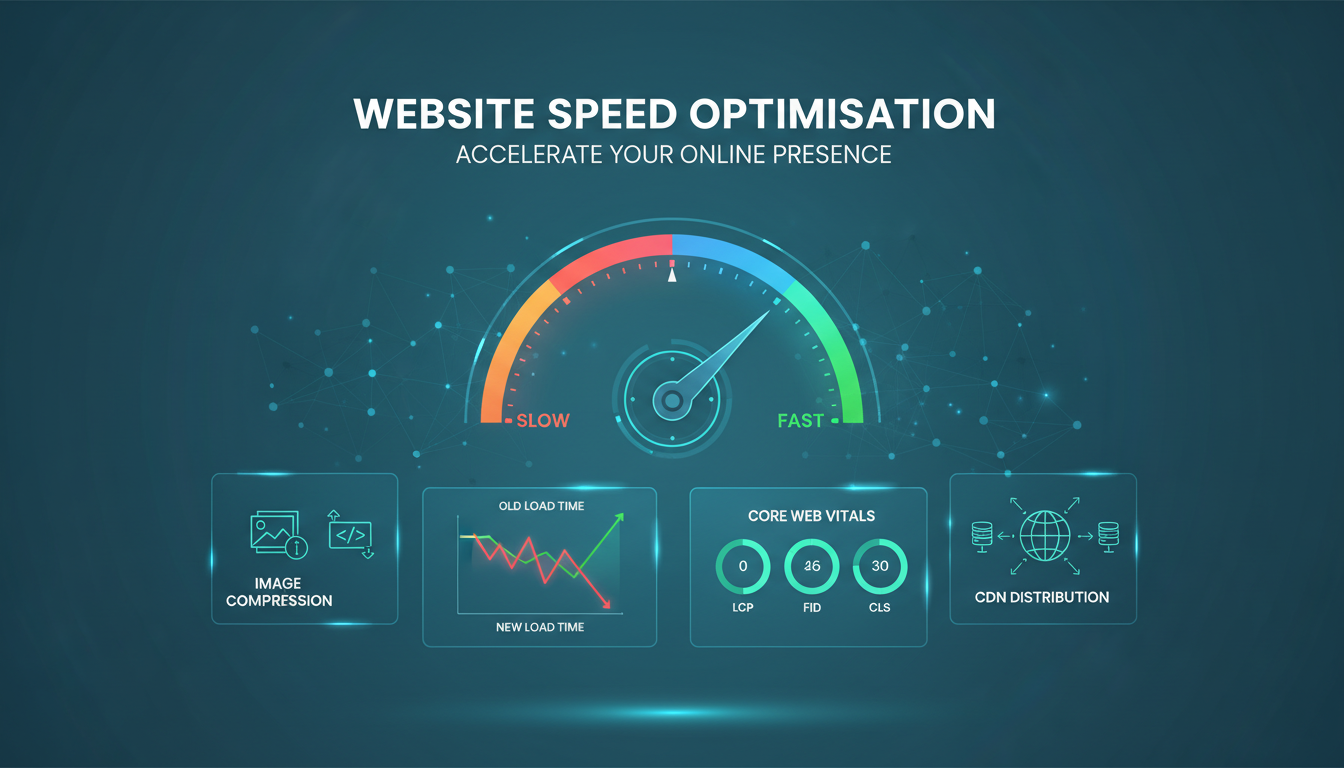
Website speed is no longer a technical nicety - it is a fundamental business metric. Google has used page speed as a ranking factor since 2010 and introduced Core Web Vitals as explicit ranking signals in 2021. Research consistently shows that 53% of mobile users abandon a page that takes longer than three seconds to load. For UK businesses competing in increasingly crowded digital markets, a slow website is not just a poor user experience - it is a measurable drag on revenue, conversions, and search visibility.
Yet despite the well-documented importance of website performance, a significant number of UK business websites remain painfully slow. Bloated images, unoptimised code, excessive third-party scripts, poor hosting choices, and a general lack of performance awareness combine to create websites that frustrate users and underperform in search results. The good news is that most speed problems are solvable, and the improvements can be dramatic - often reducing page load times by 50-80% with a structured optimisation approach.
This guide provides a practical, actionable framework for improving your website's speed, covering the most impactful optimisation techniques in order of priority. Whether you are running a WordPress site, a custom-built application, or an e-commerce platform, these principles apply universally.
For UK businesses specifically, website speed has taken on additional importance in recent years. The Competition and Markets Authority (CMA) has highlighted digital markets as a priority area, and consumer expectations continue to rise. British consumers are among the most digitally active in Europe, with over 90% of adults using the internet regularly and an increasing proportion completing purchases, booking services, and researching providers entirely on mobile devices. A slow website does not just lose a visitor - it loses them to a competitor whose site loads in half the time.
The financial impact is quantifiable. Research from Google and SOASTA found that as page load time increases from one second to three seconds, the probability of bounce increases by 32%. From one to five seconds, that figure rises to 90%. For a UK e-commerce business generating £500,000 in annual online revenue, even a one-second improvement in load time could translate to tens of thousands of pounds in recovered conversions. For service-based businesses, where each enquiry form submission might represent £5,000 or more in potential revenue, the stakes per lost visitor are even higher.
Understanding Core Web Vitals
Before diving into optimisation techniques, it is essential to understand the metrics that matter. Google's Core Web Vitals are the three performance metrics that directly influence your search rankings and reflect real user experience.
Largest Contentful Paint (LCP)
LCP measures how long it takes for the largest visible element on the page - typically a hero image, heading, or text block - to render in the viewport. Google considers an LCP of 2.5 seconds or less as "good," between 2.5 and 4 seconds as "needs improvement," and over 4 seconds as "poor." LCP is the metric most closely correlated with perceived loading speed - it represents the moment when the user feels the page has loaded enough to be useful.
Interaction to Next Paint (INP)
INP replaced First Input Delay in March 2024 and measures the responsiveness of the page to user interactions throughout its entire lifecycle. It captures the latency of all clicks, taps, and keyboard interactions, reporting the worst interaction (with some outliers excluded). An INP of 200 milliseconds or less is considered "good." Poor INP typically results from heavy JavaScript execution blocking the main thread.
Cumulative Layout Shift (CLS)
CLS measures visual stability - how much the page layout shifts unexpectedly as it loads. We have all experienced the frustration of trying to click a button only to have it jump away as an image or advertisement loads above it. A CLS score of 0.1 or less is considered "good." Layout shifts are most commonly caused by images without specified dimensions, dynamically injected content, and web fonts that cause text to reflow.
How to Check Your Core Web Vitals
Before embarking on any optimisation work, you need to establish a baseline. Google provides several tools for measuring Core Web Vitals, each serving a different purpose. Google PageSpeed Insights is the most accessible starting point - enter any URL and receive both lab data (simulated performance) and field data (actual measurements from real Chrome users). The field data is what Google uses for ranking purposes, so this is the metric that ultimately matters most.
Google Search Console provides a dedicated Core Web Vitals report that shows how all pages on your site perform according to real user data. Pages are grouped into good, needs improvement, and poor categories, making it easy to identify problem areas at scale. For businesses with hundreds or thousands of pages, this aggregated view is invaluable for prioritising optimisation efforts.
Chrome DevTools offers the most detailed analysis for developers. The Performance panel records a detailed timeline of everything that happens during page load, showing exactly which resources block rendering, which scripts take longest to execute, and where layout shifts occur. The Lighthouse panel provides an automated audit with a 0-100 performance score and specific, actionable recommendations. For the most accurate results, run Lighthouse in an incognito window with browser extensions disabled, as extensions can significantly skew performance measurements.
| Core Web Vital | What It Measures | Good | Needs Improvement | Poor |
|---|---|---|---|---|
| LCP (Largest Contentful Paint) | Loading performance | ≤ 2.5 seconds | 2.5 - 4.0 seconds | > 4.0 seconds |
| INP (Interaction to Next Paint) | Interactivity responsiveness | ≤ 200ms | 200 - 500ms | > 500ms |
| CLS (Cumulative Layout Shift) | Visual stability | ≤ 0.1 | 0.1 - 0.25 | > 0.25 |
Image Optimisation: The Biggest Win
Images typically account for 50-80% of a web page's total weight. Optimising images is almost always the single most impactful change you can make to improve page speed. The key techniques are format selection, compression, responsive sizing, and lazy loading.
Modern Image Formats
WebP and AVIF are modern image formats that provide significantly better compression than JPEG and PNG. A WebP image is typically 25-35% smaller than an equivalent JPEG at the same visual quality. AVIF offers even better compression - up to 50% smaller than JPEG - but browser support, while growing, is not yet universal. Use the HTML picture element to serve WebP or AVIF with a JPEG fallback, ensuring all users see images while modern browsers benefit from the smaller file sizes.
Responsive Images
Serving a 2000-pixel-wide hero image to a mobile phone with a 400-pixel-wide screen wastes enormous amounts of bandwidth. Use the srcset attribute to provide multiple image sizes, allowing the browser to choose the appropriate version for the user's screen. Generate image variants at common breakpoints - typically 400, 800, 1200, and 1600 pixels - and let the browser handle the selection.
Lazy Loading
Images below the fold - those not visible when the page first loads - should be lazy loaded, meaning they are only downloaded when the user scrolls near them. The native HTML loading="lazy" attribute provides this functionality without any JavaScript. This technique can reduce initial page weight by 40-60% on content-heavy pages, dramatically improving LCP for the content that users actually see first.
Image Compression Best Practices
Beyond format selection, the compression settings you apply to images have a substantial impact on file size. Most images exported directly from design tools such as Photoshop, Figma, or Canva use default quality settings that are far higher than necessary for web display. A JPEG at 100% quality might be 2MB, whilst the same image at 80% quality - visually indistinguishable on screen - might be just 200KB. That single change represents a 90% reduction in file size with no perceptible loss of quality.
For UK businesses managing their own website content, establishing clear image guidelines prevents quality from degrading over time as different team members upload images with inconsistent settings. Specify maximum dimensions (typically 1600 pixels wide for full-width images and 800 pixels for content images), target file sizes (under 200KB for most images, under 100KB for thumbnails), and preferred formats (WebP with JPEG fallback). Many content management systems support automatic image optimisation on upload - WordPress plugins such as ShortPixel, Imagify, and Smush can compress and convert images automatically, removing the burden from content editors.
Consider also the often-overlooked issue of image metadata. Photographs taken on smartphones and cameras contain EXIF data including GPS coordinates, camera settings, timestamps, and sometimes even the device owner's name. This metadata adds to file size and can pose privacy concerns. Stripping EXIF data during the optimisation process reduces file size and eliminates any risk of inadvertently publishing personal location data on your website.
JavaScript Optimisation
After images, JavaScript is the second largest contributor to slow page loads. Unlike images, which the browser can download and display progressively, JavaScript must be downloaded, parsed, compiled, and executed - and while this happens, the browser cannot do much else. Heavy JavaScript blocks rendering, delays interactivity, and is the primary cause of poor INP scores.
Audit Your Scripts
Many websites accumulate JavaScript over time like barnacles on a ship. Analytics scripts, chat widgets, social media plugins, A/B testing tools, advertising pixels, and abandoned experiments all add up. Use Chrome DevTools' Coverage tab to identify JavaScript that is downloaded but never executed - it is not uncommon to find that 50-70% of downloaded JavaScript is unused on any given page. Remove or defer everything that is not essential for the initial page render.
Defer and Async
Scripts that are not needed for the initial page render should use the defer or async attribute. Defer downloads the script in parallel with HTML parsing but delays execution until parsing is complete. Async downloads and executes the script as soon as it is available, potentially interrupting parsing. For most third-party scripts - analytics, chat, social - defer is the correct choice.
Code Splitting
For single-page applications and JavaScript-heavy sites, code splitting breaks your JavaScript bundle into smaller chunks that are loaded on demand. Instead of downloading 2MB of JavaScript before anything renders, the browser downloads only the 200KB needed for the current page, with additional modules loaded as needed. Modern build tools like webpack, Vite, and esbuild make code splitting straightforward.
Tree Shaking and Bundle Analysis
Tree shaking is a technique used by modern JavaScript bundlers to eliminate dead code - functions and modules that are imported but never actually used in your application. For example, if your site imports a utility library like Lodash but only uses three of its 300+ functions, tree shaking ensures that only those three functions are included in the final bundle. This can reduce JavaScript bundle sizes by 30-60% in applications with heavy dependency usage.
Bundle analysis tools provide a visual breakdown of what is inside your JavaScript bundles, revealing which libraries and modules consume the most space. Webpack Bundle Analyser, for instance, generates an interactive treemap showing the relative size of every module in your bundle. This analysis frequently uncovers surprising findings - a date formatting library that is larger than your entire application code, a full icon library imported for just two icons, or duplicate versions of the same dependency included through different packages.
For UK businesses working with development agencies or freelancers, requesting a bundle analysis report as part of any website build or redesign project is strongly advisable. It provides concrete evidence of how efficiently the codebase has been assembled and highlights obvious opportunities for improvement. A well-optimised production bundle for a typical business website should be under 200KB of JavaScript (gzipped), and many modern sites achieve excellent performance with under 100KB.
Third-party scripts are the most common performance culprits on UK business websites. Google Analytics, Google Tag Manager, Facebook Pixel, HubSpot tracking, Intercom chat, cookie consent banners - each adds 50-500KB of JavaScript and potentially dozens of additional network requests. Audit every third-party script on your site and ask: does this provide measurable business value that justifies its performance cost? If you cannot answer yes with confidence, remove it. A website that loads in 1.5 seconds with three third-party scripts will always outperform one that loads in 5 seconds with fifteen.
Hosting and Infrastructure
No amount of front-end optimisation can compensate for a slow server. If your server takes 2 seconds to generate a page before the browser even starts rendering, you are starting from a significant deficit.
Choose the Right Hosting
Cheap shared hosting - where your website shares server resources with hundreds of others - is the most common cause of slow server response times for UK small business websites. A dedicated VPS or managed cloud hosting solution from a provider with UK data centres can cut server response times from 1-3 seconds to under 200 milliseconds. The cost difference is typically £20-50 per month, which is trivial compared to the revenue impact of a slow website.
Use a Content Delivery Network
A CDN caches your website's static assets (images, CSS, JavaScript) on servers distributed across multiple locations. When a user in Glasgow requests your page, they receive assets from the nearest CDN node rather than from your origin server in London, reducing latency significantly. Cloudflare offers a generous free tier that provides CDN, DDoS protection, and basic performance optimisation - there is no reason for any UK business website not to use a CDN.
Server-Side Caching and HTTP Headers
Caching is one of the most powerful performance techniques available, yet it remains misconfigured on a surprising number of UK business websites. Effective caching ensures that returning visitors load pages significantly faster by reusing previously downloaded resources rather than re-requesting them from the server. The key mechanism is HTTP cache headers - specifically the Cache-Control header - which instruct the browser on how long to store each resource before checking for updates.
Static assets that rarely change - CSS files, JavaScript bundles, logo images, font files - should be cached aggressively, typically with a max-age of one year (31536000 seconds). To enable cache busting when these files do change, append a version hash to the filename (for example, styles.a3f8b2.css). This approach gives you the best of both worlds: maximum caching for unchanged resources and immediate updates when new versions are deployed. HTML pages, by contrast, should use shorter cache durations or no-cache directives to ensure visitors always see current content.
Server-side caching adds another layer of performance improvement. For dynamic websites built on platforms like WordPress, each page request typically involves multiple database queries and PHP processing. A server-side cache stores the generated HTML output so that subsequent requests for the same page are served directly from cache without repeating the generation process. This can reduce server response times from hundreds of milliseconds to single-digit milliseconds, particularly for pages that do not change frequently. Popular solutions for WordPress include WP Super Cache, W3 Total Cache, and the caching built into managed WordPress hosting platforms.
DNS and SSL Optimisation
Before a browser can even begin downloading your website, it must resolve your domain name to an IP address through DNS lookup and establish a secure connection through the TLS/SSL handshake. These steps typically add 100-300 milliseconds to the initial page load - time that is invisible in most performance tools but contributes meaningfully to the total experience. Using a fast DNS provider (Cloudflare, Route 53, or Google Cloud DNS) can reduce DNS lookup times to under 20 milliseconds, compared to 50-150 milliseconds with some budget DNS providers.
TLS 1.3, the latest version of the Transport Layer Security protocol, reduces the SSL handshake from two round trips to one, saving 50-100 milliseconds on every new connection. Ensure your hosting provider supports TLS 1.3 and has it enabled. Additionally, enabling HTTP/2 (or HTTP/3 where supported) allows the browser to download multiple resources simultaneously over a single connection, eliminating the head-of-line blocking that hampers performance under the older HTTP/1.1 protocol. Most modern hosting providers and CDNs support HTTP/2 by default, but it is worth verifying.
Speed-Optimised Website
- WebP/AVIF images with responsive sizing
- Lazy loading for below-fold content
- Minimal, deferred JavaScript
- CDN for global static asset delivery
- Server response under 200ms
- Core Web Vitals all in green
- Regular performance monitoring
Typical Slow Business Website
- Uncompressed JPEG/PNG images at full resolution
- All images loaded immediately regardless of position
- 15+ third-party scripts blocking rendering
- No CDN - everything served from one location
- Cheap shared hosting with 1-3s response times
- Core Web Vitals failing on all three metrics
- Performance never measured or monitored
Measuring and Monitoring Performance
Optimisation without measurement is guesswork. You need both lab data (synthetic testing in controlled conditions) and field data (real user measurements) to understand your website's performance accurately.
Google PageSpeed Insights is the essential starting tool - it provides both lab and field data for any URL, along with specific, actionable recommendations. Google Search Console's Core Web Vitals report shows how Google classifies your pages based on real user data. For deeper analysis, Chrome DevTools' Performance and Lighthouse panels provide detailed waterfall charts and timing breakdowns.
Most importantly, establish performance budgets and monitor them continuously. Set targets for page weight (under 1.5MB), LCP (under 2.5 seconds), INP (under 200ms), and CLS (under 0.1), and configure alerts when pages exceed these budgets. Performance tends to degrade gradually as new features and content are added - without monitoring, you will not notice until the impact is significant.
Building a Performance Culture
Technical optimisation is only half the battle. Sustainable website performance requires embedding speed awareness into your organisation's culture and processes. This means including performance testing in your development workflow, setting acceptance criteria for page speed on new features, and making performance metrics visible to the whole team - not just developers.
For UK businesses working with external web agencies, include performance requirements in your project brief and contract. Specify measurable targets: all Core Web Vitals in the green zone, total page weight under 1.5MB, LCP under 2.5 seconds on a 4G mobile connection. These requirements ensure that performance is considered from the start of the project rather than treated as an afterthought that gets deprioritised when deadlines approach.
Establish a regular performance review cadence - monthly for actively developed sites, quarterly for stable ones. Each review should check Core Web Vitals scores in Search Console, run PageSpeed Insights on key landing pages, review the total number and size of third-party scripts, and compare current metrics against your established budgets. Document the results and any actions taken, creating a performance log that tracks improvements and catches regressions early.
When new content or features are proposed, consider their performance implications before implementation. A beautiful hero video on the homepage might look impressive in the design mockup, but if it adds 5MB to the page weight and delays LCP by three seconds, the net impact on user experience and conversions is likely negative. Every addition to a website has a performance cost, and making that cost visible and accountable is the foundation of a performance-first culture.
Is Your Website Costing You Business?
Cloudswitched provides comprehensive website performance audits and speed optimisation services for UK businesses. From Core Web Vitals assessment to image optimisation, JavaScript reduction, and hosting improvements, we identify and fix the issues that are slowing your site down and costing you customers. Contact us for a free website speed assessment.
GET IN TOUCH
CloudSwitched
London-based managed IT services provider offering support, cloud solutions and cybersecurity for SMEs.


