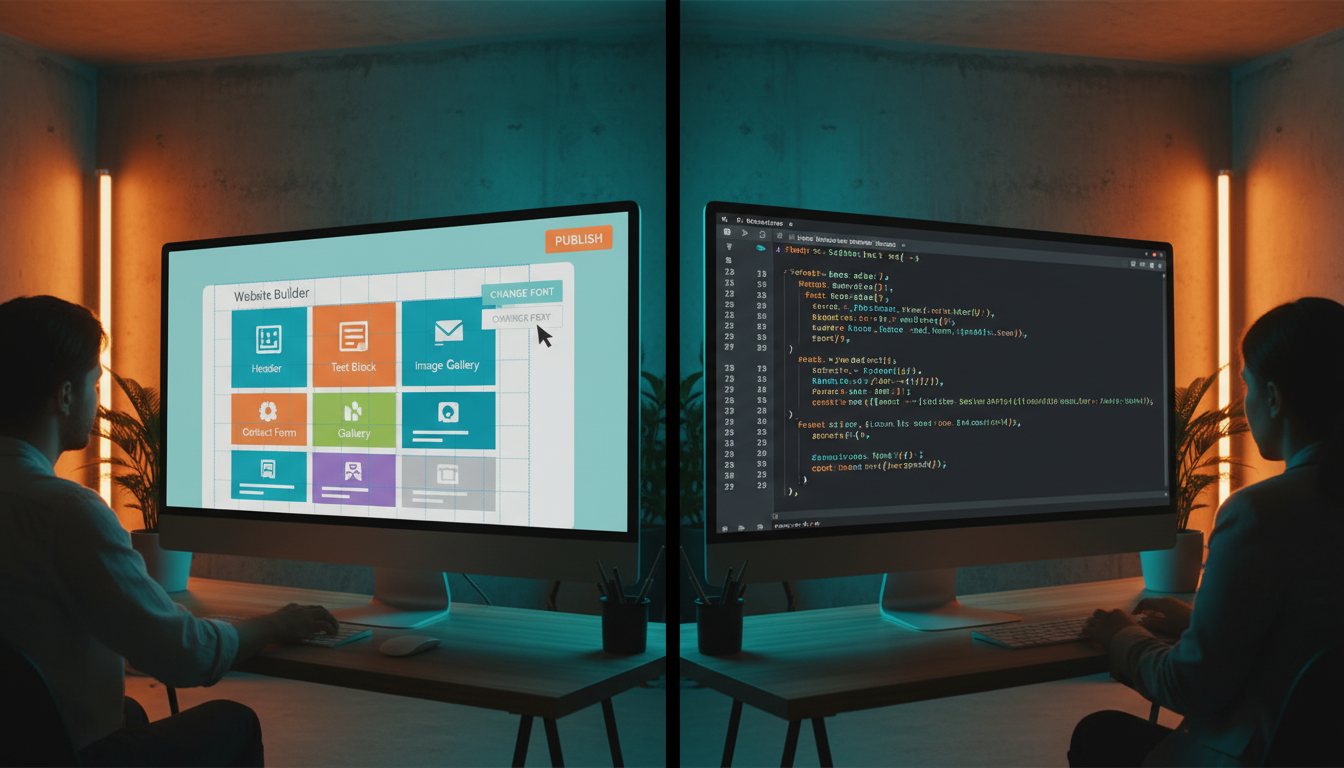
Choosing the right platform for your business website is one of the most consequential decisions you will make as a business owner. Whether you are launching a brand-new online presence or rebuilding an ageing site that no longer serves your needs, the platform you select will influence your costs, your ability to scale, your search engine visibility, your security posture, and the day-to-day effort required to keep everything running smoothly. In the United Kingdom, three dominant approaches dominate the conversation: WordPress web design, Shopify web design, and custom web development. Each approach has passionate advocates, each has genuine strengths, and each carries trade-offs that may or may not align with your specific business requirements. This comprehensive comparison guide examines every dimension that matters, from initial build costs and ongoing maintenance to SEO capabilities, security, performance, and scalability, so you can make a fully informed decision rather than relying on marketing hype or anecdotal recommendations.
The UK digital economy is one of the most competitive in the world. British consumers are sophisticated, mobile-first, and increasingly intolerant of poor online experiences. According to data from the Office for National Statistics, over 93 percent of UK adults are regular internet users, and more than 82 percent research products and services online before making a purchase decision. Your website is not simply a digital brochure; it is your most important sales and marketing asset, operating around the clock in a marketplace where first impressions form in under half a second. The platform underpinning that website determines whether it can keep pace with your ambitions or becomes a bottleneck that holds your business back. This guide will help you understand exactly which approach suits your situation, whether you are a sole trader in Edinburgh, a growing e-commerce brand in Manchester, or an established enterprise in London looking to modernise your digital infrastructure.
Throughout this guide, we will examine real-world data, industry benchmarks, and practical considerations drawn from years of experience delivering WordPress website development, Shopify web design, and custom website development projects for UK businesses of all sizes. We will cover the total cost of ownership across a five-year horizon, dive deep into the SEO implications of each choice, assess security vulnerabilities and mitigation strategies, and provide clear recommendations based on different business profiles. By the end, you will have the clarity you need to commission the right solution with confidence.
The UK Website Platform Landscape in 2026
Before diving into the detailed comparison, it helps to understand the scale and shape of the UK website market. The United Kingdom hosts approximately 12.4 million active websites, and the digital design and development industry generates over 6.2 billion pounds in annual revenue. WordPress remains the dominant content management system globally, powering over 43 percent of all websites worldwide and an estimated 35 percent of UK business sites. Shopify has experienced explosive growth, particularly since 2020, and now powers over 4.4 million stores globally with a strong and growing presence in the UK market. Custom-built websites, while representing a smaller share by volume, account for a disproportionate share of enterprise and high-growth digital projects where unique functionality and maximum control are paramount.
The choice between these three approaches is not simply a technical one; it is a strategic business decision that affects your marketing capability, operational efficiency, and competitive positioning. A local bakery launching its first online ordering system has fundamentally different requirements from a B2B SaaS company needing a complex lead-generation funnel, or a fashion retailer requiring a fully featured e-commerce experience with international shipping and multi-currency support. Understanding where each platform excels and where it falls short is essential to making the right investment. The wrong choice can cost you tens of thousands of pounds in rework, lost revenue from poor search rankings, and operational headaches that drain your time and energy for years to come.
The UK market also has specific regulatory and compliance requirements that influence platform selection. GDPR data protection obligations, accessibility standards under the Equality Act 2010, cookie consent requirements, and VAT handling for e-commerce transactions all need to be addressed by your chosen platform. Some platforms handle these requirements more naturally than others, and we will examine these compliance dimensions throughout the comparison. Whether you are evaluating WordPress for its flexibility, Shopify for its e-commerce focus, or custom development for its limitless possibilities, regulatory compliance should be a core part of your evaluation criteria.
WordPress: The Versatile Content Powerhouse
WordPress began life in 2003 as a simple blogging tool and has since evolved into the most widely used content management system on the planet. Its open-source architecture, enormous plugin ecosystem, and vast community of developers have made WordPress website development the default choice for millions of businesses worldwide. In the UK, WordPress powers everything from personal blogs and portfolio sites to complex corporate websites, membership platforms, and even e-commerce stores through the WooCommerce plugin. The platform's extraordinary versatility is both its greatest strength and, paradoxically, a source of complexity that requires careful management to harness effectively.
At its core, WordPress is a self-hosted, open-source CMS. This means you download the software, install it on a web hosting account that you control, and maintain full ownership of your code, content, and data. This level of control is a significant advantage for businesses that want to avoid vendor lock-in and maintain complete autonomy over their digital assets. However, it also means that you are responsible for hosting configuration, software updates, security patches, backups, and performance optimisation. For technically confident business owners or those working with a managed services provider, this responsibility is manageable. For those without technical support, it can become a significant burden that leads to neglected, vulnerable, and underperforming websites.
The WordPress theme ecosystem offers thousands of pre-built designs, from free starter themes to premium themes costing between 40 and 200 pounds. These themes provide a visual foundation that can be customised through the built-in Customiser, page builders like Elementor or Beaver Builder, or direct code modifications. For WordPress web design projects, this means you can achieve a professional-looking site relatively quickly, though achieving a truly distinctive design that stands out from the millions of other WordPress sites requires either significant customisation investment or a completely bespoke theme built from scratch. The gap between a generic WordPress site and a professionally designed one is enormous, and it shows in conversion rates, search rankings, and visitor engagement metrics.
WordPress by the Numbers
WordPress powers 43 percent of all websites globally and approximately 35 percent of UK business sites. The official plugin directory contains over 60,000 free plugins, with thousands more available as premium products. The platform supports 72 languages natively, and the WordPress community includes an estimated 500,000 active developers worldwide. Despite its dominance, WordPress sites require regular maintenance: the average WordPress site runs 20-30 active plugins, each of which needs updating, compatibility testing, and security monitoring on an ongoing basis.
WordPress Strengths
The content management capabilities of WordPress are genuinely best-in-class. The Gutenberg block editor provides an intuitive, visual editing experience that allows non-technical users to create and update content without touching code. For businesses that publish regularly, whether blog posts, case studies, news articles, or product updates, WordPress makes content creation fast and accessible. The platform's taxonomies (categories and tags), custom post types, and content scheduling features make it an excellent foundation for content-driven marketing strategies that rely on fresh, well-organised material to attract and retain visitors. This content management strength is a primary reason why WordPress website development remains so popular for businesses that prioritise content marketing and SEO.
The plugin ecosystem is another transformative advantage. Need an SEO toolkit? Yoast SEO and Rank Math are industry-standard options. Need contact forms? Gravity Forms and WPForms are battle-tested. Need e-commerce? WooCommerce transforms WordPress into a fully featured online store. Need membership functionality, learning management, appointment booking, multilingual support, or social media integration? There is almost certainly a plugin that provides it. This ecosystem means that WordPress can be adapted to serve virtually any business requirement without commissioning custom development from scratch, significantly reducing both initial costs and time-to-launch for standard functionality.
Community support is a further strength that should not be underestimated. With hundreds of thousands of active developers and millions of users, finding solutions to WordPress problems is straightforward. Comprehensive documentation, active forums, thousands of tutorials, and a thriving freelancer market mean that you are never locked into a single developer or agency. If your current developer becomes unavailable, finding a replacement who understands WordPress is far easier than finding one who can work with a bespoke custom codebase. This portability and talent availability reduces business risk and gives you negotiating power when commissioning work.
WordPress Weaknesses
Security is WordPress's most significant vulnerability. As the most popular CMS in the world, it is also the most targeted by attackers. Sucuri's annual website threat report consistently finds that WordPress accounts for over 90 percent of all infected CMS sites. The core software itself is generally secure, but the ecosystem of third-party themes and plugins introduces enormous attack surface area. A single vulnerable plugin can compromise your entire site, exposing customer data, defacing your pages, or turning your server into a spam relay. Maintaining security requires constant vigilance: keeping WordPress core, themes, and plugins updated, using strong authentication, implementing web application firewalls, running regular malware scans, and maintaining tested backups. For businesses without dedicated IT support, this security maintenance often falls behind, leaving sites exposed to well-known vulnerabilities that automated bots exploit at scale.
Performance is another area where WordPress requires careful management. A freshly installed WordPress site with a lightweight theme loads quickly, but real-world WordPress sites rarely stay lightweight. Each plugin adds database queries, CSS files, JavaScript files, and processing overhead. By the time a typical business site has its full complement of plugins active, page load times can balloon significantly unless aggressive caching, image optimisation, CDN implementation, and code minification measures are applied. Performance optimisation on WordPress is an ongoing discipline, not a one-time setup task, and neglecting it directly impacts both user experience and search engine rankings. Google's Core Web Vitals metrics have made site performance a ranking factor, and poorly optimised WordPress sites frequently fail these benchmarks.
The reliance on plugins also creates a fragility problem. Plugin conflicts are a routine occurrence in WordPress web design projects, where activating one plugin breaks functionality provided by another. Major WordPress core updates can also break plugin compatibility, requiring emergency fixes or plugin replacements. This creates an ongoing maintenance burden and a degree of unpredictability that can be frustrating for business owners who simply want their website to work reliably without constant technical intervention. The cost of managing this complexity is often underestimated when comparing WordPress to alternatives that handle these concerns at the platform level.
Shopify: The E-Commerce Specialist
Shopify has established itself as the world's leading dedicated e-commerce platform, and for good reason. Founded in 2006 by a team that was frustrated with the existing e-commerce tools available at the time, Shopify has grown into a publicly traded company powering over 4.4 million online stores globally. In the UK, Shopify web design has become the default recommendation for businesses whose primary objective is selling products online. The platform's singular focus on e-commerce means that every feature, every design decision, and every piece of infrastructure has been optimised specifically for online retail. Payment processing, inventory management, shipping calculations, tax handling, abandoned cart recovery, and conversion optimisation are all built into the core platform rather than bolted on through third-party extensions.
Unlike WordPress, Shopify is a fully hosted, software-as-a-service (SaaS) platform. You pay a monthly subscription, and Shopify handles all the technical infrastructure: hosting, security, SSL certificates, software updates, backups, and uptime. This means you never need to worry about server configuration, PHP version compatibility, database optimisation, or the dozens of other technical concerns that accompany self-hosted platforms. For business owners who want to focus on selling products rather than managing technology, this operational simplicity is enormously valuable. The trade-off is reduced control: you cannot modify the core platform, you are bound by Shopify's terms of service, and you are dependent on Shopify's pricing decisions and feature roadmap.
The Shopify theme ecosystem includes a curated theme store with both free and premium themes, typically ranging from 180 to 400 pounds for premium options. These themes are purpose-built for e-commerce, with product galleries, collection pages, cart functionality, and checkout flows designed to maximise conversion rates. Shopify's checkout process, in particular, has been refined through billions of transactions andmillions of A/B tests, making it one of the highest-converting checkout experiences available. For pure e-commerce businesses, this conversion optimisation alone can justify the platform choice, as even small improvements in checkout completion rates translate directly into significant additional revenue.
Shopify Strengths
The out-of-the-box e-commerce functionality is Shopify's defining advantage. From the moment you set up your account, you have access to product management, variant handling, inventory tracking, order processing, customer accounts, discount codes, gift cards, and analytics. Payment processing through Shopify Payments (powered by Stripe) eliminates the need for a separate payment gateway, and Shopify supports over 100 additional payment providers for businesses that need alternatives. Shipping is handled through Shopify Shipping with discounted rates from major UK carriers, and the platform calculates VAT automatically based on your configuration. This comprehensive e-commerce toolkit means that a new store can be operational within days rather than weeks, with professional-grade functionality that would cost thousands of pounds to replicate on other platforms.
Reliability and security are further strengths that matter enormously for e-commerce businesses. Shopify invests hundreds of millions of pounds annually in its infrastructure, achieving 99.99 percent uptime and PCI DSS Level 1 compliance (the highest level of payment card security certification). Your store is protected by enterprise-grade security measures including DDoS protection, automatic SSL, and continuous monitoring by a dedicated security team. You never need to worry about applying security patches, as Shopify handles all platform updates transparently. For businesses processing customer payments, this security posture is not merely convenient; it is a fundamental requirement that Shopify delivers without any effort or expertise on your part.
The Shopify App Store extends the platform's capabilities with over 8,000 apps covering everything from email marketing and social media integration to advanced analytics, loyalty programmes, and subscription billing. Unlike WordPress plugins, Shopify apps operate within a sandboxed environment with standardised APIs, which means they are far less likely to conflict with each other or compromise your store's stability. Shopify also vets apps before listing them, providing an additional layer of quality assurance. For Shopify projects, this curated ecosystem means you can confidently add functionality knowing that it has been tested for compatibility and security within the Shopify environment.
Shopify Weaknesses
Content management is Shopify's most notable limitation. While Shopify includes a basic blogging feature, it lacks the sophisticated content management capabilities of WordPress. The blog editor is rudimentary, taxonomy options are limited to tags (no categories or custom taxonomies), and there are no native custom post types, content scheduling, or advanced editorial workflow features. For businesses that rely heavily on content marketing, thought leadership publishing, or complex content structures, Shopify's content tools feel restrictive and frustrating. Workarounds exist through apps and custom Liquid template coding, but they add complexity and cost without matching the content management depth that WordPress provides natively.
Customisation limitations are another significant consideration. Shopify themes use the Liquid templating language, which is proprietary to Shopify and not widely known outside the Shopify developer community. Deep customisation requires Liquid expertise, and even skilled Liquid developers face constraints imposed by the platform's architecture. You cannot modify the checkout process on standard plans (only Shopify Plus at 2,000 pounds per month unlocks checkout customisation), certain URL structures are fixed and cannot be changed, and some design elements are controlled at the platform level rather than the theme level. For businesses with highly specific design requirements or unique user experience flows, these constraints can be frustrating and may ultimately necessitate a move to a more flexible platform.
The ongoing cost structure of Shopify is also worth careful consideration. Beyond the monthly subscription (which ranges from 25 to 344 pounds per month for standard plans), Shopify charges transaction fees of 0.5 to 2 percent on sales processed through third-party payment providers. While Shopify Payments eliminates these transaction fees, it is not available with all payment methods, and some businesses prefer or require alternative payment processors. Additionally, premium apps carry their own monthly subscriptions, and a typical Shopify store running five to ten apps can accumulate 100 to 500 pounds per month in app fees alone. Over a five-year period, these recurring costs can significantly exceed the total cost of ownership for a WordPress or custom-built alternative, particularly for high-volume stores.
Custom Web Development: The Bespoke Solution
Custom web development refers to building a website from the ground up using programming languages, frameworks, and infrastructure tailored specifically to your business requirements. Rather than working within the constraints of a pre-built platform, a custom website development project gives you complete control over every aspect of your site: the architecture, the user experience, the design, the functionality, the performance characteristics, and the technology choices that underpin everything. This approach is used by organisations that have outgrown the limitations of template-based platforms, businesses with unique requirements that no existing platform adequately serves, and companies that view their website as a core competitive asset worthy of bespoke investment.
The technology landscape for custom development is vast and constantly evolving. Common choices for UK projects include JavaScript frameworks like React, Vue.js, and Next.js for front-end development; Node.js, Python (Django or Flask), PHP (Laravel), and Go for back-end development; and databases ranging from PostgreSQL and MySQL to MongoDB and more specialised options. Infrastructure choices span traditional dedicated servers, cloud platforms like AWS, Azure, and Google Cloud, serverless architectures, and edge computing platforms. A skilled development team selects the optimal combination of technologies based on your specific performance, scalability, and maintenance requirements rather than accepting the constraints imposed by a general-purpose platform.
For UK businesses working with a provider like Cloudswitched, custom website development typically begins with a thorough discovery phase where business objectives, user requirements, technical constraints, and integration needs are documented in detail. This is followed by architecture design, user experience prototyping, visual design, iterative development, testing, deployment, and ongoing support. The process is more involved than configuring a template, but the result is a digital asset that is precisely aligned with your business needs, free from the compromises and workarounds inherent in adapting a general-purpose platform to specific requirements.
When Custom Development Makes Sense
Custom development is typically the right choice when your business has requirements that fall outside the capabilities of existing platforms, when performance and scalability are critical competitive factors, when you need deep integration with proprietary systems or third-party APIs, when you require complete control over the user experience without platform constraints, or when your site is a core product rather than a supporting marketing asset. UK businesses in fintech, healthtech, logistics, SaaS, and complex B2B environments frequently find that the additional investment in bespoke development delivers a significantly higher return than adapting a platform originally designed for a different purpose.
Custom Development Strengths
Performance optimisation is perhaps the most tangible advantage of building from scratch. When every line of code is written specifically for your application, there is no bloat from unused features, no overhead from a generalised CMS engine, and no performance penalties from third-party plugins competing for resources. A well-architected custom site can achieve sub-second page loads, perfect Core Web Vitals scores, and responsive performance under traffic spikes that would overwhelm a standard WordPress or Shopify installation. For businesses where site speed directly impacts revenue (and research consistently shows that it does for virtually all online businesses), this performance advantage translates directly into improved conversion rates, better search rankings, and enhanced user satisfaction.
Scalability is another dimension where custom development excels. A custom architecture can be designed from the outset to handle your projected growth trajectory, with horizontal scaling, load balancing, database sharding, caching layers, and microservices architecture implemented as appropriate. While WordPress and Shopify can both scale to handle significant traffic with proper optimisation and infrastructure investment, they do so within the constraints of their respective architectures. Custom development allows you to choose the optimal scaling strategy for your specific workload patterns, whether that means serverless functions for bursty traffic, edge computing for global performance, or dedicated infrastructure for sustained high throughput.
Integration capabilities are where bespoke builds truly differentiate themselves. Businesses rarely operate in isolation; they use CRM systems, ERP platforms, accounting software, inventory management tools, marketing automation platforms, and dozens of other systems that need to exchange data with their website. While WordPress and Shopify both offer integration options through plugins and apps, these integrations are often shallow, unreliable, or constrained by the platform's architecture. Custom development allows you to build deep, bidirectional integrations that synchronise data in real time, handle edge cases gracefully, and provide the seamless user experience that cobbled-together plugin integrations rarely achieve.
Custom Development Weaknesses
Cost is the most significant barrier to bespoke development. A professionally built custom website for a UK business typically starts at 15,000 to 25,000 pounds for a relatively straightforward project and can easily reach 50,000 to 150,000 pounds or more for complex applications with extensive functionality, integrations, and design requirements. These figures are substantially higher than WordPress or Shopify projects of comparable scope, and they represent a genuine investment that must be justified by clear business returns. For startups and small businesses with limited budgets, this cost profile often makes custom development impractical regardless of its technical merits, at least until the business has grown to a scale where the investment is proportionate to the revenue at stake.
Development timelines are correspondingly longer. Where a WordPress site might be built in four to eight weeks and a Shopify store in two to six weeks, a custom development project typically takes three to nine months from discovery to launch, depending on complexity. This extended timeline means delayed time-to-market, which can be a significant disadvantage in fast-moving markets or for businesses that need to establish an online presence quickly. The iterative nature of custom development also means that timelines can extend beyond initial estimates if requirements evolve or unforeseen technical challenges emerge, creating budget pressure and stakeholder frustration.
Ongoing maintenance and the dependency on specialist developers represent further challenges. A custom-built website requires developers who understand its specific codebase to make changes, fix bugs, and implement updates. Unlike WordPress, where thousands of developers worldwide can work with your site, a custom codebase may only be familiar to the team that built it. This creates vendor dependency and business risk that must be mitigated through thorough documentation, clean coding practices, and ideally a relationship with a reliable managed services partner who can provide continuity. Without proper maintenance arrangements, custom sites can become difficult and expensive to update, eventually falling behind in security, compatibility, and functionality.
Cost Comparison: Initial Build and Total Cost of Ownership
Understanding the true cost of each platform requires looking beyond the initial build price to consider the total cost of ownership over a meaningful time horizon. A website is not a one-off purchase; it is an ongoing operational asset that incurs hosting, maintenance, licensing, and development costs throughout its lifetime. Many businesses have been caught out by choosing the cheapest initial option only to discover that ongoing costs far exceed what they anticipated, or by investing heavily in an initial build only to find that they cannot afford the ongoing development needed to keep the site competitive. The following analysis examines costs across a five-year period to give a realistic picture of what each approach truly costs for a typical UK business.
| Cost Component | WordPress | Shopify | Custom Development |
|---|---|---|---|
| Initial design and build | £2,000 - £15,000 | £1,500 - £10,000 | £15,000 - £150,000 |
| Monthly hosting | £15 - £150/mo | Included in plan | £50 - £500/mo |
| Platform subscription | Free (open source) | £25 - £344/mo | N/A |
| Premium plugins/apps (annual) | £200 - £1,500/yr | £600 - £6,000/yr | N/A |
| SSL certificate | £0 - £200/yr | Included | £0 - £200/yr |
| Annual maintenance and updates | £500 - £3,000/yr | £200 - £1,000/yr | £2,000 - £12,000/yr |
| Security monitoring | £100 - £500/yr | Included | £500 - £3,000/yr |
| Transaction fees | Payment gateway only | 0 - 2% (varies) | Payment gateway only |
For a typical UK small business building a brochure-style website with a blog, the five-year total cost of ownership breaks down approximately as follows. A WordPress site with professional design, managed hosting, and ongoing maintenance typically costs between 8,000 and 35,000 pounds over five years. A comparable Shopify site(less suited to this use case but sometimes chosen regardless) costs between 6,000 and 30,000 pounds. A custom-built equivalent would cost between 25,000 and 80,000 pounds. These ranges are broad because they depend on the complexity of the design, the number of features, the quality of hosting, and the level of ongoing support required. The key insight is that initial build cost is often a relatively small proportion of the total five-year investment, and the platforms that appear cheapest initially are not always the cheapest over their operational lifetime.
For an e-commerce business processing 500 orders per month with an average order value of 60 pounds, the cost dynamics shift significantly. WordPress with WooCommerce costs approximately 15,000 to 50,000 pounds over five years, depending on hosting requirements, plugin subscriptions, and development support. Shopify costs between 12,000 and 45,000 pounds, with transaction fees potentially adding thousands more depending on the payment provider. Custom e-commerce development costs between 40,000 and 200,000 pounds, though the performance and conversion advantages can generate enough additional revenue to offset the higher investment. The right choice depends on your specific revenue, growth projections, and the degree to which platform limitations constrain your commercial potential.
It is also worth noting that cost is not the only financial consideration. The revenue impact of platform choice can dwarf the cost differences. A custom-built site that loads in under one second and is optimised for conversion might generate 20 to 40 percent more revenue than a sluggish, template-based alternative serving the same traffic. For a business generating 500,000 pounds in annual online revenue, a 20 percent improvement is worth 100,000 pounds per year, which makes even the most expensive custom development investment look modest by comparison. Conversely, a small business generating 50,000 pounds annually would struggle to justify the same custom investment. Cost analysis must always be viewed in the context of revenue potential and business scale.
SEO Capabilities: How Each Platform Impacts Search Rankings
Search engine optimisation is a critical consideration for any UK business that relies on organic search traffic to attract customers. Your platform choice directly influences your ability to implement SEO best practices, achieve strong Core Web Vitals scores, create optimised content structures, and maintain the technical health signals that Google uses to determine rankings. All three platforms can achieve good search rankings in capable hands, but they differ significantly in how much effort and expertise is required to reach that point, and in the ceiling of what is achievable for highly competitive keywords.
WordPress has earned a well-deserved reputation as an SEO-friendly platform. The combination of clean permalink structures, extensive metadata control through plugins like Yoast SEO or Rank Math, automatic XML sitemap generation, schema markup support, and the ability to create complex content hierarchies makes WordPress an excellent foundation for SEO-driven content strategies. For businesses pursuing WordPress website development with a strong content marketing component, the platform's SEO toolkit is comprehensive and battle-tested. Categories, tags, custom taxonomies, and custom post types allow you to create the kind of topical authority structures that modern SEO strategies require, and the blogging capabilities make it straightforward to publish the regular, high-quality content that drives organic growth.
However, WordPress SEO performance is heavily dependent on implementation quality. A poorly configured WordPress site with a bloated theme, too many plugins, unoptimised images, and no caching can perform terribly in search results despite the platform's inherent SEO capabilities. Core Web Vitals performance, in particular, is an area where many WordPress sites struggle. Google's PageSpeed Insights frequently flags WordPress sites for excessive JavaScript, render-blocking resources, and large layout shifts caused by third-party plugins and ad scripts. Achieving excellent Core Web Vitals scores on WordPress requires deliberate performance optimisation work that goes beyond simply installing a caching plugin, including server-side optimisation, critical CSS extraction, lazy loading, and script management.
Shopify provides solid baseline SEO features including customisable title tags and meta descriptions, automatic canonical tags, built-in SSL, mobile-responsive themes, and a clean site structure. However, Shopify projects face several structural SEO limitations that can be frustrating for advanced practitioners. URL structures on Shopify are partially fixed: product URLs always include the /products/ prefix, collection URLs always include /collections/, and blog URLs always include /blogs/. While these are not catastrophic for SEO, they prevent the kind of flat, keyword-optimised URL structures that some SEO strategies require. Additionally, Shopify's robots.txt file is not fully customisable, pagination handling requires workarounds, and the platform's JavaScript-dependent rendering can occasionally cause indexing delays for new content.
| SEO Feature | WordPress | Shopify | Custom |
|---|---|---|---|
| Custom URL structures | Full control | Partially fixed | Full control |
| Meta title and description | Via plugin | Built-in | Full control |
| Schema markup | Via plugin | Limited native | Full control |
| XML sitemap | Via plugin | Automatic | Full control |
| Robots.txt control | Full control | Limited | Full control |
| Core Web Vitals potential | Good with optimisation | Good out of box | Excellent |
| Blog and content structure | Excellent | Basic | Excellent |
| Internal linking control | Full control | Good | Full control |
| Multilingual/hreflang | Via plugin (WPML) | Via Shopify Markets | Full control |
| Page speed optimisation | Requires effort | Good baseline | Maximum control |
A bespoke build provides the highest ceiling for SEO performance because every technical aspect can be optimised without platform constraints. Server-side rendering, static site generation, edge caching, image optimisation pipelines, structured data implementation, and URL architecture can all be designed specifically to maximise search engine visibility and performance scores. For businesses competing for highly competitive keywords in crowded markets, the ability to achieve perfect Core Web Vitals scores, implement advanced schema markup, create optimised internal linking structures, and build technically flawless sites can provide a meaningful competitive advantage that justifies the additional investment in a tailored build.
Security Comparison: Protecting Your Business and Customers
Website security is a non-negotiable concern for every UK business, and the consequences of a breach extend far beyond technical inconvenience. Under GDPR, organisations that fail to protect personal data can face fines of up to 17.5 million pounds or 4 percent of annual global turnover, whichever is higher. Beyond regulatory penalties, a security breach damages customer trust, harms search rankings (Google flags compromised sites), disrupts business operations, and can take weeks or months to fully remediate. The security profile of your chosen platform should be a primary evaluation criterion, particularly if your site processes payments, stores customer data, or handles sensitive business information.
Responsibility model: You are responsible for everything: hosting security, SSL certificates, WordPress core updates, theme updates, plugin updates, backup management, malware scanning, firewall configuration, and incident response. This self-managed model provides maximum control but requires significant ongoing effort and expertise.
Vulnerability landscape: WordPress accounts for over 90 percent of CMS-related security incidents. Most vulnerabilities originate in third-party plugins and themes rather than the core software. The sheer volume of available plugins means that quality and security standards vary enormously, and abandoned or poorly maintained plugins create persistent risk.
Mitigation: Managed WordPress hosting providers like WP Engine and Kinsta handle many security concerns at the infrastructure level. Security plugins like Wordfence and Sucuri add application-layer protection. However, these add cost and complexity, and no combination of tools eliminates the fundamental risk posed by a large, heterogeneous plugin ecosystem.
Responsibility model: Shopify handles platform security, PCI compliance, SSL, DDoS protection, and all infrastructure security. You are responsible for account security (strong passwords, two-factor authentication), app selection, and custom code security if you modify your theme.
Vulnerability landscape: As a hosted platform with a dedicated security team, Shopify experiences far fewer security incidents than self-hosted alternatives. The sandboxed app environment limits the impact of any individual app vulnerability, and Shopify's vetting process for the App Store provides a baseline quality filter.
Mitigation: Shopify's PCI DSS Level 1 compliance is maintained automatically, eliminating the most critical security concern for e-commerce businesses. Automatic SSL, regular security audits, and a bug bounty programme further strengthen the platform's security posture. For most e-commerce businesses, Shopify provides the most secure option with the least effort.
For custom website development, the security picture is entirely dependent on the quality of the development team and the security practices they follow. A well-built custom site developed by experienced UK developers following OWASP guidelines, with proper input validation, parameterised queries, content security policies, and regular penetration testing, can be extremely secure. However, a custom site built by an inexperienced team without security expertise can be riddled with vulnerabilities that no amount of subsequent patching can fully address. When commissioning a bespoke project, it is essential to evaluate your development partner's security credentials, ask for evidence of security testing practices, and ensure that security is built into the development process from the outset rather than bolted on at the end.
Scalability and Performance: Growing Without Limits
Your website needs to grow with your business, and the platform you choose today determines how smoothly and cost-effectively that growth can occur. Scalability encompasses both traffic handling (can the site maintain performance under increasing visitor numbers?) and functional scalability (can the site accommodate new features, integrations, and business requirements as they emerge?). Performance, measured through page load times, Time to First Byte, Core Web Vitals scores, and responsiveness under load, directly impacts both user experience and search engine rankings. Let us examine how each platform handles these critical dimensions.
WordPress scalability depends heavily on hosting infrastructure and optimisation practices. On shared hosting (the cheapest option at 5 to 15 pounds per month), a WordPress site might handle a few hundred concurrent visitors before performance degrades noticeably. On managed WordPress hosting with object caching, CDN integration, and server-level optimisation, the same site can handle thousands of concurrent visitors. On enterprise-grade infrastructure with load balancing, database replication, and full-page caching, WordPress can scale to millions of visitors, as demonstrated by major media sites like TechCrunch and BBC America. However, each step up in hosting capability adds cost and complexity, and the underlying WordPress architecture (PHP processing, MySQL database queries, dynamic page generation) means that caching and infrastructure optimisation are always necessary to achieve strong performance at scale.
Shopify's hosted infrastructure handles scalability transparently. You never need to worry about server capacity, load balancing, or CDN configuration because Shopify manages all of this across its global infrastructure. Shopify stores regularly handle flash sales, viral traffic spikes, and sustained high-volume periods without merchant intervention. The platform's guaranteed 99.99 percent uptime applies regardless of traffic levels, and Shopify has proven its scaling capability during events like Black Friday, where the platform processes billions of pounds in sales within a 24-hour period. For e-commerce businesses that experience seasonal traffic spikes or are pursuing rapid growth, Shopify's infrastructure scalability removes a significant operational concern.
A bespoke architecture provides the maximum performance ceiling because every architectural decision can be optimised for your specific workload. Static site generation can reduce server-side processing to near zero. Edge computing can serve content from locations physically close to your UK visitors. Serverless architectures can scale instantaneously from zero to millions of concurrent users without provisioning dedicated servers. API-first architectures can decouple the front end from the back end, allowing each to scale independently. For businesses where performance is a competitive differentiator, such as high-traffic publishers, real-time applications, and e-commerce sites competing on user experience, bespoke builds enable performance levels that platform-based solutions simply cannot match.
Plugin and App Ecosystems: Extending Functionality
The ability to extend your website's functionality through plugins, apps, and integrations is a crucial consideration that affects both your initial capabilities and your future flexibility. Each platform takes a different approach to extensibility, with trade-offs in breadth, quality, reliability, and cost that directly impact your operational experience and total cost of ownership.
WordPress's plugin ecosystem is the largest of any web platform, with over 60,000 free plugins in the official directory and thousands more available as premium products from independent developers. This breadth means that virtually any standard business requirement, from contact forms and SEO tools to e-commerce functionality and membership systems, can be addressed without custom development. However, quality varies enormously. The WordPress plugin directory has minimal quality gates, and many plugins are abandoned by their developers, poorly coded, insecure, or incompatible with current WordPress versions. Selecting the right plugins requires research, testing, and ongoing monitoring, and even well-maintained plugins can conflict with each other in ways that cause subtle bugs or complete site failures.
Shopify's App Store contains over 8,000 apps, which is substantially fewer than WordPress but reflects a more curated and quality-controlled ecosystem. Shopify reviews apps before listing them, monitors performance and reliability metrics, and removes apps that fail to meet standards. Apps operate within Shopify's API framework, which reduces the risk of conflicts and provides a more stable extension experience. However, Shopify apps tend to be more expensive than WordPress plugins (many charge monthly subscriptions rather than one-time fees), and the range of available functionality is narrower. For non-e-commerce requirements, the Shopify app ecosystem may not offer suitable solutions, whereas WordPress almost certainly will.
Custom-built applications do not have a plugin ecosystem in the traditional sense, but it does benefit from the vast landscape of open-source libraries, frameworks, and APIs available in the wider software development ecosystem. A Node.js application can leverage over 1.5 million packages from npm. A Python application can draw from over 400,000 packages on PyPI. Rather than installing plugins that approximate your requirements, custom development allows you to implement exactly the functionality you need, using the best available tools for each specific purpose. The trade-off is that each integration requires development effort rather than simple installation, which increases both initial cost and the skill level required for ongoing maintenance.
| Ecosystem Metric | WordPress | Shopify | Custom (npm example) |
|---|---|---|---|
| Total extensions available | 60,000+ plugins | 8,000+ apps | 1.5M+ packages (npm) |
| Free options | Majority free | Mix of free and paid | Majority free/open-source |
| Quality control | Minimal review | Curated review process | Community-driven |
| Conflict risk | High | Low | Manageable with tooling |
| Average annual cost for typical setup | £200 - £1,500 | £600 - £6,000 | Included in dev costs |
| Installation complexity | One-click install | One-click install | Developer required |
| Update management | Manual or auto-update | Automatic | Developer managed |
Maintenance and Ongoing Management
The ongoing effort required to maintain, update, and manage your website is a dimension that many businesses underestimate when selecting a platform. A beautiful, high-performing website on launch day can deteriorate rapidly without proper maintenance, leading to security vulnerabilities, performance degradation, compatibility issues, and declining search rankings. The maintenance burden varies significantly across platforms, and understanding these differences is essential for realistic planning and budgeting.
WordPress website development projects carry the heaviest ongoing maintenance burden of the three options. WordPress core releases major updates two to three times per year and minor security updates more frequently. Each core update can potentially break theme or plugin compatibility, requiring testing before deployment. Plugin updates arrive even more frequently, with a typical site requiring updates to multiple plugins every week. Theme updates, PHP version upgrades, database optimisation, backup verification, security scanning, uptime monitoring, and performance review all add to the maintenance workload. For a business without dedicated IT staff, this maintenance typically costs between 500 and 3,000 pounds annually when outsourced to a WordPress maintenance provider, or consumes several hours per month of internal time when managed in-house.
Shopify's maintenance burden is dramatically lower. Platform updates, security patches, hosting maintenance, and infrastructure upgrades are all handled by Shopify transparently. You never need to update software, check compatibility, or worry about server-side issues. Your maintenance responsibilities are limited to updating your own content, managing products and inventory, reviewing app subscriptions, and periodically updating your theme if new features are released. This operational simplicity is one of Shopify's most compelling advantages for businesses that want to focus on selling rather than managing technology. The time and money saved on maintenance can be redirected to marketing, product development, and customer service, activities that directly drive revenue growth.
Custom-built websites require ongoing maintenance that is proportionate to their complexity. At minimum, you need server updates, security patching, dependency updates, SSL certificate renewals, backup management, and monitoring. More complex sites require database maintenance, API integration monitoring, performance optimisation, and periodic refactoring to keep the codebase healthy. This maintenance requires developers who understand your specific technology stack and codebase, which can be more expensive and harder to source than WordPress or Shopify specialists. Partnering with a managed IT services provider like Cloudswitched ensures that your bespoke development investment is protected by ongoing professional maintenance, monitoring, and support, preventing the gradual deterioration that unmanaged custom sites inevitably experience.
Best Use Cases: Matching Platform to Purpose
Rather than declaring one platform universally superior, the most useful guidance is to match the platform to your specific business context. Each option excels in particular scenarios and struggles in others. The following recommendations are based on extensive experience delivering WordPress web design, Shopify, and custom website development projects for UK businesses across a wide range of industries and scales.
Choose WordPress When...
WordPress is the optimal choice for content-driven businesses that need a flexible, powerful platform for publishing and managing diverse content types. This includes professional services firms (accountants, solicitors, consultants) that rely on thought leadership content to attract clients, media organisations and publishers that produce high volumes of articles, news, and editorial content, membership sites and online learning platforms that need complex content access controls, and marketing-focused businesses that depend on blogging, SEO, and content marketing to drive organic traffic. WordPress is also well-suited to businesses that need a versatile website serving multiple purposes: a corporate site with a blog, an events section, a team directory, a resources library, and a client portal can all be built within a single WordPress implementation using appropriate plugins and custom post types.
WordPress with WooCommerce is a viable e-commerce option for businesses that sell products alongside substantial content. If your business model combines content marketing with product sales, such as a food brand that publishes recipes featuring its products or a fitness company that sells equipment alongside training guides, WordPress's superior content management paired with WooCommerce's e-commerce capabilities may serve you better than Shopify's e-commerce excellence paired with its limited content tools. The key consideration is whether content or commerce is your primary driver. If content leads and commerce supports, WordPress is likely the better fit. If commerce leads, Shopify almost certainly is.
Choose Shopify When...
Shopify web design is the clear winner for businesses whose primary activity is selling physical or digital products online. Retail businesses, direct-to-consumer brands, dropshipping operations, subscription box services, and any business where the website is essentially an online shop should default to Shopify unless they have specific requirements that the platform cannot accommodate. Shopify's checkout optimisation alone, refined through processing billions in transactions, gives it a meaningful conversion advantage over WooCommerce and most custom implementations. For businesses with limited technical resources that want to launch quickly and sell immediately, Shopify's combination of built-in e-commerce features, reliable hosting, and minimal maintenance requirements makes it the most pragmatic choice.
Shopify is also worth considering for businesses that sell through multiple channels. Shopify's native integrations with Amazon, eBay, Facebook, Instagram, TikTok, and Google Shopping make it straightforward to manage multi-channel retail from a single dashboard. Inventory synchronisation, order management, and customer data flow seamlessly across channels, reducing the operational complexity of omnichannel retail. For UK businesses pursuing a multi-channel growth strategy, this unified management capability is a significant operational advantage that would require substantial custom integration work to replicate on WordPress or a custom-built platform.
Choose Custom Development When...
Custom web development is the right choice when your business requirements genuinely exceed the capabilities of existing platforms. This includes SaaS products and web applications where the website is the product itself, businesses with complex integration requirements involving proprietary systems, legacy databases, or non-standard APIs, organisations where website performance is a critical competitive differentiator, businesses with unique user experience requirements that cannot be achieved within platform constraints, and enterprises where security, compliance, or data sovereignty requirements demand complete control over the technology stack. The decision to invest in a bespoke solution should be based on a clear analysis of requirements that cannot be met by WordPress or Shopify, not simply a preference for bespoke technology.
It is worth emphasising that custom development is not inherently better than platform-based development; it is different. The additional cost and complexity of custom development are only justified when they deliver tangible business value that platform-based alternatives cannot provide. Many businesses that commission custom development would have been better served by a well-configured WordPress or Shopify implementation at a fraction of the cost and timeline. Conversely, businesses that try to force complex, unique requirements into a platform-based mould often end up spending more on workarounds, custom plugins, and compensating measures than they would have spent on a custom build that addressed their needs directly.
Best for: Standard business websites, content-driven sites, e-commerce stores with conventional requirements, businesses that need to launch quickly, organisations with limited technical resources, and projects with budgets under 20,000 pounds.
Key advantage: Speed to market, lower initial investment, large talent pool, proven solutions for common requirements, lower maintenance burden (especially Shopify).
Key risk: Platform constraints may limit future growth, plugin dependencies create fragility, and template-based designs may not differentiate your brand effectively in competitive markets.
Best for: Web applications and SaaS products, businesses with unique functionality requirements, organisations needing deep system integrations, high-traffic sites where performance is critical, and enterprises with specific compliance or security needs.
Key advantage: Complete control, maximum performance, unlimited scalability, unique user experiences, deep integration capabilities, no platform constraints or vendor lock-in.
Key risk: Higher cost, longer timeline, developer dependency, maintenance complexity, and the possibility of over-engineering a solution that a simpler platform would have served equally well.
Development Timeline Comparison
Time-to-market is a critical factor for businesses that need to establish or refresh their online presence quickly. Each platform offers a different balance between speed and sophistication, and understanding these timelines helps set realistic expectations and plan your launch accordingly. The timelines below assume a professional-quality implementation by experienced developers, not a rushed minimum-viable setup or an overly elaborate custom project.
Week 1-2: Discovery and Planning
All three approaches begin with a discovery phase to understand business objectives, target audience, content requirements, functional specifications, and design preferences. For WordPress and Shopify, this phase also includes platform-specific decisions about themes, plugins, and configuration. For custom development, this phase produces detailed technical specifications and architecture documents.
Week 2-4: Design and Prototyping
Visual design, wireframing, and user experience prototyping. For WordPress and Shopify projects, this often involves customising an existing theme rather than designing from scratch. For custom development, this typically includes detailed UI design, interactive prototypes, and design system creation.
Week 3-6: WordPress/Shopify Build
WordPress and Shopify sites can typically be built within three to six weeks for a standard business website. Theme customisation, plugin configuration, content population, and e-commerce setup proceed in parallel. Testing and refinement occur throughout, with the site ready for launch by week six to eight in most cases.
Week 4-16: Custom Development Build
Custom development projects typically require eight to sixteen weeks of active development, depending on complexity. This includes front-end development, back-end development, database design, API integrations, security implementation, and iterative testing. Complex projects with extensive integrations or unique functionality can extend to twenty-four weeks or beyond.
Week 6-20: Testing, Launch, and Optimisation
All approaches include a final testing phase covering cross-browser compatibility, mobile responsiveness, performance benchmarking, accessibility compliance, and user acceptance testing. Post-launch, ongoing optimisation based on analytics data, user feedback, and search performance begins immediately and continues indefinitely.
The Hybrid Approach: Combining Platforms Strategically
An increasingly popular strategy among UK businesses is to combine platforms, using each where it excels rather than forcing a single platform to serve all purposes. This hybrid approach can deliver the best of multiple worlds when implemented thoughtfully, though it adds architectural complexity that must be managed carefully. Understanding how platforms can work together expands your strategic options beyond a binary WordPress-versus-Shopify-versus-custom decision.
The most common hybrid configuration pairs Shopify for e-commerce with WordPress for content. The e-commerce experience, including product browsing, cart, checkout, and order management, runs on Shopify at shop.yourdomain.com or yourdomain.com/shop. The content experience, including the blog, resources, guides, and corporate pages, runs on WordPress at yourdomain.com. This gives you Shopify's best-in-class checkout and e-commerce infrastructure alongside WordPress's superior content management and SEO capabilities. The integration between platforms can be achieved through the Shopify Buy Button (embedding Shopify products on WordPress pages), API-level integration using the Shopify Storefront API, or simply through consistent navigation and design that makes the transition between platforms seamless for visitors.
Another hybrid pattern uses a custom-built front end with headless WordPress or Shopify as the back-end data source. In this architecture, WordPress or Shopify serves as a content management system or product management system accessed through APIs, while a custom front end built with React, Next.js, or similar technology delivers the user experience. This headless approach provides the content management ease of WordPress or the e-commerce management ease of Shopify while enabling the performance, design flexibility, and user experience control of bespoke front-end development. Major brands including Nike, Allbirds, and Gymshark have adopted headless Shopify architectures to achieve performance and customisation levels that the standard Shopify storefront cannot deliver. For UK businesses with ambitious digital experience goals and the budget to support a more complex architecture, the headless approach merits serious consideration.
However, hybrid architectures are not without drawbacks. They increase technical complexity, require more sophisticated development and maintenance capabilities, and can create challenges around consistent design, shared sessions, unified analytics, and cross-platform search. The decision to adopt a hybrid approach should be driven by specific business requirements that a single platform cannot address, not by a general desire for technological sophistication. An experienced managed services partner can help you evaluate these architectural options honestly, recommending the simplest solution that meets your requirements rather than over-engineering for its own sake.
Making the Decision: A Practical Framework
With all the comparative information above, the question remains: how do you actually decide? The following framework provides a structured approach to matching your specific situation with the right platform. Rather than relying on generic advice, answer these questions honestly about your business to arrive at a recommendation that reflects your actual needs, constraints, and ambitions.
Start with your primary business objective. If your website exists primarily to publish content and attract organic traffic, WordPress's content management superiority makes it the natural choice. If your website exists primarily to sell products, Shopify's e-commerce specialisation gives it the edge. If your website is itself the product, or if you have requirements that neither platform can accommodate, a bespoke build is the appropriate investment. For businesses whose requirements span multiple categories, a hybrid approach or a careful analysis of which platform best serves the primary use case is warranted.
Next, consider your budget and timeline realistically. The best platform for your needs is irrelevant if it is beyond your budget or timeline. A well-executed WordPress site delivered in six weeks will outperform a half-finished custom site that ran out of budget, and a Shopify store that launches in three weeks will generate revenue while a more sophisticated alternative is still being specified. Pragmatism should guide your platform choice as much as aspiration. You can always migrate or rebuild later as your business grows and your requirements evolve; choosing the right platform for your current stage is more important than choosing the theoretically optimal platform for a future stage that may never arrive.
Finally, consider your ongoing operational capacity. A WordPress site that nobody maintains will accumulate security vulnerabilities within months. A Shopify store that nobody curates will stagnate. A custom site that nobody updates will fall behind. Whatever platform you choose, you need a realistic plan for ongoing management, whether that means dedicated internal resources, an external agency partnership, or a managed services arrangement that handles the technical aspects while you focus on content and commerce. The platform that best matches your operational capacity is often the right choice, even if another platform is technically superior on paper.
Not Sure Which Platform Is Right for Your Business?
Our team helps UK businesses evaluate their options objectively and implement the right solution for their specific needs. Whether you need WordPress web design, Shopify web design, or custom web development, we provide honest, experienced guidance backed by years of delivering successful projects across all three approaches. Get in touch for a free consultation.
Book Your Free ConsultationMigration Considerations: Moving Between Platforms
Platform choice is not necessarily permanent, and many businesses eventually migrate from one platform to another as their needs evolve. Understanding the migration landscape helps you make a more informed initial choice and plan for the future. Migrations between platforms are feasible but non-trivial, involving content transfer, URL redirect mapping, design recreation, functionality reimplementation, and careful SEO preservation to avoid ranking losses during the transition.
Migrating from WordPress to Shopify is a common path for content-focused businesses that add e-commerce and find WooCommerce insufficient. The migration involves exporting products, customers, and orders (Shopify provides import tools for standard data formats), recreating the design in a Shopify theme, implementing URL redirects from old WordPress URLs to new Shopify URLs, and manually transferring blog content. The most challenging aspect is preserving SEO equity: if URL structures change (which they almost certainly will given Shopify's fixed URL patterns), comprehensive 301 redirects must be implemented to transfer ranking authority from old URLs to new ones. A well-planned migration typically results in a temporary SEO dip followed by recovery within two to four months, but poorly executed migrations can cause lasting ranking damage.
Migrating from Shopify to WordPress is less common but occurs when businesses outgrow Shopify's content management limitations or need greater control over their digital experience. The process is similar in reverse: product and customer data migration, design recreation in a WordPress theme, WooCommerce configuration, URL redirect implementation, and SEO monitoring. The transition from a hosted to a self-hosted platform also requires provisioning and configuring hosting infrastructure, which adds complexity to the migration project.
Migrating from either platform to a bespoke codebase is the most complex migration path because the destination platform must be built from scratch rather than configured. However, it also provides the greatest opportunity to address accumulated pain points, implement features that were impossible on the previous platform, and create a genuinelydifferentiated digital experience. For businesses that have outgrown their current platform and have the budget to invest in a custom solution, migration to a bespoke platform can be transformative. The key is to plan the migration as a strategic project with clear objectives, not simply a technology swap.
UK-Specific Considerations
UK businesses face specific regulatory, commercial, and market considerations that influence platform selection. Understanding these UK-specific factors ensures your platform choice supports compliance and serves the British market effectively.
GDPR compliance is a legal requirement for any UK business that processes personal data through its website. This includes contact forms, newsletter signups, analytics tracking, e-commerce transactions, and cookie usage. WordPress requires GDPR compliance to be implemented through a combination of plugins (for cookie consent, privacy policy management, data export, and data deletion requests) and hosting configuration (ensuring data processing agreements are in place with hosting providers). Shopify provides built-in GDPR tools including customer data request processing, automatic cookie consent capabilities through apps, and data processing agreements as part of its terms of service. Custom development requires GDPR compliance to be designed and implemented as part of the development process, which provides maximum control but requires developer expertise in data protection requirements.
VAT handling is a critical consideration for UK e-commerce businesses, particularly since the post-Brexit changes to VAT rules for international sales. Shopify handles UK VAT natively, including standard VAT rates, reduced rates, zero-rated goods, and the ability to display prices including or excluding VAT. WooCommerce on WordPress also handles UK VAT through its built-in tax engine, with plugins available for more complex requirements like the EU VAT MOSS scheme for digital goods. Custom e-commerce implementations require VAT logic to be built from scratch or integrated through third-party tax calculation APIs like TaxJar or Avalara, adding development cost and complexity.
Accessibility compliance under the Equality Act 2010 and the upcoming European Accessibility Act (which will apply to many UK businesses serving EU customers) requires websites to be accessible to users with disabilities. This means complying with WCAG 2.1 AA standards as a minimum. WordPress accessibility depends on the theme chosen and the quality of implementation. Shopify themes generally meet basic accessibility standards but may require customisation for full WCAG 2.1 AA compliance. Bespoke development allows accessibility to be built in from the ground up, ensuring comprehensive compliance, but only if the development team has accessibility expertise. Regardless of platform, accessibility testing and remediation should be part of every UK web project.
Real-World Decision Scenarios
To make this guidance more concrete, let us walk through several realistic scenarios that represent common situations faced by UK businesses evaluating their platform options. These scenarios illustrate how the factors we have discussed combine in practice to drive platform recommendations.
Scenario 1: Professional Services Firm in Birmingham
A 25-person accountancy firm wants a professional website with partner biographies, service descriptions, client testimonials, a regularly updated blog covering tax and business news, a resources section with downloadable guides, and a contact form with enquiry routing. Budget: 8,000 to 12,000 pounds. Timeline: six to eight weeks. Technical capacity: no internal IT team; relies on external support.
Recommendation: WordPress. The firm''s requirements are content-centric, with no e-commerce component. WordPress''s content management capabilities, blogging features, and SEO toolkit are perfectly suited to a professional services content strategy. The budget comfortably accommodates a professionally designed WordPress site with all required functionality through standard plugins. Ongoing maintenance can be handled through a managed WordPress service at 50 to 150 pounds per month, providing updates, security monitoring, and backups without requiring internal technical expertise. This is a textbook WordPress website development project.
Scenario 2: Fashion Brand in London
A direct-to-consumer fashion brand with 200 SKUs wants to launch an online store with lookbook galleries, size guides, customer reviews, abandoned cart recovery, multi-currency support for UK and EU customers, and integration with its Instagram shop. Budget: 5,000 to 15,000 pounds. Timeline: four to six weeks. Technical capacity: one marketing manager with basic digital skills.
Recommendation: Shopify. This is exactly the type of business that Shopify was built for. Every requirement listed is available through Shopify''s core features or well-established apps. The fashion-focused theme options provide professional, conversion-optimised designs. Instagram integration is native. Multi-currency support is built into Shopify Markets. Abandoned cart recovery is included in all paid plans. The limited technical capacity makes Shopify''s managed infrastructure and low maintenance burden especially valuable. A specialist Shopify agency can deliver a polished, fully functional store within the budget and timeline.
Scenario 3: B2B SaaS Company in Manchester
A growing SaaS company needs a marketing website with dynamic pricing pages that pull from their API, a customer portal integrated with their application, a knowledge base with search and categorisation, a blog, and real-time usage dashboards for prospects during sales demos. Budget: 40,000 to 80,000 pounds. Timeline: three to four months. Technical capacity: in-house development team of six.
Recommendation: Custom development. The dynamic API integration, customer portal, and real-time dashboard requirements exceed what WordPress or Shopify can deliver without extensive workarounds. The budget supports a professional bespoke development project, the timeline allows for proper discovery and development, and the in-house development team can maintain the codebase after launch. A headless CMS like Strapi or Contentful could provide content management for the blog and knowledge base while allowing the front end to be custom-built for the more complex requirements.
Platform Comparison Summary
To consolidate the detailed analysis above into a single reference, the following comprehensive comparison matrix summarises the key characteristics of each platform across every major evaluation dimension. Use this as a quick-reference guide alongside the detailed sections above when evaluating your own requirements.
Common Mistakes to Avoid
Having guided hundreds of UK businesses through platform selection and website development, certain mistakes appear with striking regularity. Avoiding these common pitfalls will save you time, money, and frustration regardless of which platform you ultimately choose.
Choosing based on initial cost alone. The cheapest option to build is rarely the cheapest option to own over five years. A 2,000-pound WordPress site that requires 1,500 pounds annually in maintenance and eventually needs rebuilding at year three is more expensive over five years than a 5,000-pound site built properly the first time. Similarly, Shopify''s monthly subscription looks modest until you add premium app subscriptions, transaction fees, and theme customisation costs. Always evaluate total cost of ownership, not just the initial quote, and factor in the revenue impact of platform-imposed limitations.
Over-specifying requirements. Many businesses approach platform selection with a wish list of features they think they might need someday, rather than focusing on what they need now and in the foreseeable future. This over-specification often drives the recommendation towards more expensive, complex solutions that deliver capabilities the business never actually uses. Start with your current requirements and near-term plans, choose a platform that serves those needs well, and plan for migration or expansion if your future needs genuinely outgrow the platform. The flexibility to start lean and scale progressively is more valuable than the theoretical comfort of a platform that can handle everything from day one.
Ignoring the maintenance burden. Every platform requires ongoing maintenance, and the business that does not budget for it will eventually pay a higher price in emergency fixes, security breaches, and performance degradation. Before committing to a platform, ensure you have a realistic plan and budget for ongoing management. If you do not have internal technical capacity, factor in the cost of a maintenance partner or managed service. The most sophisticated website in the world is worthless if it is not maintained, and platforms that require more maintenance effort (like WordPress) need correspondingly more maintenance investment.
Underestimating the importance of hosting for WordPress. The difference between a WordPress site on cheap shared hosting and the same site on quality managed hosting is transformative. Shared hosting at 5 pounds per month might save money initially, but the resulting slow load times, limited support, and security exposure will cost far more in lost traffic, poor rankings, and eventual remediation. Invest in quality hosting from the outset; it is one of the highest-return investments in any WordPress project.
Attempting to make Shopify do something it was not designed for. Shopify excels at e-commerce but struggles with complex content management, membership systems, advanced blog functionality, and non-retail use cases. If your primary requirement is not selling products, Shopify is likely the wrong platform regardless of how polished its interface appears. Using the right tool for the job is always more efficient than adapting the wrong tool to a purpose it was not built for.
Future-Proofing Your Decision
The web platform landscape continues to evolve rapidly, and the capabilities of WordPress, Shopify, and custom development frameworks are changing with each passing year. Several emerging trends are worth considering as you evaluate your platform options with an eye on the medium-term future.
Artificial intelligence integration is transforming website capabilities across all platforms. WordPress plugins now offer AI-powered content creation, image optimisation, and chatbot functionality. Shopify has integrated AI into product descriptions, customer service, and merchandising recommendations. Custom development can leverage the full spectrum of AI APIs and services for bespoke intelligent features. As AI capabilities expand, the platform that allows you to integrate them most flexibly may gain a significant advantage. Currently, bespoke development offers the most flexibility for AI integration, but WordPress and Shopify are closing the gap rapidly through their respective ecosystems.
Headless and composable architectures are gaining adoption, particularly among mid-market and enterprise businesses. These approaches decouple the front-end experience from the back-end content and commerce management, allowing businesses to use specialised tools for each function and combine them through APIs. WordPress and Shopify both support headless configurations, and custom development can adopt composable architecture natively. For businesses planning significant digital investment over the next three to five years, understanding these architectural trends is important for ensuring your platform choice supports future evolution.
Progressive web app (PWA) capabilities, edge computing, and serverless architecture are pushing website performance boundaries further than ever before. These technologies are most readily available through bespoke builds but are increasingly accessible through WordPress plugins and Shopify apps. The performance gap between platform-based and custom-built sites is narrowing, though custom development retains a meaningful advantage for businesses competing on speed and user experience.
Frequently Asked Questions
Conclusion: Choosing With Confidence
The choice between WordPress web design, Shopify web design, and custom web development is never about finding the objectively best platform, because no such thing exists. It is about finding the platform that best serves your specific business objectives, budget,timeline, technical capacity, and growth plans. WordPress excels for content-driven businesses that need flexibility and powerful publishing tools. Shopify excels for e-commerce businesses that want reliable, conversion-optimised selling infrastructure with minimal technical overhead. Custom website development excels for businesses with unique requirements, ambitious performance targets, or complex integration needs that justify the additional investment.
The key to a successful platform decision is honest self-assessment. Understand what your business genuinely needs today and what it will realistically need in the next two to three years. Resist the temptation to over-specify, to chase the newest technology trend, or to choose the cheapest option without considering total cost of ownership. Evaluate each platform against your specific requirements, not against abstract ideals of what a website platform should be. And ensure that whatever you choose, you have a realistic plan for ongoing maintenance, content management, and technical support to keep your site performing at its best.
Whether you are launching your first business website or rebuilding an existing one that no longer serves your needs, the right platform and the right implementation partner make an enormous difference to your commercial outcomes. At Cloudswitched, we help UK businesses navigate these decisions with clarity and confidence, providing expert guidance on platform selection and professional implementation across WordPress, Shopify, and bespoke development projects. Our approach is always to recommend the simplest, most cost-effective solution that genuinely meets your requirements, never to push complexity for its own sake.
Ready to Build the Right Website for Your Business?
Whether you need a WordPress site, a Shopify store, or a fully custom-built solution, Cloudswitched delivers professional results tailored to your specific business requirements. Our team of experienced UK developers and designers will guide you through platform selection, design, build, and ongoing support. Contact us today for a free, no-obligation consultation to discuss your project.
Get Your Free Website Consultation
Cloudswitched
London-based managed IT services provider offering support, cloud solutions and cybersecurity for SMEs.


