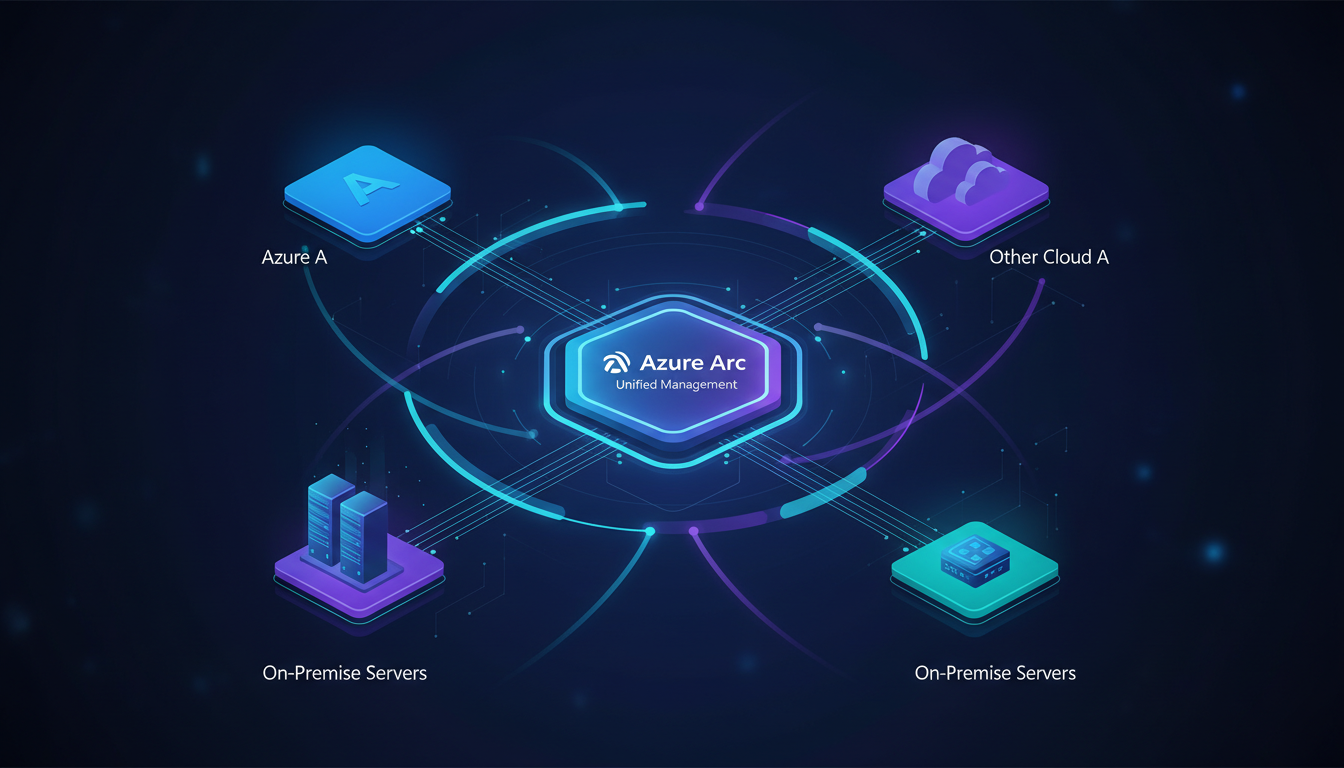
Most UK organisations do not run purely in the cloud. They maintain on-premises data centres, edge locations, branch office servers, and infrastructure across multiple cloud providers. Managing this distributed estate consistently - applying the same security policies, monitoring standards, and governance controls everywhere - has traditionally been a nightmare of disparate tools and fragmented visibility.
Azure Arc changes this equation fundamentally. It extends the Azure management plane to any infrastructure, allowing you to manage servers, Kubernetes clusters, and data services running anywhere - on-premises, at the edge, or across other cloud providers - as though they were native Azure resources. This guide examines what Azure Arc offers, how it works, and how UK organisations can use it to simplify hybrid and multi-cloud management.
What Azure Arc Actually Does
At its core, Azure Arc projects non-Azure resources into the Azure Resource Manager (ARM) control plane. Once a resource is Arc-enabled, it appears in the Azure portal alongside your native Azure resources, and you can apply the same management tools, policies, and monitoring to it.
This is not about moving workloads to Azure. It is about extending Azure's management capabilities to workloads that remain exactly where they are. Your on-premises SQL Server stays on-premises. Your Kubernetes cluster on AWS stays on AWS. But you manage them all from a single pane of glass using Azure's tooling.
Arc achieves this through lightweight agents that you install on the target resources. These agents establish an outbound connection to Azure (no inbound firewall rules required), register the resource with ARM, and enable Azure management services. The agent communicates over HTTPS on port 443, making it compatible with virtually any network configuration.
Arc-Enabled Servers
Arc-enabled servers bring Azure management to Windows and Linux machines running anywhere. Once you install the Azure Connected Machine agent, each server gains an Azure resource identity and can be managed through the Azure portal, Azure CLI, Azure PowerShell, or ARM templates.
The capabilities available on Arc-enabled servers include:
Azure Policy. Apply the same governance policies to your on-premises servers that you apply to Azure VMs. For example, you can enforce that all servers must have antivirus installed, that specific ports must be closed, or that certain software configurations must be present. Non-compliant resources are flagged in the Azure Policy dashboard alongside your Azure-native resources.
Microsoft Defender for Cloud. Extend Defender's vulnerability assessments, threat detection, and security recommendations to your on-premises servers. This provides a unified security posture view across your entire estate - crucial for UK organisations needing to demonstrate consistent security controls for compliance purposes.
Azure Monitor. Collect performance metrics, logs, and dependency data from your Arc-enabled servers. Create dashboards, configure alerts, and analyse trends using the same tools you use for Azure VMs. The Log Analytics workspace serves as a centralised repository for telemetry from all environments.
Azure Update Management. Assess and deploy operating system patches to Arc-enabled servers on a managed schedule. This is particularly valuable for UK organisations subject to Cyber Essentials or ISO 27001, which require demonstrable patch management processes.
Azure Automation. Run PowerShell or Python scripts, manage configurations with Desired State Configuration (DSC), and automate routine tasks across your hybrid estate. Change tracking monitors file system and registry changes, supporting audit and compliance requirements.
For large-scale deployments, use Azure Arc's service principal-based onboarding to automate agent installation across hundreds or thousands of servers. Combine this with your existing configuration management tools (Ansible, Puppet, Chef, SCCM) to deploy the Connected Machine agent as part of your standard server provisioning process.
Arc-Enabled Kubernetes
Arc-enabled Kubernetes extends Azure management to any CNCF-conformant Kubernetes cluster, regardless of where it runs. This includes clusters on AWS EKS, Google GKE, Rancher, OpenShift, or bare-metal Kubernetes installations in your data centre.
Once a cluster is connected to Arc, you gain several powerful capabilities:
GitOps configuration management. Arc uses Flux, the CNCF-graduated GitOps toolkit, to continuously deploy application configurations from Git repositories to your clusters. You define your desired state in a Git repository, and Flux ensures that your clusters converge to that state automatically. This works identically across all connected clusters, whether they run on-premises, in Azure, or on another cloud.
Azure Policy for Kubernetes. Apply Open Policy Agent (OPA) Gatekeeper policies to your Arc-enabled clusters. Enforce standards such as preventing privileged containers, requiring resource limits, mandating specific labels, or restricting allowed container registries. Policies are managed centrally in Azure and applied consistently across all clusters.
Azure Monitor Container Insights. Collect and analyse container metrics, logs, and performance data from all Arc-enabled clusters in a single Azure Monitor workspace. Create unified dashboards that span your entire Kubernetes estate.
Microsoft Defender for Containers. Extend runtime threat detection, vulnerability scanning, and security recommendations to your non-Azure Kubernetes clusters. Get a unified view of container security across all environments.
Arc-Enabled Data Services
Arc-enabled data services bring Azure's managed database experience to any infrastructure. Currently, this includes Azure SQL Managed Instance and Azure Database for PostgreSQL Hyperscale, deployed and managed through Azure Arc on your own Kubernetes clusters.
This is particularly compelling for UK organisations that need Azure-grade database capabilities but have data residency, latency, or regulatory constraints that prevent moving data to the public cloud.
Azure-managed experience on your infrastructure. You get automated patching, point-in-time restore, high availability, and monitoring - the same managed database experience you would get in Azure - but running on your own Kubernetes cluster, in your own data centre.
Elastic scaling. Scale compute and storage independently, on demand, without downtime. This brings cloud-like elasticity to on-premises database workloads.
Always current. Arc-enabled data services receive the same updates as their Azure-native counterparts, ensuring you always have access to the latest features, security patches, and performance improvements.
Flexible billing. Choose between a pay-as-you-go model that mirrors Azure pricing or a reserved capacity model for predictable costs. Billing is managed through your existing Azure subscription.
Comparing Arc-Enabled Resource Types
The following table summarises the key capabilities and considerations for each Arc-enabled resource type, helping UK organisations determine which components of Azure Arc are most relevant to their hybrid and multi-cloud strategy. Each resource type integrates differently with the Azure management plane, and the licensing model varies accordingly - a critical consideration when building the business case for adoption.
| Arc Resource Type | Supported Platforms | Key Capabilities | Licensing Cost |
|---|---|---|---|
| Arc-Enabled Servers | Windows Server, Linux (Ubuntu, RHEL, SUSE, CentOS) | Azure Policy, Defender, Monitor, Update Management, Automation | Free (pay for services used) |
| Arc-Enabled Kubernetes | AKS, EKS, GKE, OpenShift, Rancher, bare-metal K8s | GitOps (Flux), Azure Policy, Container Insights, Defender for Containers | Free (pay for services used) |
| Arc-Enabled SQL MI | Any Kubernetes cluster (on-prem, edge, multi-cloud) | Automated patching, HA, point-in-time restore, elastic scale | Azure-equivalent pricing |
| Arc-Enabled PostgreSQL | Any Kubernetes cluster with Hyperscale deployment | Horizontal scale-out, automated backup, Azure Monitor integration | Azure-equivalent pricing |
Understanding the distinctions between these resource types is critical when planning an Arc deployment. Whilst Arc-enabled servers and Kubernetes carry no control-plane licensing costs, the management services layered on top - particularly Azure Monitor and Microsoft Defender for Cloud - do incur charges based on usage volume. Arc-enabled data services, by contrast, are billed at rates comparable to their native Azure counterparts, making them an attractive option for organisations that require managed database capabilities but cannot migrate data to the public cloud. UK organisations should model the total cost of ownership carefully, factoring in both the direct Azure service charges and the operational savings from unified management, before committing to a full-scale deployment across their entire hybrid estate.
Real-World Use Cases for UK Organisations
Azure Arc addresses several common challenges that UK businesses face in managing their hybrid estates.
Case 1: Unified Compliance Across Hybrid Infrastructure
A financial services firm runs workloads across on-premises data centres, Azure, and AWS. Different teams manage each environment using different tools, creating inconsistent security configurations and compliance gaps. With Azure Arc, they connect all servers and Kubernetes clusters to a single Azure tenant, apply uniform Azure Policy definitions, and use Microsoft Defender for Cloud to generate a consolidated compliance report for their FCA audit.
Case 2: Edge Computing for Retail
A UK retail chain runs point-of-sale and inventory systems on servers in each store location. Managing and patching hundreds of distributed servers is operationally challenging. By deploying Arc agents to each store server, the central IT team gains visibility into all locations from the Azure portal, can push updates on a managed schedule, and receives alerts when any server drifts from its desired configuration.
Case 3: Multi-Cloud Kubernetes Management
A technology company runs microservices across AKS, EKS, and an on-premises Kubernetes cluster. Each platform has its own management tooling, creating operational complexity and inconsistent configurations. Arc-enabled Kubernetes provides a single management plane for all clusters, with GitOps ensuring consistent application deployments and Azure Policy enforcing uniform security standards.
Case 4: Sovereign Data with Cloud Management
A healthcare organisation needs Azure-grade database management but cannot move patient data to the public cloud due to data governance requirements. Arc-enabled SQL Managed Instance runs in their on-premises data centre, providing automated patching, point-in-time restore, and monitoring through the Azure portal - whilst the data never leaves their premises.
Azure Arc vs Traditional Multi-Tool Management
Many UK organisations considering Azure Arc are currently managing their hybrid infrastructure through a patchwork of vendor-specific tools, custom scripts, and manual processes. The following comparison highlights the operational differences between an Azure Arc unified approach and the traditional multi-tool management model that most organisations have inherited over the years. Understanding these differences is essential for building the internal business case and securing stakeholder buy-in for the migration effort.
Azure Arc Unified Management
Traditional Multi-Tool Approach
The operational impact of this shift should not be underestimated. Organisations that adopt Azure Arc typically report a significant reduction in the time spent context-switching between management consoles, a more consistent security posture across their entire estate, and substantially faster audit preparation. For UK financial services and healthcare organisations subject to stringent regulatory requirements, the ability to generate a single compliance report covering all environments - rather than stitching together reports from multiple tools - is a particularly compelling benefit that justifies the migration effort. Additionally, the unified RBAC model means that access permissions can be managed through a single Azure Active Directory tenant, eliminating the inconsistencies that arise when different teams manage permissions independently across separate platforms.
Architecture and Networking Considerations
Deploying Azure Arc requires careful consideration of your network architecture, particularly for UK organisations with strict security requirements.
Direct connectivity is the simplest approach. The Arc agent establishes outbound HTTPS connections to Azure endpoints. No inbound firewall rules are required. This works well for environments where servers have internet access, either directly or through a NAT gateway.
Proxy server connectivity routes Arc agent traffic through your existing proxy infrastructure. This is common in enterprise environments where all outbound traffic must traverse a proxy for inspection and logging. The Arc agent supports HTTP/HTTPS proxy configuration.
Private Link connectivity (Azure Arc Private Link Scope) routes all Arc agent traffic over a private network connection to Azure. This eliminates any exposure to the public internet and is the recommended approach for highly sensitive environments such as financial services and healthcare.
Regardless of the connectivity method, the Arc agent communicates with a defined set of Azure endpoints. Document these endpoints in your firewall rules and ensure they remain accessible. Microsoft publishes the complete list of required endpoints in their documentation.
Cost Considerations
Azure Arc's pricing model is straightforward, but understanding the full cost picture requires looking beyond the Arc service itself.
Arc-enabled servers: free. There is no charge for the Arc control plane or agent. You pay only for the Azure management services you choose to use - Azure Policy (free for most scenarios), Azure Monitor (based on data ingested), Microsoft Defender for Cloud (per-server pricing), and Azure Update Management (included with Arc).
Arc-enabled Kubernetes: free. The Arc control plane for Kubernetes is free. GitOps configurations are included. Charges apply for Azure Monitor Container Insights, Defender for Containers, and Azure Policy for Kubernetes (the latter being free for most scenarios).
Arc-enabled data services: Azure-equivalent pricing. SQL Managed Instance and PostgreSQL Hyperscale are billed at the same rates as their Azure-native equivalents, with the option of pay-as-you-go or reserved pricing.
The primary cost driver for most Arc deployments is Azure Monitor data ingestion. Before onboarding hundreds of servers, estimate your log and metric data volume and configure appropriate data collection rules to avoid unexpected costs. Use sampling and filtering to reduce data volume for non-critical workloads.
Arc Deployment Readiness Assessment
Before embarking on an Azure Arc deployment, UK organisations should assess their readiness across several key dimensions. The following readiness indicators reflect the typical maturity levels observed across mid-market and enterprise UK organisations evaluating Arc, based on assessments conducted across a range of industries including financial services, healthcare, manufacturing, and professional services. Each metric represents how prepared the average organisation is in that particular area when beginning their Arc adoption journey.
Network connectivity readiness tends to be the strongest area, as most UK organisations already have the outbound HTTPS connectivity that Arc requires. Identity and access management maturity scores well where Azure Active Directory is already in use, but lower where organisations rely on separate identity systems for on-premises and cloud resources. Existing Azure familiarity varies considerably depending on how deeply the organisation has adopted Azure services beyond basic IaaS. Operational process documentation is typically the weakest area, as many organisations lack formal runbooks for their hybrid management workflows - an area that must be addressed before Arc can deliver its full operational benefits. Compliance framework alignment sits in the middle range, reflecting the fact that whilst many UK organisations have compliance frameworks in place, those frameworks often need updating to accommodate the new management paradigm that Arc introduces across hybrid environments.
Implementation Roadmap
A successful Azure Arc deployment follows a structured approach. We recommend the following phases for UK organisations:
Phase 1: Discovery and Planning (Weeks 1–2). Inventory your non-Azure infrastructure. Identify all servers, Kubernetes clusters, and databases that would benefit from centralised management. Assess network connectivity and firewall requirements. Define your initial Azure Policy and monitoring strategy.
Phase 2: Pilot Deployment (Weeks 3–4). Select a representative subset of resources - perhaps 10–20 servers and one Kubernetes cluster. Deploy Arc agents, connect resources to Azure, and validate that policies, monitoring, and management tools work as expected. Refine your approach based on pilot learnings.
Phase 3: Scaled Deployment (Weeks 5–8). Roll out Arc agents to your full estate using automated deployment methods. Configure comprehensive Azure Policy assignments, monitoring dashboards, and alerting rules. Integrate Arc management into your existing operational procedures.
Phase 4: Advanced Capabilities (Weeks 9–12). Enable advanced features such as GitOps for Kubernetes, Defender for Cloud integration, and Arc-enabled data services where appropriate. Optimise your monitoring configuration to balance visibility with cost.
Phase 5: Ongoing Operations. Establish regular reviews of Arc-managed resources, policy compliance, and cost. Update policies and configurations as your environment evolves. Use Arc's compliance data to support audit and certification processes.
Governance and Security Best Practices
Azure Arc is a management tool, and like any management tool, it must be governed and secured appropriately.
Role-based access control. Use Azure RBAC to control who can manage Arc-enabled resources. Create custom roles that grant the minimum permissions required for each operational role. For example, your monitoring team needs read access to metrics and logs but should not be able to modify policies or configurations.
Resource organisation. Use Azure Resource Groups, subscriptions, and management groups to organise your Arc-enabled resources logically. A common pattern is to mirror your organisational structure - separate resource groups for each business unit or location, grouped under management groups that represent your governance hierarchy.
Agent security. The Arc agent runs as a system service with elevated privileges on the host machine. Protect the agent installation from tampering by restricting access to the machine's administrative accounts. Monitor agent health and ensure agents are kept up to date.
Network security. Use the Private Link connectivity option for environments handling sensitive data. Implement network segmentation to restrict the Arc agent's outbound connectivity to only the required Azure endpoints.
Compliance evidence. Use Azure Policy compliance reports, Defender for Cloud Secure Score, and Azure Monitor dashboards as evidence for compliance audits. These reports provide a consistent, auditable view of your security posture across all environments.
Limitations and Considerations
Azure Arc is a powerful tool, but it is not without limitations that UK organisations should understand before adopting it.
Agent dependency. Arc relies on agents installed on the managed resources. If the agent loses connectivity to Azure, you lose management visibility (though the resources themselves continue to operate normally). Plan for intermittent connectivity scenarios, particularly for edge locations.
Feature parity. Not all Azure management features are available for Arc-enabled resources. Some features lag behind their Azure-native equivalents. Review the current feature matrix for your specific resource types before committing to an Arc-based management strategy.
Kubernetes version support. Arc-enabled Kubernetes has specific version requirements and supported distributions. Verify that your Kubernetes platform and version are on the supported list before beginning onboarding.
Data services maturity. Arc-enabled data services are relatively newer than Arc for servers and Kubernetes. Evaluate the current feature set carefully against your requirements, particularly for production database workloads.
Ready to Unify Your Hybrid Infrastructure?
Our Azure specialists help UK organisations implement Azure Arc to achieve consistent management, security, and compliance across on-premises, multi-cloud, and edge environments. From initial planning to full-scale deployment, we ensure Arc delivers tangible operational improvements.
Explore Azure Cloud Solutions
CloudSwitched
London-based managed IT services provider offering support, cloud solutions and cybersecurity for SMEs.


