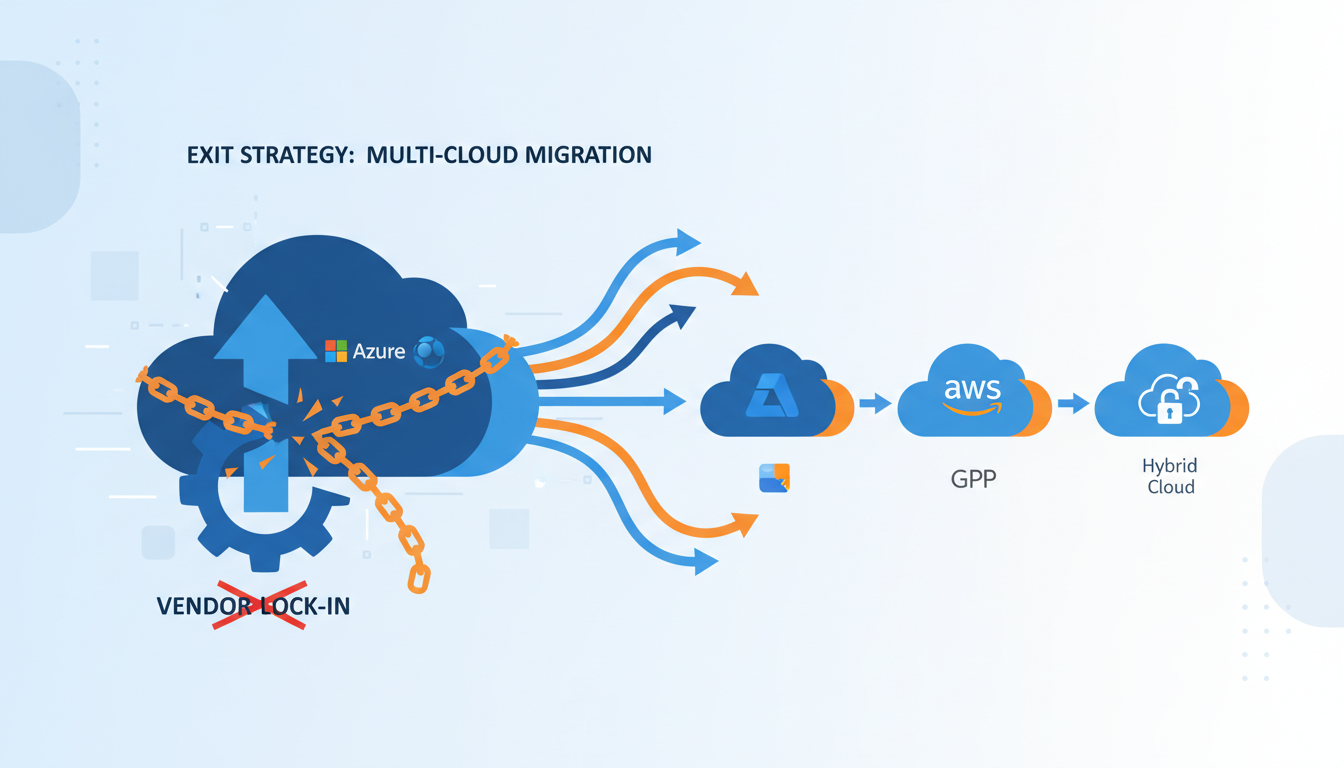
Vendor lock-in is one of the most frequently cited concerns when UK businesses evaluate cloud adoption. The fear is understandable: once your applications, data, and workflows are deeply embedded in a single provider's ecosystem, switching to an alternative - or returning to on-premises infrastructure - can become prohibitively expensive, technically complex, and operationally disruptive.
Azure is a powerful platform, but like any major cloud provider, it offers proprietary services that can create dependencies. The key is not to avoid Azure - it is to adopt Azure strategically, with an exit plan that preserves your organisation's freedom of choice. This guide provides a practical framework for mitigating vendor lock-in whilst still leveraging Azure's strengths.
Understanding the Real Cost of Lock-In
Vendor lock-in manifests in several ways, each carrying distinct costs and risks for UK organisations.
Technical lock-in occurs when your applications depend on proprietary services that have no equivalent on other platforms. Azure Functions with Durable Functions orchestration, Azure Cosmos DB with its proprietary consistency models, or Azure Logic Apps with their specific connector ecosystem are examples. Migrating these workloads requires significant re-engineering.
Data lock-in arises from the sheer volume and format of data stored in Azure. Whilst Azure generally makes data accessible through standard APIs, the cost of egressing large datasets (Azure charges for outbound data transfer) and the time required to move terabytes or petabytes of data can be substantial.
Contractual lock-in stems from enterprise agreements, reserved instance commitments, and volume discount structures that incentivise long-term commitment to a single provider. Breaking these commitments often means forfeiting prepaid credits or paying early termination fees.
Skills lock-in develops when your team's expertise becomes concentrated in one provider's tooling and patterns. Retraining staff on an alternative platform requires time and investment that must be factored into any exit cost calculation.
Operational lock-in results from integrating Azure deeply into your operational processes - monitoring dashboards, alerting workflows, deployment pipelines, and incident response procedures that all depend on Azure-specific tools.
These figures underscore the importance of proactive exit planning. Organisations that invest in portability measures from the outset consistently report lower switching costs and faster migration timelines when circumstances require a platform change. The goal is not to avoid Azure - it is to ensure your organisation retains genuine choice throughout its cloud journey, and that the decision to stay with any provider is made from a position of strength rather than dependency.
The Portability Spectrum: Azure Services Classified
Not all Azure services create the same degree of lock-in. Understanding where each service falls on the portability spectrum helps you make informed architectural decisions.
Highly Portable Services
These services use open standards or have direct equivalents on every major cloud platform:
Azure Virtual Machines - standard compute that runs on any infrastructure. VM images can be exported and deployed elsewhere. The underlying workloads (Linux, Windows Server, SQL Server) are platform-agnostic.
Azure Kubernetes Service (AKS) - Kubernetes is an open-source standard. Containerised applications deployed on AKS can be moved to Amazon EKS, Google GKE, or self-managed Kubernetes with relatively minimal effort, provided you avoid Azure-specific extensions.
Azure Database for PostgreSQL/MySQL - open-source databases with standard data export formats. Migrating to another managed PostgreSQL or MySQL service, or to self-hosted instances, is straightforward.
Azure Blob Storage - object storage with S3-compatible APIs available through third-party tools. The data format is standard; the primary migration cost is data transfer time and egress charges.
Moderately Portable Services
These services have equivalents on other platforms, but migration requires some re-engineering:
Azure App Service - your application code is portable, but deployment configuration, scaling rules, and platform-specific features (deployment slots, hybrid connections) would need to be replicated on the target platform.
Azure SQL Database - SQL Server is available on-premises and on other clouds, and data migration is well-supported. However, features like elastic pools, auto-tuning, and Azure-specific security configurations would need alternative implementations.
Azure Active Directory / Entra ID - identity federation standards (SAML, OIDC) ensure that application integration is portable. However, Conditional Access policies, PIM configurations, and Azure AD-specific features would need to be rebuilt on an alternative identity platform.
Low Portability Services
These services are deeply proprietary and would require significant re-engineering to replace:
Azure Logic Apps - workflow automation with hundreds of Azure-specific connectors. There is no direct equivalent on other platforms; you would need to rebuild using alternative workflow tools.
Azure Cosmos DB - whilst Cosmos DB supports multiple APIs (SQL, MongoDB, Cassandra, Gremlin), its proprietary features like multi-region writes, tunable consistency, and serverless modes have no exact equivalents.
Power Platform (Power Apps, Power Automate, Power BI) - deeply integrated with Microsoft 365 and Dynamics 365. Replacing these tools requires complete application rebuilds on alternative low-code or analytics platforms.
Using proprietary services is not inherently wrong - they often provide significant productivity and capability advantages. The key is to make conscious, documented decisions about which lock-in risks you accept, and to ensure those decisions are reviewed as your business needs evolve.
Building an Exit Strategy: Seven Core Principles
An effective Azure exit strategy is built on seven principles that should be embedded in your cloud governance framework from day one.
1. Design for Portability Where It Matters
Not every workload needs to be portable. Focus your portability efforts on business-critical applications and data that would cause significant disruption if trapped on a single platform. For less critical workloads, the productivity benefits of proprietary services may outweigh the lock-in risk.
Practical steps: use containers (Docker) and orchestrators (Kubernetes) for application workloads. Adopt open-source databases where possible. Use standard APIs and data formats. Implement an abstraction layer between your application code and cloud-specific SDKs.
2. Maintain Comprehensive Data Portability
Your data is your most valuable asset, and it must always be extractable. Ensure that every data store has a documented export procedure, including the tools required, the expected timeframe, and the target format.
Practical steps: schedule regular data exports to a portable format (e.g., Parquet, CSV, JSON). Test your export procedures quarterly. Monitor your total data volume and calculate the time and cost required for a full export at each review.
3. Avoid Unnecessary Proprietary Dependencies
Before adopting any Azure-specific service, ask whether an open-source or standards-based alternative exists. If it does, evaluate whether the proprietary service offers sufficient advantage to justify the lock-in risk.
Practical steps: maintain a service dependency register that lists every Azure service in use, its portability classification, and the approved alternative. Review this register quarterly.
4. Document Everything
An exit strategy is only as good as its documentation. Every aspect of your Azure environment should be documented in a format that an alternative team or provider could use to rebuild the environment.
Practical steps: use Infrastructure as Code (Terraform preferred over ARM templates, as Terraform supports multiple cloud providers). Maintain architecture diagrams, network topology maps, and data flow documentation. Document all integration points, credentials (securely), and operational procedures.
5. Negotiate Flexible Contracts
Enterprise agreements with Microsoft can span one to three years. Negotiate terms that protect your flexibility: data export assistance, reduced egress charges during migration, transition support, and reasonable termination provisions.
Practical steps: engage your procurement team early. Seek shorter initial commitments with renewal options rather than long-term lock-ins. Ensure your contract includes explicit provisions for data return and deletion upon termination.
6. Maintain Multi-Cloud Awareness
Even if you don't operate a multi-cloud environment today, your team should maintain working knowledge of alternative platforms. This reduces skills lock-in and enables faster decision-making if you need to migrate.
Practical steps: allocate training budget for cross-platform skills development. Conduct periodic proof-of-concept exercises on alternative platforms. Attend industry events and engage with user communities beyond the Microsoft ecosystem.
7. Test Your Exit Regularly
An untested exit plan is not a plan - it is a wish. Conduct periodic exit drills that test your ability to export data, rebuild applications on an alternative platform, and restore operations within your target recovery time.
Practical steps: select a non-critical workload annually and actually migrate it to an alternative platform as an exercise. Document lessons learned and update your exit strategy accordingly.
Infrastructure as Code: Your Portability Foundation
Infrastructure as Code (IaC) is the single most important technical decision for maintaining portability. The choice of IaC tool has significant implications for your exit strategy.
| IaC Tool | Provider Support | Portability | Best For |
|---|---|---|---|
| Terraform | All major clouds + hundreds of providers | Excellent | Multi-cloud and exit-conscious organisations |
| Pulumi | All major clouds | Excellent | Teams preferring general-purpose languages |
| ARM Templates / Bicep | Azure only | None | Azure-only environments |
| Azure CLI Scripts | Azure only | None | Quick automation tasks |
If portability is a priority, Terraform is the clear recommendation. It provides a consistent workflow across all major cloud providers, and whilst the resource definitions differ between providers, the patterns, tooling, and state management are consistent. This means your team's IaC skills transfer directly to any cloud platform.
Even if you choose ARM Templates or Bicep for Azure-specific convenience today, maintain parallel Terraform definitions for your most critical infrastructure. This dual-track approach adds overhead but provides a ready-made migration path.
Terraform / OpenTofu
ARM Templates / Bicep
The comparison above illustrates a fundamental trade-off in Infrastructure as Code strategy. ARM Templates and Bicep offer deeper integration with Azure-specific features and same-day support for new Azure services, but the skills and configurations they produce are entirely non-transferable to other cloud platforms. Terraform and its open-source fork OpenTofu, whilst occasionally lagging behind on the newest Azure features, provide a consistent operational model that works across every major cloud provider. For organisations serious about maintaining exit flexibility, the portability advantage of Terraform far outweighs the occasional convenience of Azure-native tooling.
Containerisation as a Portability Strategy
Containerisation using Docker and Kubernetes is the most effective technical strategy for application portability. By packaging your applications as containers, you decouple them from the underlying infrastructure.
Benefits for exit planning:
Container images are platform-agnostic - the same image runs on AKS, EKS, GKE, or a self-managed cluster. Kubernetes manifests describe your deployment requirements in a standard format. Helm charts provide templated, reusable deployment packages.
Pitfalls to avoid:
Azure-specific Kubernetes features - such as Azure CNI networking, Azure Files persistent volumes, and Azure Key Vault provider for secrets - create dependencies within your Kubernetes deployment. Use standard Kubernetes abstractions (StorageClass, Ingress, ConfigMaps) where possible, and document any Azure-specific configurations that would need to change during migration.
Store your container images in a private registry that is either self-hosted or available across multiple clouds. Azure Container Registry is convenient, but if you are exit-conscious, consider a cloud-agnostic registry solution such as JFrog Artifactory or Harbor, or maintain image mirrors across multiple registries.
Data Exit: Planning for the Largest Challenge
Data migration is typically the most time-consuming and expensive aspect of any cloud exit. For UK organisations with large datasets, careful planning is essential.
Calculate your data volume and egress costs. Azure charges approximately £0.07 per GB for standard egress within Europe. For 10 TB of data, that is £700 in transfer costs alone. For 100 TB, it is £7,000. These costs must be budgeted in your exit plan.
Estimate transfer time. A standard 1 Gbps connection can transfer approximately 10 TB per day under ideal conditions. For very large datasets, consider Azure Data Box - a physical appliance that Microsoft ships to your location for offline data transfer.
Plan for data format conversion. If you are using Azure-specific data services, your data may need to be transformed during migration. For example, Azure Cosmos DB data would need to be exported and transformed into a format suitable for the target database.
Maintain independent backups. In addition to Azure's built-in backup services, maintain periodic backups in a provider-independent format and location. This ensures data availability even if there are disputes with your cloud provider.
Contractual Protections for UK Businesses
Your commercial agreement with Microsoft should include provisions that protect your ability to exit. Key areas to negotiate include:
Data return provisions. Ensure the contract specifies Microsoft's obligations for assisting with data extraction upon termination. This should include the format in which data will be provided, the timeframe for extraction, and any associated costs.
Transition assistance. Negotiate a transition period (typically 90–180 days) during which your environment remains accessible for migration purposes after the formal termination date.
Egress fee waivers or caps. For enterprise agreements, negotiate reduced or waived data egress charges during the transition period. Microsoft has shown willingness to accommodate this in competitive situations.
Service level commitments during transition. Ensure that service levels are maintained during the transition period. A degraded service during migration could significantly extend your migration timeline.
When to Actually Execute Your Exit
Having an exit strategy does not mean you should use it. The decision to leave Azure should be driven by clear, justified business or technical reasons:
Cost competitiveness. If another provider offers substantially better pricing for your workload profile, and the migration cost is justified by the long-term savings.
Capability gaps. If Azure does not offer a service or capability that is critical to your business, and an alternative provider does.
Regulatory requirements. If new regulations require capabilities or certifications that Azure cannot provide in your jurisdiction.
Strategic diversification. If your board mandates multi-cloud or hybrid cloud to reduce concentration risk.
Relationship breakdown. If commercial terms, support quality, or strategic direction no longer align with your organisation's needs.
A Practical Exit Readiness Checklist
- Service dependency register - maintained and reviewed quarterly, classifying every Azure service by portability.
- Data export procedures - documented and tested for every data store, with estimated time and cost.
- Infrastructure as Code - all infrastructure defined in Terraform or equivalent multi-cloud tool.
- Container strategy - critical applications containerised and deployable on alternative platforms.
- Contractual provisions - data return, transition assistance, and egress fee protections in place.
- Skills diversification - team trained on at least one alternative cloud platform.
- Annual exit drill - non-critical workload migrated to test the exit process.
- Cost model - estimated migration cost maintained and updated with each review.
Exit Readiness Assessment
Based on our experience advising UK organisations on cloud strategy, the following benchmarks represent the typical readiness posture we observe across mid-market businesses. Use these metrics as a self-assessment framework to evaluate your own exit preparedness and identify the areas that require the most urgent attention.
The cross-platform skills metric consistently scores lowest across the UK organisations we assess. This represents a meaningful vulnerability: even with perfectly portable infrastructure and readily extractable data, a platform exit will stall if the team lacks the practical skills to operate on the target platform. We recommend allocating dedicated training budget for cross-platform certifications and conducting regular proof-of-concept exercises on alternative cloud providers to close this gap systematically.
Need Help with Your Cloud Exit Strategy?
Our cloud architects help UK businesses design Azure environments that maximise capability whilst preserving exit flexibility. Whether you are planning an initial migration or reviewing an existing deployment, we can ensure your organisation retains control over its technology choices.
Explore Azure Cloud Solutions
CloudSwitched
London-based managed IT services provider offering support, cloud solutions and cybersecurity for SMEs.


