Moving to Microsoft Azure is one thing. Moving to Azure properly is something else entirely. Too many UK businesses spin up a handful of virtual machines, create a single subscription, hand the keys to whoever shouts loudest, and call it “cloud adoption.” Six months later, they’re drowning in sprawling resources, unpredictable bills, security gaps, and a tangled mess of permissions that nobody fully understands. The root cause is almost always the same - there were no foundations in place before workloads started landing.
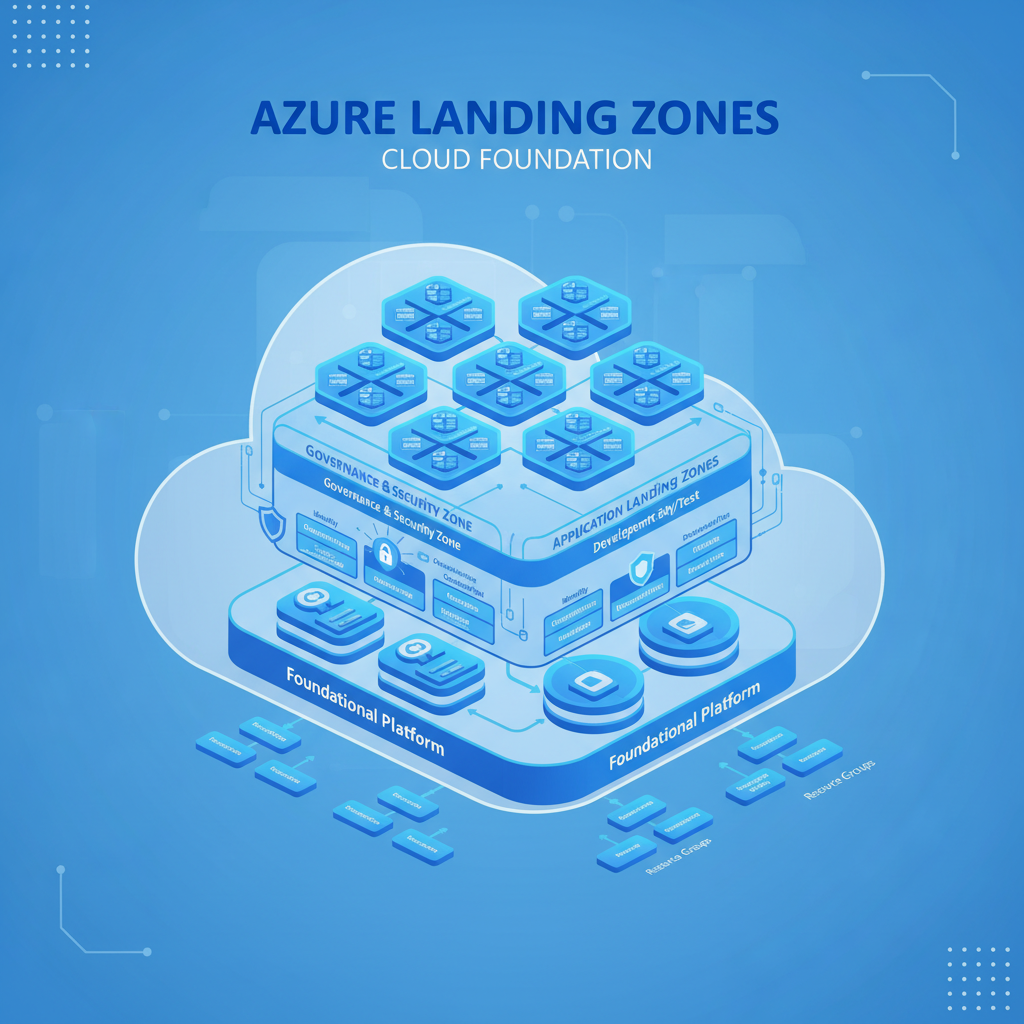
Azure Landing Zones solve this problem. They are the structured, repeatable, and governance-ready foundations upon which every subscription, workload, and team operates. Think of them as the architectural blueprint for your entire Azure estate - covering identity, networking, security, cost management, and compliance before a single application is deployed. Microsoft’s Cloud Adoption Framework (CAF) formalises this concept, and it has become the de facto standard for enterprises and SMEs alike.
In this guide, we’ll walk through everything you need to know about Azure Landing Zones: what they are, why they matter, how the management group hierarchy works, subscription design patterns, identity and access management, hub-spoke networking, security baselines, governance via Azure Policy, cost controls, logging and monitoring, the difference between platform and application landing zones, implementation approaches using Bicep and Terraform, and practical advice for UK small and medium-sized businesses getting started.
What Are Azure Landing Zones?
An Azure Landing Zone is a pre-configured environment - a combination of management groups, subscriptions, policies, role assignments, and network configurations - that provides the scaffolding for hosting workloads securely and at scale. It’s not a single Azure resource you can click and deploy. It’s an architectural pattern, backed by automation, that ensures every new subscription and every new workload inherits the right guardrails from day one.
Microsoft defines a landing zone as “the output of a multi-subscription Azure environment that accounts for scale, security governance, networking, and identity.” In practical terms, it means that when your development team requests a new subscription for a project, that subscription automatically inherits the correct network connectivity, the correct security policies, the correct logging configuration, and the correct cost controls - without anyone having to configure them manually each time.
Why Landing Zones Matter for UK Businesses
Without a landing zone, every Azure deployment is an island. Teams make their own networking decisions, create their own resource groups with inconsistent naming, assign permissions ad hoc, and deploy resources with no tagging strategy. The consequences compound quickly:
Security drift. When there’s no centralised security baseline, individual teams inevitably leave storage accounts publicly accessible, fail to enable diagnostic logging, or grant overly permissive roles. A 2025 Microsoft security report found that 43% of Azure tenants had at least one publicly exposed storage account, and the overwhelming majority were in environments without policy-driven governance.
Cost overruns. Without guardrails, developers spin up resources and forget about them. Reserved instance opportunities are missed because nobody has a centralised view of compute usage. A recent survey by Flexera found that UK organisations waste an average of 32% of their cloud spend, with the figure rising to 40% for businesses without a FinOps practice.
Compliance failures. UK businesses operating in regulated sectors - financial services (FCA), healthcare (NHS DSPT), legal (SRA), and any organisation handling personal data (UK GDPR) - need to demonstrate that their cloud environments meet specific controls. Without landing zones, proving compliance is a manual, time-consuming, and error-prone exercise.
Operational inefficiency. When every subscription is configured differently, troubleshooting becomes archaeology. Logs are in different places, alerts are inconsistent, and network connectivity is a patchwork of peering relationships that nobody documented.
The Cloud Adoption Framework and Landing Zone Architecture
Microsoft’s Cloud Adoption Framework (CAF) is the overarching methodology that guides organisations through their Azure journey. It covers strategy, planning, readiness, migration, innovation, and governance. The landing zone sits within the “Ready” phase - it’s the environment you prepare before workloads arrive.
The CAF landing zone architecture is opinionated by design. It prescribes a specific management group hierarchy, a hub-spoke network topology, centralised logging, and policy-driven governance. You can customise it, but the defaults represent years of lessons learned from thousands of enterprise deployments. Deviating without good reason usually means repeating mistakes that others have already made.
Management Group Hierarchy
At the top of the Azure Landing Zone architecture sits the management group hierarchy. Management groups are containers above subscriptions that allow you to apply policies, access controls, and budgets at scale. The recommended hierarchy looks like this:
| Level | Management Group | Purpose |
|---|---|---|
| Root | Tenant Root Group | Top-level container; policies here apply to the entire tenant |
| 1 | Intermediate Root (e.g., “Contoso”) | Organisation-wide policies; avoids modifying the default root group directly |
| 2 | Platform | Contains shared infrastructure: identity, management, connectivity |
| 2 | Landing Zones | Contains application workload subscriptions (Corp and Online) |
| 2 | Sandbox | Isolated experimentation subscriptions with no connectivity to production |
| 2 | Decommissioned | Holding area for subscriptions being retired |
| 3 | Identity (under Platform) | Domain controllers, Entra ID Connect, identity-related resources |
| 3 | Management (under Platform) | Log Analytics, Automation, Monitor, Microsoft Sentinel |
| 3 | Connectivity (under Platform) | Hub virtual network, Azure Firewall, VPN/ExpressRoute gateways, DNS |
| 3 | Corp (under Landing Zones) | Workloads requiring connectivity to the corporate network |
| 3 | Online (under Landing Zones) | Internet-facing workloads that don’t need direct corporate network access |
This hierarchy gives you inheritance. A policy assigned at the “Landing Zones” management group automatically applies to every subscription underneath it - both Corp and Online. A policy at the root applies everywhere. This is how you achieve consistent governance without manually configuring each subscription.
Subscription Design
In the landing zone model, subscriptions are the primary unit of scale, billing, and isolation. The guiding principle is one workload per subscription for production environments, though smaller organisations may group related workloads together to reduce overhead.
The key subscription design decisions are:
Platform subscriptions are owned by the central IT or cloud platform team. You’ll typically have three: one for identity services, one for management and monitoring, and one for connectivity (the hub network). These are non-negotiable - they form the shared infrastructure that every application landing zone depends on.
Application landing zone subscriptions are where business workloads live. Each application team gets their own subscription (or a small number of subscriptions for dev, test, and production). These inherit policies and connectivity from the management group hierarchy, so teams can deploy workloads without worrying about the plumbing.
Identity and Access Management
Identity is the control plane of Azure. Every action - creating a virtual machine, reading a storage blob, modifying a policy - is authenticated and authorised through Microsoft Entra ID (formerly Azure Active Directory). Getting identity right in your landing zone is non-negotiable.
Role-Based Access Control (RBAC)
Azure RBAC is the mechanism for granting permissions. The landing zone architecture recommends a layered approach:
Management group level: Assign broad, read-only roles (e.g., Reader) at the intermediate root for security and audit teams. Assign Security Admin at the Landing Zones management group for the security operations team. Never assign Owner at the root level - this is the most common RBAC mistake and creates an enormous blast radius.
Subscription level: Application teams receive Contributor or custom roles scoped to their specific subscription. They can deploy and manage resources within their subscription but cannot modify networking, policies, or identity configurations managed by the platform team.
Resource group level: For fine-grained control within a subscription, assign roles at the resource group level. This is useful when multiple teams share a subscription (common in smaller organisations).
Privileged Identity Management (PIM)
For any elevated role - Owner, User Access Administrator, or custom roles with write access to critical resources - use Entra ID Privileged Identity Management. PIM enforces just-in-time access: users must explicitly activate their elevated role, provide a justification, and the activation expires after a defined period (typically 4–8 hours). This dramatically reduces the risk of standing privilege being exploited.
Network Topology: Hub-Spoke Architecture
The recommended network topology for Azure Landing Zones is hub-spoke. A central hub virtual network hosts shared networking resources - Azure Firewall, VPN or ExpressRoute gateways, DNS resolvers, and network monitoring tools. Each application landing zone has its own spoke virtual network, peered to the hub.
Hub Network Components
The hub virtual network typically resides in the Connectivity subscription and contains:
Azure Firewall (or a third-party NVA): All outbound internet traffic and east-west traffic between spokes is routed through the firewall for inspection, logging, and policy enforcement. Azure Firewall Premium adds TLS inspection, IDPS, and URL filtering - essential for organisations with regulatory requirements.
VPN Gateway or ExpressRoute: For hybrid connectivity back to on-premises networks. UK businesses migrating from on-premises data centres will typically use a site-to-site VPN initially and move to ExpressRoute for production workloads requiring predictable latency and higher bandwidth. ExpressRoute circuits from UK providers typically start at around £200–£400 per month for 50 Mbps.
Azure Bastion: Provides secure RDP and SSH access to virtual machines without exposing them to the public internet. This replaces the need for jump boxes and eliminates the risk of open management ports.
Private DNS Zones: Centralised DNS resolution for Azure Private Endpoints, ensuring that workloads in spoke networks can resolve private endpoint addresses without custom DNS configuration in each spoke.
Spoke Networks
Each spoke virtual network is peered to the hub and contains the resources for a specific workload or application. Spokes are isolated from each other by default - traffic between spokes must traverse the hub firewall, giving you full visibility and control over east-west traffic. This segmentation is a critical security control.
Security Baseline
The security baseline in an Azure Landing Zone is a set of non-negotiable security controls applied uniformly across the estate. These are enforced through Azure Policy (covered in the next section) and include:
Microsoft Defender for Cloud: Enabled across all subscriptions with at least the CSPM (Cloud Security Posture Management) tier. For production workloads, Defender for Servers, Defender for Storage, Defender for SQL, and Defender for Key Vault should be enabled. The enhanced security features cost approximately £12–£15 per server per month but provide vulnerability assessment, just-in-time VM access, adaptive application controls, and threat detection.
Encryption: All data at rest is encrypted using Microsoft-managed keys by default. For regulated workloads, customer-managed keys (CMK) stored in Azure Key Vault provide additional control. All data in transit must use TLS 1.2 or higher - enforce this via policy.
Diagnostic logging: Every Azure resource that supports diagnostic settings must send logs and metrics to the central Log Analytics workspace in the Management subscription. This is enforced via a “Deploy if not exists” (DINE) policy that automatically configures diagnostic settings when resources are created.
Network security: No public IP addresses on virtual machines (enforced via policy). All internet-facing services go through Azure Application Gateway, Azure Front Door, or the hub firewall. Network Security Groups (NSGs) with flow logging enabled on every subnet.
Governance with Azure Policy
Azure Policy is the enforcement engine of the landing zone. Policies are JSON definitions that evaluate resource properties and either audit, deny, modify, or deploy configurations automatically. The landing zone architecture uses policies extensively to maintain governance at scale.
Policy Types
Deny policies prevent non-compliant resources from being created. Example: deny the creation of virtual machines in regions outside UK South and UK West. This ensures data residency requirements are met and prevents accidental deployments to distant regions with higher latency.
Audit policies flag non-compliant resources without blocking them. These are useful during the transition period when you’re establishing governance but don’t want to break existing workloads. Example: audit any storage account that doesn’t have soft delete enabled.
Modify policies automatically change resource properties at deployment time. Example: add mandatory tags (CostCentre, Environment, Owner) to every resource group if they’re missing.
DeployIfNotExists (DINE) policies create companion resources automatically. Example: when a virtual machine is created, automatically deploy the Azure Monitor Agent and configure it to send logs to the central Log Analytics workspace. This is the most powerful policy type and the backbone of landing zone automation.
Cost Management
One of the most tangible benefits of Azure Landing Zones is cost visibility and control. Without a structured approach, cloud costs spiral because nobody knows who deployed what, why, or whether it’s still needed.
Tagging Strategy
The landing zone enforces a mandatory tagging policy. At minimum, every resource group should carry these tags:
| Tag Name | Purpose | Example Value |
|---|---|---|
| CostCentre | Maps spend back to a business department or project | CC-4521 |
| Environment | Identifies dev, test, staging, or production | Production |
| Owner | The responsible individual or team | j.smith@company.co.uk |
| Application | The workload or application name | CRM-Platform |
| DataClassification | Sensitivity level for compliance purposes | Confidential |
These tags feed into Azure Cost Management, allowing you to build dashboards and reports that break down spend by department, application, and environment. Without tags, your monthly Azure invoice is a single opaque number that nobody can explain.
Budgets and Alerts
Azure Cost Management budgets can be set at the subscription or resource group level. The landing zone should configure default budgets for each application landing zone subscription, with alerts at 50%, 75%, 90%, and 100% of the budget. When a budget alert triggers, it can notify the application team via email and optionally invoke an Azure Function to take automated action - such as shutting down non-production VMs outside business hours.
Reserved Instances and Savings Plans
For predictable workloads, Azure Reserved Instances (RIs) offer savings of 30–72% compared to pay-as-you-go pricing. The platform team should review compute usage monthly and purchase RIs centrally, applying them across subscriptions via shared scope. Azure Savings Plans offer similar discounts with more flexibility - they apply to any VM family in a given region, making them ideal for workloads that may scale up or change SKU over time.
Logging and Monitoring
Centralised logging is one of the most valuable features of the landing zone architecture. Every diagnostic log, activity log, and metric from every resource across every subscription is funnelled into a single Log Analytics workspace in the Management subscription.
What Gets Logged
Activity logs: Every control plane operation - who created, modified, or deleted a resource, and when. These are essential for audit trails and security investigations.
Diagnostic logs: Resource-specific logs such as Azure Firewall traffic logs, NSG flow logs, App Service access logs, SQL audit logs, and Key Vault access logs. The DINE policies in the landing zone ensure these are configured automatically.
Metrics: CPU, memory, disk, and network metrics for compute resources, plus service-specific metrics like SQL DTU consumption, Storage IOPS, and App Service response times.
Microsoft Sentinel: For organisations that need a full SIEM (Security Information and Event Management) solution, Microsoft Sentinel sits on top of Log Analytics and provides threat detection, automated investigation, and response. It ingests data from Azure resources, Microsoft 365, on-premises systems, and third-party security tools.
Alerting Strategy
The landing zone should include a baseline set of alerts configured at the platform level:
Service health alerts for all Azure regions your organisation uses. Azure Advisor alerts for new cost optimisation, security, and reliability recommendations. Resource health alerts for critical infrastructure components. Custom metric alerts for key thresholds - e.g., firewall throughput exceeding 80% capacity, or Log Analytics workspace approaching its daily ingestion cap.
Platform vs. Application Landing Zones
Understanding the distinction between platform and application landing zones is critical for proper responsibility separation.
This separation of concerns is powerful. The platform team focuses on keeping the foundations secure, connected, and compliant. Application teams focus on delivering business value without worrying about network routing, firewall rules, or compliance controls - those are inherited automatically.
Implementation Approaches: Bicep vs. Terraform
Azure Landing Zones should always be deployed as infrastructure as code (IaC). Manual click-through deployments in the Azure portal are fine for learning but entirely unsuitable for production landing zones. The two primary IaC tools for landing zones are Bicep and Terraform.
Azure Landing Zone Accelerator (Bicep)
Microsoft provides the ALZ Accelerator, a portal-based deployment experience backed by Bicep templates. You answer a series of questions about your requirements - networking topology, logging preferences, security features - and the accelerator generates and deploys the Bicep code. This is the fastest path to a production-ready landing zone and is ideal for organisations that are primarily an Azure shop.
The Bicep modules are open source and maintained by Microsoft on GitHub. You can customise them post-deployment by modifying the Bicep files and redeploying through a CI/CD pipeline.
Terraform (Azure Verified Modules)
For organisations using Terraform (particularly those with multi-cloud environments or existing Terraform expertise), the Azure Verified Modules for Landing Zones provide equivalent functionality. The caf-enterprise-scale Terraform module deploys the entire management group hierarchy, policy assignments, and role assignments.
Terraform has the advantage of state management and a mature ecosystem of providers for other clouds and services. If your organisation also uses AWS or GCP, standardising on Terraform for all IaC may reduce tooling complexity.
| Criterion | Bicep (ALZ Accelerator) | Terraform (AVM Modules) |
|---|---|---|
| Learning curve | Lower for Azure-focused teams; native to ARM | Moderate; HCL syntax; state management concepts |
| Multi-cloud support | Azure only | Azure, AWS, GCP, and hundreds of other providers |
| State management | Stateless (relies on Azure resource state) | Requires remote state backend (Azure Storage, Terraform Cloud) |
| Microsoft support | First-party; tightly integrated with Azure roadmap | Supported via Azure Verified Modules; community-driven |
| Deployment speed | Faster initial deployment via ALZ Accelerator portal | Comparable once pipelines are established |
| Customisation | Full control over Bicep modules post-deployment | Full control; extensive module ecosystem |
| CI/CD integration | Azure DevOps and GitHub Actions | Any CI/CD platform; mature pipeline patterns |
| Cost | Free (open-source Bicep) | Free (open-source Terraform); Terraform Cloud has paid tiers |
Landing Zone Readiness Scorecard
Before embarking on your landing zone implementation, it is worth assessing your organisation’s current readiness across the key foundational pillars. Score yourself honestly - gaps identified now are far cheaper to address than gaps discovered mid-migration.
Getting Started for UK SMEs
If you’re a small or medium-sized UK business reading this and thinking “this all sounds like enterprise overkill,” we understand the reaction. But here’s the truth: the businesses that benefit most from landing zones are often the ones with the least margin for error. A 500-person enterprise can absorb a £20,000 cloud misconfiguration incident. A 30-person business cannot.
The good news is that landing zones are scalable. You don’t need to deploy every component on day one. Here’s a pragmatic approach for UK SMEs:
Phase 1: Foundation (Weeks 1–2)
Deploy the management group hierarchy and create your initial subscriptions - at minimum, one for platform/connectivity and one for workloads. Configure Entra ID with MFA enforced for all users, conditional access policies for Azure portal access, and a break-glass emergency access account. Assign basic RBAC roles and enable Privileged Identity Management if you’re on Entra ID P2 (included in Microsoft 365 Business Premium).
Phase 2: Networking and Security (Weeks 2–4)
Deploy the hub virtual network with Azure Firewall Basic (approximately £200 per month - significantly cheaper than Firewall Standard or Premium for SME workloads). Configure the spoke network for your first workload and establish peering. Deploy Azure Bastion for secure management access. Enable Microsoft Defender for Cloud (CSPM is free; enable paid Defender plans for production workloads). Assign the core Azure Policy initiative for your landing zone.
Phase 3: Governance and Operations (Weeks 4–6)
Configure the central Log Analytics workspace and deploy DINE policies for diagnostic settings. Set up Azure Monitor alerts for service health and resource health. Implement the tagging strategy with modify policies to enforce it. Configure Azure Cost Management budgets and alerts. Document the landing zone architecture and create runbooks for common operations.
Phase 4: Workload Migration (Weeks 6+)
With the foundations in place, begin migrating workloads into the application landing zone subscriptions. Each workload gets its own spoke network, its own resource group structure, and inherits all the governance and security controls you’ve established. The first workload migration will take the longest as you refine processes; subsequent migrations become progressively faster.
Common Mistakes to Avoid
Having helped numerous UK businesses implement Azure Landing Zones, we’ve seen the same mistakes repeated time and again:
Starting without a landing zone and retrofitting later. This is the most expensive mistake. Retrofitting governance, networking, and security onto an existing estate means migrating workloads between subscriptions, re-peering networks, and remediating hundreds of non-compliant resources. It’s always cheaper to build the foundations first.
Over-engineering for the current scale. A 20-person business doesn’t need Azure Virtual WAN, Azure Front Door Premium, and three separate platform subscriptions. Start with the minimum viable landing zone and expand as your Azure estate grows. The architecture is designed to scale incrementally.
Ignoring identity. Businesses that skip Entra ID configuration, conditional access, and PIM inevitably suffer a security incident. Identity is the perimeter in the cloud - treat it accordingly.
Not using infrastructure as code. If your landing zone was deployed by clicking through the portal, it cannot be reproduced, audited, or version-controlled. The moment someone accidentally deletes a policy assignment or misconfigures a route table, you have no reliable way to restore it.
Neglecting ongoing governance. A landing zone is not a one-time project. Policies need updating as Azure services evolve, new workloads may require new spoke networks, and cost optimisation is an ongoing discipline. Budget at least 2–4 hours per week for landing zone maintenance and review.
How CloudSwitched Can Help
At CloudSwitched, we specialise in designing, deploying, and managing Azure Landing Zones for UK businesses. Whether you’re starting your Azure journey from scratch or you need to bring order to an existing Azure estate that’s grown organically, we can help.
Our approach starts with a thorough assessment of your current environment, your compliance requirements, and your growth plans. We then design a landing zone architecture tailored to your organisation - not a one-size-fits-all template, but a considered design that balances governance with agility, security with usability, and cost with capability.
We deploy using infrastructure as code (Bicep or Terraform, depending on your preferences and existing tooling), with full CI/CD pipelines so that changes to your landing zone are version-controlled, reviewed, and deployed consistently. Post-deployment, we provide ongoing management and optimisation, ensuring your Azure foundations evolve alongside your business.

CloudSwitched
London-based managed IT services provider offering support, cloud solutions and cybersecurity for SMEs.


