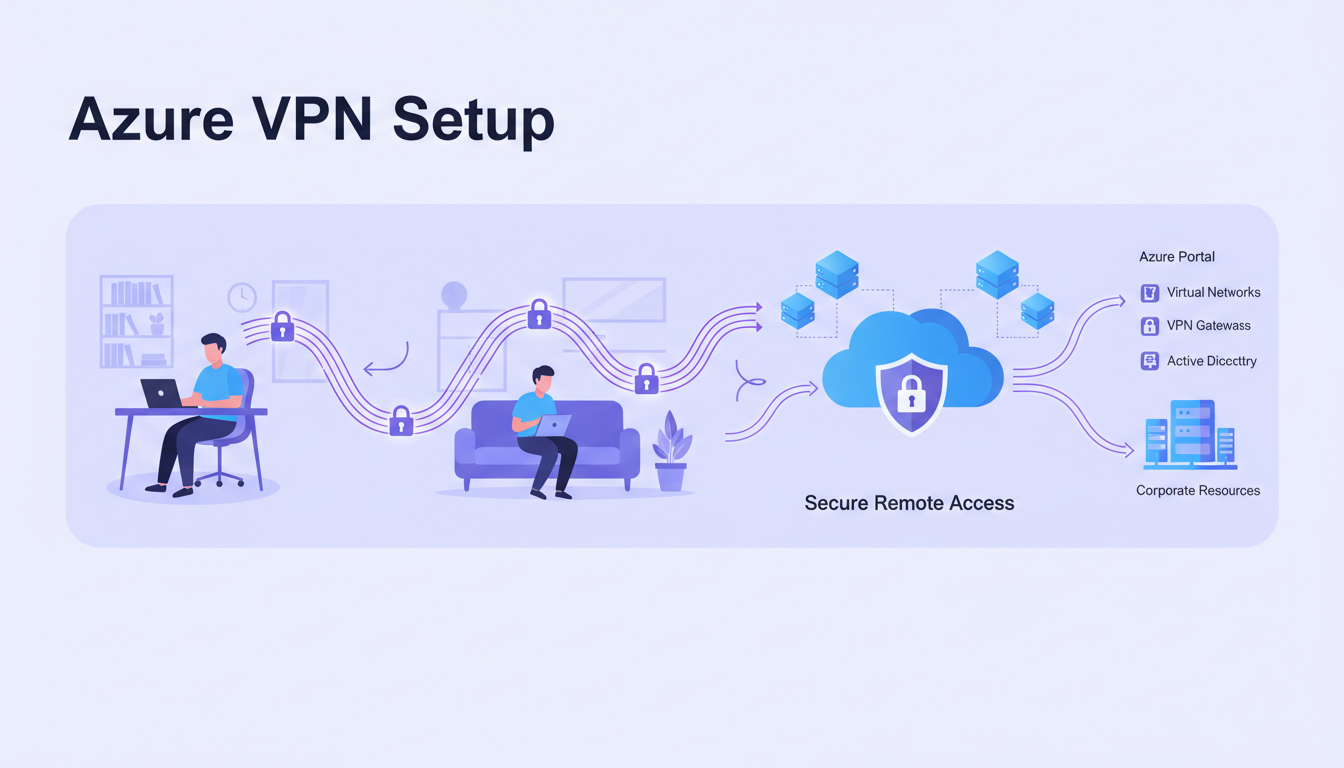
Secure remote access has become a non-negotiable requirement for UK businesses. Whether your team is working from home, travelling between client sites, or operating from co-working spaces across the country, they need secure, reliable access to your business applications, files, and systems. Azure VPN - Microsoft’s cloud-based virtual private network service - provides exactly this, offering enterprise-grade security without the complexity and cost of traditional on-premise VPN infrastructure.
For businesses already using Microsoft Azure for cloud services, Azure VPN is a natural extension of their existing infrastructure. For those who are new to Azure, it offers a compelling alternative to hardware-based VPN solutions that require expensive appliances, complex configuration, and ongoing maintenance. This guide explains what Azure VPN is, how it works, what it costs, and how to plan and implement a deployment that meets your business needs.
Whether you are a professional services firm in London with twenty consultants who need access to internal systems whilst visiting clients, a manufacturing company in the Midlands with remote engineers who need to connect to design servers, or a growing business with hybrid workers spread across the United Kingdom, Azure VPN can provide the secure connectivity you need.
Understanding Azure VPN: Two Types of Connection
Azure VPN Gateway supports two fundamentally different types of VPN connection, each serving different use cases. Understanding the distinction is essential for planning your deployment.
Point-to-Site (P2S) VPN
A Point-to-Site VPN creates an encrypted connection from an individual device - a laptop, tablet, or desktop PC - directly to your Azure virtual network. This is the type of VPN most people are familiar with. A user launches a VPN client on their device, authenticates, and establishes a secure tunnel to Azure. Once connected, they can access resources in Azure (virtual machines, databases, applications) and, if configured, resources in your on-premise network as well.
P2S VPN is ideal for remote workers and hybrid workers who need to access internal systems from home or whilst travelling. It supports up to 10,000 concurrent connections on the highest-tier gateway, making it suitable for organisations of any size. Authentication can use certificates, Azure Active Directory (Entra ID), or RADIUS, with Entra ID being the recommended option for Microsoft 365 businesses because it integrates with your existing identity management and supports multi-factor authentication.
The P2S VPN client experience has improved considerably in recent years. The Azure VPN Client application, available for Windows, macOS, and Linux, provides a straightforward connection experience that requires minimal user interaction. Once configured, users simply open the client, click connect, authenticate through their familiar Microsoft sign-in process (including any MFA prompts), and are connected within seconds. For organisations using Intune or another mobile device management solution, the VPN client can be pre-configured and deployed automatically to managed devices, eliminating the need for users to perform any manual setup.
Split tunnelling is another important P2S feature that UK businesses should understand. By default, all traffic from the user's device is routed through the VPN tunnel. However, with split tunnelling enabled, only traffic destined for your Azure network and on-premise resources travels through the VPN - internet-bound traffic (such as web browsing and Microsoft 365 access) goes directly to the internet. This significantly improves performance for users and reduces the load on your VPN gateway. Microsoft recommends split tunnelling for most deployments, and it is particularly beneficial for users on slower home broadband connections.
For businesses with particularly stringent security requirements, forced tunnelling routes all traffic through the VPN, enabling you to inspect and filter all user internet activity through your corporate security stack. However, this approach has performance implications and is generally only recommended for organisations in regulated industries where inspection of all outbound traffic is a compliance requirement.
Site-to-Site (S2S) VPN
A Site-to-Site VPN creates a permanent, encrypted connection between your on-premise network and your Azure virtual network. This is used when you need continuous connectivity between your office and Azure - for example, if you have servers running in Azure that need to communicate with systems in your office, or if you want your office network to extend seamlessly into the cloud.
S2S VPN requires a compatible VPN device or software gateway at your office end. This can be a hardware firewall (such as Fortinet, Cisco, or SonicWall) that supports IPsec VPN, or a software-based solution running on a server. The connection is always on, meaning that your office and Azure networks behave as a single, extended network.
For UK businesses operating from multiple office locations, Azure VPN supports multi-site configurations where several offices connect to the same Azure virtual network. A law firm with offices in London, Manchester, and Edinburgh, for instance, can create S2S VPN connections from each office to Azure, enabling all three locations to share centralised resources in Azure whilst maintaining secure, encrypted connectivity. Azure also supports VNet-to-VNet connections, allowing you to link multiple Azure virtual networks together - useful if you have workloads distributed across different Azure regions for redundancy or latency purposes.
ExpressRoute is worth mentioning as an alternative to S2S VPN for organisations requiring higher bandwidth, lower latency, or guaranteed throughput. ExpressRoute provides a private, dedicated connection to Azure that does not traverse the public internet. Whilst significantly more expensive than VPN (starting from approximately £200 per month for a 50 Mbps circuit), ExpressRoute is the preferred option for businesses with large data transfer requirements, latency-sensitive applications, or strict compliance mandates that prohibit data traversing the public internet. Many UK businesses use a hybrid approach: ExpressRoute for their primary office and S2S VPN for smaller branch offices.
Point-to-Site (P2S) VPN
- Individual device to Azure connection
- Ideal for remote and mobile workers
- User-initiated connection
- Supports Windows, macOS, Linux, iOS, Android
- Authenticates via Entra ID with MFA
- No hardware required at user end
- Scales to 10,000 concurrent users
Site-to-Site (S2S) VPN
- Office network to Azure connection
- Ideal for hybrid cloud architectures
- Always-on persistent connection
- Requires compatible VPN device at office
- Pre-shared key or certificate authentication
- Hardware firewall or gateway needed
- Connects entire office network to Azure
Planning Your Azure VPN Deployment
A successful Azure VPN deployment starts with careful planning. There are several decisions to make before you begin any configuration, and getting these right at the outset avoids costly rework later.
Choose the Right Gateway SKU
Azure VPN Gateway comes in several SKUs (pricing tiers) that differ in throughput, number of supported tunnels, and features. For most UK SMEs, the VpnGw1 or VpnGw2 SKUs provide the right balance of performance and cost. The Basic SKU is tempting due to its low price but lacks important features including support for Entra ID authentication and IKEv2 protocol.
| Gateway SKU | Max Throughput | Max P2S Connections | Max S2S Tunnels | Approx. Monthly Cost (UK South) |
|---|---|---|---|---|
| Basic | 100 Mbps | 128 | 10 | £25–£30 |
| VpnGw1 | 650 Mbps | 250 | 30 | £120–£140 |
| VpnGw2 | 1 Gbps | 500 | 30 | £240–£280 |
| VpnGw3 | 1.25 Gbps | 1,000 | 30 | £500–£560 |
| VpnGw5 | 10 Gbps | 10,000 | 100 | £1,200–£1,400 |
Design Your Network Architecture
Before creating the VPN Gateway, you need to have your Azure virtual network (VNet) properly configured. This includes defining the address space (IP range) for your Azure network, creating subnets for different workloads, creating a dedicated Gateway Subnet (this is mandatory for VPN Gateway), and ensuring your Azure address space does not overlap with your on-premise network.
A common mistake is to use address ranges in Azure that conflict with your office network. For example, if your office uses the 192.168.1.0/24 range and your Azure VNet also uses 192.168.1.0/24, routing will fail. Plan your address spaces carefully and document them to avoid conflicts.
Authentication and Identity Planning
Choosing the right authentication method is one of the most important decisions in your VPN deployment. Azure VPN supports three authentication methods for P2S connections: Azure Active Directory (Entra ID), certificates, and RADIUS. For UK businesses using Microsoft 365, Entra ID authentication is strongly recommended because it provides single sign-on integration, supports Conditional Access policies, and enables multi-factor authentication without additional infrastructure.
With Entra ID authentication, you can apply Conditional Access policies that go beyond simple username and password verification. For example, you can require that VPN connections are only permitted from compliant devices (managed by Intune and meeting your security baseline), from specific geographic locations (within the United Kingdom only), or during specific hours (business hours only for certain user groups). You can also require different levels of authentication strength depending on the user's risk profile - a standard user might authenticate with a password and Microsoft Authenticator push notification, whilst a privileged administrator might be required to use a FIDO2 security key.
For organisations that do not use Microsoft 365 or prefer certificate-based authentication, Azure VPN supports both self-signed certificates and certificates issued by an enterprise certificate authority. Certificate authentication is reliable and does not require internet connectivity for the authentication step (unlike Entra ID), making it suitable for scenarios where users might need to connect from locations with limited internet access. However, certificate management - including issuance, renewal, and revocation - adds operational overhead that Entra ID authentication avoids.
One important consideration is that Azure VPN Gateway takes approximately 30 to 45 minutes to provision. This is not a resource you can spin up instantly when needed. Plan your deployment timeline accordingly, and test the gateway thoroughly before relying on it for production access. If you need to make changes to the gateway SKU later, the gateway must be deleted and recreated, which causes downtime.
Step-by-Step: Setting Up Point-to-Site VPN
Here is the high-level process for setting up a P2S VPN with Azure AD (Entra ID) authentication, which is the recommended approach for businesses using Microsoft 365.
First, create a Virtual Network in the Azure portal with an appropriate address space, and create a Gateway Subnet within it. Second, deploy a VPN Gateway using the VpnGw1 SKU or higher, selecting the appropriate region (UK South or UK West for UK businesses). Third, configure the Point-to-Site settings, specifying the address pool for VPN clients, the tunnel type (OpenVPN recommended), and Azure Active Directory authentication. Fourth, register the Azure VPN Client application in your Azure AD tenant. Fifth, download and distribute the VPN client configuration to your users. Sixth, test the connection from multiple devices and locations before rolling out to all users.
The entire process typically takes two to four hours for an experienced engineer, plus the 30-to-45-minute gateway provisioning time. For businesses without Azure experience, engaging an IT provider to handle the deployment is recommended to ensure the configuration is secure and optimised.
Testing and Validation
Before rolling out Azure VPN to your entire workforce, thorough testing is essential. Begin by testing from a single device on your office network to verify basic connectivity. Then test from an external network - a home broadband connection or a mobile hotspot - to confirm the VPN works correctly through NAT and typical consumer firewalls. Test from multiple device types if your organisation supports a range of platforms: Windows laptops, macOS devices, and mobile devices each have slightly different VPN client behaviour.
During testing, verify not just that the connection is established, but that the expected resources are accessible. Can users reach file shares on Azure virtual machines? Can they access web applications running in Azure? If you have configured split tunnelling, verify that internet-bound traffic is not being routed through the VPN by checking your apparent IP address on a service such as whatismyipaddress.com - it should show your home broadband IP, not your Azure gateway IP. If you have configured forced tunnelling, verify the opposite: all traffic should appear to originate from your Azure network.
Performance testing is equally important. Measure the throughput and latency experienced over the VPN connection using tools such as iPerf or simple file transfer tests. Compare these results against the theoretical maximums for your chosen gateway SKU. If performance is significantly below expectations, investigate potential bottlenecks including the user's broadband connection speed, the VPN protocol in use (IKEv2 typically offers better performance than OpenVPN for Windows clients), and the gateway's current utilisation level.
Security Best Practices for Azure VPN
Simply deploying a VPN is not sufficient - you must also configure it securely. Here are the essential security practices for Azure VPN deployments.
Multi-factor authentication is essential. Every VPN connection should require MFA, regardless of where the user is connecting from. With Entra ID authentication, this integrates seamlessly with your existing Conditional Access policies. If a user’s credentials are compromised, MFA prevents the attacker from establishing a VPN connection.
Network Security Groups (NSGs) should be applied to every subnet in your Azure virtual network. NSGs act as virtual firewalls, controlling which traffic is allowed in and out of each subnet. Even though users are authenticated via VPN, you should still restrict their access to only the resources they need - this is the principle of least privilege applied at the network level.
Diagnostic logging should be enabled on the VPN Gateway and all associated resources. Azure Monitor can collect connection logs, tunnel logs, and route table logs, giving you visibility into who is connecting, when, from where, and what they are accessing. These logs are also essential for GDPR compliance and for investigating any security incidents.
Zero Trust Principles for VPN Access
Modern security thinking has moved beyond the traditional perimeter-based model where a VPN connection grants broad access to the corporate network. The Zero Trust security model, promoted by the NCSC and widely adopted across UK government and enterprise, assumes that no connection - even one authenticated through a VPN - should be automatically trusted. Applying Zero Trust principles to your Azure VPN deployment significantly strengthens your security posture.
In practice, this means implementing network micro-segmentation within your Azure virtual network. Rather than placing all resources on a single subnet accessible to all VPN users, create separate subnets for different workloads (for example, a finance applications subnet, a development environment subnet, and a shared services subnet) and apply Network Security Group rules that restrict VPN users to only the subnets they need. A marketing team member should not have network-level access to finance applications, even if they are connected via the VPN.
Azure also supports integration with Microsoft Defender for Cloud Apps (formerly Cloud App Security), which provides session-level controls that go beyond network access. With Defender for Cloud Apps, you can apply policies such as preventing file downloads from sensitive SharePoint sites when a user is connected from an unmanaged device, watermarking documents accessed via VPN to deter data theft, or blocking copy-paste operations from corporate applications to personal cloud storage services. These granular controls ensure that VPN access does not become a vector for data leakage.
Device compliance checking is another important Zero Trust control. By integrating Azure VPN with Intune device compliance policies, you can ensure that only devices meeting your security standards - current operating system patches, active antivirus, disk encryption enabled, and no jailbreak or root detected - are permitted to establish a VPN connection. If a device falls out of compliance (for example, because the user disables their antivirus software), the VPN connection is blocked until compliance is restored.
Cost Optimisation
Azure VPN costs are based on two components: the hourly cost of the gateway (charged regardless of usage) and the data egress charges (data flowing out of Azure). For most SMEs, the gateway cost is the significant element, with data egress adding only a small additional amount.
To optimise costs, select the smallest gateway SKU that meets your performance and connection requirements. Monitor utilisation and scale up only when needed. Consider using Reserved Instances for the gateway if you are committed to a 12-month or 36-month term - this can reduce costs by up to 30%. And ensure that your VPN is not the only way users access cloud resources - applications like Microsoft 365 should be accessed directly from the internet with Conditional Access policies, not routed through the VPN.
For a typical UK SME with 20 to 50 remote users, a VpnGw1 gateway provides more than adequate capacity. At approximately £130 per month plus minimal data egress charges, it is significantly cheaper than purchasing, maintaining, and managing an on-premise VPN appliance, and it integrates seamlessly with the rest of your Azure and Microsoft 365 environment.
Total Cost of Ownership Comparison
When evaluating the cost of Azure VPN against traditional alternatives, it is important to consider the total cost of ownership rather than just the headline price. An on-premise VPN appliance has a purchase cost, but also requires annual maintenance contracts, firmware updates, occasional hardware replacement, rack space, power, and cooling. It also requires staff time for configuration, monitoring, and troubleshooting. Azure VPN eliminates all of these hidden costs.
For a UK business with 30 remote workers, the three-year total cost of ownership comparison is illustrative. An on-premise solution typically costs £3,000 to £5,000 for the initial hardware, £600 to £1,200 per year for maintenance contracts, plus an estimated £2,000 to £3,000 per year in staff time for management - a three-year total of approximately £8,400 to £13,600. Azure VPN on a VpnGw1 SKU costs approximately £1,560 per year with minimal management overhead, for a three-year total of approximately £4,680 to £5,500 including initial setup. The cloud solution saves between 40 and 65 per cent over three years whilst providing better integration, higher availability, and more advanced security features.
Businesses should also factor in the opportunity cost of managing on-premise VPN infrastructure. The time your IT team spends maintaining a VPN appliance - applying firmware updates, troubleshooting connection issues, managing certificates, and responding to capacity constraints - is time that could be spent on projects that directly advance your business objectives. With Azure VPN, Microsoft manages the underlying infrastructure, freeing your team to focus on higher-value activities.
Need Help Setting Up Azure VPN?
Cloudswitched designs and deploys Azure VPN solutions for UK businesses. Whether you need Point-to-Site access for remote workers or Site-to-Site connectivity for hybrid cloud infrastructure, our Azure-certified engineers ensure your VPN is secure, reliable, and optimised. Contact us for a free consultation.
Explore Azure Cloud Solutions
CloudSwitched
London-based managed IT services provider offering support, cloud solutions and cybersecurity for SMEs.


