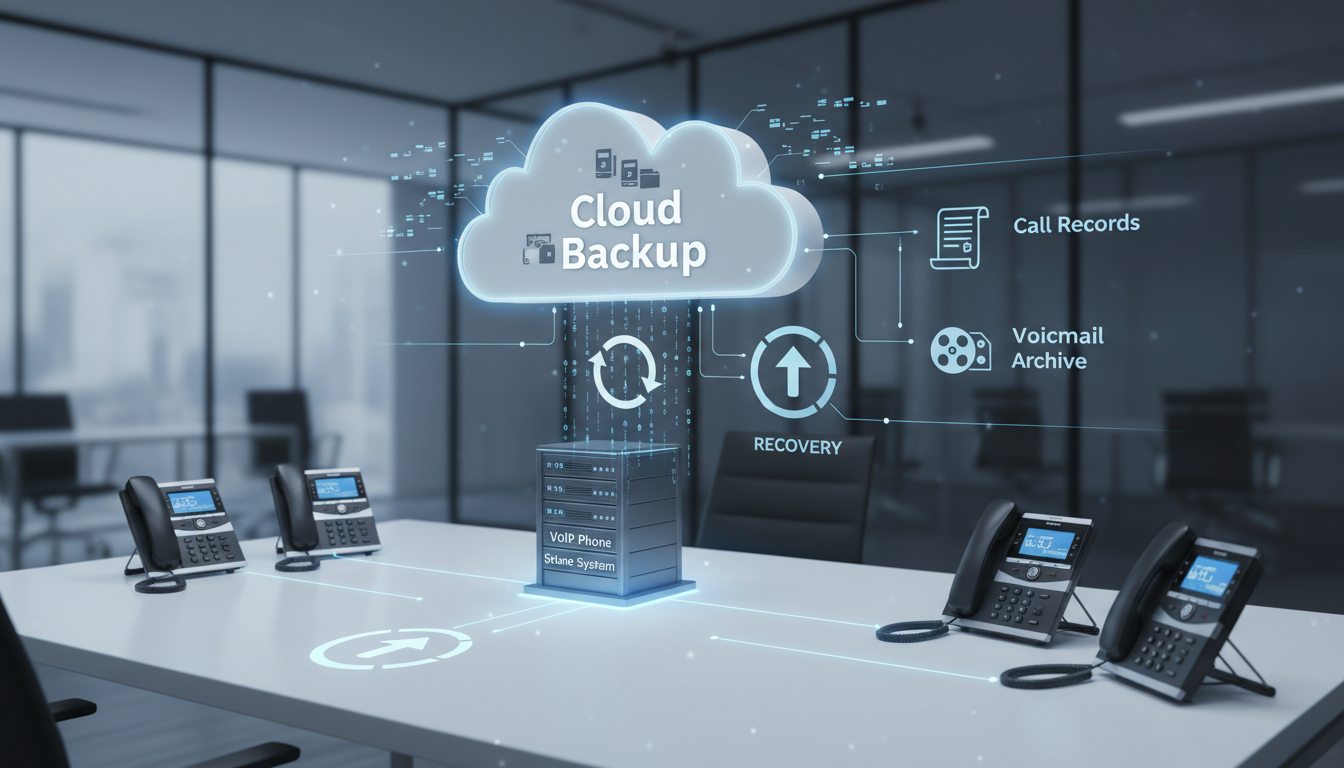
When did you last think about what would happen if your business phone system failed? Most UK businesses take their telephony infrastructure for granted - until a hardware failure, power outage, cyberattack, or simple human error wipes out call recordings, voicemail messages, auto-attendant configurations, and contact directories. At that point, the scramble to rebuild everything from scratch can cost days of productivity and significant revenue.
Whether you're running a traditional PBX, a hosted VoIP system, or a cloud-based unified communications platform, backing up your phone system is a critical part of business continuity planning. This guide covers everything UK businesses need to know about protecting their telephony infrastructure - what to back up, how to do it, and how to build a recovery plan that actually works when you need it.
Why Phone System Backups Matter
Your business phone system is far more than just a way to make and receive calls. Modern systems store call routing rules, auto-attendant menus and greetings, voicemail messages and transcriptions, contact databases, call recording archives, user extension configurations, ring group and hunt group settings, and integration settings with your CRM or helpdesk.
Losing any of these means manual reconfiguration - a process that can take days for complex setups. During that time, calls may be misrouted, customers may hear incorrect messages or no message at all, and your team's productivity drops significantly.
What You Need to Back Up
The specific elements depend on your phone system type, but here is a comprehensive checklist that covers the core components across most platforms.
System Configuration
This is the backbone of your phone system. It includes every extension and its associated settings, call routing rules (who receives calls and in what order), auto-attendant and IVR menu structures, ring groups, hunt groups, and call queues, time-of-day routing rules, and holiday schedules. For on-premise PBX systems, this configuration often lives on a single server. If that server dies without a backup, you're rebuilding from memory - or worse, from scratch.
Voicemail and Greetings
Voicemail messages may contain important business communications - client instructions, order details, or time-sensitive information. Custom greetings represent your brand's first impression to callers. Both should be included in your backup strategy.
Call Recordings
If your business records calls - and many UK businesses are legally required to, particularly in financial services, healthcare, and regulated industries - those recordings need secure, redundant storage. Under UK regulations including the FCA's requirements and GDPR provisions, certain businesses must retain call recordings for defined periods. Losing them isn't just inconvenient; it can trigger compliance violations and fines.
Contact Directories
Shared company directories, speed dial lists, and any contact data stored within the phone system itself should be regularly backed up. While much of this information may also exist in your CRM, phone system-specific directories often contain unique data that isn't replicated elsewhere.
Integration Configurations
If your phone system integrates with other tools - CRM, helpdesk software, Teams, Slack, or email - those integration settings, API keys, and configuration parameters need documenting and backing up. Reconfiguring integrations from scratch is time-consuming and error-prone.
Don't assume your VoIP provider backs everything up for you. Many hosted and cloud phone systems provide only basic disaster recovery. Confirm exactly what your provider backs up, how frequently, and how long backups are retained. If the answer is vague or inadequate, supplement with your own backup procedures.
Understanding what to prioritise in your backup strategy helps ensure that the most critical elements are protected first. The following table provides a practical reference for scheduling and managing phone system backups across different components, taking into account the relative importance of each element and how frequently data typically changes.
| Component | Backup Frequency | Priority | Typical Size |
|---|---|---|---|
| Call Routing Configuration | Daily | Critical | 1–5 MB |
| Auto-Attendant and IVR Menus | Weekly | Critical | Under 1 MB |
| Voicemail Messages | Daily | High | 50–500 MB |
| Call Recordings | Continuous or Daily | High (Compliance) | 1–50 GB per month |
| Contact Directories | Weekly | Medium | Under 10 MB |
| User Extension Settings | After Each Change | High | Under 1 MB |
| Integration Configurations | After Each Change | Medium | Under 1 MB |
| Ring and Hunt Group Settings | Weekly | High | Under 1 MB |
Backup Methods for Different Phone System Types
The right backup approach depends on what type of phone system you're running. Here are the most common scenarios for UK businesses.
On-Premise PBX Systems
If you're running an on-premise PBX (such as Avaya, Mitel, Panasonic, or an open-source system like Asterisk or FreePBX), you have direct access to the server and its data. Backup methods include full server image backups using tools like Veeam or Acronis, configuration export files (most PBX systems have a built-in export function), database dumps for call detail records and contact data, and file-level backups of voicemail storage directories and recording archives.
Schedule automated backups daily for configuration data and weekly for full server images. Store copies both on-site (for fast recovery) and off-site (for disaster recovery). Cloud storage services like AWS S3 or Azure Blob Storage work well for off-site copies, or use a dedicated backup service.
Hosted VoIP Systems
With hosted VoIP (providers like 8x8, RingCentral, Vonage, or 3CX hosted), your provider manages the underlying infrastructure, but you're typically responsible for your own data. Check your provider's backup and recovery SLA carefully, export configuration data regularly through the admin portal, download call recordings to local or cloud storage on a scheduled basis, and maintain an offline copy of your auto-attendant scripts and IVR menu maps.
Many hosted providers offer API access that allows you to automate data exports. If yours does, set up scheduled scripts to pull configuration data, call logs, and recordings to your own storage.
Microsoft Teams Phone / Cloud UC Platforms
If you're using Microsoft Teams as your phone system (a growing trend among UK businesses), your backup strategy integrates with your broader Microsoft 365 backup approach. Teams call recordings stored in OneDrive or SharePoint are covered by whatever backup solution you use for Microsoft 365. Auto-attendant and call queue configurations should be documented externally (Microsoft doesn't provide a native configuration export for these). Voicemail messages are stored in Exchange Online and covered by Exchange backup policies. User calling policies and number assignments should be documented in a separate configuration register.
On-Premise PBX
Hosted VoIP / Cloud
Building Your Phone System Backup Strategy
A robust backup strategy follows the 3-2-1 rule: maintain three copies of your data, on two different types of media, with one copy stored off-site. Here's how to apply this specifically to telephony.
Step 1: Inventory Everything
Before you can back up your phone system, you need a complete inventory of what exists. Document every extension, every routing rule, every auto-attendant menu, every integration. This inventory serves dual purposes: it tells you what to back up, and it serves as a recovery reference if you ever need to rebuild the system manually.
Step 2: Classify by Priority
Not all phone system data has equal importance. Call routing configuration is critical - without it, incoming calls don't reach the right people. Call recordings may be a compliance requirement. Voicemail messages have a shorter shelf life. Contact directories are important but likely replicated in other systems. Classify each element as critical, important, or nice-to-have, and set backup frequencies accordingly.
Step 3: Automate Where Possible
Manual backups are better than no backups, but they're unreliable because they depend on someone remembering to do them. Automate as much as possible. Most PBX systems support scheduled configuration exports. Call recordings can be automatically synced to cloud storage. Scripts can pull data via APIs from hosted platforms. The goal is a backup process that runs without human intervention.
Step 4: Test Your Backups Regularly
A backup you've never tested is a backup you can't trust. Schedule quarterly restore tests - take a configuration backup and verify you can actually restore it to a test system. Check that call recordings are playable and complete. Verify that exported contact data is accurate and current. The worst time to discover your backups are corrupted or incomplete is during an actual emergency.
Step 5: Document Your Recovery Process
Write a step-by-step disaster recovery runbook for your phone system. This should cover who to contact (internal team and external providers), where backups are stored and how to access them, the exact sequence of steps to restore service, expected recovery time for each component, and an escalation path if the standard recovery process fails. Keep this document accessible - not only on the system it's meant to recover. Print a copy. Store one in the cloud. Make sure at least two people in the organisation know where it is and how to use it.
Create a "phone system configuration register" - a living document that records every change made to your phone system. When a new extension is added, a routing rule is modified, or an integration is updated, log it. This register dramatically speeds up recovery because it provides a clear, current picture of what the system should look like.
Compliance Considerations for UK Businesses
UK businesses face specific regulatory requirements around telephony data that directly impact backup strategy.
GDPR and Call Recordings
Under GDPR, call recordings that contain personal data (which most do) must be stored securely, retained only as long as necessary, and deletable upon request. Your backup strategy must account for this - if a customer exercises their right to erasure, you need to be able to locate and delete their recordings from all backup copies, not just the primary system. This is technically challenging and requires careful planning.
FCA Requirements
Financial services firms regulated by the FCA must record and retain certain communications for specified periods - typically five to seven years for some transaction-related calls. Failure to produce these recordings when requested by the regulator can result in significant penalties. Your backup strategy for call recordings must guarantee retention for the full required period with verified integrity.
PCI DSS
If your phone system handles payment card data (for example, customers reading card numbers to agents), PCI DSS requirements apply. Call recordings containing card data must be encrypted and access-controlled. Many businesses pause recording during payment processing to avoid this issue entirely, but if your recordings do contain card data, your backup encryption must meet PCI standards.
Assessing where your organisation currently stands is an important step before refining your backup and recovery approach. The following readiness scores reflect how well a typical UK SME performs across the key areas of phone system resilience, based on industry surveys and our own experience working with hundreds of businesses. Use these benchmarks to identify where your own gaps might be.
Common Mistakes to Avoid
Having worked with hundreds of UK businesses on their telephony infrastructure, we see the same backup mistakes repeatedly. Here are the most damaging ones.
Relying solely on the provider. "Our VoIP provider handles backups" is the most dangerous assumption in telephony. Providers typically protect their infrastructure, not your specific configuration. If the provider suffers a catastrophic failure, your data may be recoverable - but you should verify this, in writing, before you need it.
Backing up configuration but not recordings. Many businesses diligently back up their phone system configuration but completely neglect call recordings. If recordings are a compliance requirement for your industry, this is a ticking time bomb.
Never testing restores. We've seen businesses with years of daily backups that turned out to be empty files, corrupted data, or incompatible with the current system version. Test your restores. Regularly.
Storing backups in only one location. If your only backup is on the same server as your phone system, and that server fails catastrophically, you've lost both. Always maintain off-site copies.
Forgetting to update backups after changes. Adding ten new extensions, reconfiguring your IVR, and then not running a backup means your most recent backup is already outdated. Trigger an immediate backup after any significant system change.
Disaster Recovery Scenarios
Let's walk through three realistic scenarios to illustrate why phone system backups matter and how a prepared business versus an unprepared one would handle each.
Scenario 1: Hardware Failure
Your on-premise PBX server's hard drive fails on a Monday morning. With backups, you restore the server image to replacement hardware and are operational within two to four hours. Without backups, you're manually reconfiguring every extension, routing rule, and voicemail box from memory. Realistic recovery time: two to five days, with errors and gaps that take weeks to fully resolve.
Scenario 2: Ransomware Attack
A ransomware attack encrypts your VoIP server along with other systems on your network. With off-site backups, you rebuild the server from a clean image and restore your configuration from a backup stored outside the affected network. Without off-site backups, you face the choice of paying the ransom (with no guarantee of recovery) or rebuilding entirely from scratch.
Scenario 3: Provider Outage
Your hosted VoIP provider suffers a major outage lasting several days (this has happened to major providers in recent years). With a documented configuration and local copies of critical data, you can rapidly port your numbers to an alternative provider and recreate your setup using your backup records. Without documentation, you're waiting for your provider to recover - and hoping they haven't lost your data in the process.
The impact of a phone system failure varies dramatically depending on how prepared you are. The chart below illustrates estimated recovery times for each of the scenarios discussed above, comparing businesses with a tested backup strategy against those without one. The differences are stark and illustrate precisely why investing in backups is worthwhile.
Choosing the Right Backup Solution
For most UK SMEs, a combination of approaches works best. Use your phone system's built-in export tools for configuration data - most systems have this capability, and it produces files that are directly importable for restoration. Use cloud storage (such as Microsoft Azure, AWS, or Google Cloud) for off-site storage of configuration exports, call recordings, and voicemail archives. Use a comprehensive backup solution like Veeam or Acronis for full server image backups of on-premise PBX systems. Use documentation and manual registers as a fallback for information that can't be automatically exported.
The cost of implementing a proper phone system backup strategy is modest - typically a few hundred pounds per year for cloud storage and backup software licensing. Compare that against the cost of rebuilding your phone system from scratch and the revenue lost during downtime, and the investment case is overwhelming.
It is worth noting that many UK businesses have discovered the value of regular backup audits - a quarterly review that examines whether all components are being captured, whether retention periods remain appropriate, and whether recovery procedures still reflect the current system configuration. These audits take only a few hours but can reveal critical gaps before they become problems. Businesses that conduct regular backup audits report significantly higher confidence in their disaster recovery capabilities and are far less likely to experience data loss during a real incident.
Another often overlooked consideration is the role of documentation in the backup process itself. Beyond backing up the technical configuration, it is valuable to maintain a human-readable summary of the system architecture - a diagram or narrative that describes how calls flow through the system, which departments depend on which features, and what the business impact would be if individual components failed. This documentation proves invaluable not only during disaster recovery but also during routine maintenance, system upgrades, and staff onboarding.
Building Resilience Beyond Backups
Backups are your last line of defence. For truly resilient telephony, consider additional measures that complement your backup strategy. Redundant internet connections ensure your VoIP system stays operational even if your primary connection fails. A secondary phone system - even a basic one - can serve as a failover if your primary system is down. Mobile phone forwarding rules can be pre-configured to route calls to staff mobiles during an outage. Regular training ensures your team knows what to do when the phone system goes down, rather than panicking.
The businesses that handle telephony failures best are those that have planned for them in advance. A backup strategy, combined with a tested disaster recovery plan and basic redundancy measures, means a phone system failure becomes a manageable inconvenience rather than a business-threatening crisis.
Need Help Protecting Your Business Communications?
We help UK businesses implement robust telephony backup and disaster recovery solutions. Whether you're running an on-premise PBX or a cloud phone system, we'll ensure your communications are protected and recoverable. Get in touch today.
Explore VoIP Solutions
CloudSwitched
London-based managed IT services provider offering support, cloud solutions and cybersecurity for SMEs.


