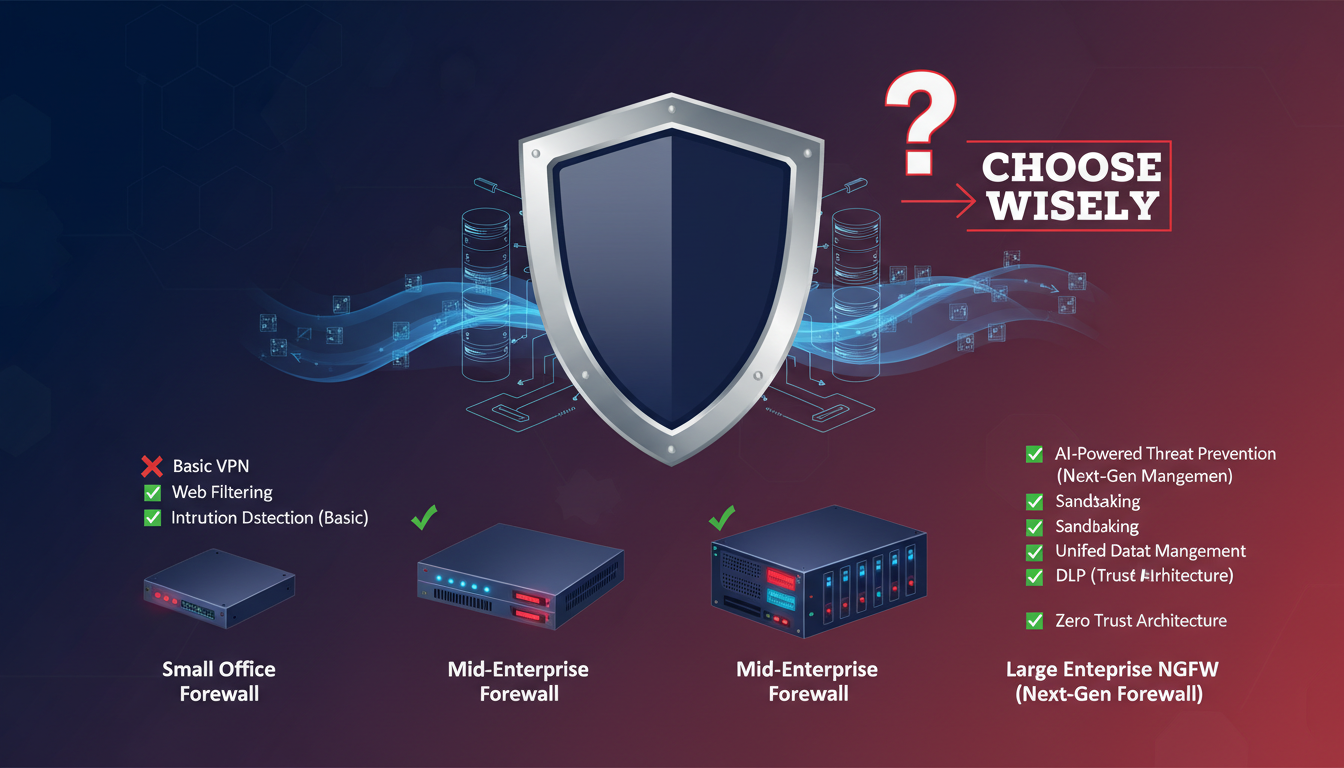
A firewall is the first line of defence between your business network and the threats that exist on the wider internet. Every connection that enters or leaves your network passes through it. Every malicious packet, every attempted intrusion, every data exfiltration attempt must be detected and blocked by this single critical component. Choosing the wrong firewall - or worse, relying on no dedicated firewall at all - leaves your entire organisation exposed.
Yet for many UK business owners, the firewall selection process is bewildering. The market is crowded with vendors, each claiming superior performance, easier management, and better threat detection. Prices range from under £200 for a basic appliance to tens of thousands of pounds for enterprise-grade platforms. Features overlap, terminology is inconsistent, and the consequences of choosing poorly are severe.
This guide cuts through the noise and provides a practical, UK-focused framework for selecting the right firewall for your business. Whether you are a 10-person accountancy firm in Bristol or a 200-employee manufacturing company in Birmingham, the principles remain the same - only the scale changes.
The proliferation of remote and hybrid working models across the UK has further complicated the firewall landscape. Businesses that once needed to protect a single office network must now secure connections from employees' homes, co-working spaces, client sites, and mobile devices. The firewall's role has expanded from simply guarding a physical network perimeter to managing secure access for a distributed workforce. This shift has driven significant innovation in firewall technology, with features like integrated SD-WAN, zero-trust network access, and cloud-managed deployment becoming standard in modern business firewalls.
Understanding what makes a good business firewall - and avoiding the common pitfalls that leave organisations vulnerable - requires cutting through considerable marketing noise. Vendors frequently highlight headline throughput figures that bear little resemblance to real-world performance, bundle unnecessary features to justify premium pricing, and use proprietary terminology that makes direct comparison difficult. This guide focuses on the practical considerations that matter most to UK businesses making this critical infrastructure decision.
Why Your ISP Router Is Not a Firewall
Many small UK businesses rely on the router supplied by their internet service provider - a BT Smart Hub, a Virgin Media Hub, or similar consumer-grade device. These routers include basic NAT (Network Address Translation) which provides a minimal level of protection by hiding internal IP addresses from the outside world. However, NAT is not a firewall in any meaningful security sense.
A consumer router does not inspect the content of network traffic. It does not detect malware being downloaded. It does not identify command-and-control communications from compromised devices. It does not block employees from visiting malicious websites. It does not log security events for analysis. It does not provide VPN connectivity for remote workers. It does not segment your network to contain breaches.
If your business handles any form of personal data - and under UK GDPR, virtually every business does - relying on an ISP router as your security boundary fails to meet the "appropriate technical measures" requirement. A dedicated business firewall is not optional; it is a fundamental security necessity.
The Hidden Risks of Consumer-Grade Equipment
Beyond the lack of security features, ISP-supplied routers present additional risks that many businesses overlook. These devices frequently have known vulnerabilities that ISPs are slow to patch. Their firmware update processes are opaque, and businesses have no control over when - or whether - critical security patches are applied. In 2023, several widely deployed ISP routers in the UK were found to have vulnerabilities that allowed remote attackers to gain administrative access, potentially compromising every device on the connected network.
Consumer routers also lack the processing power needed to handle business workloads securely. When a small business grows from five to twenty employees, each running cloud applications, video conferencing, and file synchronisation simultaneously, the consumer router becomes a bottleneck. Performance degrades, connections drop, and the temptation to disable what limited security features exist in favour of speed becomes overwhelming. A dedicated business firewall is engineered to handle these workloads while maintaining full security inspection, eliminating the false choice between performance and protection.
The UK Government-backed Cyber Essentials scheme explicitly requires that organisations use firewalls to protect their internet connections. The scheme specifies that default firewall rules should block all inbound connections by default, that administrative interfaces should not be accessible from the internet, and that firewall rules should be reviewed regularly. If your business needs Cyber Essentials certification - increasingly required for government contracts and many private sector tenders - a properly configured business firewall is mandatory.
Types of Business Firewall
Business firewalls have evolved dramatically over the past decade. Understanding the different types helps you match the right solution to your needs and budget.
Stateful Packet Inspection Firewalls
Traditional firewalls examine each network packet and track the state of connections, allowing or blocking traffic based on source, destination, port, and protocol. They are fast and efficient but cannot inspect the actual content of traffic. A stateful firewall can see that a connection is using port 443 (HTTPS) but cannot determine whether the encrypted traffic contains legitimate web browsing or a malware download.
Next-Generation Firewalls (NGFW)
Next-generation firewalls add deep packet inspection, application awareness, intrusion prevention, and often integrated threat intelligence. An NGFW can identify specific applications regardless of the port they use, inspect encrypted traffic (via SSL/TLS inspection), detect and block known malware signatures, and prevent exploitation of known vulnerabilities. For any business with more than a handful of users, an NGFW is the minimum standard in 2025.
Unified Threat Management (UTM)
UTM appliances bundle multiple security functions into a single device: firewall, antivirus, anti-spam, web filtering, VPN, and sometimes SD-WAN. They are designed for simplicity, offering a single management interface for all security functions. For small businesses with 10 to 50 users, a UTM appliance often provides the best balance of protection and manageability.
Cloud-Managed Firewalls
A relatively recent development in the firewall market is the rise of cloud-managed firewalls. These are physical or virtual appliances deployed at your premises but managed entirely through a cloud-based dashboard. Vendors like Meraki (Cisco), Fortinet, and WatchGuard offer cloud management platforms that allow your IT team - or your managed service provider - to configure, monitor, and update firewalls across multiple sites from a single interface.
For UK businesses with multiple offices or retail locations, cloud-managed firewalls offer significant operational advantages. A new branch office can be deployed with a pre-configured firewall that automatically downloads its policy from the cloud management platform when first connected, reducing deployment time from days to hours. Security policies can be pushed to all sites simultaneously, ensuring consistent protection across the entire organisation. Firmware updates can be scheduled and deployed centrally, eliminating the risk that individual sites fall behind on critical patches.
The trade-off is that cloud-managed firewalls typically require an ongoing subscription for the management platform, and some advanced configuration options may be limited compared to locally managed alternatives. For most UK SMEs, however, the operational simplicity and consistent security posture outweigh these limitations significantly.
Next-Generation Firewall (NGFW)
- Deep packet inspection of all traffic
- Application-level visibility and control
- Integrated intrusion prevention system
- SSL/TLS inspection for encrypted traffic
- Advanced threat protection and sandboxing
- Granular user and group-based policies
- Real-time threat intelligence feeds
- Comprehensive logging and reporting
Basic Stateful Firewall
- Packet header inspection only
- Port and protocol-based rules only
- No intrusion detection or prevention
- Cannot inspect encrypted traffic
- No malware detection capability
- IP-based policies only, no user awareness
- No threat intelligence integration
- Basic logging with limited analysis
Key Features to Evaluate
When comparing firewall options for your business, focus on the features that deliver the most security value for your specific environment.
Throughput and Performance
Firewall performance is measured in throughput - the amount of traffic it can process per second. However, vendors quote throughput figures under different conditions. Raw firewall throughput (simple packet forwarding) is always higher than throughput with all security features enabled. A firewall rated at 2Gbps raw throughput might only achieve 400Mbps with deep packet inspection, SSL inspection, and intrusion prevention all active.
Match the firewall's throughput with security features enabled to your actual internet bandwidth. If your office has a 500Mbps leased line, you need a firewall that can sustain at least 500Mbps with all security features active. Buying a firewall whose rated throughput only matches your bandwidth under ideal conditions will create a performance bottleneck.
SSL/TLS Inspection
With over 95% of web traffic now encrypted using HTTPS, a firewall that cannot inspect encrypted traffic is effectively blind to the majority of threats. SSL/TLS inspection - sometimes called SSL decryption or HTTPS inspection - allows the firewall to decrypt, inspect, and re-encrypt traffic in real time. This enables the firewall to detect malware downloads, data exfiltration, and command-and-control communications that would otherwise be hidden within encrypted connections.
However, SSL inspection is computationally intensive and significantly reduces firewall throughput. It also raises privacy and legal considerations that UK businesses must address. Employees should be informed that encrypted traffic is being inspected, and certain categories of traffic - such as banking and healthcare websites - should typically be excluded from inspection for privacy reasons. Proper implementation requires deploying a trusted certificate to all devices that pass through the firewall, which adds complexity to the deployment process but is essential for the inspection to function without generating browser security warnings for users.
Licencing and Ongoing Costs
Firewall pricing is not just about the hardware. Most NGFW and UTM vendors use a subscription model where the hardware purchase is accompanied by annual licences for security services - threat intelligence, URL filtering, anti-malware, intrusion prevention, and support. These subscriptions typically cost 30% to 60% of the initial hardware price per year.
When budgeting for a firewall, always calculate the total cost of ownership over three to five years, including hardware, licences, and support renewals. A firewall that costs £800 upfront but requires £400 per year in licences costs £2,800 over five years. A competing product at £1,200 upfront with £250 annual licences costs £2,450 over the same period - making it cheaper despite the higher initial investment.
| Vendor | Entry Model | Suited For | Approx. Hardware Cost | Annual Licence |
|---|---|---|---|---|
| Fortinet FortiGate | FortiGate 40F | 1-15 users | £300 - £450 | £150 - £300 |
| SonicWall | TZ270 | 1-25 users | £350 - £500 | £200 - £400 |
| WatchGuard | Firebox T25 | 1-15 users | £250 - £400 | £200 - £350 |
| Sophos | XGS 87 | 1-20 users | £350 - £550 | £200 - £400 |
| Palo Alto Networks | PA-410 | 1-50 users | £800 - £1,200 | £400 - £700 |
When evaluating vendor options, it is worth noting that the UK market has some regional preferences driven by the managed service provider ecosystem. Fortinet holds the largest market share among UK managed service providers, meaning that if you choose a managed firewall service, your provider is more likely to have deep expertise in FortiGate products. SonicWall and WatchGuard are also well-represented in the UK SME market, with strong partner networks and UK-based support teams. Palo Alto Networks and Cisco dominate the enterprise segment but may be over-specified and over-priced for smaller organisations.
Do not overlook the quality of vendor support when making your decision. When your firewall develops a fault at 8am on a Monday morning and your entire office cannot access the internet, the speed and quality of the vendor's support response becomes critical. Check whether the vendor offers UK-based support, what their guaranteed response times are, and whether advance hardware replacement is included in your support contract. For business-critical infrastructure, next-business-day hardware replacement is the minimum acceptable standard; four-hour replacement is preferable for organisations that cannot tolerate extended downtime.
Sizing Your Firewall
Selecting the right size of firewall depends on four factors: the number of users, your internet bandwidth, the security features you need active, and your growth plans. Under-sizing creates performance problems; over-sizing wastes budget.
For a small office with 10 to 25 users and a 100Mbps internet connection, an entry-level NGFW or UTM appliance from any major vendor will typically suffice. For 25 to 75 users with a 500Mbps connection, you will need a mid-range model. For 75 to 250 users with a gigabit connection, enterprise-class hardware is required.
Always buy with headroom. If you have 30 users today but plan to grow to 60 within three years, buy a firewall sized for 60 users now. Replacing a firewall mid-lifecycle because you outgrew it is disruptive and expensive.
High Availability and Redundancy
For businesses where internet connectivity is critical to operations - which increasingly means most businesses - consider deploying firewalls in a high-availability (HA) pair. An HA configuration uses two identical firewalls: one active and one standby. If the active firewall fails, the standby takes over automatically within seconds, preventing any disruption to network connectivity. While this doubles the hardware cost, it eliminates the single point of failure that a lone firewall represents.
Even without full HA, ensure your firewall deployment includes a tested recovery plan. How quickly can the firewall be replaced if it fails? Does your vendor's support contract include advance hardware replacement? Do you have a documented configuration backup that can be restored to a replacement unit? A firewall failure without a recovery plan can leave a business without internet access - and without security protection - for days while a replacement is sourced, configured, and deployed. Your managed service provider should maintain current configuration backups and have replacement hardware available to deploy at short notice.
Configuration Best Practices
A firewall is only as good as its configuration. An expensive NGFW with a default or poorly configured ruleset provides little more protection than the ISP router it replaced. Proper configuration is essential.
Start with a default-deny policy: block all traffic by default and only allow specific, necessary connections. This is the opposite of the default-allow approach used by most consumer routers, and it is the foundation of secure firewall management. Every rule should have a documented business justification.
Enable all security features included in your licence - intrusion prevention, web filtering, anti-malware, application control, and SSL inspection. Many businesses pay for these features but leave them disabled because nobody configured them after installation. This is equivalent to buying an alarm system and never turning it on.
Implement network segmentation using firewall zones or VLANs. Separate your guest Wi-Fi from your corporate network. Isolate servers from workstations. Place IoT devices on their own segment. This containment strategy limits the blast radius of any breach - if ransomware compromises a workstation, it cannot reach your servers because the firewall blocks lateral movement between segments.
Remote Access and VPN Configuration
With hybrid working now standard across UK businesses, your firewall's VPN capabilities deserve careful attention. Modern business firewalls support both site-to-site VPN tunnels - connecting branch offices securely - and remote access VPN for individual employees working from home or travelling. Ensure your firewall supports modern VPN protocols such as IPsec and SSL VPN, and that the remote access VPN client is compatible with all operating systems your employees use, including Windows, macOS, iOS, and Android.
VPN capacity is another frequently overlooked sizing consideration. Each concurrent VPN connection consumes firewall resources - processing power, memory, and bandwidth. If your business has 50 employees and 30 of them regularly work from home simultaneously, your firewall must be sized to support 30 concurrent VPN sessions with acceptable performance. Entry-level firewalls typically support 10 to 25 concurrent VPN connections; mid-range models support 50 to 100. Exceeding the firewall's VPN capacity results in connection failures and performance degradation that directly impacts employee productivity and business operations.
Firewall rules accumulate over time as new services are added, temporary rules become permanent, and staff changes mean nobody remembers why certain rules exist. Schedule a formal firewall rule review every six months. Remove any rules that are no longer needed, verify that remaining rules are still appropriate, and ensure logging is enabled for all security-relevant traffic. The NCSC recommends this as part of their network security guidance for UK organisations.
Managed Firewall Services
Configuring, monitoring, and maintaining a firewall requires specialist knowledge that many UK SMEs do not have in-house. A misconfigured firewall can be worse than no firewall at all - it provides a false sense of security while failing to block threats. For this reason, many businesses opt for a managed firewall service.
A managed firewall provider handles the initial configuration, ongoing monitoring, rule changes, firmware updates, and security incident response. They ensure the firewall is always running the latest threat signatures, that suspicious traffic is investigated, and that the configuration remains aligned with best practices. For businesses without dedicated IT security staff, this is often the most practical and cost-effective approach.
When choosing a managed firewall provider, ensure they are UK-based, hold Cyber Essentials Plus certification themselves, provide 24/7 monitoring, offer guaranteed response times for security incidents, and give you full visibility into your firewall's status through a dashboard or regular reports.
Need Help Choosing a Firewall?
Cloudswitched provides firewall selection, deployment, and managed firewall services for businesses across the United Kingdom. Our engineers assess your requirements, recommend the right solution, handle the configuration, and provide ongoing monitoring and management. Whether you need a single-site firewall or multi-site security infrastructure, we can help.
Explore Network Admin Services
CloudSwitched
London-based managed IT services provider offering support, cloud solutions and cybersecurity for SMEs.


