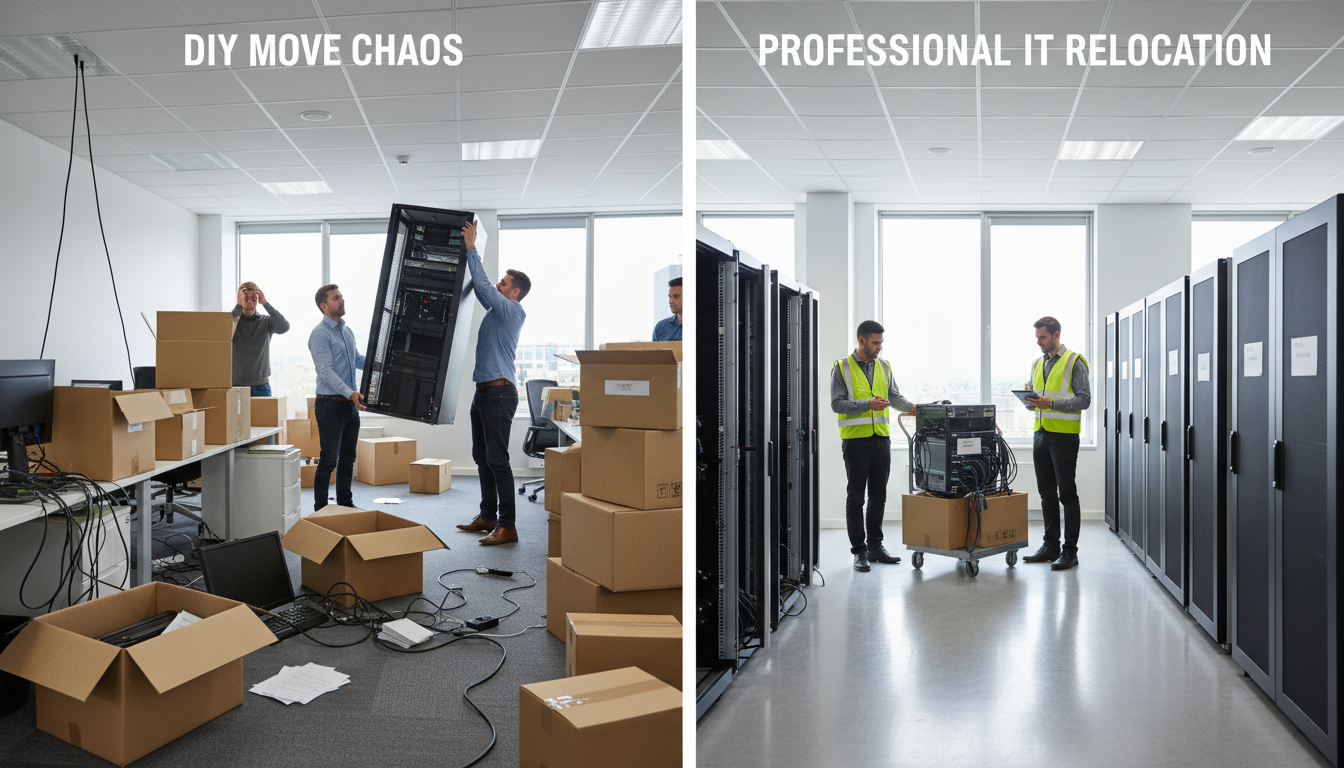
Every year, thousands of UK businesses face the daunting prospect of relocating their offices - whether driven by lease expiries, growth, consolidation, or the shift to hybrid working. While the logistics of moving desks, chairs, and filing cabinets are well understood, the technology component of an office move represents by far the greatest source of risk, complexity, and potential financial loss. Your servers, network infrastructure, telephony systems, security appliances, and hundreds of end-user devices must all be safely disconnected, transported, reconnected, and validated at the new premises - ideally with minimal disruption to daily operations. This is where the critical decision arises: should your organisation attempt a do-it-yourself approach to the IT component of your move, or should you engage a professional IT equipment moving services UK provider to manage the process end to end? The answer to that question can mean the difference between a seamless weekend cutover and weeks of productivity-destroying chaos.
The stakes involved in IT office move planning are considerably higher than most business leaders initially appreciate. A single hour of unplanned downtime can cost a mid-sized UK organisation thousands of pounds in lost revenue, missed deadlines, and reputational damage. When you multiply that by the fourteen-plus hours of average downtime that characterise poorly managed moves, the financial exposure becomes genuinely alarming. Yet despite these risks, a surprising number of organisations still attempt to handle their IT relocation internally, often on the mistaken assumption that their existing IT team possesses the specialist skills, equipment, and bandwidth to execute a complex physical move alongside their day-to-day support responsibilities. This comprehensive comparison guide examines every dimension of the DIY versus managed approach to IT office relocation, equipping you with the data, frameworks, and practical insights you need to make the right decision for your business. Whether you are a 20-person startup moving to your first dedicated office or a 500-seat enterprise consolidating multiple sites, the principles of sound IT move project management remain remarkably consistent - and the consequences of getting it wrong are universally painful.
Understanding the full scope of an IT relocation is the essential first step in any comparison between DIY and managed approaches. An IT relocation checklist for even a modest office move will typically encompass hundreds of individual tasks spanning network infrastructure, server and storage systems, end-user computing, telephony and unified communications, physical security and access control, audio-visual equipment, structured cabling, cloud service reconfiguration, DNS and IP address management, backup and disaster recovery validation, compliance documentation, and vendor coordination. Each of these workstreams has its own dependencies, lead times, and failure modes, and the interactions between them create a web of complexity that grows exponentially with organisational size. Professional IT equipment moving services UK providers have developed structured methodologies specifically to manage this complexity, while internal teams attempting a DIY approach must essentially reinvent these processes from scratch - often under extreme time pressure and with incomplete information about the risks involved.
The True Scale of IT Office Relocation in the UK
Before diving into the detailed comparison between DIY and managed approaches, it is worth establishing the scale and significance of IT office relocation as a business challenge in the contemporary UK market. The commercial property sector has undergone dramatic transformation in recent years, with hybrid working models driving widespread reconfiguration of office space. According to research from the British Council for Offices, approximately 38 percent of UK businesses either relocated or significantly reconfigured their office space between 2023 and 2025, and a further 26 percent plan to do so before the end of 2027. Each of these moves carries a technology component that must be managed with precision and care. The UK IT relocation services market is now valued at approximately £2.8 billion annually, reflecting the growing recognition among businesses that professional support for the technology workstream delivers measurable returns in terms of reduced downtime, lower risk, and faster time-to-productivity at the new site.
The complexity of modern IT environments has also increased dramatically, making IT office move planning significantly more challenging than it was even five years ago. The proliferation of cloud services, software-as-a-service applications, hybrid infrastructure architectures, and internet-of-things devices means that a typical office move now involves not just the physical relocation of hardware but also the reconfiguration of dozens of cloud-based services, the re-establishment of secure connectivity between on-premises and cloud resources, and the validation of complex integrations that span multiple platforms and providers. Meanwhile, regulatory requirements around data protection, business continuity, and operational resilience - particularly in sectors such as financial services, healthcare, and legal - have added additional layers of compliance obligation that must be addressed during any relocation. All of these factors combine to make the decision between DIY and managed IT relocation one of the most consequential technology decisions a business will make.
Understanding the DIY Approach: What It Actually Involves
When business leaders contemplate handling their IT move internally, they often underestimate the breadth and depth of the work involved. A DIY approach to IT move project management means that your internal IT team - or in smaller organisations, whoever fulfils the technology function - takes full responsibility for every aspect of the technology relocation. This encompasses the initial audit and documentation of all existing systems, the design of the new-site network and infrastructure layout, the procurement and pre-staging of any new equipment, the creation of a detailed migration sequence and cutover plan, the physical disconnection and packing of all hardware, the coordination of specialist transport, the reconnection and commissioning of systems at the new site, comprehensive testing across all business applications and services, and post-move support to resolve any issues that emerge once staff begin working in the new environment. Each of these activities demands specific expertise, and collectively they represent a project workload that typically consumes between 400 and 2,000 person-hours depending on organisational size and complexity.
The appeal of the DIY approach is straightforward: it appears to save money. By keeping the work in-house, the organisation avoids paying for external consultants, project managers, and specialist relocation engineers. However, this apparent saving is frequently illusory once you account for the full range of costs involved. Your IT staff must divert significant time away from their normal responsibilities - help desk support, security monitoring, system maintenance, project work - to focus on the move. This diversion creates a backlog of unresolved issues, deferred projects, and accumulated technical debt that persists long after the move is complete. Moreover, internal teams rarely possess specialist equipment such as anti-static packaging, server-rated transport cases, cable labelling systems, or network testing instruments, all of which must be purchased or hired. The hidden costs of a DIY approach to IT office move planning frequently exceed the quoted price of a managed service once these factors are honestly assessed.
Perhaps most critically, a DIY approach places the full burden of risk on the organisation and its staff. If a server is damaged during transport because it was inadequately packed, the cost of replacement falls on the business. If a network misconfiguration during cutover causes an extended outage, the lost revenue and customer impact are borne entirely internally. If a data breach occurs because chain-of-custody procedures for data-bearing devices were inadequate, the regulatory consequences - potentially including ICO fines under UK GDPR - rest squarely on the organisation. Professional IT equipment moving services UK providers carry comprehensive insurance specifically designed to cover these risks, transferring a significant portion of the financial exposure away from the client organisation. The absence of this insurance in a DIY scenario represents a material and often underappreciated risk factor.
Understanding the Managed Approach: What Professional Providers Deliver
A managed IT office move, by contrast, involves engaging a specialist provider to take ownership of the entire technology relocation workstream - from initial planning through to post-move stabilisation. Professional providers bring several categories of value that are difficult or impossible to replicate internally. First, they bring deep domain expertise: their engineers and project managers have typically overseen dozens or hundreds of IT relocations across a wide range of industries, scales, and complexity levels. This experience translates into faster identification of risks, more accurate planning, and more efficient execution. Second, they bring purpose-built tooling and processes: specialist packing materials, climate-controlled vehicles, structured labelling systems, automated asset-tracking, and validated cutover methodologies that have been refined through repeated application. Third, they bring dedicated capacity: a managed provider assigns a team whose sole focus during the project is your move, unlike internal staff who must juggle relocation activities with their ongoing operational responsibilities.
The IT move project management discipline that professional providers apply is itself a significant source of value. A well-run managed move follows a rigorous methodology that includes formal project initiation and governance, detailed risk assessment and mitigation planning, comprehensive asset auditing using automated discovery tools, structured communication plans for all stakeholders, phased migration scheduling with built-in contingency, formal sign-off gates at each project stage, and detailed post-move review and lessons-learned documentation. This level of project rigour is rarely achievable in a DIY context, where the IT team is simultaneously trying to manage the move, maintain business-as-usual operations, and respond to the inevitable stream of ad-hoc requests from anxious colleagues. The result is that managed moves consistently achieve shorter timescales, lower downtime, fewer incidents, and higher user satisfaction than their DIY counterparts - a pattern that holds across virtually every industry sector and organisation size.
Another critical advantage of the managed approach is the ability to achieve near-zero or genuinely zero downtime through parallel running and phased cutover strategies. Professional providers routinely implement approaches where the new-site infrastructure is fully built, configured, and tested in advance of the physical move, with data replication keeping both environments synchronised until the moment of cutover. On move day, the transition from old to new can then be executed in minutes rather than hours, with automatic failback to the old site if any issues are detected. This level of sophistication requires significant expertise in network design, storage replication, DNS management, and application failover - capabilities that are well within the repertoire of specialist IT equipment moving services UK providers but rarely available within internal IT teams. For organisations where continuous availability is a business-critical requirement, this capability alone can justify the investment in a managed service.
DIY IT Office Move
- ✗ Internal staff diverted from core duties for 8–16 weeks
- ✗ No specialist packing, labelling, or transport equipment
- ✗ Average 14.7 hours of business-impacting downtime
- ✗ No goods-in-transit or professional indemnity insurance
- ✗ 68% of DIY moves exceed their original budget
- ✓ Lower upfront quoted cost (before hidden costs)
- ✓ Full internal control over every decision
Managed IT Office Move
- ✓ Dedicated project manager and specialist engineers
- ✓ Anti-static packaging and climate-controlled transport
- ✓ Sub-2-hour downtime achievable with parallel running
- ✓ Comprehensive insurance and contractual SLAs
- ✓ 97% on-time and on-budget completion rate
- ✓ Documented rollback and disaster recovery plan
- ✗ Higher initial investment (£8,000–£95,000)
Hybrid Approach (Internal Lead + Specialist Support)
- ✓ Internal team retains strategic oversight and control
- ✓ Specialist handles high-risk infrastructure elements
- ✓ Knowledge transfer builds internal capability
- ✓ Balanced cost profile between DIY and fully managed
- ✗ Requires clear demarcation of responsibilities
- ✗ Coordination overhead between internal and external teams
- ✓ Good fit for organisations with strong internal IT leadership
Cost Analysis: The Full Financial Picture
Cost is invariably the primary factor driving the decision between a DIY and managed IT move, and it is therefore essential to examine the financial comparison with rigour and honesty. The headline cost of a DIY approach appears attractive: you are not writing a cheque to an external provider, and your internal staff are already on the payroll. However, this simplistic view ignores a substantial range of hidden and indirect costs that significantly alter the economic equation. Comprehensive IT office move planning requires accounting for every category of expenditure, whether visible or concealed, to arrive at an accurate total cost of ownership for each approach.
The direct costs of a DIY IT move include specialist packing materials (anti-static bags, foam inserts, server transit cases), equipment hire (trolleys, server lifts, cable testing instruments), overtime payments for staff working evenings and weekends during the move window, temporary staffing or contractor engagement to backfill roles vacated by staff diverted to the move, new equipment purchases to replace items damaged during transit, and any penalties or charges associated with extended downtime during the cutover. In a typical 100-seat UK office move, these direct costs alone commonly range from £12,000 to £35,000 - a figure that surprises many organisations who expected the DIY approach to be essentially free beyond staff time. When you add the indirect costs - the value of deferred projects, the productivity loss from a distracted IT team, the cost of resolving post-move issues that a professional provider would have prevented - the true cost of a DIY move frequently approaches or exceeds the quoted price of a managed service.
| Cost Category | DIY Approach (100-Seat Office) | Managed Approach (100-Seat Office) | Notes |
|---|---|---|---|
| External provider fees | £0 | £18,000–£45,000 | Managed fee covers planning, execution, and post-move support |
| Internal staff overtime | £4,500–£12,000 | £800–£2,000 | DIY requires 300–800 overtime hours; managed needs minimal internal involvement |
| Specialist packing materials | £2,000–£5,500 | Included | Anti-static bags, server transit cases, cable management |
| Equipment hire (trolleys, lifts, testers) | £1,200–£3,500 | Included | Specialist server trolleys, cable analysers, power meters |
| Temporary backfill staff | £3,000–£9,000 | £0 | Covering BAU support while IT team focuses on move |
| Equipment damage/replacement | £2,500–£8,000 (avg.) | £0 (insured) | 42% of DIY moves report at least one damaged item |
| Downtime cost (at £5,600/hr) | £82,320 (14.7 hrs avg.) | £5,600–£11,200 (1–2 hrs) | Based on mid-market UK downtime cost benchmarks |
| Deferred project value | £15,000–£40,000 | £2,000–£5,000 | IT projects delayed by 4–12 weeks during DIY move cycle |
| Post-move issue resolution | £3,000–£8,000 | Included (SLA) | Snagging, reconfiguration, and troubleshooting |
| Estimated Total Cost | £113,520–£203,320 | £26,400–£63,200 | Managed approach 2–4x lower total cost of ownership |
The table above illustrates a pattern that is consistently observed in practice: the apparent cost saving of a DIY approach evaporates - and typically reverses - once the full range of direct, indirect, and risk-related costs are honestly accounted for. The single largest cost driver in the DIY column is downtime, which alone can exceed the entire cost of a managed service many times over. This is why IT move downtime planning is such a critical element of the decision-making process. Organisations that focus exclusively on the line-item cost of an external provider, without modelling the downtime exposure, are making a decision based on incomplete information - and almost always end up spending more in total than they would have done with professional support.
Downtime: The Silent Budget Killer
IT move downtime planning deserves its own detailed examination because downtime is, without question, the single most significant financial risk in any office IT relocation. Downtime during an IT move can take multiple forms: complete network outage where no staff can access any systems, partial outage where some services are available but others are not, degraded performance where systems are technically online but running slowly or unreliably, and application-specific outages where critical business systems such as ERP, CRM, or email are unavailable even though the underlying network is operational. Each of these forms carries its own cost profile, and a thorough IT move downtime planning process must account for all of them.
The financial impact of downtime varies significantly by industry and business model, but the pattern is consistent: it is always more expensive than expected. For a professional services firm billing at £150 per hour per fee-earner, a 15-hour outage affecting 100 staff represents £225,000 in lost billable time - and that assumes no client deadlines are missed and no reputational damage occurs. For an e-commerce retailer processing £50,000 per hour in online sales, even a four-hour outage translates to £200,000 in lost revenue, plus the cost of refunds, customer service calls, and lost customer lifetime value. For a manufacturing business running just-in-time production systems, a network outage that halts the production line can cost tens of thousands of pounds per hour in idle labour, missed deliveries, and contractual penalties. These are not hypothetical scenarios; they are the everyday reality of poorly managed IT moves, and they are the primary reason that comprehensive IT move downtime planning is non-negotiable regardless of which approach you choose.
The difference in downtime outcomes between DIY and managed IT moves is stark and well-documented. Industry benchmarks consistently show that unmanaged or internally managed IT moves result in average downtime of 14 to 18 hours, with worst-case scenarios extending to 48 hours or more in cases where critical hardware is damaged or network configurations prove more complex than anticipated. By contrast, professionally managed moves routinely achieve downtime of two hours or less, with many providers now offering contractual zero-downtime guarantees backed by financial penalties if the target is not met. This difference is not attributable to a single factor but rather to the cumulative effect of superior planning, parallel running of old and new environments, pre-staging and pre-testing of the new-site infrastructure, automated cutover procedures, and immediate availability of specialist engineers to resolve any issues that arise during the transition. For organisations conducting their own IT office move planning, the downtime question should be front and centre of the cost-benefit analysis.
Risk Assessment: What Can Go Wrong
Beyond the financial costs, a comprehensive comparison of DIY versus managed IT moves must address the full spectrum of risks involved. An IT relocation checklist that focuses solely on tasks and timelines without explicitly identifying and mitigating risks is fundamentally incomplete. The risk landscape for an IT office move encompasses physical risks (hardware damage, cable failure, environmental damage from temperature or humidity), technical risks (configuration errors, compatibility issues, data corruption), operational risks (extended downtime, loss of access to critical systems, staff productivity impact), compliance risks (data breach during transit, loss of audit trail, failure to meet regulatory notification requirements), and strategic risks (delayed go-live impacting business objectives, reputational damage from service disruption, loss of customer confidence). A thorough risk assessment considers both the probability and the potential impact of each risk, and maps specific mitigation actions against each identified threat.
In a DIY scenario, many of these risks are amplified by the lack of specialist expertise, equipment, and processes. Consider the apparently simple task of packing and transporting a rack-mounted server. Without proper anti-static packaging, the server’s components are vulnerable to electrostatic discharge - an invisible threat that can cause immediate failure or, more insidiously, latent damage that manifests weeks or months after the move. Without appropriate shock-absorbing transit cases, the server is exposed to vibration and impact during transport that can dislodge components, crack solder joints, or damage disk drives. Without a validated chain-of-custody process, the server - potentially containing sensitive personal data, financial records, or intellectual property - may be inadequately tracked during transit, creating a compliance exposure that could attract regulatory scrutiny. Professional IT equipment moving services UK providers address each of these risks through established procedures, specialist equipment, and trained personnel, but in a DIY context, the internal team must identify and mitigate each risk independently - a task that requires knowledge they may not possess.
Data security during transit is a particularly significant risk that deserves careful consideration in any IT relocation checklist. Under UK GDPR and the Data Protection Act 2018, organisations are required to implement appropriate technical and organisational measures to protect personal data at all times - including during a physical relocation. This means that data-bearing devices (servers, NAS appliances, backup tapes, even desktop computers with local storage) must be handled with appropriate security throughout the move process. Encrypted devices should remain encrypted; unencrypted devices should ideally be wiped before transport, with data restored from backup at the new site. Where physical transport of data-bearing devices is unavoidable, the organisation must maintain a documented chain of custody that records who handled each device, when, and where. Failure to maintain these controls during a move could constitute a data breach under UK GDPR, potentially attracting ICO enforcement action and fines of up to £17.5 million or four percent of global turnover. This is not a theoretical risk: the ICO has investigated several incidents involving data loss during office moves, and the reputational consequences of such incidents extend far beyond the regulatory fine itself.
Risk Severity Comparison: DIY vs Managed IT Move
The IT Relocation Timeline: DIY vs Managed
The timeline for an IT office move varies significantly depending on whether you choose a DIY or managed approach, and understanding these differences is essential for realistic project planning. A well-structured IT move project management methodology recognises that the technology workstream is typically the longest lead-time element of any office relocation, often requiring 12 to 20 weeks of planning and preparation before the physical move weekend. Organisations that fail to appreciate this lead time frequently find themselves attempting to compress the technology programme into an unrealistically short window, with predictable consequences for quality, risk, and downtime.
In a DIY scenario, the timeline is almost always longer than initially estimated because internal teams are simultaneously managing their business-as-usual responsibilities. Tasks that a dedicated professional team might complete in two weeks often stretch to four or six weeks when handled by staff who can only devote a fraction of their time to move-related activities. This elongation has cascading effects: the audit phase overruns, delaying the planning phase; the planning phase overruns, compressing the pre-staging and testing window; and the reduced testing window means that issues that should have been identified and resolved before move day instead surface during the cutover itself, extending downtime. By contrast, a managed provider assigns dedicated resources to the project from day one, maintaining momentum and ensuring that each phase completes on schedule. This difference in execution pace is one of the primary reasons that managed moves achieve their target dates 97 percent of the time, compared with just 41 percent for DIY moves.
Phase 1: Discovery & Asset Audit (Weeks 1–4)
DIY: Internal team begins documenting systems between support tickets. Often incomplete, with 20–30% of assets missed on first pass. Takes 3–4 weeks of part-time effort. Managed: Provider deploys automated discovery tools and conducts physical audit in 5–8 working days. Delivers comprehensive asset register with 99%+ accuracy, including network topology maps, dependency diagrams, and risk assessment for each system.
Phase 2: New-Site Design & Planning (Weeks 3–8)
DIY: IT manager creates network design for new site, often without formal design methodology. Procurement of new equipment may be delayed by unfamiliarity with lead times. Planning document may lack formal risk register or rollback procedures. Managed: Provider produces detailed low-level design including rack layouts, cable schedules, power calculations, and cooling requirements. Formal project plan with Gantt chart, RACI matrix, risk register, and communications plan delivered within two weeks of audit completion. All stakeholder sign-offs obtained before proceeding.
Phase 3: Pre-Staging & New-Site Preparation (Weeks 6–14)
DIY: Internal team installs new cabling and networking at new site in evenings and weekends. Testing is often limited to basic connectivity checks. Any new equipment procurement must be managed alongside the build-out. Managed: Provider installs and commissions complete new-site infrastructure including structured cabling, network switches, wireless access points, and server racks. Full end-to-end testing of new-site systems conducted with formal test scripts and documented results. Parallel running established for critical systems.
Phase 4: Pre-Move Testing & Rehearsal (Weeks 12–16)
DIY: Often skipped or abbreviated due to time pressure. If conducted, typically limited to informal walkthrough rather than structured rehearsal. Managed: Full dress rehearsal conducted on a non-production day, simulating the complete cutover sequence including rollback scenarios. Issues identified during rehearsal documented and resolved before move day. Staff communication and training delivered.
Phase 5: Physical Move & Cutover (Move Weekend)
DIY: IT team works through the weekend, often encountering unexpected issues. Average cutover takes 14–18 hours with significant stress and fatigue-related errors. No formal rollback is attempted even when problems arise. Managed: Provider executes cutover according to pre-tested plan with dedicated teams for each workstream. Typical cutover completed in 4–8 hours with 1–2 hours of user-facing downtime. Formal go/no-go checkpoints at each stage with documented rollback triggers.
Phase 6: Post-Move Support & Stabilisation (Weeks 1–4 After Move)
DIY: IT team overwhelmed with support requests from staff experiencing issues. Snagging list grows rapidly. Some issues persist for weeks as team attempts to resolve while resuming normal duties. Managed: Provider stations on-site engineers for first 3–5 business days to resolve any issues immediately. Formal snagging process with documented resolution. Structured handover to internal team with updated documentation and as-built records.
Phase 7: Review & Close-Out (Week 4–6 After Move)
DIY: Rarely conducted formally. Lessons learned are not documented, meaning the same mistakes are likely to be repeated in future moves. Managed: Formal post-implementation review with all stakeholders. Lessons learned documented and shared. Updated asset register and network documentation delivered. Insurance claims processed for any transit incidents. Project formally closed.
Staff Impact and Productivity Considerations
The impact on staff productivity is one of the most frequently overlooked factors in the DIY versus managed decision, yet it can represent one of the largest cost components of the entire move. When your IT team is consumed by move planning and execution, their capacity to deliver business-as-usual services diminishes dramatically. Help desk response times lengthen, planned maintenance is deferred, security patches are delayed, and strategic projects are put on hold. This degradation in IT service quality affects not just the IT team but every employee who depends on technology to do their work - which, in most modern organisations, is essentially everyone. A comprehensive IT relocation checklist should explicitly account for this productivity impact and include a plan for maintaining acceptable service levels throughout the move cycle.
The staff impact extends beyond the IT team to the wider organisation. In the weeks leading up to a move, uncertainty and anxiety about the transition can significantly reduce employee productivity. Staff worry about whether their applications will work at the new site, whether their data will be preserved, whether the new network will be fast enough, and how long they will be unable to work during the cutover. In a DIY scenario, where the internal IT team is visibly stressed and unable to provide confident answers to these questions, employee anxiety tends to be higher and more persistent. By contrast, when a professional provider is visibly managing the technology workstream with confidence and clear communication, staff anxiety is significantly lower. Professional providers typically include comprehensive staff communication as a standard element of their IT move project management methodology, including regular updates, FAQs, one-to-one briefings for key stakeholders, and floor-walking support on day one at the new site. This investment in communication pays significant dividends in terms of employee morale, confidence, and productivity during the transition.
The post-move period is often where the staff impact difference between DIY and managed approaches becomes most apparent. After a DIY move, the IT team is typically exhausted from a gruelling cutover weekend and immediately confronted with a flood of support requests from staff encountering issues at the new site. This creates a vicious cycle where the tired, stretched IT team struggles to resolve issues quickly, leading to frustration among staff and further pressure on the already-depleted IT resource. Issues that should be resolved in hours can persist for days or weeks, eroding confidence in the IT team and creating lasting damage to internal relationships. A managed move, by contrast, includes dedicated post-move support that absorbs the initial spike in support demand, allowing the internal IT team to resume normal operations without being overwhelmed. This difference in the post-move experience is often cited by organisations that have experienced both approaches as one of the most compelling reasons to choose managed support for future relocations.
The IT Relocation Checklist: Comprehensive Comparison
A robust IT relocation checklist is an indispensable tool regardless of whether you choose a DIY or managed approach, but the depth and sophistication of that checklist varies dramatically between the two options. The following comprehensive checklist covers the major workstreams that must be addressed in any IT office move, along with an honest assessment of how DIY and managed approaches typically handle each element. Use this as a framework for evaluating your own organisation’s readiness and for identifying the specific areas where professional support would add the most value.
| Checklist Item | DIY Approach | Managed Approach | Risk if Missed |
|---|---|---|---|
| Complete asset inventory with serial numbers and locations | Manual spreadsheet, often 70–80% complete | Automated discovery tools, 99%+ accuracy | Equipment left behind or lost during transit |
| Network topology and dependency mapping | Often outdated or incomplete documentation | Current-state discovery with automated tools | Critical dependencies missed, causing outage |
| New-site power and cooling capacity assessment | Basic visual inspection, rarely load-tested | Formal survey with power measurements and thermal modelling | Equipment failure from inadequate power or overheating |
| Structured cabling design and installation | Internal team or general electrician | Certified cabling contractor to Cat6a/fibre standards | Performance issues, failed cable runs, rework needed |
| ISP and WAN circuit provisioning at new site | IT manager orders circuits, often underestimating lead times | Provider manages procurement and ensures circuits are live before move | No internet connectivity on day one |
| Firewall and security appliance reconfiguration | Ad-hoc reconfiguration during cutover weekend | Pre-configured and tested in lab environment before deployment | Security gaps or blocked traffic causing outage |
| DNS, DHCP, and IP address scheme migration | Often left until move day, causing confusion | Pre-planned addressing scheme with phased DNS migration | Name resolution failures, IP conflicts, service disruption |
| Cloud service and SaaS reconfiguration | Often overlooked until services stop working | Systematic review of all cloud-service IP allowlists and geo-restrictions | Cloud services blocked from new IP range |
| Telephony and unified communications migration | Varies widely depending on system type | Full UC migration including SIP trunk, handset provisioning, and testing | Phone lines down, calls missed, customer impact |
| Data backup and recovery validation | Assumed to be working, rarely tested before move | Full backup verification and test restore before move weekend | Data loss with no viable recovery option |
| Rollback plan with documented triggers | Rarely documented; “we’ll figure it out” approach | Formal rollback plan with specific go/no-go criteria and tested procedures | Inability to recover when problems arise during cutover |
| Staff communication and change management | Informal emails from IT manager | Structured communications plan with FAQs, briefings, and floor-walking | Staff anxiety, support desk overload, productivity loss |
| Regulatory notification (FCA, ICO, etc.) | Often missed or completed late | Compliance checklist included in project plan | Regulatory breach, potential enforcement action |
| Insurance coverage for equipment in transit | Standard business insurance usually excludes transit | Specialist goods-in-transit and professional indemnity insurance | Uninsured losses from equipment damage |
Decision Framework: When DIY Makes Sense (and When It Doesn’t)
While this comparison has highlighted numerous advantages of the managed approach, intellectual honesty requires acknowledging that there are circumstances where a DIY IT move can be a reasonable choice. The decision framework should be based on an honest assessment of your organisation’s specific situation, capabilities, and risk tolerance rather than a blanket prescription. Sound IT office move planning begins with an objective evaluation of the factors that determine which approach is most appropriate for your particular move.
A DIY approach may be viable when the organisation has a small and relatively simple IT estate (typically under 25 users with cloud-first infrastructure), when the internal IT team has genuine prior experience of managing physical IT moves (not just day-to-day operations), when the move distance is short (within the same building or campus), when the organisation has a high tolerance for downtime (for example, because the move can be executed over a long holiday period), and when the budget genuinely cannot accommodate any external expenditure even after accounting for the hidden costs described above. However, it is important to stress that even in these favourable circumstances, a DIY move carries significantly more risk than a managed approach, and the organisation should enter the project with realistic expectations about the likely downtime, the demands on staff time, and the probability of encountering unexpected complications.
A managed approach is strongly recommended when any of the following conditions apply: the organisation has more than 50 users or a complex IT estate including on-premises servers and network infrastructure; the internal IT team lacks prior move experience; the organisation operates in a regulated sector with compliance obligations around business continuity and data protection; continuous availability of IT systems is business-critical (for example, in e-commerce, financial services, or healthcare); the move involves a change of ISP or WAN connectivity; the new site requires significant infrastructure build-out including structured cabling and comms room construction; or the organisation simply cannot afford the risk and productivity impact of extended downtime. In practice, the vast majority of UK businesses with more than 30 employees fall into one or more of these categories, which is why the trend towards professional IT equipment moving services UK providers continues to accelerate year on year.
UK Business IT Move Approach Breakdown (2025–2026)
IT Move Project Management: Best Practices for Either Approach
Regardless of whether you choose a DIY or managed approach, certain IT move project management principles apply universally and can significantly improve your chances of a successful outcome. These best practices have been distilled from hundreds of UK IT relocations and represent the collective wisdom of the industry. Even if you ultimately decide to engage a professional provider, understanding these principles will make you a more informed client and a more effective partner during the project.
The first and most important principle is to start early. The technology workstream should be initiated at least 16 weeks before the target move date, and ideally 20 to 24 weeks for complex environments. This lead time is necessary to complete a thorough asset audit, design the new-site infrastructure, procure any new equipment (which may have lead times of 6 to 12 weeks for specialist items), install and test the new-site infrastructure, and conduct a full dress rehearsal before move day. Organisations that attempt to compress this timeline invariably encounter problems that could have been avoided with adequate planning time. If you are already within 12 weeks of your move date and have not started the IT workstream, you should seriously consider engaging a professional provider who can mobilise quickly and bring the programme management rigour needed to recover the schedule.
The second principle is to invest heavily in the audit and discovery phase. The accuracy and completeness of your initial asset audit directly determines the quality of everything that follows. Missed assets create blind spots in the migration plan, undocumented dependencies cause unexpected outages during cutover, and inaccurate configuration records make troubleshooting at the new site far more difficult. Professional providers typically use automated network discovery tools that can identify every connected device and map the dependencies between them, producing a comprehensive picture of the current environment in a matter of days. In a DIY context, you should invest in equivalent tooling or, at minimum, conduct a painstaking manual audit that includes every server, switch, router, firewall, access point, UPS, patch panel, printer, phone, and end-user device, along with their configurations, firmware versions, and licensing status. This level of detail may seem excessive, but it will pay for itself many times over during the planning and execution phases. A thorough audit is the foundation of any effective IT relocation checklist and should never be shortcut regardless of time pressure.
The third principle is to plan for failure. No matter how thorough your preparation, unexpected issues will arise during the move. The question is not whether problems will occur but how quickly and effectively you can respond to them. This means developing a detailed rollback plan that specifies exactly what actions will be taken, by whom, and under what circumstances, if the cutover encounters problems that cannot be resolved within the planned window. It means ensuring that comprehensive backups exist and have been tested with a full restore before the move begins. It means having spare equipment available on move day to replace anything that fails or is damaged. And it means having escalation paths defined for every critical system, so that the right specialist can be reached within minutes if an issue arises. This level of contingency planning is a natural part of professional IT move project management methodology, but it requires deliberate effort and discipline in a DIY context where the temptation is to assume that everything will go according to plan.
Performance Benchmarks: DIY vs Managed IT Moves
Industry-Specific Considerations for UK Businesses
The decision between DIY and managed IT moves is further complicated by industry-specific factors that can significantly shift the balance of risk and reward. Different sectors face different regulatory requirements, operational constraints, and risk tolerances that must be factored into the IT office move planning process. Understanding how your industry context affects the comparison is essential for making an informed decision.
Financial services firms operating under FCA regulation face some of the most stringent requirements around business continuity, operational resilience, and data protection. The FCA’s operational resilience framework requires firms to identify their important business services, set impact tolerances for disruption, and ensure they can continue to deliver those services within those tolerances during a range of scenarios - including an office move. For most financial services firms, this means that extended IT downtime during a relocation is simply not an acceptable risk, making professional IT equipment moving services UK providers effectively mandatory rather than optional. The FCA also expects firms to notify their supervisor of significant operational changes, including office relocations, which adds a compliance workstream that must be managed alongside the technical programme. Legal firms face similar considerations around client confidentiality, data protection, and the SRA’s regulatory requirements, while healthcare organisations must maintain continuous access to patient records and clinical systems under CQC and NHS Digital requirements.
Manufacturing and logistics businesses present a different set of challenges. Their IT environments often include operational technology (OT) systems such as SCADA, MES, and industrial control systems that have specialised handling requirements and complex integration with production equipment. A DIY approach to moving these systems carries particularly high risk because the consequences of a configuration error or connectivity failure can extend beyond IT into physical production processes, potentially causing equipment damage, product quality issues, or even safety incidents. Retail and hospitality businesses face yet another set of considerations, with point-of-sale systems, payment processing infrastructure, and customer-facing digital services all requiring careful management during a move. For each of these sectors, the question of whether to use a DIY or managed approach should be answered with reference to the specific operational and regulatory requirements of the industry, not just the headline cost comparison.
Scoring the Approaches: A Quantitative Comparison
To bring the comparison into sharper focus, we can score the DIY and managed approaches across the key dimensions that matter most to UK businesses making this decision. Each dimension is rated on a scale where higher scores indicate better performance, and the scores reflect the typical outcomes observed across hundreds of UK IT relocations. This quantitative framework can help you weight the factors that matter most to your specific situation and arrive at a more objective assessment than intuition alone would provide. Effective IT move project management requires exactly this kind of disciplined, evidence-based decision-making.
High probability of extended downtime, budget overrun, and equipment damage. Acceptable only for very small, simple moves with high risk tolerance.
Low probability of significant issues. Insurance coverage transfers residual risk. Contractual SLAs provide financial protection against overruns.
Lower upfront cost but substantially higher total cost of ownership once downtime, productivity loss, and hidden costs are included.
Higher upfront investment delivers 2–4x lower total cost through reduced downtime, included insurance, and faster time-to-productivity.
Practical IT Move Downtime Planning Strategies
Whether you choose a DIY or managed approach, IT move downtime planning should be treated as one of the most critical workstreams in the entire project. The goal of downtime planning is to minimise the duration and impact of any service interruption during the cutover, and to ensure that the organisation is fully prepared to operate effectively despite any residual disruption. This requires detailed analysis of which systems need to be moved when, which can tolerate extended outage, and which must achieve near-zero or zero downtime through parallel running or failover strategies.
The first step in effective IT move downtime planning is to classify every system and application according to its criticality and downtime tolerance. Category A systems are those that must be available continuously or with no more than 30 minutes of planned downtime - typically email, core business applications (ERP, CRM, trading platforms), internet connectivity, and telephony. Category B systems can tolerate 2 to 4 hours of planned downtime during off-peak periods - typically file and print services, secondary applications, and non-customer-facing systems. Category C systems can tolerate extended downtime of 8 to 24 hours - typically development and test environments, archival systems, and internal tools that can be worked around temporarily. This classification drives the migration strategy: Category A systems require parallel running or instant failover, Category B systems should be migrated during the early hours of the cutover weekend, and Category C systems can be moved last with minimal urgency. Professional providers apply this classification methodology as a standard part of their planning process, while DIY teams must develop and apply it independently.
For Category A systems, achieving near-zero downtime requires techniques such as DNS-based failover (where the new-site systems are brought online behind a new IP address and DNS is updated to point traffic to the new site once validation is complete), database replication (where data is continuously synchronised between old and new environments until the moment of cutover), and cloud-based bridging (where critical services are temporarily hosted in the cloud during the physical move, with traffic redirected back to on-premises infrastructure once the new site is operational). Each of these techniques requires significant expertise to implement correctly, and any misconfiguration can result in data loss, service disruption, or split-brain scenarios where two systems believe they are the primary copy. This is an area where the expertise gap between professional providers and internal teams is typically at its widest, and where the consequences of errors are most severe. Organisations attempting a DIY move should be realistic about whether their internal team has the specialist skills to implement these advanced failover strategies, and should consider engaging professional support specifically for this high-risk element even if the rest of the move is handled internally.
One of the most common causes of IT move delays in the UK is underestimating the lead time for new internet and WAN circuit provisioning. Openreach leased lines can take 60 to 90 working days to deliver, and business-grade fibre broadband 20 to 40 days. Begin the procurement process as soon as the new-site lease is signed - ideally 16 or more weeks before the planned move date. If circuits are not ready on time, even the best-planned move will be delayed or forced to rely on temporary 4G/5G connectivity that may not support the full user base. Include ISP circuit status as a standing item in every IT move project management meeting.
A surprisingly common oversight in IT office move planning is failing to check the terms of printer and multi-function device (MFD) lease agreements before the move. Many lease contracts include clauses restricting the relocation of equipment, requiring the leasing company to perform any physical move, or imposing charges for relocation. Attempting to move leased printers yourself can void the warranty, trigger penalty charges, or even constitute a breach of the lease agreement. Review every lease agreement as part of your IT relocation checklist and contact the leasing companies at least eight weeks before the move to arrange any required permissions or services.
Hidden Costs That DIY IT Moves Often Miss
One of the most compelling arguments for a managed approach is the sheer number of hidden costs that catch DIY movers by surprise. These are costs that do not appear in any initial budget estimate because they are either unknown to the internal team, considered unlikely until they materialise, or simply overlooked in the pressure of planning. A comprehensive understanding of these hidden costs is essential for any organisation contemplating a DIY approach, because it is only by including them in the financial analysis that a fair comparison with the managed alternative becomes possible.
The first category of hidden costs relates to equipment that needs to be replaced or upgraded as part of the move. In many organisations, the existing IT estate includes equipment that is running beyond its designed lifespan, held together by workarounds and careful handling. This equipment may function acceptably in its current location but fail when subjected to the physical stresses of a move - vibration during transport, power-off and power-on cycles, and reconnection in a slightly different configuration. Ageing hard drives are particularly vulnerable: the act of powering down a server that has been running continuously for years and then transporting it can trigger latent disk failures that were masked while the drive remained in operation. Professional IT equipment moving services UK providers routinely identify this risk during the audit phase and recommend pre-emptive replacement of at-risk components before the move, avoiding the cost and disruption of mid-move failures. In a DIY scenario, this risk assessment is often not performed, and the resulting failures add unplanned costs and extend downtime during the cutover.
The second category of hidden costs relates to the new-site infrastructure. Internal teams frequently underestimate the work and expense involved in preparing the new site to receive the relocated IT equipment. This can include upgrading the electrical supply to the comms room (which may require a new distribution board, dedicated circuits, and a qualified electrician at a cost of £2,000 to £8,000), installing or upgrading the structured cabling infrastructure (which can range from £5,000 for a basic 30-point installation to £50,000 or more for a full building fit-out), provisioning adequate cooling for the comms room (a critical requirement that is frequently overlooked with expensive consequences), installing security measures such as access control and CCTV for the server room, and ensuring that the building’s fire suppression system is appropriate for an environment containing sensitive electronics. Each of these items involves specialist contractors, has its own lead time, and carries a cost that must be factored into the overall move budget. Managed providers include new-site assessment as a standard part of their IT office move planning process, identifying these requirements early and coordinating the necessary works alongside the main project plan.
The third category of hidden costs - and often the largest - is opportunity cost. Every hour that your IT team spends on move-related activities is an hour they are not spending on projects that drive business value. If your IT roadmap included a CRM upgrade that would have improved sales efficiency by 15 percent, but that project was delayed by three months because the team was consumed by the office move, the opportunity cost of that delay in terms of lost sales may dwarf the entire cost of the move itself. Similarly, deferred security patching creates vulnerability windows that could result in a breach, deferred infrastructure maintenance increases the probability of unplanned outages, and deferred user requests erode the IT team’s internal reputation and the confidence of the business in its technology function. These opportunity costs are real and material, even though they do not appear on any invoice. A managed approach dramatically reduces these opportunity costs by keeping the internal team focused on their core responsibilities throughout the move cycle.
Making Your Decision: A Structured Approach
With all of the analysis, data, and frameworks presented in this guide, you are now equipped to make an informed decision about the right approach for your specific IT office move. To bring the decision process to a practical conclusion, we recommend working through the following structured evaluation that considers the key factors in sequence. This approach ensures that the decision is based on a comprehensive assessment of your organisation’s specific circumstances rather than a simplistic cost comparison or an instinctive preference for one approach over the other. Good IT move project management starts with good decision-making, and this framework is designed to support exactly that.
Begin by honestly assessing your internal capability. Does your IT team have prior experience of managing a physical IT relocation of comparable scale and complexity? If not, the learning curve involved in a DIY approach should be factored into your timeline and risk assessment. Next, evaluate the criticality of your IT systems. If your business can tolerate a full weekend of downtime with minimal financial or operational impact, the risk profile of a DIY move may be acceptable. If, however, extended downtime would result in significant revenue loss, customer impact, or regulatory consequences, the case for professional support becomes compelling. Then, assess the complexity of your environment. If your IT estate is primarily cloud-based with minimal on-premises infrastructure, the physical move is relatively straightforward. If you have on-premises servers, complex networking, telephony systems, and regulatory compliance requirements, the complexity demands specialist expertise.
Finally, conduct an honest total-cost-of-ownership analysis using the framework presented earlier in this guide. Include not just the direct costs but also the indirect costs of staff diversion, the potential costs of downtime, the insurance gap in a DIY scenario, and the opportunity cost of deferred projects. If this analysis shows that the managed approach delivers a lower total cost of ownership - as it does in the vast majority of cases for organisations with more than 30 users - the decision becomes straightforward. Even where the total cost is comparable, the managed approach typically delivers a significantly better risk profile, faster execution, and a less stressful experience for both the IT team and the wider organisation. For most UK businesses, investing in professional IT equipment moving services UK is not an expense to be minimised but an investment that pays for itself many times over through reduced downtime, lower risk, and faster return to full productivity.
Post-Move Optimisation: Turning Your Move Into an Upgrade
Regardless of which approach you choose, every office move presents an opportunity to improve your IT environment rather than simply replicate it in a new location. Forward-thinking organisations treat the move as a catalyst for modernisation, using the enforced disruption as an opportunity to upgrade equipment, rationalise infrastructure, improve network design, and adopt new technologies that would have been difficult to introduce incrementally. This “move as upgrade” philosophy can transform what is often perceived as a costly disruption into a genuine strategic advantage. Professional providers routinely incorporate upgrade recommendations into their IT office move planning, identifying opportunities to improve performance, security, and resilience during the move process rather than simply moving the existing estate unchanged.
Common upgrade opportunities that arise during an IT move include replacing end-of-life networking equipment with modern, higher-performance alternatives; consolidating multiple physical servers onto a virtualised platform, reducing hardware footprint and improving resilience; upgrading structured cabling from Cat5e to Cat6a or fibre, future-proofing the new site for higher bandwidth requirements; implementing modern wireless infrastructure with Wi-Fi 6E or Wi-Fi 7 access points; deploying SD-WAN to improve connectivity resilience and reduce WAN costs; migrating from on-premises telephony to cloud-based unified communications; implementing zero-trust network architecture appropriate for hybrid working; and upgrading physical security with modern access control, CCTV, and environmental monitoring. Each of these upgrades adds scope and complexity to the move, but the incremental cost of incorporating them into an already-planned relocation is typically a fraction of what it would cost to implement them as standalone projects. This is another area where a managed provider can add significant value, bringing expertise in modern technologies and the ability to design, procure, and implement upgrades as an integrated part of the overall move programme.
Frequently Asked Questions
How far in advance should we start planning our IT office move?
For a straightforward IT estate (primarily cloud-based, under 50 users), you should allow a minimum of 12 weeks for IT office move planning. For complex environments with on-premises servers, structured cabling requirements, and multiple ISP circuits, you should allow 16 to 24 weeks. The most common cause of IT move problems in the UK is insufficient lead time, so err on the side of starting earlier rather than later. Remember that ISP circuit provisioning alone can take 60 to 90 working days for leased lines, and this is typically the longest lead-time item in the project. If you are already within eight weeks of your move date and have not started IT planning, you should strongly consider engaging a professional provider who can mobilise quickly and bring the project management rigour needed to recover the compressed schedule.
What is the average downtime during a UK IT office move?
Average downtime varies dramatically depending on the approach chosen and the complexity of the environment. DIY or internally managed moves typically experience 14 to 18 hours of user-affecting downtime, with worst cases extending to 48 hours or more. Professionally managed moves routinely achieve 1 to 2 hours of downtime, with many providers offering contractual zero-downtime guarantees for environments where parallel running and phased cutover can be implemented. The key factor in achieving low downtime is the amount of pre-staging and pre-testing conducted at the new site before the physical move weekend. Comprehensive IT move downtime planning should begin during the design phase, not as an afterthought during cutover planning, and should include explicit downtime targets for each category of system alongside the technical strategies for achieving those targets.
How much does a managed IT office move cost in the UK?
The cost of a managed IT move varies widely depending on the scale, complexity, and timeline of the project. As a broad guide, a 30-seat office with a cloud-first estate might cost £8,000 to £18,000 for a fully managed service. A 100-seat office with on-premises servers and structured cabling requirements typically falls in the £25,000 to £55,000 range. A 300-seat enterprise with multiple server rooms, complex networking, and zero-downtime requirements might invest £60,000 to £120,000 or more. These figures should be evaluated against the total cost of a DIY approach (including hidden costs, downtime impact, and opportunity costs) rather than compared solely against the apparent zero cost of using internal staff. Most organisations find that the total cost of ownership of a managed move is 2 to 4 times lower than a DIY approach once all factors are honestly accounted for. Request detailed quotes from at least three IT equipment moving services UK providers and ask each to itemise what is included versus excluded.
Can we handle some of the IT move ourselves and outsource the rest?
Absolutely - a hybrid approach is increasingly popular among UK businesses and can offer an excellent balance of cost, control, and risk management. In a typical hybrid model, the internal IT team handles end-user device preparation and redeployment (laptop imaging, desk setup, user training), while the professional provider manages the high-risk infrastructure elements (servers, networking, cabling, telephony, and cutover management). The key to a successful hybrid approach is establishing a clear demarcation of responsibilities at the outset, documented in a formal RACI matrix, so that nothing falls between the cracks. Communication between the internal team and the external provider must be structured and frequent, with daily stand-up meetings during the active move phase. Many IT equipment moving services UK providers offer flexible engagement models specifically designed to support this hybrid approach, allowing you to purchase exactly the level of support that matches your internal capability and risk appetite.
What should be included in a comprehensive IT relocation checklist?
A thorough IT relocation checklist should cover every workstream and dependency in the technology move. At minimum, it should include: complete asset inventory with serial numbers, locations, and configurations; network topology and dependency mapping; new-site infrastructure assessment (power, cooling, cabling, security); ISP and WAN circuit procurement and testing; server and storage migration planning with data replication strategy; firewall and security appliance reconfiguration; DNS, DHCP, and IP address scheme migration; cloud service and SaaS reconfiguration (IP allowlists, geo-restrictions, MFA tokens); telephony and unified communications migration; printer and MFD lease review and relocation arrangements; data backup verification and test restore; rollback plan with documented triggers and procedures; staff communication and change management plan; regulatory notification requirements; insurance coverage review; and post-move support and snagging plan. Each item should have a named owner, a target completion date, and a current status, and the checklist should be reviewed at least weekly during the planning phase and daily during the week preceding the move.
What happens if something goes wrong during the IT move?
The approach to handling problems during the move is one of the starkest differences between DIY and managed approaches. In a DIY scenario, the internal team must diagnose and resolve issues in real time, often under extreme time pressure and without specialist tools or prior experience of the specific failure mode. This frequently results in extended troubleshooting cycles, workarounds that create technical debt, and decisions made under stress that would not survive calm analysis. In a managed scenario, the provider's team follows pre-defined incident response procedures, drawing on experience of similar issues in previous moves. Critically, a managed provider will have developed and tested a formal rollback plan before the move begins, specifying exactly what actions will be taken if specific problems arise. This might include reverting DNS changes to redirect traffic back to the old site, failing over to backup systems, or activating temporary cloud-based services to maintain operations while the issue is resolved. The existence of a tested rollback plan - and a team trained to execute it - is perhaps the single most important difference between DIY and managed approaches when things do not go according to plan during your IT office move planning implementation.
Ready to Plan Your IT Office Move?
Whether you are leaning towards a DIY approach, a fully managed service, or a hybrid model, Cloudswitched can help you make the right decision and execute with confidence. Our team has managed hundreds of IT office relocations across the UK, from 20-seat startups to 500-seat enterprises, and we bring the specialist expertise, proven methodology, and dedicated project management that transforms a high-risk disruption into a seamless transition. Contact us today for a free, no-obligation consultation where we will assess your specific requirements and provide a transparent, itemised quote tailored to your move. Let our experience become your advantage.
Get Your Free IT Move Assessment
CloudSwitched
London-based managed IT services provider offering support, cloud solutions and cybersecurity for SMEs.


