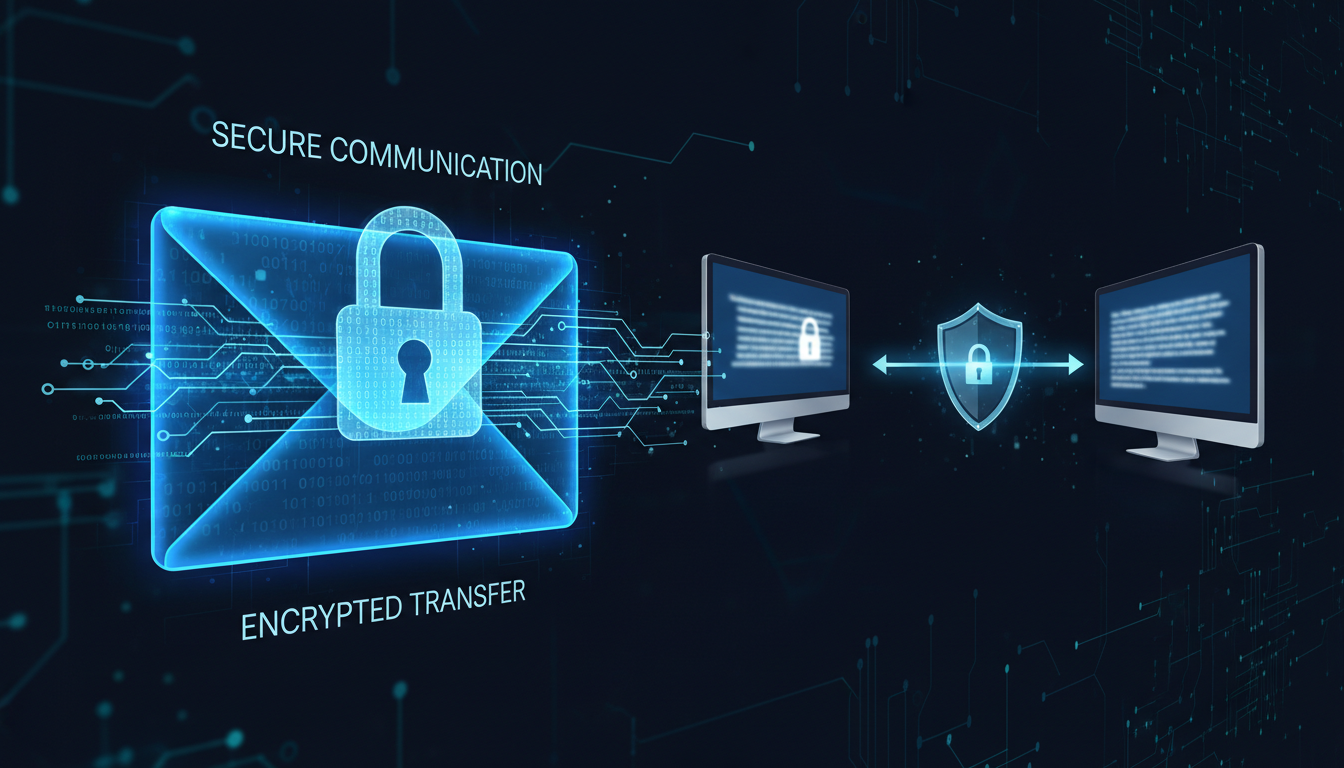
Email remains the primary communication channel for UK businesses, handling everything from routine correspondence to the transmission of highly sensitive financial data, legal documents, personal information, and strategic business plans. Yet despite the critical nature of much email content, the vast majority of UK businesses send even their most confidential communications without any form of encryption - effectively sending the digital equivalent of a postcard that anyone along the delivery route can read.
The risks are not theoretical. Email interception, account compromise, and misdirected messages are everyday occurrences. The Information Commissioner's Office (ICO) regularly investigates data breaches involving unencrypted email, and the penalties under UK GDPR for failing to protect personal data in transit can be severe. Beyond regulatory risk, the reputational damage from a confidential email falling into the wrong hands can be devastating.
This guide explains what email encryption is, why it matters for UK businesses, the different encryption methods available, and how to implement practical email encryption using Microsoft 365 - the platform most UK SMEs already use.
What Is Email Encryption?
Email encryption is the process of encoding the content of an email message so that only the intended recipient can read it. Without encryption, an email travels across the internet in plain text, passing through multiple servers and network devices, any of which could potentially intercept and read the content. With encryption, the message is scrambled into unreadable ciphertext that can only be decoded by someone with the correct decryption key.
There are two distinct types of email encryption, and understanding the difference is essential for making informed decisions about your organisation's approach.
Transport Layer Encryption (TLS)
Transport Layer Security (TLS) encrypts the connection between email servers during transmission. Think of it as an armoured van transporting your message - the message is protected while in transit, but once it arrives at its destination, it is stored in plain text. TLS is the baseline standard for email encryption and is used automatically by most modern email systems, including Microsoft 365 and Google Workspace. However, TLS has a significant limitation: it only protects the message during transmission, not at rest. If a recipient's email account is compromised, TLS-encrypted messages are fully readable.
End-to-End Encryption (E2EE)
End-to-end encryption protects the message content itself, not just the transmission channel. The message is encrypted on the sender's device and can only be decrypted by the intended recipient. Even the email provider cannot read the message content. This provides a much higher level of protection, as the message remains encrypted at rest, in transit, and even if an intermediary system is compromised.
Transport Layer Encryption (TLS)
- Automatic - no user action required
- Protects email during transmission
- Supported by all major email platforms
- No impact on recipient experience
- Does NOT protect at rest
- Suitable for routine business email
End-to-End Encryption (E2EE)
- Requires deliberate activation per message
- Protects content at rest and in transit
- Requires compatible systems or portals
- May require recipient to authenticate
- Protects even if accounts are compromised
- Essential for highly sensitive data
Email Encryption Adoption Across UK Industries
Despite clear regulatory requirements and well-documented risks, email encryption adoption varies dramatically across UK industries. Some sectors have embraced encryption as standard practice, whilst others remain alarmingly exposed. The following data, drawn from a 2024 analysis of UK businesses by the Cyber Security Breaches Survey and supplementary industry reports, illustrates the significant variation in encryption adoption by sector.
These figures reveal a concerning pattern: the industries handling the most sensitive personal and financial data tend to have higher encryption adoption rates, driven largely by sector-specific regulation. However, even in financial services - the leading sector - 13% of organisations still lack comprehensive email encryption. For industries such as construction and retail, where email increasingly carries sensitive commercial and personal information, the low adoption rates represent a significant and growing risk.
When Should You Encrypt Emails?
Not every email needs end-to-end encryption. The overhead and friction of encryption should be proportionate to the sensitivity of the content. Here is a practical framework for deciding when encryption is warranted.
Always encrypt emails containing personal data as defined under UK GDPR (names, addresses, financial details, health information, National Insurance numbers), legal documents and contracts, financial information including invoices with bank details, intellectual property and trade secrets, board papers and strategic plans, and any information that could cause harm if disclosed to unauthorised parties.
Consider encrypting internal communications about sensitive business matters, HR correspondence, negotiations with suppliers or partners, and communications with external advisers including accountants and solicitors.
Standard TLS is sufficient for routine business correspondence, meeting arrangements, general enquiries, and internal communications that do not involve sensitive data.
Article 32 of the UK GDPR requires organisations to implement "appropriate technical and organisational measures" to ensure a level of security appropriate to the risk, explicitly mentioning "encryption" as one such measure. The ICO has stated that the failure to encrypt emails containing personal data, particularly when transmitted externally, may constitute a breach of this obligation. Whilst encryption is not mandatory for every email, the absence of any encryption capability for sensitive communications is increasingly difficult to justify in the event of a data breach investigation.
Email Encryption in Microsoft 365
For the majority of UK SMEs using Microsoft 365, there are several built-in encryption options that require no additional software or cost.
Microsoft 365 Message Encryption (OME)
Office Message Encryption is included with Microsoft 365 Business Premium, E3, and E5 licences. It allows users to send encrypted emails to anyone, regardless of the recipient's email provider. The recipient receives a notification with a link to a secure web portal where they authenticate and read the message. OME can be triggered manually by users (by applying the "Encrypt" option in Outlook) or automatically via mail flow rules - for example, encrypting all emails containing credit card numbers or National Insurance numbers.
Sensitivity Labels
Microsoft Purview sensitivity labels provide a more sophisticated approach to email encryption. Labels such as "Confidential" or "Highly Confidential" can be configured to automatically encrypt messages, restrict forwarding, prevent printing, and apply watermarks. Users select the appropriate label when composing a message, and the corresponding protections are applied automatically. This approach is particularly powerful because it integrates encryption into a broader information protection framework.
S/MIME Encryption
Secure/Multipurpose Internet Mail Extensions (S/MIME) provides certificate-based end-to-end encryption. Both sender and recipient must have S/MIME certificates, which makes it impractical for ad hoc external communication but excellent for regular encrypted correspondence between known parties - for example, between your organisation and your legal advisers or accountants.
| Encryption Method | Included In | Recipient Needs | Ease of Use | Best For |
|---|---|---|---|---|
| TLS (automatic) | All Microsoft 365 plans | Nothing - automatic | Invisible to users | Baseline protection for all email |
| OME | Business Premium, E3, E5 | Web browser for portal | Simple - one click | Sensitive emails to external recipients |
| Sensitivity Labels | Business Premium, E3, E5 | Varies by label config | Simple - select label | Organisation-wide classification |
| S/MIME | All plans (cert required) | S/MIME certificate | Complex setup | Regular encrypted correspondence |
Implementing Email Encryption: A Practical Approach
Rolling out email encryption across your organisation requires planning and a phased approach to avoid confusion and resistance from users.
Phase 1: Policy and Classification
Before implementing any technology, define your email classification policy. Identify which types of information require encryption, document the criteria clearly, and communicate them to all staff. This policy should align with your broader data classification framework and your obligations under UK GDPR.
Phase 2: Technical Configuration
Configure your chosen encryption method in Microsoft 365. For most UK SMEs, we recommend starting with OME and sensitivity labels. Set up mail flow rules that automatically encrypt emails matching specific criteria - for example, emails containing keywords like "confidential" in the subject line, emails to specific external domains, or emails detected as containing personal data patterns.
Phase 3: User Training
Train all staff on when and how to use email encryption. Keep it practical - show them exactly which button to click in Outlook, explain why it matters, and provide examples relevant to their roles. A finance team member needs to understand that emailing bank details requires encryption. An HR manager needs to understand that employee personal data must be encrypted. Make the training role-specific and practical rather than abstract and theoretical.
Phase 4: Monitoring and Refinement
Monitor encryption usage through Microsoft 365 reporting. Are users actually applying encryption when they should be? Are mail flow rules catching the sensitive content they are designed to identify? Are recipients experiencing problems accessing encrypted messages? Use this data to refine your rules and training over time.
Email Encryption for Regulated Industries
Whilst every UK business has obligations under the UK GDPR, certain industries face additional sector-specific requirements that make email encryption not merely advisable but effectively mandatory.
Financial Services
The Financial Conduct Authority expects regulated firms to maintain robust information security measures, including the protection of client data in transit. The Senior Managers and Certification Regime means that individual senior managers can be held personally accountable for data security failures. For financial advisers, accountants, and wealth managers, sending unencrypted client financial data by email represents both a regulatory compliance failure and a personal liability risk. The FCA 2024 guidance on operational resilience specifically references email security as a critical control that firms should implement and regularly test.
Healthcare and NHS
NHS organisations and their suppliers must comply with the Data Security and Protection Toolkit, which mandates encryption for personal data transmitted electronically. The sensitivity of health data - classified as special category data under UK GDPR - means that even a single unencrypted email containing patient information can trigger an investigation by the ICO. NHS Digital guidance is explicit: all emails containing patient-identifiable information must be encrypted using NHSmail, which provides automatic TLS encryption between NHSmail accounts, or an equivalent approved encryption method when communicating with external parties.
Legal Services
The Solicitors Regulation Authority requires law firms to maintain the confidentiality of client information, and this obligation extends explicitly to electronic communications. A solicitor who sends confidential case details via unencrypted email may breach both their SRA obligations and their common law duty of confidentiality. The Law Society practice note on information security recommends that all law firms implement email encryption for client communications, particularly when transmitting documents that contain personal data, financial information, or legally privileged material. Given that legal correspondence frequently contains highly sensitive information about individuals and businesses, encryption should be considered the baseline standard rather than an optional enhancement.
The True Cost of Email Data Breaches in the UK
The financial impact of an email-related data breach extends far beyond any regulatory fine. Understanding the full cost spectrum helps businesses justify the relatively modest investment required to implement proper email encryption.
The ICO has the power to impose fines of up to £17.5 million or 4% of annual global turnover under the UK GDPR, and email-related incidents feature prominently in enforcement actions. In 2023 alone, the ICO investigated over 2,400 incidents involving email, ranging from misdirected emails containing personal data to large-scale breaches resulting from compromised email accounts. Whilst the headline-grabbing multi-million pound fines are reserved for the most serious cases, smaller businesses regularly receive fines of £10,000 to £100,000 for failures that could have been prevented with basic email encryption.
Beyond regulatory penalties, the true cost of an email breach includes legal fees for breach notification and defence, the cost of credit monitoring services for affected individuals, staff time diverted to incident response and investigation, loss of business from clients who lose confidence in your data handling, increased insurance premiums following a breach, and the often-immeasurable cost of reputational damage. Research by IBM and the Ponemon Institute found that the average total cost of a data breach involving email in the UK reached £4.1 million in 2024, with small businesses typically facing costs of £30,000 to £150,000 per incident.
Perhaps most significantly, the ICO considers what security measures an organisation had in place when assessing the severity of a breach and determining any penalty. An organisation that experiences a breach despite having implemented reasonable encryption measures will be treated far more leniently than one that failed to implement any email security at all. Encryption is not a guarantee against breaches, but its absence is increasingly treated as an aggravating factor in regulatory investigations.
Mobile and Remote Working: Encryption Beyond the Office
The widespread adoption of hybrid and remote working across UK businesses has fundamentally changed the email security landscape. When employees accessed email exclusively from managed desktop computers within a corporate network, organisations had significant control over the security environment. Today, staff routinely read and compose emails on personal smartphones, tablets, and laptops, often connected via public Wi-Fi networks in coffee shops, airports, and co-working spaces.
This shift creates additional encryption challenges that businesses must address. Microsoft 365 provides a consistent encryption experience across devices - emails encrypted using OME or sensitivity labels remain encrypted regardless of whether they are accessed via Outlook on a managed desktop, the Outlook mobile app on a personal phone, or Outlook Web Access in a browser. However, this consistency only applies if the organisation has properly configured its encryption policies and if employees are using approved applications to access their email.
Mobile Device Management solutions, such as Microsoft Intune which is included with Microsoft 365 Business Premium, add an essential layer of protection for remote and mobile email access. Intune can enforce encryption policies on mobile devices, require device-level encryption before email access is permitted, prevent email content from being copied to unmanaged applications, and remotely wipe business data if a device is lost or stolen. For businesses that allow staff to use personal devices for work email - a practice known as Bring Your Own Device - Intune app protection policies can secure the email application without requiring full device management.
Conditional Access policies in Azure Active Directory provide another critical control for mobile email security. These policies can require multi-factor authentication before granting email access from unfamiliar devices or locations, block access from devices that do not meet minimum security requirements, restrict email access to approved applications only, and flag or block sign-in attempts from unusual geographic locations. When combined with email encryption, Conditional Access creates a comprehensive security framework that protects sensitive email content both at rest and in transit, regardless of where or how employees choose to work.
For UK businesses operating under the hybrid working model that has become the norm since 2020, integrating mobile email security with your encryption strategy is not optional - it is a fundamental requirement for maintaining data protection compliance and safeguarding confidential communications in an era where the office perimeter no longer exists.
Common Mistakes With Email Encryption
Even well-intentioned encryption implementations can go wrong. Here are the most common mistakes we see UK businesses make.
Encrypting everything. Encrypting every single email creates friction for recipients, generates support tickets, and causes users to view encryption as an annoyance rather than a protection. Encrypt what needs encrypting, and leave routine correspondence alone.
Forgetting the recipient experience. If external recipients find your encrypted emails confusing or difficult to access, they will ask you to resend the information unencrypted - defeating the entire purpose. Test the recipient experience thoroughly before rolling out, and provide clear instructions within the encrypted message.
Not training users. Deploying encryption technology without training users is a recipe for either non-adoption (users ignore it) or frustration (users apply it incorrectly). Investment in training pays for itself many times over.
Relying solely on user discretion. If encryption depends entirely on users remembering to apply it, sensitive data will inevitably be sent unencrypted. Automatic mail flow rules that detect and encrypt sensitive content patterns provide a safety net for human forgetfulness.
Need Help Securing Your Email?
Cloudswitched configures and manages email encryption for UK businesses using Microsoft 365. From policy development and technical configuration to user training and ongoing monitoring, we ensure your sensitive communications are properly protected. Contact us for an email security assessment.

CloudSwitched
London-based managed IT services provider offering support, cloud solutions and cybersecurity for SMEs.


