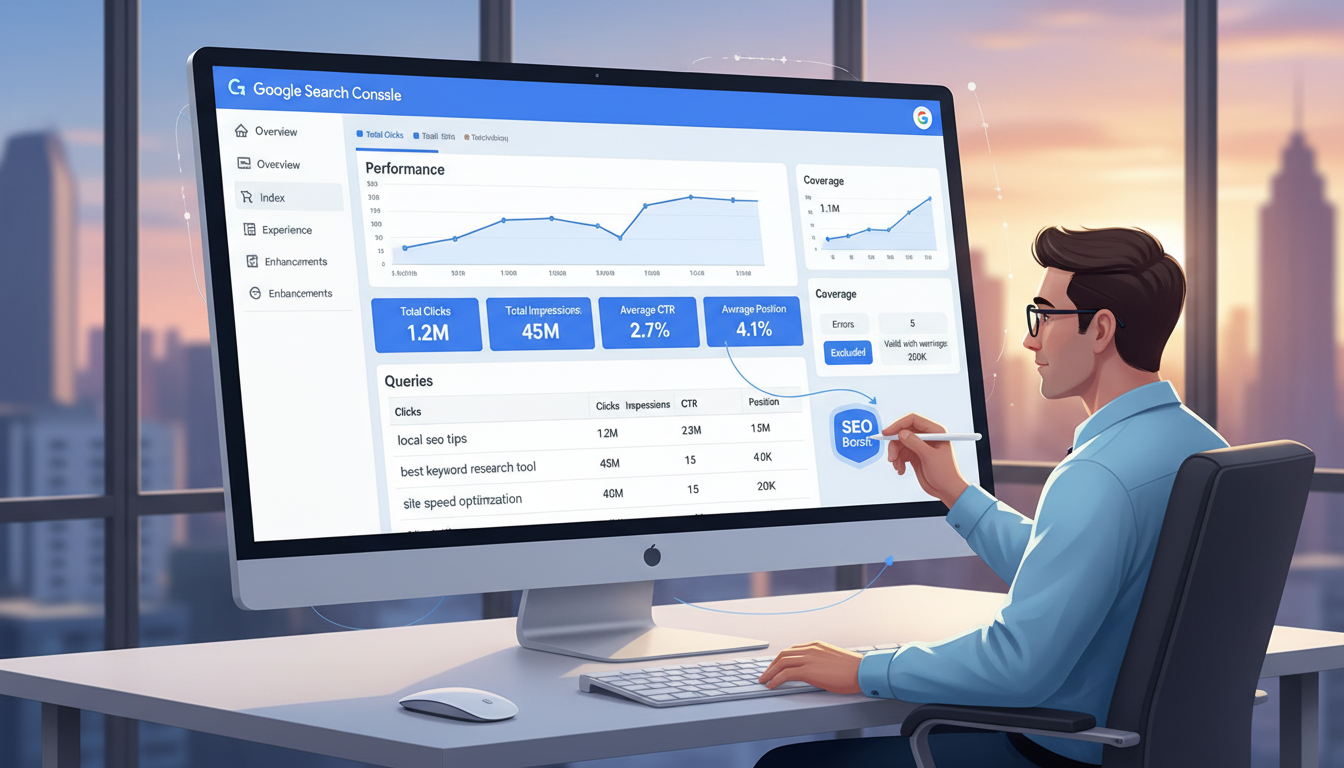
Google Search Console is one of the most powerful - and most underutilised - tools available to UK businesses looking to improve their organic search performance. Completely free to use, it provides a direct line of communication between your website and Google, offering insights that no third-party SEO tool can replicate. In this comprehensive guide, we walk you through exactly how to use Google Search Console to identify opportunities, fix problems, and systematically improve your website's visibility in search results.
What Is Google Search Console and Why Does It Matter?
Google Search Console (GSC) is a free web service provided by Google that helps website owners monitor, maintain, and troubleshoot their site's presence in Google Search results. Unlike analytics tools that tell you what happens after someone visits your site, GSC tells you what happens before - how your pages appear in search results, which queries trigger your listings, and what technical issues might be preventing Google from properly indexing your content.
For UK businesses competing in increasingly crowded digital markets, the data within GSC is invaluable. It reveals exactly how Google sees your website, what your potential customers are searching for, and where the biggest opportunities for improvement lie. Whether you're a local tradesperson in Manchester or a national e-commerce brand, the principles are the same: better search visibility means more qualified traffic, more enquiries, and more revenue.
Despite being entirely free, many UK businesses either don't have GSC set up or barely scratch the surface of what it can do. That's a significant missed opportunity, because the insights it provides can directly inform your SEO strategy and deliver measurable results within weeks.
Setting Up Google Search Console Correctly
Before you can leverage GSC's insights, you need to ensure it's properly configured. While the setup process is straightforward, there are important decisions that affect the quality of data you receive.
Choosing Your Property Type
GSC offers two property types: Domain and URL prefix. For most UK businesses, the Domain property is the better choice because it captures data across all subdomains (www, blog, shop) and both HTTP and HTTPS versions of your site. This gives you a complete picture of your search performance without any gaps.
Domain verification requires adding a DNS TXT record through your domain registrar, which sounds technical but typically takes just a few minutes. If you're uncomfortable making DNS changes, the URL prefix option works well too - just make sure you add all variations of your site (with and without www, HTTP and HTTPS) to capture comprehensive data.
Essential Post-Setup Steps
- Submit Your Sitemap: Navigate to the Sitemaps section and submit your XML sitemap URL (typically yoursite.co.uk/sitemap.xml). This helps Google discover and crawl your pages more efficiently.
- Connect Google Analytics: Linking GSC to your Google Analytics account creates a more complete picture by combining search performance data with on-site behaviour metrics.
- Set Your Target Country: In the International Targeting section, confirm that the United Kingdom is set as your target country. This helps Google understand your primary audience and can improve your visibility in UK-specific search results.
- Review Legacy Settings: If you're taking over an existing GSC property, check for any outdated URL parameters, disavow files, or manual actions that might be affecting performance.
Mastering the Performance Report
The Performance report is the heart of GSC and where you'll spend most of your time. It shows four key metrics for your search presence: total clicks, total impressions, average click-through rate (CTR), and average position. Understanding how to read and act on these metrics is essential for improving your SEO.
Understanding the Four Key Metrics
- Impressions: How many times your pages appeared in search results. An impression is counted each time your URL appears in a result, whether or not the user scrolled down to actually see it. High impressions with low clicks indicate visibility without engagement - often a meta title or description problem.
- Clicks: The number of times users clicked through to your website from search results. This is the metric that directly translates to traffic and is ultimately what we're trying to maximise.
- Click-Through Rate (CTR): The percentage of impressions that resulted in a click. Average CTR varies dramatically by position - the top result typically receives around 28% of clicks, while position 10 might only capture 2-3%. Understanding expected CTR for your positions helps you identify pages that are underperforming.
- Average Position: Where your pages typically appear in search results. A position of 1 means you're the top organic result. Positions 1-10 are on page one. Remember that this is an average - your actual position fluctuates based on the user's location, search history, device, and dozens of other personalisation factors.
Where UK Businesses Lose the Most Search Visibility
Finding Your Quick-Win Keywords
One of the most valuable exercises you can perform in GSC is identifying quick-win keywords - queries where you're already ranking on page one but not in the top three positions. These represent opportunities where a relatively small improvement in rankings can yield a significant increase in traffic.
The Position 4-10 Strategy
Here's how to find these opportunities:
- Open the Performance report and select a date range of at least three months for reliable data.
- Click on the 'Queries' tab to see all search terms driving impressions to your site.
- Filter by position: set a custom filter for queries with an average position between 4 and 10.
- Sort by impressions (highest first) to find the queries with the most search volume.
- Review the resulting list - these are your quick-win opportunities.
For each quick-win keyword, examine the page that's currently ranking. Ask yourself: Is the content comprehensive enough? Does it directly answer the searcher's intent? Are the meta title and description compelling? Is there an opportunity to add more depth, better examples, or more current statistics? Often, relatively modest content improvements can push a page from position 7 or 8 into the top three, dramatically increasing click-through rates.
Export your GSC query data into a spreadsheet and calculate the potential traffic gain for each quick-win keyword. If a query has 1,000 monthly impressions and you're at position 8 (roughly 2% CTR), moving to position 3 (roughly 11% CTR) would increase clicks from 20 to 110 per month - a 450% improvement from a single page optimisation. Prioritise keywords with the highest potential traffic gain first.
Fixing Indexing Issues
Pages that aren't indexed by Google simply don't exist in search results. The Pages report (formerly Coverage report) in GSC reveals exactly how Google is treating every URL on your site, categorised as indexed, not indexed, or excluded.
Common Indexing Problems and Solutions
- Discovered - currently not indexed: Google knows about the page but hasn't crawled it yet. This often indicates that Google doesn't consider the page important enough to prioritise. Improve internal linking to the page, ensure it's in your sitemap, and consider whether the content is sufficiently unique and valuable.
- Crawled - currently not indexed: Google has crawled the page but chosen not to index it. This is more concerning and usually signals a quality issue. The content may be too thin, too similar to other pages on your site, or not providing enough unique value to warrant inclusion in the index.
- Blocked by robots.txt: Your robots.txt file is preventing Google from accessing the page. This is sometimes intentional (for admin pages, staging environments, etc.) but can accidentally block important content. Review your robots.txt carefully.
- Redirect errors: Pages are redirecting in ways Google can't follow - redirect chains (A redirects to B, which redirects to C), redirect loops, or redirects to non-existent pages. Clean up your redirect configuration to ensure every redirect points directly to its final destination.
- Server errors (5xx): Google received a server error when trying to crawl the page. This indicates a hosting or application problem that needs urgent attention, as persistent server errors can damage your site's overall crawl budget and search visibility.
Tracking Your Indexing Health Over Time
Monitor these metrics monthly and aim for consistent improvement. A healthy site should have at least 90% of its intended pages indexed and passing Core Web Vitals. If your numbers fall significantly below these benchmarks, it's a signal that technical SEO issues need addressing before content-focused efforts can reach their full potential.
Improving Click-Through Rates With Better Search Snippets
Ranking well is only half the battle - you also need searchers to click on your listing. GSC's CTR data reveals which pages are getting seen but not clicked, giving you a clear list of pages where improving the search snippet could immediately increase traffic without any change in rankings.
Optimising Meta Titles
Your meta title is the blue clickable link in search results and has the single greatest influence on CTR. Effective titles for UK businesses should:
- Include the primary keyword near the beginning so searchers immediately see that the page is relevant to their query.
- Stay under 60 characters to avoid truncation in search results. Google measures in pixels rather than characters, but 60 characters is a reliable guideline.
- Create curiosity or promise value - titles like '7 Ways to Reduce IT Costs in 2026' or 'The Complete Guide to UK Data Protection' perform better than generic alternatives.
- Include your brand name at the end (separated by a pipe or dash) to build recognition over time.
Crafting Compelling Meta Descriptions
While meta descriptions don't directly influence rankings, they significantly impact CTR. Think of them as a 155-character advertisement for your page. Effective meta descriptions:
- Directly address the searcher's intent and promise a clear benefit for clicking through.
- Include a call to action such as 'Learn how', 'Discover', or 'Find out why' to encourage engagement.
- Mention specific details - numbers, statistics, or concrete outcomes - that differentiate your listing from competitors.
- Use natural language that reads well and avoids keyword stuffing, which can look spammy and reduce trust.
Weak Search Snippet
Optimised Search Snippet
Mobile Usability and Core Web Vitals
With over 60% of UK web searches now conducted on mobile devices, Google has made mobile usability and page experience central to its ranking algorithm. GSC provides dedicated reports for both, giving you actionable data on how to improve.
The Mobile Usability Report
This report flags pages with mobile-specific problems such as text that's too small to read, clickable elements that are too close together, content that's wider than the screen, and viewport configuration issues. Each issue is presented with the affected URLs, making it straightforward to identify and fix problems.
For UK businesses, mobile usability is especially important because Google uses mobile-first indexing - meaning it primarily uses the mobile version of your page for ranking purposes. If your mobile experience is poor, your desktop rankings will suffer too.
Core Web Vitals
Core Web Vitals are a set of three metrics that measure real-world user experience:
- Largest Contentful Paint (LCP): Measures loading performance. Your main content should load within 2.5 seconds for a good experience. Common causes of poor LCP include unoptimised images, slow server response times, and render-blocking JavaScript.
- Interaction to Next Paint (INP): Measures responsiveness. The page should respond to user interactions within 200 milliseconds. Heavy JavaScript execution and inefficient event handlers are typical culprits when INP scores are poor.
- Cumulative Layout Shift (CLS): Measures visual stability. Elements on the page shouldn't shift around unexpectedly as the page loads. Images without defined dimensions, dynamically injected content, and web fonts that cause text to reflow are common causes of high CLS.
| Metric | What It Measures | Good Threshold |
|---|---|---|
| Largest Contentful Paint (LCP) | Loading performance | Under 2.5 seconds |
| Interaction to Next Paint (INP) | Responsiveness | Under 200 milliseconds |
| Cumulative Layout Shift (CLS) | Visual stability | Under 0.1 |
GSC's Core Web Vitals report groups your URLs into good, needs improvement, and poor categories for each metric, using real user data collected from Chrome browsers. This makes it one of the most reliable sources of performance data available because it reflects actual user experiences, not lab simulations.
UK businesses with pages passing all three Core Web Vitals thresholds see an average of 24% lower bounce rates and 15% longer session durations compared to those with poor scores. Google has confirmed that Core Web Vitals are an active ranking factor, meaning faster, more responsive pages have a direct competitive advantage in search results.
Advanced GSC Strategies for UK Businesses
Once you've mastered the basics, GSC offers several advanced capabilities that can further refine your SEO strategy and uncover deeper insights.
Using the Links Report
The Links report shows both your internal link structure and external sites linking to you. For UK businesses, pay particular attention to:
- Top linking sites: Which external websites link to you most frequently? Are there industry directories, trade publications, or local business sites that you could further leverage for additional links?
- Top linked pages: Which of your pages attract the most external links? Understanding what content earns links naturally helps you create more of it.
- Internal linking distribution: Are your most important commercial pages receiving adequate internal links? Many sites over-link to their homepage and blog whilst neglecting key service or product pages.
Search Appearance Enhancements
GSC reports on various search appearance enhancements including structured data (FAQ schema, how-to schema, review snippets), breadcrumbs, and sitelinks. Implementing structured data correctly can dramatically increase the visual prominence of your listings in search results, leading to higher CTR even without a change in ranking position.
For UK local businesses, implementing LocalBusiness schema and ensuring your Google Business Profile is connected to your GSC property is particularly impactful. Local search results often include rich features like maps, reviews, and opening hours - all of which can be influenced through proper structured data implementation.
Comparing Date Ranges
One of GSC's most powerful features is the ability to compare performance across different date ranges. Use this to:
- Measure the impact of SEO changes by comparing the period before and after implementation.
- Identify seasonal patterns in your search traffic (critical for UK retail, tourism, and event-based businesses).
- Detect sudden drops in impressions or clicks that might indicate a technical problem or algorithm update.
- Track year-over-year growth to demonstrate SEO ROI to stakeholders and justify continued investment.
Integrating GSC Data With Other Tools
GSC data becomes even more powerful when combined with other sources. Export your query data and merge it with Google Analytics conversion data to understand not just which keywords drive traffic, but which drive revenue. Connect it to your CRM to track the full journey from search query to paying customer. This level of attribution is what separates sophisticated SEO strategies from basic keyword tracking.
Building a Monthly GSC Review Process
To maximise the value of Google Search Console, establish a regular review process. A monthly cadence works well for most UK businesses - frequent enough to catch problems early, but not so frequent that natural fluctuations cause unnecessary alarm.
Your Monthly GSC Checklist
- Check for new indexing issues in the Pages report. Address any increases in 'not indexed' pages immediately.
- Review the Performance report for significant changes in clicks, impressions, CTR, or position. Compare to the previous month and the same month last year.
- Identify new quick-win keywords that have entered positions 4-10. Add these to your content optimisation queue.
- Monitor Core Web Vitals for any regressions, particularly after site updates or new content deployments.
- Check for manual actions or security issues. These are rare but can devastate your search visibility if left unaddressed.
- Review the sitemap status to ensure all submitted sitemaps are being processed without errors.
- Analyse your top-growing and top-declining queries to understand what's working and what needs attention.
Document your findings and actions each month. Over time, this creates a valuable record of your SEO progress and the interventions that drove improvement. It also makes it much easier to diagnose sudden changes by correlating them with specific actions taken in previous months.
Want Expert Help Improving Your Search Rankings?
Our SEO specialists help UK businesses unlock the full potential of Google Search Console and build data-driven strategies that deliver measurable growth. From technical audits to content optimisation and ongoing performance management, we'll help you turn GSC insights into real business results.
TALK TO AN EXPERTTurning Data Into Action
Google Search Console is only valuable if you act on the insights it provides. Too many UK businesses log in occasionally, glance at the dashboard, and then do nothing with the information. The businesses that achieve the strongest organic search results are those that treat GSC data as the foundation of a systematic, ongoing optimisation programme.
Start with the highest-impact opportunities: fix any technical indexing issues, optimise your quick-win keywords, and improve the search snippets for your most-viewed pages. Then expand into more advanced territory - structured data implementation, Core Web Vitals optimisation, and strategic internal linking improvements.
The beauty of SEO is that improvements compound over time. A page you optimise today will continue to deliver increased traffic for months or even years. And with Google Search Console providing the data you need to make informed decisions, there's no excuse for flying blind. Every UK business with a website should be using this free tool to its full potential - the only question is whether you'll do it yourself or engage experts to accelerate the process.
Whether you're just getting started with GSC or looking to take your search performance to the next level, the strategies outlined in this guide will help you systematically identify opportunities, fix problems, and build the kind of sustained organic visibility that drives genuine business growth.

CloudSwitched
London-based managed IT services provider offering support, cloud solutions and cybersecurity for SMEs.


