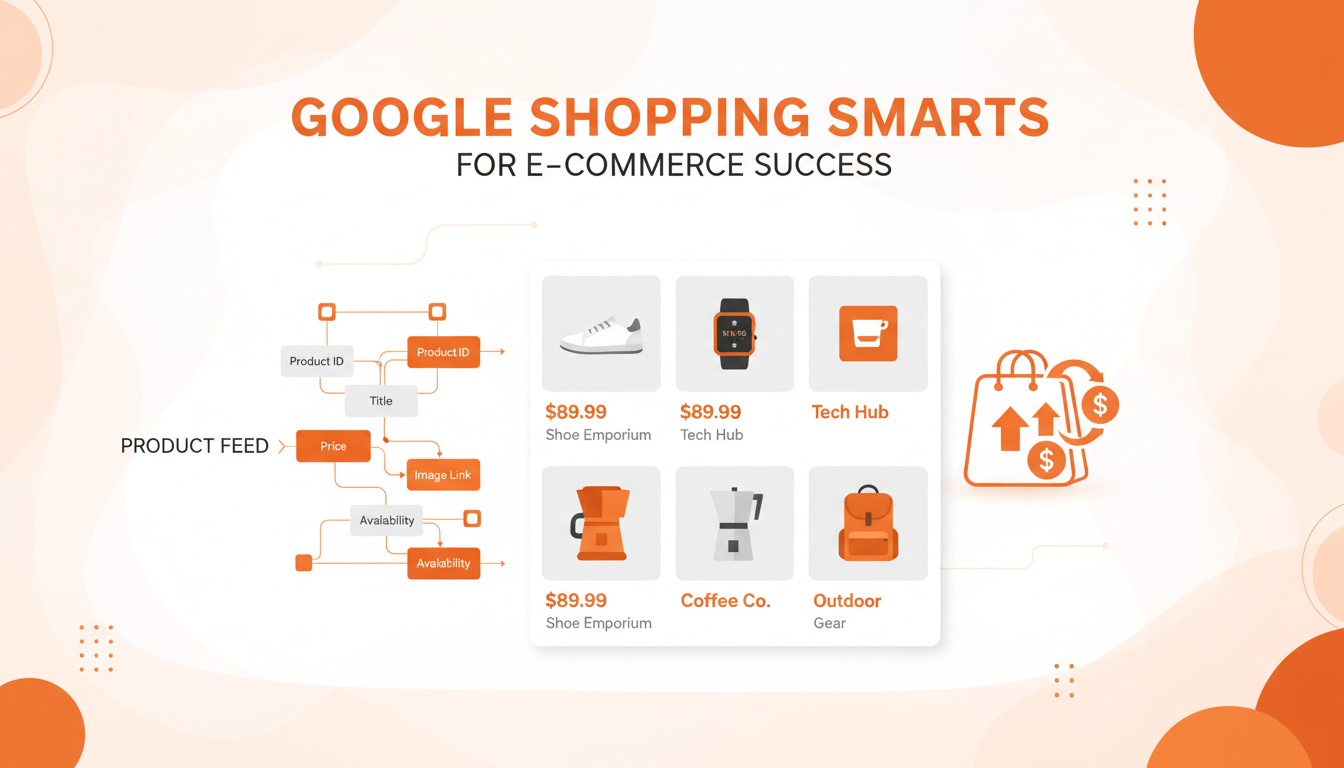
Google Shopping campaigns have transformed the way UK ecommerce businesses attract customers, offering a visual, intent-driven advertising format that consistently outperforms traditional text ads for product-based searches. With more than 87% of UK consumers beginning their product research online, mastering Google Shopping is no longer optional for serious ecommerce operators - it is a competitive necessity.
This comprehensive guide explores every facet of Google Shopping campaign management, from feed optimisation and bidding strategies to advanced audience segmentation and performance measurement. Whether you are running a small Shopify store or managing a large-scale ecommerce operation, the principles here will help you maximise your return on ad spend.
Understanding Google Shopping in the UK Market
Google Shopping ads appear at the top of search results, displaying product images, prices, store names, and review ratings. Unlike standard Search campaigns, Shopping ads are not triggered by keywords you select - they are matched based on your product feed data. This fundamental difference means that feed quality is the single most important factor in Shopping campaign performance.
In the UK market specifically, Shopping ads must comply with HMRC VAT display requirements, Consumer Rights Act 2015 pricing regulations, and Advertising Standards Authority (ASA) guidelines. Getting these basics wrong can lead to product disapprovals, account suspensions, or even regulatory action.
Building a High-Performance Product Feed
Your product feed is the foundation of every Shopping campaign. Google Merchant Centre ingests this structured data to understand what you sell, how much it costs, and when to show your products. A poorly optimised feed results in irrelevant impressions, wasted budget, and missed opportunities.
Product Title Optimisation
Product titles are the most influential attribute in your feed. Google uses them to match search queries, so they must be descriptive, keyword-rich, and structured logically. The optimal format varies by product category:
- Clothing: Brand + Gender + Product Type + Attributes (Colour, Size, Material) - e.g., "Nike Women's Running Trainers Black Mesh Size 6"
- Electronics: Brand + Product + Key Specifications - e.g., "Samsung Galaxy S24 Ultra 256GB Titanium Black Unlocked"
- Home & Garden: Brand + Product Type + Key Feature + Dimensions - e.g., "Dulux Weathershield Exterior Paint Brilliant White 5L"
Avoid stuffing titles with promotional text like "FREE DELIVERY" or "BEST PRICE" - Google will disapprove these products. Focus on descriptive attributes that match how real UK shoppers search.
Product Descriptions and Attributes
While descriptions carry less weight than titles for matching purposes, they influence quality scores and can improve ad relevance. Write natural, benefit-driven descriptions that include secondary keywords. Ensure every optional attribute is populated - colour, size, material, pattern, age group, and gender all help Google match your products more precisely.
Use Google's product taxonomy codes rather than relying on auto-categorisation. Manually setting google_product_category to the most specific level (e.g., "Apparel & Accessories > Clothing > Dresses") dramatically improves matching accuracy and reduces irrelevant impressions.
Image Requirements and Best Practices
Product images are what make Shopping ads stand out. Google requires a minimum of 100x100 pixels for non-apparel and 250x250 for apparel, but you should aim for at least 800x800 pixels. Use clean, white-background images as your main image, and supplement with lifestyle images as additional images. Avoid watermarks, logos overlaid on product images, or promotional text on images.
Pricing and Availability
Prices in your feed must match your landing page prices exactly, including VAT. For UK merchants, this means displaying VAT-inclusive prices. Any discrepancy triggers product disapprovals. Set up automated price monitoring to catch mismatches, particularly if you use dynamic pricing tools or have frequent promotions.
Campaign Structure Strategies
How you structure your Shopping campaigns determines your control over bidding, budget allocation, and performance optimisation. There are several proven approaches, each suited to different business sizes and goals.
Priority-Based Campaign Tiering
The most effective structure for established ecommerce businesses uses three campaign tiers with different priorities and negative keyword strategies:
- High Priority Campaign (Generic Queries): Catches broad, top-of-funnel searches like "running shoes" or "wireless headphones." Set lower bids here as conversion rates are typically lower.
- Medium Priority Campaign (Category Queries): Captures more specific searches like "Nike running shoes men" with moderate bids.
- Low Priority Campaign (Brand/Product Queries): Targets high-intent searches like "Nike Air Max 90 black size 10" with your highest bids, as these convert at the best rates.
Use negative keyword lists to funnel queries to the correct tier. The High Priority campaign should have brand terms and specific product names as negatives, forcing those valuable queries down to the Low Priority campaign where bids are highest.
Product Group Segmentation
Within each campaign, segment your product groups logically. Start with brand, then category, then product type, then individual items. This granular structure allows you to set different bids for different products based on their margin, conversion rate, and strategic importance.
For example, if you sell electronics, you might bid higher on premium headphones with 40% margins than on budget cables with 15% margins, even if the cables sell in higher volume. The goal is to maximise profit, not just revenue.
Bidding Strategies for UK Ecommerce
Choosing the right bidding strategy can make or break your Shopping campaigns. Google offers several automated options alongside manual bidding, and the best choice depends on your data volume, goals, and comfort with automation.
Manual CPC Bidding
Manual bidding gives you complete control and is ideal when launching new campaigns or when you have limited conversion data. Set bids at the product group level based on your target cost per acquisition (CPA) or return on ad spend (ROAS). A good starting formula: Maximum CPC = Target CPA x Expected Conversion Rate.
Target ROAS (tROAS)
Once you have at least 15-20 conversions per month in a campaign, Target ROAS becomes viable. This strategy automatically adjusts bids to achieve your specified return on ad spend. For most UK ecommerce businesses, a tROAS of 400-600% is a reasonable starting point, though this varies significantly by industry and margin structure.
Maximise Conversion Value
This fully automated strategy aims to get the most conversion value within your budget. It works well for campaigns with sufficient data and when you want to maximise revenue without a specific ROAS target. Be cautious - without guardrails, this strategy may overspend on low-margin products if conversion values are not weighted correctly.
To help you decide which bidding approach suits your business, we have compiled a detailed comparison of the most common strategies used by UK ecommerce advertisers. Each strategy has distinct advantages depending on your data maturity, budget, and performance goals. Selecting the wrong strategy too early is one of the most frequent causes of wasted spend in Google Shopping.
| Bidding Strategy | Best For | Min. Data Required | Control Level | Risk Level |
|---|---|---|---|---|
| Manual CPC | New campaigns, limited data | None | Full control | Low |
| Enhanced CPC | Transitioning to automation | 15+ conversions/month | High control | Low-Medium |
| Target ROAS | Established campaigns with history | 30+ conversions/month | Moderate control | Medium |
| Maximise Clicks | Traffic-focused campaigns | None | Budget only | Medium |
| Maximise Conv. Value | Revenue maximisation at scale | 50+ conversions/month | Budget only | Medium-High |
Understanding these distinctions is critical when scaling your Shopping campaigns. Many UK advertisers make the mistake of jumping straight to Target ROAS before accumulating sufficient conversion data, which leads to erratic performance and wasted spend. A phased approach - starting with Manual CPC, graduating to Enhanced CPC as data accumulates, and then transitioning to Target ROAS once you have a reliable conversion history - consistently delivers the best long-term outcomes for ecommerce businesses of all sizes.
Never switch from Manual CPC to an automated strategy without sufficient conversion data. Google recommends at least 15 conversions in the past 30 days, but for stable performance, aim for 30-50 conversions before transitioning. Premature automation frequently leads to erratic spending and poor results.
Performance Max vs Standard Shopping
Google has been pushing Performance Max (PMax) as the successor to Standard Shopping campaigns, but the decision between them is not straightforward for UK ecommerce businesses.
Standard Shopping campaigns offer transparency and control. You can see exactly which search terms trigger your ads, set precise bids at the product group level, and use negative keywords to refine targeting. Performance Max, by contrast, serves ads across all Google surfaces - Search, Shopping, Display, YouTube, Discovery, Gmail, and Maps - using machine learning to allocate budget.
The trade-off is clear: PMax typically achieves broader reach and can deliver strong results at scale, but it offers far less visibility into what is working and why. Many experienced UK ecommerce advertisers run both: Standard Shopping for their core, high-performing products where they want maximum control, and PMax for broader discovery and new customer acquisition.
When running both campaign types simultaneously, it is essential to allocate sufficient budget to each and monitor overlap carefully using campaign-level reports. A common pitfall is allowing Performance Max to cannibalise your Standard Shopping traffic by starving the latter of budget. Consider using brand exclusions in PMax to protect your branded traffic within Standard Shopping campaigns, and review asset group performance reports regularly to understand which creative combinations and audience signals are driving the strongest results across channels.
For UK merchants navigating this decision, we recommend starting with Standard Shopping to build a baseline of performance data and a thorough understanding of your market dynamics. Once you have accumulated at least three months of solid conversion data and a well-optimised product feed, introduce Performance Max as a complementary campaign to test incremental reach. This phased approach gives you the control needed to evaluate PMax performance against your established benchmarks and make data-driven decisions about budget allocation between the two campaign types.
Advanced Audience Strategies
Layering audience signals onto Shopping campaigns dramatically improves performance by allowing you to bid differently based on who is searching, not just what they are searching for.
Customer Match Lists
Upload your customer email lists to Google Ads and create audience segments. Bid higher for past purchasers searching for products they are likely to repurchase, and lower for one-time buyers of seasonal items. Under UK GDPR, ensure you have legitimate interest or consent for using customer data in advertising.
Remarketing Lists for Shopping Ads (RLSA)
Create remarketing audiences based on website behaviour. Users who viewed a product page but did not purchase are excellent targets for higher Shopping bids. Those who abandoned their basket are even more valuable. Layer these audiences onto your campaigns with positive bid adjustments of 20-50% to capture this high-intent traffic.
Similar Audiences and In-Market Segments
Google's in-market audiences identify users actively researching products in your category. Apply these as observation audiences first to gather data, then apply bid adjustments once you understand their conversion patterns. Similar audiences, based on your existing customer lists, can effectively expand your reach to new prospects who share characteristics with your best customers.
Feed Management and Supplemental Feeds
As your product catalogue grows, manual feed management becomes impractical. Invest in proper feed management tools and supplemental feed strategies to maintain quality at scale.
Supplemental feeds allow you to override or enhance attributes in your primary feed without modifying your ecommerce platform's data export. Common uses include:
- Adding custom labels for campaign segmentation (e.g., margin tiers, seasonal products, bestsellers)
- Overriding auto-generated titles with optimised versions
- Adding sale price information for promotional periods
- Correcting product categories that your platform exports incorrectly
Custom labels are particularly powerful. Create a labelling system that supports your campaign structure - for example, Label 0 for margin tier (high/medium/low), Label 1 for performance tier (bestseller/steady/underperformer), and Label 2 for seasonality (evergreen/seasonal/clearance). This enables precise bidding at the product group level.
Measuring and Optimising Performance
Effective Shopping campaign management requires rigorous measurement. Track these key metrics consistently and use them to guide optimisation decisions:
Primary Metrics
- Return on Ad Spend (ROAS): Revenue generated per pound spent on ads. The benchmark varies by industry - fashion typically targets 400-600%, electronics 300-500%, and home goods 500-800%.
- Cost Per Acquisition (CPA): Total ad spend divided by number of conversions. Compare this against your average order value and margin to ensure profitability.
- Impression Share: The percentage of eligible impressions your ads received. Low impression share indicates budget or bid constraints that may be limiting growth.
Secondary Metrics
- Click-Through Rate (CTR): Indicates how compelling your product listings are. A CTR below 1% suggests issues with images, prices, or titles.
- Conversion Rate: Measures landing page and checkout effectiveness. If Shopping traffic converts poorly compared to other channels, investigate landing page experience.
- Average Order Value (AOV): Track whether Shopping campaigns attract higher or lower-value orders compared to your site average.
Without Expert Management
With Cloudswitched
UK Ecommerce Shopping Campaign Benchmarks
Beyond the primary and secondary metrics listed above, it is equally important to monitor the overall health of your Shopping campaigns using benchmark scores. The following metrics represent typical performance thresholds for well-optimised UK ecommerce Shopping campaigns. Use these as a guide to identify areas where your campaigns may be underperforming relative to industry standards, and prioritise your optimisation efforts accordingly.
A feed quality score below 85 typically suggests issues with product titles, descriptions, or missing attributes that are limiting your potential reach. Similarly, an impression share below 50% usually indicates that budget constraints or uncompetitive bids are preventing your products from appearing for a significant portion of eligible searches. Mobile experience scores have become increasingly important as Google now prioritises mobile-first indexing - ensure your product landing pages load in under three seconds on mobile devices, with clear calls to action and streamlined checkout flows. Regularly auditing these benchmarks and comparing them against industry averages helps you identify the highest-impact optimisation opportunities for your account.
Common Mistakes UK Ecommerce Businesses Make
Having managed Shopping campaigns for hundreds of UK ecommerce businesses, we see the same costly mistakes repeatedly:
Ignoring Search Term Reports
Many advertisers set up Shopping campaigns and never review which queries trigger their ads. Without regular search term analysis, you waste budget on irrelevant queries. Check your search term report weekly and add negative keywords for irrelevant, low-converting queries.
Not Segmenting by Profit Margin
Treating all products equally in your bidding strategy is a recipe for losing money. A product with a 10% margin cannot support the same CPA as one with a 50% margin. Use custom labels to segment by margin tier and adjust bids accordingly.
Poor Mobile Experience
Over 65% of UK Shopping clicks now come from mobile devices. If your mobile site is slow, difficult to navigate, or has a clunky checkout process, you are burning budget. Ensure your landing pages load in under 3 seconds, product images zoom properly on mobile, and your checkout supports Apple Pay and Google Pay for frictionless conversion.
Neglecting Merchant Centre Health
Product disapprovals, policy violations, and feed errors directly reduce your campaign's reach. Monitor your Merchant Centre diagnostics daily. Set up automated alerts for disapprovals and resolve them within 24 hours. A healthy Merchant Centre account with zero errors and warnings signals quality to Google and can improve your ad performance.
Seasonal Strategies for UK Ecommerce
The UK ecommerce calendar has distinct peaks that require proactive Shopping campaign management. Black Friday and Cyber Monday in November represent the largest single spending event, with UK consumers spending over £13 billion online in 2024. January sales, Easter, back-to-school in August/September, and the Christmas build-up from October onwards all demand strategic adjustments.
Prepare for peaks 4-6 weeks in advance by increasing budgets gradually, pre-optimising your feed with seasonal titles and descriptions, and building remarketing audiences from early traffic. During peak periods, monitor performance hourly rather than daily and be prepared to adjust bids aggressively as competition intensifies.
Getting Expert Help with Your Shopping Campaigns
Google Shopping campaigns offer tremendous potential for UK ecommerce businesses, but realising that potential requires deep expertise in feed management, campaign architecture, bidding strategy, and ongoing optimisation. The difference between a well-managed and poorly-managed Shopping campaign can easily be 200-400% in ROAS.
Investing in professional campaign management does not just save time - it transforms Shopping from a cost centre into your most profitable acquisition channel. The insights, strategies, and continuous optimisation that experts bring compound over time, building a sustainable competitive advantage.
Ready to Maximise Your Google Shopping Performance?
Cloudswitched helps UK ecommerce businesses build high-performance Google Shopping campaigns that deliver measurable ROI. From feed optimisation to advanced bidding strategies, our team has the expertise to transform your Shopping results.
TALK TO AN EXPERT
CloudSwitched
London-based managed IT services provider offering support, cloud solutions and cybersecurity for SMEs.


