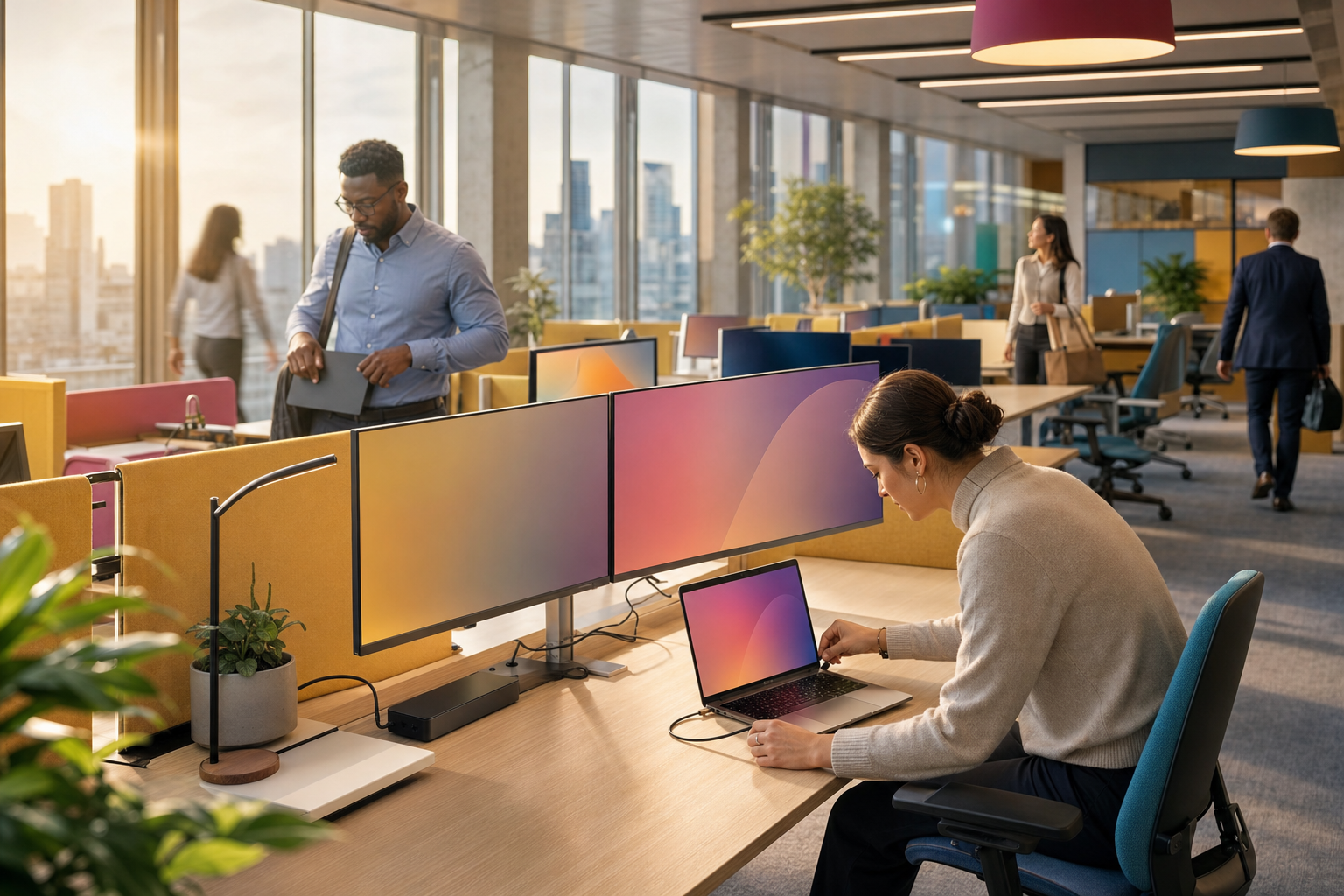
Moving into a new office is the moment most UK organisations finally commit to hot-desking technology. The lease is shorter, the floorplate is smaller, half the team works from home on any given day, and nobody wants to pay for rows of empty assigned desks. Yet the technology that makes shared desks work — universal docking stations, desk booking software, occupancy sensors, wired network ports that authenticate whoever plugs in, and Wi-Fi sized for a busy Tuesday rather than an average Friday — is usually specified last, bought in a hurry and fixed after go-live.
This how-to guide walks through the whole job in the order an IT lead should tackle it during an office move: deciding the desk ratio, choosing a dock standard that works for every laptop in the fleet, picking a desk booking platform, sizing the network, handling health and safety and data protection obligations, and running the first fortnight. Along the way you will find realistic UK costs, a step-by-step timeline, a scoring framework and the mistakes we see most often when businesses move to shared desks.
What is hot-desking technology? Definition and context
Hot-desking means that desks are not assigned to individuals: anyone can sit at any free desk, either on a first-come basis or by booking ahead. “Hot-desking technology” is the set of tools that lets a person arrive with only a laptop and be fully productive within a minute. At its simplest that is a monitor, keyboard, mouse and a single cable. In a well-run office it also covers a booking system so people know there will be a desk for them, sensors or check-in rules so booked-but-empty desks are released, lockers for personal kit, and network controls so a stranger cannot plug an unknown device into the same port.
The distinction that matters most in practice is between unmanaged hot-desking (free-for-all, no booking, desks set up ad hoc) and managed desk sharing (sometimes called agile working, activity-based working or desk booking). Unmanaged hot-desking tends to fail within months: people claim the same desk every day, leave belongings out, and the “spare” desks turn out not to have working docks. Managed desk sharing treats the desk as a bookable resource, like a meeting room, with consistent kit on every desk and data on how the space is actually used.
An office move is the right moment to make this change because the three expensive ingredients — furniture, cabling and network hardware — are being specified anyway. Retrofitting docks and floor boxes into an occupied office is disruptive; specifying them on the fit-out drawings is almost free. If you are still deciding on the building itself, our guide to choosing an office location for IT infrastructure covers the questions to ask the landlord first.
Before buying anything, export two weeks of badge-access or Wi-Fi association data from your current office. Peak daily attendance — not average attendance — is the number that sets your desk count, dock count and Wi-Fi capacity.
Hot-desking readiness scoring — where most UK businesses sit today
Most organisations that come to us for an office move already have some shared desks. The question is whether the supporting technology is ready to carry the whole workforce. We score readiness across three areas: the device fleet (can every laptop drive the desk kit?), the network (does the desk port and Wi-Fi know who you are?), and the workplace process (can people find, book and release a desk?). The cards below show where risk typically sits for a 50–250 person UK business moving from assigned desks.
If two or more of the high-risk rows apply to you, plan the hot-desking technology as its own workstream within the office move rather than as a line item in the furniture order. The rest of this guide is structured to close each of those gaps in turn.
Shared desks by the numbers
The financial case for hot-desking is the floor space it saves. A typical UK office lease is priced per square foot per year, and each workstation consumes roughly 80–100 square feet once circulation, meeting space and breakout areas are included. Cutting the desk ratio from one desk per person to, say, seven desks for every ten people removes a meaningful slice of floorplate — but only if the technology on the remaining desks is reliable enough that people actually use them.
Those figures are planning ranges, not quotes. Docks vary by video bandwidth and power delivery; desk ratios vary enormously by team. A finance team that is in four days a week needs something close to one-to-one, while a field sales team in once a fortnight might be served by one desk for every three people. Work out the ratio team by team, then add a buffer for the busiest day of the week.
Docking strategy: universal USB-C docks versus vendor-specific docks
The single most important technology decision for a hot-desk floor is the dock. Every desk must accept every laptop the business owns — and the laptops it will own over the next four or five years. There are two broad approaches: buy the docks your laptop vendor makes (Dell, Lenovo or HP docks matched to a single-brand fleet), or standardise on a universal USB-C or Thunderbolt dock that works across brands, including MacBooks.
Vendor-specific docks
Matched to a single-brand laptop fleet
Universal Thunderbolt 4 / USB4 docks
Cross-brand, including Apple silicon
Whichever route you choose, check four specifications on the data sheet rather than the marketing page. First, power delivery: most business laptops want 65–100W, and a dock that supplies less will charge slowly or not at all under load. Second, display support: confirm how many external screens, at what resolution and refresh rate, for each laptop model in the fleet. Some Apple silicon MacBooks natively support only one external display, so a dual-monitor desk needs either a newer model or a DisplayLink-based dock that uses a software driver. Third, Ethernet: a gigabit port as a minimum, and support for MAC address pass-through if your network uses MAC-based policies. Fourth, manageability: can firmware be updated remotely, and can the dock be inventoried?
We generally recommend a pilot of three or four candidate docks on real desks with the real laptop mix for two weeks before ordering at volume. It costs a few hundred pounds and routinely saves a re-order of the whole floor.
Where hot-desk support tickets come from in the first month
Across office moves where shared desks were introduced, the first-month helpdesk load follows a recognisable pattern. The chart below shows the indicative share of hot-desk related tickets by cause in a typical move, based on our own project experience rather than a published survey. The point it makes is simple: the majority of problems are display and dock issues that a pilot would have caught.
Two practical conclusions follow. Put a laminated “how this desk works” card on every desk for the first month, covering which port is the dock cable, how to switch monitor input and how to check in. And keep a small stock of spare docks, keyboards and mice in the comms room so a faulty desk can be fixed in minutes rather than marked out of use for a week. Our guide to post-move IT support in the first week covers floor-walking rotas in more detail.
How much of your floor will actually be used?
Desk booking and occupancy data almost always surprises leadership teams. Even in offices with a stated “three days a week” policy, attendance clusters heavily on Tuesday to Thursday, while Monday and Friday run well below half capacity. Planning the desk count on average attendance therefore leaves the midweek peak short of desks, while planning on peak leaves the floor half-empty for two days of the week. The usual compromise is to size for the midweek peak, then reduce desk numbers only after three months of real booking data.
The figure above is illustrative: your own number will depend on policy and culture, which is exactly why booking data is so valuable. Feeding it into a simple report — desks booked, desks checked in, no-shows, and peak-day utilisation by team — gives facilities and finance a defensible basis for the next lease decision. If you already have a reporting stack, see our guide to data quality for business reporting before you start combining booking exports with HR and access-control data.
How to roll out hot-desking technology in a new office — step-by-step timeline
The timeline below assumes a 12-week run-in to the move date, which is typical for a 50–250 person office on a Category B fit-out. Compress it and you will most likely skip the pilot, which is the step that prevents the problems in the chart above. Each stage links to the wider office move plan; if you do not have one yet, start with our office move IT timeline.
Decision framework — is your organisation ready for full desk sharing?
Not every business should move everyone to shared desks on day one. We use a simple 100-point readiness score built from the three areas in the scoring grid above: device fleet (35 points), network and security (35 points) and workplace process (30 points). Score each item honestly, then use the bands below.
- Below 50: keep most desks assigned and pilot one shared neighbourhood. Fix the fleet and network gaps first.
- 50–74: move to managed desk sharing for teams with predictable hybrid patterns, keep fixed desks for high-attendance and adjustment needs, and close remaining gaps within the first quarter.
- 75 and above: full managed desk sharing is realistic, with booking, auto-release and a data-led review of desk numbers after three months.
A score in the low sixties is normal at the start. The most common lost points are a mixed laptop fleet with untested multi-screen support, open desk ports, and no plan for staff who need a consistent workstation. All three are fixable well inside a 12-week move timeline.
Hot-desking technology cost breakdown
The table below gives indicative UK costs per desk for the main hardware and software components, excluding VAT and furniture. Prices move with exchange rates and supply, so treat these as budgeting ranges and get current quotes before you commit. A per-desk view is useful because it scales directly with the desk ratio decision.
| Component | Indicative cost | Notes |
|---|---|---|
| Universal USB-C / Thunderbolt dock | £150–£330 per desk | Choose power delivery of at least 90W for larger laptops; DisplayLink models suit multi-screen Macs. |
| Monitors (one or two) and monitor arm | £180–£650 per desk | Height-adjustable arms help meet DSE requirements when users change every day. USB-C monitors can replace a separate dock for single-screen desks. |
| Keyboard, mouse and webcam | £40–£150 per desk | Many organisations issue personal keyboards and mice for hygiene and keep only a webcam on the desk. |
| Desk booking software | £2–£8 per user or desk per month | Check whether your Microsoft 365 or Google Workspace licences already include booking features before buying separately. |
| Occupancy sensors (optional) | £50–£150 per desk plus subscription | Battery or PoE; require a gateway, network design and a data protection impact assessment. |
For a 100-desk floor that typically puts the hardware between £40,000 and £110,000 depending on screen count and dock choice, plus software subscriptions. Two costs are frequently left out of budgets: the labour to stage, install and test each desk (often half a day per ten desks), and the network switch ports and Power over Ethernet budget for sensors, booking panels and phones. Our breakdown of hidden office move IT costs lists the others.
Hot-desk benchmarks and KPIs to track after the move
Once the floor is live, a small set of indicators tells you whether the technology is working and whether the desk ratio is right. The benchmarks below are the targets we use with clients at the 90-day review; they are practical goals rather than industry statistics, and you should set your own thresholds based on how your teams work.
Target benchmarks at the 90-day review
If peak-day utilisation is consistently above 90%, people will start to struggle to find desks and will stop trusting the system; add desks or rebalance neighbourhoods. If it sits below 60% even on the busiest day, there is space to release — but check first whether low attendance is caused by the technology itself. Unreliable docks and poor Wi-Fi are a common, quiet reason people choose to work from home.
Common hot-desking technology mistakes to avoid
Most failed hot-desk rollouts do not fail because the idea is wrong. They fail because a handful of avoidable technical and process mistakes erode trust in the first few weeks, after which staff quietly revert to working from home or camping on “their” desk. These are the ones we see most often during office moves.
- Buying docks before auditing the laptop fleet. A dock that drives two screens from a Windows laptop may only drive one from some MacBooks, and an older laptop may not draw enough power through USB-C. Audit first, pilot second, order third.
- Leaving every desk port open. A shared floor means visitors, contractors and new starters sit at desks you do not control. Without 802.1X or MAC authentication bypass (MAB) on desk ports, anyone can plug a device into the corporate network. Our guide to WPA3-Enterprise and 802.1X with Meraki and Entra ID explains how the same identity-based approach works on both wired and wireless.
- Sizing Wi-Fi on the old office’s numbers. Hybrid offices are quieter on average but much denser on peak days, often with two or three devices per person and more video calls. Design for the busiest day, not the average.
- Treating booking software as optional. Without booking and auto-release, desk sharing becomes desk hunting. Even a simple booking tool built into Microsoft 365 or Google Workspace is better than none.
- Forgetting health and safety. The Health and Safety (Display Screen Equipment) Regulations 1992 still apply when users change desks daily. Adjustable chairs, monitor arms and a short self-assessment for desk sharers keep you compliant.
- Collecting occupancy data without a privacy assessment. Desk sensors and booking logs can reveal individual working patterns. The ICO’s guidance on monitoring workers expects transparency and, for most sensor deployments, a data protection impact assessment.
- Never updating dock firmware. Many display and charging bugs are fixed in dock firmware. Docks that are never updated accumulate problems that look like faulty laptops.
- No spares and no floor-walkers. A broken desk that stays broken for a week becomes “the desk nobody uses”. Keep spares on site and walk the floor for the first fortnight.
Do not remove assigned desks from people who need them as a reasonable adjustment — for example specialist chairs, screen readers or a predictable, quieter location. Ring-fence those desks in the booking tool before go-live and agree them with HR. Getting this wrong is a legal risk under the Equality Act 2010, not just a morale issue.
Hot-desking technology checklist — the 12-point essentials
Use this checklist alongside your wider office move plan. Each item should have an owner and a date in the project plan; most can run in parallel with the fit-out. For the rest of the relocation, our complete IT checklist for office relocation covers connectivity, telephony and the old-site decommission.
- Measure peak attendance by team from badge, Wi-Fi or VPN data and agree desk ratios per neighbourhood.
- Identify fixed-desk needs for reasonable adjustments, specialist roles and high-attendance teams, and ring-fence them.
- Audit every laptop model for USB-C or Thunderbolt version, power draw and external display support, including models due for refresh.
- Pilot three or four docks with every laptop model on real desks for at least a week, testing display detection, charging, wake from sleep and Ethernet.
- Standardise one dock, one monitor and one desk layout so every desk behaves identically and support is predictable.
- Put a data outlet and power at every desk on the fit-out drawings, plus outlets for booking panels, sensor gateways, smart lockers and printers.
- Configure 802.1X or MAB on every desk port with a quarantine or guest VLAN for unknown devices, and check that the chosen dock supports MAC address pass-through if you rely on it.
- Design Wi-Fi for peak density with a predictive or on-site survey, and plan client capacity per access point for the busiest day.
- Deploy desk booking integrated with your identity provider, with a floor map, neighbourhoods, check-in and auto-release rules.
- Complete a DPIA if you will collect occupancy or sensor data, and publish a clear privacy notice to staff.
- Update dock firmware, asset-tag and test every desk with a reference laptop before handover, recording results on the floor map.
- Plan go-live support: desk instruction cards, floor-walkers for two weeks, on-site spares and a 30/60/90-day utilisation review.
Items 3, 4 and 7 have the longest lead times because they depend on testing and, in some cases, firmware or network configuration changes. Start them as soon as the desk count is agreed — do not wait for the furniture to arrive.
Mini case study: a 120-person firm moves to shared desks
A Leeds-based professional services firm of around 120 people was moving from two floors of an older building to a single, smaller floor in a refurbished office. Attendance data showed a clear Tuesday-to-Thursday peak of roughly 85 people, with Monday and Friday well under half that. Leadership wanted to cut the desk count to 80 and introduce desk booking, but the previous attempt at hot-desking in the old office had collapsed within a few months because docks were inconsistent and nobody could be sure of getting a desk.
The project started with a fleet audit, which found three generations of Windows laptops and a group of MacBooks in the marketing team. A two-week pilot of four docks showed that only one model reliably drove two screens on every laptop, including the MacBooks, and charged the largest laptops under load. The firm standardised on that dock, a single 27-inch monitor plus laptop screen for most desks, and dual screens in the finance neighbourhood. Every desk port was configured for 802.1X with a guest VLAN fallback, and desk booking was rolled out through the existing Microsoft 365 sign-in with a 15-minute auto-release.
The firm settled on 88 desks rather than 80 after modelling the midweek peak, with eight desks ring-fenced for reasonable adjustments and two hybrid-heavy teams sharing a neighbourhood. In the first fortnight the support team logged mostly booking-related questions rather than hardware faults, which they attributed to the pilot and the desk-by-desk testing before move-in.
“Last time we tried shared desks the problem was never the idea, it was that half the desks did not work with half the laptops. This time we tested every desk before anyone sat at it, and the conversation moved on from ‘my screen won’t work’ to ‘how do I book next Tuesday’ within a week.” — Operations Director, professional services firm (anonymised)
At-a-glance summary
| Topic | Key fact or recommendation |
|---|---|
| Typical desk ratio | 0.6–0.8 desks per employee, set team by team on peak attendance |
| Dock standard | Universal Thunderbolt 4 / USB4 or USB-C, piloted with every laptop model |
| Power delivery | At least 90W for larger laptops; check under load |
| Mac multi-screen | Check per chip; DisplayLink docks for older or base models needing two screens |
| Desk port security | 802.1X or MAB on every port with a guest or quarantine VLAN |
| Wi-Fi design | Survey-led, sized for the busiest day, not the average |
| Desk booking | Integrated with Microsoft 365 or Google sign-in; check-in and auto-release |
| Indicative hardware cost | Roughly £400–£1,100 per desk before furniture and VAT |
| Booking software | Around £2–£8 per user or desk per month, if not already licensed |
| Health and safety | DSE Regulations 1992 apply to desk sharers; adjustable kit and self-assessment |
| Data protection | DPIA and transparent notice for occupancy sensors and booking analytics |
| Equality Act 2010 | Ring-fence fixed desks for reasonable adjustments before go-live |
| Realistic timeline | About 12 weeks alongside the fit-out, including a two-week pilot |
| Review points | 30, 60 and 90 days after move-in before changing desk numbers |
How Cloudswitched delivers hot-desking technology during an office move
Cloudswitched plans and delivers the IT side of UK office moves, and hot-desking technology is now part of most of the relocations we run. That typically covers the attendance and fleet audit, dock and monitor piloting, structured cabling and desk outlet design with your fit-out contractor, switch, PoE and Wi-Fi design, 802.1X configuration, desk booking integration with Microsoft 365, staging and desk-by-desk testing, and floor-walking support after move-in. We work alongside your facilities team and furniture supplier rather than replacing them, so the technology arrives on the same programme as the desks.
Planning shared desks in your new office?
Talk to our office move team about docks, desk booking, cabling and network design for a hot-desk floor that works from the first morning.
Talk to us about IT Office MovesFrequently Asked Questions
What hot-desking technology does a new office actually need?
At minimum, every shared desk needs a universal docking station that delivers power, video, network and USB over one cable, at least one monitor on an adjustable arm, and a wired data outlet with power. Around that you need a desk booking tool with check-in and auto-release, Wi-Fi designed for peak-day density, and port security such as 802.1X so unknown devices cannot join the corporate network. Lockers, occupancy sensors and booking panels are useful additions but are not essential on day one. The priority is that every desk behaves identically with every laptop the business owns, because inconsistent desks are the main reason hot-desking schemes fail.
How many desks do we need per employee for hybrid working?
Most UK hybrid offices end up between 0.6 and 0.8 desks per employee, but the right answer comes from your own data. Export badge-access, Wi-Fi or VPN data for at least two typical weeks and find peak daily attendance by team. Size each neighbourhood for its midweek peak plus a small buffer, ring-fence fixed desks for reasonable adjustments and high-attendance roles, and review real booking data at 30, 60 and 90 days before reducing numbers. Sizing on average attendance usually leaves Tuesday to Thursday short of desks, which quickly undermines trust in the booking system.
Which docking station works with both Windows laptops and MacBooks?
Universal Thunderbolt 4, USB4 or USB-C docks from the major manufacturers generally work across Windows laptops and MacBooks, but multi-monitor support is the catch. Some Apple silicon MacBooks support only one external display natively, so if Mac users need two screens you may need a newer Mac model or a DisplayLink-based dock that uses a software driver. Check power delivery too: 90W or more suits larger laptops. The reliable approach is a short pilot of three or four candidate docks with every laptop model in your fleet before ordering at volume.
How much does hot-desking technology cost per desk in the UK?
As an indicative range, a dock costs around £150–£330, monitors and an arm £180–£650, and keyboard, mouse and webcam £40–£150, putting hardware at roughly £400–£1,100 per desk before furniture and VAT. Desk booking software is typically £2–£8 per user or desk per month unless your existing Microsoft 365 or Google Workspace licences already include it. Occupancy sensors add roughly £50–£150 per desk plus a subscription. Remember to budget for installation and testing labour, spare stock and additional switch ports and PoE capacity.
Do we need desk booking software or can staff just find a free desk?
For anything beyond a very small office, booking software pays for itself in avoided frustration. Without it, staff cannot be sure a desk will be free, teams cannot sit together on their office days, and people start claiming the same desk informally. A booking tool with check-in and automatic release of no-shows keeps desks available, and its data shows how many desks you really need. Many organisations start with booking features built into tools they already license and move to a dedicated platform only if they need floor maps, sensors or richer reporting.
Should desk network ports use 802.1X in a hot-desking office?
Yes. In a shared-desk office you cannot know in advance who will sit at a given desk, which makes open network ports a real risk: a visitor or contractor could plug an unknown device straight into the corporate network. 802.1X authenticates the user or device before granting access and can place it on the right VLAN automatically, while MAC authentication bypass covers devices that cannot do 802.1X, such as printers. Test your chosen dock first, because dock behaviour with MAC address pass-through and wake-on-LAN varies between models.
Are occupancy sensors legal under UK GDPR?
Occupancy sensors can be used lawfully, but they create personal data if readings can be linked to individuals, for example through desk bookings. The ICO’s guidance on monitoring workers expects employers to be transparent, to have a lawful basis, to collect only what they need and, in most cases, to carry out a data protection impact assessment before deployment. Anonymous, aggregated occupancy counts are lower risk than per-person tracking. Tell staff what is collected, why, and how long it is kept, and avoid using desk data for individual performance management.
Do health and safety rules apply to hot desks?
Yes. The Health and Safety (Display Screen Equipment) Regulations 1992 apply to anyone who habitually uses display screens, regardless of whether they have an assigned desk. For desk sharers that usually means adjustable chairs, height-adjustable monitor arms, a short self-assessment or guidance on setting up any desk quickly, and a route to raise problems. Staff with specific needs identified through DSE assessment or as reasonable adjustments should have suitable workstations ring-fenced rather than competing for shared desks.
How long does it take to set up hot-desking technology for an office move?
For a 50–250 person office, around 12 weeks alongside the fit-out is realistic. The first fortnight covers attendance data and the laptop audit, weeks three to six cover cabling drawings and a dock pilot, weeks five to eight cover booking software and network design, and the final weeks cover procurement, firmware updates, installation and desk-by-desk testing. Compressing the timeline usually means skipping the pilot, which is the step most likely to prevent display and charging problems after move-in.
Should employees keep their own keyboard and mouse?
Many organisations now issue each person a keyboard and mouse to carry in a locker or bag, and keep only the dock, monitor and webcam on the desk. It improves hygiene, reduces the number of peripherals that go missing or break, and lets people use kit they find comfortable. The trade-off is slightly more for staff to carry and a little more onboarding. Either approach works; what matters is that the desk kit is consistent and that spare peripherals are kept on site so a missing mouse does not take a desk out of use.
Related reading
These articles cover the connected parts of a move to shared desks: the people, the network and the security around them.
Move into an office where every desk just works
Cloudswitched plans the cabling, network, docks and desk booking for UK office moves, so shared desks are tested and ready before your team arrives.
Plan your IT office move
Cloudswitched
London-based managed IT services provider offering support, cloud solutions and cybersecurity for SMEs.