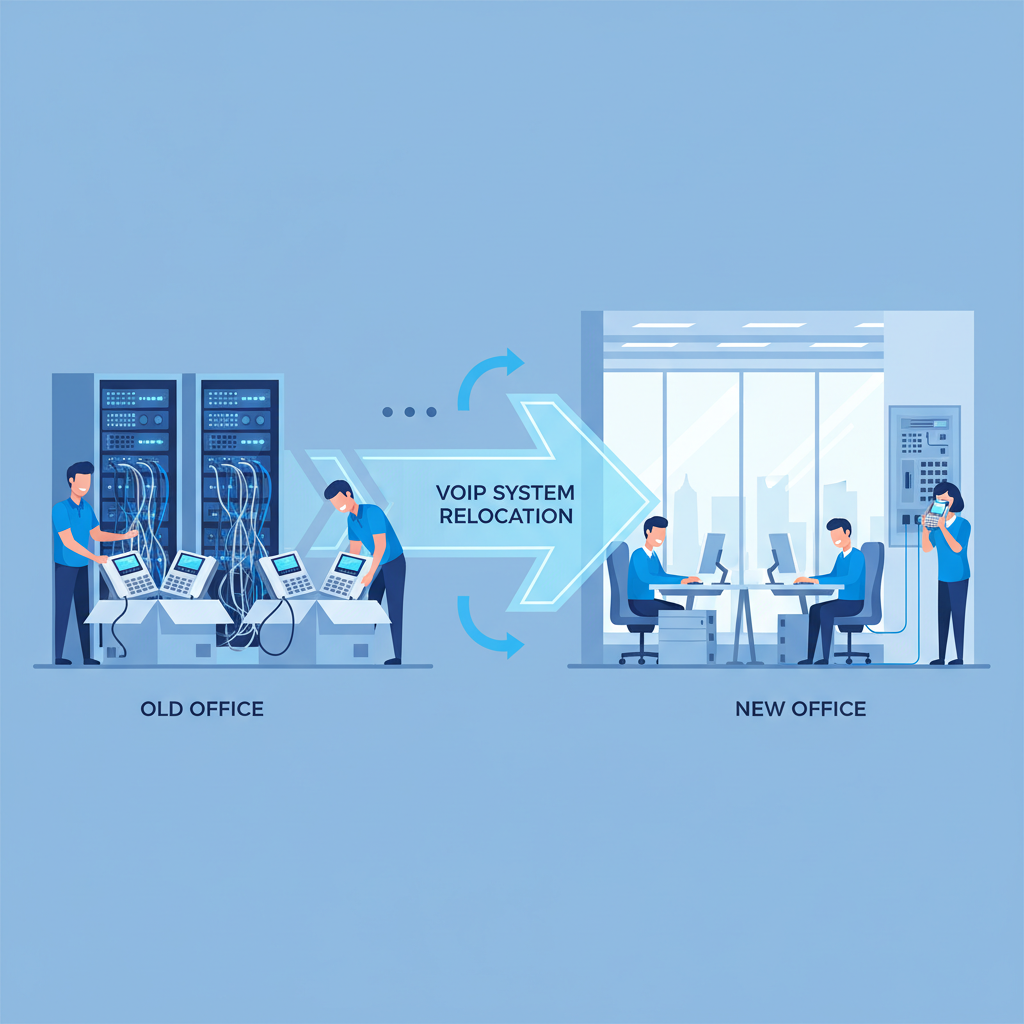
Relocating an office is a complex undertaking at the best of times, but when your business depends on a Voice over Internet Protocol (VoIP) phone system, the stakes rise considerably. A poorly managed VoIP migration can leave your team without working phones for days, result in lost calls from clients and prospects, and create communication chaos that takes weeks to untangle.
The good news is that with careful planning, the right technical preparation, and a structured approach, you can move your VoIP system to a new office with minimal disruption - and in many cases, use the move as an opportunity to upgrade your telephony infrastructure entirely. This guide covers everything UK businesses need to know about relocating a VoIP system, from the initial audit through to post-move testing and staff training.
Whether you are moving across the street or to a completely different city, the principles remain the same: plan early, prepare your network, coordinate with your providers, and test thoroughly before go-live day.
Pre-Move VoIP Audit and Planning
Every successful VoIP migration begins with a thorough audit of your current telephony environment. Before you pack a single handset into a box, you need to document exactly what you have, how it is configured, and what dependencies exist. Skipping this step is the single most common reason VoIP migrations go wrong.
Documenting Your Current Setup
Start by creating a comprehensive inventory of your VoIP infrastructure. This should include every IP phone, softphone licence, analogue telephone adapter (ATA), conference phone, and headset in use. Record the make, model, MAC address, and extension number for each device. Note which devices are owned outright and which are leased from your provider.
Beyond the hardware, you need to document the software and configuration side. This means recording your call routing rules, auto-attendant menus, hunt groups, ring groups, call queues, voicemail configurations, call recording settings, and any integrations with your CRM or helpdesk software. If your current VoIP system has been customised over the years, there may be dozens of rules and configurations that nobody remembers setting up - until they stop working at the new site.
Finally, gather all your account details: your VoIP provider contract, SIP trunk credentials, phone number allocations, direct dial-in (DDI) ranges, and any porting authorisation codes. You will need all of this information during the migration, and trying to track it down at the last minute is a recipe for delays.
Assessing Your Current Call Volumes and Patterns
Pull call data reports from your existing system covering at least three months. Look at peak call volumes, average call duration, concurrent call counts, and any seasonal patterns. This data is essential for sizing your bandwidth requirements at the new office and ensuring your SIP trunk capacity is adequate. A business that regularly handles 15 concurrent calls needs a very different network configuration than one that rarely exceeds five.
Create a dedicated VoIP migration project plan with a named owner at least eight weeks before your move date. Include your VoIP provider, ISP, IT support team, and office fit-out contractor in the planning process from day one. The most successful migrations we see at Cloudswitched are those where all stakeholders are aligned early, with clear responsibilities and a shared timeline. Document everything in writing - verbal agreements have a habit of being forgotten when move day arrives.
Bandwidth Requirements for the New Office
VoIP quality is entirely dependent on your internet connection. Unlike traditional phone lines that operate on dedicated copper pairs, VoIP calls travel over your broadband connection alongside all your other internet traffic. If your bandwidth is insufficient or your connection is unreliable, call quality will suffer - and there is no amount of hardware spending that can fix a bad internet connection.
Calculating Your VoIP Bandwidth Needs
As a general rule, each concurrent VoIP call requires between 85 Kbps and 100 Kbps of bandwidth in each direction when using the G.711 codec, which provides the best call quality. The more compressed G.729 codec uses approximately 30 Kbps per call but with a slight reduction in audio fidelity. For a business of 30 people where you might expect 10–15 concurrent calls during peak hours, you would need approximately 1.5 Mbps of dedicated upload and download bandwidth just for voice traffic.
However, VoIP bandwidth must be considered alongside all your other internet usage. Video conferencing, cloud application access, file uploads, email with large attachments, and general web browsing all compete for the same connection. A good rule of thumb is to provision at least three times your calculated VoIP bandwidth requirement as your total connection capacity, with Quality of Service (QoS) rules prioritising voice traffic.
For the new office, we strongly recommend a dedicated business-grade internet connection - ideally a leased line or FTTP (fibre to the premises) service with a symmetric upload and download speed. Consumer-grade broadband with its typically low upload speeds is unsuitable for any business running more than a handful of concurrent VoIP calls. In the UK, a 100 Mbps symmetric leased line typically costs between £250 and £450 per month depending on location, whilst FTTP business packages range from £40 to £150 per month for speeds between 100 Mbps and 1 Gbps.
Redundancy and Failover
If your business depends heavily on phone communication - sales teams, customer service departments, or contact centres - consider installing a secondary internet connection from a different provider at the new site. This provides failover capability if your primary connection experiences an outage. Many modern VoIP systems can automatically route calls via a backup connection, ensuring your phones remain operational even during an ISP outage. The additional cost of £30–£80 per month for a backup broadband line is negligible compared to the cost of losing all phone capability for a full business day.
Porting Phone Numbers
For most businesses, keeping existing phone numbers during an office move is absolutely essential. Your main business number is printed on every business card, listed on your website, registered with Companies House, and stored in countless customer contact lists. Losing it - even temporarily - means lost business.
How Number Porting Works in the UK
In the UK, phone number portability is regulated by Ofcom, and you have the legal right to take your numbers with you when you switch providers or move premises. The process involves your new or existing provider submitting a porting request to the losing provider, who then releases the numbers according to an agreed timeline.
For geographic numbers (those beginning with 01 or 02), porting within the same area code is straightforward and typically takes 5–10 working days. Porting to a different geographic area can be more complex. Non-geographic numbers (0800, 0333, 0345, and similar) can be ported regardless of location, usually within the same timeframe.
If you are moving to a completely different part of the country, you have several options. You can port your existing numbers to a VoIP provider who can host them regardless of physical location - this is one of the key advantages of cloud-hosted VoIP. Alternatively, you can obtain new local numbers for your new area whilst setting up call forwarding from your old numbers for a transition period.
Common Porting Pitfalls
Number porting is one of the most frequent sources of problems during a VoIP migration. The most common issues include incorrect porting authorisation codes, mismatched account details between the gaining and losing providers, attempting to port numbers that are still under a minimum term contract, and simply not allowing enough lead time. Always initiate the porting process at least four weeks before your intended move date, and confirm the porting date in writing with both providers.
The three most common causes of VoIP migration failure are: (1) insufficient bandwidth at the new site, causing choppy audio and dropped calls; (2) number porting delays leaving the business unreachable for days; and (3) neglecting to configure QoS on the new network, resulting in voice traffic competing with data downloads. All three are entirely preventable with proper planning. We also frequently see businesses forget to cancel old ISDN or analogue lines, resulting in months of unnecessary charges averaging £150–£300 per month that could have been avoided with a simple cancellation notice.
Cloud vs On-Premise VoIP Migration
Your office move is an ideal moment to evaluate whether your current VoIP deployment model - cloud-hosted or on-premise - still serves your business best. The migration effort and complexity differ dramatically between the two approaches, and many businesses find that switching to cloud-hosted VoIP during a move actually simplifies the entire process.
Cloud-Hosted VoIP
On-Premise VoIP (IP PBX)
For the majority of UK SMEs, a cloud-hosted VoIP solution is the better choice for an office move. The migration is simpler because there is no physical PBX server to relocate, reconfigure, and recommission. Your call routing, auto-attendant, voicemail, and all other configurations live in the cloud and remain unchanged regardless of your physical location. You simply connect your IP phones to the internet at the new office, and they register automatically with the cloud platform.
On-premise systems, by contrast, require careful shutdown, physical transportation of server hardware, reinstallation at the new site, network reconfiguration, and extensive testing. If anything goes wrong with the server during transit - or if the network environment at the new office differs significantly from the old one - you could face days of troubleshooting before your phones are operational again.
Network Infrastructure Preparation
Your VoIP system is only as good as the network it runs on. Preparing the network infrastructure at your new office is arguably the most critical technical task in the entire migration process.
Structured Cabling
Ensure the new office has adequate structured cabling installed to every desk position. Each workstation typically needs at least one Cat6 or Cat6a Ethernet port for the VoIP phone (many IP phones have a built-in switch that allows the PC to daisy-chain through the phone, so a single cable run per desk is often sufficient). If your office fit-out is still in progress, this is the time to specify your cabling requirements - retrofitting cables after the walls and floors are finished is significantly more expensive.
For a typical 30-person UK office, structured cabling installation costs between £2,500 and £6,000 depending on the building layout, cable run lengths, and whether floor boxes or wall outlets are required. Budget for at least 20% more data points than your current headcount to accommodate future growth.
Network Switching and PoE
IP phones require network switches that support Power over Ethernet (PoE) - specifically IEEE 802.3af (PoE) or 802.3at (PoE+). PoE delivers electrical power through the same Ethernet cable that carries data, eliminating the need for separate power adapters at each desk. This simplifies installation and keeps desks tidy.
When specifying switches for the new office, ensure they have sufficient PoE budget to power all your phones simultaneously plus a margin for growth. A typical IP desk phone draws between 6 and 13 watts. For 30 phones, you need a minimum PoE power budget of approximately 400 watts. Managed switches are strongly recommended over unmanaged models, as they support VLAN configuration and QoS - both essential for VoIP performance.
VLAN Segregation
Best practice dictates that VoIP traffic should run on a separate Virtual LAN (VLAN) from your data traffic. This provides several benefits: it isolates voice traffic from bandwidth-hungry data applications, simplifies QoS configuration, improves security by preventing unauthorised access to your phone system from the data network, and makes troubleshooting easier if call quality issues arise.
Configure a dedicated voice VLAN on your managed switches and ensure your IP phones are configured to tag their traffic with the correct VLAN ID. Most enterprise-grade IP phones support LLDP-MED or CDP, which allows them to automatically discover and join the correct VLAN without manual configuration at each handset.
When assessing your new office network for VoIP readiness, the following areas represent the most critical factors. A score above 80% in each area suggests your infrastructure is well prepared for a seamless migration.
QoS Configuration
Quality of Service (QoS) is the mechanism that ensures your VoIP traffic receives priority treatment on your network. Without QoS, a large file download or a video conference could consume all available bandwidth, causing your phone calls to suffer from jitter, latency, and packet loss - manifesting as choppy audio, echoing, or dropped calls.
Implementing QoS at the New Office
QoS needs to be configured at multiple points in your network. On your managed switches, configure port-based or DSCP-based QoS policies that prioritise traffic on the voice VLAN. VoIP traffic should be marked with DSCP value EF (Expedited Forwarding, decimal 46), which is the standard marking for voice traffic. Signalling traffic (SIP) should be marked as CS3 (decimal 24).
On your router or firewall, configure traffic shaping rules that guarantee a minimum bandwidth allocation for voice traffic and limit the bandwidth available to lower-priority traffic classes. For example, if you have a 100 Mbps connection and need 2 Mbps for voice, configure your QoS to guarantee at least 5 Mbps for the voice class (providing ample headroom) and shape all other traffic to a maximum of 95 Mbps.
If your business uses a cloud-hosted VoIP provider, ask them for the specific IP ranges and ports their platform uses so you can create precise QoS rules. Generic rules that prioritise all UDP traffic, for instance, are less effective than rules targeting your provider’s specific traffic flows.
SIP Trunking Considerations
If your VoIP system uses SIP trunks - whether for an on-premise PBX or as part of a hosted solution - there are specific considerations for the office move that require attention.
SIP Trunk Capacity Planning
Review your current SIP trunk utilisation to determine whether your existing channel count is adequate. Each SIP trunk channel supports one concurrent call. If your business regularly hits its channel limit during peak hours, the office move is an ideal opportunity to increase capacity. Most UK SIP trunk providers charge between £3 and £8 per channel per month, making additional channels an inexpensive insurance policy against busy signals.
Firewall and NAT Considerations
SIP is notoriously sensitive to firewalls and Network Address Translation (NAT). If you are installing a new firewall at the new office - which you should be, as part of good security practice - ensure it is configured correctly for SIP traffic before move day. This means opening the appropriate ports (typically UDP 5060 for SIP signalling and a range of UDP ports between 10000 and 20000 for RTP media), enabling SIP ALG (Application Layer Gateway) only if your provider specifically recommends it (many providers recommend disabling it, as poorly implemented SIP ALG can cause more problems than it solves), and configuring NAT traversal settings.
Test SIP connectivity from the new office before the move. Many SIP providers offer diagnostic tools or test numbers you can use to verify that signalling and media are flowing correctly through your new network infrastructure.
Downtime by Migration Approach
The approach you take to your VoIP migration has a direct and measurable impact on how much downtime your business experiences. Here is how the most common approaches compare.
The data is clear: businesses that choose cloud-hosted VoIP and set up the new site in parallel before the move experience near-zero downtime. Those that attempt to move on-premise equipment without a detailed plan frequently lose multiple days of phone capability - and with it, thousands of pounds in missed business opportunities.
Testing VoIP at the New Site
Testing is the step that separates a smooth VoIP migration from a chaotic one. Ideally, you should have your internet connection installed and active at the new office at least two weeks before the move, giving you ample time to test thoroughly.
Network Testing
Before connecting any phones, run comprehensive network tests at the new site. Use tools such as iPerf to measure throughput and jitter between the new office and your VoIP provider’s servers. Run a sustained test for at least 30 minutes during business hours to identify any intermittent issues. Key metrics to verify include latency (should be below 150ms, ideally below 50ms for UK-to-UK calls), jitter (should be below 30ms, ideally below 10ms), and packet loss (should be 0%, and anything above 1% will cause noticeable call quality degradation).
Phone Testing
Connect a small number of phones at the new site and make test calls - both internal and external. Test inbound and outbound calls, call transfers, conference calling, voicemail, and any auto-attendant menus. Have someone call from a mobile phone to verify that inbound calls reach the correct destination. Test call quality specifically during peak internet usage times, as this is when bandwidth contention is most likely to affect voice quality.
Failover Testing
If you have configured a backup internet connection for VoIP failover, test it by disconnecting the primary connection and verifying that calls continue to work. This is a test you absolutely do not want to conduct for the first time when a real outage occurs.
Minimising Downtime During the Transition
With proper planning, it is entirely realistic to achieve zero VoIP downtime during an office move. Here are the strategies that consistently deliver the best results.
Parallel Running
The gold standard approach is to have both the old and new offices operational simultaneously for a brief overlap period. Set up and fully test the VoIP system at the new office while the old office is still running. On move day, simply redirect call routing from the old site to the new one - a change that takes minutes with a cloud-hosted system. This approach requires having internet connectivity and phones in place at the new office before the move, but the investment in overlap costs is trivial compared to the cost of lost calls.
Temporary Call Forwarding
If parallel running is not possible, set up temporary call forwarding from your main business numbers to mobile phones or a temporary answering service. Most VoIP providers can configure this in minutes, and it ensures that no inbound calls are lost during the transition window. The cost of a professional answering service for a day or two is typically £50–£150 - far less than the revenue lost from missed customer calls.
Out-of-Hours Migration
Wherever possible, schedule the physical move and network cutover for a Friday evening or over a weekend. This gives you the maximum time to resolve any unexpected issues before the business opens on Monday morning. Many VoIP providers and IT support companies offer out-of-hours migration support specifically for this purpose, and the premium charged for weekend work is usually money well spent.
VoIP Office Move Checklist and Timeline
Use this checklist to track every critical task in your VoIP migration. Adjust timings to suit your specific circumstances, but the sequence should remain broadly the same.
| Timeframe | Task | Owner | Status |
|---|---|---|---|
| 12 weeks before | Complete VoIP audit and document current system | IT Team / MSP | ☐ |
| 10 weeks before | Order internet connection for new office | IT Team / ISP | ☐ |
| 10 weeks before | Confirm VoIP provider migration plan and timeline | VoIP Provider | ☐ |
| 8 weeks before | Initiate phone number porting process | VoIP Provider | ☐ |
| 8 weeks before | Specify and order structured cabling for new office | Cabling Contractor | ☐ |
| 6 weeks before | Order PoE switches, router, and firewall for new site | IT Team / MSP | ☐ |
| 4 weeks before | Install and test internet connection at new office | ISP / IT Team | ☐ |
| 4 weeks before | Install structured cabling and patch panels | Cabling Contractor | ☐ |
| 3 weeks before | Configure network switches, VLANs, and QoS | IT Team / MSP | ☐ |
| 3 weeks before | Configure firewall rules for SIP and RTP traffic | IT Team / MSP | ☐ |
| 2 weeks before | Connect test phones at new site and run call quality tests | IT Team / MSP | ☐ |
| 2 weeks before | Confirm number porting date with all providers | VoIP Provider | ☐ |
| 1 week before | Run full end-to-end VoIP testing at new site | IT Team / MSP | ☐ |
| 1 week before | Brief all staff on new phone system and any changes | Office Manager | ☐ |
| 1 week before | Set up temporary call forwarding as a fallback | VoIP Provider | ☐ |
| Move day | Redirect call routing to new office | VoIP Provider / IT | ☐ |
| Move day | Connect and test all phones at new desks | IT Team / MSP | ☐ |
| Day 1 post-move | Monitor call quality and resolve any issues | IT Team / MSP | ☐ |
| Week 1 post-move | Cancel old office phone lines and internet | Office Manager | ☐ |
| Week 2 post-move | Review call quality reports and optimise QoS | IT Team / MSP | ☐ |
UK Telecom Provider Coordination
Coordinating with UK telecom providers is one of the most time-sensitive aspects of a VoIP office move. The UK telecoms market involves multiple parties - your VoIP provider, your ISP, Openreach (if your connection uses the BT network), and potentially a SIP trunk provider if separate from your VoIP platform - and all of them need to be aligned on dates and deliverables.
Internet Service Provider
Order your new office internet connection as early as possible - ideally 10–12 weeks before your move date. Leased line installations in the UK typically take 60–90 working days from order to activation, and even FTTP installations can take 2–4 weeks if Openreach needs to provision a new connection. Do not assume that because the previous tenant had broadband, your installation will be quick. Each new contract typically requires a fresh survey and potentially new circuit provisioning.
Confirm the service level agreement (SLA) for your new connection, particularly the guaranteed fix time for faults. A business-grade connection with a 5–7 hour fix time SLA costs more than one with a “best efforts” repair commitment, but for a business that depends on VoIP, the additional cost is justified. In the UK, expect to pay £50–£100 per month more for an enhanced SLA on a typical business broadband or FTTP connection.
VoIP Provider
Contact your VoIP provider at least eight weeks before the move. Request a dedicated migration project manager or point of contact who will oversee the transition from their end. Confirm exactly what they need from you (such as the new office IP address for any firewall whitelisting), what they will handle (such as reconfiguring any site-specific settings), and what the rollback plan is if something goes wrong on move day.
If you are using a cloud-hosted VoIP platform, the provider-side changes are typically minimal - your phones will simply connect from a new IP address. However, if you have any location-based routing, emergency services (999) registration, or regulatory requirements tied to your physical address, these must be updated with your provider before the move.
Legacy Line Cancellation
Do not forget to cancel any legacy PSTN, ISDN, or analogue lines at the old office. With the ongoing PSTN switch-off in the UK (scheduled for completion by January 2027), many businesses still have legacy lines running alongside their VoIP system - sometimes without realising it. Check with your old office landlord or previous IT provider to identify any active lines that need cancelling. Failure to do so can result in ongoing charges of £150–£400 per month for services you are no longer using.
Training Staff on the New Setup
Even if you are keeping the same VoIP platform, an office move often introduces changes that staff need to be trained on. New handsets, different extension numbers, updated auto-attendant menus, or new features that have been added as part of the migration all require clear communication and training.
What to Cover in Training
At minimum, ensure every team member knows how to make and receive calls on their new phone or softphone, how to transfer calls (both blind and attended transfers), how to access voicemail, how to use any new features such as presence indicators or unified communications integrations, and who to contact if they experience call quality issues.
For reception staff, switchboard operators, and anyone who manages inbound calls, provide more detailed training on the call handling workflows, including hunt group behaviour, call queue management, and any changes to the auto-attendant routing. These roles are critical to your business’s telephone presence, and errors here create a poor impression for callers.
Documentation and Quick Reference Guides
Produce a simple one-page quick reference guide for common phone operations and distribute it to every desk on move day. Include visual diagrams showing which buttons to press for common tasks. Staff who rarely use advanced phone features will appreciate having a reference card they can glance at rather than having to remember everything from a training session held a week ago. The cost of producing these guides is negligible, but the reduction in support tickets and frustrated staff is significant.
Post-Move Optimisation and Monitoring
The work does not stop when the last phone is plugged in at the new office. The first two weeks after a VoIP migration are critical for identifying and resolving any issues that were not apparent during testing.
Call Quality Monitoring
Most enterprise VoIP platforms provide call quality metrics including Mean Opinion Score (MOS), jitter, latency, and packet loss on a per-call basis. Monitor these metrics daily for the first two weeks and investigate any calls with a MOS below 3.5 (on a scale of 1–5, where 4+ is considered good). Patterns in poor quality - such as degradation at specific times of day or on specific extensions - can point to network configuration issues, bandwidth contention, or faulty cabling.
Gathering User Feedback
Ask staff to report any call quality issues they experience during the first week. Create a simple feedback form that captures the time of the call, whether it was inbound or outbound, the number dialled or received, and a description of the problem (echo, choppy audio, one-way audio, dropped call). This information is invaluable for your IT team or managed service provider when diagnosing and resolving issues.
Network Performance Review
After two weeks of operation, review your network performance data to verify that QoS is working as intended, bandwidth utilisation is within acceptable limits, and there are no emerging issues. If your new office has significantly more staff or different usage patterns than the old one, you may need to adjust your QoS rules or upgrade your internet connection to accommodate the change.
Budgeting for Your VoIP Office Move
Understanding the full cost picture helps avoid unpleasant surprises. Here is a realistic breakdown of what UK businesses should budget for a VoIP migration as part of an office move.
| Cost Item | Typical Range (30-person office) | Notes |
|---|---|---|
| Structured cabling installation | £2,500–£6,000 | Cat6/6a to every desk position |
| PoE network switches | £800–£2,500 | Managed switches with adequate PoE budget |
| Firewall/router | £500–£2,000 | Business-grade with SIP and QoS support |
| Internet connection installation | £0–£500 | Often waived on contract; leased lines may charge |
| VoIP provider migration fees | £0–£300 | Many cloud providers migrate at no charge |
| Number porting fees | £0–£50 per number | Some providers absorb this cost |
| New IP phones (if upgrading) | £1,500–£4,500 | £50–£150 per handset depending on model |
| IT support / MSP migration labour | £1,000–£3,000 | Configuration, testing, and move-day support |
| Staff training | £200–£500 | Materials and session delivery |
| Total estimated range | £6,500–£19,350 | Varies significantly by scope and existing equipment |
Businesses that are already on a cloud-hosted VoIP platform and have relatively modern IP phones will be at the lower end of this range. Those moving from an on-premise PBX or upgrading their entire telephony stack during the move will be towards the higher end - but will benefit from a significantly improved system going forward.
Making the Move Count
An office move is disruptive by nature, but it also presents a rare opportunity to evaluate and improve your telephony infrastructure. Rather than simply replicating your old setup in a new building, take the time to consider whether your current VoIP system is truly serving your business as well as it could.
Are your call handling workflows efficient? Could unified communications features - integrating voice, video, messaging, and presence into a single platform - improve your team’s productivity? Is your current provider delivering the reliability, support quality, and value for money that your business deserves? An office move is the natural moment to ask these questions and act on the answers.
With the right planning, the right partners, and a structured approach to the migration, your VoIP system can be fully operational at the new office from the moment your staff walk through the door on day one. The key is starting early, communicating clearly with all stakeholders, and never underestimating the importance of thorough testing.
Move Your VoIP System Seamlessly
Planning an office move and need expert help migrating your VoIP system? Our team has managed hundreds of VoIP migrations for UK businesses, ensuring zero downtime and seamless transitions. Get in touch for a free consultation and a tailored migration plan for your business.

CloudSwitched
London-based managed IT services provider offering support, cloud solutions and cybersecurity for SMEs.


