Every click on a PPC ad costs money. Whether you’re spending £500 or £50,000 per month on Google Ads, the landing page that greets each visitor after they click is the single most important factor in determining whether that spend generates revenue or simply drains your budget. A poorly optimised landing page can waste up to 80% of your ad spend, while a high-performing one can transform the same traffic into a steady stream of leads and sales.
Yet many businesses treat landing pages as an afterthought. They send paid traffic to their homepage, a generic product page, or a hastily assembled form - and then wonder why their cost per acquisition keeps climbing. The truth is that PPC landing page optimisation is both an art and a science, requiring a deep understanding of user psychology, technical performance, and data-driven testing.
In this comprehensive guide, we’ll walk through every aspect of PPC landing page optimisation - from fundamental principles to advanced techniques like dynamic text replacement and heatmap analysis. Whether you’re managing campaigns for an e-commerce store, a B2B SaaS company, or a local service business, these strategies will help you squeeze maximum conversions from every pound you spend on paid advertising.
Landing Page Fundamentals for PPC
Before diving into specific optimisation tactics, it’s essential to understand what makes a PPC landing page fundamentally different from a regular website page. A PPC landing page exists for one purpose and one purpose only: to convert the visitor who just clicked your ad. Every element on the page should serve that singular goal.
The core principles of an effective PPC landing page include clarity, relevance, and urgency. Clarity means the visitor understands exactly what you’re offering within seconds of arriving. Relevance means the page content directly matches what the ad promised. Urgency means there’s a compelling reason to act now rather than later.
A well-structured PPC landing page typically includes five key elements: a headline that mirrors the ad copy, a sub-headline that expands on the value proposition, supporting content that addresses objections and builds trust, visual elements that reinforce the message, and a clear call-to-action that tells the visitor exactly what to do next. Remove anything that doesn’t directly support the conversion goal - including main site navigation, footer links, and sidebar distractions.
Every PPC landing page should have exactly one conversion goal. If you’re asking visitors to fill out a form, don’t also ask them to call you, download a whitepaper, or browse your blog. Multiple CTAs create decision fatigue and reduce conversion rates by up to 266%. Pick one action and make everything on the page point toward it.
The attention ratio - the ratio of interactive elements on the page to the number of conversion goals - is a critical metric. A homepage might have an attention ratio of 40:1 with dozens of links competing for attention. An optimised landing page should aim for 1:1, where the only clickable element is the CTA button. This focused approach can dramatically increase conversion rates by eliminating distractions and guiding visitors toward the desired action.
Message Match: Aligning Ads with Landing Pages
Message match is the degree to which your landing page content aligns with the ad that brought the visitor there. When someone searches for “affordable accounting software for small businesses” and clicks an ad promising exactly that, they expect to land on a page that immediately confirms they’re in the right place. If instead they land on a generic software homepage, the disconnect causes them to bounce.
Strong message match operates on three levels. First, there’s headline match - the landing page headline should echo the language and promise of the ad. If your ad says “Get 50% Off Professional Accounting Software,” the landing page headline should reinforce that offer immediately. Second, there’s visual match - the colours, imagery, and overall design should feel consistent with the ad, particularly if you’re running display or social ads with specific creative. Third, there’s intent match - the landing page should address the underlying need that drove the search in the first place.
Poor message match is one of the most common reasons PPC campaigns underperform. Google research shows that 61% of users are unlikely to return to a site that doesn’t provide a good mobile experience, and the same principle applies to relevance. If the landing page doesn’t deliver on the ad’s promise, visitors leave within seconds - and you’ve paid for that click regardless.
Never promise something in your ad that your landing page doesn’t deliver. Beyond damaging conversion rates, misleading ads violate Google Ads policies and can result in ad disapprovals, reduced Quality Scores, or even account suspensions. Ensure every claim in your ad is prominently supported on the landing page.
To implement strong message match across multiple ad groups, consider creating dedicated landing page variants for each theme. If you’re running 10 ad groups targeting different keyword clusters, you ideally want 10 landing page variants - each tailored to that specific audience segment. This is where dynamic text replacement becomes invaluable, which we’ll cover in a later section.
Above-the-Fold Optimisation
The area visible without scrolling - commonly called “above the fold” - is your most valuable real estate. Research consistently shows that users form their first impression of a page within 50 milliseconds, and the content visible in this initial viewport determines whether they stay or leave. For PPC landing pages, where every visitor has cost you money, getting this section right is non-negotiable.
Your above-the-fold content should answer three questions instantly: “What is this?” “What’s in it for me?” and “What should I do next?” The headline answers the first question, the sub-headline or value proposition answers the second, and a visible CTA button answers the third. If visitors have to scroll to understand your offer or find your call-to-action, you’re losing conversions.
Visual hierarchy plays a crucial role here. The headline should be the largest text element, immediately drawing the eye. Supporting copy should be concise - no more than two or three short sentences. The CTA button should use a contrasting colour that stands out from the surrounding design. Hero images or videos should reinforce the message without overwhelming the text content. Avoid cluttering this space with logos, trust badges, or secondary information that can be placed further down the page.
Consider the “five-second test” as a benchmark: if you showed your landing page to someone for five seconds and then asked them what the page was about and what they should do, could they answer confidently? If not, your above-the-fold content needs work.
Form Design and Length
For lead generation landing pages, the form is where the conversion happens - and form design can make or break your results. The eternal debate between short forms and long forms comes down to a simple trade-off: shorter forms generate more leads, while longer forms generate higher-quality leads.
The optimal form length depends on your business model and sales process. If your sales team can qualify leads quickly, a shorter form with just name, email, and phone number might be ideal - maximising volume while relying on sales follow-up for qualification. If your sales cycle is long and complex, adding qualifying fields like company size, budget range, or specific requirements can save your team significant time by filtering out poor-fit leads at the form stage.
Beyond length, form design details matter enormously. Labels should be placed above input fields rather than inside them (placeholder text disappears when typing, causing confusion). Error messages should appear inline next to the relevant field rather than in a block at the top of the form. Required fields should be clearly marked, and optional fields should be labelled as such. The submit button should use action-oriented text - “Get My Free Quote” converts better than “Submit.”
Multi-step forms are another powerful technique. Breaking a long form into two or three steps with a progress indicator can increase completion rates by 86% compared to showing all fields at once. The first step should ask for the easiest, least personal information, gradually building commitment before requesting sensitive details like phone numbers or budget figures.
Enable browser auto-fill by using standard input names (name, email, tel, organization). Pre-select the most common option in dropdown fields. Use smart defaults based on geolocation - for example, pre-selecting the UK as the country for visitors with British IP addresses. These small touches reduce friction and speed up form completion.
Social Proof and Trust Signals
Trust is the invisible barrier between a visitor and a conversion. PPC visitors are inherently sceptical - they’ve clicked an ad from a company they may never have heard of, and they need reassurance before handing over their information or money. Social proof and trust signals provide that reassurance.
The most effective forms of social proof for PPC landing pages include customer testimonials with real names and photos, client logos from recognisable brands, case studies with specific results, star ratings and review counts from platforms like Trustpilot or Google Reviews, and industry certifications or awards. The key is specificity - “We helped Company X increase revenue by 47% in six months” is far more persuasive than “Our customers love us.”
Placement of trust signals matters as much as their content. Position your strongest testimonial near the CTA to overcome last-moment hesitation. Place client logos in a strip just below the hero section to establish credibility early. Include security badges (SSL certificates, payment provider logos, data protection compliance) near forms where visitors enter personal information. For e-commerce pages, display money-back guarantees and free returns policies prominently.
Numbers carry particular weight. Displaying metrics like “Trusted by 10,000+ businesses across the UK” or “4.8/5 rating from 2,500+ reviews” provides quantifiable evidence that others have made the same decision and been satisfied. Real-time social proof - showing recent sign-ups or purchases - can create urgency and reinforce popularity, though it should be used authentically and never fabricated.
Page Speed and Core Web Vitals
Page speed is both a conversion factor and a ranking factor for PPC. Google has confirmed that landing page experience - which heavily weights load time - directly affects Quality Score, which in turn affects your cost per click and ad position. But beyond the Quality Score implications, slow pages simply kill conversions.
| Load Time | Bounce Rate Increase | Conversion Impact |
|---|---|---|
| 0–2 seconds | Baseline | Optimal performance |
| 2–3 seconds | +32% | Noticeable drop in conversions |
| 3–5 seconds | +90% | Significant conversion loss |
| 5–8 seconds | +123% | Majority of paid traffic wasted |
| 8+ seconds | +200%+ | Near-total conversion failure |
Core Web Vitals - Largest Contentful Paint (LCP), Interaction to Next Paint (INP), and Cumulative Layout Shift (CLS) - provide specific, measurable targets for page performance. LCP should be under 2.5 seconds, INP under 200 milliseconds, and CLS below 0.1. Meeting these thresholds not only improves conversions but also signals to Google that your landing page provides a good user experience.
Practical steps to improve landing page speed include compressing images (using WebP format where possible), minimising CSS and JavaScript, leveraging browser caching, using a Content Delivery Network (CDN), eliminating render-blocking resources, and lazy-loading images below the fold. For landing pages specifically, consider whether you truly need heavy JavaScript frameworks or whether a lightweight, static page would serve the conversion goal better.
Analytics tracking, heatmap tools, chat widgets, and retargeting pixels all add weight to your page. Each third-party script can add 100–500ms to load time. Audit your scripts regularly and remove any that aren’t providing actionable data. Consider loading non-essential scripts asynchronously or after the initial page render.
A/B Testing Frameworks for Landing Pages
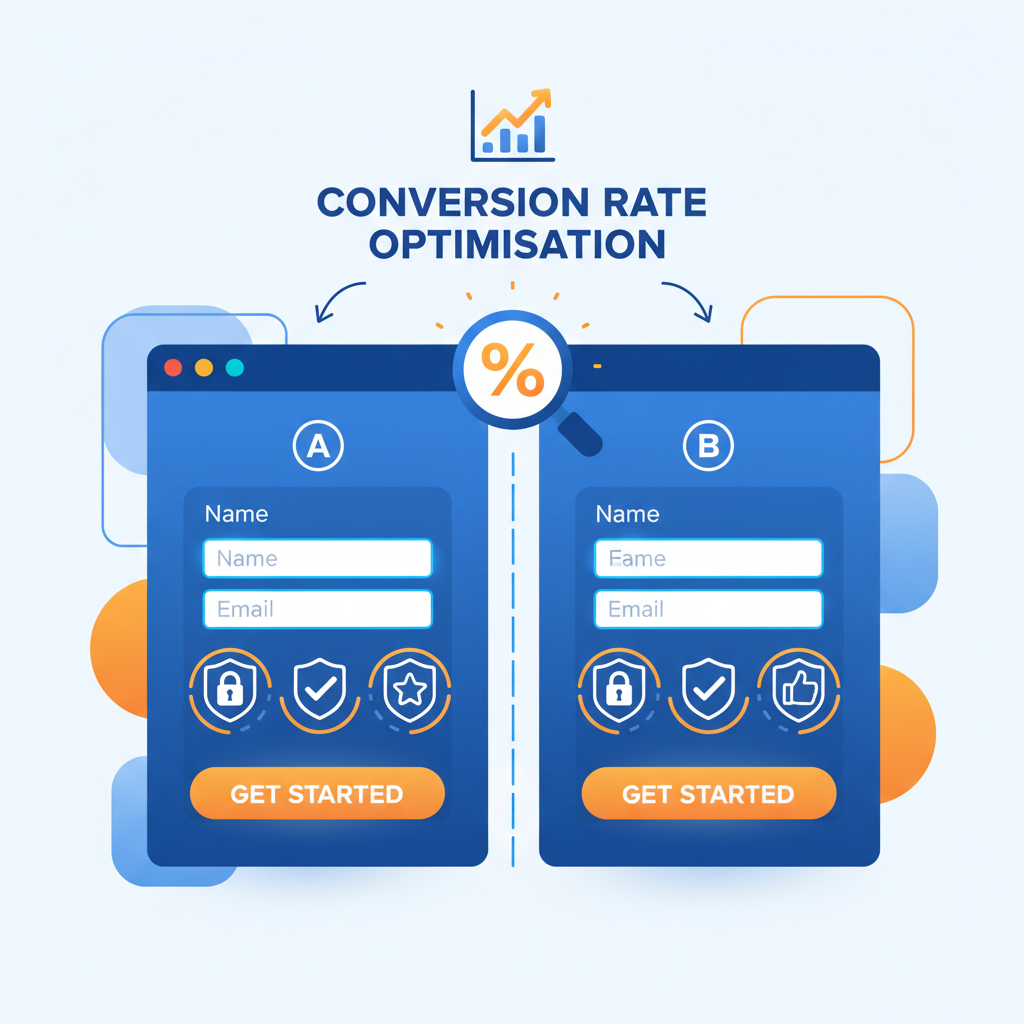
Optimising a PPC landing page isn’t a one-time task - it’s an ongoing process of hypothesis, testing, and iteration. A/B testing (or split testing) allows you to compare two or more versions of a page element to determine which performs better, using statistical rigour rather than guesswork.
An effective A/B testing framework follows a structured approach. Start by analysing your current data to identify the biggest opportunities - where are visitors dropping off? Which elements are receiving the least engagement? Form your hypothesis in an “If we change X, we expect Y because Z” format. For example: “If we change the headline from feature-focused to benefit-focused, we expect a 15% increase in form submissions because visitors care more about outcomes than specifications.”
Prioritise tests using the ICE framework - Impact, Confidence, and Ease. Score each potential test from 1 to 10 on each dimension and prioritise those with the highest combined score. High-impact, high-confidence, easy-to-implement tests should always come first. Common high-impact elements to test include headlines, CTA button text and colour, hero images, form length, page layout, and the primary value proposition.
Statistical significance is critical. Don’t call a test too early based on small sample sizes. Most A/B testing tools recommend a minimum of 100 conversions per variation and a 95% confidence level before declaring a winner. For lower-traffic landing pages, this might mean running tests for several weeks. Resist the temptation to peek at results daily and make premature decisions - this is one of the most common A/B testing mistakes.
Document every test, including the hypothesis, variations tested, sample size, duration, results, and lessons learned. Over time, this testing library becomes an invaluable asset that informs future optimisation efforts and prevents you from repeating tests that have already been run.
Mobile-First Design for PPC Landing Pages
Mobile traffic now accounts for over 60% of all PPC clicks in most industries, yet many landing pages are still designed primarily for desktop and then awkwardly adapted for smaller screens. A mobile-first approach flips this paradigm - designing for the mobile experience first and then enhancing for larger screens.
Mobile PPC landing pages face unique challenges. Screen real estate is limited, so every element must earn its place. Typing on a mobile keyboard is slower and more error-prone, making form simplicity even more important. Mobile users are often in different contexts than desktop users - they might be commuting, multitasking, or researching on the go - which affects their attention span and decision-making process.
Key mobile optimisation techniques include using large, tap-friendly buttons (minimum 48x48 pixels), implementing click-to-call for phone numbers, using single-column layouts, increasing font sizes for readability (minimum 16px body text), replacing hover effects with tap interactions, and ensuring forms use the appropriate mobile keyboard type (email keyboard for email fields, number pad for phone fields). Avoid pop-ups and overlays that are difficult to dismiss on mobile devices.
Google’s mobile-first indexing means the mobile version of your landing page is what Google evaluates for Quality Score purposes. A page that looks brilliant on desktop but performs poorly on mobile will receive a lower Quality Score, increasing your costs and reducing your ad visibility. Test your pages on actual mobile devices - not just browser emulators - to catch issues that automated tools miss.
Quality Score and Landing Page Experience
Google Ads Quality Score is a 1–10 rating that estimates the quality of your ads, keywords, and landing pages. Landing page experience is one of three components (alongside expected click-through rate and ad relevance), and it directly influences how much you pay per click and where your ads appear.
Google evaluates landing page experience based on several factors: how relevant and useful the page content is to the search query, how easy the page is to navigate, how fast the page loads, how transparent the business is about its practices, and how well the page works on mobile devices. A “Below Average” landing page experience rating can increase your CPC by 25–50% compared to an “Above Average” rating.
Improving your landing page experience rating requires addressing both content relevance and technical performance. Ensure your landing page content is directly relevant to your target keywords - Google’s crawlers analyse the text on your page and compare it to the keywords triggering your ads. Include your primary keywords naturally in your headline, sub-headings, and body copy. Make your page easy to navigate with a clear visual hierarchy and logical content flow. Fix all technical issues including slow load times, broken links, and mobile usability problems.
Transparency is another factor Google considers. Include clear privacy policies, terms of service, and contact information. If you’re collecting personal data, explain how it will be used. For e-commerce pages, display clear pricing, shipping costs, and return policies. These elements not only improve your Quality Score but also build the trust necessary for conversions.
Dynamic Text Replacement on Landing Pages
Dynamic text replacement (DTR) is a technique that automatically customises landing page content based on the search query or ad that brought the visitor to the page. Instead of creating dozens of individual landing pages for different keyword variations, DTR allows you to create one template that dynamically swaps in relevant text - dramatically improving message match at scale.
For example, if you’re a law firm running ads across multiple practice areas, DTR can change the headline from “Expert Legal Services” to “Expert Employment Law Services” or “Expert Family Law Services” based on which ad the visitor clicked. The rest of the page remains the same, but that personalised headline creates an immediate sense of relevance.
DTR works by passing URL parameters from your ad URLs to the landing page, which then uses JavaScript or server-side logic to replace designated text elements. Most landing page builders like Unbounce and Instapage have built-in DTR features that make implementation straightforward. For custom-built landing pages, the implementation typically involves reading query parameters and updating DOM elements on page load.
Always set sensible default text in case URL parameters are missing or malformed. Don’t use DTR to replace entire paragraphs - limit it to headlines, sub-headlines, and key phrases where personalisation has the most impact. Test that dynamic text doesn’t break your layout with unusually long keyword phrases, and ensure the replaced text reads naturally in context.
Advanced DTR implementations can go beyond simple text swaps. You can dynamically change hero images based on the ad group, adjust pricing or offers based on the campaign, or modify testimonials to show industry-relevant social proof. The key is ensuring that dynamic elements enhance relevance without creating a disjointed or inconsistent page experience.
Heatmap Analysis for Landing Page Optimisation
Heatmap tools provide visual representations of how visitors interact with your landing page - where they click, how far they scroll, and where their mouse hovers. This data is invaluable for understanding user behaviour and identifying optimisation opportunities that quantitative analytics alone can’t reveal.
There are three primary types of heatmaps relevant to landing page optimisation. Click heatmaps show where visitors click, revealing which elements attract attention and whether people are clicking on non-interactive elements (indicating confusion about what’s clickable). Scroll heatmaps show how far down the page visitors scroll, helping you determine where to place key content and CTAs. Move heatmaps track mouse movement, which correlates roughly with eye tracking and shows which areas of the page receive the most visual attention.
Common insights from heatmap analysis include discovering that visitors are clicking on elements that aren’t links (suggesting you should make them interactive), finding that the majority of visitors never scroll to your CTA (indicating you need to move it higher), identifying that key trust signals are placed in areas receiving minimal attention, and revealing that navigation menus or external links are drawing clicks away from the conversion goal.
Session recording tools, often bundled with heatmap software, allow you to watch individual visitor sessions in real time. This qualitative data can reveal friction points that aggregate data misses - such as visitors repeatedly trying to interact with a static element, struggling with form fields, or reading the page in an unexpected order. Tools like Hotjar, Microsoft Clarity, and Crazy Egg are widely used for this purpose, with Clarity being a free option from Microsoft that provides excellent functionality.
Conversion Rate Benchmarks by Industry
Understanding how your landing page conversion rates compare to industry benchmarks provides essential context for evaluating performance and setting realistic targets. While every business is unique, these benchmarks offer a useful starting point for assessing whether your pages are underperforming, meeting expectations, or exceeding the norm.
| Performance Tier | Conversion Rate | What It Means |
|---|---|---|
| Top 10% (Elite) | 11.45%+ | Exceptional performance; strong message match, optimised funnel |
| Top 25% (Strong) | 5.31%+ | Well-optimised pages with good targeting and design |
| Median (Average) | 2.35% | Typical performance; room for significant improvement |
| Bottom 25% (Weak) | Below 1.5% | Likely issues with relevance, speed, or user experience |
| Bottom 10% (Poor) | Below 0.5% | Fundamental problems requiring complete page overhaul |
It’s important to note that these benchmarks represent averages across large datasets. Your actual performance will vary based on factors like your specific offering, target audience, geographic market, and the competitiveness of your keywords. A 3% conversion rate might be excellent in a highly competitive B2B market but disappointing for a simple lead magnet in a niche industry.
Rather than fixating on absolute benchmark numbers, focus on continuous improvement of your own baseline. If your current conversion rate is 2%, aim for 3% - then 4%, then 5%. Each percentage point increase represents a significant improvement in ROI when multiplied across your total ad spend. The top 10% of landing pages don’t get there overnight; they achieve those rates through systematic, ongoing optimisation.
Dedicated Landing Pages vs Website Pages
One of the most impactful decisions in PPC campaign management is whether to send paid traffic to dedicated landing pages or existing website pages. While using your existing site pages is tempting (less work, no additional tools needed), dedicated landing pages almost always outperform for PPC traffic.
- Single conversion goal with no distractions
- Perfect message match with ad copy
- Customised for specific audience segments
- Easy to A/B test without affecting main site
- Optimised attention ratio (1:1)
- Faster load times with minimal code
- Can be created and iterated quickly
- Higher average conversion rates (5–15%)
- Multiple navigation options and CTAs
- Generic content serving many purposes
- One-size-fits-all for all traffic sources
- Changes affect all visitors, not just PPC
- High attention ratio (many competing links)
- Heavier with full site assets loaded
- Constrained by existing site design/CMS
- Lower average conversion rates (1–3%)
The data is clear: dedicated landing pages convert at 2–5 times the rate of generic website pages for PPC traffic. The reason is simple - removal of friction. A dedicated landing page strips away everything that doesn’t contribute to the conversion goal. No main navigation tempting visitors to wander off. No footer links leading to unrelated pages. No sidebar content competing for attention. Just a focused, persuasive page designed to do one thing well.
There are scenarios where sending PPC traffic to website pages makes sense - primarily branded campaigns where visitors are already familiar with your company and want to explore, or campaigns targeting very broad awareness goals. But for lead generation and direct response campaigns, dedicated landing pages should be your default approach.
The investment in dedicated landing pages pays for itself quickly. Even a modest improvement in conversion rate from 2% to 4% effectively halves your cost per acquisition, meaning your existing ad budget generates twice as many leads or sales. Over a year of PPC spend, this can translate to tens of thousands of pounds in savings or additional revenue.
Landing Page Tools: Unbounce, Instapage, and Custom-Built
Choosing the right tool for building your PPC landing pages depends on your team’s technical capabilities, budget, testing requirements, and the volume of pages you need to manage. The three main approaches - dedicated landing page builders, custom-built pages, and hybrid approaches - each have distinct advantages.
| Feature | Unbounce | Instapage | Custom-Built |
|---|---|---|---|
| Starting Price | £74/month | £119/month | Development costs only |
| Ease of Use | Drag-and-drop builder | Drag-and-drop builder | Requires development skills |
| A/B Testing | Built-in | Built-in with heatmaps | Requires third-party tools |
| Dynamic Text | Native DTR support | Native DTR support | Custom implementation |
| Speed | Good (hosted CDN) | Good (hosted CDN) | Excellent (full control) |
| Customisation | Template-based, flexible | Template-based, flexible | Unlimited flexibility |
| Integrations | 100+ native integrations | 120+ native integrations | Any API or service |
| Scale | Plans limit conversions | Plans limit conversions | No artificial limits |
Unbounce is one of the most popular landing page platforms, offering an intuitive drag-and-drop builder with smart traffic routing (their AI-powered tool that automatically directs visitors to the highest-converting page variant). It’s particularly strong for teams that need to create and test many landing page variations quickly without developer involvement. Unbounce also offers Smart Copy, an AI writing assistant that can help generate headline and copy variations for testing.
Instapage positions itself as an enterprise-grade solution with advanced collaboration features, built-in heatmaps, and AdMap - a visual tool that lets you connect each ad to its corresponding landing page for easy message match management. Instapage’s personalisation capabilities go beyond basic DTR, allowing you to create audience-specific experiences based on UTM parameters, device type, and geographic location.
Custom-built landing pages offer the greatest flexibility and control. For businesses with development resources, building landing pages with a framework like Hono on Cloudflare Workers provides lightning-fast load times (critical for Quality Score), complete design freedom, no per-conversion pricing limits, and the ability to implement sophisticated personalisation logic. The trade-off is higher upfront development time and the need for developer involvement in every page change.
Many successful PPC operations use a hybrid approach - a landing page builder for rapid testing and iteration on standard campaigns, combined with custom-built pages for their highest-spend campaigns where maximum performance and complete control justify the additional development investment. The key is matching the tool to the specific need rather than adopting a one-size-fits-all approach.
Putting It All Together: A Landing Page Optimisation Checklist
Optimising PPC landing pages for maximum conversions requires a systematic, data-driven approach that touches every aspect of the page - from the initial message match to the final form submission. The strategies outlined in this guide are not one-time fixes but ongoing disciplines that compound over time.
Start with the fundamentals: ensure strong message match, optimise your above-the-fold content, and eliminate distractions. Then build on that foundation with social proof, fast load times, and mobile-first design. Layer in advanced techniques like dynamic text replacement and heatmap analysis as your optimisation programme matures. And throughout it all, maintain a rigorous A/B testing framework that turns every hypothesis into measurable data.
Remember that even small improvements in conversion rate can have outsized effects on your bottom line. Improving from a 2% to a 4% conversion rate doesn’t just double your leads - it halves your effective cost per acquisition, making previously unprofitable keywords viable and unlocking new growth opportunities. In the competitive landscape of PPC advertising, your landing page is your ultimate competitive advantage.
The businesses that win at PPC aren’t necessarily those with the biggest budgets. They’re the ones that treat every landing page as a conversion machine - continuously testing, refining, and optimising to extract maximum value from every click. With the right approach, tools, and commitment to ongoing improvement, you can join the top 10% of advertisers who achieve conversion rates that transform paid advertising from a cost centre into a profit engine.
Need Help Optimising Your PPC Landing Pages?
Our digital marketing specialists can audit your landing pages and implement conversion-focused improvements that maximise your ad spend ROI. Get in touch for a free consultation.
Contact Us Today
CloudSwitched
London-based managed IT services provider offering support, cloud solutions and cybersecurity for SMEs.


