Every UK business, regardless of size, runs on processes. Invoices need approving. New employees need onboarding. Customer enquiries need routing to the right team. Support tickets need escalating when they go unanswered. Sales leads need nurturing through a sequence of emails. These processes are the operational backbone of any organisation - and in far too many businesses, they are still performed manually, consuming hours of staff time that could be directed toward work that actually requires human judgement, creativity, and relationship-building.
Azure Logic Apps is Microsoft’s cloud-based integration and workflow automation platform, designed to connect disparate systems, automate repetitive processes, and orchestrate complex business workflows without requiring traditional software development. It sits within the broader Azure ecosystem and provides a visual, low-code designer that enables business analysts and IT professionals alike to build sophisticated automations that span cloud services, on-premises systems, and third-party applications. Whether you need to automatically process incoming invoices from email, synchronise customer data between your CRM and accounting system, or orchestrate a multi-step approval workflow that involves five different people and three different applications, Logic Apps provides the platform to build it.
For UK small and medium-sized enterprises already invested in the Microsoft ecosystem - Microsoft 365, Azure, Dynamics 365, or Power Platform - Logic Apps represents a particularly compelling proposition. It integrates natively with Microsoft services, scales from simple single-step automations to enterprise-grade integration solutions, and operates on a consumption-based pricing model that means you pay only for what you use. This guide explains what Logic Apps are, how they differ from Power Automate, what connectors and triggers are available, how to build common business workflows, and what the platform costs in practice for UK businesses.
What Are Azure Logic Apps?
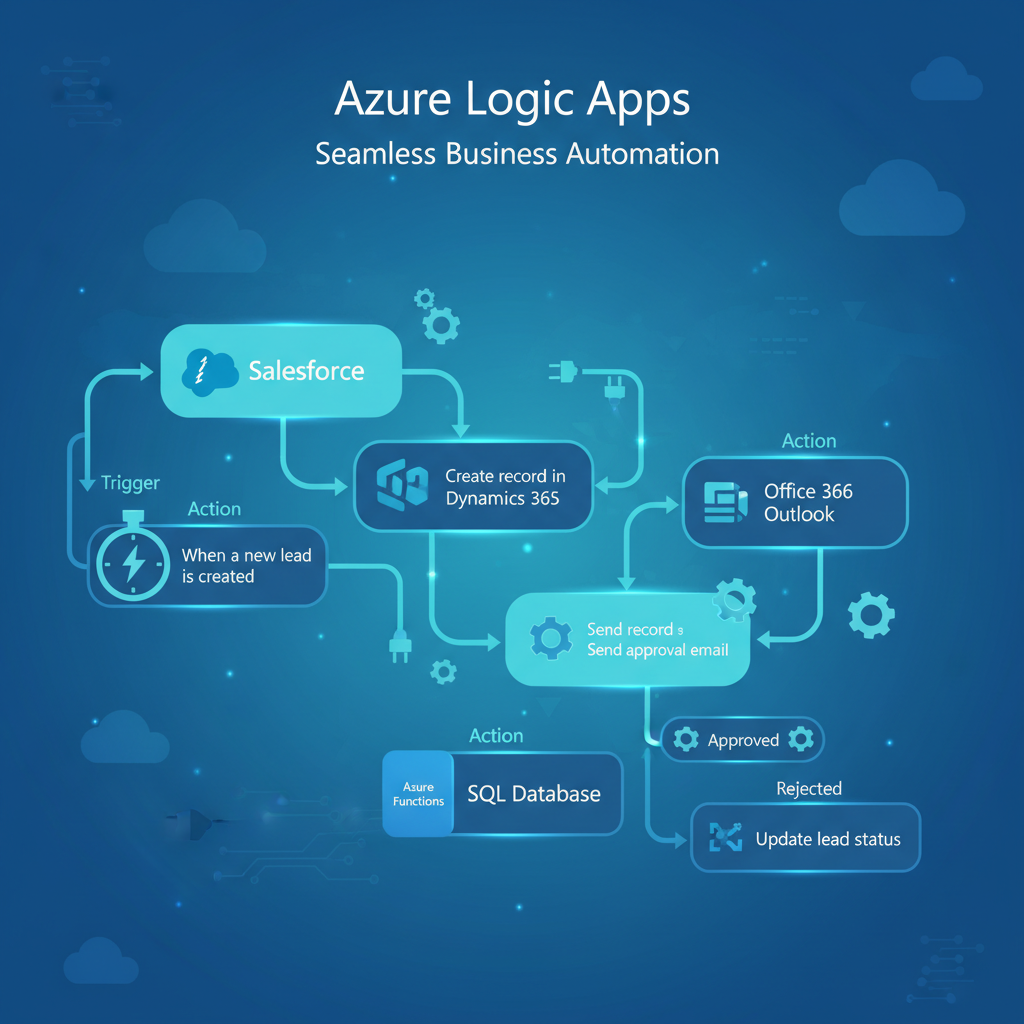
Azure Logic Apps is a cloud-native integration platform as a service (iPaaS) that enables you to automate workflows and integrate applications, data, services, and systems. At its core, Logic Apps works on a simple but powerful concept: when something happens (a trigger), perform a series of steps (a sequence of actions). This trigger-action model underpins every Logic App workflow, from the simplest single-step automation to the most complex multi-branch, conditional orchestration.
The platform provides a visual workflow designer - available both in the Azure portal and in Visual Studio Code - where you build workflows by selecting triggers and actions from a vast library of pre-built connectors, configuring their parameters, and connecting them in sequence. You do not need to write code to build a Logic App, though the platform supports inline code execution (JavaScript and C#) for scenarios where custom logic is required. The visual designer makes Logic Apps accessible to business analysts and power users, not just developers, which is a significant advantage for UK SMEs where dedicated development resources are often limited.
Logic Apps operates on a stateful execution model: each workflow run is tracked, logged, and fully auditable. You can view the run history for any Logic App, inspect the inputs and outputs of every action in the workflow, and identify precisely where a failure occurred and why. This observability is critical for business processes where accountability and traceability matter - financial approvals, compliance workflows, customer data processing, and similar scenarios where you need to demonstrate that processes executed correctly and in the right order.
The Core Components
Every Logic App workflow consists of three fundamental elements. Triggers are events that start the workflow - a new email arriving, a file being uploaded, an HTTP request being received, a schedule firing, or a record being created in a database. Each workflow has exactly one trigger, and it defines the entry point for the automation. Actions are the individual steps that the workflow performs after the trigger fires - sending an email, creating a record, calling an API, transforming data, or evaluating a condition. A workflow can contain dozens or even hundreds of actions arranged in sequence, in parallel, or within conditional branches. Connectors are the bridges between Logic Apps and external services - they provide the triggers and actions for specific platforms like Office 365, SharePoint, SQL Server, Salesforce, SAP, and hundreds of others.
Logic Apps vs Power Automate: Understanding the Difference
One of the most common questions UK businesses ask is how Azure Logic Apps differs from Microsoft Power Automate (formerly Microsoft Flow). The confusion is understandable - both platforms share the same underlying connector infrastructure, both use a visual workflow designer, and both automate business processes. However, they serve fundamentally different purposes and audiences, and understanding the distinction is essential for choosing the right tool.
In practical terms, think of Power Automate as the tool for individual employees to automate their own workflows - “when I receive an email with an attachment, save it to my OneDrive folder” - and Logic Apps as the tool for IT teams to build organisation-wide integrations - “when a new order is placed in our e-commerce system, create a record in our ERP, notify the warehouse, update the CRM, and send a confirmation email to the customer.” Many UK businesses use both: Power Automate for user-level productivity automations and Logic Apps for backend system integration and critical business processes.
Logic Apps and Power Automate share the same connector ecosystem, which means skills transfer between the platforms. If your team has built flows in Power Automate, they already understand the fundamental concepts of triggers, actions, and connectors that underpin Logic Apps. The transition from Power Automate to Logic Apps for more complex scenarios is intentionally smooth - Microsoft designed the platforms to sit on a continuum from citizen developer to professional developer, with the same foundational building blocks throughout.
Connectors: The Integration Backbone
Connectors are what make Logic Apps genuinely powerful for business automation. Each connector is a wrapper around an API that provides a set of triggers (events you can listen for) and actions (operations you can perform) for a specific service or system. Azure Logic Apps offers more than 450 connectors out of the box, spanning virtually every major cloud service, SaaS application, database platform, and communication tool that UK businesses commonly use.
Connector Categories
Connectors fall into several categories that are important to understand, because they affect both capability and cost. Built-in connectors run natively within the Logic Apps runtime and include HTTP, Schedule, Batch, and Azure Functions - these are the fastest and most reliable, as they do not depend on external connector infrastructure. Managed connectors are hosted by Microsoft and maintained as part of the Logic Apps service - these include Office 365, SharePoint, SQL Server, Azure Blob Storage, Dynamics 365, and hundreds of others. Managed connectors are further divided into Standard connectors (included at no additional cost on most tiers) and Premium connectors (which carry additional per-action charges on the Consumption tier) - premium connectors include Salesforce, SAP, IBM MQ, and Oracle Database. Finally, custom connectors allow you to wrap any REST API as a Logic Apps connector, enabling integration with proprietary or niche systems that do not have pre-built connectors.
Key Connectors for UK Businesses
For UK SMEs, the most commonly used connectors span the Microsoft ecosystem and popular business platforms. Office 365 Outlook provides triggers for incoming emails and actions for sending, replying, and managing mailbox content. SharePoint enables triggers when items or documents are created or modified, and actions for full list and library management. Microsoft Teams supports posting messages, creating channels, and responding to adaptive card interactions. SQL Server connects to both Azure SQL and on-premises SQL Server databases for reading, writing, and triggering on data changes. Azure Blob Storage handles file-based triggers and actions for document processing workflows. Dynamics 365 and Dataverse provide deep CRM and ERP integration. HTTP and Webhook connectors enable integration with any system that exposes a REST API. And SFTP supports secure file transfer workflows with external partners and suppliers - particularly common in UK financial services and supply chain operations.
Common Business Workflows
The best way to understand Logic Apps is through practical examples. The following workflows represent scenarios that almost every UK SME encounters and that Logic Apps can automate effectively.
Invoice Processing and Approval
A supplier sends an invoice as a PDF attachment to your accounts payable email address. Logic Apps detects the incoming email (Office 365 Outlook trigger), extracts the PDF attachment, sends it to Azure AI Document Intelligence (formerly Form Recognizer) for automated data extraction - pulling out the supplier name, invoice number, date, line items, and total amount. The extracted data is written to a SharePoint list or SQL database, and an approval request is sent via Microsoft Teams to the appropriate approver based on the invoice amount: invoices under £1,000 go to the team lead, invoices between £1,000 and £10,000 go to the department head, and invoices over £10,000 require director approval. Once approved, the workflow updates the record status, notifies the accounts team to process payment, and files the original document in the appropriate SharePoint folder with standardised naming.
Employee Onboarding
When a new employee record is created in your HR system (or a SharePoint list for smaller businesses), Logic Apps triggers an onboarding workflow that provisions the employee’s Microsoft 365 account, assigns the appropriate licences, adds them to the correct security groups and Teams channels, creates their entry in the company directory, sends a welcome email with first-day instructions, schedules orientation meetings in their calendar, creates IT support tickets for equipment provisioning, and notifies their line manager that onboarding is underway. What previously required an IT administrator to perform 15–20 manual steps across multiple systems is completed automatically in minutes.
Customer Enquiry Routing
A customer submits an enquiry through your website contact form (received via HTTP webhook trigger). Logic Apps analyses the enquiry content using Azure AI Language to determine the topic and sentiment, then routes it to the appropriate team: sales enquiries go to the CRM as a new lead, support enquiries create a ticket in your helpdesk system, partnership requests are emailed to the business development team, and urgent complaints are escalated immediately via Teams to the customer service manager. An acknowledgement email is sent to the customer within seconds of submission, including an estimated response time based on the enquiry type.
Triggers and Actions: Building the Workflow
Understanding how triggers and actions work in practice is essential for designing effective Logic App workflows. The platform offers several trigger types, each suited to different automation scenarios.
Trigger Types
Recurrence triggers fire on a schedule - every 5 minutes, every hour, daily at 9:00 AM, or on a custom cron-like schedule. These are ideal for polling-based integrations: checking a database for new records, scanning an SFTP folder for new files, or running a daily report generation workflow. Event-based triggers fire when something happens in a connected system - a new email arrives, a SharePoint item is created, a database record is updated. These provide near-real-time automation without the latency of polling. HTTP triggers expose a unique URL endpoint that external systems can call to trigger the workflow - this is how you integrate Logic Apps with custom applications, websites, and third-party platforms that support webhooks. Manual triggers allow users to start a workflow on demand from the Azure portal, Power Automate, or a custom application.
Action Patterns
Actions within a Logic App can be arranged in several patterns to handle complex business logic. Sequential actions execute one after another in a defined order. Parallel branches allow multiple actions to execute simultaneously - for example, sending a notification email and updating a database record at the same time, rather than waiting for each to complete before starting the next. Conditional branches (if/else) route the workflow down different paths based on data values, status codes, or expression evaluations. Switch statements provide multi-path branching based on a single value - routing an enquiry to sales, support, or billing based on a category field, for instance. Loops (for-each and until) iterate over arrays of data or repeat actions until a condition is met. And scopes group related actions together for error handling, allowing you to define try-catch-finally patterns within your workflow.
On the Consumption tier, recurrence triggers that poll external systems (checking for new emails, new files, new records) consume action executions every time they fire - even when no new data is found. A trigger set to poll every minute will execute 43,200 times per month regardless of whether any data is returned. At £0.000025 per action, this is only about £1.08 per month, but if your workflow has multiple actions that fire on each poll, costs can accumulate. For high-frequency polling scenarios, consider event-based triggers (which only fire when data is present) or migrate to the Standard tier where trigger executions are included in the base price. Always review your trigger frequency against actual business requirements - polling every 15 minutes is often sufficient where businesses initially configure every-minute polling out of an abundance of caution.
Error Handling and Reliability
Production business workflows must handle failures gracefully. An approval workflow that silently fails when the approver’s mailbox is full, or an invoice processing workflow that crashes when it encounters an unexpected PDF format, can be worse than no automation at all - because the business assumes the process is running when it is not. Logic Apps provides robust error handling capabilities that, when properly configured, ensure your automations are resilient and your team is informed when issues arise.
Built-In Retry Policies
Every action in a Logic App has a configurable retry policy that governs how the platform responds to transient failures - temporary network issues, API rate limiting, service unavailability. The default retry policy attempts four retries with exponentially increasing intervals (7 seconds, 14 seconds, 28 seconds, 56 seconds). You can customise the retry count, interval, minimum and maximum back-off, and the HTTP status codes that trigger a retry. For actions that call external APIs, this built-in resilience handles the majority of transient failures without any additional configuration.
Scope-Based Try-Catch
For more sophisticated error handling, Logic Apps supports a pattern analogous to try-catch-finally in traditional programming. You place the actions that might fail inside a Scope action (the “try” block), then add a second Scope configured to run only if the first scope fails (the “catch” block). The catch scope can send alert emails, log errors to a database, create incident tickets, or execute compensating actions - for example, if an invoice fails to process, the catch scope could move the original email to a “Failed Processing” folder and notify the accounts team to handle it manually.
Run-After Configuration
Every action in a Logic App can be configured with “run after” conditions that specify under what circumstances the action should execute: after the previous action succeeds, fails, is skipped, or times out. This granular control enables sophisticated error handling patterns. For example, you might configure a “Send Error Notification” action to run after the main processing action fails or times out, whilst a “Log Success” action runs only after the processing action succeeds. This is far more flexible than simple sequential execution and allows you to build workflows that handle every possible outcome appropriately.
Standard vs Consumption: Choosing Your Hosting Plan
Azure Logic Apps offers two distinct hosting plans, and the choice between them significantly affects your costs, capabilities, and operational model. Understanding the differences is critical for making the right decision for your business.
Consumption Plan
The Consumption plan is the original Logic Apps hosting model and remains the best starting point for most UK SMEs. You pay only for what you use - each trigger check, action execution, and connector call is metered individually. There is no base monthly fee, no reserved capacity to pay for, and no minimum commitment. If your Logic App runs ten times per day and executes five actions per run, you pay for 50 action executions per day. If it runs zero times on a Saturday, you pay nothing for Saturday. This model is ideal for workflows with variable or unpredictable execution volumes and for businesses that are starting their automation journey and want to minimise financial risk.
Standard Plan
The Standard plan, introduced more recently, runs Logic Apps on a dedicated Azure App Service plan (or Azure Functions Premium plan) with a fixed monthly cost based on the compute tier you select. It supports multiple workflows within a single Logic App resource, provides virtual network integration and private endpoints for secure connectivity, offers stateful and stateless workflow execution modes, enables local development and debugging in Visual Studio Code, and supports deployment slots for zero-downtime updates. The Standard plan is better suited to organisations running numerous workflows, requiring network isolation for compliance or security, or needing predictable monthly costs rather than variable consumption billing.
The crossover point where Standard becomes more cost-effective than Consumption typically occurs when you are running more than 25–30 workflows with combined action executions exceeding 150,000 per month. Below that threshold, Consumption is almost always cheaper. Above it, Standard provides better value alongside superior networking and deployment capabilities. For most UK SMEs beginning their automation journey, the Consumption plan is the right starting point - you can always migrate to Standard later as your usage grows.
Office 365 Integration
For UK businesses running Microsoft 365, the Office 365 connectors in Logic Apps provide particularly deep integration capabilities that go well beyond simple email sending. These connectors transform Office 365 from a productivity suite into an automation platform.
Outlook and Exchange
The Office 365 Outlook connector provides triggers for new emails (with filtering by sender, subject, folder, importance, and attachment presence), and actions for sending emails, replying to threads, moving messages between folders, creating calendar events, and managing contacts. This enables workflows like automated email triage (sorting incoming messages into folders based on content analysis), SLA monitoring (flagging customer emails that have gone unanswered for more than a defined period), and automated acknowledgements (sending immediate confirmation replies to enquiries received outside business hours).
SharePoint and OneDrive
SharePoint connectors turn SharePoint lists into lightweight databases and document libraries into automated filing systems. Triggers fire when items are created or modified, and actions provide full CRUD (create, read, update, delete) operations on list items and documents. Common patterns include document approval workflows (a new document uploaded to a library triggers an approval chain, with the document moved to an “Approved” or “Rejected” folder based on the outcome), automated metadata tagging (extracting information from documents using AI and populating SharePoint metadata fields), and records management (moving documents through lifecycle stages based on dates, approvals, or external events).
Microsoft Teams
The Teams connector enables Logic Apps to post messages to channels, send adaptive cards with interactive buttons, and respond to user actions on those cards. This is particularly powerful for approval workflows: rather than sending an approval email that the approver might miss, Logic Apps can post an adaptive card to a Teams channel with “Approve” and “Reject” buttons, capture the response, and continue the workflow based on the decision. For UK businesses where Teams is the primary communication hub, this keeps automation visible and actionable within the tools people already use throughout their working day.
Pricing for UK Businesses
Logic Apps pricing in the UK (hosted in the UK South or UK West Azure regions) is straightforward on the Consumption tier, though it requires careful attention to understand the full cost picture. All prices below are based on UK region pricing as of 2025 and exclude VAT.
| Component | Consumption Tier Price | Notes |
|---|---|---|
| Actions (built-in) | £0.000025 per execution | HTTP, variables, loops, conditions, inline code |
| Actions (standard connectors) | £0.000105 per execution | Office 365, SharePoint, SQL Server, Teams, Blob Storage |
| Actions (premium connectors) | £0.000105 per execution | Salesforce, SAP, Oracle, IBM MQ - same rate but licence implications |
| Trigger executions | Same as action rates above | Each poll counts as an execution, even if no data is returned |
| Data retention (run history) | Included for 90 days | Extended retention available via Azure Monitor integration |
| Integration Account (B2B) | From £260/month (Basic) | Only needed for EDI, AS2, X12, or EDIFACT B2B scenarios |
| On-premises data gateway | Free (software) | Runs on your server - no Azure charge, but requires server resources |
| Standard Plan WS1 | ~£175/month | 1 vCPU, 3.5 GB RAM - unlimited workflows and executions |
To put these numbers into practical context, consider a typical UK SME automation scenario: an invoice approval workflow that processes 200 invoices per month, with each workflow run executing 12 actions (receive email, extract attachment, call AI extraction, write to database, evaluate approval threshold, send Teams approval card, wait for response, update status, send notification, file document, log completion, and handle errors). That is 2,400 action executions per month, costing approximately £0.25 in total - less than the cost of a single cup of coffee. Even at 2,000 invoices per month with 15 actions each, you are looking at 30,000 executions costing around £3.15 per month. The cost of Logic Apps on the Consumption tier is, for most UK SMEs, negligible compared to the staff time it saves.
Whilst Logic Apps action costs are extremely low, be aware of costs from connected services. Azure AI Document Intelligence (for invoice data extraction) charges per page processed. Azure SQL Database has its own compute and storage costs. Azure Monitor and Log Analytics, if configured for extended logging, have ingestion and retention charges. When budgeting for a Logic Apps solution, account for the full cost of all Azure services in the workflow, not just the Logic Apps execution charges themselves. The Logic Apps costs will almost certainly be the smallest line item on your Azure invoice.
Automation Readiness Scorecard
Before building your first workflow, assess your organisation’s readiness across the key dimensions that determine Logic Apps success. Businesses scoring above 80 across the board typically see the fastest return on investment.
Building Your First Logic App: A Practical Walkthrough
To illustrate how these concepts come together in practice, let us walk through building a common workflow: automatically processing customer feedback submitted through a web form, analysing sentiment, and routing responses accordingly.
Step 1: Create the Logic App Resource
In the Azure portal, create a new Logic App (Consumption) resource in your UK South resource group. Give it a descriptive name following your naming convention - for example, la-customerfeedback-prod-uksouth. Select the Consumption plan type and your preferred UK region. The resource is created within seconds and costs nothing until it starts executing.
Step 2: Configure the Trigger
Open the Logic App designer and select the “When an HTTP request is received” trigger. This generates a unique URL endpoint that your website form can POST data to. Define the JSON schema for the expected request body - fields like customer name, email address, feedback category, and message text. Once saved, Logic Apps provides the endpoint URL that you configure as the form submission target on your website.
Step 3: Add Sentiment Analysis
Add an Azure AI Language action to analyse the sentiment of the feedback message. This returns a sentiment score (positive, negative, neutral, or mixed) and confidence percentages that you can use for routing decisions. Negative feedback with high confidence triggers an escalation path; positive feedback triggers a thank-you response and optional review request.
Step 4: Build Conditional Routing
Add a Switch action based on the sentiment result. For negative sentiment, the workflow creates a high-priority support ticket, sends an immediate Teams notification to the customer service manager, and queues a personalised follow-up email. For positive sentiment, it sends a thank-you email and, if the score is above a threshold, includes a request to leave a public review. For neutral sentiment, it logs the feedback to a SharePoint list for periodic review by the team. Each branch operates independently, and actions within each branch can run in parallel for faster execution.
Step 5: Add Error Handling and Monitoring
Wrap the main workflow in a Scope action, add a catch Scope that sends an alert email to your IT team if any step fails, and configure Azure Monitor alerts for sustained failure rates. Enable diagnostic logging to Log Analytics for long-term auditing and troubleshooting. Test the workflow with sample submissions covering each sentiment path, verify the routing logic, and publish the endpoint URL to your production website.
Advanced Patterns and Best Practices
As your Logic Apps usage matures beyond simple single-workflow automations, several patterns and practices become important for maintaining reliability, performance, and manageability at scale.
Workflow Decomposition
Resist the temptation to build monolithic Logic Apps that handle entire business processes in a single workflow. Instead, decompose complex processes into smaller, focused workflows that communicate via HTTP calls or Service Bus queues. A large order processing workflow, for example, might be split into separate Logic Apps for order validation, inventory checking, payment processing, fulfilment notification, and customer communication. Each workflow is independently deployable, testable, and scalable, and a failure in one component does not cascade to the entire process.
Secure Configuration Management
Never hardcode sensitive values - API keys, connection strings, credentials - directly in your Logic App definitions. Use Azure Key Vault to store secrets and reference them in your workflows through the Key Vault connector. For environment-specific configuration (development, staging, production URLs and endpoints), use Logic App parameters that are defined at deployment time through ARM templates or Bicep, not embedded in the workflow definition. This practice is essential for UK businesses subject to data protection regulations, where credential management is a compliance concern.
Monitoring and Alerting
Configure Azure Monitor alerts for critical Logic App metrics: failed runs, throttled actions, and action latency. Set up action groups that notify your team via email, Teams, or SMS when thresholds are breached. For business-critical workflows, implement a heartbeat pattern: a separate Logic App that runs on a schedule, checks whether the critical workflow has executed successfully within its expected timeframe, and raises an alert if it has not. This catches scenarios where a trigger stops firing (due to a connector issue or configuration change) that would otherwise go undetected until a business stakeholder notices that invoices are no longer being processed.
Governance and Security Considerations
For UK businesses, particularly those handling personal data subject to the UK GDPR and Data Protection Act 2018, governance of Logic Apps deployments is not optional - it is a regulatory requirement. Several practices ensure your automations remain compliant and secure.
Managed identities should be used wherever possible instead of connection strings or API keys. A Logic App with a system-assigned managed identity can authenticate to Azure services (Key Vault, SQL Database, Blob Storage, Service Bus) without storing any credentials, eliminating an entire category of security risk. Private endpoints (available on the Standard plan) ensure that Logic App traffic to connected services stays within your Azure virtual network and never traverses the public internet. Azure Policy can enforce organisational standards - requiring all Logic Apps to be deployed in UK regions, mandating managed identity usage, restricting connector types, and preventing deployment of Logic Apps without diagnostic logging enabled. And role-based access control ensures that only authorised personnel can view, edit, or trigger workflows, with separate roles for Logic App contributors (who can modify workflows) and Logic App operators (who can view run history and trigger manual runs but cannot modify the workflow definition).
When Logic Apps Is - and Is Not - the Right Choice
Logic Apps excels at event-driven, integration-heavy workflows that connect multiple systems and involve conditional logic, approvals, and data transformation. It is the right choice when you need to automate a business process that spans two or more systems, when the process involves waiting for external events (approvals, callbacks, scheduled triggers), when you need full auditability of every workflow execution, and when your team includes IT professionals or power users who can work with the visual designer but may not be professional developers.
Logic Apps is not the right choice for compute-intensive data processing (use Azure Functions or Azure Data Factory instead), real-time stream processing (use Azure Stream Analytics or Event Hubs), simple user-level automations that do not require IT governance (use Power Automate), or scenarios requiring sub-second response times (Logic Apps cold start on Consumption can add 1–3 seconds of latency). Understanding these boundaries helps you select the right tool for each automation scenario, rather than forcing every problem into the Logic Apps model.
Whether you’re looking to automate invoice processing, streamline employee onboarding, or build complex multi-system integrations, Cloudswitched can help you design and implement Azure Logic Apps workflows that save time, reduce errors, and scale with your business. Our team specialises in Microsoft Azure solutions for UK SMEs.
Get in Touch
CloudSwitched
London-based managed IT services provider offering support, cloud solutions and cybersecurity for SMEs.


