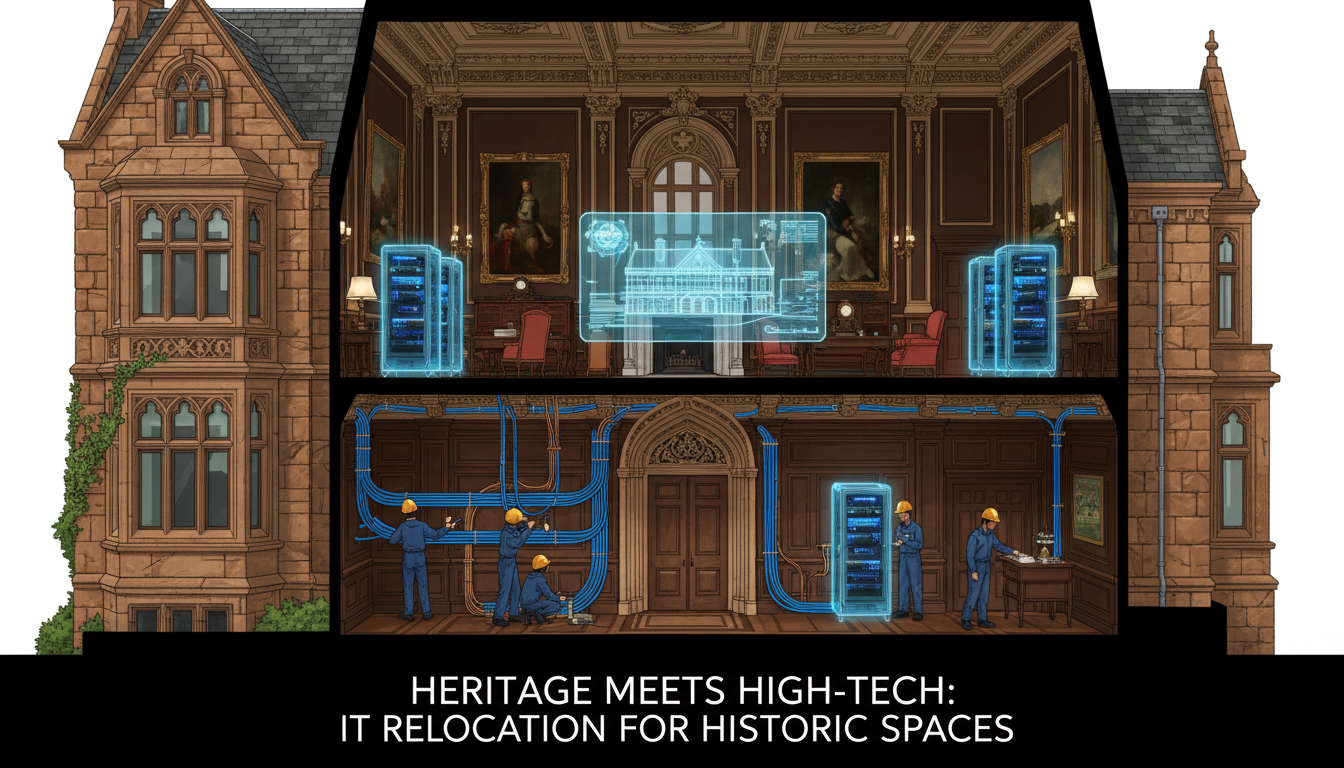
The United Kingdom has one of the richest architectural heritages in the world. From Georgian townhouses in Bath and Victorian warehouses in Manchester to Edwardian commercial buildings in Birmingham and medieval structures in York, listed and heritage buildings offer character, prestige, and a sense of history that modern office blocks simply cannot match. For many businesses, moving into a heritage building is both an aspirational choice and a practical one — these properties often sit in prime city-centre locations with excellent transport links and client accessibility.
However, the romance of exposed brickwork, original cornicing, and grand staircases comes with a very specific set of IT infrastructure challenges that can catch unprepared businesses off guard. Listed building regulations restrict what physical alterations you can make, thick stone walls attenuate wireless signals, aging electrical systems may not support modern power demands, and the absence of modern cable containment routes means traditional network installation approaches simply will not work.
This guide covers every IT consideration for businesses planning a move to a listed or heritage building, helping you plan effectively and avoid costly surprises.
Understanding Listed Building Classifications
Navigating the Consent Process
The listed building consent process can feel daunting for businesses unfamiliar with heritage regulations, but understanding how it works enables you to plan IT installations with confidence and avoid costly delays. Consent applications are submitted to the local planning authority, which will consult with the relevant heritage body — Historic England, Historic Environment Scotland, or Cadw — before making a decision. For IT works, the application should include detailed drawings showing proposed cable routes, equipment locations, and fixing methods, along with a heritage impact assessment explaining how the works have been designed to minimise harm to the building's significance.
Early engagement with the local conservation officer is invaluable. Most conservation officers are pragmatic professionals who understand that historic buildings must accommodate modern uses to remain viable. A pre-application discussion allows you to explain your IT requirements, understand the officer's concerns, and adjust your plans before submitting a formal application. This collaborative approach typically results in faster decisions and fewer objections than submitting a fully formed application without prior consultation.
Consent timelines vary considerably depending on the building's grade, the nature of the proposed works, and the local authority's workload. Straightforward applications for minor IT works in a Grade II building might be determined within six to eight weeks. More complex proposals, particularly those involving Grade I or Grade II* buildings, can take twelve weeks or longer, especially if English Heritage or an equivalent body needs to provide formal advice. Build these timescales into your project plan from the outset, and never assume that consent is a formality.
Before planning any IT installation in a listed building, it is essential to understand the classification system and what it means for your project. In England and Wales, Historic England maintains the National Heritage List, while Historic Environment Scotland and Cadw cover Scotland and Wales respectively.
Grade I Listed
These buildings are of exceptional interest, representing only around 2% of all listed buildings. Any alterations — including IT cabling, mounting equipment, or drilling into walls — require listed building consent and are subject to extremely rigorous scrutiny. Examples include major cathedrals, historic manor houses, and buildings of outstanding architectural importance. If your prospective office is Grade I listed, expect significant constraints and longer planning timescales.
Grade II* Listed
Particularly important buildings of more than special interest, representing approximately 6% of listed buildings. Modifications require consent and careful justification, but there is more flexibility than Grade I. Many converted commercial buildings in cities like Liverpool, Leeds, and Newcastle fall into this category.
Grade II Listed
Buildings of special interest warranting every effort to preserve them. This is the most common classification, covering around 92% of all listed buildings. While consent is still required for alterations, there is generally more scope for sympathetic modifications that support modern use, including IT installations, provided they are carried out sensitively and reversibly.
Carrying out unauthorised works to a listed building is a criminal offence under the Planning (Listed Buildings and Conservation Areas) Act 1990. This includes drilling holes for cabling, surface-mounting trunking, installing satellite dishes, or making any physical alteration to the building's character. Penalties can include unlimited fines and even imprisonment. Always obtain proper consent before commencing any IT installation work, and ensure your IT provider understands these legal requirements.
Network Cabling in Heritage Buildings
Conducting a Heritage-Sensitive Site Survey
Before any cabling design can begin, a thorough site survey is essential, and it must be conducted with heritage sensitivity as a primary concern. Unlike a standard office IT survey that focuses solely on cable run lengths, access point coverage, and switch locations, a heritage building survey must also document the building's architectural features, identify areas of particular significance, and note any existing alterations or previous installations that might offer opportunities for cable routing.
Your IT provider should ideally conduct the survey alongside the building owner or their heritage consultant, who can identify features that must not be disturbed and areas where sympathetic alterations may be acceptable. Photographic documentation of the building's current condition is important, both for the consent application and as a record against which future alterations can be assessed. Pay particular attention to original plasterwork, decorative mouldings, historic flooring, and any areas where previous cable installations have already been made — these existing routes represent the path of least resistance for new cabling.
The survey should also assess structural factors that will affect wireless network design. Stone wall thicknesses, the presence of metal lath in plaster, the composition of floor structures, and the location of metal-framed windows all influence radio signal propagation. A proper wireless site survey using spectrum analysis equipment will reveal dead spots and interference patterns that cannot be predicted from floor plans alone, ensuring your wireless network design is based on measured data rather than hopeful assumptions.
Network cabling is typically the most challenging aspect of IT infrastructure in a listed building. Modern offices are designed with cable risers, suspended ceilings, raised floors, and dedicated containment routes that make running Cat6 or fibre optic cables straightforward. Heritage buildings have none of these features, and the restrictions on physical alterations limit your options considerably.
Surface-Mounted Solutions
Where concealed cabling is not possible, surface-mounted mini trunking or dado trunking can be used, provided it is installed sympathetically. Heritage officers generally prefer trunking that is painted to match the existing wall colour and follows the natural lines of the building — running along skirting boards, architraves, and picture rails rather than cutting across decorative plasterwork or exposed stonework. The use of reversible fixings (adhesive rather than screws where possible) is often preferred.
Existing Containment Routes
Many heritage buildings that have been used as offices before will have some existing cable routes — perhaps from previous telephone installations or earlier IT fit-outs. Identifying and reusing these existing routes is almost always preferable to creating new ones, as it avoids further alteration to the building fabric. A thorough site survey should map all existing containment, even if it appears disused.
Wireless-First Strategies
In buildings where cabling is severely restricted, a wireless-first approach may be the most practical solution. Enterprise-grade wireless access points from manufacturers such as Cisco Meraki or Ubiquiti can deliver reliable, high-speed connectivity throughout the building, reducing the need for extensive cabling to individual desks. However, heritage buildings present their own wireless challenges — thick stone walls, lath-and-plaster partitions, and metal-framed windows can all significantly attenuate wireless signals, requiring more access points and careful placement.
Heritage-Friendly IT Approaches
- Wireless-first network design
- Surface-mounted trunking painted to match
- Reuse of existing cable routes
- Reversible fixings and adhesive mounts
- Compact, discreet network equipment
- Cloud-based services reducing on-site hardware
- Power-over-Ethernet to minimise electrical work
- Consultation with conservation officers early
Approaches to Avoid
- Drilling through original stonework or plaster
- Chasing cables into historic walls
- Large visible trunking across decorative features
- Floor-standing server racks in period rooms
- External satellite dishes on listed facades
- Unsympathetic cable runs across ceilings
- Heavy equipment on original timber floors
- Starting work without listed building consent
Power and Electrical Considerations
Managing Electrical Load in Period Properties
The electrical systems in many heritage buildings were originally designed for lighting and a handful of socket outlets — nothing approaching the power demands of a modern office filled with computers, monitors, printers, and network equipment. Properties that have been used as offices for some years may have had incremental electrical upgrades, but these are often piecemeal additions rather than comprehensive redesigns. The result is frequently a patchwork of wiring from different eras, with limited spare capacity and questionable documentation of what feeds what.
A full electrical survey by a qualified electrician should be one of the first activities in your planning process. This survey will establish the capacity of the incoming supply, the condition and capacity of the existing distribution boards, the state of the wiring throughout the building, and the available headroom for additional circuits. In some heritage buildings, the survey may reveal wiring that predates current safety standards and requires remediation before any additional load can be connected, which adds both cost and time to the project.
When planning electrical upgrades, remember that the distribution board, consumer unit, and any new circuit wiring may all be visible elements that affect the building's character. Heritage officers may have opinions on the location and appearance of new electrical installations, particularly in principal rooms or areas of architectural significance. Locating the main distribution equipment in a less sensitive area — a basement, service corridor, or modern extension — and running sub-circuits to the office spaces can sometimes avoid these concerns whilst still delivering the power capacity your IT systems require.
Heritage buildings frequently have electrical installations that predate modern IT power demands. Original wiring may be inadequate for the number of workstations, servers, network equipment, and other devices a modern office requires. Upgrading electrical systems in a listed building requires careful planning, as new trunking, consumer units, and socket locations all constitute alterations that may need consent.
Power-over-Ethernet (PoE) technology can help reduce the electrical installation burden. PoE allows network devices such as wireless access points, IP telephones, and security cameras to receive both data and power through a single Ethernet cable, eliminating the need for separate power sockets at each device location. This can significantly reduce the number of new electrical points required.
Uninterruptible power supplies (UPS) are essential in heritage buildings, where aging electrical systems may be more prone to fluctuations and outages. A UPS protects servers, network equipment, and critical workstations from power disruptions, giving staff time to save work and allowing an orderly shutdown if a prolonged outage occurs.
Internet Connectivity Options
Negotiating Wayleaves and Access Rights
Bringing new telecommunications infrastructure to a heritage building often requires wayleave agreements — legal permissions to route cables across or through third-party land or buildings. In densely built historic town centres, the fibre optic cable connecting your building to the nearest exchange or point of presence may need to cross neighbouring properties, run beneath shared courtyards, or pass through common areas of multi-tenancy buildings. Negotiating these wayleaves can add weeks or even months to your connectivity installation timeline.
The building's landlord or freeholder must typically grant permission for any new telecommunications infrastructure entering the building, and the terms of your lease may restrict or complicate this process. Some historic properties are held by trusts, estates, or ecclesiastical bodies with their own approval processes and committees that meet infrequently. Identifying the relevant permissions early and initiating the necessary conversations as soon as you have confirmed your intention to take the lease can prevent wayleave delays from becoming a critical obstacle.
It is also worth investigating whether the building already has any telecommunications infrastructure that could be reused or upgraded. Many heritage buildings in city centres were connected to early telephone networks and may have existing duct routes that, whilst originally intended for copper cables, could potentially accommodate modern fibre. Your telecommunications provider's survey team should check for existing infrastructure as part of their site assessment, as reusing an established route is almost always faster, cheaper, and less disruptive than creating a new one.
Securing adequate internet connectivity to a heritage building can present challenges not found with modern office developments. Many listed buildings, particularly those in historic town centres, may not have fibre optic connectivity readily available. The cost of wayleaves and the restrictions on external cable routing can make new fibre installations more complex and expensive than for standard commercial premises.
Leased lines provide dedicated, symmetrical bandwidth with guaranteed service levels and are generally the best option for businesses that depend on reliable connectivity. However, the lead time for a leased line installation to a heritage building can be significantly longer than for a modern office — potentially 60 to 90 days or more, depending on the routing requirements and any necessary permissions from the building owner or conservation authority.
Fixed wireless access (FWA) offers an alternative where physical fibre installation is impractical. A small antenna mounted discreetly on the building's roof or rear elevation can provide high-speed connectivity without the need for ground-level cabling. However, mounting external equipment on a listed building may itself require consent, so this option should be explored early in the planning process.
Server Room and Equipment Placement
Selecting the Right Room
Choosing the location for your network equipment and comms cabinet in a heritage building requires balancing technical requirements with heritage sensitivity. The ideal location is a room that is structurally sound, away from areas of principal architectural interest, accessible for maintenance, and capable of being ventilated or cooled without external alterations that would affect the building's appearance. Basements, if dry and adequately ventilated, often provide suitable environments because they are typically less architecturally sensitive and naturally cooler than upper floors.
Floor loading is a consideration that is frequently overlooked. A fully populated server rack with a UPS can weigh several hundred kilogrammes, and heritage buildings — particularly those with original timber floors — may not have been designed to carry concentrated loads of this magnitude. A structural assessment of the proposed equipment location should confirm that the floor can safely support the planned equipment weight. If there are concerns, ground-floor or basement locations with solid floors are preferable to upper storeys with timber joists.
Environmental control in the chosen room must be addressed without compromising the building's heritage value. Split air conditioning systems are commonly used in server rooms, but the external condenser unit must be located where it will not affect the building's appearance. Rear elevations, internal courtyards, or flat roofs screened from public view are typical locations. In some cases, heritage officers may require the condenser unit to be housed in a louvred enclosure that matches the building's materials and character, adding cost but maintaining the property's visual integrity.
Heritage buildings rarely have purpose-built server rooms or comms rooms. Finding an appropriate location for network equipment, servers, and telecommunications hardware requires careful consideration of both the building's constraints and the equipment's environmental requirements.
Network equipment generates heat and noise, and requires adequate ventilation. Placing equipment in a confined space within a heritage building without proper cooling can lead to overheating and equipment failure. Conversely, installing air conditioning in a listed building may require consent and sympathetic design to avoid visual impact.
Cloud-first strategies can significantly reduce the on-site equipment footprint. By hosting servers, applications, and data in the cloud — using platforms such as Microsoft Azure or Amazon Web Services — businesses can reduce the on-site requirement to network switches, wireless access points, and a small comms cabinet. This is often the most practical approach in heritage buildings where space and environmental control are limited.
Planning Your Heritage Building IT Project
Building Your Heritage IT Team
Delivering IT infrastructure in a listed building successfully requires a team with the right combination of technical skill and heritage awareness. Your standard IT support company may have excellent technical capabilities but no experience of working within the constraints of a listed building. Conversely, a heritage consultant understands the regulatory framework but may have no knowledge of IT infrastructure requirements. Assembling a team that bridges both disciplines — or engaging an IT provider with demonstrable heritage building experience — is essential for a smooth project.
At minimum, your project team should include an IT infrastructure specialist who understands network design, cabling, and equipment requirements; a heritage consultant or conservation-accredited architect who can advise on what is and is not acceptable within the listed building framework; a qualified electrician experienced in both heritage properties and IT power requirements; and a project manager who can coordinate these disciplines and manage the consent process alongside the installation timeline.
Communication between these team members is critical because decisions in one domain frequently affect another. A cabling contractor who drills into an original wall without checking with the heritage adviser creates a compliance problem. An electrician who routes new trunking across a decorative ceiling because it was the most convenient path risks a criminal offence. Regular coordination meetings, a shared project plan, and clear escalation procedures ensure that heritage and technical requirements are balanced throughout the project, not discovered in conflict after the damage has been done.
The key to a successful IT installation in a heritage building is thorough planning and early engagement with all stakeholders. This means consulting with your IT provider, the building owner, conservation officers, and any relevant heritage bodies well before the move date.
A detailed IT site survey should be conducted as early as possible, ideally before signing the lease. This survey should assess existing cabling and containment, electrical capacity, wireless propagation characteristics, internet connectivity options, and potential locations for network equipment. The survey findings will inform the IT design and highlight any areas where listed building consent may be needed.
Budget for additional costs. IT installations in heritage buildings typically cost 20% to 40% more than equivalent installations in modern offices, due to the specialist materials, techniques, and consent processes involved. Factor these additional costs into your overall relocation budget from the outset to avoid unwelcome surprises.
| Phase | Timeline | Key Activities |
|---|---|---|
| Initial Assessment | 12-16 weeks before move | Site survey, listing classification check, conservation officer consultation |
| Design and Consent | 10-14 weeks before move | IT design, listed building consent application, contractor briefing |
| Connectivity Ordering | 10-12 weeks before move | Leased line or broadband order, wayleave applications |
| Infrastructure Installation | 4-6 weeks before move | Cabling, power, access point mounting, equipment cabinet |
| Equipment and Configuration | 2-3 weeks before move | Network setup, server deployment, testing |
| Go-Live and Support | Move week | User migration, on-site support, issue resolution |
Moving to a Heritage Building?
Cloudswitched has extensive experience delivering IT infrastructure projects in listed and heritage buildings across the United Kingdom. From initial site surveys and conservation officer liaison to sympathetic cabling installations and wireless network design, we ensure your technology works brilliantly without compromising your building's character. Get in touch to discuss your project.
GET IN TOUCH
CloudSwitched
London-based managed IT services provider offering support, cloud solutions and cybersecurity for SMEs.


