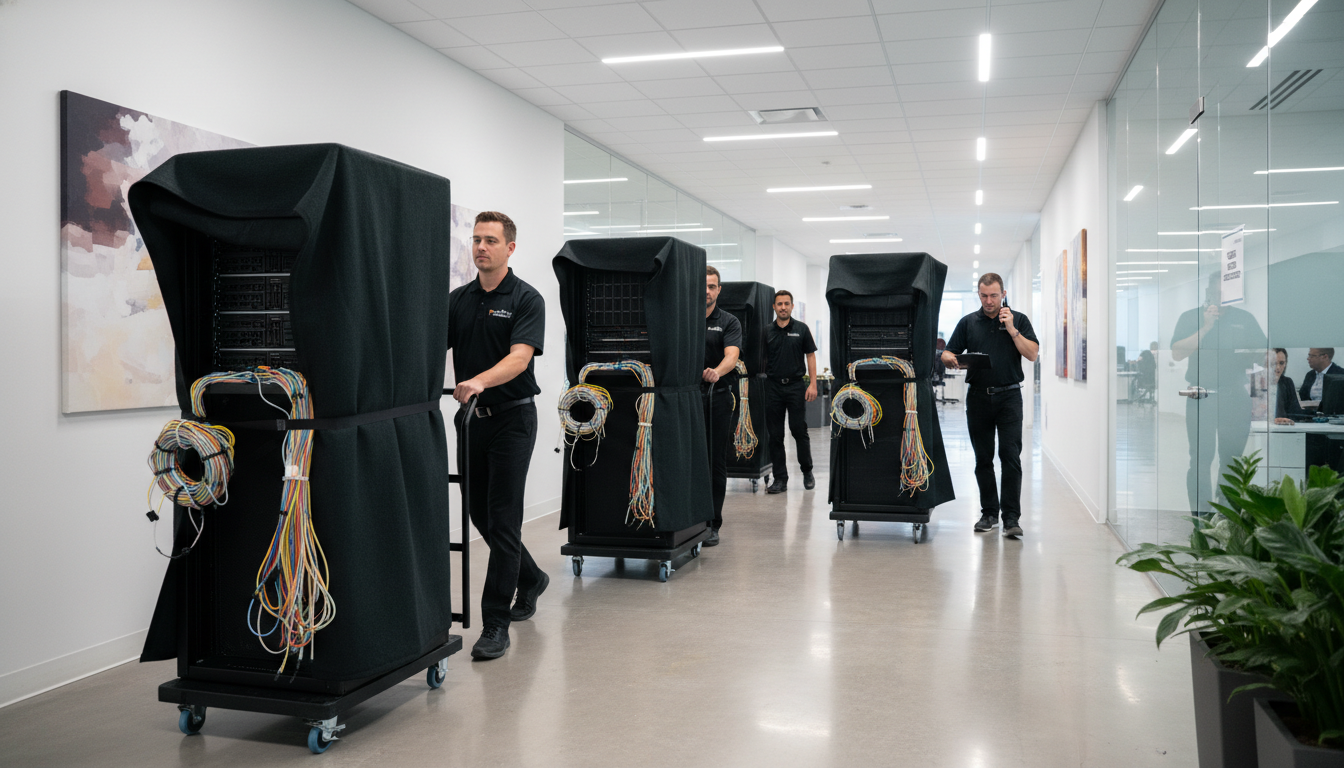
Over the past decade, Cloudswitched has delivered more than one hundred office IT relocations across the United Kingdom - from single-floor shuffles within the same building to full-scale multi-site migrations spanning London, Manchester, Birmingham, Edinburgh, and beyond. Every move has been shaped by the unique circumstances of the organisation, the constraints of the new premises, and the particular technology stack in play. Yet clear patterns emerge. The same mistakes recur across industries, and the same principles separate smooth transitions from costly disasters.
This article distils the most important lessons from those hundred-plus projects into a practical guide. Whether you are planning a move for ten people or ten thousand, these insights will help you protect uptime, control costs, and keep your team productive throughout the transition.
The True Cost of Getting It Wrong
Before we explore the lessons themselves, it is worth understanding what is at stake. A poorly managed office IT move does not simply cause inconvenience - it inflicts measurable financial damage. Staff sitting idle because their phones and computers are not working, customers unable to reach you, data lost during the transition, and emergency call-out fees from engineers scrambling to fix problems that should have been prevented.
The Most Common IT Move Challenges
Across more than one hundred office IT relocations, we have tracked every significant issue encountered. The table below summarises the most frequently occurring challenges, their typical impact on the business, and the preventive measures that eliminate or mitigate each one. Understanding these patterns before your move begins is the single most effective way to reduce risk and protect your organisation from costly disruption.
| Challenge | Frequency | Business Impact | Prevention |
|---|---|---|---|
| Internet connectivity not ready on move day | 34% of moves | Complete standstill for cloud-dependent teams | Order connectivity 12+ weeks early; install 4G/5G failover |
| Cabling insufficient or substandard at new site | 28% of moves | Intermittent network issues, slow performance | Commission full cable survey before lease signing |
| Undocumented legacy systems discovered mid-move | 22% of moves | Critical services fail when unknown hardware is disconnected | Comprehensive asset audit with physical walk-through |
| Phone number porting delays | 19% of moves | Inbound calls lost or misdirected for days | Initiate porting 4+ weeks ahead; use temporary redirect |
| Printer and peripheral configuration lost | 41% of moves | Staff unable to print, scan, or use peripherals | Pre-configure all devices; test at new site before move |
| Power capacity inadequate for server or comms room | 15% of moves | Equipment cannot be powered on at new premises | Electrical survey with load calculations before commitment |
| Wi-Fi coverage gaps in new office layout | 37% of moves | Dead spots, dropped connections, user frustration | Wireless site survey and AP placement planning |
| Staff unaware of move logistics or new desk locations | 26% of moves | Chaos on day one, excessive support requests | Multi-phase communication plan starting 4 weeks before |
The prevalence of these challenges may seem discouraging, but the critical insight is that every single one of them is preventable with adequate planning. The organisations that experience smooth, disruption-free moves are not lucky - they are prepared. They have invested the time to audit their existing environment, survey the new premises, order connectivity with sufficient lead time, and communicate clearly with their teams. The cost of this preparation is a fraction of the cost of remediation after something goes wrong.
These figures are not abstract. They come from real projects we have managed and real problems we have been called in to fix when things have gone wrong. The difference between a well-planned IT move and a chaotic one is not subtle - it is the difference between a business that opens on Monday morning as normal and one that spends the first week of its new lease apologising to clients.
The financial impact extends beyond direct costs. Reputational damage from missed deadlines, lost client communications, or prolonged periods of unavailability can take months to recover from. In regulated industries, the inability to access client records or maintain communication channels may constitute a compliance breach in its own right. Understanding these risks from the outset is essential for securing adequate budget and executive support for proper IT move planning.
Lesson One: Start Planning the IT Move Before You Sign the Lease
The single most common mistake we see is treating the IT move as an afterthought. The lease is signed, the interior designers are booked, the removals company is scheduled, and only then does someone ask, “What about the IT?” By that point, critical decisions have already been locked in - decisions about floor layouts, cable routes, riser access, and power distribution that directly affect your technology infrastructure.
In an ideal scenario, your IT partner should survey the new premises before you commit to the lease. They need to assess broadband availability, check whether the building has adequate power and cooling for your server room or comms cabinet, verify that there are sufficient network points or that cabling can be installed, and confirm that mobile signal strength is adequate for your needs.
We have seen organisations sign leases on buildings where the only available internet connection was a basic ADSL line with 8 Mbps download speed. For a team of fifty people relying on cloud applications, that is a non-starter. Discovering this after signing a five-year lease is an expensive lesson.
The relationship between your lease negotiations and your IT requirements is closer than most organisations realise. The physical characteristics of a building directly determine your technology options. A listed building in a conservation area may restrict external cabling installations. A multi-tenanted building may require shared riser access, introducing security considerations for your network infrastructure. A building with limited power supply may not support the server room or comms cabinet you need without expensive electrical upgrades. All of these factors should be assessed before you make a financial commitment to the premises.
We have developed a standardised pre-lease IT assessment checklist that covers thirty-seven discrete criteria across connectivity, power, cooling, security, cabling, mobile signal, and environmental factors. Running through this checklist before signing a lease has prevented our clients from committing to unsuitable premises on multiple occasions. In one memorable case, a financial services firm was about to sign a ten-year lease on an attractive riverside office, only for our assessment to reveal that the building had no viable route for fibre connectivity and the only option was a microwave link with a maximum speed of twenty megabits per second - entirely inadequate for their seventy-person team running bandwidth-intensive applications. They found alternative premises two streets away with full fibre availability and saved themselves years of connectivity frustration.
Request a wayleave survey at least eight weeks before your target move date. This identifies whether new fibre or leased-line connectivity can be delivered to the premises and how long the lead time will be. Some installations take twelve weeks or more, and you cannot rush a physical fibre build.
Lesson Two: Audit Everything Before You Move Anything
You cannot move what you do not know you have. A comprehensive IT asset audit is the foundation of every successful move. This means documenting every piece of hardware - servers, switches, routers, firewalls, access points, desktop PCs, monitors, printers, scanners, phones, and peripherals - along with their current locations, configurations, network addresses, and dependencies.
It also means documenting your software landscape. Which applications run on which servers? Which services depend on which network connections? What are the IP address ranges, VLAN configurations, and firewall rules that keep everything working? This information may exist in documentation, but in our experience, that documentation is almost always incomplete or out of date.
We always conduct a physical walk-through of the existing premises, opening every cabinet, tracing every cable, and photographing every rack. On more than one occasion, we have discovered critical infrastructure that nobody in the organisation knew existed - a backup server tucked under a desk, a network switch balanced on top of a filing cabinet, or a legacy phone system hidden in a cupboard that still handled inbound calls for a major client.
The asset audit serves a second, equally important purpose: it forces a conversation about what should actually be moved. An office relocation is the ideal opportunity to retire outdated hardware, consolidate redundant systems, and rationalise your technology footprint. Moving a twelve-year-old server that should have been decommissioned three years ago is not just wasteful - it creates risk. Old hardware is more likely to fail during the stress of transportation, and moving it delays the inevitable replacement decision while adding cost and complexity to the project.
We encourage our clients to use the move as a catalyst for technology modernisation. If your on-premise Exchange server is due for replacement, migrate to Exchange Online as part of the move rather than relocating the old server. If your desktop PCs are approaching end of life, order replacements to be delivered to the new site rather than moving ageing machines. If your traditional phone system is holding you back, use the move as the trigger to deploy a modern cloud-hosted VoIP platform. By combining your move with planned technology upgrades, you reduce the total disruption to a single event and avoid the cost and complexity of relocating equipment that will be replaced within months anyway.
Having completed hundreds of pre-move IT audits, we have identified a consistent pattern of challenges that arise at each phase of the relocation process. The following table summarises the most common risks encountered at every stage and the professional techniques we use to address them. Understanding these patterns before your move begins allows you to allocate resources appropriately and set realistic expectations for each phase of the project.
| Move Phase | Common Challenge | Risk Level | Pro Tip |
|---|---|---|---|
| Pre-Move Audit | Incomplete asset inventory | High | Document every device and cable |
| Server Migration | Data loss during transfer | Critical | Full backup + verification |
| Network Setup | ISP delays at new site | High | Order connectivity 8 weeks early |
| Workstation Deploy | Staff downtime | Medium | Stage equipment in advance |
| Post-Move Testing | Overlooked integrations | Medium | Test every system end-to-end |
Each of these challenges compounds when left unaddressed. A missed server backup combined with an ISP delay at the new site can transform a manageable weekend project into a full-scale business crisis. The professional approach is to treat each phase as a distinct workstream with its own risk register, timeline, and responsible owner, ensuring that nothing falls through the gaps between different teams and different priorities.
Lesson Three: Connectivity Is the Foundation
If there is one lesson that dominates all others, it is this: get your internet and voice connectivity sorted first. Everything else depends on it. Cloud applications, VoIP phone systems, email, remote access, video conferencing, cloud backup - all of these require reliable, high-bandwidth internet connectivity. If the connection is not ready on move day, nothing else matters.
We always recommend ordering connectivity as early as possible - ideally the moment the lease is agreed in principle. We also strongly recommend installing a 4G or 5G backup connection as a failover. On numerous occasions, this backup has saved the day when the primary connection was delayed or experienced faults during the critical first week.
Lesson Four: Phase the Move Wherever Possible
The big-bang approach - moving everything and everyone in a single weekend - is tempting because it appears simpler and cheaper. In reality, it concentrates all your risk into a single window and leaves no room for error. If something goes wrong at 2 AM on Sunday morning, there is no fallback. Everyone arrives on Monday to a building that does not work.
Wherever possible, we advocate phasing the move. A typical three-phase approach might look like this:
Phase One (two to four weeks before main move): Install and configure core infrastructure at the new site. This includes the comms rack, core switching, firewall, wireless access points, and server infrastructure. Get the internet connection active and tested. Set up the phone system. Run cabling if required. This phase should be invisible to end users - they continue working at the old site while the new site is being prepared.
Phase Two (the main move weekend): Relocate user equipment - desktops, monitors, peripherals, and personal items. Reconnect and test each workstation. Move any remaining server or network hardware. This is the critical window, and because the core infrastructure is already in place and tested, the risk is dramatically reduced.
Phase Three (first week in new premises): Floor-walk support. Engineers on site to resolve teething problems, help users with printers and scanners, fine-tune wireless coverage, and address any issues that only emerge once the full team is working in the new environment.
One critical aspect of phased moves that is frequently overlooked is the management of shared resources during the transition period. When half the team is at the old site and half at the new site, shared printers, network drives, phone systems, and even door access controls all need to function at both locations simultaneously. This dual-site operation requires careful planning of IP addressing, VPN connectivity between sites, and temporary adjustments to access permissions. Failure to account for this overlap period is one of the most common causes of disruption during phased relocations, and we recommend maintaining full operational capability at both sites for at least one week after the last team member has moved.
Lesson Five: Label Everything Obsessively
This sounds trivial. It is not. In the chaos of a move, unlabelled cables, unlabelled boxes, and unlabelled devices create hours of unnecessary work. We label every cable at both ends with a unique identifier that maps to our documentation. We label every box of equipment with the user's name, their new desk location, and a contents list. We label every port on every patch panel and every switch.
The investment in labelling is small. The time saved is enormous. On one project, the removals company mixed up boxes between two floors. Because every box was labelled with the destination desk number, we were able to redirect them in minutes rather than spending hours working out whose monitor was whose.
The decision to engage professional IT move specialists versus handling the relocation internally is one that every organisation faces. Based on the evidence from our hundred-plus completed projects, the difference in outcomes between the two approaches is significant and consistent. The following comparison illustrates the fundamental differences that affect cost, productivity, and risk.
Professional IT Move
DIY Office IT Move
The distinction becomes even more stark when you factor in the hidden costs of a DIY approach. Staff overtime for weekend moves, emergency contractor call-out fees when problems arise, lost revenue from extended downtime, and the opportunity cost of senior technical staff spending weeks on move logistics rather than strategic projects all contribute to a total cost that frequently exceeds the investment in professional move management. We have been called in to rescue failed DIY moves on multiple occasions, and in every case, the total expenditure - including emergency remediation - exceeded what professional management would have cost from the outset.
Lesson Six: Test Before the Team Arrives
Never rely on the assumption that everything will work. Before the main workforce arrives at the new premises, every system must be tested. This means physically sitting at a sample of desks, logging in, checking email, making phone calls, printing documents, accessing shared drives and cloud applications, testing the VPN, and verifying that every critical business application functions correctly.
We also test non-obvious things: Does the video conferencing system in the boardroom connect properly? Can visitors connect to the guest Wi-Fi? Do the door access systems work with existing key cards? Does the kitchen display board still show the company dashboard? These small details matter because they affect the user experience on day one.
Never skip post-move testing. In 23% of our projects, we discovered issues during testing that would have caused significant disruption if found on Monday morning - from misconfigured DHCP scopes to printers pointing at old IP addresses. Testing is not optional.
Professional IT Move Management vs DIY Approach
One of the most consequential decisions you will make is whether to engage a specialist IT move partner or attempt to manage the technology relocation internally. While the DIY approach may appear to save money in the short term, our experience across hundreds of projects shows that the hidden costs of an unmanaged IT move - extended downtime, emergency call-out fees, lost productivity, and potential data loss - almost always exceed the cost of professional management. The comparison below highlights the key differences between the two approaches based on real outcomes from our project portfolio.
Professional IT Move Management
DIY / Internal IT Team Only
The most telling statistic from our project data is the difference in average downtime. Professionally managed moves achieve an average of under four hours of downtime - typically limited to the period between unplugging equipment at the old site and reconnecting it at the new site. Self-managed moves average 3.2 days of disruption, with some stretching to over a week when critical issues are discovered too late. For a fifty-person organisation, 3.2 days of lost productivity represents approximately forty thousand pounds in wasted salary costs alone, before accounting for lost revenue, client dissatisfaction, and the stress on your internal team.
Lesson Seven: Communication Prevents Panic
Your staff are not IT professionals. They do not understand the technical complexity of what is happening behind the scenes. What they do understand is whether their computer works, whether they can answer the phone, and whether they can do their job. Clear, proactive communication before, during, and after the move transforms the experience.
We recommend issuing a series of communications: an initial announcement explaining the move timeline and what to expect, a detailed guide explaining what staff need to do (label their equipment, pack personal items, log off computers by a specific time), a day-one welcome guide explaining the new setup, and a clear process for reporting problems.
The organisations that communicate well experience far fewer support tickets and far less anxiety among their teams. The organisations that communicate poorly end up with panicked staff calling mobile phones at 7 AM because they cannot find their desk.
The communication plan should also address what happens if things go wrong. No matter how well you plan, there is always a possibility that an unexpected issue will arise on move day. Having a pre-agreed escalation process, a dedicated support number for staff to call, and clear messaging about expected resolution times transforms the experience from chaos to managed inconvenience. Staff are remarkably tolerant of technical difficulties when they feel informed and supported. They become frustrated and anxious when they feel ignored or left in the dark.
In our experience, the single most effective communication tactic is to have a visible IT presence on the first day in the new office. Engineers wearing branded lanyards, walking the floors, proactively checking in with teams, and resolving issues on the spot sends a powerful message that the technology transition is being managed competently. It prevents the cascade effect where a minor issue - a printer not working, a monitor cable missing - escalates into widespread frustration because nobody knows who to ask for help. The cost of on-site floor-walk support for the first two or three days is negligible compared to the productivity gains and the positive impression it creates.
Effective move communication also means establishing a clear escalation path and a single point of contact for all IT-related queries during the transition. Creating a temporary Teams channel or email alias specifically for move questions prevents important queries from getting lost in personal inboxes. We have found that providing staff with a simple visual floor plan of the new office - annotated with desk assignments, printer locations, meeting room names, and Wi-Fi network details - reduces first-day support requests by approximately 40 per cent compared to projects where this information was distributed verbally or not at all.
Lesson Eight: Do Not Forget the Phones
Voice communication is often the forgotten element of an office move. Modern VoIP phone systems are relatively portable - handsets can often be unplugged from one location and plugged in at another, inheriting their settings via the network. But this only works if the network infrastructure at the new site is configured correctly, the VoIP VLAN is set up, quality of service rules are in place, and the phone system can reach its host (whether on-premise or cloud-based).
Traditional analogue or ISDN phone systems present a different challenge. Number porting can take weeks, and any delays will leave your business unreachable on its main telephone number. With the PSTN switch-off progressing across the UK, many businesses are using their office move as the trigger to migrate to a cloud-hosted VoIP platform - a sensible decision, but one that requires its own planning and lead time.
Through rigorous tracking across our entire project portfolio, we have established benchmark scores for the key success factors that determine whether an office IT move will be smooth or problematic. These scores represent the performance levels that well-managed projects consistently achieve, and they serve as targets for any organisation planning a relocation.
These benchmarks reveal an important insight: system integration success - ensuring all applications, services, and workflows function correctly in the new environment - consistently scores highest among well-managed projects because it is the area where technical expertise has the greatest impact. Pre-move planning completion and network readiness also score well because they are within the direct control of the IT move team. Staff productivity recovery, however, tends to lag behind other metrics because it depends on human factors such as adaptation to a new environment, familiarity with new equipment layouts, and the learning curve associated with any changes to workflows. Organisations that invest in comprehensive floor-walk support during the first week see productivity return to normal levels approximately 40 per cent faster than those relying solely on remote helpdesk support.
Lesson Nine: Security Must Not Be Compromised During Transit
An office move is a period of heightened security risk. Equipment is in transit, doors are propped open for removals staff, temporary access is granted to contractors, and critical infrastructure may be powered down and physically accessible. We have seen hard drives go missing during moves, laptops disappear from unlabelled boxes, and sensitive documents end up in skips alongside old furniture.
Our approach includes maintaining a chain-of-custody log for all IT equipment, ensuring servers and storage devices are transported in secure, locked cases, verifying that all equipment arrives at the destination, and wiping any decommissioned hardware using certified data destruction methods. Physical security during a move is just as important as cyber security during normal operations.
For organisations handling sensitive data - financial services firms, legal practices, healthcare providers, and government contractors - the security requirements during a move may be subject to regulatory obligations. We recommend conducting a pre-move security risk assessment that identifies every asset containing sensitive data, maps the chain of custody for each asset throughout the move, specifies encryption requirements for data in transit, and documents the destruction methods for any equipment being decommissioned. This assessment forms the basis of a security plan that can be shared with compliance teams, auditors, or regulators if required. In several recent projects, clients have used our documented security procedures as evidence of due diligence during regulatory audits conducted shortly after the relocation.
Lesson Ten: Plan for Decommissioning the Old Site
The move is not finished when the last person leaves the old building. Equipment may remain, leased lines need to be cancelled, alarm systems need to be deactivated, and any IT infrastructure left behind needs to be dealt with. Failing to cancel internet circuits or phone lines at the old site will result in ongoing monthly charges that can persist for months before anyone notices.
We maintain a decommission checklist for every project that covers disconnection of all services, retrieval or secure disposal of all hardware, removal of any data from on-site storage, cancellation of all utility and telecom contracts tied to the old address, and a final walkthrough to confirm nothing has been left behind.
Measuring IT Move Success: Key Performance Benchmarks
After completing each relocation, we conduct a thorough post-move review to measure success against a set of standardised benchmarks. These metrics have been refined over the course of our hundred-plus projects to capture the factors that matter most to our clients: system availability, user satisfaction, timeline adherence, and cost control. The following scores represent our average performance across all professionally managed moves in the past three years, providing a transparent benchmark for what organisations should expect from a well-executed IT relocation.
These benchmarks reflect the cumulative effect of rigorous planning, experienced engineers, and a methodology that has been refined through every single project we have delivered. The zero data loss score is the metric we are most proud of - across every move, including those involving physical server relocations, NAS migrations, and complex hybrid cloud environments, we have never lost a single byte of client data. This is not luck. It is the result of mandatory pre-move backups, verified restores, chain-of-custody protocols, and a culture of treating every piece of client data as irreplaceable.
There is one final insight that transcends all of the practical guidance above: every office move is an opportunity for improvement. The most successful organisations we have worked with treat the relocation as a catalyst for addressing long-standing technology shortcomings. Outdated network equipment that has been tolerated for years gets replaced rather than relocated. Legacy applications that should have been decommissioned long ago are finally retired. Cabling infrastructure that was installed haphazardly over many years is replaced with a clean, documented, and properly labelled installation. The marginal cost of making these improvements during a move is significantly lower than addressing them as separate projects, because the disruption of the relocation provides a natural window for technology upgrades that would otherwise require their own period of downtime.
Bringing It All Together
The thread running through every one of these lessons is the same: preparation. The organisations that invest time and resource in planning their IT move properly are the ones that experience smooth transitions with minimal downtime. The ones that treat IT as an afterthought are the ones that spend their first month in new premises fighting fires.
An office move is disruptive by nature, but the IT component does not have to be the source of that disruption. With the right partner, the right plan, and the right execution, your technology can be the one thing that works perfectly from the moment you open the doors.
Planning an Office IT Move?
Cloudswitched has managed over 100 office IT relocations across the UK. From initial survey through to post-move support, we handle every aspect of your technology transition. Get in touch for a free consultation and move assessment.
Explore IT Office Move ServicesFrequently Asked Questions
How far in advance should we start planning our IT move?
We recommend beginning IT planning at least twelve weeks before your target move date. If you need a new leased-line internet connection, allow sixteen weeks or more. The earlier you start, the more options you have and the lower the risk of delays.
Can we move our IT over a weekend without disruption?
Yes, if the new site is pre-staged with core infrastructure beforehand. The main user equipment move can then happen over a weekend with minimal risk. We typically work Friday evening through Sunday, with engineers on site Monday morning for floor-walk support.
What happens to our phone numbers when we move?
Phone numbers can be ported to your new location, but the process varies depending on your provider and the type of system you use. VoIP numbers are highly portable. Traditional landline numbers may require porting through Openreach, which can take two to three weeks.
Do we need to rewire the new office?
It depends on the condition of the existing cabling infrastructure. We always conduct a cable survey to assess whether existing network points are adequate, whether they are Cat5e or Cat6 standard, and whether additional points are needed for your layout. Many modern offices use Wi-Fi extensively, reducing the need for cabling to every desk, but core infrastructure and access points still require wired connections.
What if our internet is not ready on move day?
This is exactly why we recommend installing a 4G or 5G backup connection at the new site. It provides sufficient bandwidth for essential operations while the primary connection is being resolved. We have used this failover approach on dozens of projects, and it has prevented significant downtime every time.

CloudSwitched
London-based managed IT services provider offering support, cloud solutions and cybersecurity for SMEs.


