Voice over IP has transformed business communications across the United Kingdom. From small accountancy practices in Bristol to large financial services firms in the City of London, organisations of every size have moved away from traditional analogue phone lines and embraced internet-based voice communications. The benefits are substantial - lower costs, greater flexibility, advanced features, and seamless integration with other business applications.
However, VoIP comes with a fundamental challenge that traditional phone lines never had: it shares your internet connection with everything else. When a staff member downloads a large file, streams a training video, or backs up data to the cloud, that activity competes with voice traffic for bandwidth. Without proper management, the result is poor call quality - choppy audio, delays, echoes, and dropped calls that frustrate both your team and your customers.
Quality of Service, or QoS, is the solution. QoS is a set of network technologies and configurations that prioritise certain types of traffic over others. When properly configured, QoS ensures that voice traffic always gets the bandwidth and low latency it needs, regardless of what else is happening on your network. This guide explains how QoS works, why it matters for VoIP, and how to set it up correctly for your UK business.
Understanding Why VoIP Needs Special Treatment
To understand why QoS matters, you need to understand how VoIP differs from other types of network traffic. When you browse a website, your browser requests data from a server. If a packet of data is delayed or arrives out of order, the browser simply waits for it to arrive and reassembles the page. You might notice a slight delay in loading, but the end result is a complete, accurate web page.
Voice traffic cannot tolerate this kind of delay. A phone conversation happens in real time, and even small delays - as little as 200 milliseconds - are noticeable and disruptive. If packets arrive out of order or are lost entirely, the result is not a slightly delayed conversation but a broken one, with missing words, robotic sounds, and awkward pauses that make business communication impossible.
Three key metrics define VoIP call quality: latency (the time it takes for a voice packet to travel from sender to receiver), jitter (the variation in latency between packets), and packet loss (the percentage of voice packets that never arrive). QoS addresses all three by giving voice traffic preferential treatment on your network.
A study by the UK telecommunications regulator Ofcom found that poor call quality is one of the top three complaints among businesses that have adopted VoIP. The consequences extend beyond mere annoyance - dropped calls during sales conversations cost revenue, poor audio quality during client meetings damages professional reputation, and unreliable communications frustrate staff and reduce productivity. For businesses that depend on phone-based customer service, such as legal firms, financial advisers, and healthcare providers, call quality is directly linked to client satisfaction and retention.
The Real Cost of Poor Call Quality in the UK
Beyond the immediate frustration of choppy audio and dropped calls, poor VoIP quality carries quantifiable financial consequences for UK businesses. Consider a solicitor's practice handling conveyancing transactions. Each property sale involves numerous phone calls with buyers, sellers, estate agents, mortgage brokers, and local authorities. If even one critical call is dropped during an exchange discussion, the resulting delay can cost thousands of pounds and damage the firm's reputation with referral partners. Multiply this across dozens of active transactions, and the impact becomes significant.
Customer-facing organisations are particularly vulnerable. Research by the Institute of Customer Service indicates that 62 per cent of UK consumers will not return to a business after a poor phone experience. For businesses in sectors such as financial planning, private healthcare, and professional services - where client trust is paramount - the telephone remains the primary channel for relationship building. A VoIP system that delivers inconsistent quality undermines the very foundation of these client relationships.
Staff productivity also suffers when call quality is unreliable. Employees who cannot trust their phone system develop workarounds - using personal mobile phones for important calls, sending emails when a phone call would be more efficient, or simply avoiding the phone altogether. These workarounds erode the efficiency gains that VoIP was supposed to deliver, turning a technology investment into a source of daily friction.
How QoS Works: The Technical Fundamentals
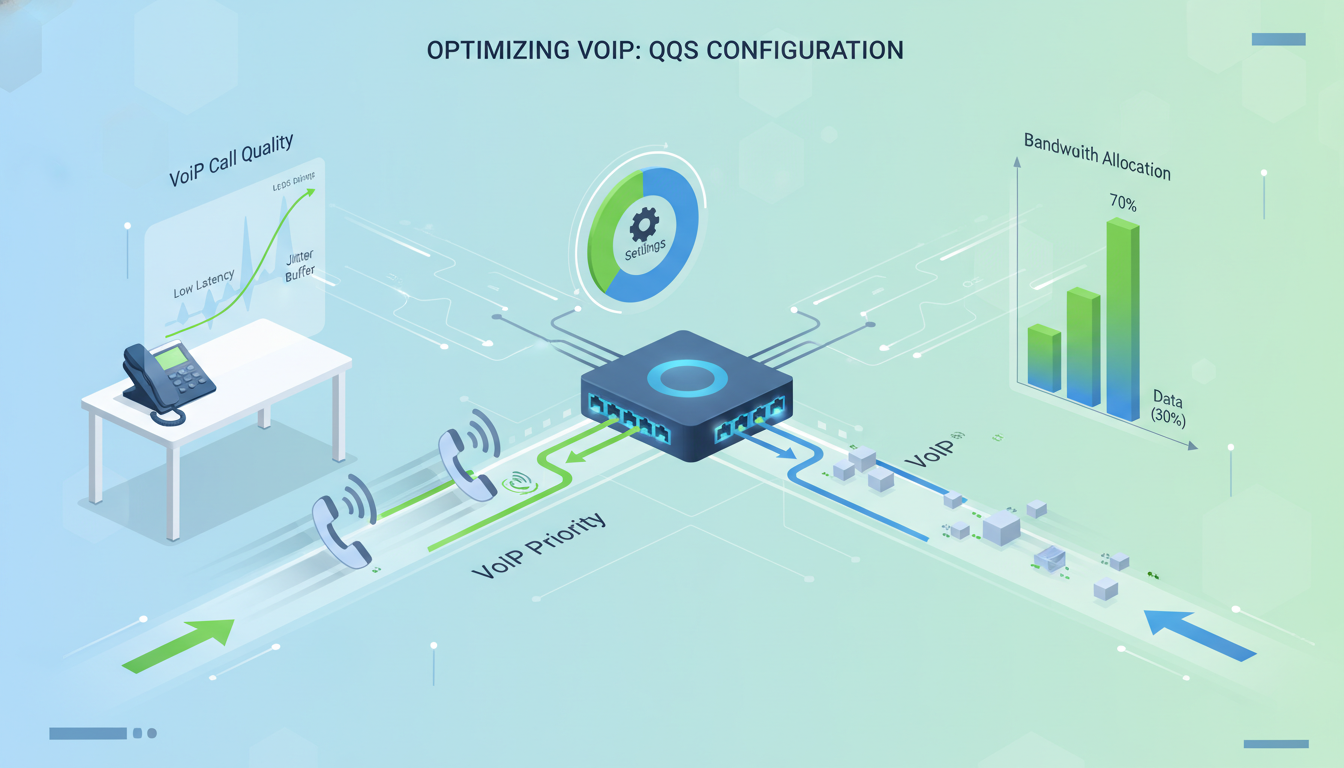
QoS works by classifying network traffic into different categories and then applying rules that determine how each category is treated. Think of it as creating a fast lane on a motorway - certain vehicles (in this case, voice packets) get priority access, while other traffic uses the remaining lanes.
Traffic Classification and Marking
The first step in QoS is identifying which traffic is voice traffic and which is not. This is done through a process called classification and marking. Voice packets are tagged with a special marker - typically a Differentiated Services Code Point (DSCP) value - that tells every network device along the path to treat this traffic with priority. The standard DSCP value for voice traffic is EF (Expedited Forwarding), which has a decimal value of 46. Call signalling traffic, which sets up and tears down calls, is typically marked with CS3 (decimal 24).
Queuing and Scheduling
Once traffic is classified and marked, network devices use queuing algorithms to determine the order in which packets are processed. The most common approach for VoIP is to create a strict priority queue for voice traffic and a weighted fair queue for everything else. This means voice packets are always processed first, and other traffic shares the remaining bandwidth fairly. The key is to limit the priority queue to a reasonable percentage of the total bandwidth - typically 20 to 30 percent - to prevent voice traffic from monopolising the entire connection.
Traffic Shaping and Policing
Traffic shaping smooths out bursty traffic to prevent congestion, while policing drops or re-marks packets that exceed defined limits. Together, these mechanisms ensure that no single type of traffic can overwhelm the network. For VoIP, this means that even during periods of heavy data usage, voice traffic is protected and consistently delivered within acceptable quality parameters.
| Traffic Type | DSCP Value | Queue Priority | Bandwidth Allocation |
|---|---|---|---|
| Voice (RTP) | EF (46) | Strict Priority | 20-30% |
| Call Signalling (SIP) | CS3 (24) | High | 5% |
| Video Conferencing | AF41 (34) | Medium-High | 15-25% |
| Business Applications | AF21 (18) | Medium | 20-30% |
| Web Browsing | CS0 (0) | Normal | Remaining |
| File Downloads | CS0 (0) | Low | Remaining |
| Backup Traffic | CS1 (8) | Scavenger | 5-10% |
Understanding DSCP Trust Boundaries
One of the most overlooked aspects of QoS deployment is the concept of trust boundaries. A trust boundary is the point in the network where DSCP markings are accepted as legitimate. Traffic arriving from untrusted sources - such as user workstations or external networks - should have its DSCP markings stripped and reclassified by the network device at the trust boundary. This prevents users or applications from marking their own traffic as high priority and circumventing your QoS policies.
In a typical UK office environment, the trust boundary is usually at the access switch port. VoIP phones from manufacturers like Yealink, Poly, and Cisco correctly mark their traffic with EF, and the switch is configured to trust markings from these devices. However, traffic from PCs connected through the phone's pass-through port should be reclassified based on your network policy rather than trusted blindly. Without this configuration, a poorly behaved application on a workstation could mark all its traffic as high priority, consuming the bandwidth reserved for voice and defeating the purpose of QoS entirely.
For organisations with multiple office locations connected via MPLS, SD-WAN, or VPN tunnels, the trust boundary extends to the WAN edge. It is essential that your WAN provider honours DSCP markings across their network. Many UK business broadband providers strip DSCP markings at their edge, which means your QoS policies only apply within your own network. Leased lines and managed WAN services from providers such as BT Business, Virgin Media Business, and Colt typically offer end-to-end QoS support, but this must be explicitly requested and configured as part of your service agreement.
Step-by-Step QoS Configuration for VoIP
Setting up QoS for VoIP involves configuring multiple devices on your network. The exact commands and settings vary depending on your equipment, but the principles are consistent across all platforms.
Step 1: Assess Your Bandwidth
Before configuring anything, you need to understand your bandwidth. Determine your internet connection speed (both download and upload), and calculate how much bandwidth your VoIP system requires. Each concurrent call using the G.711 codec requires approximately 100 Kbps in each direction. If you have 20 staff members and typically see 10 simultaneous calls, you need at least 1 Mbps of dedicated upload and download bandwidth for voice alone. Many UK businesses on standard fibre connections have asymmetric speeds - for example, 80 Mbps download but only 20 Mbps upload. It is the upload speed that typically creates the bottleneck for VoIP, so pay particular attention to this figure.
Step 2: Configure Your Router or Firewall
Your edge router or firewall is the most important point for QoS configuration because it controls the connection between your internal network and the internet. Configure it to classify voice traffic by identifying SIP signalling packets (typically on ports 5060 and 5061) and RTP media packets (typically on a defined port range such as 10000 to 20000). Mark these packets with the appropriate DSCP values and apply a strict priority queue for the voice traffic.
Step 3: Configure Your Switches
If you use managed switches - which you should in any business environment - configure them to trust and preserve DSCP markings. Many switches default to stripping DSCP markings, which means your carefully configured QoS policies at the router are ignored on the internal network. Enable QoS on each switch port that connects to a VoIP phone or a network segment carrying voice traffic.
Step 4: Configure Your Wireless Access Points
If any of your VoIP devices connect wirelessly - which is increasingly common with softphones on laptops and mobile devices - your wireless access points must also support QoS. Wi-Fi uses a standard called WMM (Wi-Fi Multimedia) that provides traffic prioritisation over the air. Ensure WMM is enabled and that voice traffic is mapped to the highest priority access category. Most enterprise wireless systems, including Cisco Meraki and Ubiquiti UniFi, support this out of the box but may need specific configuration to work optimally with your VoIP system.
Validating Your Configuration Under Load
Once each step of your QoS configuration is in place, it is essential to validate the setup under realistic network conditions before relying on it for daily business operations. The most effective approach is to generate synthetic load that simulates your worst-case scenario - maximum concurrent calls combined with heavy data usage. Tools such as iPerf can generate controlled traffic loads whilst you monitor voice quality metrics on active test calls. This stress testing reveals configuration weaknesses that would otherwise only appear during the busiest periods of your working day.
Pay particular attention to how your configuration behaves when bandwidth is fully saturated. The entire purpose of QoS is to maintain voice quality under congestion, so your testing should deliberately create congestion. Initiate the maximum expected number of simultaneous calls, then flood the connection with large file transfers or cloud backup traffic. Monitor the MOS scores of the active calls throughout the test. If voice quality degrades below a MOS of 3.8 during the test, your QoS configuration needs adjustment - either the priority queue allocation is too low, or your total bandwidth is insufficient for your concurrent call volume.
Document the results of your load testing and retain them as a baseline. As your organisation grows and your network usage patterns change, you can repeat these tests to verify that your QoS configuration remains adequate. This documentation also proves invaluable when troubleshooting future quality issues, as it provides a known-good reference point for comparison.
VoIP VLANs: Separating Voice from Data
One of the most effective techniques for improving VoIP quality is to separate voice traffic from data traffic using Virtual LANs (VLANs). By placing all VoIP devices on a dedicated VLAN, you create a logical separation that makes it easier to apply QoS policies and prevents data traffic from interfering with voice communications.
Most enterprise VoIP phones support VLAN tagging, which means a single network cable can carry both voice and data traffic to a desk - the phone connects to the voice VLAN, and a computer connected to the phone's pass-through port connects to the data VLAN. This is the standard configuration in UK offices and is supported by all major VoIP phone manufacturers.
With QoS Configured
- Crystal-clear voice quality even during peak usage
- Consistent call experience for customers
- No dropped calls during large file transfers
- Video conferencing runs smoothly alongside voice
- Staff confidence in the phone system
- Professional impression on client calls
- Measurable quality metrics for troubleshooting
Without QoS Configured
- Choppy, robotic voice quality during busy periods
- Dropped calls that frustrate customers
- Echoes and delays during important meetings
- Staff reverting to mobile phones for critical calls
- Unpredictable call quality throughout the day
- Difficult to troubleshoot without quality metrics
- Professional reputation damage on client calls
VLAN Design Best Practices for Multi-Site Organisations
For UK businesses with multiple office locations - a common arrangement for accountancy firms, estate agents, and legal practices - VLAN design must be consistent across all sites. Each location should use the same VLAN numbering scheme and QoS policies to simplify management and troubleshooting. When a quality issue arises at one site, engineers can apply the same diagnostic procedures and expect the same configuration patterns as at any other site in the organisation.
Inter-site voice traffic adds another layer of complexity. When employees at different offices call one another via the VoIP system, the voice traffic traverses your WAN connection. This traffic must receive the same priority treatment on the WAN link as it does on the local network. If you are using an SD-WAN solution - increasingly popular among UK multi-site businesses - ensure that voice VLANs are mapped to the highest priority traffic class on the SD-WAN overlay, and that the SD-WAN appliance can perform real-time path selection to route voice traffic over the best-performing WAN link.
Consider also the implications of hot-desking and hybrid working arrangements, which have become standard practice across UK businesses since the pandemic. If staff members use softphones on laptops rather than physical handsets, the voice traffic originates from the data VLAN rather than the voice VLAN. Your QoS policies must account for this by classifying traffic based on application signatures or port ranges rather than relying solely on VLAN membership. Modern firewalls from vendors such as Fortinet and Palo Alto can perform deep packet inspection to identify VoIP traffic regardless of its VLAN origin.
Testing and Monitoring Your QoS Configuration
Configuring QoS is not a set-and-forget exercise. You need to test your configuration and monitor it ongoing to ensure it continues to deliver the expected results. Start by conducting test calls under various load conditions - make calls while simultaneously running large file transfers, cloud backups, and video streams. Listen for any degradation in voice quality and check the call quality metrics provided by your VoIP system.
Most modern VoIP platforms provide a Mean Opinion Score (MOS) for each call, which rates quality on a scale of 1 to 5. A MOS of 4.0 or above indicates good quality, while anything below 3.5 suggests a problem that needs investigation. Monitor these scores over time and investigate any drops, as they may indicate that your QoS configuration needs adjustment or that your bandwidth has become insufficient for your current usage patterns.
Network monitoring tools such as PRTG, SolarWinds, or even the built-in monitoring capabilities of platforms like Cisco Meraki can provide real-time visibility into your QoS performance. Set up alerts for key metrics - latency above 100ms, jitter above 20ms, or packet loss above 0.5% - so you can address issues before they affect call quality.
Establishing Proactive Quality Reporting
Rather than waiting for users to complain about call quality, establish a proactive reporting regime that surfaces issues before they affect business operations. Most enterprise VoIP platforms - including 3CX, Cisco Webex Calling, and Microsoft Teams Phone - provide call quality dashboards and reporting APIs that can be integrated into your existing monitoring infrastructure. Configure weekly automated reports that summarise average MOS scores, peak-hour quality metrics, and any calls that fell below your quality threshold.
These reports serve multiple purposes beyond immediate troubleshooting. Over time, they build a historical picture of your network's voice quality performance that can inform capacity planning decisions. If you notice a gradual decline in MOS scores during afternoon peak hours over several months, you can proactively upgrade your bandwidth before the degradation reaches a point where users notice. This data-driven approach to capacity planning is far more effective than the reactive approach of waiting for complaints and then scrambling to diagnose the problem.
Quality reporting also provides accountability when working with your internet service provider. If your ISP's service level agreement guarantees specific latency and jitter figures, your QoS monitoring data gives you the evidence needed to hold them to account. Many UK business ISPs offer service credits for SLA breaches, but these credits are only available if you can demonstrate the breach with data. Your QoS monitoring infrastructure provides exactly this evidence, turning quality reporting into a financial asset as well as a technical one.
Common QoS Mistakes and How to Avoid Them
Even experienced network administrators sometimes make mistakes with QoS. Here are the most common pitfalls and how to avoid them.
The first is over-prioritising. If you allocate too much bandwidth to the priority queue, you starve other traffic and create a different kind of problem. Never allocate more than 33% of your total bandwidth to the strict priority queue. The second mistake is forgetting about upload bandwidth. Most UK broadband connections have much less upload capacity than download, and VoIP requires bandwidth in both directions. Always configure QoS based on your upload speed, not your download speed.
The third common mistake is not configuring QoS end-to-end. If your router has QoS but your switches do not trust DSCP markings, the QoS is only effective for the last hop to the internet. Every device in the path needs to participate. Finally, many organisations configure QoS once and never revisit it. As your organisation grows, adds more users, and adopts new applications, your QoS configuration needs to evolve with it. Schedule a quarterly review of your QoS settings and voice quality metrics to ensure they remain optimal.
Future-Proofing Your QoS Strategy
The network landscape for UK businesses is evolving rapidly, and your QoS strategy must evolve with it. The rollout of full-fibre broadband under programmes such as Project Gigabit is bringing symmetrical gigabit connections to businesses that previously relied on asymmetric FTTC services. Whilst the increased bandwidth reduces the likelihood of congestion, it does not eliminate the need for QoS. Even on a gigabit connection, a misconfigured backup job or a denial-of-service event can saturate the link and degrade voice quality. QoS provides the safety net that ensures voice traffic is protected regardless of what else occurs on the network.
The growing adoption of Unified Communications as a Service (UCaaS) platforms - which combine voice, video, messaging, and collaboration into a single cloud-based service - places even greater demands on your QoS configuration. Video conferencing consumes ten to fifty times more bandwidth than a voice call, and screen sharing adds further load. Your QoS policies must be updated to accommodate these additional real-time traffic types, typically by creating separate traffic classes for voice and video with appropriate bandwidth reservations for each.
Finally, the shift towards Software-Defined Wide Area Networking (SD-WAN) offers new possibilities for QoS management. SD-WAN solutions can dynamically route traffic across multiple internet connections based on real-time quality metrics, automatically steering voice traffic onto the best-performing path. For multi-site UK businesses, SD-WAN can deliver enterprise-grade QoS over standard broadband connections, reducing costs whilst improving reliability. If your business is considering SD-WAN, ensure that the solution you choose supports granular QoS policies and integrates with your existing VoIP platform.
Need Help Configuring QoS for Your VoIP System?
Cloudswitched provides expert network configuration services for businesses across the United Kingdom. Our engineers specialise in VoIP deployment, QoS optimisation, and network performance tuning, ensuring your business communications are crystal clear and reliable. Get in touch to discuss your network requirements.
Explore VoIP Solutions
CloudSwitched
London-based managed IT services provider offering support, cloud solutions and cybersecurity for SMEs.


