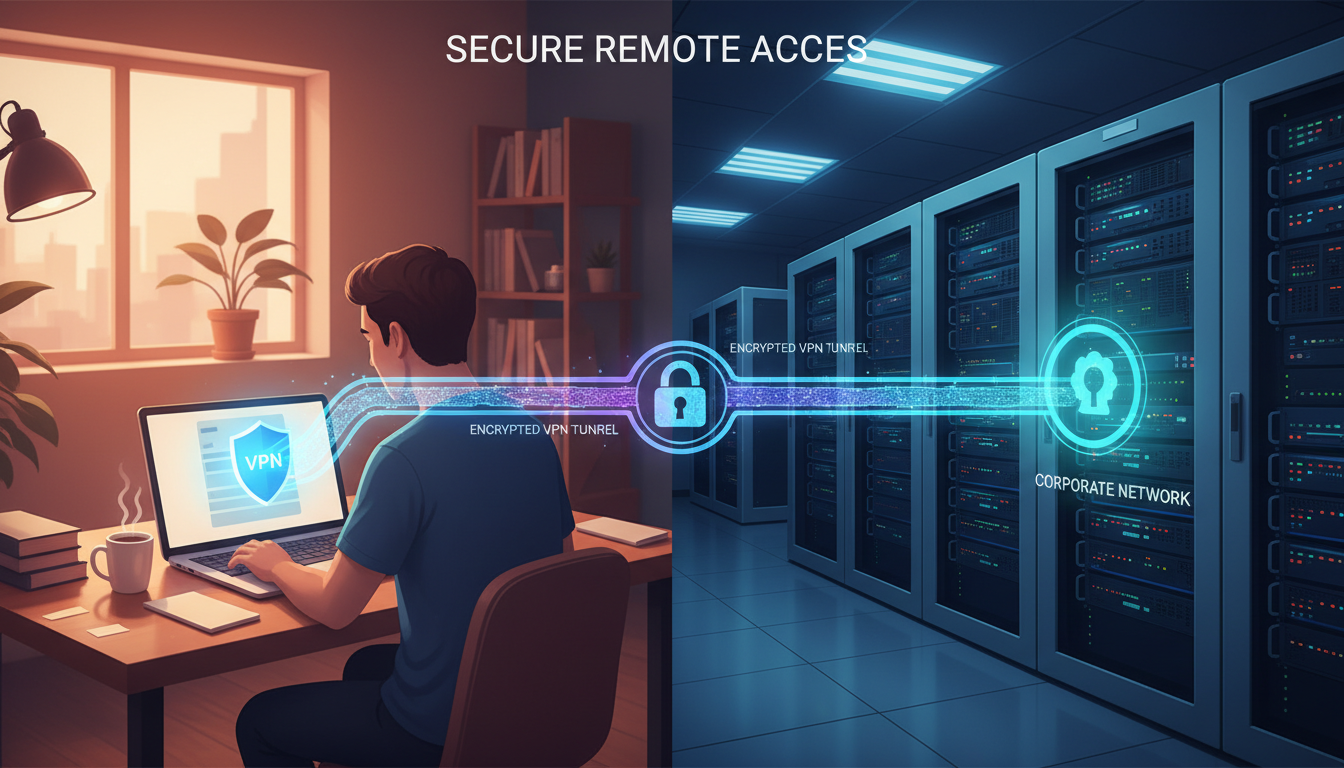
Remote working has become a permanent fixture of UK business life. According to the Office for National Statistics, over 44% of workers in the United Kingdom now work from home at least part of the time, and businesses of every size must provide secure remote access to their systems, files, and applications. The challenge is enabling this access without creating security vulnerabilities that cyber criminals can exploit.
This guide walks you through the key technologies and strategies for establishing remote access that is both user-friendly and secure - from VPN solutions and Microsoft Entra ID (formerly Azure Active Directory) to zero trust architectures and endpoint protection. Whether you are a 10-person firm in Bristol or a 500-seat organisation in Leeds, these principles apply. At Cloudswitched, we help UK businesses implement remote access solutions that protect their data without hampering productivity.
Understanding the Remote Access Landscape
Before diving into specific technologies, it is important to understand the different types of remote access and their respective use cases. The right approach depends on your infrastructure, the applications your staff need to reach, and your risk tolerance.
There are several fundamental approaches to providing remote access, each with distinct characteristics. Full tunnel VPN creates a secure, encrypted connection from the user's device to your corporate network, routing all traffic through your infrastructure. Split tunnel VPN does the same but only routes corporate traffic through the tunnel, allowing personal traffic to go directly to the internet. Remote Desktop Protocol (RDP) allows users to connect to and control a specific desktop or server remotely. Virtual Desktop Infrastructure (VDI) provides each user with their own virtual desktop hosted centrally. Cloud-based access eliminates the need for traditional VPN by providing direct access to cloud-hosted applications through identity-based controls.
Each of these methods carries different security implications, and many organisations use a combination depending on the use case. The trend across the UK is firmly towards identity-centric, cloud-based approaches - but VPN remains essential for businesses with significant on-premise infrastructure.
Traditional VPN Approach
Zero Trust / Cloud-Based Approach
VPN Solutions for UK Businesses
Virtual Private Networks remain the most common method of providing remote access, particularly for organisations that still have significant on-premise infrastructure. However, not all VPN solutions are created equal, and choosing the right one matters for both security and user experience.
A site-to-site VPN creates a permanent, encrypted tunnel between two locations - for example, between your main office in London and a branch office in Manchester. This is transparent to users; they simply connect to their local network and can access resources at the remote site as though they were there. Site-to-site VPNs are typically implemented on firewalls or dedicated VPN appliances and use protocols such as IPsec or WireGuard. Cisco Meraki Auto VPN makes this particularly straightforward for organisations using the Meraki ecosystem, establishing tunnels between sites with minimal manual configuration.
A client-to-site VPN is what most people think of when they hear the term VPN. Each user installs a VPN client on their device, which creates an encrypted tunnel back to the corporate network when activated. This gives the remote user access to network resources as though they were physically in the office. Popular enterprise VPN solutions include Cisco AnyConnect, Fortinet FortiClient, Palo Alto GlobalProtect, and the built-in VPN capabilities of firewalls from vendors such as SonicWall and WatchGuard. For smaller organisations, WireGuard offers an excellent open-source alternative that is fast, lightweight, and increasingly well-supported.
Split tunnelling improves performance by routing only corporate traffic through the VPN, but it also means the user's device is simultaneously connected to both your corporate network and the public internet. If the device is compromised, this creates a bridge that an attacker could use to reach your internal network. If you enable split tunnelling, ensure robust endpoint protection is in place on all devices and consider implementing DNS-based security filtering for direct internet traffic.
Microsoft Always On VPN is an excellent option for organisations running Windows 10 or 11 Enterprise. It replaces the older DirectAccess technology and provides an automatic VPN connection whenever the device detects it is not on the corporate network. Users do not need to manually connect - the VPN establishes itself transparently in the background. This is particularly useful for ensuring that Group Policy updates, security patches, and management tools can always reach the device, regardless of where the user is working.
Microsoft Entra ID and Conditional Access
For organisations using Microsoft 365, Microsoft Entra ID (formerly Azure Active Directory) is the cornerstone of secure remote access. Entra ID provides identity and access management that goes far beyond simple username-and-password authentication. It is the gateway through which all access to Microsoft 365 services - Exchange Online, SharePoint, Teams, OneDrive - is controlled, and it can extend that control to thousands of third-party SaaS applications as well.
Conditional Access is one of the most powerful security tools available to Microsoft 365 administrators. It allows you to create policies that evaluate the context of each sign-in attempt - who is trying to access what, from where, on what device, and at what risk level - and make access decisions accordingly.
| Condition | Action | Example Scenario |
|---|---|---|
| Managed device + corporate network | Allow access | Staff member in the office on their work laptop |
| Managed device + home network | Require MFA | Staff member working from home on work laptop |
| Personal device + any network | Require MFA + app restrictions | Staff checking email on personal phone |
| Any device + high-risk location | Block access | Sign-in from a country with no business presence |
| Any device + risky sign-in detected | Require password reset + MFA | Impossible travel - London then Tokyo within an hour |
Conditional Access requires Microsoft Entra ID P1 licensing, which is included in Microsoft 365 Business Premium. The more advanced risk-based policies require P2 licensing. For most UK SMEs, Business Premium provides the right balance of cost and capability, bundling Conditional Access with Intune device management, Defender for Business, and Azure Information Protection.
Multi-Factor Authentication
If you take only one action from this entire guide, it should be implementing MFA across all remote access points. Multi-factor authentication is the single most effective defence against credential-based attacks, blocking over 99.9% of automated attacks according to Microsoft. The NCSC strongly recommends MFA for all UK organisations, and it is a mandatory requirement under the Cyber Essentials scheme when accessing cloud services and administrator accounts.
Not all MFA methods provide the same level of security. The NCSC recommends using the strongest method that is practical for your organisation and user base.
The NCSC and Microsoft both recommend retiring SMS-based MFA wherever possible. SMS codes can be intercepted via SIM swapping attacks, SS7 network vulnerabilities, or social engineering of mobile network staff. If you currently rely on SMS codes, plan a migration to authenticator apps or FIDO2 security keys. For high-privilege accounts such as global administrators, FIDO2 keys should be considered the minimum standard.
The Zero Trust Approach
Zero trust is a security model that assumes no user, device, or network should be trusted by default - even if they are inside the corporate network perimeter. Instead, every access request is verified based on multiple signals before being granted. The core principle is straightforward: never trust, always verify.
For remote access, zero trust means moving away from the traditional model of connecting to a VPN and gaining access to everything, towards a model where access is granted to specific applications based on verified identity, device health, location, and risk level. This dramatically reduces the attack surface - even if an attacker compromises a user's credentials, they gain access only to the specific applications that user is authorised for, not the entire network.
Microsoft's zero trust stack integrates several technologies that work together. Microsoft Entra ID provides identity verification and conditional access. Microsoft Intune ensures device compliance and health. Microsoft Defender for Endpoint provides endpoint detection and response. Entra Application Proxy publishes on-premise web applications to remote users without requiring VPN. Microsoft Defender for Cloud Apps provides visibility and control over cloud application usage.
The National Cyber Security Centre has published comprehensive guidance on zero trust architecture for UK organisations. Their key message is that zero trust is a journey, not a destination - you do not need to implement everything at once. Start with identity-based controls such as strong authentication and conditional access, then progressively add device health checks, application-level access controls, and continuous monitoring. Most UK SMEs can achieve meaningful zero trust improvements within their existing Microsoft 365 environment.
Securing Remote Desktop Protocol
RDP is one of the most commonly exploited protocols in cyber attacks. Exposing RDP directly to the internet is equivalent to leaving your front door wide open - automated scanning tools will find it within hours, and brute-force attacks will begin almost immediately. The NCSC explicitly advises against exposing RDP to the internet without additional protective measures.
If your organisation needs to provide RDP access, there are essential steps you must take. Never expose RDP (port 3389) directly to the internet. Instead, require users to connect via VPN first, then use RDP to reach internal resources. Alternatively, deploy a Remote Desktop Gateway, which acts as an intermediary, accepting HTTPS connections from the internet and proxying them to internal RDP servers. Enable Network Level Authentication (NLA), which requires users to authenticate before the RDP session is established. Implement account lockout policies to prevent brute-force attacks. Use strong, unique passwords and require MFA for all RDP connections. Limit RDP access to specific user accounts - not all domain users should have remote desktop access by default.
Exposed RDP endpoints are one of the most common initial access vectors used in ransomware attacks against UK businesses. The NCSC's annual threat reports consistently highlight RDP as a primary entry point. If you must provide RDP access, always place it behind a VPN or Remote Desktop Gateway, enforce MFA, and monitor connection logs for suspicious activity. Automated scanning tools operated by cyber criminals continuously probe the internet for open RDP ports - if yours is exposed, it will be found.
Endpoint Protection for Remote Devices
When devices leave the relative safety of the corporate network, they become more vulnerable to attack. Remote devices may connect to untrusted Wi-Fi networks, be used by family members, or be left unattended in public places. Robust endpoint protection is essential for any organisation enabling remote working.
The following controls should be considered essential for every device used to access corporate resources remotely.
Every remote device should have up-to-date endpoint detection and response software, such as Microsoft Defender for Endpoint, CrowdStrike Falcon, or SentinelOne. The device should be encrypted using BitLocker (Windows) or FileVault (macOS) to protect data if the device is lost or stolen. A mobile device management solution such as Microsoft Intune should be deployed to enforce security policies, manage updates, and enable remote wipe if necessary.
Ensure all remote devices are kept up to date with security patches. Microsoft Intune or Windows Update for Business can automate this process, but it is important to monitor compliance and follow up on devices that fall behind. The Cyber Essentials scheme requires critical and high-severity patches to be applied within 14 days of release - a device that has not been patched in months represents a significant liability regardless of what other security measures are in place.
Monitoring and Incident Response
Implementing secure remote access is not a one-time project - it requires ongoing monitoring and the ability to respond quickly when something goes wrong. Your IT team or managed service provider should actively monitor all aspects of remote access, from sign-in activity to device compliance.
| Monitoring Area | What to Watch | Recommended Tool |
|---|---|---|
| Sign-in activity | Failed logins, unusual locations, impossible travel | Entra ID Sign-in Logs |
| MFA status | Users without MFA, registration anomalies | Entra ID Authentication Methods |
| Device compliance | Unpatched devices, missing encryption, policy gaps | Microsoft Intune |
| Endpoint threats | Malware detections, suspicious processes | Defender for Endpoint |
| VPN connections | Unusual connection times, high data transfers | Firewall and VPN appliance logs |
| Cloud app usage | Shadow IT, unapproved SaaS applications | Defender for Cloud Apps |
For smaller organisations without dedicated security teams, a managed detection and response (MDR) service can provide 24/7 monitoring at a fraction of the cost of building an in-house security operations centre. Tools such as Microsoft Sentinel, Entra ID sign-in logs, and Defender for Endpoint provide the telemetry needed to detect and respond to threats in real time.
Remote Access and Cyber Essentials Compliance
If your organisation holds or is pursuing Cyber Essentials certification - which is mandatory for many UK government contracts - your remote access setup must comply with the scheme's five technical controls. This has become particularly important since the scheme was updated to explicitly address remote and hybrid working scenarios.
Remote workers' devices are fully in scope for Cyber Essentials assessment. This means every laptop, desktop, tablet, and smartphone used to access company resources must meet the same security standards as office-based equipment. The device must have up-to-date anti-malware software, be fully patched within 14 days of critical updates, have host-based firewalls enabled, and be configured securely with unnecessary software removed. If employees use personal devices under a BYOD policy, those devices are equally in scope and must meet the same standards.
Home routers used by remote workers to connect to corporate resources are also in scope under the current Cyber Essentials requirements. Organisations must ensure that home routers have their default passwords changed and firmware updated, or alternatively use a VPN solution that creates a secure tunnel regardless of the home network's security posture.
GDPR and Remote Access Compliance
Remote access introduces additional UK GDPR considerations that organisations must address. When staff work from home, personal data may be processed on devices and networks that are outside your direct control. Under the UK GDPR and Data Protection Act 2018, you remain fully responsible for the security of personal data regardless of where it is processed.
You must ensure that data remains encrypted in transit via VPN or TLS, that remote devices meet your data protection standards, that staff understand their responsibilities for protecting data when working remotely, and that you have the ability to remotely wipe corporate data from devices if an employee leaves or a device is compromised. Your remote access policies should be documented in your GDPR records of processing activities, and any data protection impact assessments should be updated to reflect the risks associated with remote working.
The Information Commissioner's Office has published specific guidance on data protection and remote working, emphasising that organisations remain responsible for the security of personal data regardless of where it is processed. This includes ensuring home workers have secure environments, encrypted devices, and clear policies on handling sensitive information. Failing to protect personal data accessed remotely could result in ICO enforcement action and fines of up to £17.5 million or 4% of annual global turnover.
Building a Remote Access Policy
A documented remote access policy is essential for any UK organisation that permits staff to work outside the office. This policy should define who is authorised to work remotely and under what conditions, what devices may be used for remote access and the security standards they must meet, which applications and data can be accessed remotely and through which methods, the responsibilities of remote workers regarding physical security and data handling, the process for reporting lost or stolen devices, and the consequences of non-compliance with the policy.
This policy should be reviewed annually, communicated to all staff, and acknowledged by each employee as a condition of remote working. It forms part of your broader information security policy framework and supports both Cyber Essentials compliance and your GDPR accountability obligations.
Common Remote Access Security Mistakes
Based on our experience supporting UK businesses, these are the most common remote access security failures we encounter - and how to avoid them.
| Mistake | Risk | Solution |
|---|---|---|
| Exposing RDP to the internet | Ransomware, brute-force attacks, data theft | Always place RDP behind VPN or Remote Desktop Gateway |
| No MFA on remote access | Credential stuffing, phished passwords used directly | Enforce MFA on all remote access points and cloud services |
| Unmanaged personal devices | No visibility, no patching, no encryption | Deploy Intune MDM or restrict access to managed devices only |
| No conditional access policies | Stolen credentials work from any location or device | Implement Entra ID conditional access with device and location checks |
| Outdated VPN appliance firmware | Known vulnerabilities exploited by attackers | Patch VPN appliances within 14 days of critical updates |
| No monitoring of remote sign-ins | Compromised accounts go undetected for weeks | Enable Entra ID sign-in monitoring and impossible travel alerts |
| Shared VPN credentials | No accountability, no audit trail, broader compromise | Issue unique credentials per user, enforce individual MFA |
How Cloudswitched Supports Secure Remote Access
At Cloudswitched, we help UK businesses implement remote access solutions that balance security with usability. Our approach begins with understanding your specific requirements - your infrastructure, your applications, your risk profile, and your users - and designing a solution that fits.
Our services include VPN design and deployment using industry-leading platforms including Cisco Meraki, Fortinet, and Microsoft Always On VPN. We provide Microsoft Entra ID configuration including conditional access policies, MFA rollout, and identity protection. Our team handles endpoint management through Microsoft Intune for device compliance, automated patching, and remote wipe capability. We deliver zero trust implementations that progressively move your organisation towards application-level access controls. And we provide ongoing monitoring and support through our managed security services, giving you visibility and rapid response without the cost of an in-house security team.
Need Help Securing Remote Access?
We help UK businesses implement secure remote access solutions that protect their data without hampering productivity. From VPN configuration to full zero trust deployments, our team can design and implement the right solution for your organisation.
GET IN TOUCH
CloudSwitched
London-based managed IT services provider offering support, cloud solutions and cybersecurity for SMEs.


