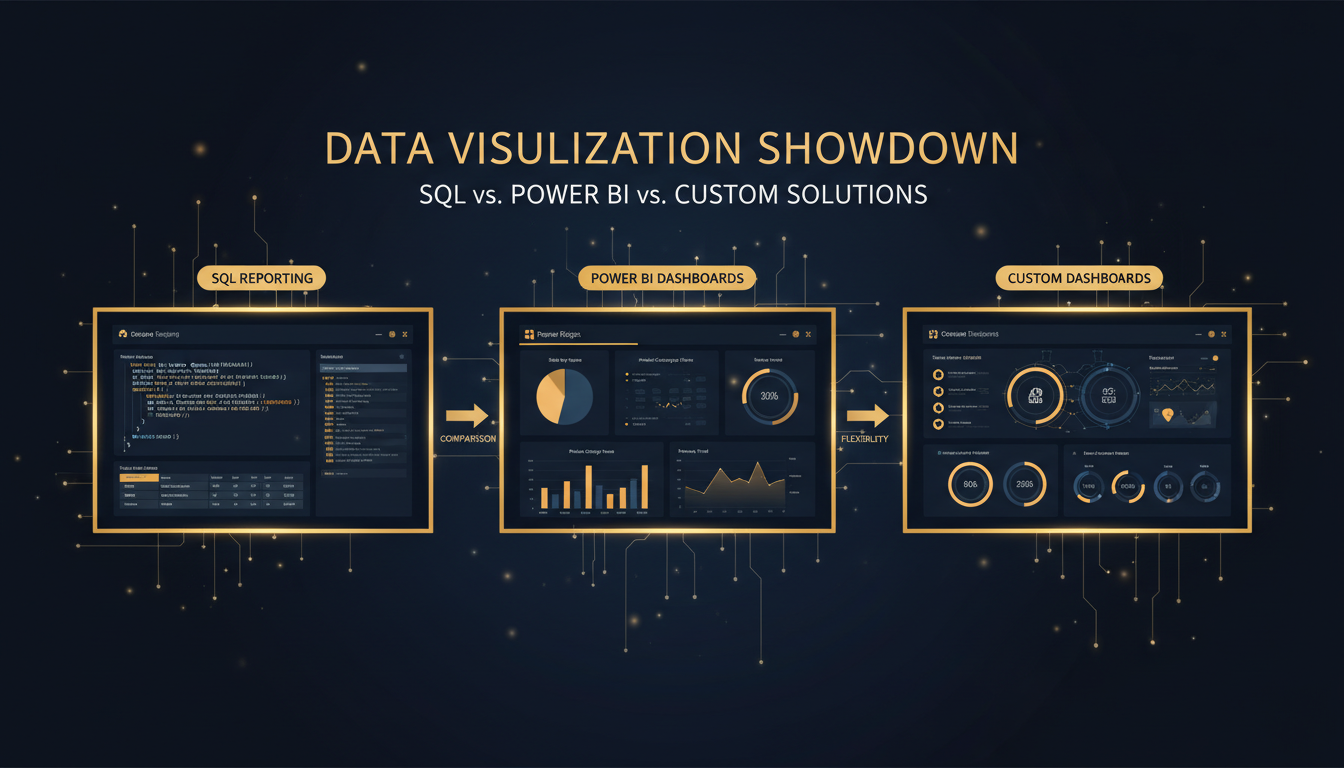
Choosing the right reporting solution can make or break your organisation's ability to turn raw data into actionable intelligence. With SQL reporting services forming the backbone of enterprise data analysis, tools like Power BI reshaping the self-service analytics landscape, and bespoke dashboard development offering unmatched flexibility, the decision is far from straightforward. This comprehensive guide examines every angle - cost, scalability, security, real-time capability, and more - so you can invest with confidence.
Key Takeaways
- ✅ SQL reporting services deliver maximum control and are ideal for complex, recurring reports tied to PostgreSQL, MySQL, or SQL Server.
- ✅ Power BI excels at self-service analytics and rapid visualisation but introduces licensing costs and Microsoft-ecosystem dependency.
- ✅ Custom dashboards provide pixel-perfect branding, real-time streaming, and full ownership - at higher upfront development cost.
- ✅ Many UK organisations achieve the best results with a hybrid strategy combining SQL reporting with a visualisation layer.
- ✅ Cloudswitched, a London-based MSP, specialises in all three approaches and can guide you to the optimal architecture.
Understanding the Reporting Landscape in 2026
UK businesses are generating data at an unprecedented rate. According to recent industry surveys, the average mid-market company now manages between 50 and 200 terabytes of structured data across multiple databases. The challenge is no longer collecting data - it is surfacing the right insights at the right time to the right people.
Three dominant approaches have emerged to address this challenge. SQL reporting services represent the traditional, code-first methodology where analysts write queries against relational databases to produce structured reports. Power BI, Microsoft's flagship business intelligence platform, offers a drag-and-drop interface that democratises analytics. Custom dashboards, built with frameworks such as React, D3.js, or Grafana, deliver fully bespoke experiences tailored to specific operational workflows.
Each approach carries distinct advantages and trade-offs. The right choice depends on your data infrastructure, team capabilities, budget, and long-term strategic goals. Let us examine each in detail before comparing them head-to-head.
SQL Reporting Services: The Foundation of Data Intelligence
At its core, SQL reporting involves writing structured queries against relational databases - PostgreSQL, MySQL, SQL Server, or others - to extract, transform, and present data. This approach has been the bedrock of enterprise reporting for decades, and for good reason.
How SQL Reporting Works
A typical SQL reporting services workflow involves several stages. Analysts or developers write SQL queries that join multiple tables, apply filters, aggregate data, and format outputs. These queries are then scheduled to run at defined intervals - hourly, daily, weekly - and the results are delivered via email, stored in a data warehouse, or rendered in a reporting interface.
Modern PostgreSQL reporting services leverage advanced features such as window functions, common table expressions (CTEs), materialised views, and partitioned tables to handle complex analytical workloads efficiently. PostgreSQL's extensibility - with extensions like TimescaleDB for time-series data or PostGIS for geospatial analysis - makes it particularly versatile for UK organisations with diverse reporting needs.
MySQL reporting services remain enormously popular, especially among organisations running LAMP-stack applications or e-commerce platforms built on WooCommerce, Magento, or similar technologies. MySQL 8.0 brought significant analytical improvements including window functions, CTEs, and JSON table functions, narrowing the gap with PostgreSQL for reporting workloads.
For enterprises deeply embedded in the Microsoft ecosystem, SQL Server reporting UK solutions built on SQL Server Reporting Services (SSRS) offer tight integration with Azure, Active Directory, and the broader Microsoft 365 suite. SSRS provides paginated reports, mobile report publishing, and a web portal for report management - all backed by the robust Transact-SQL dialect.
Strengths of SQL Reporting
The advantages of a pure SQL reporting approach are substantial. First, there is absolute control. Every join, filter, aggregation, and transformation is explicitly defined in code. There is no "black box" behaviour - you know exactly what your report is doing and why. Second, SQL reports are highly reproducible. The same query returns the same results every time, making them ideal for regulatory compliance, financial auditing, and governance reporting where consistency is non-negotiable.
Third, custom SQL reports UK organisations commission are inherently version-controllable. Queries can be stored in Git repositories, reviewed through pull requests, and deployed through CI/CD pipelines just like application code. This brings software engineering discipline to the reporting function - a critical advantage for organisations subject to FCA, PRA, or NHS Digital governance requirements.
Limitations of SQL Reporting
Pure SQL reporting is not without drawbacks. The most significant is the visualisation gap. SQL produces tabular data, not charts, graphs, or interactive dashboards. Without a presentation layer, stakeholders receive spreadsheets or flat files that require manual interpretation. Additionally, SQL reporting demands technical expertise. Business users cannot self-serve; they must submit requests to analysts or developers, creating bottlenecks and delays.
Head-to-Head Comparison: SQL Reporting vs Power BI vs Custom Dashboards
| Criterion | SQL Reporting | Power BI | Custom Dashboards |
|---|---|---|---|
| Setup Cost | Low–Medium | Medium (licensing) | High (development) |
| Ongoing Cost | Low | Medium–High (per-user) | Low–Medium (hosting) |
| Ease of Use | Requires SQL expertise | Business-user friendly | End-user friendly (once built) |
| Customisation | Unlimited (query level) | High (within platform) | Unlimited (full control) |
| Real-Time Data | Near real-time (scheduled) | DirectQuery / streaming | True real-time (WebSockets) |
| Data Source Support | Native database access | 200+ connectors | Any API or database |
| Scalability | Database-dependent | Microsoft-managed | Architecture-dependent |
| Security & Compliance | Full control (RLS, encryption) | Microsoft-managed RLS | Full control (custom auth) |
| Vendor Lock-In | None (standard SQL) | High (Microsoft ecosystem) | None (you own the code) |
| Best For | Regulated industries, complex logic | Self-service analytics teams | Product-embedded analytics |
Power BI: Microsoft's Self-Service Analytics Powerhouse
Power BI has rapidly become one of the most widely adopted business intelligence tools in the United Kingdom. Its appeal is easy to understand: a familiar Microsoft interface, deep integration with Excel and Azure, and a licensing model that starts free for individual users.
Core Capabilities
Power BI Desktop allows analysts to connect to data sources, transform data using Power Query (an ETL tool with a graphical interface), build data models with DAX (Data Analysis Expressions), and create interactive visualisations. Reports are then published to the Power BI Service - a cloud-hosted platform where colleagues can view, interact with, and share dashboards.
The platform supports over 200 data connectors out of the box, including direct connections to PostgreSQL, MySQL, SQL Server, Oracle, Salesforce, Google Analytics, and dozens more. For organisations already running SQL Server reporting UK workloads, the migration path from SSRS to Power BI is well-documented and supported by Microsoft.
Power BI Licensing in the UK
Understanding Power BI licensing is critical for UK organisations budgeting for analytics. Power BI Pro costs approximately £7.50 per user per month. Power BI Premium starts at around £3,750 per month for dedicated capacity, or £15 per user per month for Premium Per User (PPU). For large organisations, Premium capacity can represent significant expenditure - but it unlocks features like paginated reports, AI insights, and larger dataset sizes.
Strengths of Power BI
Power BI's greatest strength is accessibility. Business users with no SQL knowledge can build sophisticated visualisations by dragging and dropping fields. The natural language Q&A feature allows users to type questions in plain English and receive chart-based answers. For organisations seeking to reduce their dependency on IT for routine reporting, Power BI is transformative.
Microsoft's investment in AI-powered features - automated insights, anomaly detection, and smart narratives - adds further value. These features can surface patterns that analysts might miss, particularly in large, complex datasets.
Limitations of Power BI
Power BI is not without significant constraints. The 1 GB dataset limit on Pro licences forces many organisations to upgrade to Premium sooner than expected. DAX complexity can rival SQL in difficulty for advanced calculations, undermining the "easy for business users" narrative. Data refresh schedules are limited to eight refreshes per day on Pro, which is inadequate for operational dashboards requiring near real-time data.
Perhaps most critically, Power BI creates vendor dependency. Your data models, DAX measures, and report layouts are stored in proprietary .pbix files that cannot be easily migrated to another platform. If you decide to leave the Microsoft ecosystem, you effectively start from scratch.
The UK Reporting Market: Key Statistics
Custom Dashboards: Full Control, Full Ownership
Custom dashboard development represents the third major approach to data reporting. Rather than relying on a vendor's platform or raw SQL output, organisations commission bespoke web applications that visualise data exactly as needed.
Technology Stack Options
Modern custom dashboards are typically built with JavaScript frameworks like React, Vue.js, or Svelte on the front end, paired with charting libraries such as D3.js, Chart.js, Recharts, or Apache ECharts. The backend connects directly to your databases - PostgreSQL reporting services, MySQL reporting services, or SQL Server - via APIs that execute optimised SQL queries and return JSON payloads.
For organisations that want a middle ground between fully custom and off-the-shelf, open-source platforms like Grafana, Apache Superset, or Metabase provide dashboard frameworks that can be self-hosted and extensively customised. These tools connect to all major databases and offer SQL-based report authoring alongside visual query builders.
Strengths of Custom Dashboards
The primary advantage of custom dashboards is unlimited flexibility. Every pixel, every interaction, every data flow is under your control. You can implement complex business logic that would be impossible in Power BI's DAX or impractical in a generic reporting tool. Real-time data streaming via WebSockets, multi-tenancy with row-level security, white-labelled interfaces for clients - all are achievable with custom development.
Custom dashboards also offer zero vendor lock-in. Your organisation owns the code, the deployment infrastructure, and the intellectual property. If your needs change, you refactor the code - you do not migrate to a different vendor's proprietary format.
For SaaS companies and managed service providers, custom dashboards can be embedded directly into products, providing analytics as a feature rather than a separate tool. This is impossible with Power BI Pro (embedded analytics requires Power BI Embedded, a separate - and expensive - Azure service).
Limitations of Custom Dashboards
The most obvious drawback is development cost and time. Building a polished, performant dashboard from scratch requires front-end developers, back-end engineers, UX designers, and ongoing maintenance. A project that Power BI could deliver in days might take weeks or months as a custom build. Additionally, custom dashboards require ongoing maintenance - security patches, dependency updates, infrastructure management - that vendor-managed platforms handle automatically.
SQL Reporting: Pros and Cons at a Glance
👍 Advantages
- Complete control over query logic and output
- Version-controllable and auditable
- No licensing fees beyond database costs
- Works with any SQL database engine
- Ideal for regulatory and compliance reporting
- Highly performant for complex analytical queries
- No vendor lock-in whatsoever
👎 Disadvantages
- No built-in visualisation capabilities
- Requires SQL expertise to create and maintain
- Business users cannot self-serve
- Manual scheduling and distribution needed
- Limited interactivity without a front-end layer
- Report modification requires developer involvement
- Can be time-consuming for ad-hoc analysis
Deep Dive: Database-Specific Reporting Capabilities
Not all SQL databases are created equal when it comes to reporting. Understanding the strengths of each engine helps you choose the right foundation for your SQL reporting services strategy.
PostgreSQL Reporting Services
PostgreSQL reporting services benefit from what is arguably the most feature-rich open-source relational database available. PostgreSQL's analytical capabilities include:
- Window functions - RANK(), DENSE_RANK(), ROW_NUMBER(), LAG(), LEAD(), and NTILE() for sophisticated ranking, running totals, and period-over-period comparisons.
- Common Table Expressions (CTEs) - including recursive CTEs for hierarchical data such as organisational charts, bill of materials, or category trees.
- Materialised views - pre-computed result sets that can be refreshed on schedule, dramatically improving performance for complex reports that run frequently.
- JSON/JSONB support - first-class JSON querying enables reporting across semi-structured data without ETL overhead.
- Table partitioning - range, list, and hash partitioning for managing large time-series reporting tables efficiently.
- Extensions ecosystem - TimescaleDB for time-series analytics, PostGIS for geospatial reporting, pg_stat_statements for query performance monitoring.
For UK organisations running applications on PostgreSQL - whether self-hosted, on Amazon RDS, or Azure Database for PostgreSQL - investing in PostgreSQL reporting services leverages your existing infrastructure without introducing new technology dependencies.
MySQL Reporting Services
MySQL reporting services cater to the enormous installed base of MySQL databases powering web applications, e-commerce platforms, and content management systems. MySQL 8.0 and later versions provide:
- Window functions - full support for OVER(), PARTITION BY, and frame specifications, closing a long-standing gap with PostgreSQL.
- CTEs and recursive queries - enabling hierarchical and graph-traversal reporting patterns.
- JSON table functions - JSON_TABLE() converts JSON arrays into relational rows for reporting.
- Generated columns - virtual and stored computed columns reduce query complexity for common reporting calculations.
- InnoDB Cluster - group replication provides read replicas that can handle reporting workloads without impacting transactional performance.
Organisations running WordPress, Shopify, Laravel, or Drupal on MySQL can implement sophisticated MySQL reporting services directly against their production databases (using read replicas) or dedicated analytics instances.
SQL Server Reporting in the UK
SQL Server reporting UK deployments benefit from Microsoft's extensive enterprise tooling. SQL Server Reporting Services (SSRS) has been a mainstay of UK enterprise reporting for over two decades, and the modern stack adds:
- SSRS paginated reports - pixel-perfect, print-ready reports for invoices, statements, and regulatory filings.
- SQL Server Analysis Services (SSAS) - multidimensional and tabular models for OLAP-style analytics.
- SQL Server Integration Services (SSIS) - enterprise ETL for consolidating data from multiple sources into a reporting warehouse.
- Azure Synapse Analytics - cloud-native data warehousing for organisations migrating reporting to Azure.
- Temporal tables - system-versioned tables that automatically track historical changes, simplifying audit and point-in-time reporting.
For UK financial services firms, NHS trusts, and government agencies with existing Microsoft Enterprise Agreements, SQL Server reporting UK solutions represent a natural extension of their technology investment.
How to Choose: A Decision Framework
Rather than defaulting to the most popular tool, follow this structured decision process to select the right reporting approach for your organisation.
Audit Your Data Sources
Catalogue every database, API, spreadsheet, and SaaS platform that contains data your reports need. If 80%+ lives in one SQL database, pure SQL reporting services may suffice. If data is scattered across dozens of sources, Power BI's 200+ connectors or a custom ETL pipeline becomes more attractive.
Assess Your Audience
Who will consume the reports? Technical analysts comfortable with SQL can work directly with query-based reports. Business executives need visual dashboards. A mixed audience often demands a hybrid approach - SQL reporting on the back end with Power BI or a custom front end for visualisation.
Define Freshness Requirements
How current does the data need to be? Daily batch reports suit financial summaries and compliance filing. Hourly refreshes work for operational dashboards. Sub-second streaming demands custom dashboard architecture with WebSocket connections - Power BI's DirectQuery adds latency that may be unacceptable.
Calculate Total Cost of Ownership
Factor in licensing, development, training, maintenance, and infrastructure costs over a three-to-five-year horizon. Power BI's per-user licensing can become expensive at scale. Custom dashboards have high upfront costs but low ongoing fees. SQL reporting is the most cost-effective if you already have database expertise in-house.
Evaluate Security and Compliance
UK organisations subject to GDPR, FCA regulations, or NHS DSPT requirements must ensure their reporting solution supports data residency, row-level security, audit logging, and encryption at rest and in transit. SQL reporting and custom dashboards offer full control; Power BI delegates security to Microsoft's compliance certifications.
Plan for Growth
Consider your reporting needs in two to three years, not just today. Will you need to support 10 users or 10,000? Will data volumes grow tenfold? Will you need to embed analytics in customer-facing products? Choosing a solution that scales with your ambitions avoids costly re-platforming later.
Cost Comparison: Three-Year Total Cost of Ownership
Understanding the true cost of each approach requires looking beyond initial setup. Here is a realistic cost comparison for a UK mid-market organisation with 50 report consumers and 5 report authors.
| Cost Category | SQL Reporting | Power BI Pro | Custom Dashboard |
|---|---|---|---|
| Initial Setup & Development | £8,000–£15,000 | £5,000–£10,000 | £25,000–£60,000 |
| Annual Licensing (Year 1–3) | £0 | £4,950/yr (55 users) | £0 |
| Infrastructure & Hosting | £1,200/yr | Included | £3,600/yr |
| Maintenance & Support | £3,000/yr | £2,000/yr | £6,000/yr |
| Training | £2,000 | £3,500 | £1,500 |
| 3-Year Total | £22,600–£29,600 | £23,350–£28,350 | £55,300–£90,300 |
Note: These figures are illustrative and based on typical UK market rates in 2026. Actual costs vary significantly based on complexity, data volume, and vendor negotiations. Custom dashboard costs decrease substantially when using open-source frameworks like Grafana or Metabase.
Scalability: How Each Approach Grows With Your Business
Scalability is not just about handling more data - it encompasses more users, more reports, more data sources, and more complex analytical requirements.
SQL Reporting Scalability
SQL reporting services scale with your database infrastructure. PostgreSQL can handle terabytes of data with proper indexing, partitioning, and hardware provisioning. Read replicas distribute reporting workloads away from transactional databases. Connection pooling (via PgBouncer or similar) manages concurrent report execution. For truly massive datasets, you can layer a columnar store like ClickHouse or Apache Druid on top of your SQL reporting pipeline.
The human scalability of SQL reporting is more limited. Each new report requires SQL expertise to write, test, and optimise. Self-service is impossible without layering a tool on top.
Power BI Scalability
Power BI Pro supports up to 1 GB datasets with up to eight daily refreshes. Premium capacity removes these limits and adds auto-scaling, larger datasets (up to 400 GB with Premium Gen2), and unlimited refresh schedules. Microsoft manages the infrastructure, so technical scalability is largely transparent.
However, licensing costs scale linearly with users. At 500 users, Power BI Pro costs approximately £45,000 per year. Premium capacity may be more economical at that scale, but requires careful capacity planning to avoid performance degradation during peak usage.
Custom Dashboard Scalability
Custom dashboards scale according to their architecture. A well-designed application using serverless functions, CDN-cached static assets, and database connection pooling can handle thousands of concurrent users at modest cost. Kubernetes-based deployments offer horizontal scaling for compute-intensive analytics. The key advantage is that you control the scaling strategy - you are not limited by a vendor's pricing tiers.
The risk is that poorly architected custom dashboards can become performance bottlenecks. Without proper caching, query optimisation, and load testing, a custom solution may struggle under load far sooner than expected.
"The organisations getting the most value from their data are not those that chose the trendiest tool - they are those that matched their reporting architecture to their actual business requirements. We consistently see UK companies achieve better results with a well-implemented SQL reporting foundation than with a hastily adopted BI platform."
- Cloudswitched Technical Advisory Team
Real-Time Reporting: Capabilities and Constraints
The demand for real-time data has intensified across UK industries. Financial services firms need live trading dashboards. E-commerce companies want real-time conversion funnels. Logistics providers require live fleet tracking. Each reporting approach handles real-time requirements differently.
SQL Reporting and Real-Time Data
Traditional SQL reporting services operate on a pull-based model - queries execute at scheduled intervals or on demand. For near real-time reporting, you can increase execution frequency (running critical queries every minute, for example) or use database features like PostgreSQL's LISTEN/NOTIFY or SQL Server's Change Data Capture to trigger report refreshes when underlying data changes.
PostgreSQL reporting services can integrate with logical replication to stream changes to a dedicated reporting instance with sub-second latency. Combined with materialised view refresh and intelligent caching, PostgreSQL-based reporting can achieve near real-time performance for most operational use cases.
Power BI and Real-Time Data
Power BI offers several real-time capabilities. DirectQuery sends queries to the source database on every interaction, ensuring data is always current - but at the cost of performance, as every filter change or page load triggers a database query. Streaming datasets accept pushed data via REST API and display it immediately, suitable for IoT dashboards and live event monitoring. Hybrid tables combine imported historical data with DirectQuery for recent data, balancing performance and freshness.
The limitation is latency. Even with DirectQuery, Power BI adds overhead for data transformation, visual rendering, and network round trips. For truly latency-sensitive applications - algorithmic trading, real-time fraud detection, live operational control - Power BI is insufficient.
Custom Dashboards and Real-Time Data
Custom dashboards offer the most flexibility for real-time data. WebSocket connections maintain persistent, bidirectional communication between the server and the browser, enabling sub-second updates. Server-Sent Events (SSE) provide a simpler unidirectional alternative. Libraries like Socket.io, combined with message brokers like Redis Pub/Sub or Apache Kafka, create robust real-time data pipelines.
For UK fintech companies, healthcare monitoring platforms, and industrial IoT applications, custom dashboards are often the only viable option for true real-time reporting with the responsiveness and reliability required.
Security and Compliance: A UK Perspective
Data security and regulatory compliance are paramount for UK organisations. The UK GDPR, Data Protection Act 2018, FCA regulations, NHS DSPT, and sector-specific requirements impose strict obligations on how data is accessed, processed, and presented in reports.
SQL Reporting Security
SQL reporting services built on PostgreSQL, MySQL, or SQL Server benefit from decades of security hardening in these database engines. Row-level security (RLS) policies ensure users only see data they are authorised to access. Column-level encryption protects sensitive fields like national insurance numbers or financial data. Audit logging tracks every query executed, supporting compliance evidence requirements.
For custom SQL reports UK organisations commission, security controls are implemented at the database level, meaning they apply consistently regardless of how reports are consumed - whether through email, a web interface, or an API. This is a significant advantage for organisations with complex access control requirements.
Power BI Security
Power BI inherits Microsoft's extensive security infrastructure, including Azure Active Directory integration, conditional access policies, sensitivity labels from Microsoft Information Protection, and data loss prevention (DLP) policies. Row-level security is supported through DAX filters applied to data models.
For UK organisations already invested in Microsoft 365 and Azure AD, Power BI's security model integrates seamlessly with existing identity and access management. Microsoft holds ISO 27001, SOC 2 Type II, and Cyber Essentials Plus certifications, and Power BI data at rest is encrypted with Microsoft-managed keys or customer-managed keys (Premium).
The trade-off is control. You are trusting Microsoft to secure your data according to their policies and procedures. For organisations in highly regulated sectors - defence, certain financial services, critical national infrastructure - this delegation of security control may be unacceptable.
Custom Dashboard Security
Custom dashboards offer complete security control but require you to implement it correctly. This means designing authentication flows (OAuth 2.0, SAML, multi-factor authentication), implementing authorisation at both the API and database levels, encrypting data in transit (TLS 1.3) and at rest, logging all access for audit trails, and conducting regular penetration testing.
The responsibility is substantial, but for organisations handling sensitive data - patient records, financial transactions, classified information - full control over the security stack is sometimes a regulatory necessity rather than a preference.
⚠️ UK GDPR Consideration
When evaluating any reporting solution, ensure your data processing agreements address where report data is stored and processed. Power BI processes data in Microsoft's European data centres, but some features may involve transient processing in other regions. SQL reporting services and custom dashboards on UK-hosted infrastructure guarantee data residency within the United Kingdom. This is particularly relevant for organisations handling personal data subject to UK GDPR's data transfer restrictions post-Brexit.
Data Source Connectivity: Bringing It All Together
Modern organisations rarely have all their data in a single database. The ability to connect to diverse data sources is a critical differentiator between reporting approaches.
SQL Reporting Connectivity
SQL reporting services natively connect to relational databases - PostgreSQL, MySQL, SQL Server, Oracle, SQLite, and others via standard database drivers. For non-database sources, you need an ETL (Extract, Transform, Load) layer to bring data into your reporting database. Tools like Apache Airflow, dbt, or custom Python scripts can pull data from REST APIs, CSV files, cloud storage, and SaaS platforms into your SQL database for unified reporting.
This ETL approach adds complexity but provides a single source of truth. All data is normalised, cleaned, and stored in a consistent schema before reporting queries run against it. For organisations prioritising data quality and consistency, this is often preferable to real-time connections to disparate sources.
Power BI Connectivity
Power BI's 200+ connectors are one of its strongest selling points. Out of the box, you can connect to SQL databases, cloud services (Azure, AWS, Google Cloud), SaaS platforms (Salesforce, Dynamics 365, HubSpot), files (Excel, CSV, JSON, XML), web APIs, and more. The Dataflows feature provides Power Query-based ETL within the Power BI ecosystem, and Datamart offers managed SQL databases for departmental analytics.
The convenience is undeniable. A Power BI analyst can connect to five different data sources, combine them in a single report, and publish it within hours - no ETL infrastructure required.
Custom Dashboard Connectivity
Custom dashboards can connect to anything with an API. Database drivers, REST APIs, GraphQL endpoints, SOAP services, file systems, message queues - the only limit is development time. This is particularly valuable for UK organisations with legacy systems that may not be supported by Power BI's connector library, or for proprietary internal APIs that require custom authentication.
When to Choose Each Approach
After extensive analysis, here are clear recommendations for when each approach is the best fit.
Choose SQL Reporting Services When:
- Your reporting requirements are well-defined and stable.
- Reports are consumed by a technical audience comfortable with tabular data.
- Regulatory compliance demands full auditability and version control of report logic.
- Your data lives primarily in one or two SQL databases.
- Budget constraints rule out per-user licensing models.
- You need complex business logic that is difficult to express in DAX or visual query builders.
- Data volumes are large and query performance optimisation is critical.
Choose Power BI When:
- Business users need to create and modify their own reports without IT involvement.
- Your organisation is already invested in the Microsoft ecosystem (365, Azure, Dynamics).
- You need to connect to many diverse data sources quickly.
- Interactive exploration and ad-hoc analysis are primary use cases.
- The number of report consumers is moderate (under 200 users on Pro).
- You need polished visualisations without custom development.
- Time-to-value is more important than long-term flexibility.
Choose Custom Dashboards When:
- Analytics need to be embedded in a customer-facing product or SaaS platform.
- True real-time data (sub-second latency) is a hard requirement.
- Branding and user experience must be pixel-perfect and unique.
- Multi-tenancy with complex access control is needed.
- You want to avoid vendor lock-in entirely.
- The scale of users makes per-seat licensing prohibitively expensive.
- You have or can hire front-end and back-end development talent.
Frequently Asked Questions
Hybrid Strategies: The Best of All Worlds
In practice, the most successful UK reporting implementations rarely rely on a single approach. Hybrid strategies combine the strengths of SQL reporting, Power BI, and custom dashboards to address different needs within the same organisation.
Strategy 1: SQL Foundation + Power BI Visualisation
This is the most common and often the most cost-effective hybrid approach. Database engineers build optimised SQL reporting services including materialised views, stored procedures, and reporting-specific tables or schemas. Power BI connects to this optimised layer via DirectQuery or scheduled import, providing business users with interactive dashboards backed by enterprise-grade SQL logic.
The SQL layer handles the heavy lifting - complex joins, business logic, data quality enforcement - while Power BI handles what it does best: visual exploration and self-service analytics. This approach works particularly well with PostgreSQL reporting services and SQL Server reporting UK deployments.
Strategy 2: SQL Foundation + Custom Operational Dashboards
Organisations with real-time operational requirements often combine SQL reporting services for batch analytics with custom dashboards for live monitoring. The SQL reports handle daily, weekly, and monthly summaries - financial reconciliation, compliance filings, management packs - while custom dashboards display live operational data such as system health, transaction volumes, or customer support queues.
Strategy 3: Power BI for Internal + Custom Dashboards for External
SaaS companies and managed service providers frequently use Power BI for internal business intelligence while building custom dashboards for client-facing analytics. Internal teams get the self-service exploration capabilities of Power BI, while clients receive a branded, white-labelled experience that integrates seamlessly with the product.
Strategy 4: Tiered Reporting Architecture
Larger organisations implement a tiered approach where custom SQL reports UK teams build form the data warehouse layer. An ETL pipeline feeds cleaned, transformed data into a dedicated reporting database. Power BI connects for department-level self-service analytics. Custom dashboards serve executive scorecards and client-facing portals. Each tier addresses a different audience and use case, maximising the value of each tool.
Migration Paths: Moving Between Approaches
Organisations rarely commit to a single reporting approach forever. Business needs evolve, team capabilities change, and new technologies emerge. Understanding migration paths is essential for long-term planning.
From SQL Reporting to Power BI
This is typically the easiest migration. Existing SQL queries can often be used directly as Power BI data sources via DirectQuery or as the basis for Power Query transformations. The challenge lies in redesigning reports for Power BI's interactive paradigm rather than static tabular output. PostgreSQL reporting services and MySQL reporting services both have native Power BI connectors, making the technical connection straightforward.
From Power BI to Custom Dashboards
This migration is more complex. Power BI's data models (DAX measures, calculated columns, relationships) do not translate directly to custom dashboard code. You need to reverse-engineer the business logic embedded in DAX and reimagine it as SQL queries or API-level computations. The visualisation layer must be rebuilt entirely. However, if you have maintained a clean SQL data foundation alongside Power BI, the migration is significantly smoother.
From Custom Dashboards to Power BI
This typically occurs when an organisation wants to reduce development overhead and enable self-service analytics. The database layer usually transfers directly, but custom visualisations, real-time features, and embedded analytics functionality may not have Power BI equivalents. A phased migration - replacing the simplest views first while maintaining custom dashboards for complex or real-time components - is the recommended approach.
From SSRS to Modern Approaches
Many UK enterprises still run SQL Server reporting UK SSRS implementations deployed years ago. Modernisation typically follows one of two paths: migrating to Power BI (leveraging Microsoft's migration tools and maintaining ecosystem consistency) or migrating to a custom solution (gaining flexibility and real-time capabilities at the cost of more development effort). Either way, the underlying SQL queries usually require optimisation for modern analytical patterns rather than the paginated report model SSRS was designed for.
Implementation Checklist: Getting Started
Regardless of which approach you choose, this checklist ensures a smooth implementation.
Industry-Specific Considerations for UK Organisations
Financial Services
UK financial services firms face stringent FCA reporting requirements. SQL reporting services are often mandatory for regulatory filings where query logic must be auditable, version-controlled, and reproducible. Power BI serves well for internal risk dashboards and portfolio analytics where interactivity and visual exploration add value. Custom dashboards are common for client-facing portals showing portfolio performance, transaction history, and real-time market data.
Healthcare and NHS
NHS trusts and private healthcare providers must comply with NHS DSPT and handle sensitive patient data under strict UK GDPR provisions. SQL Server reporting UK deployments using SSRS remain common in NHS trusts with existing Microsoft infrastructure. The trend is toward Power BI for clinical dashboards showing waiting times, bed occupancy, and patient flow - with the SQL layer handling the data governance and compliance logic. Custom dashboards serve telehealth platforms and patient-facing portals.
Retail and E-Commerce
UK retailers need real-time inventory visibility, sales analytics, and customer behaviour insights. MySQL reporting services are prevalent given MySQL's dominance in e-commerce platforms (Magento, WooCommerce, Shopify custom builds). Power BI connects well to Google Analytics and social media platforms for marketing attribution. Custom dashboards handle live stock levels, promotional performance tracking, and omnichannel reporting where sub-second updates are valuable.
Professional Services
Law firms, consultancies, and accountancy practices in the UK typically need project profitability reports, utilisation tracking, and client billing analytics. SQL reporting services integrate with practice management systems and time-tracking databases. Power BI provides partners with self-service access to firm-wide performance metrics. Custom dashboards embed into client portals for real-time project status and budget tracking.
Manufacturing and Logistics
UK manufacturers and logistics companies require operational dashboards showing production line efficiency, supply chain visibility, and fleet tracking. PostgreSQL reporting services with TimescaleDB extensions handle time-series sensor data efficiently. Custom dashboards with WebSocket connections display live production metrics. Power BI aggregates historical data for trend analysis and management reporting.
Future Trends in Reporting Technology
The reporting landscape continues to evolve rapidly. Several trends will shape the choices UK organisations make over the coming years.
AI-Augmented Analytics
All three approaches are incorporating artificial intelligence. Power BI's Copilot feature generates DAX measures and report suggestions from natural language. Custom dashboards can integrate large language models for conversational analytics. SQL reporting is being augmented by AI-powered query optimisation and automated anomaly detection. The organisations that benefit most will be those with clean, well-structured data foundations - regardless of the visualisation layer.
Embedded Analytics
The trend toward embedding analytics directly into operational applications is accelerating. Rather than switching to a separate reporting tool, users see insights within the workflows they already use. This favours custom dashboard development, though Power BI Embedded and technologies like Cube.js are making embedded analytics more accessible.
Data Mesh and Decentralised Reporting
The data mesh paradigm - where domain teams own and publish their own data products - is gaining traction in larger UK organisations. This approach naturally aligns with SQL reporting services where each domain team maintains its own queries and views, published as standardised data products that other teams can consume through Power BI, custom dashboards, or direct SQL access.
Real-Time Everything
The expectation for real-time data is spreading beyond operational dashboards into strategic reporting. Technologies like change data capture (CDC), event streaming, and incremental materialisation are closing the gap between transactional databases and analytical workloads. Organisations investing in PostgreSQL reporting services or MySQL reporting services with proper replication infrastructure are well-positioned for this shift.
Related Resources from Cloudswitched
-
Database Reporting Services →
Explore our full range of SQL reporting, Power BI, and custom dashboard services for UK businesses.
-
PostgreSQL Performance Tuning Guide →
Optimise your PostgreSQL database for reporting workloads with our comprehensive tuning guide.
-
Database Migration Services UK →
Planning a migration between database platforms? Our guide covers strategy, execution, and risk mitigation.
-
Managed Database Services UK →
Learn how managed database services can reduce overhead while improving reporting reliability.
Why Cloudswitched for Your Reporting Strategy
As a London-based managed IT services provider, Cloudswitched brings a unique perspective to the reporting conversation. We are not a Power BI consultancy trying to sell you Microsoft licences, nor a development agency looking to build custom software. We are database specialists who understand the full spectrum of reporting approaches and recommend what genuinely fits your needs.
Our database reporting services team has implemented SQL reporting services across PostgreSQL, MySQL, and SQL Server for UK organisations ranging from fintech startups to NHS trusts. We have deployed Power BI solutions that connect to complex data estates and built custom dashboards for SaaS platforms requiring embedded analytics.
What sets us apart is our vendor-neutral advisory approach. We begin every engagement by understanding your data, your team, your compliance obligations, and your growth trajectory. Only then do we recommend the approach - or combination of approaches - that delivers the most value. Whether you need PostgreSQL reporting services, MySQL reporting services, SQL Server reporting UK solutions, custom SQL reports UK businesses rely on, or a hybrid architecture combining multiple tools, Cloudswitched has the expertise to deliver.
Conclusion: Making the Right Choice for Your Organisation
The choice between SQL reporting, Power BI, and custom dashboards is not a zero-sum game. Each approach excels in different scenarios, and the most successful UK organisations combine them strategically.
SQL reporting services provide the essential foundation - clean data, optimised queries, version-controlled logic, and full auditability. Whether you use PostgreSQL, MySQL, or SQL Server, investing in this layer pays dividends regardless of how you choose to visualise the data.
Power BI adds accessibility, interactivity, and rapid time-to-value for organisations with Microsoft-centric infrastructures and business users who want self-service analytics. Its limitations in real-time data, customisation depth, and vendor independence are real but manageable for many use cases.
Custom dashboards deliver maximum flexibility, zero vendor lock-in, and true real-time capabilities. They are the right choice for product-embedded analytics, highly specialised operational interfaces, and organisations that prioritise long-term ownership over short-term convenience.
The key is to start with a clear understanding of your requirements, evaluate each approach honestly against those requirements, and design an architecture that can evolve as your needs change. Avoid the trap of choosing a tool because it is trendy or because a vendor gave a compelling demo. Choose based on data, requirements, and long-term strategy.
Ready to Transform Your Reporting?
Whether you need SQL reporting, Power BI deployment, custom dashboards, or a hybrid strategy, Cloudswitched delivers vendor-neutral expertise tailored to UK businesses.

CloudSwitched
London-based managed IT services provider offering support, cloud solutions and cybersecurity for SMEs.


