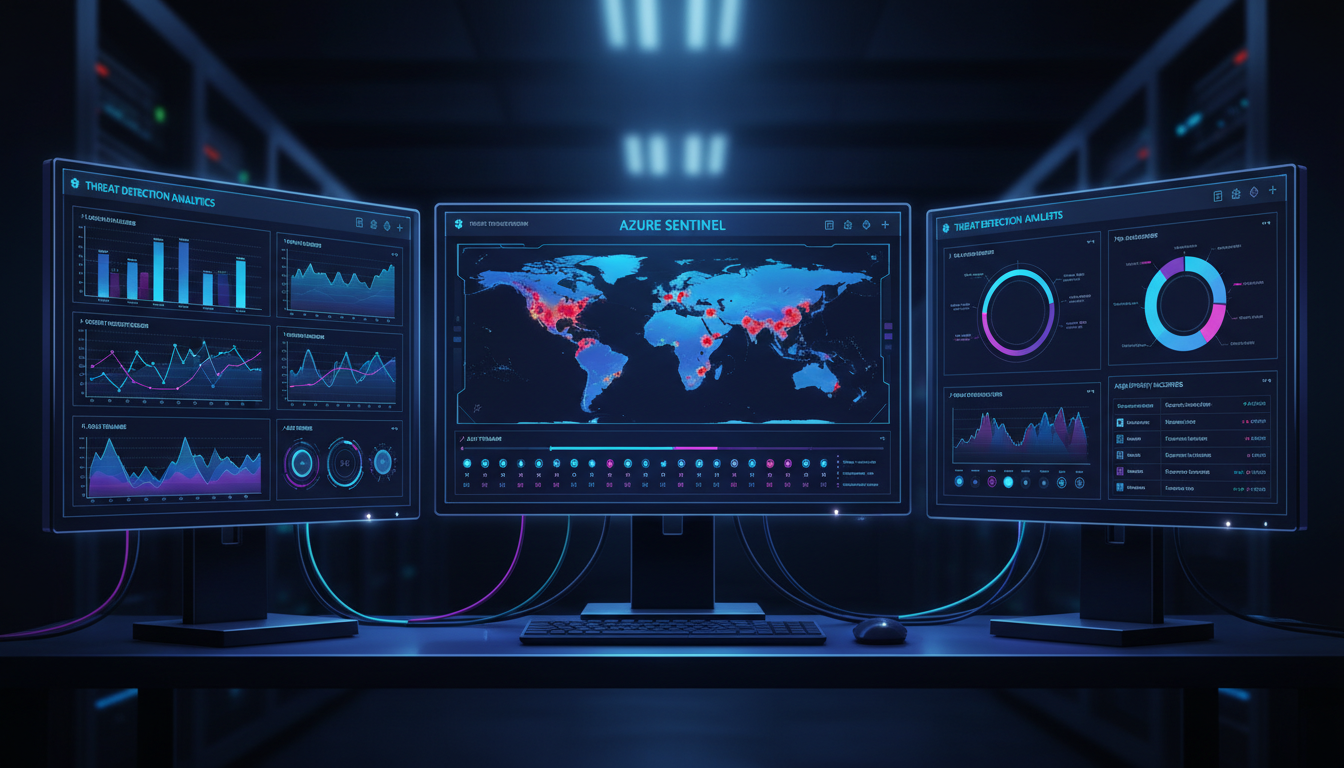
As cyber threats facing UK businesses continue to grow in both volume and sophistication, the need for comprehensive security monitoring has never been greater. Traditional approaches - relying on firewalls, antivirus, and occasional log reviews - are no longer sufficient to detect modern threats that use stealth, persistence, and lateral movement to compromise organisations. What businesses need is a Security Information and Event Management (SIEM) solution that aggregates security data from across their entire environment, applies intelligent analytics to detect threats, and enables rapid investigation and response.
Microsoft Sentinel (formerly Azure Sentinel) is Microsoft's cloud-native SIEM and Security Orchestration, Automation, and Response (SOAR) platform, built on top of Azure. It provides intelligent security analytics across your entire organisation, collecting data from users, devices, applications, and infrastructure - both on-premises and in the cloud. For UK businesses already invested in the Microsoft ecosystem through Microsoft 365 and Azure, Sentinel provides a natural and powerful extension of their security capabilities.
This guide explains what Azure Sentinel is, how it works, and provides a practical implementation roadmap for UK businesses looking to implement enterprise-grade security monitoring without the complexity and cost traditionally associated with SIEM platforms.
What Is Azure Sentinel?
Azure Sentinel is a cloud-native SIEM and SOAR solution that uses artificial intelligence and machine learning to detect, investigate, and respond to security threats across your organisation. Unlike traditional SIEM products that require significant on-premise hardware, complex deployment, and dedicated security analysts to operate, Sentinel is delivered as a service from Azure, with no infrastructure to manage and built-in AI that reduces the expertise required to gain value from the platform.
At its core, Sentinel performs four functions. It collects security data from across your environment using data connectors - pulling in logs from Microsoft 365, Azure Active Directory, firewalls, servers, endpoints, and third-party security tools. It detects threats using a combination of built-in analytics rules, machine learning models, and threat intelligence feeds. It investigates alerts using interactive investigation graphs that show the relationships between entities (users, IP addresses, devices) involved in a potential incident. And it responds to confirmed threats using automated playbooks that can isolate compromised accounts, block malicious IP addresses, or notify your security team - all without manual intervention.
How Sentinel Uses Artificial Intelligence
One of Sentinel's most significant advantages over traditional SIEM solutions is its use of artificial intelligence and machine learning to reduce the burden on security teams. Traditional SIEM platforms generate enormous volumes of alerts, many of which are false positives that waste analyst time and create alert fatigue. Sentinel addresses this through its Fusion technology, which correlates low-fidelity signals from multiple data sources to identify high-fidelity, multi-stage attacks that would be impossible for human analysts to detect manually.
For example, Fusion might correlate a suspicious sign-in attempt from an unusual location with subsequent mailbox forwarding rule creation and a large file download from SharePoint - individually, each of these events might appear benign, but together they represent a classic account compromise and data exfiltration pattern. By correlating these signals automatically, Sentinel surfaces the attack as a single, high-confidence incident rather than three separate low-priority alerts.
Sentinel also integrates Microsoft's Threat Intelligence feeds, which are derived from the trillions of signals Microsoft processes daily across its global infrastructure. These feeds include known malicious IP addresses, domains, file hashes, and attack patterns observed across Microsoft's worldwide customer base. For UK businesses, this means you benefit from the collective security intelligence of one of the world's largest technology companies, without needing to maintain your own threat intelligence programme.
The Evolving Threat Landscape for UK Organisations
The National Cyber Security Centre (NCSC) has consistently warned that the cyber threat to UK businesses is growing in both sophistication and frequency. Ransomware attacks targeting UK organisations increased by over 50 per cent in the past two years, with attackers increasingly targeting small and medium-sized businesses that lack dedicated security teams. Phishing campaigns have become more convincing, often using compromised accounts within a supply chain to send malicious emails that bypass traditional email filters.
Business email compromise (BEC) remains one of the most financially damaging attack types for UK businesses. In a typical BEC attack, an attacker gains access to a senior employee's email account and uses it to instruct the finance team to make a fraudulent payment. Without security monitoring that can detect unusual email forwarding rules, impossible travel patterns, or anomalous sign-in behaviour, these attacks often succeed before anyone realises something is wrong. Sentinel's ability to detect these behavioural anomalies in near real-time makes it a powerful defence against this type of threat.
Traditional SIEM products like Splunk, QRadar, and ArcSight require significant on-premise infrastructure, licensing investment, and specialist staff to deploy and maintain. Azure Sentinel eliminates this overhead entirely. There is no hardware to procure, no software to install, and no infrastructure to maintain. You pay only for the data ingested and analysed, with costs starting from approximately £1.50 per GB per day. For a typical UK SME ingesting 5-10 GB per day, this translates to a monthly cost of £225 to £450 - a fraction of what traditional SIEM deployment would cost.
Implementation Roadmap
Implementing Azure Sentinel follows a structured approach that can be completed in phases, allowing you to gain value quickly while expanding coverage over time. The following roadmap is designed for UK SMEs and mid-market businesses with an existing Microsoft 365 and Azure footprint.
Phase 1: Foundation (Weeks 1-2)
Create a Log Analytics workspace in an Azure UK region (UK South or UK West) to ensure data residency within the United Kingdom. This workspace is where all your security data will be stored and analysed. Enable Azure Sentinel on this workspace - this is a single-click operation in the Azure portal that activates all Sentinel features.
Connect your most valuable data sources first. For most UK businesses, this means Microsoft 365 (which captures email, SharePoint, OneDrive, and Teams activity), Azure Active Directory (which captures sign-in and audit logs), and Microsoft Defender for Endpoint (which captures endpoint security events). These connectors are built into Sentinel and can be enabled in minutes with no additional configuration.
During this foundation phase, it is also worth configuring your data retention policies. By default, Azure Sentinel retains data for 90 days, but you can extend this to up to two years for compliance purposes or reduce it to lower costs. For most UK businesses subject to GDPR, a 90-day interactive retention period with an additional archive tier for longer-term storage provides a good balance between compliance requirements and cost efficiency.
It is also important to assign appropriate roles and permissions during this phase. Sentinel uses Azure role-based access control (RBAC), and Microsoft provides several built-in roles: Sentinel Reader for stakeholders who need visibility but not the ability to make changes, Sentinel Responder for analysts who need to manage incidents, and Sentinel Contributor for administrators who configure the platform. Following the principle of least privilege, assign the minimum role required for each team member's responsibilities.
Phase 2: Detection (Weeks 3-4)
Enable Sentinel's built-in analytics rules, which provide immediate detection capability for common threats. Microsoft provides hundreds of pre-built rules covering scenarios such as impossible travel (a user signing in from London and then from Moscow within an hour), brute force attacks, suspicious email forwarding rules, and known malicious IP addresses. Review and enable the rules relevant to your environment.
Configure the built-in User and Entity Behaviour Analytics (UEBA) module, which uses machine learning to establish a baseline of normal behaviour for each user and entity in your organisation. Once the baseline is established (typically after two to four weeks of data collection), UEBA will detect anomalous behaviour - such as a user accessing systems they have never accessed before, or logging in at unusual hours - that may indicate a compromised account.
Beyond the built-in rules, Sentinel provides a rich library of community-contributed detection rules through its Content Hub. These rules are created by Microsoft's security research team, independent security researchers, and the broader security community. They cover a wide range of scenarios including supply chain attacks, insider threats, cryptocurrency mining on compromised servers, and attacks targeting specific industries such as financial services and healthcare.
For UK businesses with specific compliance requirements, you can also create custom analytics rules using Kusto Query Language (KQL). Whilst this requires some technical expertise, KQL is significantly easier to learn than the query languages used by many traditional SIEM platforms. A common custom rule for UK businesses is to detect sign-ins from countries outside the United Kingdom and the European Economic Area, which can indicate compromised credentials being used from overseas. Another useful custom rule alerts when a privileged account - such as a Global Administrator - signs in without using a managed device, which could indicate credential theft.
The combination of built-in rules, community content, UEBA, and custom analytics provides multiple layers of detection that complement each other. Built-in rules catch known attack patterns quickly. UEBA detects subtle behavioural changes that rules might miss. Custom rules address your organisation's specific risk profile and compliance requirements. Together, they provide comprehensive threat detection coverage that would require a large team of security analysts to achieve manually.
| Data Connector | Data Collected | Setup Complexity | Priority |
|---|---|---|---|
| Microsoft 365 | Email, SharePoint, Teams activity | Simple (built-in) | Critical |
| Azure Active Directory | Sign-in logs, audit logs, risky users | Simple (built-in) | Critical |
| Microsoft Defender for Endpoint | Endpoint alerts, device inventory | Simple (built-in) | Critical |
| Azure Firewall / NSG | Network traffic logs | Moderate | High |
| On-premise firewall (Syslog) | Firewall logs via Syslog agent | Moderate | High |
| Windows Security Events | Windows event logs from servers | Moderate (agent required) | High |
| Third-party security tools | Varies by vendor | Varies | Medium |
Phase 3: Investigation and Response (Weeks 5-8)
Once data is flowing and detections are generating alerts, configure the investigation and response capabilities. Sentinel's investigation graph provides a visual tool for exploring the relationships between alerts, users, IP addresses, and devices involved in a potential incident. When an alert fires - for example, "suspicious sign-in from unusual location" - the investigation graph shows you which user was involved, what other activities that user performed around the same time, which IP address was used, and whether that IP has been associated with other alerts.
Create automated playbooks using Azure Logic Apps to respond to common alert types without manual intervention. For example, when a high-severity alert is generated for a compromised account, a playbook can automatically disable the account, revoke active sessions, reset the password, and send a notification to your IT security team - all within seconds of the alert being raised. This automated response dramatically reduces the time between detection and containment.
When configuring automated playbooks, it is important to strike the right balance between automation and human oversight. For high-confidence, high-severity alerts - such as a confirmed compromised account or a known ransomware signature - full automation is appropriate because the cost of delayed response far outweighs the risk of a false positive. For medium-severity or lower-confidence alerts, a semi-automated approach works better: the playbook gathers contextual information and prepares a response, but waits for a human analyst to approve the action before executing it.
Common playbooks for UK businesses include automatic account lockout when a confirmed compromise is detected, automatic IP blocking when traffic from a known malicious source is identified, automatic ticket creation in your IT service management system when a new incident is raised, and automatic notification to your Data Protection Officer when an alert involves potential personal data exposure. Each of these playbooks can be built using Azure Logic Apps with no coding required, using a visual drag-and-drop designer that connects to hundreds of Microsoft and third-party services.
Sentinel's investigation capabilities are particularly valuable when dealing with complex, multi-stage attacks. The investigation graph allows analysts to start from any entity - a user, an IP address, a device, or a host - and explore all related alerts and activities. For example, starting from a suspicious user sign-in alert, an analyst can quickly determine whether the same IP address has been involved in other alerts, whether the user account has been used to access sensitive data, and whether any lateral movement to other accounts or systems has occurred. This visual approach to investigation dramatically reduces the time required to understand the scope and impact of an incident.
Cost Management for Azure Sentinel
Azure Sentinel pricing is based on the volume of data ingested into your Log Analytics workspace. As of 2025, the pay-as-you-go rate is approximately £2.10 per GB per day, with commitment tiers offering discounts of up to 50 per cent for higher volumes. For most UK SMEs, the daily data volume from Microsoft 365, Azure AD, and endpoint security sources ranges from 2 to 15 GB per day.
To manage costs effectively, focus your data collection on high-value security logs rather than attempting to ingest everything. Microsoft 365 and Azure AD logs, which provide the most security value per GB, are typically the most cost-effective data sources. Windows security event logs can be filtered to collect only security-relevant events rather than all events, reducing volume significantly. Firewall logs can be sampled or filtered to capture only denied connections and anomalous traffic rather than every permitted connection.
Microsoft also offers a benefit for Microsoft 365 E5 customers: up to 5 GB per day of free data ingestion for specific Microsoft data sources. For businesses already on E5 licences, this can significantly reduce Sentinel costs, as Microsoft 365 and Azure AD logs often account for the majority of ingested data.
Commitment Tier Planning
For organisations with predictable data volumes, Azure Sentinel's commitment tiers offer substantial savings. At the 100 GB per day tier, the effective per-GB rate drops to approximately £1.30 - a 38 per cent discount compared to pay-as-you-go pricing. Even the lowest commitment tier of 100 GB per day is typically only suitable for larger organisations, but the key takeaway for SMEs is to monitor your actual data ingestion volumes over the first two to three months before committing to a tier.
Another cost management strategy is to use Azure Data Collection Rules (DCRs) to filter and transform data before it reaches your Log Analytics workspace. For example, Windows Security Event logs contain many informational events that have minimal security value. By configuring DCRs to filter out these low-value events and retain only authentication events, privilege escalation events, and policy change events, you can reduce the volume of Windows event data by 60 to 80 per cent without sacrificing meaningful security visibility. Similarly, firewall logs can be filtered to retain only denied connections and connections to known suspicious destinations, significantly reducing data volumes whilst maintaining detection capability.
It is also worth considering which data sources provide the highest security value relative to their cost. Microsoft 365 and Azure AD sign-in logs are generally the highest-value sources for UK businesses because they capture authentication events, email activity, and cloud application access - the areas most commonly targeted by attackers. These should always be prioritised. Endpoint logs from Microsoft Defender are the next priority, followed by network logs and third-party application logs.
UK Compliance Benefits of Azure Sentinel
For UK businesses subject to regulatory requirements, Azure Sentinel provides significant compliance benefits. The platform's audit logging, threat detection, and incident response capabilities directly support compliance with UK GDPR Article 32 (security of processing), which requires organisations to implement "appropriate technical and organisational measures" including "a process for regularly testing, assessing and evaluating the effectiveness of technical and organisational measures for ensuring the security of the processing."
Sentinel's data residency options ensure that all security data remains in UK Azure regions, satisfying data sovereignty requirements. The platform's retention policies allow you to define how long security data is retained, supporting compliance with both minimum retention requirements (where regulations require you to keep logs for a specific period) and maximum retention requirements (where GDPR's data minimisation principle requires you to delete data when it is no longer needed).
For businesses pursuing Cyber Essentials Plus certification, the NCSC recommends implementing security monitoring to detect and respond to cyber incidents. Azure Sentinel provides exactly this capability, and its implementation demonstrates to assessors that your organisation takes threat detection seriously.
GDPR and Data Protection Compliance
For UK organisations processing personal data, Azure Sentinel provides several capabilities that directly support GDPR compliance obligations. Article 33 of the UK GDPR requires organisations to notify the Information Commissioner's Office (ICO) of a personal data breach within 72 hours of becoming aware of it. Without effective security monitoring, many organisations do not become aware of breaches for weeks or months - far exceeding the 72-hour notification window. Sentinel's real-time detection capabilities ensure that potential data breaches are identified quickly, giving your organisation the best possible chance of meeting the notification deadline.
Article 30 requires organisations to maintain records of processing activities. Sentinel's comprehensive logging provides an audit trail of access to systems containing personal data, which can be used to demonstrate compliance with this requirement. When combined with Azure Information Protection labels that identify documents and data stores containing personal data, Sentinel can specifically monitor and alert on unusual access patterns to personal data stores.
For organisations subject to sector-specific regulations - such as FCA-regulated financial services firms or NHS-affiliated healthcare organisations - Sentinel provides additional compliance value. Financial services firms are required to maintain detailed audit logs and demonstrate effective controls against cyber threats. Healthcare organisations must protect patient data in accordance with the Data Protection Act 2018 and the Caldicott Principles. Sentinel's configurable retention policies, comprehensive logging, and real-time threat detection capabilities support compliance across all of these regulatory frameworks.
The platform's workbook feature allows you to create custom compliance dashboards that visualise your security posture against specific regulatory requirements. For example, you can create a workbook that shows all authentication attempts to systems containing personal data, all changes to access permissions, and all alerts related to data exfiltration - providing your Data Protection Officer with a single view of the organisation's data security status. These workbooks can be scheduled to generate regular reports, supporting the ongoing monitoring and review requirements that regulators expect.
Azure Sentinel Benefits
- No infrastructure to manage or maintain
- AI-powered threat detection
- Native integration with Microsoft 365 and Azure
- UK data residency options
- Automated incident response playbooks
- Pay-per-GB pricing model
- Community-contributed detection rules
Traditional SIEM Challenges
- Significant hardware and licensing costs
- Requires dedicated security analysts
- Complex deployment taking months
- Manual rule creation and tuning
- Limited automation capabilities
- Scaling requires additional hardware
- Ongoing maintenance burden
Implement Azure Sentinel for Your Business
Cloudswitched deploys and manages Azure Sentinel for UK businesses, providing enterprise-grade security monitoring without the complexity of traditional SIEM. From initial setup to ongoing threat management, we keep your organisation protected around the clock.
Explore Azure Cloud Solutions
CloudSwitched
London-based managed IT services provider offering support, cloud solutions and cybersecurity for SMEs.


