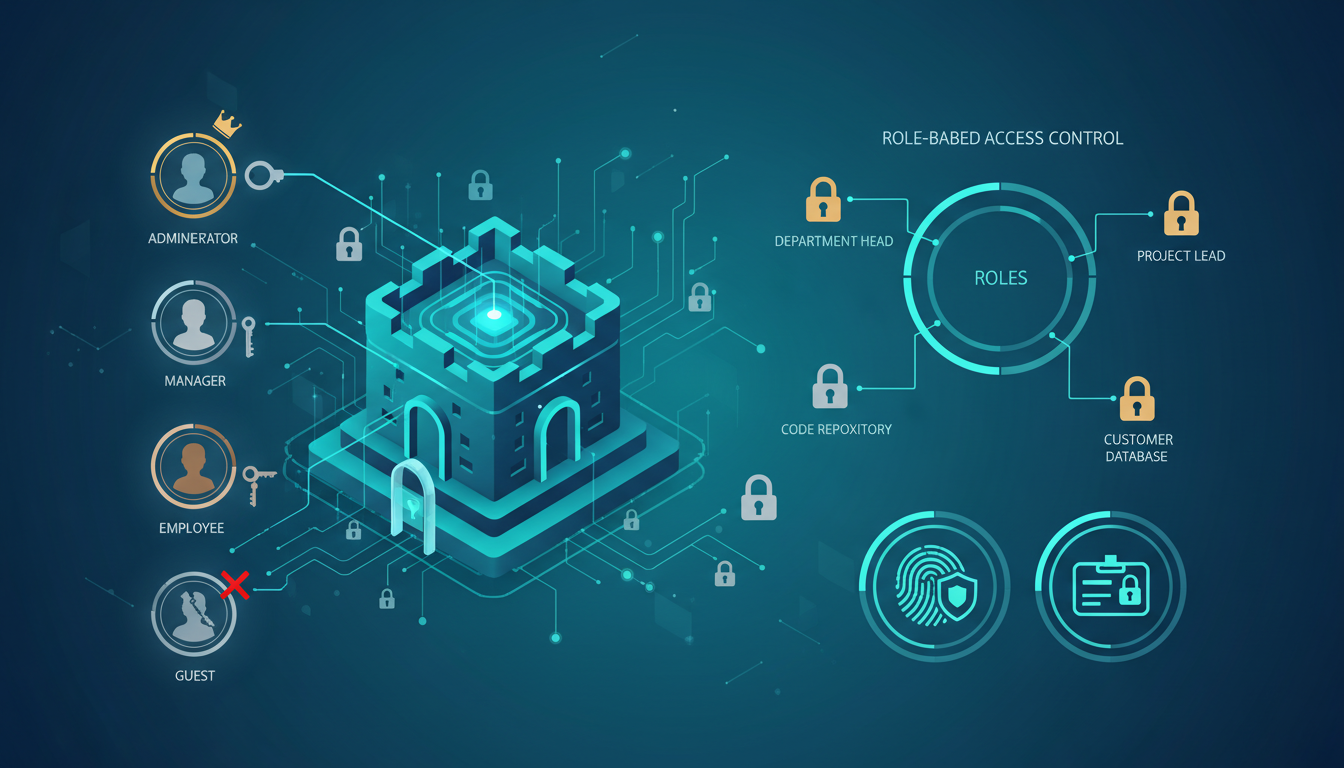
User access control is the third of the five technical controls in the Cyber Essentials scheme, and it is arguably the most human-centric. While firewalls and secure configuration focus on technology, access control is fundamentally about managing people - ensuring that only the right individuals have access to the right systems and data, at the right level, with the right authentication.
Compromised or mismanaged user credentials are the single most common entry point for cyber attacks. This guide examines the user access control requirements for Cyber Essentials Plus in detail, covering what the assessor will check, best practices for implementation, and how to avoid the most common pitfalls.
In the United Kingdom, the regulatory and threat landscape makes robust user access control more critical than ever. The Information Commissioner’s Office (ICO) has issued fines totalling over £50 million since 2018 under GDPR for data breaches, and a significant proportion originated from poor access management - weak passwords, excessive privileges, or failure to revoke access when staff departed. The UK Government’s Cyber Security Breaches Survey consistently identifies credential-based attacks as the most prevalent threat vector facing British organisations. Implementing the access control requirements of Cyber Essentials Plus is not merely a certification exercise; it is a fundamental pillar of organisational resilience in an increasingly hostile digital environment.
The Core Access Control Requirements
The Cyber Essentials standard sets out several specific requirements for user access control. Each one addresses a different aspect of how users interact with your systems.
1. The Principle of Least Privilege
This is the foundational principle of access control: every user should have the minimum level of access required to perform their role. No more, no less.
In practical terms, this means:
Standard user accounts for daily work: All users should use standard (non-administrative) accounts for their everyday activities - email, web browsing, document editing, and line-of-business applications. Standard accounts cannot install software, change system settings, or modify security configurations.
Separate administrative accounts: Staff who require administrative access (IT administrators, system managers) must have separate administrative accounts that are used exclusively for administrative tasks. They should use their standard account for daily work and only log into their admin account when performing administrative functions.
No permanent admin access: Users should not have permanent administrative privileges on their workstations unless there is a documented, justified business need. The common practice of making everyone a “local admin” for convenience is explicitly non-compliant.
Non-Compliant
- Users have admin rights on their PCs
- IT staff use one account for everything
- Shared accounts like “reception”
- Generic admin accounts without names
- Users can install any software
Compliant
- Users have standard accounts only
- IT staff have separate admin accounts
- Every user has a unique, personal account
- Admin accounts are named (john.admin)
- Software installs require IT approval
2. Unique User Accounts
Every individual who accesses your systems must have their own unique, personal user account. Shared accounts are not permitted under the Cyber Essentials standard.
The reason is accountability. With shared accounts, it is impossible to determine who performed a specific action, who accessed specific data, or who may have been responsible for a security incident. Unique accounts enable audit trails and personal accountability.
Common scenarios where shared accounts are found (and need to be replaced):
Reception or front desk: A shared “reception@company.com” account used by multiple staff members. Each receptionist needs their own account.
Workshop or warehouse: A single account used on shared terminals. Each worker needs their own credentials, even if they share the same physical device.
Admin accounts: A generic “admin” account shared among IT staff. Each IT administrator needs their own named admin account (e.g., “john.smith.admin”).
Service accounts: While service accounts are acceptable for automated processes, they should be clearly documented, have minimum required privileges, and not be used for interactive login.
When auditing for shared accounts, do not limit your review to operating system accounts alone. Check email distribution lists, service desk platforms, CRM systems, and any SaaS applications your team uses. Shared mailboxes such as info@ or support@ are technically shared accounts under Cyber Essentials and must be addressed. Each individual who accesses these systems needs their own credentials, even if they share the same functional role.
3. Strong Authentication
The Cyber Essentials standard requires that user accounts are protected by strong authentication mechanisms. At minimum, this means:
Password requirements: Passwords must be at least 8 characters. The standard encourages longer passphrases (12+ characters) as these are more secure and often easier for users to remember than short, complex passwords.
Protection against brute force: Systems must be configured to protect against password guessing attacks. This can be achieved through account lockout policies (e.g., lock the account after 10 failed attempts) or throttling mechanisms.
Multi-factor authentication (MFA): While not strictly mandatory for all accounts under the current standard, MFA is strongly recommended and increasingly expected, particularly for administrative accounts, cloud services (Microsoft 365, Google Workspace), and remote access solutions (VPN). The latest versions of the standard place greater emphasis on MFA.
| Authentication Method | Strength | CE+ Recommendation |
|---|---|---|
| Short password (under 8 chars) | Non-compliant | Not acceptable |
| Password 8+ characters | Minimum | Meets minimum requirement |
| Passphrase 12+ characters | Strong | Recommended |
| Password + MFA | Very Strong | Strongly recommended for all users |
| Passwordless + MFA (FIDO2) | Excellent | Best practice - eliminates password risks |
For UK small and medium-sized enterprises, deploying multi-factor authentication can feel daunting, but the practical reality is far simpler than many organisations expect. Microsoft 365 and Google Workspace both include MFA capabilities at no additional cost, and modern authenticator applications such as Microsoft Authenticator and Google Authenticator are free to download and straightforward for staff to use. The National Cyber Security Centre (NCSC) actively recommends MFA as one of the single most impactful security measures any organisation can adopt, estimating that it prevents over 99% of automated account compromise attacks. For organisations pursuing Cyber Essentials Plus, having MFA deployed across all cloud services and administrative accounts significantly strengthens your assessment position and demonstrates genuine security maturity to the assessor.
4. Controlled Administrative Access
Administrative accounts - those with the ability to install software, change system configurations, and modify security settings - represent the highest-risk accounts in your environment. The standard requires that they are tightly controlled:
Separate accounts: As mentioned above, admin accounts must be separate from standard user accounts. An IT administrator should have “john.smith” for daily work and “john.smith.admin” for administrative tasks.
Limited scope: Admin accounts should only have administrative access to the systems they need to manage. An admin who manages email should not have admin access to the finance system unless there is a justified need.
No email or web browsing: Administrative accounts should not be used for email, web browsing, or other daily activities. These activities expose the account to phishing and malware risks that could compromise the entire network if an admin account is affected.
MFA required: Multi-factor authentication should be mandatory for all administrative accounts. This adds a critical additional layer of protection against credential theft.
How Access Control Is Tested in CE+
During the Cyber Essentials Plus assessment, the assessor will check access control in several ways:
Account enumeration: The assessor will review user accounts on sampled devices, checking whether accounts are individual or shared, whether guest accounts are disabled, and whether there are any unnecessary accounts.
Privilege review: On each sampled device, the assessor checks which accounts have administrative privileges. Any standard user account with admin rights will be flagged.
Password policy check: The assessor verifies that password policies enforce the minimum requirements (at least 8 characters, brute-force protection). This may be checked via Active Directory Group Policy, local security policy, or cloud service settings.
MFA verification: The assessor checks whether MFA is enabled for cloud services and administrative accounts. While the specific MFA requirements have evolved with different versions of the standard, having MFA deployed is increasingly important for passing the assessment.
Access Control Compliance Scorecard
Before implementing changes, it is valuable to assess your current access control maturity across the key areas examined during a Cyber Essentials Plus assessment. The following scorecard reflects the typical baseline scores we observe when onboarding new clients across the UK - most organisations have some measures in place but fall short of full compliance in several critical areas.
If your organisation scores below 60 in any of these areas, it is likely that remediation work will be required before a successful Cyber Essentials Plus assessment. The most common areas of weakness are MFA deployment, least privilege enforcement, and offboarding processes - all of which can be addressed relatively quickly with the right guidance and tooling.
Implementing Effective Access Control
Active Directory Best Practices
For organisations using Microsoft Active Directory, effective access control implementation includes:
Group-based access: Use security groups to manage access rather than assigning permissions to individual accounts. This makes access management scalable and auditable.
Organisational Units (OUs): Structure your AD using OUs that reflect your organisation, making it easy to apply appropriate Group Policies to different groups of users and devices.
Regular access reviews: Review group memberships at least quarterly to ensure users only have access to what they currently need. When someone changes roles, their access should be updated accordingly.
Offboarding procedures: When an employee leaves, their account should be disabled immediately and removed after an appropriate retention period. Failing to do this is one of the most common access control findings in CE+ assessments.
Managed Identity Platform vs Manual Access Management
Organisations pursuing Cyber Essentials Plus certification often face a choice between implementing a managed identity platform (such as Microsoft Entra ID, Okta, or JumpCloud) and continuing with manual access management processes. The difference in compliance readiness, operational efficiency, and security posture is substantial.
Managed Identity Platform
Manual Access Management
For organisations with more than 20 users, a managed identity platform pays for itself within months through reduced administrative overhead and dramatically improved security posture. For smaller organisations, Microsoft 365 Business Premium includes Microsoft Entra ID P1 at no additional cost, providing conditional access, MFA enforcement, and basic identity governance capabilities that satisfy the majority of Cyber Essentials Plus access control requirements.
Cloud Service Access Control
For cloud services like Microsoft 365 and Google Workspace:
Enable MFA for all users: This should be the absolute minimum for any cloud service. Modern attacks like phishing and credential stuffing are easily defeated by MFA.
Conditional Access Policies (Microsoft 365): Use conditional access to enforce MFA, block legacy authentication, restrict access from untrusted locations, and require compliant devices.
Role-based access: Use the built-in role-based access control (RBAC) features in your cloud platform to assign administrative roles at the minimum required level.
Audit logging: Enable and monitor audit logs for administrative actions, sign-in events, and data access. This provides visibility into who is doing what in your environment.
Enable Conditional Access policies in Microsoft 365 to require MFA for all cloud admin roles, block legacy authentication protocols (which bypass MFA), and restrict sign-ins from countries where your organisation does not operate. This provides multiple layers of protection beyond basic MFA and demonstrates strong security controls to your Cyber Essentials Plus assessor.
Common Access Control Failures in CE+
Based on our experience preparing organisations for Cyber Essentials Plus, these are the most common access control findings:
Frequency of Access Control Findings
The Financial Impact of Access Control Failures
Understanding the financial cost of access control failures helps build the business case for investment in proper controls. According to data from UK breach reports and industry analysis, the average costs associated with different types of access-related security incidents are significant - and preventable.
These figures represent average costs across UK organisations and include direct remediation expenses, regulatory fines, lost business, and reputational damage. For small and medium-sized enterprises, even the lower end of these ranges can be existentially threatening. The investment required to implement proper access controls - typically £2,000 to £15,000 depending on organisational size and complexity - represents a fraction of the potential cost of a single breach.
Access Control for Remote and Hybrid Workers
The shift to remote and hybrid working has introduced new challenges for access control. Key considerations include:
VPN access: If your organisation uses a VPN for remote access, ensure that VPN accounts are individual (not shared), protected by MFA, and limited to the minimum required access level.
Cloud-first access: For organisations using cloud services directly (without VPN), conditional access policies and MFA become even more critical as the primary gatekeepers.
Device compliance: Consider requiring that only managed, compliant devices can access company resources. This can be enforced through Mobile Device Management (MDM) solutions like Microsoft Intune.
Zero Trust approach: While not explicitly required by Cyber Essentials, adopting a Zero Trust mindset - “never trust, always verify” - aligns well with the access control requirements and provides stronger protection for remote workers.
For remote and hybrid workers using personal devices, consider implementing Microsoft Entra ID Application Proxy or a similar reverse-proxy solution. This allows secure access to internal web applications without a full VPN connection, reducing the attack surface considerably whilst maintaining strong authentication and access controls. It is particularly effective for organisations with a mix of managed and unmanaged devices.
Building an Access Control Policy
While not strictly required for CE+ certification, having a documented access control policy makes implementation, management, and auditing significantly easier. A good policy should cover:
Account creation: How accounts are created, who approves them, and what level of access is granted by default.
Privilege escalation: The process for requesting and approving administrative access, including who can approve it and for how long.
Regular reviews: The schedule for reviewing access rights (at least quarterly) and the process for revoking access that is no longer needed.
Offboarding: The steps to take when someone leaves the organisation, including immediate account disabling, access revocation, and handover of any shared resources.
Password policy: Minimum length, complexity requirements, and any expiration or rotation policies.
From a UK regulatory perspective, your access control policy should also address the requirements of the UK GDPR and Data Protection Act 2018. The ICO expects organisations to implement “appropriate technical and organisational measures” to protect personal data, and access control is explicitly cited as one of those measures. Documenting your access control policy not only supports your Cyber Essentials Plus certification but also provides evidence of GDPR compliance, which can be invaluable in the event of a data protection inquiry or breach investigation.
Your policy should be reviewed and updated at least annually, or whenever there are significant changes to your IT environment, staffing, or business operations. Consider assigning a named individual - typically your IT manager, information security officer, or a designated compliance lead - as the policy owner responsible for maintaining the document and ensuring adherence across the organisation. Regular policy reviews also provide an opportunity to identify and address access control drift, where permissions gradually accumulate beyond what is strictly necessary for each role.
How Cloudswitched Helps
User access control is one of the areas where our managed CE+ service makes the biggest difference. We conduct a comprehensive review of your user accounts, privilege assignments, password policies, and MFA deployment. We then implement the necessary changes to bring your access controls into compliance with the standard.
For organisations using Active Directory and Microsoft 365, we provide detailed auditing and hardening of your identity infrastructure, including conditional access policies, group memberships, and administrative role assignments.
Ready to Get Certified?
Cloudswitched handles your entire Cyber Essentials Plus certification end-to-end - including comprehensive user access control auditing and implementation across your entire identity infrastructure.
View CE+ ServicesUser access control is about ensuring the right people have the right access at the right time - and nobody else. It is one of the most effective defences against both external attacks and insider threats, and getting it right is essential for Cyber Essentials Plus certification and genuine organisational security.
Strengthen Your Access Controls with Expert Guidance
Cloudswitched provides comprehensive Cyber Essentials Plus preparation, including full user access control auditing, implementation, and ongoing compliance management for UK organisations of all sizes.

CloudSwitched
London-based managed IT services provider offering support, cloud solutions and cybersecurity for SMEs.


