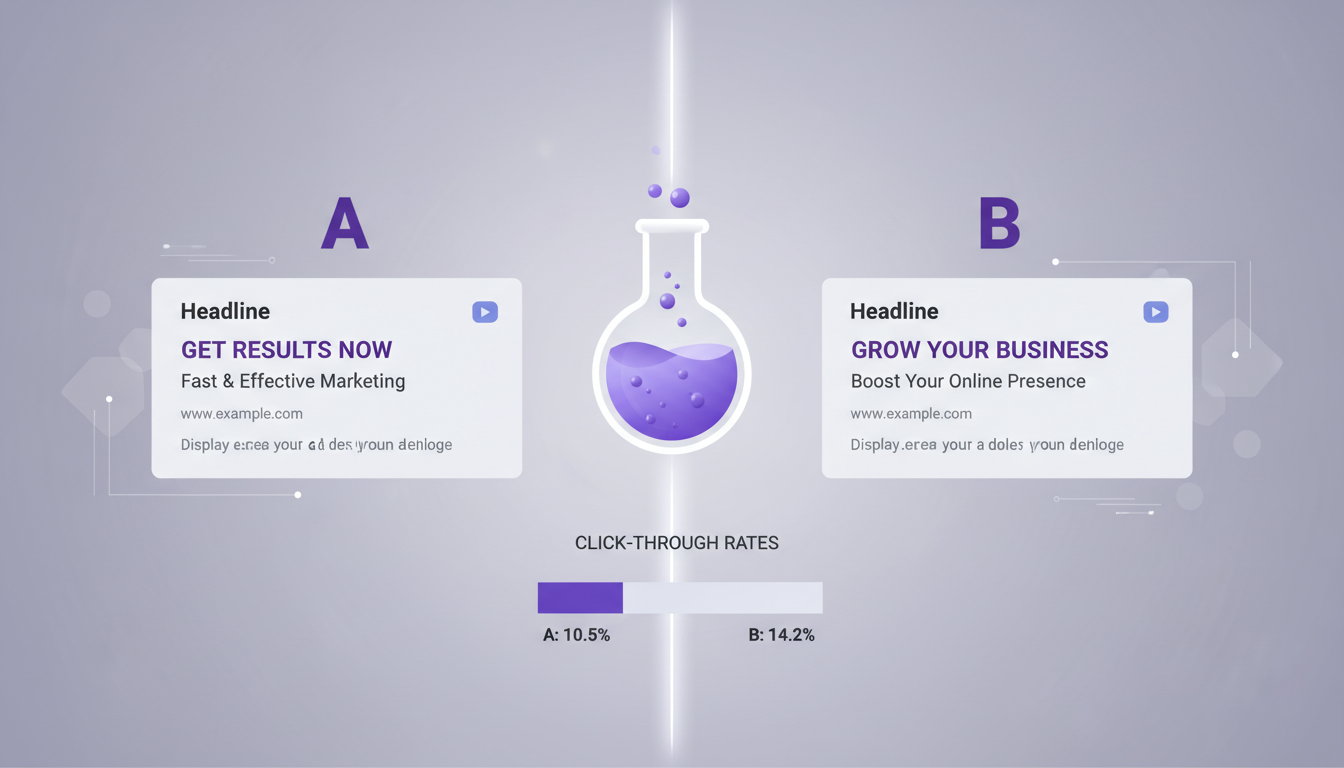
If you're spending money on Google Ads but not running A/B tests, you're essentially flying blind. Every click costs money, and without a methodical testing framework, you're leaving conversions - and revenue - on the table. A/B testing (sometimes called split testing) is the single most effective way to systematically improve campaign performance, reduce wasted spend, and scale what actually works.
For UK businesses competing in crowded markets, the margins between profit and loss on paid search can be razor-thin. A well-structured A/B testing programme can be the difference between a Google Ads account that barely breaks even and one that delivers a genuine competitive advantage. This guide walks you through everything you need to know - from foundational principles to advanced strategies - so you can start testing with confidence.
What Is A/B Testing in Google Ads?
A/B testing in Google Ads means running two or more variants of an element simultaneously, splitting traffic between them, and comparing results to determine which performs better. You might test different headlines, descriptions, landing pages, bidding strategies, or audience segments. The key principle is that you only change one variable at a time, so you can attribute any performance difference to that specific change.
Google Ads provides built-in tools for this - Experiments (formerly known as Drafts and Experiments) let you create a copy of an existing campaign, make changes, and run both versions side by side with a defined traffic split. For ad-level tests, Responsive Search Ads (RSAs) handle some rotation automatically, but manual A/B tests give you far greater control and clearer data.
Why A/B Testing Matters More Than Ever
The cost of paid search has risen sharply in recent years. Data from WordStream suggests average cost-per-click in the UK has increased by 15–20% across most industries since 2021. With higher costs, every percentage point of improvement in click-through rate or conversion rate has an outsized impact on your return on ad spend (ROAS).
Consider this: if you're spending £10,000 per month on Google Ads and your current conversion rate is 3%, moving that to 4% through testing doesn't just add a few more leads. It's a 33% increase in conversions for the same spend. Over a year, that could mean dozens of additional customers and tens of thousands of pounds in additional revenue - all without increasing your budget by a single penny.
What You Should Be Testing
Not all tests are created equal. Some changes will move the needle dramatically; others will produce negligible results. Here's a prioritised breakdown of what to test, ordered roughly by impact potential.
1. Ad Headlines
Headlines are the first thing users see and have the greatest influence on click-through rate. Test different value propositions, calls to action, and emotional triggers. For example, compare "Get a Free IT Audit Today" against "Reduce IT Costs by 40% - Here's How" to see which resonates more with your audience.
2. Landing Pages
Sending traffic to a generic homepage versus a dedicated landing page can produce wildly different conversion rates. Test page layout, headline copy, form length, social proof placement, and call-to-action button colour and text. Even seemingly trivial changes - like moving a testimonial above the fold - can lift conversions by 10–20%.
3. Bidding Strategies
Google offers numerous automated bidding options: Maximise Conversions, Target CPA, Target ROAS, Maximise Clicks, and more. Each works differently depending on your account's conversion volume and data maturity. Use Experiments to test one strategy against another with a 50/50 traffic split over at least two to four weeks.
4. Audience Segments
Test different audience targeting layers - in-market audiences, custom intent audiences, remarketing lists, and demographic adjustments. You might find that users aged 35–54 convert at twice the rate of those aged 18–24 for your particular service, allowing you to adjust bids accordingly.
5. Ad Extensions
Sitelinks, callouts, structured snippets, and call extensions all influence ad visibility and CTR. Test which combinations produce the best results. Many advertisers set up extensions once and never revisit them - that's a missed opportunity.
Setting Up Your First A/B Test: A Step-by-Step Process
Running a successful A/B test requires more than just creating two ad variants and seeing what happens. Here's a structured approach that produces reliable, actionable results.
Step 1: Define Your Hypothesis
Every test should start with a clear hypothesis. "I think changing the headline from 'Free Consultation' to 'Save 30% on IT Costs' will increase CTR by at least 10% because it's more specific and benefit-driven." A well-formed hypothesis gives you a framework for evaluating results and deciding next steps.
Step 2: Choose One Variable
The cardinal rule of A/B testing is to isolate a single variable. If you change the headline AND the description AND the landing page simultaneously, you won't know which change drove the result. Test one element at a time, document it, and move on.
Step 3: Determine Sample Size and Duration
Statistical significance matters. Running a test for three days on a low-traffic campaign and declaring a winner is a recipe for false conclusions. As a general rule, aim for at least 1,000 impressions per variant and a minimum of two weeks' run time. Google's Experiments tool includes a statistical significance indicator - don't make decisions until it shows at least 95% confidence.
Step 4: Set Up the Test
In Google Ads, navigate to Experiments in the left-hand menu. Create a new experiment based on your existing campaign. Make your single change, set a 50/50 traffic split, define a start and end date, and launch. For ad copy tests within RSAs, you can pin specific headlines to positions and compare performance across variants.
Step 5: Analyse Results and Act
Once your test reaches statistical significance, evaluate the results against your original hypothesis. If the variant wins, implement it as the new default. If it loses, document the learning and move to your next test. Either way, you've gained valuable insight.
Keep a testing log - a simple spreadsheet tracking every test you run, the hypothesis, the result, and the learning. Over time, this becomes an invaluable knowledge base that prevents you from repeating tests and helps you spot patterns across campaigns.
A/B Testing Elements at a Glance
Before diving into common pitfalls, it is worth consolidating the key testing elements into a single reference. The table below summarises each testable element alongside its primary metric, recommended minimum test duration, and the typical performance uplift observed across UK Google Ads accounts. These benchmarks are drawn from aggregate data across multiple industries and should be treated as indicative ranges rather than guaranteed outcomes.
| Test Element | Primary Metric | Min. Duration | Typical Uplift | Traffic Required |
|---|---|---|---|---|
| Ad Headlines | Click-Through Rate | 2 weeks | 15–30% | 1,000+ impressions per variant |
| Ad Descriptions | Click-Through Rate | 2 weeks | 5–15% | 1,000+ impressions per variant |
| Landing Pages | Conversion Rate | 3–4 weeks | 10–40% | 200+ clicks per variant |
| Bidding Strategies | CPA / ROAS | 4 weeks | 10–25% | 30+ conversions per variant |
| Audience Segments | Conversion Rate | 3–4 weeks | 15–35% | 500+ clicks per segment |
| Ad Extensions | CTR / Impression Share | 2 weeks | 5–15% | 1,000+ impressions |
| Device Bid Adjustments | CPA by Device | 2 weeks | 10–20% | 500+ clicks per device |
These figures represent industry averages drawn from UK accounts across various sectors including professional services, e-commerce, SaaS, and local trades. Your actual results will depend on your current baseline performance, competitive landscape, and the quality of your test variants. The key takeaway is that even modest improvements - a 10% lift in conversion rate or a 15% reduction in CPA - compound significantly over months of consistent testing. An account that runs twelve sequential tests per year, each delivering a small incremental gain, will vastly outperform one that relies on static campaign settings and periodic manual adjustments.
Pay particular attention to the traffic requirements column. One of the most common errors UK advertisers make is running tests on campaigns that simply do not generate enough volume to reach statistical significance within a reasonable timeframe. If your campaign receives fewer than 500 clicks per month, focus your testing efforts on the highest-impact elements - headlines and landing pages - where even modest sample sizes can reveal meaningful differences in performance. For very low-traffic accounts, consider extending test durations to four or even six weeks to accumulate sufficient data before drawing conclusions.
Common A/B Testing Mistakes to Avoid
Even experienced advertisers fall into testing traps. Here are the most common mistakes and how to sidestep them.
Ending Tests Too Early
Impatience is the enemy of good testing. A variant might look like a clear winner after two days, but day-of-week effects, seasonal patterns, and random fluctuations can all skew short-term data. Commit to your predefined test duration and sample size before drawing conclusions.
Testing Too Many Things at Once
Multivariate testing has its place, but it requires massive traffic volumes to reach significance across all combinations. For most UK businesses, simple A/B tests (one variable, two variants) are far more practical and produce clearer learnings.
Ignoring Micro-Conversions
Not every test should optimise for the final conversion. Sometimes testing for intermediate actions - like time on page, scroll depth, or form-field engagement - can reveal insights about user intent that improve your overall funnel strategy.
Not Accounting for External Factors
Bank holidays, competitor activity, industry events, and even weather can influence ad performance. If your test period overlaps with an unusual external event, your results may be unreliable. Always note any external factors when evaluating test outcomes.
Failing to Iterate
A/B testing isn't a one-off exercise. The best-performing Google Ads accounts run tests continuously. When one test concludes, the next should already be planned. Think of it as a cycle: hypothesise, test, learn, implement, repeat.
Advanced A/B Testing Strategies
Once you've mastered the basics, these advanced approaches can take your testing programme to the next level.
Sequential Testing
Rather than running independent tests in isolation, build a testing roadmap where each test builds on the learnings of the previous one. For example: first test headlines to find the strongest value proposition, then test descriptions that support that winning headline, then test landing page layouts that reinforce the full message.
Geo-Split Testing
Google Experiments supports geographic splits, allowing you to test entirely different campaign strategies in different regions. This is particularly useful for UK businesses serving multiple cities or regions - you might find that messaging that works in London falls flat in Manchester or Edinburgh.
Audience-Specific Creative Testing
Create separate ad groups for different audience segments and test tailored creative for each. A message that resonates with C-suite decision-makers will likely differ from one that appeals to IT managers, even if both audiences are searching for the same keywords.
Landing Page Personalisation Tests
Use dynamic text replacement or dedicated landing page variants to match the visitor's search intent more precisely. Test whether personalised landing pages (reflecting the exact keyword or ad message) outperform generic ones. In most cases, they do - often dramatically.
Measuring Success: Key Metrics to Track
Different tests call for different primary metrics. Here's what to focus on depending on what you're testing.
Top-of-Funnel Tests
Bottom-of-Funnel Tests
Always establish baseline metrics before starting a test. Without a clear "before" picture, it's impossible to accurately measure improvement. Export your key metrics for the two weeks prior to the test and use that as your benchmark.
Real-World Case Study: How a UK SaaS Company Doubled ROAS
A mid-sized SaaS company based in Birmingham was spending approximately £15,000 per month on Google Ads with a ROAS of 2.1x - adequate, but well below their target of 4x. They implemented a structured testing programme over six months, running a new test every two to three weeks.
Their first test compared their existing generic headlines ("Cloud Software for Business") against benefit-specific alternatives ("Cut Admin Time by 50% With Cloud Automation"). The benefit-specific headline won with a 22% higher CTR. Building on that, they tested two landing page variants - their existing product-feature page versus a new problem-solution page with customer testimonials. The new page lifted conversions by 31%.
Over six months and 12 sequential tests, they achieved a cumulative ROAS improvement from 2.1x to 4.3x - more than doubling their return without any increase in budget. The testing log they maintained became a strategic asset, informing not just their paid search but their broader marketing messaging.
Tools and Resources for Effective Testing
Beyond Google Ads' built-in Experiments, several tools can enhance your testing capability. Google Optimize (now sunsetted but replaced by A/B testing features in GA4) allows server-side landing page tests. Unbounce and Instapage offer dedicated landing page A/B testing with drag-and-drop builders. For statistical analysis, tools like ABTestGuide's calculator or Evan Miller's sample size calculator help you plan tests with appropriate statistical rigour.
Microsoft Clarity (free) provides heatmaps and session recordings that complement your quantitative A/B test data with qualitative user behaviour insights. Understanding why users behave differently on your test variants is just as valuable as knowing that they do.
Google's own research suggests that advertisers who run at least one experiment per quarter see 10–15% better performance over time compared to those who rely solely on manual optimisation. Consistent testing compounds - small improvements stack up to produce significant long-term gains.
Building a Testing Culture
The most successful Google Ads accounts aren't managed by people who had one brilliant insight. They're managed by teams (or individuals) who've embedded testing into their workflow as a permanent, ongoing discipline. Here's how to make that happen.
First, schedule dedicated testing time. Block out two hours per fortnight specifically for test planning, setup, and analysis. If testing doesn't have protected time in your calendar, it will always be deprioritised in favour of reactive tasks.
Second, involve stakeholders. Share test results with your broader team - sales, product, leadership. A/B test insights often have implications beyond paid search. A headline that dramatically outperforms in Google Ads might also work brilliantly as an email subject line or a website hero banner.
Third, celebrate learnings, not just wins. A test that "fails" (where the control beats the variant) is just as valuable as a test that succeeds - it tells you something important about your audience. The only failed test is one you don't learn from.
Frequently Asked Questions
How long should I run an A/B test?
At minimum, two weeks. This accounts for day-of-week variation and gives you enough data for statistical significance. For lower-traffic campaigns, you may need four weeks or more.
Can I run multiple tests simultaneously?
Yes, but only if they're on different campaigns or testing completely independent elements. Running overlapping tests on the same campaign creates confounding variables that invalidate results.
What traffic split should I use?
A 50/50 split is standard and reaches significance fastest. If you're risk-averse - for example, testing a dramatically different landing page - you might start with a 70/30 split (70% to the existing control) and adjust once you have preliminary data.
Do I need expensive tools to run A/B tests?
No. Google Ads' built-in Experiments feature is free and sufficient for most tests. You only need third-party tools for more advanced landing page testing or multivariate analysis.
Google Ads Testing Maturity Scorecard
How mature is your current testing programme? Use this scorecard to benchmark your organisation against best practices. Each metric below reflects a critical component of an effective A/B testing discipline. Scores above 70 indicate strong capability, whilst scores below 60 highlight areas where focused improvement could unlock significant performance gains in your Google Ads campaigns.
If your scores fall below 60 in any area, that represents a clear opportunity for improvement. Most UK businesses we work with score highest on budget reallocation - they instinctively shift spend toward winning campaigns - but fall short on hypothesis documentation and cross-team knowledge sharing. Building these foundational habits is what separates occasional testers from organisations with a genuine testing culture that delivers compounding returns year over year. The most effective way to improve your scores is to establish a simple testing log and a fortnightly review cadence where results are shared across your marketing and sales teams.
Statistical rigour deserves particular attention. Many advertisers declare test winners after just a few days of data, particularly when early results look decisive. However, day-of-week effects, seasonal fluctuations, and random variance can all create misleading short-term patterns. Committing to the minimum test durations outlined in the table above - and waiting for Google's statistical significance indicator to reach at least 95% confidence - will dramatically improve the reliability of your testing decisions and prevent costly false positives from derailing your optimisation strategy.
Getting Started Today
You don't need a massive budget or a team of data scientists to start A/B testing your Google Ads campaigns. Start with one test - pick the element you suspect has the most room for improvement, form a hypothesis, set up an experiment, and let the data guide you. The compound effect of consistent testing will transform your campaign performance over time.
If you're not sure where to begin or want expert guidance on structuring a testing programme for your specific industry and budget, professional support can accelerate your results dramatically.
Ready to Maximise Your Google Ads Performance?
Our Google Ads specialists help UK businesses build data-driven testing programmes that consistently improve ROAS. Get in touch for a free campaign audit and discover how much performance you're leaving on the table.
GET IN TOUCH
CloudSwitched
London-based managed IT services provider offering support, cloud solutions and cybersecurity for SMEs.


