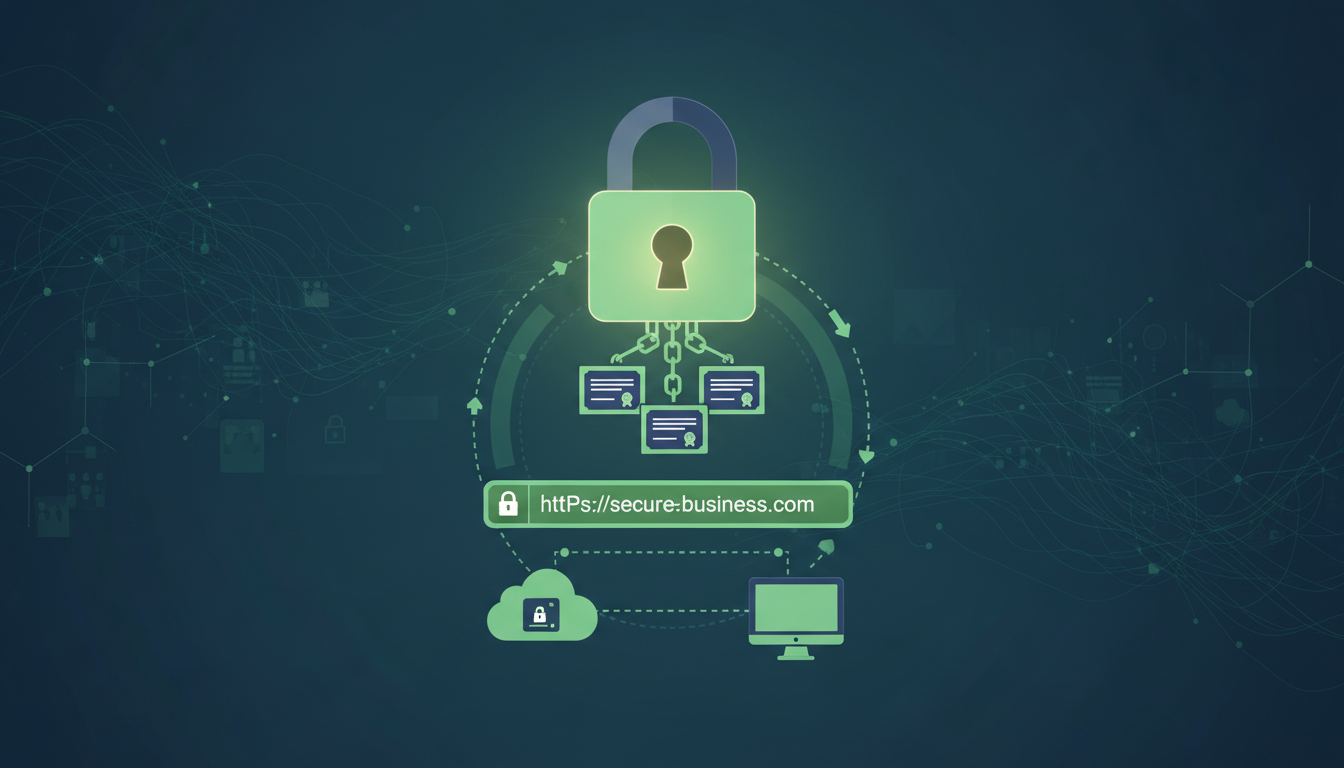
If your business has a website - and in today's UK market, virtually every business does - then SSL/TLS certificates are something you need to understand. These digital certificates are the technology behind the padlock icon in your browser's address bar, and they play a critical role in protecting your customers, your data, and your search engine rankings.
Despite their importance, SSL/TLS certificates remain one of the most misunderstood aspects of business technology. Many UK business owners know they need one but are unclear on what it actually does, how it works, or how to choose the right type. This guide demystifies SSL/TLS certificates in plain language, covering everything from the basic concepts to practical guidance on selection, installation, and management.
Whether you run a simple brochure website, an e-commerce platform processing thousands of pounds in transactions daily, or a complex web application serving clients across the United Kingdom, understanding SSL/TLS certificates is essential for your business security and credibility.
The consequences of neglecting SSL/TLS extend beyond the technical realm. In an era where data breaches dominate headlines and consumer awareness of online security has never been higher, the absence of proper encryption sends a clear message to potential customers: this business does not take my security seriously. For UK organisations operating under the scrutiny of the Information Commissioner's Office and the UK GDPR framework, that message carries not just reputational risk but genuine regulatory exposure.
What Are SSL/TLS Certificates?
SSL stands for Secure Sockets Layer, and TLS stands for Transport Layer Security. TLS is the modern successor to SSL, but the term "SSL certificate" has stuck in common usage even though virtually all certificates today actually use TLS protocols. For practical purposes, you can treat the terms as interchangeable - when someone says "SSL certificate," they almost always mean a certificate that uses TLS encryption.
At its core, an SSL/TLS certificate serves two purposes. First, it enables encryption between your website and your visitors' browsers, ensuring that any data exchanged - login credentials, payment details, personal information, form submissions - cannot be intercepted or read by anyone else. Second, it provides authentication, verifying that your website is genuinely operated by your organisation and not an impersonator.
When a visitor navigates to your website, their browser and your web server perform a process called the TLS handshake. During this handshake, your server presents its SSL/TLS certificate, the browser verifies that the certificate is valid and issued by a trusted Certificate Authority, and the two parties agree on an encryption method. All of this happens in milliseconds, invisible to the user, resulting in the padlock icon appearing in the address bar and the URL beginning with "https" rather than "http".
The Role of Certificate Authorities
Certificate Authorities (CAs) are the trusted third parties that issue SSL/TLS certificates. They are organisations whose root certificates are pre-installed in web browsers and operating systems, forming the foundation of the internet's trust infrastructure. When a CA issues a certificate for your domain, it is essentially vouching that you are who you claim to be. Browsers trust your certificate because they trust the CA, and the CA has verified your identity to a standard appropriate for the certificate type.
The CA ecosystem is governed by the CA/Browser Forum, an industry body that sets the baseline requirements for certificate issuance. In the United Kingdom, businesses can obtain certificates from global CAs such as DigiCert, Sectigo (formerly Comodo), GlobalSign, and the free, automated service Let's Encrypt. The choice of CA matters less than you might expect for most businesses - all publicly trusted CAs meet the same baseline requirements, and browsers treat their certificates identically. The differentiators are typically customer support quality, management tools, warranty levels, and pricing.
How Encryption Protects Your Data
The encryption provided by SSL/TLS certificates uses a combination of asymmetric and symmetric cryptography. During the TLS handshake, asymmetric encryption (using a public and private key pair) is used to securely exchange a session key. Once the session key is established, symmetric encryption (using the shared session key) handles the actual data transfer, because symmetric encryption is orders of magnitude faster than asymmetric encryption. Modern TLS 1.3 connections typically use AES-256-GCM for symmetric encryption, which is considered secure against all known attacks, including theoretical quantum computing threats in the near term.
For UK businesses handling sensitive data - whether that is customer personal information, financial records, medical data, or legal documents - understanding this encryption mechanism provides confidence that data intercepted in transit is effectively useless to an attacker. Without the session key, which is unique to each connection and never transmitted in plaintext, the encrypted data cannot be decrypted within any practical timeframe.
SSL was developed by Netscape in the 1990s and went through versions 1.0, 2.0, and 3.0. All versions of SSL are now deprecated and considered insecure. TLS 1.0 replaced SSL 3.0 in 1999, and the current standard is TLS 1.3, released in 2018. When your web hosting provider or IT team refers to an "SSL certificate," they are using the legacy term for what is technically a TLS certificate. The certificate itself does not specify which protocol version to use - that is determined by your server configuration. A modern, properly configured server will use TLS 1.2 or TLS 1.3 exclusively.
Types of SSL/TLS Certificates
Not all SSL/TLS certificates are created equal. They differ in the level of validation performed by the Certificate Authority, the number of domains they cover, and the level of trust they convey to visitors. Understanding these differences helps you choose the right certificate for your business needs.
Domain Validation (DV) Certificates
DV certificates are the most basic type. The Certificate Authority simply verifies that you control the domain name - typically by sending an email to the domain owner or requiring you to place a specific file on the web server. No business identity verification is performed. DV certificates are issued quickly, often within minutes, and are the cheapest option available. Many are even free through services like Let's Encrypt.
DV certificates are suitable for blogs, informational websites, and internal applications where the primary requirement is encryption rather than business verification. However, they provide no assurance to visitors about who operates the website, which makes them less appropriate for e-commerce or financial services.
It is important to understand what a DV certificate does not prove. A phishing website impersonating your bank can obtain a DV certificate just as easily as a legitimate business. The padlock icon and HTTPS prefix will appear in the browser, potentially lending false credibility to the fraudulent site. This is precisely why the 800% increase in phishing sites using SSL certificates is so concerning - basic encryption alone does not establish trust in the identity of the website operator.
Organisation Validation (OV) Certificates
OV certificates include verification of your business identity. The Certificate Authority checks that your organisation exists, verifies your registered address (typically against Companies House records for UK businesses), and confirms that you have authorised the certificate request. This process takes one to three days.
OV certificates display your organisation name in the certificate details, providing visitors with an additional layer of trust. They are appropriate for business websites, customer portals, and applications that handle sensitive but non-financial data.
Extended Validation (EV) Certificates
EV certificates provide the highest level of validation. The Certificate Authority conducts a thorough investigation of your business, including legal existence verification, physical address confirmation, and verification that the certificate requestor is authorised to act on behalf of the organisation. This process typically takes one to two weeks.
While modern browsers no longer display the green address bar that once distinguished EV certificates, clicking the padlock icon reveals the verified business name and additional details. EV certificates are recommended for e-commerce sites, financial services, healthcare providers, and any business where customer trust is paramount.
| Feature | DV Certificate | OV Certificate | EV Certificate |
|---|---|---|---|
| Validation Level | Domain only | Domain + Organisation | Domain + Organisation + Extended |
| Issuance Time | Minutes | 1-3 days | 1-2 weeks |
| Typical Cost (Annual) | Free - £50 | £50 - £200 | £150 - £500 |
| Business Name in Certificate | No | Yes | Yes (with full details) |
| Suitable For | Blogs, internal sites | Business websites, portals | E-commerce, finance, healthcare |
| Trust Level | Basic | Medium | Highest |
Wildcard and Multi-Domain Certificates
Beyond the validation level, certificates also differ in how many domains they cover. A standard certificate covers a single domain - for example, www.yourcompany.co.uk. If you have multiple subdomains or entirely separate domains, you need a more flexible option.
Wildcard certificates cover a domain and all its subdomains at one level. For example, a wildcard certificate for *.yourcompany.co.uk would cover www.yourcompany.co.uk, mail.yourcompany.co.uk, portal.yourcompany.co.uk, and any other subdomain you create. This is extremely convenient for businesses that use multiple subdomains and significantly reduces certificate management overhead.
Multi-domain certificates, also known as Subject Alternative Name (SAN) certificates, cover multiple completely different domain names under a single certificate. This is useful for businesses that operate several websites - for example, yourcompany.co.uk, yourcompany.com, and yourbrand.co.uk - and want to manage them all with a single certificate.
Wildcard Certificate Benefits
- Covers unlimited subdomains at one level
- Single certificate to manage and renew
- Cost-effective for subdomain-heavy setups
- Easy to add new subdomains without new certificates
- Available in DV and OV validation levels
- Simplifies infrastructure management
Wildcard Certificate Limitations
- Only covers one level of subdomain depth
- Not available with EV validation
- If compromised, all subdomains are affected
- Some older systems may not support them
- More expensive than single-domain certificates
- Requires careful private key management
Certificate Lifecycle Management
SSL/TLS certificates are not a set-and-forget technology. They have a defined validity period - currently a maximum of 398 days (approximately 13 months) for publicly trusted certificates - after which they expire and must be renewed. An expired certificate causes browsers to display alarming security warnings that will drive visitors away from your website immediately.
Certificate Renewal Planning
Proactive renewal planning is essential to avoid the business disruption caused by certificate expiry. Establish a certificate inventory that records every certificate in use across your organisation, including the domain it covers, the Certificate Authority that issued it, the expiry date, the server or service where it is installed, and the person or team responsible for renewal. For businesses with more than a handful of certificates, a spreadsheet quickly becomes inadequate, and dedicated certificate management platforms such as Venafi, DigiCert CertCentral, or open-source alternatives like Certbot become necessary.
The trend in the industry is toward shorter certificate lifetimes. Apple, Google, and Mozilla have all supported proposals to reduce maximum certificate validity periods, with some proposals suggesting lifetimes as short as 90 days. Shorter lifetimes reduce the window of exposure if a certificate's private key is compromised, but they also increase the operational burden of renewal. Automated certificate management is no longer a luxury - it is rapidly becoming a practical necessity for any organisation that wants to avoid outages caused by certificate expiry.
Certificate lifecycle management involves tracking expiry dates, planning renewals, and ensuring that new certificates are installed correctly and promptly. For businesses with a single website, this is straightforward. For organisations managing multiple domains, subdomains, and servers, it can become complex enough to warrant automated certificate management tools.
Let's Encrypt has pioneered automated certificate management with the ACME protocol, which can automatically request, validate, install, and renew certificates without manual intervention. Many UK hosting providers and CDN services now support ACME, making it possible to eliminate certificate expiry as a risk entirely.
Common SSL/TLS Mistakes UK Businesses Make
Despite the relative simplicity of modern certificate management, UK businesses regularly make mistakes that compromise their security or cause unnecessary downtime. Being aware of these common errors helps you avoid them.
The most common mistake is allowing certificates to expire. It sounds basic, but certificate expiry remains one of the top causes of website outages. When a certificate expires, browsers immediately display a full-page security warning, and most visitors will leave rather than proceed. Set up monitoring and calendar reminders at 60 days, 30 days, and 7 days before expiry, or better yet, use automated renewal.
Mixed content errors are another frequent issue. This occurs when your website loads some resources (images, scripts, stylesheets) over HTTP rather than HTTPS. Browsers flag mixed content as a security risk, potentially displaying warnings or blocking the insecure resources entirely. After installing an SSL certificate, thoroughly test your website to ensure every resource loads over HTTPS.
Using outdated TLS versions is a security risk that many businesses are unaware of. TLS 1.0 and 1.1 are deprecated and contain known vulnerabilities. Your server should be configured to support only TLS 1.2 and TLS 1.3. The NCSC specifically recommends disabling TLS 1.0 and 1.1 for all UK government and business websites.
Weak Cipher Suites and Configuration Errors
Even with a valid certificate and current TLS version, a poorly configured server may negotiate weak cipher suites that provide inadequate protection. Cipher suites determine the specific algorithms used for key exchange, authentication, bulk encryption, and message authentication during a TLS session. Legacy cipher suites using algorithms such as RC4, 3DES, or export-grade cryptography are vulnerable to known attacks and should be disabled entirely. Modern best practice is to configure your server to prefer forward-secret cipher suites using ECDHE key exchange and AES-GCM or ChaCha20-Poly1305 for bulk encryption.
The NCSC publishes detailed guidance on recommended TLS configurations for UK organisations, including specific cipher suite recommendations. Tools such as SSL Labs Server Test (ssllabs.com) provide free, comprehensive analysis of your server's TLS configuration, grading it from A+ to F and identifying specific weaknesses. Running this test after any server configuration change is a simple but effective way to verify that your TLS setup meets current security standards. Aim for an A or A+ grade - anything lower indicates configuration issues that should be addressed promptly.
Inadequate Certificate Monitoring
Many UK businesses install an SSL/TLS certificate and then forget about it until something goes wrong. Proactive certificate monitoring involves regularly checking not just the expiry date but also the certificate chain integrity, revocation status, and the overall health of your TLS configuration. Certificate Transparency (CT) logs, a Google-led initiative now supported by all major CAs, publish every certificate issued for your domain in a public, append-only log. Monitoring these logs alerts you immediately if a certificate is issued for your domain that you did not request - a potential indicator of a compromised CA account or a targeted attack against your organisation.
SSL/TLS and SEO: The Business Impact
Google confirmed in 2014 that HTTPS is a ranking signal, and its importance has only increased since. Websites without SSL/TLS certificates are at a measurable disadvantage in search rankings compared to their encrypted competitors. For UK businesses competing in local search results - whether you are a solicitor in Birmingham, an accountant in Bristol, or a retailer in Glasgow - HTTPS is no longer optional if you want to be found online.
Beyond direct ranking signals, HTTPS affects user behaviour metrics that Google uses to evaluate website quality. A site displaying security warnings will have higher bounce rates, lower time-on-page, and fewer conversions - all signals that tell Google the site provides a poor user experience. The indirect SEO impact of not having SSL/TLS can be even more significant than the direct ranking penalty.
HSTS: Enforcing HTTPS at the Browser Level
HTTP Strict Transport Security (HSTS) is a web security policy mechanism that instructs browsers to only communicate with your website over HTTPS, even if the user types "http://" or clicks an HTTP link. Once a browser receives an HSTS header from your website, it will automatically convert all future HTTP requests to HTTPS for a specified duration, typically one to two years. This eliminates the brief window of vulnerability that exists during the HTTP-to-HTTPS redirect, which sophisticated attackers can exploit through man-in-the-middle attacks.
For maximum protection, submit your domain to the HSTS Preload List maintained by Chrome and used by all major browsers. Domains on this list are hardcoded as HTTPS-only in the browser itself, meaning that even the very first connection to your website will use HTTPS with no redirect required. The preload list requires a valid HSTS header with a max-age of at least one year, the includeSubDomains directive, and the preload directive. For UK businesses serious about security and SEO, HSTS preloading represents the gold standard in HTTPS enforcement.
For e-commerce businesses, the impact on conversion rates is stark. Studies consistently show that UK consumers are significantly less likely to complete a purchase on a website without visible security indicators. The padlock icon has become a universal symbol of trustworthiness, and its absence actively deters customers from entering payment details.
Choosing the Right Certificate for Your Business
With so many options available, choosing the right SSL/TLS certificate can feel overwhelming. In practice, the decision is usually straightforward once you understand your requirements.
If you run a simple brochure website or blog with no login functionality or data collection, a free DV certificate from Let's Encrypt is perfectly adequate. It provides full encryption and is recognised by all major browsers. Many UK hosting providers install Let's Encrypt certificates automatically.
If you operate a business website with contact forms, customer portals, or user accounts, an OV certificate provides a better level of trust. The additional cost - typically £50 to £200 per year - is minimal compared to the credibility it provides, and the verified organisation name in the certificate details reassures visitors that they are dealing with a legitimate business.
If you run an e-commerce site, handle financial transactions, or operate in a regulated industry (financial services, healthcare, legal), an EV certificate is the gold standard. The comprehensive validation process and the detailed organisation information visible in the certificate provide the highest possible level of trust for your customers.
Need Help With SSL/TLS Certificates?
Cloudswitched manages SSL/TLS certificates for hundreds of UK businesses, from simple brochure sites to complex multi-domain platforms. We handle selection, installation, configuration, and automated renewal so you never have to worry about certificate expiry or security warnings. Contact us for expert guidance.
Explore Network Admin Services
CloudSwitched
London-based managed IT services provider offering support, cloud solutions and cybersecurity for SMEs.


